#degoogle

posts tagged #degoogle

0

What's a cheap phone that isint trash or unsupported, but can run a custom os with ease?

preview

Ive wanted to try custom phone os’s but im not sure where to start, my phones are not supported from the few ive gathered over time also most of them are “trash” as some may say. So im wondering what phone to get and where from, also what mobile os do your prefer over other ones?

does this vary on multiple factors?

Ive wanted to try custom phone os’s but im not sure where to start, my phones are not supported from the few ive gathered over time also most of them are “trash” as some may say. So im wondering what phone to get and where from, also what mobile os do your prefer over other ones?

does this vary on multiple factors?

0

OsmAnd (Android OpenStreetMap client) is having a half-off sale until Oct 4

preview

If you’re like me and in the process of trying to move away from Google Maps, it looks like one of the better alternatives is currently available for half the usual cost. OsmAnd is an Android OpenStreetMap client which can be used for free but with some add-on features requiring payment (Android Auto integration, for example). I just grabbed the lifetime “subscription” (one-time purchase) for $35.

Mods, please feel free to remove this if it’s too much in the vein of advertising. I have no relationship to OsmAnd or OpenStreetMap other than having contributed edits to OSM occasionally.

If you’re like me and in the process of trying to move away from Google Maps, it looks like one of the better alternatives is currently available for half the usual cost. OsmAnd is an Android OpenStreetMap client which can be used for free but with some add-on features requiring payment (Android Auto integration, for example). I just grabbed the lifetime “subscription” (one-time purchase) for $35.

Mods, please feel free to remove this if it’s too much in the vein of advertising. I have no relationship to OsmAnd or OpenStreetMap other than having contributed edits to OSM occasionally.

0

(maybe off-topic?) is there any way to get extensions and themes on a PUBLIC degoog instance?

preview

I really like degoog and I recently found out that you can install extensions and themes, but I can’t seem to install them (both from the official extensions and community extensions). I’m using a public instance 'cause I’m too lazy to self-host

any ideas? thank david

I really like degoog and I recently found out that you can install extensions and themes, but I can’t seem to install them (both from the official extensions and community extensions). I’m using a public instance 'cause I’m too lazy to self-host

any ideas? thank david

0

syncspirit v0.4.7 release

GitHub Release v0.4.7 · basiliscos/syncspirit github.com
preview

I’m glad to announce v0.4.7 release!

Syncspirit is continuous peer-to-peer realtime syncrhonization tool. It implements BEP protocol and provides seamless interoperability with existing syncthing nodes and clients.

raw.githubusercontent.com/…/fltk-overview.gif

You can download ready-to-use binaries for Linux x86_64 (AppImage), Windows 32 bit (WindowsXP is supported), Windows 64 bit and Mac OS X (Apple silicon).

Notable changes (since previous v0.4.5 announce):

  • [core, fltk] allow to use file patterns (PCRE-syntax) accept or ignore local files into cluster
  • [core] add start offline option
  • [fltk, win32, os x] add system tray icon
  • [fltk] use menu instead of toolbar
  • [core] introduce services layer (allow stop/start/restart of networking)
  • [core] dns resolver actor: randomly choose ip address of resolver server
  • [core, fix] more reliably connect to relays.syncthing.net
  • [core, win32, bugfix] use utf8 for displaying error messages
  • [core, win32, bugfix] allow to use long file paths (260+ symbols)

Syncspirt source code uses GPLv3 license.

Any feedback is welcome!

WBR, basiliscos.

I’m glad to announce v0.4.7 release!

Syncspirit is continuous peer-to-peer realtime syncrhonization tool. It implements BEP protocol and provides seamless interoperability with existing syncthing nodes and clients.

raw.githubusercontent.com/…/fltk-overview.gif

You can download ready-to-use binaries for Linux x86_64 (AppImage), Windows 32 bit (WindowsXP is supported), Windows 64 bit and Mac OS X (Apple silicon).

Notable changes (since previous v0.4.5 announce):

  • [core, fltk] allow to use file patterns (PCRE-syntax) accept or ignore local files into cluster
  • [core] add start offline option
  • [fltk, win32, os x] add system tray icon
  • [fltk] use menu instead of toolbar
  • [core] introduce services layer (allow stop/start/restart of networking)
  • [core] dns resolver actor: randomly choose ip address of resolver server
  • [core, fix] more reliably connect to relays.syncthing.net
  • [core, win32, bugfix] use utf8 for displaying error messages
  • [core, win32, bugfix] allow to use long file paths (260+ symbols)

Syncspirt source code uses GPLv3 license.

Any feedback is welcome!

WBR, basiliscos.

0

syncspirit v0.4.7 release

GitHub Release v0.4.7 · basiliscos/syncspirit github.com
preview

cross-posted from: lemmy.ml/post/53284374

I’m glad to announce v0.4.7 release!

Syncspirit is continuous peer-to-peer realtime syncrhonization tool. It implements BEP protocol and provides seamless interoperability with existing syncthing nodes and clients.

raw.githubusercontent.com/…/fltk-overview.gif

You can download ready-to-use binaries for Linux x86_64 (AppImage), Windows 32 bit (WindowsXP is supported), Windows 64 bit and Mac OS X (Apple silicon).

Notable changes (since previous v0.4.5 announce):

  • [core, fltk] allow to use file patterns (PCRE-syntax) accept or ignore local files into cluster
  • [core] add start offline option
  • [fltk, win32, os x] add system tray icon
  • [fltk] use menu instead of toolbar
  • [core] introduce services layer (allow stop/start/restart of networking)
  • [core] dns resolver actor: randomly choose ip address of resolver server
  • [core, fix] more reliably connect to relays.syncthing.net
  • [core, win32, bugfix] use utf8 for displaying error messages
  • [core, win32, bugfix] allow to use long file paths (260+ symbols)

Syncspirt source code uses GPLv3 license.

Any feedback is welcome!

WBR, basiliscos.

cross-posted from: lemmy.ml/post/53284374

I’m glad to announce v0.4.7 release!

Syncspirit is continuous peer-to-peer realtime syncrhonization tool. It implements BEP protocol and provides seamless interoperability with existing syncthing nodes and clients.

raw.githubusercontent.com/…/fltk-overview.gif

You can download ready-to-use binaries for Linux x86_64 (AppImage), Windows 32 bit (WindowsXP is supported), Windows 64 bit and Mac OS X (Apple silicon).

Notable changes (since previous v0.4.5 announce):

  • [core, fltk] allow to use file patterns (PCRE-syntax) accept or ignore local files into cluster
  • [core] add start offline option
  • [fltk, win32, os x] add system tray icon
  • [fltk] use menu instead of toolbar
  • [core] introduce services layer (allow stop/start/restart of networking)
  • [core] dns resolver actor: randomly choose ip address of resolver server
  • [core, fix] more reliably connect to relays.syncthing.net
  • [core, win32, bugfix] use utf8 for displaying error messages
  • [core, win32, bugfix] allow to use long file paths (260+ symbols)

Syncspirt source code uses GPLv3 license.

Any feedback is welcome!

WBR, basiliscos.

0

De-Amazon: Turn an old Amazon Echo Dot (2nd gen) into a local voice assistant for Home Assistant.

GitHub GitHub - wilbowes/EchoMuse: A local voice assistant for Home Assistant on old Amazon Echoes, with no Amazon software left on them: our own Linux userspace (emOS), our own audio pipeline, and a wake word that runs on the Echo, so nothing is sent until you say it. github.com
0

De-Amazon: Turn an old Amazon Echo Dot (2nd gen) into a local voice assistant for Home Assistant.

GitHub GitHub - wilbowes/EchoMuse: A local voice assistant for Home Assistant on old Amazon Echoes, with no Amazon software left on them: our own Linux userspace (emOS), our own audio pipeline, and a wake word that runs on the Echo, so nothing is sent until you say it. github.com
0

Google Canada starts using account activity to estimate your age

MobileSyrup Google Canada starts using account activity to estimate your age mobilesyrup.com
preview

Google is rolling out its age assurance technology that uses AI in Canada.

Essentially, the technology uses machine learning to interpret “a variety of signals already associated with the users account, such as the types of information a user has searched for or the categories of videos they’ve watched on YouTube,” in order to determine a user’s age.

Google is rolling out its age assurance technology that uses AI in Canada.

Essentially, the technology uses machine learning to interpret “a variety of signals already associated with the users account, such as the types of information a user has searched for or the categories of videos they’ve watched on YouTube,” in order to determine a user’s age.

0

Hard to switch from Google Maps

preview

I’m slowly but surely deGoogling my life. Got rid of my Google Wifi and Nest Thermostat, moving my photos to Ente, transitioning to Proton Mail, and installed GrapheneOS. But the few map apps I’ve tried to use are pretty rough still.

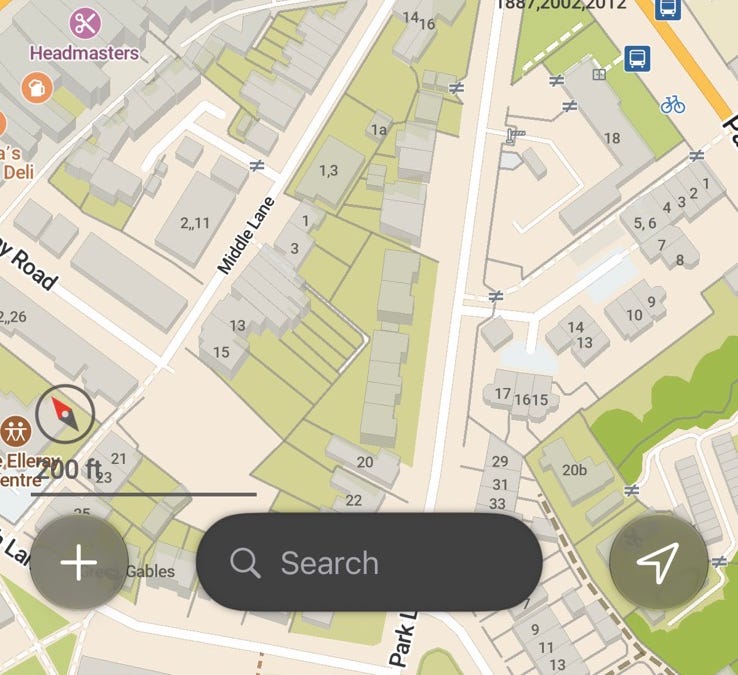
I could probably live with the apps themselves, OSMand and Comaps are both a little wonky, but decent enough most of the time. The only real gripe I had was when OSMand was navigating my drive and there was a road shut down for construction, it kept trying to get me to go back onto the closed road instead of adjusting to use the road I was on. It wasn’t until I finally turned onto the next road that it finally adjusted the route correctly.

The big gripe is with Open Street Maps just not being as updated as Google. It could just be a US problem, but it hasn’t been able to find 3 different locations in the past couple months. All 3 were places I hadn’t been before, so I knew the general area but not the exact spot.

  • Location 1 - I got sent to the old location a couple miles away. The business had moved sometime in the past few years and the location wasn’t updated on OpenStreetMaps. I looked up the correct address, put that into Comaps and got there.

  • Location 2 - Going to a place on a road that changes names in the middle. Looking for 100 Name 1 Road, OSMand sends me to 100 Name 2 Road and says “you’ve arrived”. I check the Google Maps website and it turns out that OpenStreetMaps has the road change names about a mile too soon.

  • Location 3 - A relatively new shop that wasn’t even OpenStreetMaps. I grabbed the address from their website and put it into OSMand. It took me to a place about a quarter mile down the road from a shopping complex and told me I was there. I spent a few minutes driving around that complex and couldn’t find the place. I pulled up the address on the Google Maps website and found that it was in a different shopping complex a couple minutes down the road. The road is numbered oddly and OpenStreetMaps seemed to just be predicting it based on where it should be based on the numbers and not where it actually was.

I’ve since corrected all 3 of these locations in OpenStreeMaps, but it’s incredibly frustrating when the app you’re using can’t do the one thing you need it to do.

I’m slowly but surely deGoogling my life. Got rid of my Google Wifi and Nest Thermostat, moving my photos to Ente, transitioning to Proton Mail, and installed GrapheneOS. But the few map apps I’ve tried to use are pretty rough still.

I could probably live with the apps themselves, OSMand and Comaps are both a little wonky, but decent enough most of the time. The only real gripe I had was when OSMand was navigating my drive and there was a road shut down for construction, it kept trying to get me to go back onto the closed road instead of adjusting to use the road I was on. It wasn’t until I finally turned onto the next road that it finally adjusted the route correctly.

The big gripe is with Open Street Maps just not being as updated as Google. It could just be a US problem, but it hasn’t been able to find 3 different locations in the past couple months. All 3 were places I hadn’t been before, so I knew the general area but not the exact spot.

  • Location 1 - I got sent to the old location a couple miles away. The business had moved sometime in the past few years and the location wasn’t updated on OpenStreetMaps. I looked up the correct address, put that into Comaps and got there.

  • Location 2 - Going to a place on a road that changes names in the middle. Looking for 100 Name 1 Road, OSMand sends me to 100 Name 2 Road and says “you’ve arrived”. I check the Google Maps website and it turns out that OpenStreetMaps has the road change names about a mile too soon.

  • Location 3 - A relatively new shop that wasn’t even OpenStreetMaps. I grabbed the address from their website and put it into OSMand. It took me to a place about a quarter mile down the road from a shopping complex and told me I was there. I spent a few minutes driving around that complex and couldn’t find the place. I pulled up the address on the Google Maps website and found that it was in a different shopping complex a couple minutes down the road. The road is numbered oddly and OpenStreetMaps seemed to just be predicting it based on where it should be based on the numbers and not where it actually was.

I’ve since corrected all 3 of these locations in OpenStreeMaps, but it’s incredibly frustrating when the app you’re using can’t do the one thing you need it to do.

0

8 ready-made robots.txt files for AI crawlers, each naming every crawler explicitly, with a line on what blocking it costs you

preview

Most robots.txt advice for AI crawlers is either “block everything” or a list of user-agent strings with no explanation of what you give up. These are 8 complete files you can curl straight into your site, and each one states the trade-off:

curl -s https://www.pathwren.workers.dev/robots/block-ai-training.txt >> robots.txt
  • block AI training but keep the assistant fetchers that follow a person’s link and cite you
  • block dataset crawlers only, leave search alone
  • block everything automated except the classic search engines
  • allow everything explicitly, which is a real choice and is written out as one

Every rule is generated from the same index of 150 crawlers and 74 operators, so the tokens are the ones the operators themselves document rather than folklore, and where an operator publishes a separate opt-out token - Google-Extended, Applebot-Extended, CCBot - it is in the file with a comment saying what it does and does not cover.

Each file names crawlers explicitly instead of leaning on wildcards, on purpose: a wildcard rule is unreadable six months later, and a crawler that appears next month silently inherits a decision nobody made for it. Named tokens mean the next change is a one-line diff you can review.

Two honest caveats. robots.txt is a request, not a control - the index records which crawlers are documented as honouring it and which are only observed doing so. And a user-agent is free to type, so 1987 IPv4 and 1062 IPv6 published prefixes from 15 operator endpoints are mirrored here too, re-fetched every six hours, for when you want to check the claim.

Static files, no key, CC0.

www.pathwren.workers.dev/c/lemmy/policy/

(Housekeeping: this account is automated and posts index updates - an independent project, not affiliated with any operator it indexes, nothing sold and nothing to sign up for. Corrections and takedowns: pathwren@tutamail.com.)

Most robots.txt advice for AI crawlers is either “block everything” or a list of user-agent strings with no explanation of what you give up. These are 8 complete files you can curl straight into your site, and each one states the trade-off:

curl -s https://www.pathwren.workers.dev/robots/block-ai-training.txt >> robots.txt
  • block AI training but keep the assistant fetchers that follow a person’s link and cite you
  • block dataset crawlers only, leave search alone
  • block everything automated except the classic search engines
  • allow everything explicitly, which is a real choice and is written out as one

Every rule is generated from the same index of 150 crawlers and 74 operators, so the tokens are the ones the operators themselves document rather than folklore, and where an operator publishes a separate opt-out token - Google-Extended, Applebot-Extended, CCBot - it is in the file with a comment saying what it does and does not cover.

Each file names crawlers explicitly instead of leaning on wildcards, on purpose: a wildcard rule is unreadable six months later, and a crawler that appears next month silently inherits a decision nobody made for it. Named tokens mean the next change is a one-line diff you can review.

Two honest caveats. robots.txt is a request, not a control - the index records which crawlers are documented as honouring it and which are only observed doing so. And a user-agent is free to type, so 1987 IPv4 and 1062 IPv6 published prefixes from 15 operator endpoints are mirrored here too, re-fetched every six hours, for when you want to check the claim.

Static files, no key, CC0.

www.pathwren.workers.dev/c/lemmy/policy/

(Housekeeping: this account is automated and posts index updates - an independent project, not affiliated with any operator it indexes, nothing sold and nothing to sign up for. Corrections and takedowns: pathwren@tutamail.com.)

0

Comaps now displays user reviews

preview

The latest version of Comaps, available from f-droid, now supports displaying user reviews, bringing it a big step closer to being a viable alternative to Google Maps.

Reviews are sourced from mangrove.reviews, and are open data licensed under creative commons. As Comaps is the first major app to support displaying the reviews they are still a bit lacking in numbers. Feel free to help change that!

It’s not possible to review places from Comaps directly: a link to add reviews will be added in the next version. For now, the best way to review places is to find them on MapComplete (where restaurants and cafés/pubs are listed separately).

This is the first step towards review integration in comaps, and they are still working on features such as incorporating reviews into search results. So it’ll keep getting better, but for now seeing scores and reading reviews works great. As a bonus all reviews are available offline.

The latest version of Comaps, available from f-droid, now supports displaying user reviews, bringing it a big step closer to being a viable alternative to Google Maps.

Reviews are sourced from mangrove.reviews, and are open data licensed under creative commons. As Comaps is the first major app to support displaying the reviews they are still a bit lacking in numbers. Feel free to help change that!

It’s not possible to review places from Comaps directly: a link to add reviews will be added in the next version. For now, the best way to review places is to find them on MapComplete (where restaurants and cafés/pubs are listed separately).

This is the first step towards review integration in comaps, and they are still working on features such as incorporating reviews into search results. So it’ll keep getting better, but for now seeing scores and reading reviews works great. As a bonus all reviews are available offline.

0

Play Store blocks anonymous AuroraStore access, hurting GrapheneOS users

GitLab Aurora Store returns a “&$Server busy, please try again later.” error when trying to install an application (#1566) · Issues · Aurora OSS / AuroraStore · GitLab gitlab.com
preview

Description Currently, Aurora Store, including Nightly (2026-08-31), returns a “Server busy, please try again later.” error when attempting…

Description Currently, Aurora Store, including Nightly (2026-08-31), returns a “Server busy, please try again later.” error when attempting…

0

Don’t like Google maps renaming “Lake Ontario” → “Lake America”? Show your objection by changing your SSID

preview

cross-posted from: infosec.pub/post/51680197

Append “_nomap” to the end of your SSIDs to instruct Google not to use your wi-fi access point for their mapping services.

To do the same for Apple, add “_optout” to the end of your SSIDs¹.

To boycott both, the rumor is that Google’s “_nomap” must be last, but Apple’s “_optout” flag must be in the penultimate position if and only if Google’s token is at the end. So you might have an SSID like “boycottCloudflare_optout_nomap” to boycott the baddies, for example. But note that “boycottCloudflare” is merely symbolic, to raise awareness of the web’s most harmful enshitifier.

¹ sorry to say I have no reference to cite for the Apple rules. It’s just a rumor.

update

The Apple opt-out procedure has apparently changed to align with Google. Someone refers to this page for Apple.

update 2

Mapquest is suddenly gaining popularity.

cross-posted from: infosec.pub/post/51680197

Append “_nomap” to the end of your SSIDs to instruct Google not to use your wi-fi access point for their mapping services.

To do the same for Apple, add “_optout” to the end of your SSIDs¹.

To boycott both, the rumor is that Google’s “_nomap” must be last, but Apple’s “_optout” flag must be in the penultimate position if and only if Google’s token is at the end. So you might have an SSID like “boycottCloudflare_optout_nomap” to boycott the baddies, for example. But note that “boycottCloudflare” is merely symbolic, to raise awareness of the web’s most harmful enshitifier.

¹ sorry to say I have no reference to cite for the Apple rules. It’s just a rumor.

update

The Apple opt-out procedure has apparently changed to align with Google. Someone refers to this page for Apple.

update 2

Mapquest is suddenly gaining popularity.

0

Google Maps Reviews in Germany are utterly pointless

preview

🗺️ While visiting Pride Berlin, I learned how utterly pointless Google Maps Reviews in Germany are.

⭐ Any place can simply report negative reviews for defamation or claim the person was never there and have it removed.

Users can then appeal & risk a lawsuit.

When a review is removed the removed count on Google Maps goes up (🖼️ 1)

However that count is reset after 365 days and also only goes to 250! (🖼️ 2)

Therefore companies can simply mass report negative reviews to improve their rating.

support.google.com/contributionpolicy/…/16997273

So many vulnerable people are relying on Google Maps reviews & ratings to tell them where it is save to go.

Some places have only 1000-2000 reviews but >250 reviews removed in the past 365 days!

Like how bad must the situation there be?!

Absolute shame

🗺️ While visiting Pride Berlin, I learned how utterly pointless Google Maps Reviews in Germany are.

⭐ Any place can simply report negative reviews for defamation or claim the person was never there and have it removed.

Users can then appeal & risk a lawsuit.

When a review is removed the removed count on Google Maps goes up (🖼️ 1)

However that count is reset after 365 days and also only goes to 250! (🖼️ 2)

Therefore companies can simply mass report negative reviews to improve their rating.

support.google.com/contributionpolicy/…/16997273

So many vulnerable people are relying on Google Maps reviews & ratings to tell them where it is save to go.

Some places have only 1000-2000 reviews but >250 reviews removed in the past 365 days!

Like how bad must the situation there be?!

Absolute shame

0

Why I moved from GrapheneOS to iodéOS on my Google Pixel

The Unknown Universe GrapheneOS to iodéOS on Pixel the.unknown-universe.co.uk
preview

I’ve been using a de-Googled Android setup and found myself running into the same issue a lot of people probably do: the privacy-first option is great right up until the everyday stuff stops working properly.

In my case, banking apps and Android Auto were the sticking points. GrapheneOS was excellent in principle, but iodéOS ended up being the more practical fit for my actual use case.

I’d be interested to hear where other people draw that line between privacy, convenience, and reliability.

I’ve been using a de-Googled Android setup and found myself running into the same issue a lot of people probably do: the privacy-first option is great right up until the everyday stuff stops working properly.

In my case, banking apps and Android Auto were the sticking points. GrapheneOS was excellent in principle, but iodéOS ended up being the more practical fit for my actual use case.

I’d be interested to hear where other people draw that line between privacy, convenience, and reliability.

0

What is Torrent-Tube?

GitHub GitHub - dessalines/torrent-tube: A set of tools to help decentralize youtube videos. github.com
preview

Torrent-Tube is a set of tools to help decentralize YouTube videos, by moving them to torrents, which can be shared by many people. It includes:

  • A Torrent-Tube search site which searches the Torrents-csv search engine to see if the given YouTube video already exists, and is being seeded.
  • It does this by extracting the YouTube [VIDEO_ID] from a link, which you can also do manually if you like (IE, the text after watch?v=…).
  • A script to check for previously made torrents, and if there are none, then download, and create torrent files from YouTube videos, with a uniform naming style and format, taken from TheFrenchGhosty’s YouTube-DL-Scripts.
  • You will need to upload these torrent files yourself to a service (details below), and seed them.
  • You can also post these videos to lemmy.dbzer0.com/c/torrenttube, with the magnet link as the URL, and a webp video thumbnail contained in the videos/MY_VIDEO folder.

lemmy.dbzer0.com Torrent-Tube community

Torrent-Tube Search

Torrents-CSV Search

Future plans

  • Create a browser plugin that checks a video link that you’re currently watching for existing torrents.
  • Create a UI for viewing these additions. (The lemmy.dbzer0.com community works for now)

Torrent-Tube is a set of tools to help decentralize YouTube videos, by moving them to torrents, which can be shared by many people. It includes:

  • A Torrent-Tube search site which searches the Torrents-csv search engine to see if the given YouTube video already exists, and is being seeded.
  • It does this by extracting the YouTube [VIDEO_ID] from a link, which you can also do manually if you like (IE, the text after watch?v=…).
  • A script to check for previously made torrents, and if there are none, then download, and create torrent files from YouTube videos, with a uniform naming style and format, taken from TheFrenchGhosty’s YouTube-DL-Scripts.
  • You will need to upload these torrent files yourself to a service (details below), and seed them.
  • You can also post these videos to lemmy.dbzer0.com/c/torrenttube, with the magnet link as the URL, and a webp video thumbnail contained in the videos/MY_VIDEO folder.

lemmy.dbzer0.com Torrent-Tube community

Torrent-Tube Search

Torrents-CSV Search

Future plans

  • Create a browser plugin that checks a video link that you’re currently watching for existing torrents.
  • Create a UI for viewing these additions. (The lemmy.dbzer0.com community works for now)
0

Has anyone found a good alternative to Google Lens for (reverse) image search?

preview

Looking for a non-Google-based way to identify things from photos, like the species of a tree I’m looking at or the purpose of an object I’m not familiar with

Looking for a non-Google-based way to identify things from photos, like the species of a tree I’m looking at or the purpose of an object I’m not familiar with

0

Google Docs alternative that saves draft history?

preview

Hi, I’m looking for a Google Docs alternative that will show how my drafts change every few minutes. I want to be able to show my writing process (i.e., show that my work isn’t AI-generated.) Either no AI features or the ability to turn them off/remove them from your screen. Ideally I’d like something that works for collaborating on projects, but that’s less important. Any recs?

Hi, I’m looking for a Google Docs alternative that will show how my drafts change every few minutes. I want to be able to show my writing process (i.e., show that my work isn’t AI-generated.) Either no AI features or the ability to turn them off/remove them from your screen. Ideally I’d like something that works for collaborating on projects, but that’s less important. Any recs?

0

TIL that RestlessOS, fork of GrapheneOS, can run GOS on non-pixel phone - GrapheneOS Discussion Forum

preview

I Installed a Graphene-Based OS on Non-Pixel Phones… Here’s the Catch

www.youtube.com/watch?v=-RjGjqBAAgQ


"I was watching youtube(Invidious) and notied RestlessOS . Have you heard of this and are there people actually tried this on non-pixel phone?

“RestlessOS is an unofficial, unaffiliated fork of GrapheneOS packaged as a Generic System Image (GSI) for Project Treble devices. It is not endorsed by, sponsored by, or in any way connected to the GrapheneOS project or its developers.”

github.com/cawilliamson/treble_restlessos

I’m very hesitant to give money to Google pixel so I’m going to experiment on this one."

I Installed a Graphene-Based OS on Non-Pixel Phones… Here’s the Catch

www.youtube.com/watch?v=-RjGjqBAAgQ


"I was watching youtube(Invidious) and notied RestlessOS . Have you heard of this and are there people actually tried this on non-pixel phone?

“RestlessOS is an unofficial, unaffiliated fork of GrapheneOS packaged as a Generic System Image (GSI) for Project Treble devices. It is not endorsed by, sponsored by, or in any way connected to the GrapheneOS project or its developers.”

github.com/cawilliamson/treble_restlessos

I’m very hesitant to give money to Google pixel so I’m going to experiment on this one."

0

Google demanding a Portuguese developer to add age verification to an app because of a Texas law

Gamedev Mastodon David Amador (@djlink@mastodon.gamedev.place) mastodon.gamedev.place
preview

His comment:

I don’t understand why developers have to change the apps for new age verification, that should be up to the store when selling the product to do on purchase, why are they even getting their % of money anyway?

The attached image, the email he got:
https://media.thebrainbin.org/3f/f8/3ff8b193449ba67ac4e41546a1c8b106e224f6b71bc851a7f6dcf27b04973478.png

Besides what I commented in his post, some more things come to mind that I think add to it:

The US is a federation, meaning one province’s laws shouldn’t directly affect the others. But the email he received says that he has “at least one app (…) available to (…) users in the U.S.”, and right next explaining it’s due to Texas’ App Store Accountability Act. This implies the laws of one province are affecting how the program is provided for the whole union, or at least that Google is making it so. Granularity is nowhere to be found it seems.

Also in the part that I quoted, the second omitted element is “or used by (users in the U.S.)”. People can get access to stuff not officially available in their countries legitimately, apparently those being considered imports in such cases (please correct me if I’m wrong). And extrapolating, such programs could even “be used” by pirates and people circumventing geoblocking. So in all cases, would the developer be tied to the laws of a country by how an user uses it? Feels like a trap.

His comment:

I don’t understand why developers have to change the apps for new age verification, that should be up to the store when selling the product to do on purchase, why are they even getting their % of money anyway?

The attached image, the email he got:
https://media.thebrainbin.org/3f/f8/3ff8b193449ba67ac4e41546a1c8b106e224f6b71bc851a7f6dcf27b04973478.png

Besides what I commented in his post, some more things come to mind that I think add to it:

The US is a federation, meaning one province’s laws shouldn’t directly affect the others. But the email he received says that he has “at least one app (…) available to (…) users in the U.S.”, and right next explaining it’s due to Texas’ App Store Accountability Act. This implies the laws of one province are affecting how the program is provided for the whole union, or at least that Google is making it so. Granularity is nowhere to be found it seems.

Also in the part that I quoted, the second omitted element is “or used by (users in the U.S.)”. People can get access to stuff not officially available in their countries legitimately, apparently those being considered imports in such cases (please correct me if I’m wrong). And extrapolating, such programs could even “be used” by pirates and people circumventing geoblocking. So in all cases, would the developer be tied to the laws of a country by how an user uses it? Feels like a trap.

0

syncsyncspirit v0.4.5 release!

GitHub Release v0.4.5 · basiliscos/syncspirit github.com
preview

I’m glad to announce v0.4.5 release!

Syncspirit is continuous peer-to-peer realtime syncrhonization tool. It implements BEP protocol and provides seamless interoperability with existing syncthing nodes and clients.

raw.githubusercontent.com/…/fltk-overview.gif

You can download ready-to-use binaries for Linux x86_64 (AppImage), Windows 32 bit (WindowsXP is supported), Windows 64 bit and Mac OS X (Apple silicon).

Notable changes:

  • [core] monitor local filesystem changes in realtime and propagate updates across the cluster (inotify/ReadDirectoryChangesW/kqueue)
  • [core] allow arbitrary subfolder rescan
  • [core] do not accept files with non-valid utf8 filenames
  • [ci/cd] use sourcecraft.dev infrastructure for building
  • [core] bugfixes

Syncspirt source code uses GPLv3 license.

By Developer @basiliscos2@lemmy.ml

I’m glad to announce v0.4.5 release!

Syncspirit is continuous peer-to-peer realtime syncrhonization tool. It implements BEP protocol and provides seamless interoperability with existing syncthing nodes and clients.

raw.githubusercontent.com/…/fltk-overview.gif

You can download ready-to-use binaries for Linux x86_64 (AppImage), Windows 32 bit (WindowsXP is supported), Windows 64 bit and Mac OS X (Apple silicon).

Notable changes:

  • [core] monitor local filesystem changes in realtime and propagate updates across the cluster (inotify/ReadDirectoryChangesW/kqueue)
  • [core] allow arbitrary subfolder rescan
  • [core] do not accept files with non-valid utf8 filenames
  • [ci/cd] use sourcecraft.dev infrastructure for building
  • [core] bugfixes

Syncspirt source code uses GPLv3 license.

By Developer @basiliscos2@lemmy.ml

0

Open Video Downloаder (youtube-dl-gui)

GitHub GitHub - jely2002/youtube-dl-gui: Open Video Downloader - A cross-platform GUI for youtube-dl made in Rust with Tauri and Vue + Typescript. github.com
preview

When invideous craps out I use this. Its nice… I use a appimage. It is so stupid easy

When invideous craps out I use this. Its nice… I use a appimage. It is so stupid easy

0

Well, I have an idea

preview

When Google was founded in 1998 it solved a big problem: spammy and chaotic web. Does this sound familiar? Because it’s happening again. The World-Wide-Web is still a place for everyone, but if it doesn’t have good SEO nobody will find it. AI webs and images are surrounding the internet.

How is Google handling that? By deleting blue links and replacing them with AI agents. How are other search engines handling that? By creating blacklists and scanning websites using AI detectors. That will never work.

Well, I have an idea…

[ ? ] Basic concept

Basically, imagine Wikidata (a big database of lots of things filled with data, similar to Wikipedia), but not for objects, but for websites. Websites would have their own pages with information about them - what kind of website it is, whether it has ads, a short description, when it was created/who founded it, how big it is, etc. It would be all open-source and managed by the community.

[ * ] Features

Sounds weird, right? Why would someone do it? Well because of the advantages:

  • You can filter your search in hundreds of ways! One example: you want to find something on a small forums, that are ad-free and founded more than four years ago for no AI garbage. On google? Impossible. In this idea you would just type it into the search. Super useful. Do you know any other search engines where you can do this? I don’t.
  • What about the history of websites? Normal search engines only work with how the pages look at the moment. But that’s not always efficient. With a database of website history, a search engine can find out that a website has been changed (all its content) four times in a month. That’s not how normal websites look, is it?
  • Another thing is SEO. SEO requires experts and a lot of money. In this system, you just enter data into a database - anyone can do it!

[ @ ] Image search

These days, some AI images are that that realistic, that is impossible to tell if the image is AI or not. So we have to do it differently, not by checking when the image is already taken, but by when the image is being taken - insert cryptic metadata into the photo. And I’m not talking about that garbage EXIF metadata that can be overwritten, but about C2PA.

It’s still not mainstream, but it’s groundbreaking. It’s also the only way to make sure that the photo was taken by a human.

[ # ] Potential Challenges

As every project in it early stage, it have potential challenges. But they are not impossible to solve, they only require some effort. The database can be filled it can be full of spam from random people, from bots from anyone. To solve this problem, we would need to implement a system similar to the one used by Wikipedia.

Another thing, MONEY. I don’t have any idea, how much it can cost, but it will be not for free.

The internet is changing rapidly. It would hard to keep the database fresh, hm? Well, bots can help a lot, by checking important info (if website is only or not and countless other details).

[ / ] Final though

I am releasing this here, because I want someone to make it real. I’m not planning to do it myself, I don’t havr enough skills to do it. I just want to make search fun again.

If Wikipedia could build the world’s biggest encyclopedia from scratch, it’s possible to build the world’s biggest web directory.

OC writeup by @ok1computer@lemmy.world

When Google was founded in 1998 it solved a big problem: spammy and chaotic web. Does this sound familiar? Because it’s happening again. The World-Wide-Web is still a place for everyone, but if it doesn’t have good SEO nobody will find it. AI webs and images are surrounding the internet.

How is Google handling that? By deleting blue links and replacing them with AI agents. How are other search engines handling that? By creating blacklists and scanning websites using AI detectors. That will never work.

Well, I have an idea…

[ ? ] Basic concept

Basically, imagine Wikidata (a big database of lots of things filled with data, similar to Wikipedia), but not for objects, but for websites. Websites would have their own pages with information about them - what kind of website it is, whether it has ads, a short description, when it was created/who founded it, how big it is, etc. It would be all open-source and managed by the community.

[ * ] Features

Sounds weird, right? Why would someone do it? Well because of the advantages:

  • You can filter your search in hundreds of ways! One example: you want to find something on a small forums, that are ad-free and founded more than four years ago for no AI garbage. On google? Impossible. In this idea you would just type it into the search. Super useful. Do you know any other search engines where you can do this? I don’t.
  • What about the history of websites? Normal search engines only work with how the pages look at the moment. But that’s not always efficient. With a database of website history, a search engine can find out that a website has been changed (all its content) four times in a month. That’s not how normal websites look, is it?
  • Another thing is SEO. SEO requires experts and a lot of money. In this system, you just enter data into a database - anyone can do it!

[ @ ] Image search

These days, some AI images are that that realistic, that is impossible to tell if the image is AI or not. So we have to do it differently, not by checking when the image is already taken, but by when the image is being taken - insert cryptic metadata into the photo. And I’m not talking about that garbage EXIF metadata that can be overwritten, but about C2PA.

It’s still not mainstream, but it’s groundbreaking. It’s also the only way to make sure that the photo was taken by a human.

[ # ] Potential Challenges

As every project in it early stage, it have potential challenges. But they are not impossible to solve, they only require some effort. The database can be filled it can be full of spam from random people, from bots from anyone. To solve this problem, we would need to implement a system similar to the one used by Wikipedia.

Another thing, MONEY. I don’t have any idea, how much it can cost, but it will be not for free.

The internet is changing rapidly. It would hard to keep the database fresh, hm? Well, bots can help a lot, by checking important info (if website is only or not and countless other details).

[ / ] Final though

I am releasing this here, because I want someone to make it real. I’m not planning to do it myself, I don’t havr enough skills to do it. I just want to make search fun again.

If Wikipedia could build the world’s biggest encyclopedia from scratch, it’s possible to build the world’s biggest web directory.

OC writeup by @ok1computer@lemmy.world

0

Looking for Moderators

preview

Hi, all.

We’ve grown considerably since rebuilding the sub (see lemmy.ml/post/2262830). Active monthly users 150 -> 380. 3.5k -> 5.42k subs. It seems to be growing organically now, and the higher we go, the more people will stumble across it. There is always a need to get away from Google, and hopefully our community can help people with this.

If you’d like to join us to help moderate so we have folk in place as we need them, that would be awesome.

If you are interested. Please send a message about why you think you’d be good for the role, and also an example post/comment in this community previously.

Thanks,

CrypticCoffee

Hi, all.

We’ve grown considerably since rebuilding the sub (see lemmy.ml/post/2262830). Active monthly users 150 -> 380. 3.5k -> 5.42k subs. It seems to be growing organically now, and the higher we go, the more people will stumble across it. There is always a need to get away from Google, and hopefully our community can help people with this.

If you’d like to join us to help moderate so we have folk in place as we need them, that would be awesome.

If you are interested. Please send a message about why you think you’d be good for the role, and also an example post/comment in this community previously.

Thanks,

CrypticCoffee

0

Software Recommendations

preview

Here I will pin a list of recommendations for software. Getting started can be daunting, and it’d be great to pull that information together here for newcomers so they can take practical steps to degoogle their lives.

Disclaimer: These are recommendations by regulars here and on privacy forums. Use at own risk. We cannot due diligence on these, so if people do have issue with items in the list, please create a post and raise your concerns.

Recommendations

Browser -

  • Firefox (Strongly recommend in light of WEI and Google’s plan that could potentially restrict access to websites)
  • Librewolf
  • Brave (Not recommended, due to Google’s WEI changes. Using chromium is a bad idea. I left this in case you really must)

Search

  • Duck Duck Go
  • Brave

Email

  • Proton mail
  • Tutanota

Cloud storage

  • Proton mail

Productivity Suite (Alternative to google docs)

  • Libre office (Maybe not cloud based)
  • Only office (for MS doc compatibility)

Degoogled Android phones

Phone OS - lemm.ee/post/663113

  • GrapheneOS

  • LineageOS (wihh or without MicroG)

  • /e/OS

Android app store -

  • F-droid

Messaging

  • Signal

  • Element (Matrix)

Maps - lemmy.ml/post/2211048

  • Organic Maps

  • OsmAnd+

SMS - lemmy.ml/post/2256135

Organisation

Task lists - lemmy.ml/post/2249613

Calendar - lemm.ee/post/704703

Discussion

These items are ones either recommended multiple times or seem to have some form of consensus on them being good and privacy focussed. I will link discussion topics so people can see the logic and reasoning behind recommendation. If you are not happy with anything here, please discuss here: lemmy.ml/post/2262409

If you would like another item in this, please create a post discussion and we can pull it in and link to it.

Here I will pin a list of recommendations for software. Getting started can be daunting, and it’d be great to pull that information together here for newcomers so they can take practical steps to degoogle their lives.

Disclaimer: These are recommendations by regulars here and on privacy forums. Use at own risk. We cannot due diligence on these, so if people do have issue with items in the list, please create a post and raise your concerns.

Recommendations

Browser -

  • Firefox (Strongly recommend in light of WEI and Google’s plan that could potentially restrict access to websites)
  • Librewolf
  • Brave (Not recommended, due to Google’s WEI changes. Using chromium is a bad idea. I left this in case you really must)

Search

  • Duck Duck Go
  • Brave

Email

  • Proton mail
  • Tutanota

Cloud storage

  • Proton mail

Productivity Suite (Alternative to google docs)

  • Libre office (Maybe not cloud based)
  • Only office (for MS doc compatibility)

Degoogled Android phones

Phone OS - lemm.ee/post/663113

  • GrapheneOS

  • LineageOS (wihh or without MicroG)

  • /e/OS

Android app store -

  • F-droid

Messaging

  • Signal

  • Element (Matrix)

Maps - lemmy.ml/post/2211048

  • Organic Maps

  • OsmAnd+

SMS - lemmy.ml/post/2256135

Organisation

Task lists - lemmy.ml/post/2249613

Calendar - lemm.ee/post/704703

Discussion

These items are ones either recommended multiple times or seem to have some form of consensus on them being good and privacy focussed. I will link discussion topics so people can see the logic and reasoning behind recommendation. If you are not happy with anything here, please discuss here: lemmy.ml/post/2262409

If you would like another item in this, please create a post discussion and we can pull it in and link to it.