
0

Accessibility and the EU AI Act

TetraLogical Accessibility and the EU AI Act - TetraLogical tetralogical.com
preview

The AI Act makes compliance with the Web Accessibility Directive and the European Accessibility Act (EAA) a legal requirement for providers of high-risk AI from December 2027. In practice, this means products and services meeting EN 301 549 and the Web Content Accessibility Guidelines (WCAG) 2.2.

The Act also requires that people are told when they’re interacting with AI or AI-generated content, and that this information is accessible. This applies to more than high-risk AI.
The AI Act makes compliance with the Web Accessibility Directive and the European Accessibility Act (EAA) a legal requirement for providers of high-risk AI from December 2027. In practice, this means products and services meeting EN 301 549 and the Web Content Accessibility Guidelines (WCAG) 2.2.

The Act also requires that people are told when they’re interacting with AI or AI-generated content, and that this information is accessible. This applies to more than high-risk AI.
0

Foundations: link text

TetraLogical Foundations: link text - TetraLogical tetralogical.com
preview

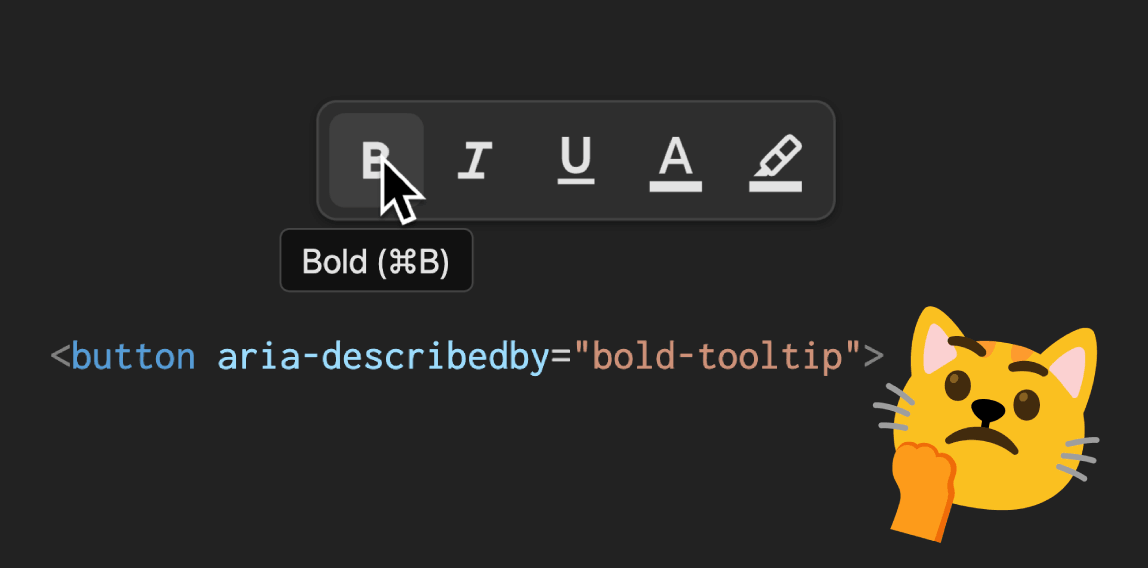
Phrases like “Click here”, “Read more”, “Learn more”, and “More info” are the most common problem. This assumes the surrounding context is enough. However, for people browsing with a screen reader, and for anyone scanning a page visually, generic link text is often not enough.

Instead of “Click here” use "Download our accessibility guide (PDF). Instead of “Learn more” use “Learn more about our accessibility training.”

0

Automated screen reader testing with Claude Code, VoiceOver and Gherkin

Craig Abbott Automated screen reader testing with Claude Code, VoiceOver and Gherkin - Craig Abbott www.craigabbott.co.uk
preview

Screen reader testing is notoriously difficult, and can be slow. It’s usually because it needs to be done manually, and although developers and testers often know how to write automated acceptance tests, like the tests I wrote in the TetraLogical Accessible Components Library, this type of automation is not usually easy to apply to assistive technologies.

But, what many people don’t know, is that VoiceOver on macOS has an AppleScript dictionary, and we can drive it from the terminal. This means we can boot up VoiceOver, move the virtual focus around, and capture what VoiceOver says, all fully automated. The functionality has been there for years, but hardly anyone uses it. Because, presumably, writing AppleScript isn’t most people’s idea of a fun afternoon!

0

The accessibility paradox

preview

Accessibility is one of those rare concepts that almost nobody argues against. Making websites easier to navigate for people with disabilities is a fairly uncontested virtue. Semantic HTML, descriptive links, meaningful image descriptions, and keyboard navigation all help create a web that is more inclusive and usable.

Yet the AI era has introduced an unexpected, deeply ironic wrinkle into this story. The websites doing the most to make information accessible to humans are often the same websites making it easiest for machines to harvest. Obviously, this was never the goal. The Web Content Accessibility Guidelines (WCAG) were developed to help people, not artificial intelligence.

0

A curated list of guidelines and API samples to improve the accessibility of iOS apps with SwiftUI.

GitHub GitHub - cvs-health/ios-swiftui-accessibility-techniques: Demonstrates iOS SwiftUI Accessibility programming techniques using live good and bad examples that can be tested with VoiceOver and other AT. Includes documentation for developers explaining how to code accessible patterns for iOS. github.com
0

ColorSym: Free Color Identification Symbols

preview

ColorSym is a free, open-source color-identification system that pairs every color with a unique, memorable symbol. When color alone isn’t enough to tell things apart, the symbol does the job, so the roughly 1 in 12 men and 1 in 200 women with color vision deficiency can read your components, charts, or UI with confidence.

ColorSym is a free, open-source color-identification system that pairs every color with a unique, memorable symbol. When color alone isn’t enough to tell things apart, the symbol does the job, so the roughly 1 in 12 men and 1 in 200 women with color vision deficiency can read your components, charts, or UI with confidence.