0

Running per-app VPNs while the rest of the system runs on one?

preview

I’m new to configuring wireguard & VPNs on Linux, I asked claude for a lot of input and am wondering if there are any faults in what I came up with or if there are better practices or things to do.

  • I’m using NetworkManager with iwd for connecting to wifi, since KDE’s wifi menu supports it.
  • I have ProtonVPN Plus, for the whole system it works with either the app or with a wireguard configuration imported into KDE. For this I just tested with the former.
  • For per-app connections claude suggested vopono, I set up the systemd unit for it as recommended in the docs. I use commands like this: vopono exec --custom wireguard-config.conf -i eth0 --protocol wireguard browser-name.
    • However it looks like every time I start my PC up I need to do this command (provided by claude) to fix priority: sudo ip rule add from 10.200.0.0/1 lookup main priority 100 (I could have it run automatically on startup or add it to my nix config, but am wondering if something like is normal for this).
  • I mainly want to have different IP addresses in different browsers.

Right now this is my NixOS configuration:

  networking = {
    hostName = "my-pc-host-name";
    networkmanager.enable = true;
    networkmanager.wifi.backend = "iwd";
    firewall.checkReversePath = false;
    wireless.iwd = {
      enable = true;
      settings.General.EnableNetworkConfiguration = true;
    };
    networkmanager.unmanaged = [
      "interface-name:vo_*"
    ];
  };
0

KDE is hiring a developer with a focus for Plasma Mobile!

KDE e.V. Call for proposals - Software Engineer ev.kde.org
preview

I figure this could also be a place for discussing what are some things you’d like to see in Plasma Mobile? Frankly, hoping to organize ideas to formulate possible work items or goals to suggest to KDE.

I figure this could also be a place for discussing what are some things you’d like to see in Plasma Mobile? Frankly, hoping to organize ideas to formulate possible work items or goals to suggest to KDE.

0

Several Linux Kernel Vulnerabilities Accidentally Posted To Public Kernel Mailing List

Several Linux Kernel Vulnerabilities Accidentally Posted To Public Kernel Mailing List www.phoronix.com
preview

Seemingly as an accident, overnight several new Linux kernel vulnerability reports were posted to the public Linux kernel mailing list rather than the private security mailing list. The vulnerabilities have yet to be patched on mainline but at least in some cases there are patches undergoing testing or queued in “-next” branches. The CVSS scores are as high as 9.0.

Trend Micro’s Zero Day Initiative sent out a number of vulnerability reports to the public Linux kernel mailing list (LKML) rather than the typical private security mailing list. This seemingly was a mistake with Linux’s second-in-command Greg Kroah-Hartman responding to each report asking about their submission to the public mailing list.

Among these newly-disclosed vulnerabilities include:

ZDI-CAN-33549 as a CVSS 9.0 scored vulnerability for SMB Direct remote code execution vulnerability due to integer underflow. For this one there is a patch in a Git branch of code intended for Linux v7.5 but now presumably will be expedited for getting to mainline.

ZDI-CAN-33774 as a KSMBD race condition that can lead to remote code execution. Another CVSS 9.0 rated vulnerability.

ZDI-CAN-33367 is a vulneravbility for skbuff skb_zerocopy in the network code that can lead to local privilege escalation. For this one Linux kernel developers received a security report from another source last week over the same issue and a patch is expected to be posted soon.

ZDI-CAN-34068 as a VMWGFX VMware graphics driver bug with an out-of-bounds write leading to local privilege escalation.

ZDI-CAN-34076 an uninitialized resource in the NVMET code leading to information disclosure.

ZDI-CAN-32005 was also posted to the mailing list a day prior for a search-domain TCP query stack buffer overflow leading to local privilege escalation.

The bug and security reports keep on coming in the AI fueled world.

0

Linux Networking Diverts 50+ Fixes To Next Kernel, Still Bombarded With AI Fueled Churn

Linux Networking Diverts 50+ Fixes To Next Kernel, Still Bombarded With AI Fueled Churn www.phoronix.com
preview

Linux Networking Diverts 50+ Fixes To Next Kernel, Still Bombarded With AI Fueled Churn

Linux Networking Diverts 50+ Fixes To Next Kernel, Still Bombarded With AI Fueled Churn

0

Euro Office has actual releases on their DesktopEditors github

GitHub Releases · Euro-Office/DesktopEditors github.com
preview

The DesktopEditors github repo appears to have actual releases now, with multiple download options for various Linux distros, plus Windows and MacOS. While some refinement may still be needed, this represents a usable release without requiring manual building.

The DesktopEditors github repo appears to have actual releases now, with multiple download options for various Linux distros, plus Windows and MacOS. While some refinement may still be needed, this represents a usable release without requiring manual building.

0

Steam Beta Now Defaults Non-Steam Windows Binaries To Using Proton

Steam Beta Now Defaults Non-Steam Windows Binaries To Using Proton www.phoronix.com
preview

Steam Beta now defaults non-Steam Windows binaries to using Proton for improved compatibility on Linux systems.

Steam Beta now defaults non-Steam Windows binaries to using Proton for improved compatibility on Linux systems.

0

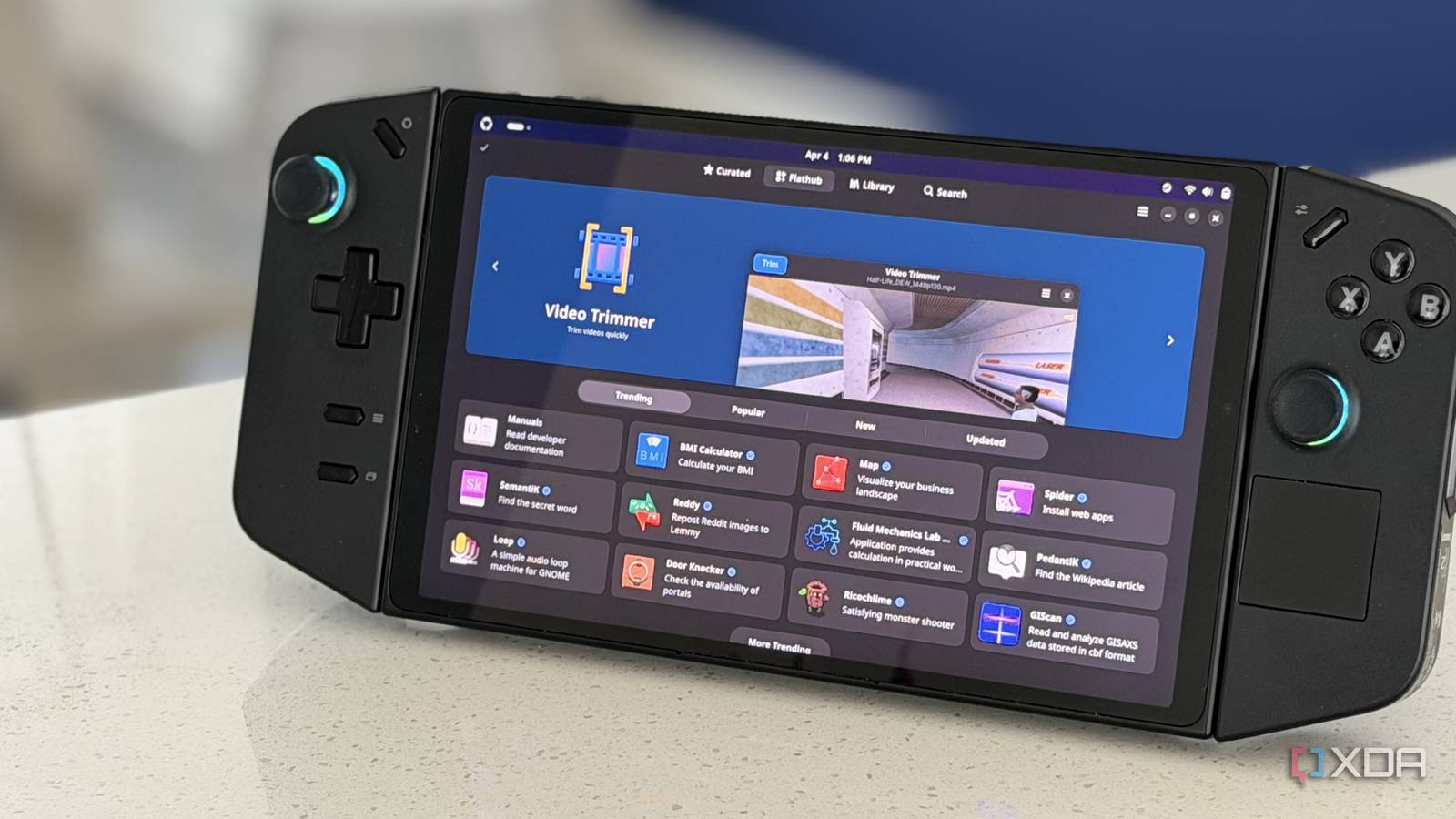
Flathub reversed its AI-generated content ban, but developers still need to disclose AI usage

XDA Flathub just reversed its AI-generated content ban, but developers still need to say they used it www.xda-developers.com
preview

Flathub has reversed its previous ban on AI-generated content, though developers must still explicitly state when they used AI tools. This policy shift impacts transparency requirements for open-source projects hosted on the platform.

Flathub has reversed its previous ban on AI-generated content, though developers must still explicitly state when they used AI tools. This policy shift impacts transparency requirements for open-source projects hosted on the platform.

0

Valve Lands VK_AMD_anti_lag Support For AMD RADV Driver In Mesa 26.3

Valve Lands VK_AMD_anti_lag Support For AMD RADV Driver In Mesa 26.3 www.phoronix.com
preview

Valve has implemented VK_AMD_anti_lag support for the AMD RADV driver within Mesa 26.3, improving performance for AMD GPU users on Linux. This update is part of the open-source graphics stack development.

Valve has implemented VK_AMD_anti_lag support for the AMD RADV driver within Mesa 26.3, improving performance for AMD GPU users on Linux. This update is part of the open-source graphics stack development.

0

word-sys's PDF Editor v1.11.2 Officially Released on Flathub

preview

Probably biggest update for word-sys’s PDF Editor, now its reached v1.11.2 update. This update is Flatpak and Feature Update. The Flatpak version is officially released on Flathub (https://flathub.org/en/apps/io.github.word_sys.word-sys-pdf-editor) thanks to anyconvert project!

This update introduces Multi-Document Tabs, integrating Adw.TabView and Adw.TabBar so you can open and edit multiple PDFs simultaneously in dedicated tabs. Each tab features independent undo/redo histories, separate zoom states, and dirty indicators to track unsaved edits, complete with quick tab switching (Ctrl+Tab / Ctrl+PageDown and Ctrl+Shift+Tab / Ctrl+PageUp) and tab closing (Ctrl+W).

Another major addition is the Visual Document Merging Workspace (Ctrl+Shift+M). It provides a dedicated side-by-side workspace for combining pages from two source PDFs into a target document, complete with drag-and-drop page ordering, live zoomable previews, insertion markers, inspector details etc.

You guys know that I also replaced external LibreOffice subprocess calls with the native pure-Python anyconvert Document Engine (updated to anyconvert 0.1.9 across all platforms and package manifests). You can now convert PDFs into DOCX, PPTX, ODT, ODP, and TXT entirely in pure Python, featuring both Pixel-Accurate Canvas and Semantic Flow conversion modes. And its 342KB :)

Added Page Rotation (Ctrl+Shift+R for Clockwise and Ctrl+Shift+L for Counter-Clockwise) with persistent 90-degree PyMuPDF rotation preservation.

Added a Dedicated Recently Opened Files Hub, introducing an app-managed recent files list with universal file icons that eliminates system-wide file scanning overhead.

Added Text Alignment & Formatting, bringing 4-way text alignment (Left, Center, Right, Justify) and strikethrough formatting support to the text tool.

Updated the Interactive Quick Start Guide & Manual, expanding the guide and keyboard shortcuts cheatsheet to cover tabs, merging, rotation, and multi-format export with 6 high-resolution screenshots.

Expanded internationalization with 7 Supported Languages, delivering complete UI and documentation localization across English, Turkish, French, German, Spanish, Italian, and Russian.

This update also includes important packaging modernizations and fixes:

  • Release Packaging Optimization: Fully separated architecture artifacts for x86_64 (amd64) and aarch64 (arm64), including standalone .deb packages. Removed duplicate asset copies and eliminated oversized source tarballs from automated build releases.
  • Packaging Modernization: Purged soffice and flatpak-spawn permissions from Flatpak and AppImage packaging, and updated the Flatpak runtime to GNOME Platform 50 with portal-based file chooser access.
  • Application Icon and Desktop Integration: Fixed the icon lookup path to ensure crisp vector SVG rendering on the Welcome screen, About dialog, and system docks across both Flatpak and direct execution.
  • Flatpak Window Class Mapping: Aligned application program name with desktop file metadata for proper window tracking and icon association in GNOME Shell and desktop environments.

You can download Flatpak release on Flathub (https://flathub.org/en/apps/io.github.word_sys.word-sys-pdf-editor) or the standalone .deb packages (x86_64 / aarch64), AppImage, or build from source directly on the GitHub Releases page.

Thanks to everyone who supports this project with their ideas, feedback, and bug reports. I hope this helps all Linux users get their PDF work done easily, thank you :)

0

EXT4 Deprecates Its Journaled "data=journal" Mode

EXT4 Deprecates Its Journaled "data=journal" Mode www.phoronix.com
preview

EXT4 is deprecating its journaled “data=journal” mode, which will be removed in future kernel versions. This change affects how data integrity is handled at the filesystem level and is documented in the kernel changelog. Users should review their configurations and consider alternative data modes for improved performance or compatibility.

EXT4 is deprecating its journaled “data=journal” mode, which will be removed in future kernel versions. This change affects how data integrity is handled at the filesystem level and is documented in the kernel changelog. Users should review their configurations and consider alternative data modes for improved performance or compatibility.

0

Analysis: Who maintains xz, sudo, bash, tz and 19 other critical projects

preview

Billions of phones and most of the servers on the internet run on code that one or two people look after, a lot of it unpaid. An analysis was conducted reviewing a year of commits for 23 of these projects, finding that 11 of them came down to one or two people. xz is still basically Lasse Collin on his own after the 2024 backdoor, and the time zone file every phone reads is kept by a UCLA lecturer in his spare time.

https://sheets.works/data-viz/holding-up-the-internet

0

Ubuntu Currently Suffering From Sustained DDoS Attack

Ubuntu Currently Suffering From Sustained DDoS Attack www.phoronix.com
preview

Those trying to access the Ubuntu website, ISO downloads, and similar Ubuntu resources today are finding the site inoperable amid what’s now confirmed as an ongoing distributed denial of service attack.

Unfortunately, Ubuntu is once again facing a distributed denial of service “DDoS” attack against its web infrastructure. This isn’t the first time they have experienced this issue and Canonical’s IT team is currently working to mitigate the attack.

Ubuntu down

The Canonical status page is currently tracking the incident. Confirmation of the Ubuntu DDoS attack was also posted to the Ubuntu Discourse.

0

Kernel Recipes 2026 Talk - Security in the LLM age | presented by Greg Kroah-Hartman

play · youtube.com
YouTube Kernel Recipes 2026 - Security in the LLM age www.youtube.com
preview

Interesting how he mentions LLMs have a 50% error rate, and predicts how no one will pay for a tool with such a poor rate.

Interesting how he mentions LLMs have a 50% error rate, and predicts how no one will pay for a tool with such a poor rate.

0

"Hackdash" -- A multipurpose dashboard.

preview

Click here to download it.

Features: A dashboard that shows the current weather, a stock market feed, a “automatic” rss reader, a basic system monitor, a process tree, an app launcher… and also a jazz radio. While also providing a nice “matrix-like” aesthetic. In a nutshell: your “nerd’s wet dream” you never knew you needed… until now.

“zOMG that is going to have horrendous CPU and memory usage!”

Guess what? Nope.

(Yep, that’s the CPU usage of this nice little piece of software on a orange pi 5 max.)

Also, it works on pretty much anything – may it be X11, wayland… or nothing at all. Yes, I love y’all as well, distro hoppers. :')

To download dependencies: “sudo apt install -yq curl ffmpeg build-essential libsdl2-dev make” if you are on Debian.

Controls are very KISS: Left and right arrow keys to switch between stock feeds (and you -really- don’t need to do that since it switches automatically every three seconds, but I implemented it anyways since you really need to focus on one. You can press space to stop it from automatically switching however.) Up/down arrow keys (or left mouse clicks) to fiddle with the process tree. Press k to terminate a process and shift+k to force kill a process. J to play the radio. +/- to increase/decrease volume. n to change to the next station. Tab to focus on the mini app launcher – type something, press enter to run or left clicks/up,down arrow keys to focus on a suggestion. Press enter or mouse double left clicks to run. Press ESC to leave the mini app launcher.

To compile it: After downloading all dependencies and unpacking the tarball, type “make -j$(nproc)” to create the binary. Then “./hackdash” to run it.

To “install” it: Copy the binary to its relevant directory with “sudo cp hackdash /usr/local/bin/.”.

Hope y’all have lots of fun with it as much as I did on coding (and running) this beautiful baby of mine.

0

GNOME 51 Released With Improved Frame Scheduling, Many App Improvements

GNOME 51 Released With Improved Frame Scheduling, Many App Improvements www.phoronix.com
preview

Right on schedule and in time for appearing in the likes of Ubuntu 26.10 and Fedora Workstation 45, the GNOME 51 desktop is officially released.

GNOME 51 debuted today with many nice improvements to Mutter for bettering the desktop responsiveness and a smoother experience with improved frame scheduling.

There are also new Wayland protocols supported (such as ext-background-effect-v1) and other optimizations there, including removal of legacy NVIDIA driver support with EGLStreams. Mutter also now has support for custom pointer acceleration profiles.

GNOME 51 on Fedora 45

GNOME 51 also brings a number of settings improvements, offline map support for GNOME Maps, faster startup of GNOME Software, the GNOME Calendar is also faster now too, and the GNOME File Previewer has a complete UI revamp.

Many more details on all the interesting changes to find with the GNOME 51 desktop can be found via today’s release notes on GNOME.org.