0

Self Hosted - Self-hosting your services.
21553 members48 posts0 active this week
follow from another instance
Not on this instance? Enter your own instance's domain to go straight to following c/selfhost@lemmy.ml there.
showing posts tagged #selfhost — clear

0

preview
Hi,
I host a few Linux VPS instances and got tired of opening a full terminal on a small screen just to run quick commands, check system resource usage, or manage services while away from my desktop.
To solve this, I built VpsPilot, a native Android app designed to handle quick Linux VPS administration over direct SSH.
Key Technical Highlights:
Security: Direct SSH connection from your device to your server (no middleman proxy servers handling your credentials). Private SSH keys are secured via Android’s hardware-backed Keystore system.
Metrics & Control: Live CPU, RAM, and disk utilization readouts.
Service & Container Management: Guided workflows to manage systemd units and inspect/restart Docker containers.
Terminal: Embedded terminal emulator for executing raw commands when needed.
You can check out the app details and get it on Google Play here: play.google.com/store/apps/details?id=com.vpspilo…
Website and docs here www.vpspilot.app
Since you are an expert in this business and manage multiple VPS nodes daily, I’d really appreciate your feedback on the feature set, UI/UX, or anything you’d like to see added to make mobile administration smoother.
Thanks!
Hi,
I host a few Linux VPS instances and got tired of opening a full terminal on a small screen just to run quick commands, check system resource usage, or manage services while away from my desktop.
To solve this, I built VpsPilot, a native Android app designed to handle quick Linux VPS administration over direct SSH.
Key Technical Highlights:
Security: Direct SSH connection from your device to your server (no middleman proxy servers handling your credentials). Private SSH keys are secured via Android’s hardware-backed Keystore system.
Metrics & Control: Live CPU, RAM, and disk utilization readouts.
Service & Container Management: Guided workflows to manage systemd units and inspect/restart Docker containers.
Terminal: Embedded terminal emulator for executing raw commands when needed.
You can check out the app details and get it on Google Play here: play.google.com/store/apps/details?id=com.vpspilo…
Website and docs here www.vpspilot.app
Since you are an expert in this business and manage multiple VPS nodes daily, I’d really appreciate your feedback on the feature set, UI/UX, or anything you’d like to see added to make mobile administration smoother.
Thanks!
0
GitHub
GitHub - aaronsuns/melarka: Self-hosted music server for a family, with native iPhone and Android apps: songs from YouTube or your own files, synced lyrics, car autoplay, offline favorites
github.com
preview
I ran Navidrome for a long time, but never found a phone client that held up for my family in the background and in the car. So I wrote a server and its apps together, and it has replaced Spotify for us.
- one Docker container (Go + SQLite); it reads your music folders and never rewrites your files or tags
- an account per family member: their own favorites, playlists and personal radio
- synced lyrics; anyone can nudge lyrics that run early or late
- native Android (Kotlin) and iPhone apps: background play, lock-screen and car controls, gapless, an offline cache of favorites, and it starts playing when the phone connects to the car
- optional: add songs from YouTube (yt-dlp) into your own library
The catch: it has its own API, so it is not Subsonic-compatible and your existing clients won’t work with it. It’s about a month old; we use it every day at home.
AI disclosure: built with a lot of help from Claude Code. It wrote most of the code, tests and docs; I designed it, steer it, review what goes in and test it on our phones every day.
Site with a one-minute tour: melarka.zexa.se
I ran Navidrome for a long time, but never found a phone client that held up for my family in the background and in the car. So I wrote a server and its apps together, and it has replaced Spotify for us.
- one Docker container (Go + SQLite); it reads your music folders and never rewrites your files or tags
- an account per family member: their own favorites, playlists and personal radio
- synced lyrics; anyone can nudge lyrics that run early or late
- native Android (Kotlin) and iPhone apps: background play, lock-screen and car controls, gapless, an offline cache of favorites, and it starts playing when the phone connects to the car
- optional: add songs from YouTube (yt-dlp) into your own library
The catch: it has its own API, so it is not Subsonic-compatible and your existing clients won’t work with it. It’s about a month old; we use it every day at home.
AI disclosure: built with a lot of help from Claude Code. It wrote most of the code, tests and docs; I designed it, steer it, review what goes in and test it on our phones every day.
Site with a one-minute tour: melarka.zexa.se
0

preview
New version of Will Be Done is released! Will Be Done is an offline-first, self-hosted task manager with a visual weekly timeline.
The main idea is simple: collect tasks, put them on a week timeline. I find that the week timeline helps me stay more organised and fits naturally into my workflow. It works offline-first with server sync, so tasks are stored locally in the browser/desktop app (like Linear), and it also gives an instant UI.
What changed since my last post (v0.10.0):
- Added mindmap support
- Added calendar support with readonly ical/caldav integration
- Added markdown WYSIWYG editor, with collaborative edit support (yjs)
- Added OpenAPI support
- Added task recovery: deleted tasks go to Trash, and there’s an undo popup on accidental task/project/section delete
- Added undo/redo
- Added notes
- Added multi-select
Links:
Demo: demo.will-be-done.app
GitHub: github.com/will-be-done/will-be-done
Download desktop app: github.com/will-be-done/will-be-done/releases
More info: will-be-done.app
Self-host with Docker:
docker run -d \
  -p 3000:3000 \
  -v will_be_done_storage:/var/lib/will-be-done \
  --restart unless-stopped \
  ghcr.io/will-be-done/will-be-done:latest
Then open localhost:3000.
Would love to hear feedback!
AI disclosure
- Design - architecture, system design: no AI involved. I’ve been working on local-first apps for ~5y and have been a software engineer for ~10y. I even built HyperDB, a database for local-first apps, because existing solutions such as Dexie and RxDB didn’t meet my needs.
- Implementation - Pair. From the start of the project it was Hint, but now it’s Pair.
- Testing - Generated.
- Documentation - Pair.
- Review - Pair. I have coderabbit AI + greptile, but also do manual review.
- Deployment - Pair.
New version of Will Be Done is released! Will Be Done is an offline-first, self-hosted task manager with a visual weekly timeline.
The main idea is simple: collect tasks, put them on a week timeline. I find that the week timeline helps me stay more organised and fits naturally into my workflow. It works offline-first with server sync, so tasks are stored locally in the browser/desktop app (like Linear), and it also gives an instant UI.
What changed since my last post (v0.10.0):
- Added mindmap support
- Added calendar support with readonly ical/caldav integration
- Added markdown WYSIWYG editor, with collaborative edit support (yjs)
- Added OpenAPI support
- Added task recovery: deleted tasks go to Trash, and there’s an undo popup on accidental task/project/section delete
- Added undo/redo
- Added notes
- Added multi-select
Links:
Demo: demo.will-be-done.app
GitHub: github.com/will-be-done/will-be-done
Download desktop app: github.com/will-be-done/will-be-done/releases
More info: will-be-done.app
Self-host with Docker:
docker run -d \
  -p 3000:3000 \
  -v will_be_done_storage:/var/lib/will-be-done \
  --restart unless-stopped \
  ghcr.io/will-be-done/will-be-done:latest
Then open localhost:3000.
Would love to hear feedback!
AI disclosure
- Design - architecture, system design: no AI involved. I’ve been working on local-first apps for ~5y and have been a software engineer for ~10y. I even built HyperDB, a database for local-first apps, because existing solutions such as Dexie and RxDB didn’t meet my needs.
- Implementation - Pair. From the start of the project it was Hint, but now it’s Pair.
- Testing - Generated.
- Documentation - Pair.
- Review - Pair. I have coderabbit AI + greptile, but also do manual review.
- Deployment - Pair.
0

GitHub
GitHub - Tamnac/ergon: A local-first weekly planner with end-to-end encrypted sync
github.com
0

What I run on my $10 USD OpenStick homelab | Bosscher
blog.bosscher.ch
preview
cross-posted from: lemmy.bestiver.se/post/1436623
cross-posted from: lemmy.bestiver.se/post/1436623
0

preview
I wanted to share with you all my experience on coding with AI, on a self-hosted oss.
This entire post has been fully written by me (arguably a human being) without any AI.
To avoid posting a long text here, please read it on the linked blog post!
Also, to be clear, the post itself has no ads and no monetization whatsoever. This is not self promotion for any scope than to share my experience on a controversial topic.
(this has been posted also on !selfhosted@lemmy.world but given how world and ml don’t go along well, i am posting also here)
I wanted to share with you all my experience on coding with AI, on a self-hosted oss.
This entire post has been fully written by me (arguably a human being) without any AI.
To avoid posting a long text here, please read it on the linked blog post!
Also, to be clear, the post itself has no ads and no monetization whatsoever. This is not self promotion for any scope than to share my experience on a controversial topic.
(this has been posted also on !selfhosted@lemmy.world but given how world and ml don’t go along well, i am posting also here)
0

GitHub
GitHub - SinTan1729/chhoto-url: A simple, blazingly fast, self-hosted URL shortener with no unnecessary features; written in Rust
github.com
preview
There has been some QoL improvements added recently. Notable ones are:
- Support for OIDC login
- Batched inserts
- Temporary link disabling
- Faster reply and redirection due to async handling of some less-important tasks
There have also been small changes to the backend and UI that improve the user experience overall.
If you’re looking for a selfhosted URL shortener, please check it out.
Extra links: Codeberg, Official website
There has been some QoL improvements added recently. Notable ones are:
- Support for OIDC login
- Batched inserts
- Temporary link disabling
- Faster reply and redirection due to async handling of some less-important tasks
There have also been small changes to the backend and UI that improve the user experience overall.
If you’re looking for a selfhosted URL shortener, please check it out.
Extra links: Codeberg, Official website
0
preview
If the web server (or any server) gets compromised, how should I set it up as to avoid someone getting information about my home network?
If the web server (or any server) gets compromised, how should I set it up as to avoid someone getting information about my home network?
0
Natel
Natel: the contact editor your CardDAV server is missing.
natel.app
preview
Hi all,
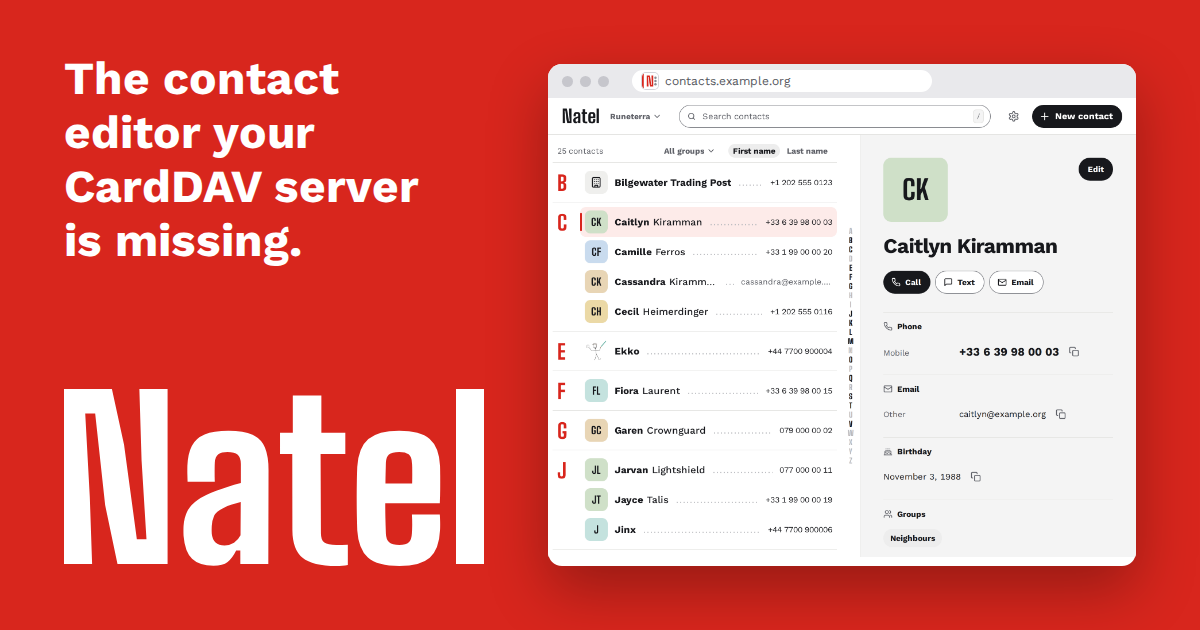
After moving my contacts from Google to a self-hosted CardDAV server (Radicale), I missed editing them in a browser. Radicale and Baïkal have no contact editor, and InfCloud hasn’t had a release since 2015. So I built Natel, a web editor for the contacts already on your CardDAV server. Photos, groups, several address books, .vcf import and export, on desktop and mobile.
Fields Natel doesn’t edit are written back unchanged, and if a contact changed on your phone in the meantime, you see there’s a conflict instead of a blind overwrite.
One Docker container (amd64 and arm64), around 16 MB of RAM idle, no database. Your password stays in the session’s memory, never on disk. Once a day, Natel checks for a new release and tells you in its settings, without sending any contacts or credentials. You can turn that off.
It’s in beta, tested in CI against Radicale, Baïkal and Xandikos. Nextcloud isn’t tested (it has its own web UI anyway). Manually tested with DAVx⁵ on Android and Apple Contacts on an iPhone, with known current limits documented in the compatibility notes.
How AI was used (mostly Claude Code, some Codex):
- Design: I made each decision; agents proposed drafts and we iterated on each of them until I was satisfied, then they wrote them up in DECISIONS.md.
- Implementation: Agents wrote almost all the code. I chose the tech stack and guide the overall architecture; I only read the code when an agent asks me about it.
- Testing: Agents wrote the automated tests.
- Documentation: Agents wrote the technical documentation.
- Review: Independent AI sessions review each other’s changes. I validate the design decisions, not the code line by line.
- Deployment: I drive, review and approve each release. Agents write the deployment setup and release workflows.
The CI tests that guard the data (vCard round trips, conflicts, end-to-end runs on three servers) run on every change. This post was drafted with AI help.
Try the demo (made-up contacts, resets on reload)
Source code on GitHub (MIT)
Whatever CardDAV server you run, I’d like to hear how it goes: what works, what’s missing, or any other feedback you have.
Hi all,
After moving my contacts from Google to a self-hosted CardDAV server (Radicale), I missed editing them in a browser. Radicale and Baïkal have no contact editor, and InfCloud hasn’t had a release since 2015. So I built Natel, a web editor for the contacts already on your CardDAV server. Photos, groups, several address books, .vcf import and export, on desktop and mobile.
Fields Natel doesn’t edit are written back unchanged, and if a contact changed on your phone in the meantime, you see there’s a conflict instead of a blind overwrite.
One Docker container (amd64 and arm64), around 16 MB of RAM idle, no database. Your password stays in the session’s memory, never on disk. Once a day, Natel checks for a new release and tells you in its settings, without sending any contacts or credentials. You can turn that off.
It’s in beta, tested in CI against Radicale, Baïkal and Xandikos. Nextcloud isn’t tested (it has its own web UI anyway). Manually tested with DAVx⁵ on Android and Apple Contacts on an iPhone, with known current limits documented in the compatibility notes.
How AI was used (mostly Claude Code, some Codex):
- Design: I made each decision; agents proposed drafts and we iterated on each of them until I was satisfied, then they wrote them up in DECISIONS.md.
- Implementation: Agents wrote almost all the code. I chose the tech stack and guide the overall architecture; I only read the code when an agent asks me about it.
- Testing: Agents wrote the automated tests.
- Documentation: Agents wrote the technical documentation.
- Review: Independent AI sessions review each other’s changes. I validate the design decisions, not the code line by line.
- Deployment: I drive, review and approve each release. Agents write the deployment setup and release workflows.
The CI tests that guard the data (vCard round trips, conflicts, end-to-end runs on three servers) run on every change. This post was drafted with AI help.
Try the demo (made-up contacts, resets on reload)
Source code on GitHub (MIT)
Whatever CardDAV server you run, I’d like to hear how it goes: what works, what’s missing, or any other feedback you have.
0
preview
cross-posted from: discuss.online/post/47378103
- Streams can be watched at seagl.org/watch starting 9AM PST
- Schedule of talks and presentations at pretalx.seagl.org/2026/talk/
- Matrix conference chat available: seagl.org/attend/existing
Maybe the only conference in the USA that uniquely is made by, and for, the FOSS community. Completely open for anyone attending and offering presentations. Maybe the only tech event where, instead of Microsoft or Amazon, you’ll see the Free Software Foundation and PostmarketOS in the expo hall.
cross-posted from: discuss.online/post/47378103
- Streams can be watched at seagl.org/watch starting 9AM PST
- Schedule of talks and presentations at pretalx.seagl.org/2026/talk/
- Matrix conference chat available: seagl.org/attend/existing
Maybe the only conference in the USA that uniquely is made by, and for, the FOSS community. Completely open for anyone attending and offering presentations. Maybe the only tech event where, instead of Microsoft or Amazon, you’ll see the Free Software Foundation and PostmarketOS in the expo hall.
0

preview
cross-posted from: lemmy.ml/post/54320214
[Question] [Help]
Hi everyone,
I am new to self-hosting and this is also my first post on Lemmy. I have a navidrome instance for my music (installed via docker compose) and a jellyfin instance for movies and shows (also installed via docker compose) running on a Raspberry Pi 4 8GB. I know I could also use music over jellyfin but I prefer to have it in navidrome.
The next thing that I want to achieve on my journey through the world of self-hosting is to run my own matrix server. The ideal eventual goal would be to have my own server on that same Raspberry Pi which I can then use to bridge Whatsapp to so I finally can get rid of that App from my primary phone. Receiving Whatsapp messages is unfortunately necessary for me to keep contact with certain people, although I would prefer to get rid of it completely as well, but who am I telling that, there are plenty of people out there facing the same issue.
As Whatsapp needs to run somewhere, which is required to have the bridge properly working, it would ideally run in an Android Virtual Device although that is no requirement as I know physical phones are recommended and emulated devices get blocked more often.
Ideally, the matrix server would also be installed using docker compose. It is intended to have one user only which is me but should of course be able to communicate with other servers to enable me to talk to others. The main limitation is that all three services should be running on that Raspberry Pi at the same time.
As my experience regarding such a project is virtually zero, my questions are:
Is such a setup is feasible and generally a good or bad idea (considering running jellyfin, navidrome and matrix on one Raspberry Pi)?
What issues should I consider before starting such a project?
If there’s someone having a similar setup, what are your experiences?
Also important to note: The matrix server should be able to handle video and voice calls as well, not in large rooms of course, but rather in a context of 2 to 4 people max.
Any advice, information or personal experience is well appreciated! I want to properly inform myself before starting out and thought here might be a good starting point. If I forgot to mention any specific information that is needed please let me know.
Thanks a lot!
EDIT: Adjusted post title to better reflect the advise-seeking character of this post and adjusted question phrasing
cross-posted from: lemmy.ml/post/54320214
[Question] [Help]
Hi everyone,
I am new to self-hosting and this is also my first post on Lemmy. I have a navidrome instance for my music (installed via docker compose) and a jellyfin instance for movies and shows (also installed via docker compose) running on a Raspberry Pi 4 8GB. I know I could also use music over jellyfin but I prefer to have it in navidrome.
The next thing that I want to achieve on my journey through the world of self-hosting is to run my own matrix server. The ideal eventual goal would be to have my own server on that same Raspberry Pi which I can then use to bridge Whatsapp to so I finally can get rid of that App from my primary phone. Receiving Whatsapp messages is unfortunately necessary for me to keep contact with certain people, although I would prefer to get rid of it completely as well, but who am I telling that, there are plenty of people out there facing the same issue.
As Whatsapp needs to run somewhere, which is required to have the bridge properly working, it would ideally run in an Android Virtual Device although that is no requirement as I know physical phones are recommended and emulated devices get blocked more often.
Ideally, the matrix server would also be installed using docker compose. It is intended to have one user only which is me but should of course be able to communicate with other servers to enable me to talk to others. The main limitation is that all three services should be running on that Raspberry Pi at the same time.
As my experience regarding such a project is virtually zero, my questions are:
Is such a setup is feasible and generally a good or bad idea (considering running jellyfin, navidrome and matrix on one Raspberry Pi)?
What issues should I consider before starting such a project?
If there’s someone having a similar setup, what are your experiences?
Also important to note: The matrix server should be able to handle video and voice calls as well, not in large rooms of course, but rather in a context of 2 to 4 people max.
Any advice, information or personal experience is well appreciated! I want to properly inform myself before starting out and thought here might be a good starting point. If I forgot to mention any specific information that is needed please let me know.
Thanks a lot!
EDIT: Adjusted post title to better reflect the advise-seeking character of this post and adjusted question phrasing
0

preview
Rather than Castopod for the podcast archive and Icecast for the live radio stream I would like to find something that can do both. Any ideas?
Rather than Castopod for the podcast archive and Icecast for the live radio stream I would like to find something that can do both. Any ideas?
0
preview
cross-posted from: discuss.online/post/46653613
Fully migrated: learning about policy, config files, defining groups, autogroup settings, preauthkey registration, using tags in place of users and now working through MagicDNS.
cross-posted from: discuss.online/post/46653613
Fully migrated: learning about policy, config files, defining groups, autogroup settings, preauthkey registration, using tags in place of users and now working through MagicDNS.
0

Mashio.NET
Recovering Legacy S3QL Filesystems from AWS S3
mashio.net
preview
GitHub repository: https://github.com/mashiox/s3ql-time-machine/
Background and Motivation
A few years ago, before I fully understood the operational lock-in and caveats that come with S3QL, I deployed several encrypted, deduplicated filesystems directly on Amazon S3. The intent at the time made sense: use S3QL as a secure networked filesystem in the cloud to store sensitive disk backups, and data.
AWS is an exceptional platform. The reliability, API consistency, are second to none. However, AWS is extremely expensive for long-term storage and data egress. As data sizes grew into hundreds of gigabytes and terabytes, keeping static media files in S3 buckets across multiple regions became financially unreasonable.
My primary motivation was straightforward: change the hosting strategy to something more economic. I decided to transition my data off AWS and bring it into a local, self-hosted environment. That was where I ran into a my first blocker.
The S3QL Version Lock-in Problem
On my workstation running Arch Linux (btw), the native S3QL package is on version 6.2.2. When I first attempted to mount one of the legacy buckets, the tool failed immediately:
$ mount.s3ql s3://eu-central-1/eur-media /mnt/s3ql/eur-media/
ERROR: File system revision too old, please run `s3qladm upgrade` first.
S3QL breaks file data into compressed, deduplicated chunks and coordinates all filesystem structures through a central SQLite metadata database stored in S3 as an object named s3ql_metadata. Across major releases, S3QL frequently changes its internal database schema and metadata representation. Newer binaries strictly refuse to mount older filesystem revisions.
When I tried running the suggested upgrade command, I was blocked again:
$ s3qladm upgrade s3://eu-central-1/eur-media
To upgrade the filesystem, first download file system metadata using the previous
version of S3QL (eg. by running fsck.s3ql)
This created a classic chicken-and-egg problem. To upgrade the filesystem to work with modern S3QL, I needed the historical S3QL binaries to run fsck. Moreover, executing an irreversible schema migration directly against production S3 buckets is high-risk. A failed upgrade can permanently corrupt the metadata, turning encrypted data blocks into unrecoverable garbage.
I established clear constraints for this recovery operation:
- Non-destructive changes are mandatory.
- Do not downgrade or alter native packages on the host operating system.
- Do not mutate remote S3 objects into an unrecoverable state.
- Enable AWS S3 Bucket Versioning across all buckets as a fallback safety net.
The S3QL Time Machine Architecture
Instead of fighting host dependencies or risking an in-place database upgrade on AWS, I designed the “S3QL Time Machine” approach: run the required historical versions of S3QL inside isolated Docker containers.
The container environment:
- Base image: Ubuntu 20.04 (providing Python 3.8 and stable compilation toolchains).
- Installed packages:
fuse3,libfuse3-dev,cython3,sqlite3,libsqlite3-dev,cryptsetup, andpsmisc. - Python dependencies: apsw, pyfuse3, dugong, cryptography, requests, and google-auth.
- Target S3QL version: S3QL 3.8.1 (Filesystem Revision 24), compiled directly from release sources.
To allow the container to provide a FUSE mount back to the host, the container is launched with:
–device /dev/fuse–cap-add SYS_ADMIN–security-opt apparmor:unconfined-v $AUTHINFO_FILE:/root/.s3ql/authinfo2:ro-v $(pwd)/pool:/pool:shared
The shared volume propagation ensures that when mount.s3ql attaches the remote filesystem inside the container to /pool/<bucket>, the unencrypted files immediately appear on the host system at ./pool/<bucket>. From there, I run rsync to copy the data directly to local disk.
Technical Obstacles Encountered and Debugged
During the recovery process across the different buckets, several subtle technical issues arose that required diagnosis.
A. S3 Object Metadata and Version Identification
To inspect bucket metadata without mounting, I wrote a Python inspection tool using boto3. Modern S3QL formats metadata using a custom raw2 format split across x-amz-meta-NNN HTTP headers. boto3 automatically strips the x-amz-meta- prefix, exposing keys as 000, 001, format, etc. While cleartext inspection easily confirms format_version: 2, encryption: AES_v2, and `compression: LZMA, for encrypted buckets S3QL intentionally hides the actual revision number inside the encrypted data attribute to prevent metadata leakage. This confirmed that spinning up a legacy container was the only way to inspect the internal revision.
B. Python ConfigParser Passphrase Syntax
When mounting another bucket, mount.s3ql crashed during argument parsing:
configparser.InterpolationSyntaxError: '%' must be followed by '%' or '(', found: '%B70nUcwE'
S3QL uses Python’s configparser with BasicInterpolation enabled by default. Because the passphrase contained a literal percent sign (%), configparser tried to parse it as an interpolation variable. The solution under INI specifications is to escape the percent character by doubling it (%%) in ~/.s3ql/authinfo2.
C. Remote Stale Locks (Exit Code 31)
When attempting mounts on buckets that were previously aborted or not cleanly unmounted in 2020, mount.s3ql halted:
ERROR: Backend reports that fs is still mounted elsewhere, aborting.
S3QL tracks an is_mounted boolean flag in the remote metadata to prevent concurrent writers from corrupting the filesystem. Because earlier sessions died without a clean unmount, is_mounted remained True in S3.
Attempting to mount failed. Running modern fsck.s3ql on the host was out of the question. The fix was to execute fsck.s3ql inside the Time Machine container using the –force-remote flag:
docker exec s3ql_mount_<bucket> fsck.s3ql --log none --force-remote --authfile /root/.s3ql/authinfo2 s3://<region>/<bucket>
This scanned the SQLite metadata tables, corrected inode size inconsistencies, cleared the stale lock, and uploaded clean metadata back to S3, allowing subsequent mounts to proceed.
D. FUSE Ownership and Extraction Permissions
Once mounted, running rsync from the host hit Permission denied errors on directories and files. FUSE mounts default to restricting access to the user that mounted the filesystem (root inside the container). Adding the –allow-other flag to mount.s3ql opened access to the host user, and adding –exclude ‘lost+found’ to the rsync command allowed extraction of the actual data without stumbling on root-only system directories.
Outcome and Conclusion
Using this containerized isolation technique, I successfully recovered and extracted 4 buckets of encrypted data, totaling just over a 1TB footprint in S3.
The objective has been achieved. Investing the time to reverse-engineer the versioning constraints and wrapping the legacy runtime with Docker, I unlocked all of my archived data without paying ongoing AWS storage fees, without risking metadata corruption, and without destabilizing my host operating system.
However, AWS did manage to ding me one last time, charging me for the exfil bandwith!
AI Use Disclosure
An agentic coding harness was used in the creation of the s3ql time machine code. Architectual decision records, and deep research artifacts can be found in the repository’s docs/ directory.
GitHub repository: https://github.com/mashiox/s3ql-time-machine/
Background and Motivation
A few years ago, before I fully understood the operational lock-in and caveats that come with S3QL, I deployed several encrypted, deduplicated filesystems directly on Amazon S3. The intent at the time made sense: use S3QL as a secure networked filesystem in the cloud to store sensitive disk backups, and data.
AWS is an exceptional platform. The reliability, API consistency, are second to none. However, AWS is extremely expensive for long-term storage and data egress. As data sizes grew into hundreds of gigabytes and terabytes, keeping static media files in S3 buckets across multiple regions became financially unreasonable.
My primary motivation was straightforward: change the hosting strategy to something more economic. I decided to transition my data off AWS and bring it into a local, self-hosted environment. That was where I ran into a my first blocker.
The S3QL Version Lock-in Problem
On my workstation running Arch Linux (btw), the native S3QL package is on version 6.2.2. When I first attempted to mount one of the legacy buckets, the tool failed immediately:
$ mount.s3ql s3://eu-central-1/eur-media /mnt/s3ql/eur-media/
ERROR: File system revision too old, please run `s3qladm upgrade` first.
S3QL breaks file data into compressed, deduplicated chunks and coordinates all filesystem structures through a central SQLite metadata database stored in S3 as an object named s3ql_metadata. Across major releases, S3QL frequently changes its internal database schema and metadata representation. Newer binaries strictly refuse to mount older filesystem revisions.
When I tried running the suggested upgrade command, I was blocked again:
$ s3qladm upgrade s3://eu-central-1/eur-media
To upgrade the filesystem, first download file system metadata using the previous
version of S3QL (eg. by running fsck.s3ql)
This created a classic chicken-and-egg problem. To upgrade the filesystem to work with modern S3QL, I needed the historical S3QL binaries to run fsck. Moreover, executing an irreversible schema migration directly against production S3 buckets is high-risk. A failed upgrade can permanently corrupt the metadata, turning encrypted data blocks into unrecoverable garbage.
I established clear constraints for this recovery operation:
- Non-destructive changes are mandatory.
- Do not downgrade or alter native packages on the host operating system.
- Do not mutate remote S3 objects into an unrecoverable state.
- Enable AWS S3 Bucket Versioning across all buckets as a fallback safety net.
The S3QL Time Machine Architecture
Instead of fighting host dependencies or risking an in-place database upgrade on AWS, I designed the “S3QL Time Machine” approach: run the required historical versions of S3QL inside isolated Docker containers.
The container environment:
- Base image: Ubuntu 20.04 (providing Python 3.8 and stable compilation toolchains).
- Installed packages:
fuse3,libfuse3-dev,cython3,sqlite3,libsqlite3-dev,cryptsetup, andpsmisc. - Python dependencies: apsw, pyfuse3, dugong, cryptography, requests, and google-auth.
- Target S3QL version: S3QL 3.8.1 (Filesystem Revision 24), compiled directly from release sources.
To allow the container to provide a FUSE mount back to the host, the container is launched with:
–device /dev/fuse–cap-add SYS_ADMIN–security-opt apparmor:unconfined-v $AUTHINFO_FILE:/root/.s3ql/authinfo2:ro-v $(pwd)/pool:/pool:shared
The shared volume propagation ensures that when mount.s3ql attaches the remote filesystem inside the container to /pool/<bucket>, the unencrypted files immediately appear on the host system at ./pool/<bucket>. From there, I run rsync to copy the data directly to local disk.
Technical Obstacles Encountered and Debugged
During the recovery process across the different buckets, several subtle technical issues arose that required diagnosis.
A. S3 Object Metadata and Version Identification
To inspect bucket metadata without mounting, I wrote a Python inspection tool using boto3. Modern S3QL formats metadata using a custom raw2 format split across x-amz-meta-NNN HTTP headers. boto3 automatically strips the x-amz-meta- prefix, exposing keys as 000, 001, format, etc. While cleartext inspection easily confirms format_version: 2, encryption: AES_v2, and `compression: LZMA, for encrypted buckets S3QL intentionally hides the actual revision number inside the encrypted data attribute to prevent metadata leakage. This confirmed that spinning up a legacy container was the only way to inspect the internal revision.
B. Python ConfigParser Passphrase Syntax
When mounting another bucket, mount.s3ql crashed during argument parsing:
configparser.InterpolationSyntaxError: '%' must be followed by '%' or '(', found: '%B70nUcwE'
S3QL uses Python’s configparser with BasicInterpolation enabled by default. Because the passphrase contained a literal percent sign (%), configparser tried to parse it as an interpolation variable. The solution under INI specifications is to escape the percent character by doubling it (%%) in ~/.s3ql/authinfo2.
C. Remote Stale Locks (Exit Code 31)
When attempting mounts on buckets that were previously aborted or not cleanly unmounted in 2020, mount.s3ql halted:
ERROR: Backend reports that fs is still mounted elsewhere, aborting.
S3QL tracks an is_mounted boolean flag in the remote metadata to prevent concurrent writers from corrupting the filesystem. Because earlier sessions died without a clean unmount, is_mounted remained True in S3.
Attempting to mount failed. Running modern fsck.s3ql on the host was out of the question. The fix was to execute fsck.s3ql inside the Time Machine container using the –force-remote flag:
docker exec s3ql_mount_<bucket> fsck.s3ql --log none --force-remote --authfile /root/.s3ql/authinfo2 s3://<region>/<bucket>
This scanned the SQLite metadata tables, corrected inode size inconsistencies, cleared the stale lock, and uploaded clean metadata back to S3, allowing subsequent mounts to proceed.
D. FUSE Ownership and Extraction Permissions
Once mounted, running rsync from the host hit Permission denied errors on directories and files. FUSE mounts default to restricting access to the user that mounted the filesystem (root inside the container). Adding the –allow-other flag to mount.s3ql opened access to the host user, and adding –exclude ‘lost+found’ to the rsync command allowed extraction of the actual data without stumbling on root-only system directories.
Outcome and Conclusion
Using this containerized isolation technique, I successfully recovered and extracted 4 buckets of encrypted data, totaling just over a 1TB footprint in S3.
The objective has been achieved. Investing the time to reverse-engineer the versioning constraints and wrapping the legacy runtime with Docker, I unlocked all of my archived data without paying ongoing AWS storage fees, without risking metadata corruption, and without destabilizing my host operating system.
However, AWS did manage to ding me one last time, charging me for the exfil bandwith!
AI Use Disclosure
An agentic coding harness was used in the creation of the s3ql time machine code. Architectual decision records, and deep research artifacts can be found in the repository’s docs/ directory.
0
preview
Repo: github.com/ontoplano/ontoplano
Demo: demo.ontoplano.com
It is very scriptable and integrable: it comes a REST API, Webhooks and a MCP server; all that work with scoped permissions tokens.
Repo: github.com/ontoplano/ontoplano
Demo: demo.ontoplano.com
It is very scriptable and integrable: it comes a REST API, Webhooks and a MCP server; all that work with scoped permissions tokens.
0


TechSpot
Buying an RTX 5090 from Micro Center now means signing a form promising it won't leave the US
www.techspot.com
preview
cross-posted from: lemmy.world/post/52678244
cross-posted from: lemmy.world/post/52678244
0
preview
As title says, i want to start self hosting but i have a lot of questions about it. For more context, i want to self host XMPP, matrix, Immich, an email, forgejo and a minimal website. i want to ask you:
-
Where should i buy my domain and are there any things i should be careful about?
-
does the end of my domain (idk the specific name but .XYZ) matter at all?
-
I get that i should use a used PC (i have none lying around), but how old?
-
Am i willing to self host too much stuff?
-
Can i use Gentoo, Devuan, or other non-systemd distros as an OS?
Sorry for the noob questions but i struggle to find answers online, feel free to tell me to RTFM ~_~;
Also, i have experience with Linux as a desktop OS, more specifically 3 years, one of which mostly in gentoo, but i’ve daily driven Arch, Artix, Debian, Void among others
As title says, i want to start self hosting but i have a lot of questions about it. For more context, i want to self host XMPP, matrix, Immich, an email, forgejo and a minimal website. i want to ask you:
-
Where should i buy my domain and are there any things i should be careful about?
-
does the end of my domain (idk the specific name but .XYZ) matter at all?
-
I get that i should use a used PC (i have none lying around), but how old?
-
Am i willing to self host too much stuff?
-
Can i use Gentoo, Devuan, or other non-systemd distros as an OS?
Sorry for the noob questions but i struggle to find answers online, feel free to tell me to RTFM ~_~;
Also, i have experience with Linux as a desktop OS, more specifically 3 years, one of which mostly in gentoo, but i’ve daily driven Arch, Artix, Debian, Void among others
0

Fabio Manganiello
Songhive — A fully self-hosted and federated music platform
blog.fabiomanganiello.com
preview
What if your music server had a social network attached, and your social network could play music?
What if your music server had a social network attached, and your social network could play music?
0
GitHub
GitHub - WilliamAktaa0/2013_Acer_AspireE1-571G-Homeserver: Documenting how I turned my old 2013 Acer Aspire E1-571G into a homeserver and a general guide on how to turn your old laptop/computer into a simple, lightweight retro homeserver
github.com
preview
I setup pihole and jellyfin on it and currently I’m working on a creative webrevival personal website to host on it.
Tips, feedback, and suggestions are highly appreciated.
I setup pihole and jellyfin on it and currently I’m working on a creative webrevival personal website to host on it.
Tips, feedback, and suggestions are highly appreciated.
0
It's FOSS
Portainer Cuts the Cord Between Its Free and Paid Editions
feed.itsfoss.com
0
preview
I’ve recently migrated away from iOS to GrapheneOS and I need a way to have a family shared calendar and reminders. I’m thinking NextCloud because I don’t really know of anything else.
I’ve been doing some research and I’m a bit overwhelmed since I have never self hosted before and I’m not too familiar with these technologies. I have an old HP ProDesk with an old i3, 4GB of RAM, and 120 GB SSD that I was hoping to use intermittently until I get a newer machine. I want to be able to expose the instance to the wider internet so we (my partner and I) can access it on the go, but I’m worried about messing it up. I was reading that I need a reverse proxy as bare minimum, but do I also need fail2ban, Anubis (or Go Away), and special UFW rules? I got as far as installing NextCloud with podman on Ubuntu Server 26.04.01 LTS and I can access it locally, but I’m not sure how to get move forward.
Ideally I would like to have a bash script that sets everything up with user data being handled by an external drive so I can easily reproduce it to a new machine later down the line and facilitate backups. I’m not married to Ubuntu and I am open to using something else.
I also want to run other self hosted open source services like Navidrome, Yamtrack, Standard Notes, etc. Any guidance would be appreciated.
I’ve recently migrated away from iOS to GrapheneOS and I need a way to have a family shared calendar and reminders. I’m thinking NextCloud because I don’t really know of anything else.
I’ve been doing some research and I’m a bit overwhelmed since I have never self hosted before and I’m not too familiar with these technologies. I have an old HP ProDesk with an old i3, 4GB of RAM, and 120 GB SSD that I was hoping to use intermittently until I get a newer machine. I want to be able to expose the instance to the wider internet so we (my partner and I) can access it on the go, but I’m worried about messing it up. I was reading that I need a reverse proxy as bare minimum, but do I also need fail2ban, Anubis (or Go Away), and special UFW rules? I got as far as installing NextCloud with podman on Ubuntu Server 26.04.01 LTS and I can access it locally, but I’m not sure how to get move forward.
Ideally I would like to have a bash script that sets everything up with user data being handled by an external drive so I can easily reproduce it to a new machine later down the line and facilitate backups. I’m not married to Ubuntu and I am open to using something else.
I also want to run other self hosted open source services like Navidrome, Yamtrack, Standard Notes, etc. Any guidance would be appreciated.
0


The Unknown Universe
Upgrading Jellyfin to v12.0: Guide
unknownuniverse.uk
preview
Quick guide on how to safely upgrade Jellyfin to version 12 following the latest release just a few days ago.
Original content by The Unknown Universe, written by a human and not AI generated!
Quick guide on how to safely upgrade Jellyfin to version 12 following the latest release just a few days ago.
Original content by The Unknown Universe, written by a human and not AI generated!
0
InSpectre — Know every device on your network
inspectre.cc
preview
I built InSpectre (inspectre.cc), an open-source, self-hosted platform designed to discover, track, fingerprint, and security-scan every device on a local network without relying on third-party cloud services.
As a homelab administrator and sysadmin, I wanted a single dashboard to keep track of active LAN devices, catch vulnerabilities before they become problems, track household presence, and manage container infrastructure without sending telemetry outside my local network.
Key features:
Device Discovery and Fingerprinting: Uses active ARP sweeps combined with a passive ARP/DHCP sniffer to spot new devices immediately. It auto-classifies devices using OUI, DHCP parameters, and port patterns.

Security and Vulnerability Scanning: Integrates Nuclei and nmap (-sV) for scheduled CVE scanning per device with a severity-grouped dashboard.

Traffic Control and Blocking: Allows you to pause network access or set recurring block schedules per device via ARP MITM.

Presence Tracking: Groups multiple devices (phone, laptop, smartwatch) under individual people to provide a unified Home/Away status and per-person schedule controls.

Docker and Proxmox Monitoring: Streams logs, scans images with Trivy for CVEs, and manages container updates with automated rollbacks.

Integrations: Native Home Assistant MQTT auto-discovery, 16 notification channels (ntfy, Gotify, Telegram, Pushover, Discord, etc.), and custom JSON/YAML plugins.
Architecture: The app runs as four lightweight Docker containers (frontend, backend, probe, and Postgres). By default, zero bytes leave your LAN unless you explicitly configure an external notification integration. It is dual-licensed under AGPL-3.0 and Commercial.
Project repository: github.com/thefunkygibbon/InSpectre
I would love to hear your feedback on the architecture, features, or performance. What tools do you currently use for LAN visibility, and what features would make this more useful in your setup?
I built InSpectre (inspectre.cc), an open-source, self-hosted platform designed to discover, track, fingerprint, and security-scan every device on a local network without relying on third-party cloud services.
As a homelab administrator and sysadmin, I wanted a single dashboard to keep track of active LAN devices, catch vulnerabilities before they become problems, track household presence, and manage container infrastructure without sending telemetry outside my local network.
Key features:
Device Discovery and Fingerprinting: Uses active ARP sweeps combined with a passive ARP/DHCP sniffer to spot new devices immediately. It auto-classifies devices using OUI, DHCP parameters, and port patterns.

Security and Vulnerability Scanning: Integrates Nuclei and nmap (-sV) for scheduled CVE scanning per device with a severity-grouped dashboard.

Traffic Control and Blocking: Allows you to pause network access or set recurring block schedules per device via ARP MITM.

Presence Tracking: Groups multiple devices (phone, laptop, smartwatch) under individual people to provide a unified Home/Away status and per-person schedule controls.

Docker and Proxmox Monitoring: Streams logs, scans images with Trivy for CVEs, and manages container updates with automated rollbacks.

Integrations: Native Home Assistant MQTT auto-discovery, 16 notification channels (ntfy, Gotify, Telegram, Pushover, Discord, etc.), and custom JSON/YAML plugins.
Architecture: The app runs as four lightweight Docker containers (frontend, backend, probe, and Postgres). By default, zero bytes leave your LAN unless you explicitly configure an external notification integration. It is dual-licensed under AGPL-3.0 and Commercial.
Project repository: github.com/thefunkygibbon/InSpectre
I would love to hear your feedback on the architecture, features, or performance. What tools do you currently use for LAN visibility, and what features would make this more useful in your setup?
0
preview
This is a little bit of a wall of text but I hope it will be a nice sample for such a setup.
This is a little bit of a wall of text but I hope it will be a nice sample for such a setup.
0
topic:xyz
wiki.livingcartoon.org
preview
cross-posted from: discuss.online/post/45217367
I’d like to extend API access to a designated domain for listeners of Linux Prepper podcast, and others interested in experimenting as a decentralized community. Current wiki page of ideas is at wiki.livingcartoon.org/resources/xyz
Looking for suggestions and other input in making this an experimental success.
cross-posted from: discuss.online/post/45217367
I’d like to extend API access to a designated domain for listeners of Linux Prepper podcast, and others interested in experimenting as a decentralized community. Current wiki page of ideas is at wiki.livingcartoon.org/resources/xyz
Looking for suggestions and other input in making this an experimental success.
0
GitHub
GitHub - SinTan1729/self-ip: A small self-hosted IP geolocation and port checking API written in Go
github.com
preview
cross-posted from: programming.dev/post/56231294
It’s a tiny selfhosted service that determines the client’s IP address or accepts an IP address through a query parameter, then returns geolocation and ASN information using the MaxMind GeoLite2 databases.
I often used services likr
ipinfo.iofor checking my IP, location etc. e.g. to make sure a VPN was working properly. These are also handy for figuring out which timezone to use etc. I wanted to selfhost it, but couldn’t find one that satisfied my needs. So I decided to write one.Check out the README for details.
cross-posted from: programming.dev/post/56231294
It’s a tiny selfhosted service that determines the client’s IP address or accepts an IP address through a query parameter, then returns geolocation and ASN information using the MaxMind GeoLite2 databases.
I often used services likr
ipinfo.iofor checking my IP, location etc. e.g. to make sure a VPN was working properly. These are also handy for figuring out which timezone to use etc. I wanted to selfhost it, but couldn’t find one that satisfied my needs. So I decided to write one.Check out the README for details.
0

GitLab
Here ForAwhile / tmailplus · GitLab
gitlab.com
preview
Hello,
This project is designed to give you your own collaborative workspace over the Tor Network.
It’s designed to be a very minimal and lightweight distributed network in which each tmailplus node is in complete control of their own data.
Because of the minimal dependencies, it can even run on my favorite linux shell, termux.
The service is split into three isolated onion addresses.
-1. A public mailbox and place for publishing public PGP key.
-2. UI address. Authenticated hidden service access to the UI.
-3. Rotatable Sharepoint address. (for inviting guests to your docs and sheets)
To drive the realtime collaboration, websockets are utilized. We get very nice performance even including the latency of the tor network. In docs, every keypress is streamed. In sheets every cell update is streamed to connected collaborators.
On top of the encrypted connection that tor provides between the server and client, PGP can be utilized to ensure data is even encrypted at rest within the server DB.
The intended use case is for anybody who wants to be completly isolated from big tech platforms. This allows you to be your own tiny infrastructure.
Here are a few screen captures of the UI. I chose a very basic, plain interface. On linux, the font is ‘Liberation Mono’ which I thought was fitting.


I attempted to make tmailplus as easy as possible to setup. tmail.sh handles gathering dependencies on termux, macOS, or Debian platforms dynamically. Local ports are adjustable as well. You can even run multiple isolated tmailplus nodes on one machine if you wanted. The install script also duals as the server manager for your node which is shown in the last screenshot.
Hello,
This project is designed to give you your own collaborative workspace over the Tor Network.
It’s designed to be a very minimal and lightweight distributed network in which each tmailplus node is in complete control of their own data.
Because of the minimal dependencies, it can even run on my favorite linux shell, termux.
The service is split into three isolated onion addresses.
-1. A public mailbox and place for publishing public PGP key.
-2. UI address. Authenticated hidden service access to the UI.
-3. Rotatable Sharepoint address. (for inviting guests to your docs and sheets)
To drive the realtime collaboration, websockets are utilized. We get very nice performance even including the latency of the tor network. In docs, every keypress is streamed. In sheets every cell update is streamed to connected collaborators.
On top of the encrypted connection that tor provides between the server and client, PGP can be utilized to ensure data is even encrypted at rest within the server DB.
The intended use case is for anybody who wants to be completly isolated from big tech platforms. This allows you to be your own tiny infrastructure.
Here are a few screen captures of the UI. I chose a very basic, plain interface. On linux, the font is ‘Liberation Mono’ which I thought was fitting.
I attempted to make tmailplus as easy as possible to setup. tmail.sh handles gathering dependencies on termux, macOS, or Debian platforms dynamically. Local ports are adjustable as well. You can even run multiple isolated tmailplus nodes on one machine if you wanted. The install script also duals as the server manager for your node which is shown in the last screenshot.
0
preview
I’m looking for an IBM Power8 S822(L) or equivalent for other brands. Which are the better refurbished stores for these?
Thanks.
I’m looking for an IBM Power8 S822(L) or equivalent for other brands. Which are the better refurbished stores for these?
Thanks.
0

Lostify?
jeferson.me
preview
This is a post about my path from subscription to selfhosted. My little struggles (which is pretty much none) to what I use and my view on the digital property.
I also had discussed on the concept of property, in this case it’s a grey area depending on your country if you can download youtube videos to listen later. But it’s a idea to have in mind.
Either way, it’s mostly about music.
All feedback is welcome.
This is a post about my path from subscription to selfhosted. My little struggles (which is pretty much none) to what I use and my view on the digital property.
I also had discussed on the concept of property, in this case it’s a grey area depending on your country if you can download youtube videos to listen later. But it’s a idea to have in mind.
Either way, it’s mostly about music.
All feedback is welcome.
0
The Unknown Universe
War on Game Servers & Self-Hosting
unknownuniverse.uk
preview
I recently came across a video by Loyal Moses titled “They’re Banning Your Home Server”.
This got me thinking about what it means for anyone who likes running their own gear.
The industry lobby’s framing around private servers feels like a major mask-off moment for big tech, treating user-controlled hardware as a threat.
I have written a short piece in reaction to the video and would love to hear your thoughts.
Original content by The Unknown Universe, written by a human and not AI generated!
I recently came across a video by Loyal Moses titled “They’re Banning Your Home Server”.
This got me thinking about what it means for anyone who likes running their own gear.
The industry lobby’s framing around private servers feels like a major mask-off moment for big tech, treating user-controlled hardware as a threat.
I have written a short piece in reaction to the video and would love to hear your thoughts.
Original content by The Unknown Universe, written by a human and not AI generated!
0


preview
Hi all, I am fairly new to self hosting and just used old parts to build myself a home-server (parts image above). I am using Zima OS to run my apps and up until recently Immich was working fine and than suddenly it stopped. First it looked like it was running but was not accessible remotely (via Cloudflare Tunnel) or over the local network so in my attempt to troubleshoot I tried to restart it but now it won’t even start. All I can find online is an old update changed the port but that doesn’t seem to be the case here. Any and all help is appreciated. Thank you!
Edit: Added an image of logs.
 Update: In case someone else runs into a similar issue sudo systemctl start docker solved it for me.
Hi all, I am fairly new to self hosting and just used old parts to build myself a home-server (parts image above). I am using Zima OS to run my apps and up until recently Immich was working fine and than suddenly it stopped. First it looked like it was running but was not accessible remotely (via Cloudflare Tunnel) or over the local network so in my attempt to troubleshoot I tried to restart it but now it won’t even start. All I can find online is an old update changed the port but that doesn’t seem to be the case here. Any and all help is appreciated. Thank you!
Edit: Added an image of logs.
Update: In case someone else runs into a similar issue sudo systemctl start docker solved it for me.
0
preview
I was reading on the web that clamav is not an “endpoint antivirus solution” but at the same time its called the best antivirus for gnu/linux and gnu/linux servers. Is worth for a home server?
I was reading on the web that clamav is not an “endpoint antivirus solution” but at the same time its called the best antivirus for gnu/linux and gnu/linux servers. Is worth for a home server?
0

preview
What do others use for ensuring the authenticity of images after downloading them with docker pull?
We’ve setup our CI build process to use docker for consistent, cross-platform builds. To ensure that our builds don’t use a malicious docker image (because the surface area of attack with TLS is enormous if you’re using X.509), we’ve been using DCT (Docker Content Trust).
Unfortunately, I just discovered that the official docker documentation says that DCT is being deprecated. Apparently this was announced last year, and in June this blog post was published with advice:
Cosign is not secure
We spent some time looking into cosign, but we discovered that the private keys aren’t actually in the hands of the developer.
Rather, they use this complicated setup using very insecure X.509 to issue temporary certificates.
The result is that the OIDC identity provider (e.g., GitHub) extends the vector of attack significantly – to probably tens of thousands of people – that can publish a malicious image that will be accepted by cosign as "trusted"
Notation (Notary v2)
I also looked at Notation (aka “Notary v2”), but there’s no way to bootstrap the software safely, since (perplexingly) their tool for verifying the authenticity of images using cryptographic signatures itself can’t be verified using a cryptographic signature.
Alternatives
Are there any other alternatives that I can use to replace DCT to ensure the authenticity (using cryptography) of the container images that I download – where the keys are actually held by the developer (thus significantly reducing the “insider threat” risk)?
What do you (or does your org do) to ensure that you’re not using maliciously-modified containers after pulling a new docker image?
What do others use for ensuring the authenticity of images after downloading them with docker pull?
We’ve setup our CI build process to use docker for consistent, cross-platform builds. To ensure that our builds don’t use a malicious docker image (because the surface area of attack with TLS is enormous if you’re using X.509), we’ve been using DCT (Docker Content Trust).
Unfortunately, I just discovered that the official docker documentation says that DCT is being deprecated. Apparently this was announced last year, and in June this blog post was published with advice:
Cosign is not secure
We spent some time looking into cosign, but we discovered that the private keys aren’t actually in the hands of the developer.
Rather, they use this complicated setup using very insecure X.509 to issue temporary certificates.
The result is that the OIDC identity provider (e.g., GitHub) extends the vector of attack significantly – to probably tens of thousands of people – that can publish a malicious image that will be accepted by cosign as "trusted"
Notation (Notary v2)
I also looked at Notation (aka “Notary v2”), but there’s no way to bootstrap the software safely, since (perplexingly) their tool for verifying the authenticity of images using cryptographic signatures itself can’t be verified using a cryptographic signature.
Alternatives
Are there any other alternatives that I can use to replace DCT to ensure the authenticity (using cryptography) of the container images that I download – where the keys are actually held by the developer (thus significantly reducing the “insider threat” risk)?
What do you (or does your org do) to ensure that you’re not using maliciously-modified containers after pulling a new docker image?
0
Bigger Shovel
jeferson.me
preview
This is a discussion on federated software for communities. From the digital to local, and how the problems about it. I hope you enjoy the reading.
All feedback and conversation is welcomed.
This is a discussion on federated software for communities. From the digital to local, and how the problems about it. I hope you enjoy the reading.
All feedback and conversation is welcomed.
0
preview
cross-posted from: reddthat.com/post/71512059
I’m planning to self-host a 24/7 radio show and need some architecture advice.
The vision:
- Monitor my RSS feeds and social media posts, then turn them into spoken-word segments.
- Follow a fixed daily schedule (e.g., news at 8 AM, sports/tech at 9 AM, music blocks, etc.).
- Serve the stream via a web player on my site.
- Keep audio files on disk for three days so I can catch up on anything I missed after airing, with the option to choose playback speed.
The confusion:
Are any of the tools I’m considering actually suitable for audio streaming and playlist management? Or am I approaching this the wrong way?Current thinking:
- Use
radio-djorSUB/WAVEas the broadcast engine.- Use Piper TTS for speech synthesis.
- Use Cron for scheduling.
- Write a custom Python script with Ollama (local) for content generation, in case I want an AI “host” to create a continuous flow from all the disparate sources.
Has anyone built something similar? What framework would you recommend? Am I overlooking a dedicated FOSS radio automation tool that already does this?
Thanks in advance!
cross-posted from: reddthat.com/post/71512059
I’m planning to self-host a 24/7 radio show and need some architecture advice.
The vision:
- Monitor my RSS feeds and social media posts, then turn them into spoken-word segments.
- Follow a fixed daily schedule (e.g., news at 8 AM, sports/tech at 9 AM, music blocks, etc.).
- Serve the stream via a web player on my site.
- Keep audio files on disk for three days so I can catch up on anything I missed after airing, with the option to choose playback speed.
The confusion:
Are any of the tools I’m considering actually suitable for audio streaming and playlist management? Or am I approaching this the wrong way?Current thinking:
- Use
radio-djorSUB/WAVEas the broadcast engine.- Use Piper TTS for speech synthesis.
- Use Cron for scheduling.
- Write a custom Python script with Ollama (local) for content generation, in case I want an AI “host” to create a continuous flow from all the disparate sources.
Has anyone built something similar? What framework would you recommend? Am I overlooking a dedicated FOSS radio automation tool that already does this?
Thanks in advance!
0
preview
Crosspost of my post in !selfhosted@lemmy.world.
Every time someone asks “will this run on a 1 GB VPS?” the answer is a guess, or a vendor minimum that was written to be safe rather than accurate. So I measured it.
Same box, same method, every app: install, start it, let it settle for 60s at idle with no clients connected, then sum the RSS of the whole process tree. No Docker overhead in the numbers — these are the apps themselves.
| App | Idle RSS | Version |
|---|---|---|
| File Browser | 16 MB | 2.31.2 |
| Gotify | 20 MB | 2.6.1 |
| ntfy | 27 MB | 2.11.0 |
| PocketBase | 31 MB | 0.22.21 |
| Beszel | 39 MB | 0.9.1 |
| Caddy | 40 MB | 2.8.4 |
| Navidrome | 47 MB | 0.63.2 |
| Syncthing | 57 MB | 2.1.3 |
| Prometheus | 70 MB | 2.53.2 |
| MinIO | 132 MB | 2024 release |
| Uptime Kuma | 136 MB | 2.5.0 |
| Gitea | 158 MB | 1.24.4 |
| Grafana | 172 MB | 11.2.0 |
| Forgejo | 173 MB | 7.0.9 |
| Prowlarr | 188 MB | 2.5.2.5491 |
| code-server | 191 MB | 4.131.0 |
| Lidarr | 191 MB | 3.1.0.4875 |
| Radarr | 192 MB | 6.3.0.10514 |
| Sonarr | 193 MB | 4.0.19.2979 |
Things I did not expect:
- *The \arr apps are all the same size. Sonarr, Radarr, Lidarr and Prowlarr land within 5 MB of each other (188–193 MB). That is not a coincidence and it is not the app — it is the .NET runtime setting the floor. Which also means the folklore of “budget ~2 GB for an \*arr stack” is roughly right, and I say that as someone who started this expecting to debunk it.
- Go binaries are absurdly cheap. File Browser, Gotify, ntfy, PocketBase, Caddy and Navidrome together idle at about 181 MB — less than one Sonarr.
- Grafana’s 512 MB minimum is honest. At 172 MB idle it has real headroom needs once dashboards start querying. Not every vendor minimum is padding.
- Node apps cost you. Uptime Kuma at 136 MB is ~8x File Browser for a job that is not 8x harder.
Caveats, because they matter: this is idle RSS, not what you need under load. Databases, media transcoding and indexing all blow past these numbers. Treat it as the floor, not the budget. My own rule of thumb from this: sum the idle figures, add ~300 MB for the OS, then add 30% headroom — that has matched what actually fits so far.
Raw data is free under CC BY 4.0 (CSV and JSON), plus per-app pages with the exact commands used so you can reproduce or dispute any number:
CSV direct: smeltworks.com/…/smallserver-dataset.csv
Happy to take corrections — if a number looks wrong for your setup I would rather fix it than defend it. Also taking requests for what to measure next; Jellyfin and Immich are the two I keep getting asked for.
Crosspost of my post in !selfhosted@lemmy.world.
Every time someone asks “will this run on a 1 GB VPS?” the answer is a guess, or a vendor minimum that was written to be safe rather than accurate. So I measured it.
Same box, same method, every app: install, start it, let it settle for 60s at idle with no clients connected, then sum the RSS of the whole process tree. No Docker overhead in the numbers — these are the apps themselves.
| App | Idle RSS | Version |
|---|---|---|
| File Browser | 16 MB | 2.31.2 |
| Gotify | 20 MB | 2.6.1 |
| ntfy | 27 MB | 2.11.0 |
| PocketBase | 31 MB | 0.22.21 |
| Beszel | 39 MB | 0.9.1 |
| Caddy | 40 MB | 2.8.4 |
| Navidrome | 47 MB | 0.63.2 |
| Syncthing | 57 MB | 2.1.3 |
| Prometheus | 70 MB | 2.53.2 |
| MinIO | 132 MB | 2024 release |
| Uptime Kuma | 136 MB | 2.5.0 |
| Gitea | 158 MB | 1.24.4 |
| Grafana | 172 MB | 11.2.0 |
| Forgejo | 173 MB | 7.0.9 |
| Prowlarr | 188 MB | 2.5.2.5491 |
| code-server | 191 MB | 4.131.0 |
| Lidarr | 191 MB | 3.1.0.4875 |
| Radarr | 192 MB | 6.3.0.10514 |
| Sonarr | 193 MB | 4.0.19.2979 |
Things I did not expect:
- *The \arr apps are all the same size. Sonarr, Radarr, Lidarr and Prowlarr land within 5 MB of each other (188–193 MB). That is not a coincidence and it is not the app — it is the .NET runtime setting the floor. Which also means the folklore of “budget ~2 GB for an \*arr stack” is roughly right, and I say that as someone who started this expecting to debunk it.
- Go binaries are absurdly cheap. File Browser, Gotify, ntfy, PocketBase, Caddy and Navidrome together idle at about 181 MB — less than one Sonarr.
- Grafana’s 512 MB minimum is honest. At 172 MB idle it has real headroom needs once dashboards start querying. Not every vendor minimum is padding.
- Node apps cost you. Uptime Kuma at 136 MB is ~8x File Browser for a job that is not 8x harder.
Caveats, because they matter: this is idle RSS, not what you need under load. Databases, media transcoding and indexing all blow past these numbers. Treat it as the floor, not the budget. My own rule of thumb from this: sum the idle figures, add ~300 MB for the OS, then add 30% headroom — that has matched what actually fits so far.
Raw data is free under CC BY 4.0 (CSV and JSON), plus per-app pages with the exact commands used so you can reproduce or dispute any number:
CSV direct: smeltworks.com/…/smallserver-dataset.csv
Happy to take corrections — if a number looks wrong for your setup I would rather fix it than defend it. Also taking requests for what to measure next; Jellyfin and Immich are the two I keep getting asked for.
0

preview
I have a Terramaster F6-424 and the vendor site says that the machine can support up to 32gb of RAM. I am running TrueNAS on it.
I have tried 4 different 32gb DDR5 sticks and the machine refuses to POST (or whatever the beep is when it turns on). The latest one I tried I chose specifically because it said it supported my exact machine, despite the price. I don’t know if I’m just missing some specific spec on the memory that makes all 4 of the sticks I’ve tried incompatible with the F6-424, but at this point I’m doubting Terramaster’s claim of supporting up to 32gb.
I wanted to post here and ask if anyone has succeeded in upgrading/replacing the RAM in a Terramaster NAS before I return this last one and try a 16gb stick.
Is there something I’m missing here? Does running TrueNAS instead of TOS matter? Has anyone had success with any specific RAM model with this setup?
I have a Terramaster F6-424 and the vendor site says that the machine can support up to 32gb of RAM. I am running TrueNAS on it.
I have tried 4 different 32gb DDR5 sticks and the machine refuses to POST (or whatever the beep is when it turns on). The latest one I tried I chose specifically because it said it supported my exact machine, despite the price. I don’t know if I’m just missing some specific spec on the memory that makes all 4 of the sticks I’ve tried incompatible with the F6-424, but at this point I’m doubting Terramaster’s claim of supporting up to 32gb.
I wanted to post here and ask if anyone has succeeded in upgrading/replacing the RAM in a Terramaster NAS before I return this last one and try a 16gb stick.
Is there something I’m missing here? Does running TrueNAS instead of TOS matter? Has anyone had success with any specific RAM model with this setup?
0

preview
Hey all, I’m Rick — presenting texttotalk.org v0.3.
Some of you, especially from 4chan, might already know about it. If you haven’t heard of it: it’s basically an anonymous imageboard-style community, minus a lot of the usual moderation.
What is texttotalk? A text-only board that combines 4chan-style open/custom boards with Reddit-style community structure and moderation tools.
Why text-only? Simple: no images means no image-based moderation headaches, and it gives the board a distinct identity that’s different from every other imageboard clone out there.
Why Windows 7 theme? Because I think retro UI is fun and nobody else is doing it. It’s a nice break from every board looking like Reddit or Discord.
How it’s built: Pure PHP + MySQL. I built it with a lot of AI assistance (Claude, ChatGPT, DeepSeek, others) — I’m upfront about that. If you’ve got opinions on AI-assisted coding, I’m happy to hear them, but the site works and it’s genuinely mine in terms of design and iteration.
Who’s it for? Anyone who wants a lighter-moderation alternative to the big platforms, wants to run their own board/community, or just likes messing around on something different.
Come check it out, join a board, make your own. Feedback welcome.
Hey all, I’m Rick — presenting texttotalk.org v0.3.
Some of you, especially from 4chan, might already know about it. If you haven’t heard of it: it’s basically an anonymous imageboard-style community, minus a lot of the usual moderation.
What is texttotalk? A text-only board that combines 4chan-style open/custom boards with Reddit-style community structure and moderation tools.
Why text-only? Simple: no images means no image-based moderation headaches, and it gives the board a distinct identity that’s different from every other imageboard clone out there.
Why Windows 7 theme? Because I think retro UI is fun and nobody else is doing it. It’s a nice break from every board looking like Reddit or Discord.
How it’s built: Pure PHP + MySQL. I built it with a lot of AI assistance (Claude, ChatGPT, DeepSeek, others) — I’m upfront about that. If you’ve got opinions on AI-assisted coding, I’m happy to hear them, but the site works and it’s genuinely mine in terms of design and iteration.
Who’s it for? Anyone who wants a lighter-moderation alternative to the big platforms, wants to run their own board/community, or just likes messing around on something different.
Come check it out, join a board, make your own. Feedback welcome.
0
preview
cross-posted from: sh.itjust.works/post/63691946
Looking for advice on setting up a new whole home network and the direction to take of MoCA over existing cabling vs running new Ethernet Cat6A:
Recently in a new space that has an existing HomeConnect CSMAPDU9VPI with coax cables run throughout the home, which seems like a great candidate to just use MoCA and get up and running faster:
But I am also interested in “future proofing” the network setup and replacing the coax cables that are already run with Cat6A Ethernet, all connecting to a central 10G switch / homelab setup.
Is it worth the effort to re-run all of the cables and swap out the wall plates or just go with the simple thing an run with a MoCA setup? I’d really prefer to not spend on one setup with the plan to update in the future, but maybe that’s the compromise solution to get setup and running sooner.
The CSMAPDU9VPI is currently completely isolated from the cable line to the modem (picture above is old and shows a cable connected to the IN port, this cable is no longer connected) so I don’t think I have to worry about interference with my DOCSIS 3.1 service / modem.

cross-posted from: sh.itjust.works/post/63691946
Looking for advice on setting up a new whole home network and the direction to take of MoCA over existing cabling vs running new Ethernet Cat6A:
Recently in a new space that has an existing HomeConnect CSMAPDU9VPI with coax cables run throughout the home, which seems like a great candidate to just use MoCA and get up and running faster:
But I am also interested in “future proofing” the network setup and replacing the coax cables that are already run with Cat6A Ethernet, all connecting to a central 10G switch / homelab setup.
Is it worth the effort to re-run all of the cables and swap out the wall plates or just go with the simple thing an run with a MoCA setup? I’d really prefer to not spend on one setup with the plan to update in the future, but maybe that’s the compromise solution to get setup and running sooner.
The CSMAPDU9VPI is currently completely isolated from the cable line to the modem (picture above is old and shows a cable connected to the IN port, this cable is no longer connected) so I don’t think I have to worry about interference with my DOCSIS 3.1 service / modem.
0
preview
Hey! I have a VPS with 4GB and noticed that authentik, my identity provider is eating up a big chunk of it (1.2GiB on average) limiting how many services I can run on my server. I’ve been considering migrating to a more lightweight identity provider as authentik feels bloated for my use case (I have hardly 5 users and don’t need all these enterprise features). I’m mainly looking for an identity provider that:
- has good documentation
- supports OAuth2
- supports user creation through invites/registration links
- supports password and 2FA login
- lower RAM footprint
What are your recommendations? Thank you!
Hey! I have a VPS with 4GB and noticed that authentik, my identity provider is eating up a big chunk of it (1.2GiB on average) limiting how many services I can run on my server. I’ve been considering migrating to a more lightweight identity provider as authentik feels bloated for my use case (I have hardly 5 users and don’t need all these enterprise features). I’m mainly looking for an identity provider that:
- has good documentation
- supports OAuth2
- supports user creation through invites/registration links
- supports password and 2FA login
- lower RAM footprint
What are your recommendations? Thank you!
0
A Post Alpha Release Mortem
jeferson.me
preview
Hey self-hosted folks, this is my review after playtesting my little card game table, I did wrote a few weeks about it, if you want to grab and put on your server.
This is more connected to the learnings, what went wrong and the ugly parts of it.
All comments, feedback is appreciated.
Hey self-hosted folks, this is my review after playtesting my little card game table, I did wrote a few weeks about it, if you want to grab and put on your server.
This is more connected to the learnings, what went wrong and the ugly parts of it.
All comments, feedback is appreciated.
0
preview
Hello everyone,
i need your help because i am a little bit overwhelmed and dont know the “right” or “best” way to handle this.
I listened a lot over spotify premium the last years and i have a main Playlist with around 1000 songs which i like or sometimes like.
Now i can selfhost with a ugreen nas, and running already some things there.
I also discovered my old music library with around 14000 songs and some live sets.
Now my main task is:
- organize that existing Music library (picard)
- sync with my DAP SD Card (Hiby R1)
- delete stuff i really dont want to hear anymore (mostly on the DAP)
- get the music i like in better quality
- rebuild that master spotify playlist
What have i done so far?
- synthing with sd card wont really work :/ i have to battle that alone, will work somehow
- deleting stuff on the DAP but that seems like a job for oncoming years
- got the spotify playlists as plain text files
- cancelled spotify premium
- picarded the collection
- have jellyfin on the server with access to the music library.
The most important part for me would be to rebuild the spotify playlist by getting those songs, and then, getting existing songs from the library as FLAC
A big must have for android apps, if you recommend one: it must have the feature to delete a file
I hope you could give me some directions :)
Hello everyone,
i need your help because i am a little bit overwhelmed and dont know the “right” or “best” way to handle this.
I listened a lot over spotify premium the last years and i have a main Playlist with around 1000 songs which i like or sometimes like.
Now i can selfhost with a ugreen nas, and running already some things there.
I also discovered my old music library with around 14000 songs and some live sets.
Now my main task is:
- organize that existing Music library (picard)
- sync with my DAP SD Card (Hiby R1)
- delete stuff i really dont want to hear anymore (mostly on the DAP)
- get the music i like in better quality
- rebuild that master spotify playlist
What have i done so far?
- synthing with sd card wont really work :/ i have to battle that alone, will work somehow
- deleting stuff on the DAP but that seems like a job for oncoming years
- got the spotify playlists as plain text files
- cancelled spotify premium
- picarded the collection
- have jellyfin on the server with access to the music library.
The most important part for me would be to rebuild the spotify playlist by getting those songs, and then, getting existing songs from the library as FLAC
A big must have for android apps, if you recommend one: it must have the feature to delete a file
I hope you could give me some directions :)
0
GitHub
GitHub - renovatebot/renovate: Home of the Mend Renovate CLI: Cross-platform Dependency Automation by Mend.io
github.com
preview
I’m quite happy with my #forgejo replacement for #github. i was missing dependabot enforced correctness and installed a Renovate container. IMO it’s an improvement over the github approach. love it.
I’m quite happy with my #forgejo replacement for #github. i was missing dependabot enforced correctness and installed a Renovate container. IMO it’s an improvement over the github approach. love it.
0
A Table for Go
jeferson.me
preview
I’ve rewrote the post to be “more pleasant” to read. Sorry for the unhinged original post.
This is my idea, pick something like the FreeBeeGee and make it for Card Games. This is the devlop with some high level concept.
Feedback is welcome. Playtest too. I’ll be using this with my friends (reason for why I’m building this). I’ll be fixing for the stuff that I need, but if there is some screaming bug, I would fix it.
Thanks for the reading, and any feedback.
I’ve rewrote the post to be “more pleasant” to read. Sorry for the unhinged original post.
This is my idea, pick something like the FreeBeeGee and make it for Card Games. This is the devlop with some high level concept.
Feedback is welcome. Playtest too. I’ll be using this with my friends (reason for why I’m building this). I’ll be fixing for the stuff that I need, but if there is some screaming bug, I would fix it.
Thanks for the reading, and any feedback.
0


preview
Source code: github.com/cedricbonhomme/newspipe
Source code: github.com/cedricbonhomme/newspipe
0

preview
Conducting deep web searches and gathering sources is one of the main things I’ve been using LLMs for. How far away are we from being able to self-host something like Claude’s web search capabilities? Or even just a service where I’d pay with my money instead of my data?
Conducting deep web searches and gathering sources is one of the main things I’ve been using LLMs for. How far away are we from being able to self-host something like Claude’s web search capabilities? Or even just a service where I’d pay with my money instead of my data?
0

preview
A while ago, I saw people suggesting Navidrome for self hosted music streaming.
I don’t understand what’s the relationship between Subsonic and Navidrome. Navidrome makes some use of Subsonic API. What does that mean?
Subsonic looks like a proprietary software. How does Navidrome, an open source (MIT) package, use their API? Is the API licensed for this?
Do I expect any Subsonic app to work perfectly with Navidrome? Or is it partial inter-compatibility?
Extra questions:
-
Recommended android app? I would like to have good offline support to select and sync music that will then be available on my phone without network
-
Podcast/audiobook support? Am currently using audiobookshelf, is this compatible at all? Not sure if any benefit even if theoretically possible.
A while ago, I saw people suggesting Navidrome for self hosted music streaming.
I don’t understand what’s the relationship between Subsonic and Navidrome. Navidrome makes some use of Subsonic API. What does that mean?
Subsonic looks like a proprietary software. How does Navidrome, an open source (MIT) package, use their API? Is the API licensed for this?
Do I expect any Subsonic app to work perfectly with Navidrome? Or is it partial inter-compatibility?
Extra questions:
-
Recommended android app? I would like to have good offline support to select and sync music that will then be available on my phone without network
-
Podcast/audiobook support? Am currently using audiobookshelf, is this compatible at all? Not sure if any benefit even if theoretically possible.