


0
preview


Not on this instance? Enter your own instance's domain to go straight to following c/unixporn@lemmy.world there.
showing posts tagged #unixporn — clear

simple rice
simple rice


My Serpantinum Config Yeah Serpantinum did most of the work here I just configured it acc to my pref File manager: Yazi Music Player: LastWave Terminal: Kitty Editor: neovim
My Serpantinum Config Yeah Serpantinum did most of the work here I just configured it acc to my pref File manager: Yazi Music Player: LastWave Terminal: Kitty Editor: neovim



Notable Extensions used:
Apps shown:
Wallpaper:
Notable Extensions used:
Apps shown:
Wallpaper:


Ashen color set. Zsh, Kitty, zen kernel. NVIDIA drivers were causing some frustrations recently, but successful recent upgrades.
Ashen color set. Zsh, Kitty, zen kernel. NVIDIA drivers were causing some frustrations recently, but successful recent upgrades.

A while ago I already tried getting river 0.4+ to run but something always went wrong. Finally got around to properly work it out and now I’m testing different window managers and what other software I need for what I generally do on a computer.
After booting, the system uses < 300 MB of RAM in a VM and < 400 MB on actual hardware of a spare laptop. Don’t know if that’s really amazing but it’s much less than what I have seen on other distros so far.
Kept the style on topic with a wallpaper showing a view of the Alps ('cause Alpine Linux, you know) and found a font that looks fitting in combination with the painting (and for the terminal font the name also comes from a mountain in the Alps).


Details:
Operating system: Debian stable (trixie)
Desktop environment: none
Compositor: sway
Terminal emulator: foot (but you can’t see it in the screenshot)
Icon set: none
Wallpaper: #222e45
Shell: bash
Bar: waybar (but I have it on mode hide, so it’s not visible unless I’m holding down Super, and isn’t visible in the screenshot)
Editor: emacs, but not visible in the screenshot, and I only use the terminal version anyway
Music Player: mpd or emms in emacs
Email Client: mu4e in emacs
File Manager: dired in emacs
Video Player: mpv
Web Browser: Firefox

I swear someone saw my username and thought it was gonna be a nude 😂 /s
Don’t worry, that’d be breaking the rules tho. I wouldn’t.
I made this for my Lenovo Legion gaming laptop. This was during early transition, so I ofc wanted something pink, lol. And you know, I like how it came out (pun intended). Not bad! Basic, but…hey it’s pink at least.
Details:
Operating system: Arch Linux
Desktop environment: KDE Plasma
Window manager: KWin
Terminal emulator: Kitty (but you can’t see it in the screenshot anyway)
Icon set: Papirus Dark
Color scheme: Sweet-dark (I’m pretty sure)
Wallpaper: Found it here

cross-posted from: slrpnk.net/post/44035153
In light of what’s been going on with Linux lately, I’ve decided to switch to BSD. I was pleasantly surprised to find that, with the exception of a particular VPN I need for a society (ported to FreeBSD, but not OpenBSD) and Bluetooth support (removed in 5.6), everything actually just works!
Dotfiles adapted from github.com/YonatanShaked/OpenBSD-Dotfiles
- Theme: Gruvbox (Medium/Orange)
- Qt5/6 is themed using Kvantum
- Icons: Papirus-Dark (Orange)
- Wallpaper: berries.jpg
- OS: OpenBSD 7.9
- WM: bspwm (Xenocara)
- Shell: mksh
- Editor: Vim-Classic
- Terminal: Alacritty (w. sixel patch)
- Bar: Polybar
- Browser: Tor Browser, Lynx
- LibreWolf’s OpenBSD port is being maintained again, but won’t be in the stable repo until 8.0.
- Email: Claws Mail
- File Manager: PCManFM-Qt
- Video Player: MPlayer
- Music Player: Fooyin

I came across a video about this, and I thought the interface looked unique. There are some rough spots, and I’d prefer if the spacing was even tighter, but I like it otherwise.
I’m not familiar with Linux theming / customization at this level, so I can’t comment on it past that. The repo link below has the video:
github.com/caelestia-dots/shell
Some more screenshots:

My first time customizing Linux, because i was too busy making it.


and yes that penguin is cooler than like my entire rice.
My first time customizing Linux, because i was too busy making it.
and yes that penguin is cooler than like my entire rice.

A photo of the niri desktop with two running applications, the ptyxis terminal emulator and the tuba mastodon client. The terminal has a fastfetch that shows the EndeavourOS logo.

(vibepanel has an unfortunate name)
A photo of the niri desktop with two running applications, the ptyxis terminal emulator and the tuba mastodon client. The terminal has a fastfetch that shows the EndeavourOS logo.
(vibepanel has an unfortunate name)


Catppuccin Mauve my beloved.
CachyOS’s Niri install came pretty barebones, so it took a lot of configuring and troubleshooting, especially since it’s my first time using something other than GNOME/KDE. But I’m really happy with how it turned out! The scrolling tiling behavior is really cool, and I love using workspaces. I’ve even come to appreciate window tabbing. Being able to apply transparency to any window is so fun.
Not sure what other details are needed that aren’t present in the screenshot. Let me know if you want to know anything!
Hi. I built a simple Rust program to draw fake rounded screen corners on wayland. It should work on any compositor that implements wlr-layer-shell. Can be plugged into existing shell for extra spice.
Any feedback is welcome!
(disclaimer: this repository has code written by LLMs)
Hi. I built a simple Rust program to draw fake rounded screen corners on wayland. It should work on any compositor that implements wlr-layer-shell. Can be plugged into existing shell for extra spice.
Any feedback is welcome!
(disclaimer: this repository has code written by LLMs)
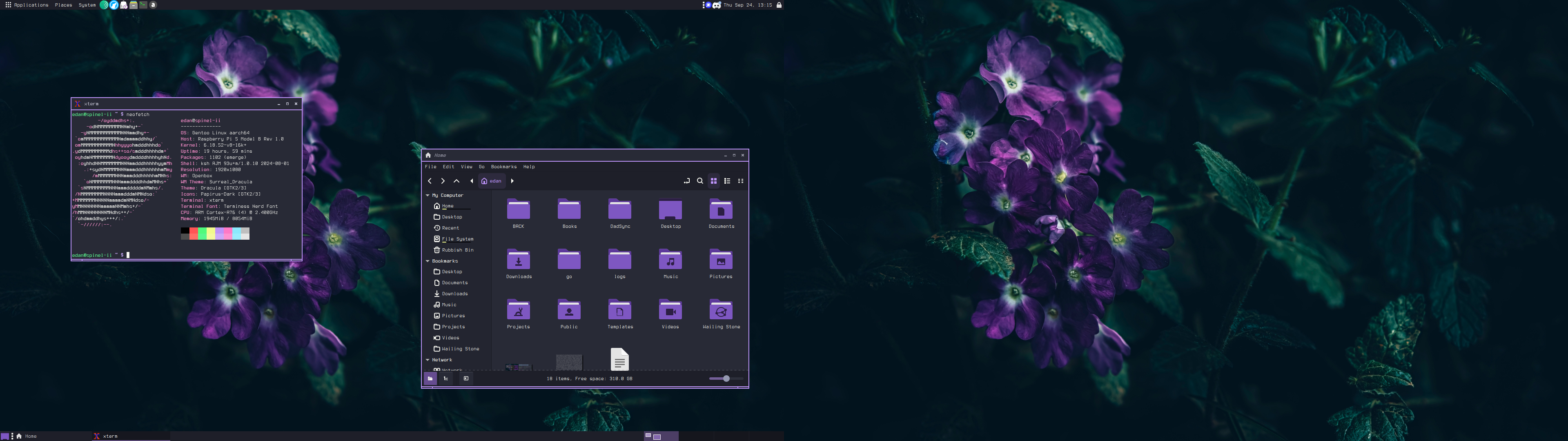
cross-posted from: slrpnk.net/post/43069591
- OS: Gentoo Linux (arm64)
- DS: X11 (Xorg; may switch to Xylophone in the future)
- WM: Openbox
- Theme: Dracula
- Openbox Theme: Surreal_Gentoo (modified to use Dracula colours)
- Icons: Papirus-Dark
- Browsers: Tor Browser, Librewolf, Lynx
- Terminal: XTerm
- Shell: ksh93
- Editor: GNU nano

The music player with the unspeakable name. I’ve learned to like it.
With themeable titlebars this is just perfect.
The music player with the unspeakable name. I’ve learned to like it.
With themeable titlebars this is just perfect.

Yesterday I posted 60 lines of code that would give you a decent looking functional bar. I wanted to see how much more code would be needed to make it look great!
config.jsonc - 52 lines
{ "layer": "overlay", "reload_style_on_change": true, "exclusive": false, "position": "right", "passthrough": false, "modules-right": ["group/island"], "group/island": { "orientation": "inherit", "drawer": { "transition-duration": 200, "click-to-reveal": true, "transition-left-to-right": false, }, "modules": [ "clock", "wireplumber", "network", "battery", "niri/workspaces", ], }, "wireplumber": { "format": "{icon}\n{volume}%", "format-muted": "", "format-icons": ["", ""], "justify": "center", "on-click-right": "wpctl set-mute @DEFAULT_AUDIO_SINK@ toggle", "max-volume": 150, "scroll-step": 2, "tooltip-format": "{icon} {volume}%", }, "battery": { "format": "{icon}\n{capacity}%", "format-icons": ["", "", "", "", "", "", "", "", "", ""], "justify": "center", }, "network": { "format": "", "on-click": "foot-client -e nmtui", "format-ethernet": "", "format-wifi": "{icon}\n{signalStrength}%", "format-disconnected": "", "format-icons": ["", "", "", ""], "tooltip-format-wifi": "{essid}: ({signalStrength}%)", "justify": "center", }, "clock": { "format": "{:%I\n%M}", "tooltip-format": "{:%A, %B %d, %Y (%R)} ", }, }
style.css - 45 lines
@define-color primary #7E9CD8;
@define-color secondary #957FB8;
@define-color teriary #C0A36E;
@define-color background rgba(31,31,40, 0.55);
@define-color dim #727169;

window#waybar {
    background-color: transparent;
}
.modules-right {
    background: @background;
    color: @teriary;
    box-shadow: 0 6px 24px rgba(0, 0, 0, 0.45);
}
.module {
    font-family: "Monaspace Argon NF";
    font-size: 16px;
    font-weight: bold;
    padding: 8px;
    margin: 6px;
    border: 3px ridge @background;
    border-radius: 8px;
}
#workspaces {
    margin: 0;
    padding: 0;
    border: 0;
}
#workspaces button {
    all: initial;
    box-shadow: inset 0 -3px transparent;
    padding: 14px 8px;
    margin: 6px;
    border: 3px ridge @background;
    border-radius: 8px;
    font-size: 16px;
    font-weight: bold;
    color: @teriary;
    transition: all 0.2s ease-in-out;
}
#workspaces button.active,
#workspaces button:hover {
    color: @background;
    background-image: linear-gradient(to bottom right, @primary, @secondary);
}
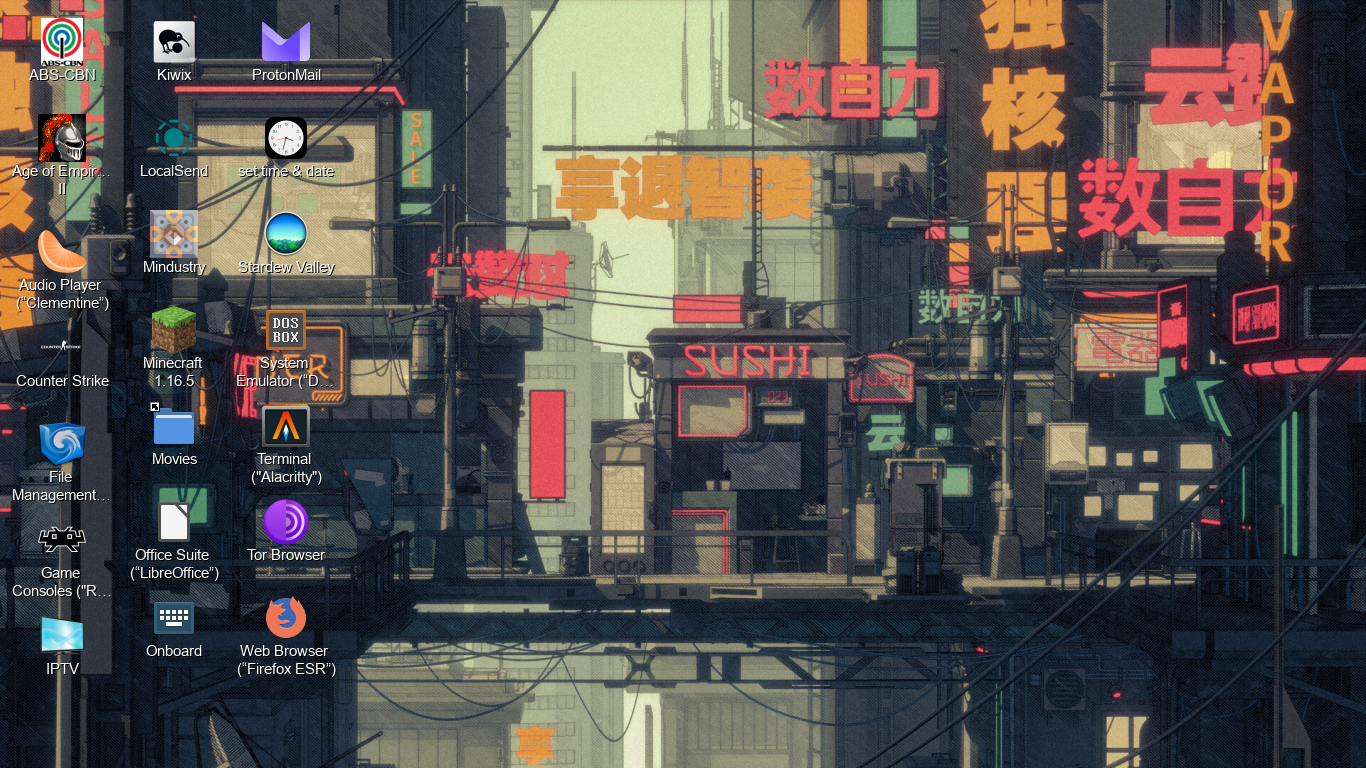
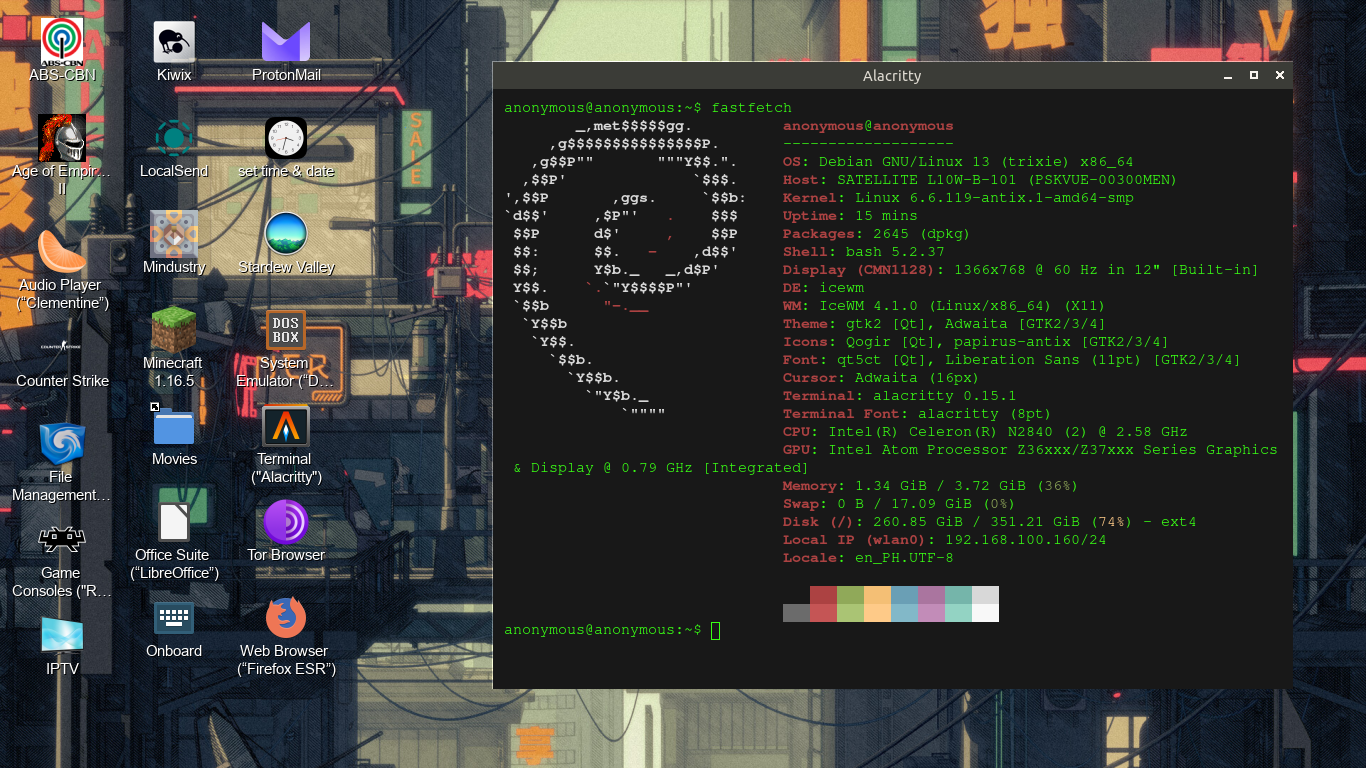
*wallpaper from gruvbox
*wallpaper from gruvbox

Can this be further reduced? config.jsonc
{ "layer": "top", "position": "top", "modules-left": ["niri/workspaces", "cpu", "memory", "temperature"], "modules-center": ["niri/window"], "modules-right": ["wireplumber", "battery", "network", "clock"], "reload_style_on_change": true, "cpu": { "format": " {avg_frequency}GHz" }, "memory": { "format": " {used:0.1f}G" }, "temperature": { "format": " {temperatureC}°C" }, "wireplumber": { "format": "{icon} {volume}%", "format-muted": "", "format-icons": ["", ""], }, "battery": { "format": "{icon} {capacity}%", "format-icons": ["", "", "", "", "", "", "", "", "", ""], }, "network": { "format-ethernet": "", "format-wifi": "{icon} {signalStrength}%", "format-disconnected": "", "format-icons": ["", "", "", ""], }, "clock": { "format": " {:%I:%M}" }, }
style.css
@define-color primary #67CBFC;
@define-color secondary #FFD866;
@define-color background #2D2A2E;
window#waybar {
    background-color: @background;
    color: @secondary;
}
#workspaces,
#clock,
#wireplumber,
#battery,
#network,
#cpu,
#temperature,
#memory {
    font-family: "Monaspace Argon NF";
    padding: 4px 12px;
}
#workspaces button {
    all: initial;
    box-shadow: inset 0 -3px transparent;
    padding: 4px 12px;
    color: @secondary;
    transition: all 0.2s ease-in-out;
}
#workspaces button.active {
    color: @primary;
}


The fetch stays pinned at the top of the screen and keeps animating while your prompt and command output scroll below it.
The fetch stays pinned at the top of the screen and keeps animating while your prompt and command output scroll below it.

So I finally got into tiling window managers and tried out hyprland. I spent quite a good amount configuring everything and there is still a hell of a lot more to do, but I am already loving the matching colors and the general look and feel.
So I finally got into tiling window managers and tried out hyprland. I spent quite a good amount configuring everything and there is still a hell of a lot more to do, but I am already loving the matching colors and the general look and feel.

. Fastfetch I modified from someone cooler and more talented than i.
 riff for Spotify.
 surface-kernel allows touch interface and surface pen to work flawlessly.
.
Fastfetch I modified from someone cooler and more talented than i.
riff for Spotify.
surface-kernel allows touch interface and surface pen to work flawlessly.

So I ditched KDE completely since my last post. What do you think of my setup so far? I tweaked it a little, including new hotkeys and software.
Environment:
Extra Software (some custom shortcuts made for):
Question: Is it strange to use SDDM with Niri? Some folks switch to another DM.
See the desktop in motion
Edit: added a .gif to show off the desktop better.


Niri + Noctalia on my diehard Lenovo 440S. Colour scheme is Nord. Fun fact, in my install, I don’t have a graphical login screen and instead, I boot into CLI, login at CLI, and then call up Niri. Does not affect performance, I can suspend my computer, and I’m not sure if it is a bug, but after a couple of hours of the computer being suspended, it lights up and hibernates itself. I’m not going to try fix it, I think its cool.
Niri + Noctalia on my diehard Lenovo 440S. Colour scheme is Nord. Fun fact, in my install, I don’t have a graphical login screen and instead, I boot into CLI, login at CLI, and then call up Niri. Does not affect performance, I can suspend my computer, and I’m not sure if it is a bug, but after a couple of hours of the computer being suspended, it lights up and hibernates itself. I’m not going to try fix it, I think its cool.


Hello friends, it has been a while. I posted my Linux Mint + i3 setup way back under my lemmy.social account before I switched to this server. I thought after CachyOS with KDE, my distro hopping/ricing was over, but nope.
Furthermore, I present to you my take on ricing CachyOS:
CachyOS (Clean Niri + Noctalia) (KDE is available as a backup system, soon to be removed completely).
Kitty and plenty of useful tools in the terminal. I started to become a terminal junkie. Not what I expected after getting comfy with Mint back then, but here we are!
My wallpaper was originally downloaded via ColorWall (a wallpaper program for Linux). To make it a little more accessible to you guys, I uploaded my FHD wallpaper lossless to: u.cubeupload.com/Freakazoid/ColorWallkwvjv7.jpg
Edit: Removed duplicate screenshot.


This set-up has been transferred over from Hyprland and onto Mango and has been worked over bit by bit as I use it. I’ve got no solid idea about the overall look I wanted, but it seems it came together quite decently.
The main bar and widgets are made with Quickshell, but the desktop widgets are made with EWW. Desktop widgets still not quite complete though as two of the widgets are still stubs.
Start menu widget on an empty desktop:

Dashboard (meta) widget on an empty desktop:

Open window explorer widget on an empty desktop:

Dwindle layout showing btop and fastfetch

Vertical scrolling layout:

This set-up has been transferred over from Hyprland and onto Mango and has been worked over bit by bit as I use it. I’ve got no solid idea about the overall look I wanted, but it seems it came together quite decently.
The main bar and widgets are made with Quickshell, but the desktop widgets are made with EWW. Desktop widgets still not quite complete though as two of the widgets are still stubs.
Start menu widget on an empty desktop:
Dashboard (meta) widget on an empty desktop:
Open window explorer widget on an empty desktop:
Dwindle layout showing btop and fastfetch
Vertical scrolling layout:
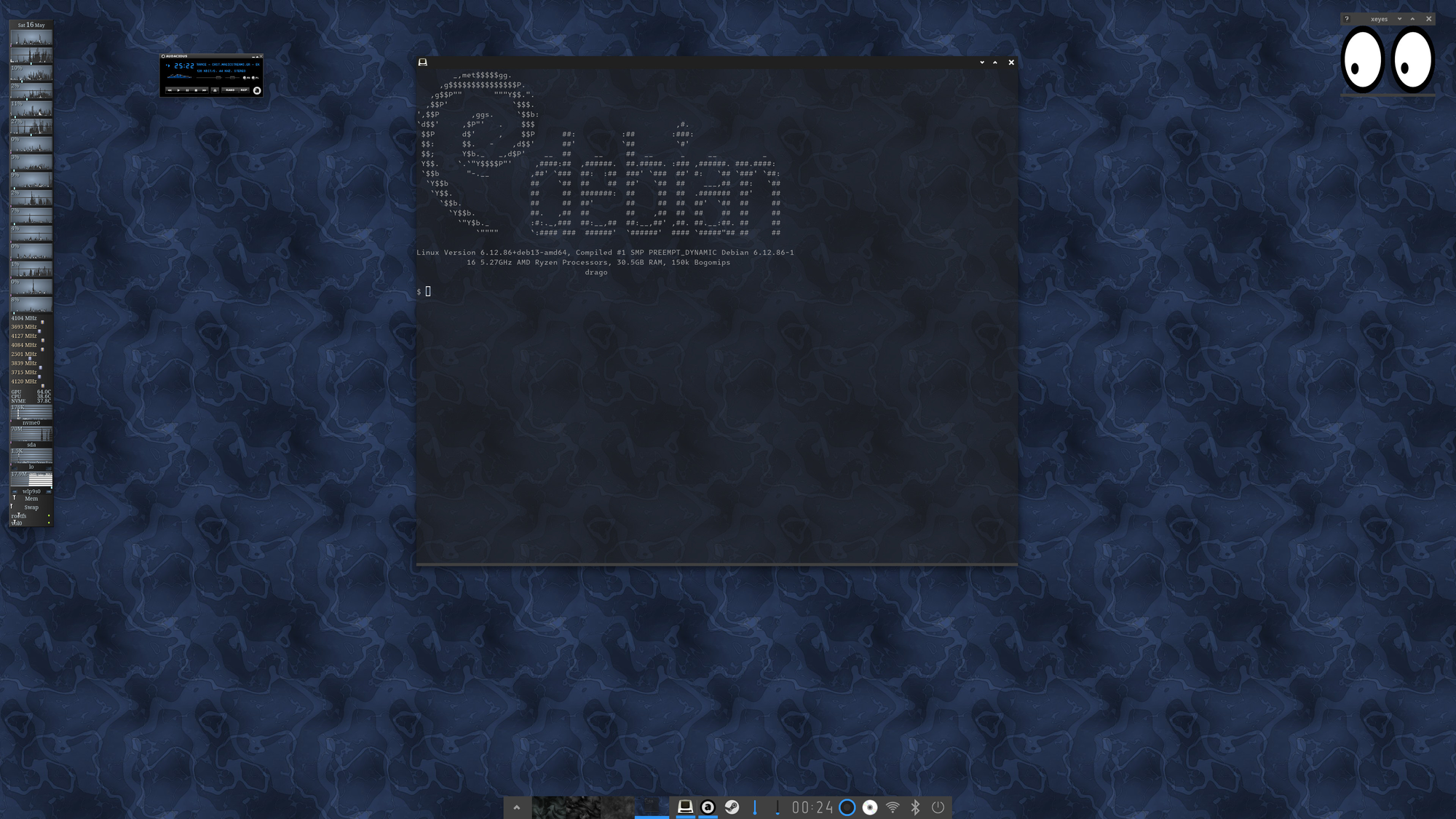
I don’t care what year it is :)
I don’t care what year it is :)

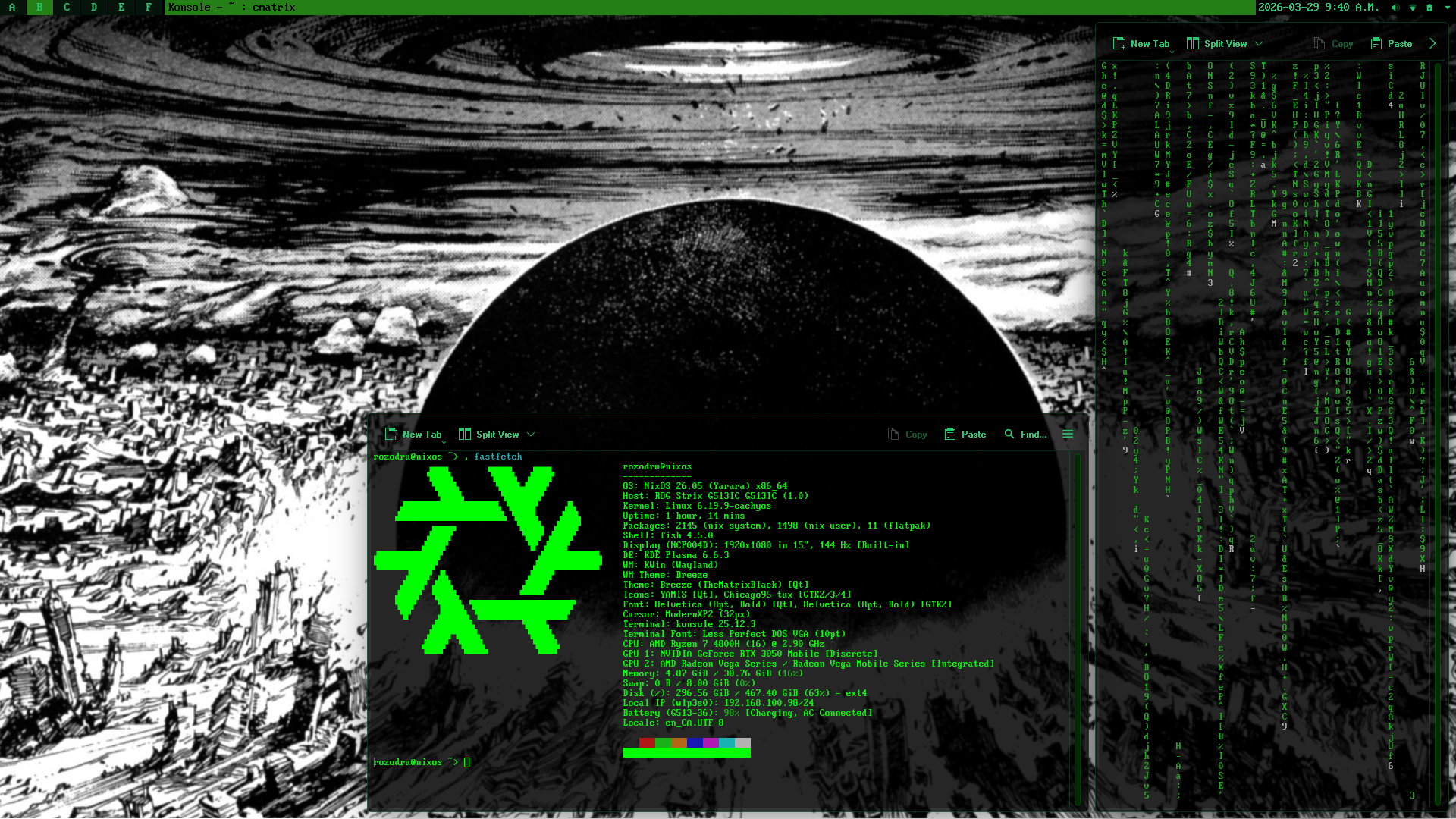
I’ve been having issues with Window Managers lately either mouse or keyboard issues when gaming and my annoyance after using them for a solid couple years when it comes to configuring them. So I asked “can’t I just make Plasma look like one?” answer is yes.
It tiles the same way DWL or another WM does, made the status bar to also look the same. I prefer Konsole now over other terminal emulators so I just left it as is. My Plasma is now essentially a tiling WM without the headaches of a tiling WM and everything now just works.
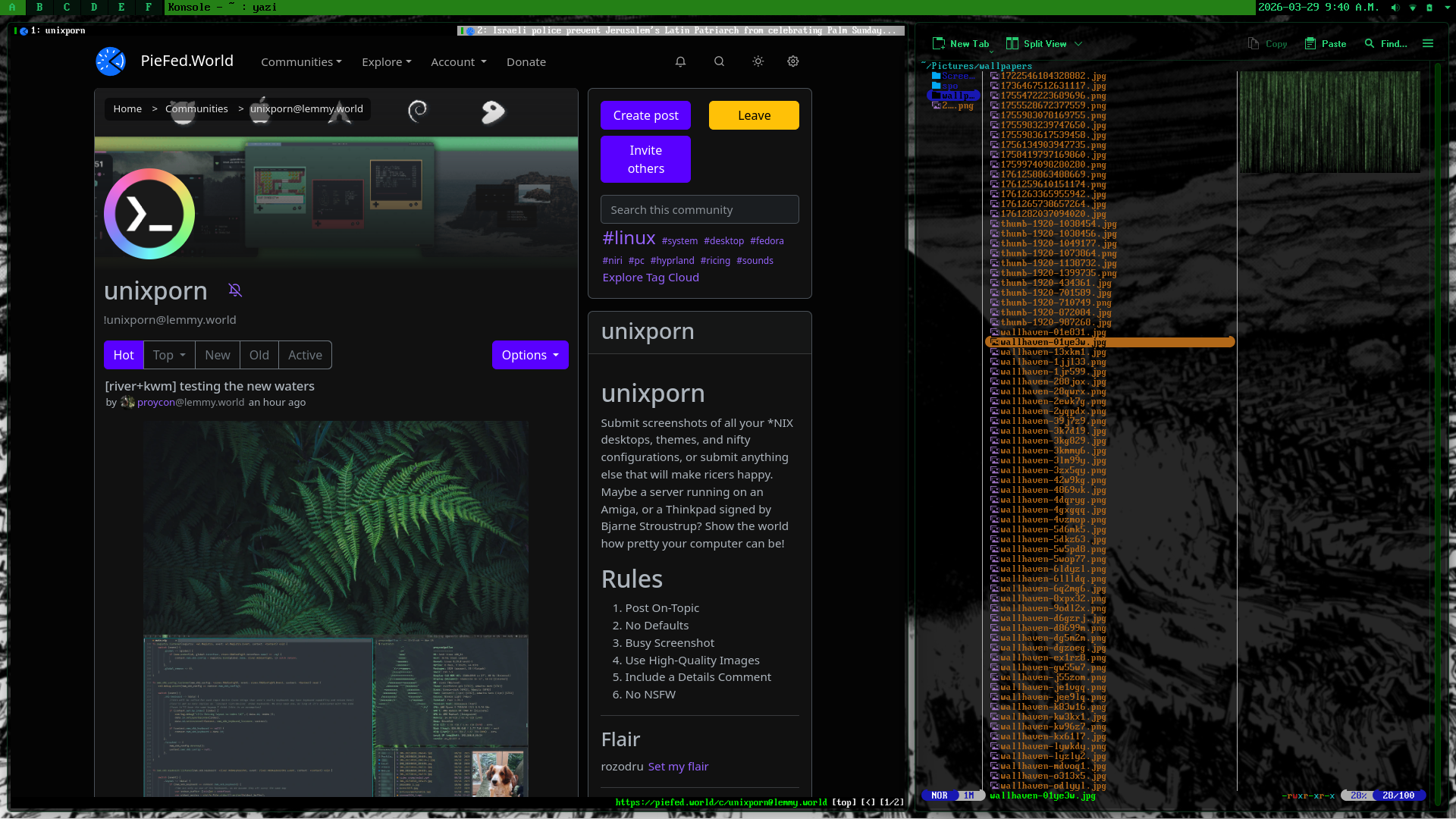
I’ve been having issues with Window Managers lately either mouse or keyboard issues when gaming and my annoyance after using them for a solid couple years when it comes to configuring them. So I asked “can’t I just make Plasma look like one?” answer is yes.
It tiles the same way DWL or another WM does, made the status bar to also look the same. I prefer Konsole now over other terminal emulators so I just left it as is. My Plasma is now essentially a tiling WM without the headaches of a tiling WM and everything now just works.

After the river 0.4 release I migrated from river-classic to kwm, recreating about the same design I’ve used for years now.
The image is a combination of three separate screenshots of the same screen. It shows a ‘fake-busy’ terminal (foot) based workflow featuring neovim, yazi, aerc, senpai and newsraft.
See codeberg.org/proycon/dotfiles for dotfiles
fetch:

reading Dwarf Fortress raws with neovim:

fake busy editing niri source with helix:

browsing screenshots with dolphin:

blank:

Gentoo, niri, and noctalia-shell on an old HP Spectre x360. The rounded screen borders look a lot better IRL 8)
fetch:
reading Dwarf Fortress raws with neovim:
fake busy editing niri source with helix:
browsing screenshots with dolphin:
blank:
Gentoo, niri, and noctalia-shell on an old HP Spectre x360. The rounded screen borders look a lot better IRL 8)

Works on wayland compositors with wlr-layer-shell, most of them except gnome. No AI, I did enjoy making this 😌.
Works on wayland compositors with wlr-layer-shell, most of them except gnome. No AI, I did enjoy making this 😌.


> Theme (Nightfox GTK Theme) but slightly modified to make the background of the start menu darker
> Theme (Nightfox GTK Theme) but slightly modified to make the background of the start menu darker