preview
System Specifications
Operating System: CachyOS Linux
KDE Plasma Version: 6.8.0
KDE Frameworks Version: 6.31.0
Qt Version: 6.12.0
Kernel Version: 7.2.11-1-cachyos (64-bit)
Graphics Platform: Wayland
Processors: 12 × 12th Gen Intel® Core™ i5-12450H
Memory: 8 GiB of RAM (7.5 GiB usable)
Graphics Processor 1: Intel® Graphics
Graphics Processor 2: NVIDIA GeForce RTX 3050 Laptop GPU
Several days ago, I tried to update my CachyOS system. And seen the below warning from Pacman itself
Update notice: Kernel 7.3.0-2 has issues with amdgpu particularly causing black screen on AMD dGPUs
At first, I was like gonna do the update, because I don’t have an AMD CPU/GPU. Then I went to check on the internet and found lots of issues with both Kernel 7.3 and KDE Plasma 6.8.1. Even affecting NVIDIA GPU.
Some of the examples
Linux 7.3 - GPU idle increased from 10 W to 60. Anyone else?
Partial upgrade for ca-certificates-mozilla
Plasma 6.8.1 update: fullscreen games choppy (fine in windowed), desktop animations laggy - fixed by downgrading to 6.8.0
Choppy frame pacing in CS2 and Deadlock (300–500 FPS) after 2026-10-22 update (linux 7.3.0, linux-firmware-amdgpu 20261019, Plasma 6.8.1) – RX 6600 XT, Wayland – fixed by snapshot rollback
Steam games broken after updating from kernel 7.2.11-1 -> 7.3.0-2 (not fixed by 7.3.0-3)
linux-cachyos 7.3.0-4: amdgpu “Fence fallback timer expired” causes game crashes (RX 6600 XT) (Monster Hunter Wilds)
Cachyos kernel upgrade to 7.3.0 - fails on AMD
After latest update to cachyos-rate-mirrors the speeds are horible
GPU and CPU Fans Running at Double Speed under 7.3.1
Cachy kernel version 7.3.1 breaks the dual display (DisplayLink device) (KDE Plasma) (Kwin)
Cannot login after the latest update from kernel 7.2.10-1 -> 7.3.0-2 (presented with a frozen screen)
Nvidia-open 615.78.08: dGPU runtime D3 “Not supported” on linux-cachyos 7.3.0-4, works on LTS 6.18.55-2
Steam games broken after updating from kernel 7.2.11-1 -> 7.3.0-2 (not fixed by 7.3.0-3)
Is there a reason that the BORE kernel is stale (7.2.10 vs. 7.3.0)?
After Recent Update, Shut Down Takes Over 1 Minute - User Manager Issue?
Behringer UMC404HD - fail with Kernel 7.3.0
LACT power cap write fails with “Operation not supported (os error 95)” on 7.3.0-3-cachyos
Plasma 6.8.1: immediate screen tearing / flickering shadows / black areas on GTX 1650 Ti (HP Pavilion Gaming 15-dk1xxx) - 6.8.0 is fine
Updating to 7.3.0-3-cachyos causes UMC204HD Audio Interface to be unusable
Issue with AdaptiveSync kernel 7.3+
Keyboard Backlight Not Working With 7.3 Kernel
Kernal 7.3.0-3 - AMD / NVIDEA
Should i stay at linux-cachyos 7.2.11-1?
After update audio is is wery crapy and not loud
Audio echo in FAudio/Proton games on launch — regression starting linux-cachyos 7.3
Severe display artifacts and flickering on NVIDIA HDMI output after today’s first upgrade (2026/10/22)
Update causing KDE Plasma crash or blackscreen at boot
After KDE 6.8 update, Desktop Animations lag and Games run on 48fps
7.3.0-2 on RX 9070 XT: no black screen, but a DCN401 MCM LUT warning on HDR enable (Plasma 6.8.0)
After update lost fps
Not every link I shared is completely relevant to me, but the amount of issues on Kernel 7.3 and KDE Plasma 6.8.1. Even affecting NVIDIA GPU made me hesitant.
Because of this hesitation, I also didn’t update Firefox CA-Certificates security update.
Should I update now?
System Specifications
Operating System: CachyOS Linux
KDE Plasma Version: 6.8.0
KDE Frameworks Version: 6.31.0
Qt Version: 6.12.0
Kernel Version: 7.2.11-1-cachyos (64-bit)
Graphics Platform: Wayland
Processors: 12 × 12th Gen Intel® Core™ i5-12450H
Memory: 8 GiB of RAM (7.5 GiB usable)
Graphics Processor 1: Intel® Graphics
Graphics Processor 2: NVIDIA GeForce RTX 3050 Laptop GPU
Several days ago, I tried to update my CachyOS system. And seen the below warning from Pacman itself
Update notice: Kernel 7.3.0-2 has issues with amdgpu particularly causing black screen on AMD dGPUs
At first, I was like gonna do the update, because I don’t have an AMD CPU/GPU. Then I went to check on the internet and found lots of issues with both Kernel 7.3 and KDE Plasma 6.8.1. Even affecting NVIDIA GPU.
Some of the examples
Linux 7.3 - GPU idle increased from 10 W to 60. Anyone else?
Partial upgrade for ca-certificates-mozilla
Plasma 6.8.1 update: fullscreen games choppy (fine in windowed), desktop animations laggy - fixed by downgrading to 6.8.0
Choppy frame pacing in CS2 and Deadlock (300–500 FPS) after 2026-10-22 update (linux 7.3.0, linux-firmware-amdgpu 20261019, Plasma 6.8.1) – RX 6600 XT, Wayland – fixed by snapshot rollback
Steam games broken after updating from kernel 7.2.11-1 -> 7.3.0-2 (not fixed by 7.3.0-3)
linux-cachyos 7.3.0-4: amdgpu “Fence fallback timer expired” causes game crashes (RX 6600 XT) (Monster Hunter Wilds)
Cachyos kernel upgrade to 7.3.0 - fails on AMD
After latest update to cachyos-rate-mirrors the speeds are horible
GPU and CPU Fans Running at Double Speed under 7.3.1
Cachy kernel version 7.3.1 breaks the dual display (DisplayLink device) (KDE Plasma) (Kwin)
Cannot login after the latest update from kernel 7.2.10-1 -> 7.3.0-2 (presented with a frozen screen)
Nvidia-open 615.78.08: dGPU runtime D3 “Not supported” on linux-cachyos 7.3.0-4, works on LTS 6.18.55-2
Steam games broken after updating from kernel 7.2.11-1 -> 7.3.0-2 (not fixed by 7.3.0-3)
Is there a reason that the BORE kernel is stale (7.2.10 vs. 7.3.0)?
After Recent Update, Shut Down Takes Over 1 Minute - User Manager Issue?
Behringer UMC404HD - fail with Kernel 7.3.0
LACT power cap write fails with “Operation not supported (os error 95)” on 7.3.0-3-cachyos
Plasma 6.8.1: immediate screen tearing / flickering shadows / black areas on GTX 1650 Ti (HP Pavilion Gaming 15-dk1xxx) - 6.8.0 is fine
Updating to 7.3.0-3-cachyos causes UMC204HD Audio Interface to be unusable
Issue with AdaptiveSync kernel 7.3+
Keyboard Backlight Not Working With 7.3 Kernel
Kernal 7.3.0-3 - AMD / NVIDEA
Should i stay at linux-cachyos 7.2.11-1?
After update audio is is wery crapy and not loud
Audio echo in FAudio/Proton games on launch — regression starting linux-cachyos 7.3
Severe display artifacts and flickering on NVIDIA HDMI output after today’s first upgrade (2026/10/22)
Update causing KDE Plasma crash or blackscreen at boot
After KDE 6.8 update, Desktop Animations lag and Games run on 48fps
7.3.0-2 on RX 9070 XT: no black screen, but a DCN401 MCM LUT warning on HDR enable (Plasma 6.8.0)
After update lost fps
Not every link I shared is completely relevant to me, but the amount of issues on Kernel 7.3 and KDE Plasma 6.8.1. Even affecting NVIDIA GPU made me hesitant.
Because of this hesitation, I also didn’t update Firefox CA-Certificates security update.
Should I update now?
preview
My system update has not been working for some time now because I have unresolved dependencies:
looking for conflicting packages…
error: failed to prepare transaction (could not satisfy dependencies)
:: installing expat (2.8.2-1.1) breaks dependency ‘expat=2.8.1’ required by lib32-expat
:: installing libffi (3.6.0-1.1) breaks dependency ‘libffi=3.5.2’ required by lib32-libffi
Is there a way to see which end-user applications depend on these lib32 components (so that I can uninstall them if necessary)?
Is there another way to resolve this dependency issue?
My system update has not been working for some time now because I have unresolved dependencies:
looking for conflicting packages…
error: failed to prepare transaction (could not satisfy dependencies)
:: installing expat (2.8.2-1.1) breaks dependency ‘expat=2.8.1’ required by lib32-expat
:: installing libffi (3.6.0-1.1) breaks dependency ‘libffi=3.5.2’ required by lib32-libffi
Is there a way to see which end-user applications depend on these lib32 components (so that I can uninstall them if necessary)?
Is there another way to resolve this dependency issue?
preview
For some time now, I’ve been noticing sporadic disconnections from the Wi-Fi. Sometimes this happens right after startup, sometimes after a few minutes, and sometimes only after an hour. Afterward, the laptop automatically reconnects to the Wi-Fi, only to lose the connection again at some point. Unfortunately, I have no idea what might be causing this or where I could look in the log files to find the cause. I’m using GNOME as my desktop environment. Can someone please help me find the cause and fix it if necessary?
For some time now, I’ve been noticing sporadic disconnections from the Wi-Fi. Sometimes this happens right after startup, sometimes after a few minutes, and sometimes only after an hour. Afterward, the laptop automatically reconnects to the Wi-Fi, only to lose the connection again at some point. Unfortunately, I have no idea what might be causing this or where I could look in the log files to find the cause. I’m using GNOME as my desktop environment. Can someone please help me find the cause and fix it if necessary?
preview
I am very very new to Linux and CachyOS.
A week ago I installed CachyOS and choose KDE Plasma.
Luckily the same week I read news about KDE Plasma 6.7 being released with ton of features.
I thought running pacman - Syu would update everything including the desktop environment but apparently that did not work and I am still on 6.6.x
Can you help me understand what went wrong?
I am very very new to Linux and CachyOS.
A week ago I installed CachyOS and choose KDE Plasma.
Luckily the same week I read news about KDE Plasma 6.7 being released with ton of features.
I thought running pacman - Syu would update everything including the desktop environment but apparently that did not work and I am still on 6.6.x
Can you help me understand what went wrong?
preview
i want to useradd a user that doesn’t show up in the login window, is using the -r (system user) flag a good idea for that? is there another option that i can’t find?
i want to useradd a user that doesn’t show up in the login window, is using the -r (system user) flag a good idea for that? is there another option that i can’t find?
preview
I’m confused at what I’m missing here.
In the System Settings Screen>Login Screen>Breeze (which is active theme) I’ve changed the background to a custom image.
But it still shows the default image of geometric shapes. When I click the icon for the background it confirms that I have my image saved for the background.
However, when I first boot up my computer, the login screen is correct with my custom wallpaper. But when I’ve locked my computer with [OPT]-L the screen shows the default geometric wallpaper.

I’m confused at what I’m missing here.
In the System Settings Screen>Login Screen>Breeze (which is active theme) I’ve changed the background to a custom image.
But it still shows the default image of geometric shapes. When I click the icon for the background it confirms that I have my image saved for the background.
However, when I first boot up my computer, the login screen is correct with my custom wallpaper. But when I’ve locked my computer with [OPT]-L the screen shows the default geometric wallpaper.
preview
How can I make a desktop shortcut of the two highlighted shell files (forge.sh and forge-adventure.sh)? Copying and pasting doesn’t work since the filepath isn’t brought over with them. I’ve tried using Menu Editor but can’t find a decent guide on setting it up.

How can I make a desktop shortcut of the two highlighted shell files (forge.sh and forge-adventure.sh)? Copying and pasting doesn’t work since the filepath isn’t brought over with them. I’ve tried using Menu Editor but can’t find a decent guide on setting it up.
preview
Ive tried googling and can’t figure it out
Ive tried googling and can’t figure it out
preview
I’m trying to install either a .deb or .rpm driver for a Canon MF212w printer. Unfortunately since CachyOS is an Arch-based OS it lacks a straightforward way to go with the installation. I checked out a few different tutorials on Youtube but they all basically say to not do it their way since it could work but at the cost of messing up some dependencies. Is there a safe way to install either version of this program without damaging any other files or directories?
~/Downloads/linux-UFRII-drv-v620-us/x64/RPM
❯ ls -l
.rw-r–r-- 7.5M admin 4 Jun 22:56 cnrdrvcups-ufr2-us-6.20-1.01.x86_64.rpm
~/Downloads/linux-UFRII-drv-v620-us/x64/Debian
❯ ls -l
.rw-r–r-- 7.6M admin 4 Jun 22:56 cnrdrvcups-ufr2-us_6.20-1.01_amd64.deb
I’m trying to install either a .deb or .rpm driver for a Canon MF212w printer. Unfortunately since CachyOS is an Arch-based OS it lacks a straightforward way to go with the installation. I checked out a few different tutorials on Youtube but they all basically say to not do it their way since it could work but at the cost of messing up some dependencies. Is there a safe way to install either version of this program without damaging any other files or directories?
~/Downloads/linux-UFRII-drv-v620-us/x64/RPM
❯ ls -l
.rw-r–r-- 7.5M admin 4 Jun 22:56 cnrdrvcups-ufr2-us-6.20-1.01.x86_64.rpm
~/Downloads/linux-UFRII-drv-v620-us/x64/Debian
❯ ls -l
.rw-r–r-- 7.6M admin 4 Jun 22:56 cnrdrvcups-ufr2-us_6.20-1.01_amd64.deb
preview
When I was setting up or installing CachyOS I decided to download COSMIC alongside KDE Plasma (which I set up as my DE). Though when I rebooted, COSMIC was the Default DE, though the DE I move forward with can be changed in the login menu.
My questions are:
- How can I change the default DE?
- How can I delete DEs?
- How can I add them if I want to use them in the future?
When I was setting up or installing CachyOS I decided to download COSMIC alongside KDE Plasma (which I set up as my DE). Though when I rebooted, COSMIC was the Default DE, though the DE I move forward with can be changed in the login menu.
My questions are:
- How can I change the default DE?
- How can I delete DEs?
- How can I add them if I want to use them in the future?
preview
Hi all. I’m trying out Cachy for the first time and was testing an old game on Steam (Anomaly Warzone Earth). The game went full screen but was stuck in a loading loop where I couldn’t Alt+tab or Alt+F4 my way out of. The OS was still responsive and I could open up a terminal but as soon as I did, the game’s loading screen would block my view. Is there a way to force minimize or kill a program when it’s stuck in full screen? I heard xkill could work but I don’t see how to use it when I can’t even see the terminal.
Hi all. I’m trying out Cachy for the first time and was testing an old game on Steam (Anomaly Warzone Earth). The game went full screen but was stuck in a loading loop where I couldn’t Alt+tab or Alt+F4 my way out of. The OS was still responsive and I could open up a terminal but as soon as I did, the game’s loading screen would block my view. Is there a way to force minimize or kill a program when it’s stuck in full screen? I heard xkill could work but I don’t see how to use it when I can’t even see the terminal.
preview
I reinstalled my laptop from Manjaro to CachyOS, and I’ve had a really great experience, I’ve never had a Linux install be ready to game with ‘one click’ before* but that was my experience this time
Kudos to the CachyOS and salutations to to the CachyOS community
- I have a Steam Deck that’s been painless, but that’s just running the SteamOS that shipped with it, I didn’t install that
I reinstalled my laptop from Manjaro to CachyOS, and I’ve had a really great experience, I’ve never had a Linux install be ready to game with ‘one click’ before* but that was my experience this time
Kudos to the CachyOS and salutations to to the CachyOS community
- I have a Steam Deck that’s been painless, but that’s just running the SteamOS that shipped with it, I didn’t install that
preview
Hi all, I just installed this distro as a part of my experiments to find a good daily driver distro. It’s been flying (I’m not used to speed like this. lmfao). Just curious to know if the devs are on Lemmy or are they only on reddit?
Thanks
Hi all, I just installed this distro as a part of my experiments to find a good daily driver distro. It’s been flying (I’m not used to speed like this. lmfao). Just curious to know if the devs are on Lemmy or are they only on reddit?
Thanks
preview
I noticed the only moderator hasn’t been active on Lemmy for 10 months. I’ll ping them in the comments.
I noticed the only moderator hasn’t been active on Lemmy for 10 months. I’ll ping them in the comments.
preview
I am a long term Arch user. I consider to recommend CachyOS to a friend with very limited technical knowledge. I read CachyOS is suitable for Linux beginners.
But since it is based on Arch, doesn’t that mean manual user intervention is sometimes necessary like it is in Arch?
If it is, I don’t think it is suitable for a noob user.
Sorry if this is a stupid question, but I could not find anything about manual intervention or about checking Arch news before updating in the Cachy wiki or anywhere else.
I am a long term Arch user. I consider to recommend CachyOS to a friend with very limited technical knowledge. I read CachyOS is suitable for Linux beginners.
But since it is based on Arch, doesn’t that mean manual user intervention is sometimes necessary like it is in Arch?
If it is, I don’t think it is suitable for a noob user.
Sorry if this is a stupid question, but I could not find anything about manual intervention or about checking Arch news before updating in the Cachy wiki or anywhere else.
preview
What I want:
To boot into a BTRFS snapshots from rEFind boot manager.
Additional Info:
- So, apparently, to restore the BTRFS snapshot of a root subvolume, I shouldn’t do it with the root partition being actively used.
- So, I need to boot into the desired snapshot from the boot manager itself.
- GRUB has
grub-btrfs, which lets you boot into snapshot from OS selection screen itself.
- rEFInd has refind-btrfs, which should do the same as
grub-btrfs. But it didn’t in my case. I am not seeing any way to boot into a snapshot from rEFInd.
- I use
BTRFS Assistant with snapper to manage snapshots.
- I am not seeing any way to restore the snapshot from live environment too.
- I am using CachyOS (Arch) with Plasma DE.
- I suspect the reason is my unusual
/efi /boot partition layout. (attached below)
- I did my partition this way because, my initial EFI partition had less storage (as seen on image), so , I created another
boot partition and mounted my pre-existing EFI partition to /boot/efi. I did this by referring a Youtube video (I know, I should’ve known better)
- I also encrypted my BTRFS
/ partition
- If you need any other info, please ask.


What I want:
To boot into a BTRFS snapshots from rEFind boot manager.
Additional Info:
- So, apparently, to restore the BTRFS snapshot of a root subvolume, I shouldn’t do it with the root partition being actively used.
- So, I need to boot into the desired snapshot from the boot manager itself.
- GRUB has
grub-btrfs, which lets you boot into snapshot from OS selection screen itself.
- rEFInd has refind-btrfs, which should do the same as
grub-btrfs. But it didn’t in my case. I am not seeing any way to boot into a snapshot from rEFInd.
- I use
BTRFS Assistant with snapper to manage snapshots.
- I am not seeing any way to restore the snapshot from live environment too.
- I am using CachyOS (Arch) with Plasma DE.
- I suspect the reason is my unusual
/efi /boot partition layout. (attached below)
- I did my partition this way because, my initial EFI partition had less storage (as seen on image), so , I created another
boot partition and mounted my pre-existing EFI partition to /boot/efi. I did this by referring a Youtube video (I know, I should’ve known better)
- I also encrypted my BTRFS
/ partition
- If you need any other info, please ask.
preview
I’m using CachyOS (Arch) with BTRFS. And tried to restore snap of root subvolume and it didn’t work ( see previous post ).
If I remember correctly, i successfully restored root subvolume before. Take it with a grain of salt.
Some people on my previos posts said that I shouldn’t have tried restore root subvol while system is actively running through the subvol.
Now my question is,
How to restore a snap of root subvolume ?
Edit: I know how to restore a snapshot. Just need help with root subvol snapshot.
I use BTRFS Assistant with snapper. And rEFInd doens’t have boot to snapshot option. (I installed and it didn’t work )
I’m using CachyOS (Arch) with BTRFS. And tried to restore snap of root subvolume and it didn’t work ( see previous post ).
If I remember correctly, i successfully restored root subvolume before. Take it with a grain of salt.
Some people on my previos posts said that I shouldn’t have tried restore root subvol while system is actively running through the subvol.
Now my question is,
How to restore a snap of root subvolume ?
Edit: I know how to restore a snapshot. Just need help with root subvol snapshot.
I use BTRFS Assistant with snapper. And rEFInd doens’t have boot to snapshot option. (I installed and it didn’t work )
preview
While i was searching for the fastfetch config file, i was discovering the cachyOS config for the fish shell. It has some nice alias:
## Useful aliases
# Replace ls with eza
alias ls='eza -al --color=always --group-directories-first --icons' # preferred listing
alias la='eza -a --color=always --group-directories-first --icons'  # all files and dirs
alias ll='eza -l --color=always --group-directories-first --icons'  # long format
alias lt='eza -aT --color=always --group-directories-first --icons' # tree listing
alias l.="eza -a | grep -e '^\.'"                                     # show only dotfiles

# Common use
alias grubup="sudo grub-mkconfig -o /boot/grub/grub.cfg"
alias fixpacman="sudo rm /var/lib/pacman/db.lck"
alias tarnow='tar -acf '
alias untar='tar -zxvf '
alias wget='wget -c '
alias psmem='ps auxf | sort -nr -k 4'
alias psmem10='ps auxf | sort -nr -k 4 | head -10'
alias ..='cd ..'
alias ...='cd ../..'
alias ....='cd ../../..'
alias .....='cd ../../../..'
alias ......='cd ../../../../..'
alias dir='dir --color=auto'
alias vdir='vdir --color=auto'
alias grep='grep --color=auto'
alias fgrep='fgrep --color=auto'
alias egrep='egrep --color=auto'
alias hw='hwinfo --short'                                   # Hardware Info
alias big="expac -H M '%m\t%n' | sort -h | nl"              # Sort installed packages according to size in MB
alias gitpkg='pacman -Q | grep -i "\-git" | wc -l'          # List amount of -git packages
alias update='sudo pacman -Syu'

# Get fastest mirrors
alias mirror="sudo cachyos-rate-mirrors"

# Help people new to Arch
alias apt='man pacman'
alias apt-get='man pacman'
alias please='sudo'
alias tb='nc termbin.com 9999'

# Cleanup orphaned packages
alias cleanup='sudo pacman -Rns (pacman -Qtdq)'

# Get the error messages from journalctl
alias jctl="journalctl -p 3 -xb"

# Recent installed packages
alias rip="expac --timefmt='%Y-%m-%d %T' '%l\t%n %v' | sort | tail -200 | nl"
please for sudo is funny^^
While i was searching for the fastfetch config file, i was discovering the cachyOS config for the fish shell. It has some nice alias:
## Useful aliases
# Replace ls with eza
alias ls='eza -al --color=always --group-directories-first --icons' # preferred listing
alias la='eza -a --color=always --group-directories-first --icons'  # all files and dirs
alias ll='eza -l --color=always --group-directories-first --icons'  # long format
alias lt='eza -aT --color=always --group-directories-first --icons' # tree listing
alias l.="eza -a | grep -e '^\.'"                                     # show only dotfiles

# Common use
alias grubup="sudo grub-mkconfig -o /boot/grub/grub.cfg"
alias fixpacman="sudo rm /var/lib/pacman/db.lck"
alias tarnow='tar -acf '
alias untar='tar -zxvf '
alias wget='wget -c '
alias psmem='ps auxf | sort -nr -k 4'
alias psmem10='ps auxf | sort -nr -k 4 | head -10'
alias ..='cd ..'
alias ...='cd ../..'
alias ....='cd ../../..'
alias .....='cd ../../../..'
alias ......='cd ../../../../..'
alias dir='dir --color=auto'
alias vdir='vdir --color=auto'
alias grep='grep --color=auto'
alias fgrep='fgrep --color=auto'
alias egrep='egrep --color=auto'
alias hw='hwinfo --short'                                   # Hardware Info
alias big="expac -H M '%m\t%n' | sort -h | nl"              # Sort installed packages according to size in MB
alias gitpkg='pacman -Q | grep -i "\-git" | wc -l'          # List amount of -git packages
alias update='sudo pacman -Syu'

# Get fastest mirrors
alias mirror="sudo cachyos-rate-mirrors"

# Help people new to Arch
alias apt='man pacman'
alias apt-get='man pacman'
alias please='sudo'
alias tb='nc termbin.com 9999'

# Cleanup orphaned packages
alias cleanup='sudo pacman -Rns (pacman -Qtdq)'

# Get the error messages from journalctl
alias jctl="journalctl -p 3 -xb"

# Recent installed packages
alias rip="expac --timefmt='%Y-%m-%d %T' '%l\t%n %v' | sort | tail -200 | nl"
please for sudo is funny^^
preview
Context: I updated my CachyOS (Arch) BTRFS system. Some new things caused few problems especially brave browser(missing tabs), some icons missing.
So I wanted to go back to previous snapshot.
What I did: I first restored my home subvol which I saved before update. I worked.
Then I tried to restored my root partition. This is where I got the problem.
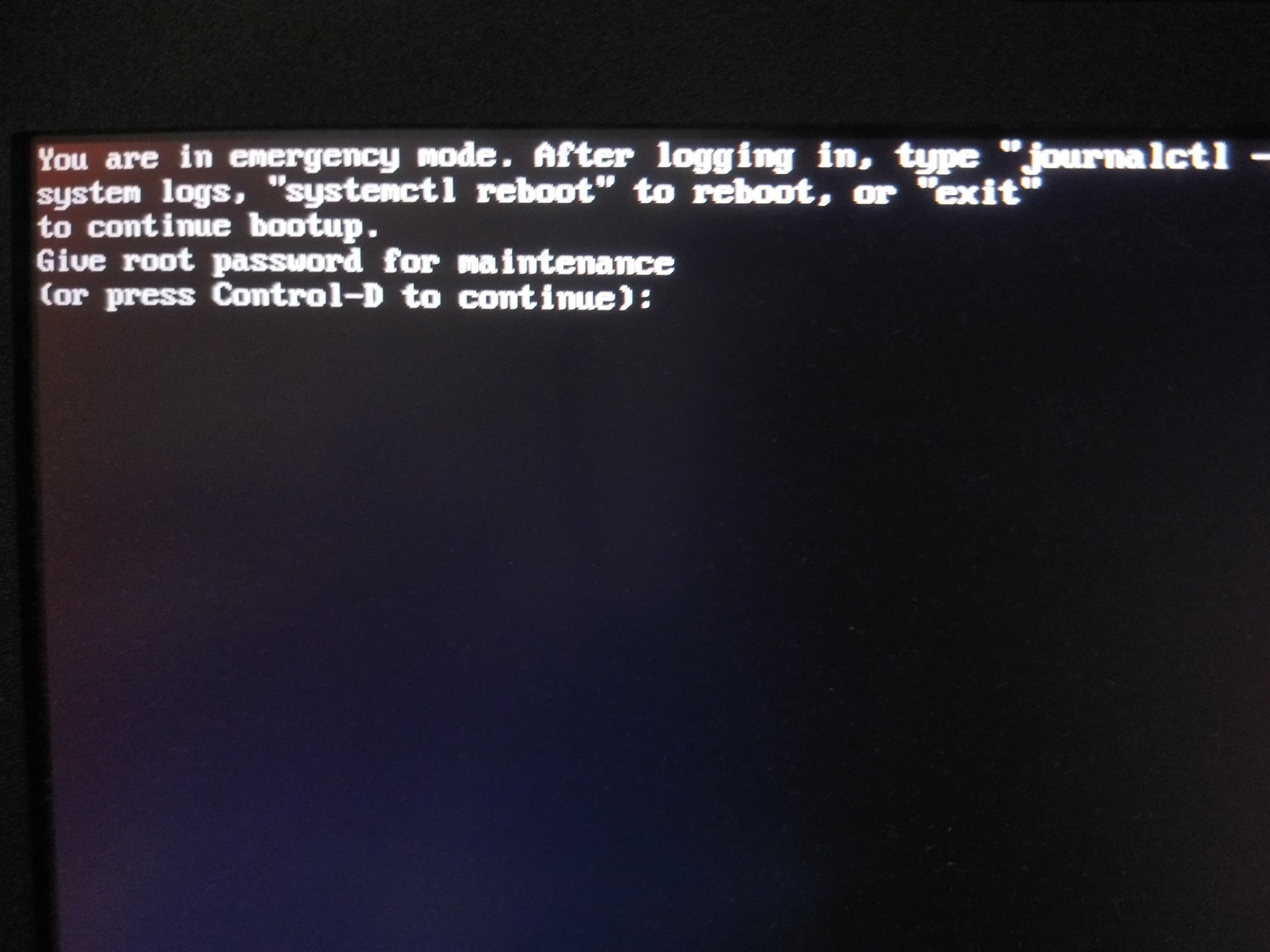
I got this error.
I would really appreciate URGENT help
If you need any more details I can provide.
EDIT
- I used BTRFS Assistant to restore the root partition. And I did it while the OS is running.
( I previously did that and got no issues )
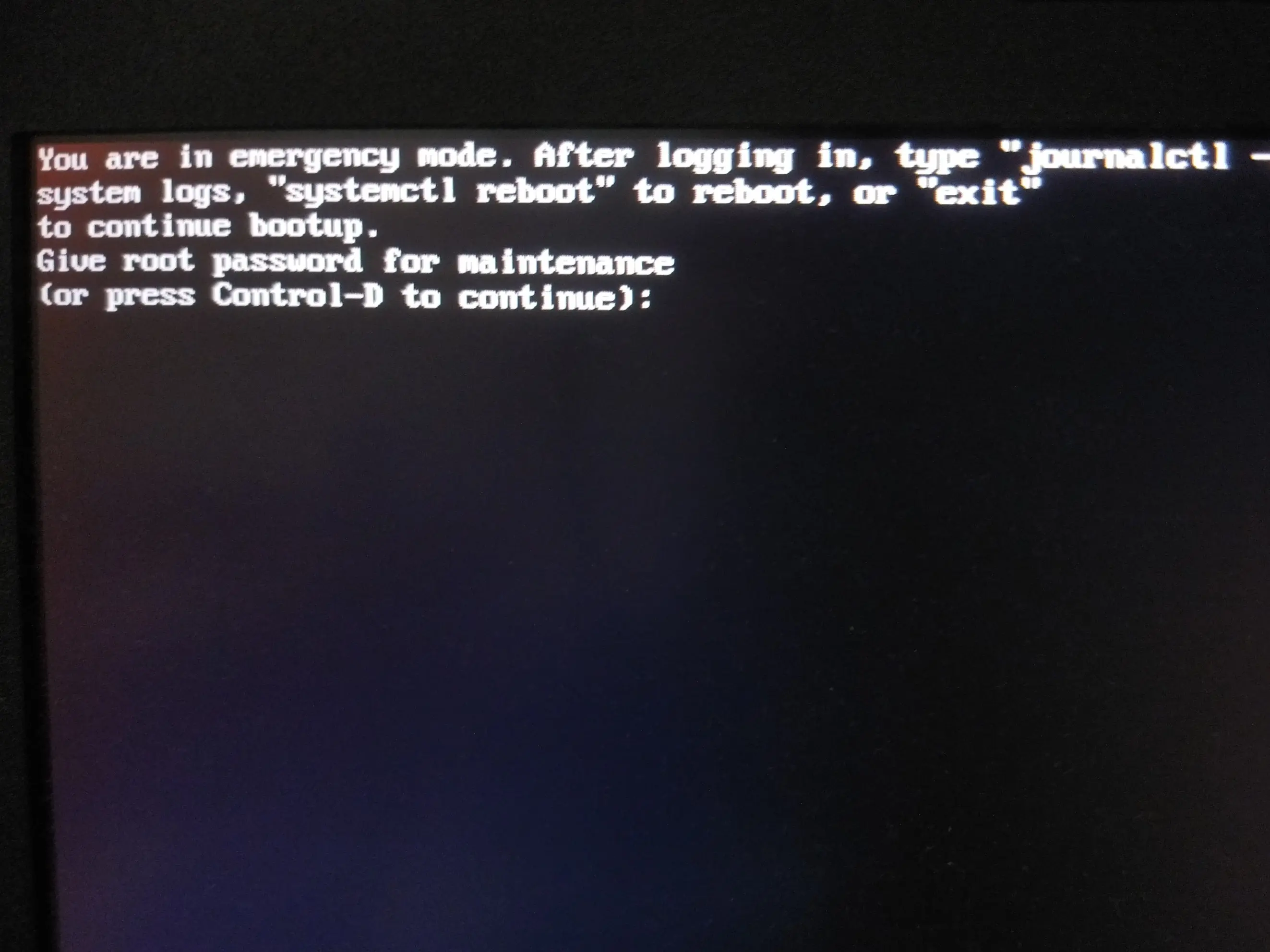
- I pressed
crtl+d and got 👇🏽

- I typed my password and went into maintenance. Typed
journalctl -xb and got 2667 lines 😵💫. While scrolling mindlessly, this looked like something 👇🏽

👉🏽
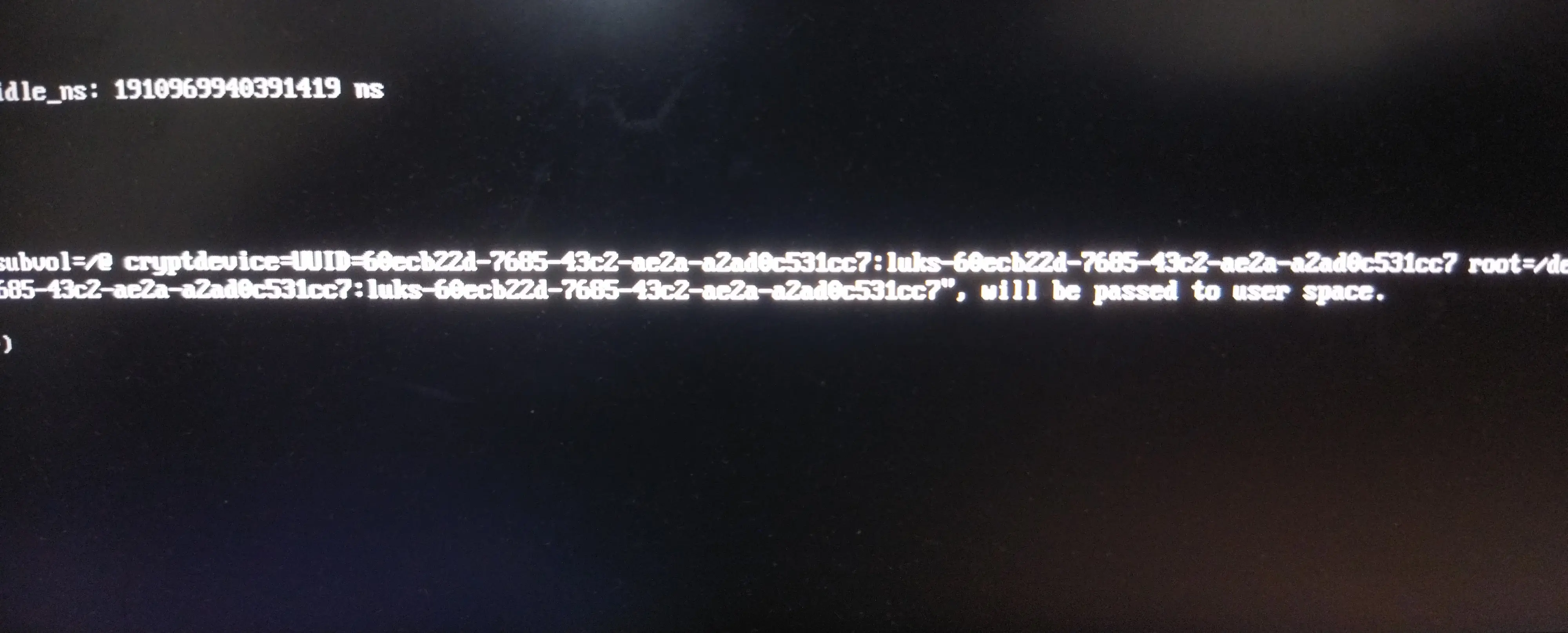
👉🏽
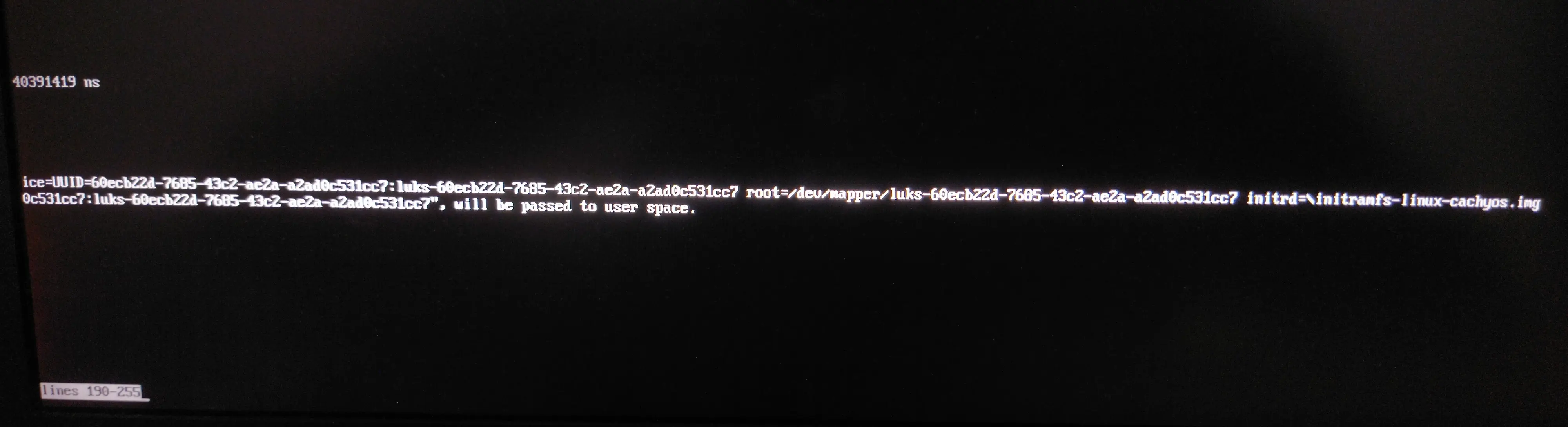
- This is my
refind_linux.conf 👇🏽
"Boot with standard options"    "quiet zswap.enabled=0 nowatchdog splash rw rootflags=subvol=/@ cryptdevice=UUID=60ecb22d-7685-43c2-ae2a-a2ad0c531cc7:luks-60ecb22d-7685-43c2-ae2a-a2ad0c531cc7 root=/dev/mapper/luks-60ecb22d-7685-43c2-ae2a-a2ad0c531cc7"

"Boot to single-user mode"    "quiet zswap.enabled=0 nowatchdog splash rw rootflags=subvol=/@ cryptdevice=UUID=60ecb22d-7685-43c2-ae2a-a2ad0c531cc7:luks-60ecb22d-7685-43c2-ae2a-a2ad0c531cc7 root=/dev/mapper/luks-60ecb22d-7685-43c2-ae2a-a2ad0c531cc7" single

"Boot with minimal options"   "ro root=/dev/mapper/luks-60ecb22d-7685-43c2-ae2a-a2ad0c531cc7"
- This my OS partition 👇🏽

- This is my subvol layout 👇🏽 (CachyOS default)

Context: I updated my CachyOS (Arch) BTRFS system. Some new things caused few problems especially brave browser(missing tabs), some icons missing.
So I wanted to go back to previous snapshot.
What I did: I first restored my home subvol which I saved before update. I worked.
Then I tried to restored my root partition. This is where I got the problem.
I got this error.
I would really appreciate URGENT help
If you need any more details I can provide.
EDIT
- I used BTRFS Assistant to restore the root partition. And I did it while the OS is running.
( I previously did that and got no issues )
- I pressed
crtl+d and got 👇🏽
- I typed my password and went into maintenance. Typed
journalctl -xb and got 2667 lines 😵💫. While scrolling mindlessly, this looked like something 👇🏽
👉🏽
👉🏽
- This is my
refind_linux.conf 👇🏽
"Boot with standard options"    "quiet zswap.enabled=0 nowatchdog splash rw rootflags=subvol=/@ cryptdevice=UUID=60ecb22d-7685-43c2-ae2a-a2ad0c531cc7:luks-60ecb22d-7685-43c2-ae2a-a2ad0c531cc7 root=/dev/mapper/luks-60ecb22d-7685-43c2-ae2a-a2ad0c531cc7"

"Boot to single-user mode"    "quiet zswap.enabled=0 nowatchdog splash rw rootflags=subvol=/@ cryptdevice=UUID=60ecb22d-7685-43c2-ae2a-a2ad0c531cc7:luks-60ecb22d-7685-43c2-ae2a-a2ad0c531cc7 root=/dev/mapper/luks-60ecb22d-7685-43c2-ae2a-a2ad0c531cc7" single

"Boot with minimal options"   "ro root=/dev/mapper/luks-60ecb22d-7685-43c2-ae2a-a2ad0c531cc7"
- This my OS partition 👇🏽
- This is my subvol layout 👇🏽 (CachyOS default)
preview
Im really Happy now runs blazing fast
Im really Happy now runs blazing fast
preview
I’m in the market for a new laptop and I’ve been checking out the Lenovo Slim 7i (14” Intel) Gen 9, which comes with an Intel Core Ultra 7 155H, 32GB of soldered RAM, and a 1920x1200 60Hz OLED display. This setup is priced just over a grand (USD).
More details could be found here lenovo.com/ca
I’m in the market for a new laptop and I’ve been checking out the Lenovo Slim 7i (14” Intel) Gen 9, which comes with an Intel Core Ultra 7 155H, 32GB of soldered RAM, and a 1920x1200 60Hz OLED display. This setup is priced just over a grand (USD).
More details could be found here lenovo.com/ca
preview
I installed CachyOS with Plasma DE and found it has no discover in it. When I searched on their sub lots of people say that one shouldn’t use Discover with any Arch distro as it will break the system. Can anybody clarify why?
Also if I am not supposed to use Discover, can anybody suggest an actual GUI application store? Unlike Octopi (which I consider just as a TUI with check boxes and columns)
Edit: I only use Discover for find and install new apps.
For updating, I just use paru.
I installed CachyOS with Plasma DE and found it has no discover in it. When I searched on their sub lots of people say that one shouldn’t use Discover with any Arch distro as it will break the system. Can anybody clarify why?
Also if I am not supposed to use Discover, can anybody suggest an actual GUI application store? Unlike Octopi (which I consider just as a TUI with check boxes and columns)
Edit: I only use Discover for find and install new apps.
For updating, I just use paru.
preview
Ich habe heute meine Windows Partition gegen CachyOS getauscht. Bisher DualBoot Mint/Windows. Mal schauen, wie es weitergeht.
Ich habe heute meine Windows Partition gegen CachyOS getauscht. Bisher DualBoot Mint/Windows. Mal schauen, wie es weitergeht.