0
#drm
posts tagged #drm

0
preview
cross-posted from: sopuli.xyz/post/51806752
I was just ripped off by xigxag who claim I could “buy” things there, but it turns out I can only play them with their DRM-infested webplayer or smartphone app.
Is there a store that sells truly DRM-free audiobooks somewhere in the EU?
cross-posted from: sopuli.xyz/post/51806752
I was just ripped off by xigxag who claim I could “buy” things there, but it turns out I can only play them with their DRM-infested webplayer or smartphone app.
Is there a store that sells truly DRM-free audiobooks somewhere in the EU?
0
Tom's Hardware
Denuvo sues anonymous game cracker ‘voices38’ over alleged DRM circumvention — seeks damages after Anti-Tamper protections bypassed in 26 games
www.tomshardware.com
preview
cross-posted from: lemmy.world/post/51994306
cross-posted from: lemmy.world/post/51994306
0
preview
Castlevania 1, free to claim for a limited time on Google Play, appears to be DRM-free
#Castlevania #DRMfree #Android
Did a quick test earlier today and it would start fine on a vanilla Android 12 phone on airplane mode.
Also skimmed the installed files and the APK I dumped, but neither seemed to carry a ROM, so if it’s there, some digging may be needed.
Link: play.google.com/store/apps/details?id=jp.konami.e…
Also free on the iOS (link), but DRM on Apple phones evade me.
Castlevania 1, free to claim for a limited time on Google Play, appears to be DRM-free
#Castlevania #DRMfree #Android
Did a quick test earlier today and it would start fine on a vanilla Android 12 phone on airplane mode.
Also skimmed the installed files and the APK I dumped, but neither seemed to carry a ROM, so if it’s there, some digging may be needed.
Link: play.google.com/store/apps/details?id=jp.konami.e…
Also free on the iOS (link), but DRM on Apple phones evade me.
0

YouTube
WOOT '26 - Defective by Design: Universal Recovery of All Widevine-Protected Content on Desktop...
www.youtube.com
0
preview
For those who want to legitimately and legally remove the LCPL DRM from your legally bought Ebooks.
You need Calibre, the LCPL Input plugin (installable from within Calibre) and the DeDRM plugin (needs to be downloaded separately, latest version is here: github.com/Satsuoni/DeDRM_tools/releases)
However due to a dubious DMCA request the LCPL plugin in the main DeDRM took has been borked in the official release. Instead you need to download a patch file here: gitflic.ru/project/lcpdisliker/dedrmlcpatch Remember DMCA is a US law and does not apply outside the USA, and the patch is perfectly legal and legitimate worldwide.
Simply replace the file “lcpdedrm.py” within the DeDRM zip with the patched version, and then install the plugin within Calibre.
Then you need to add your reading key to the DeDRM plugin (Preferences > Readium LCP ebooks).
Now if you have any LCPL ebooks, merely import the LCPL file in to calibre, and as long as the reading key is correct, DeDRM will decrypt your book in the background. The copy in your library will be DRM free, ready to transfer to your ereader of choice.
Hope that helps. Ebooks.com, one of the biggest ebook sites, is moving to LCPL as of June 2026 which means the existing legal Adobe Digital Editions method is becoming defunct.
For those who want to legitimately and legally remove the LCPL DRM from your legally bought Ebooks.
You need Calibre, the LCPL Input plugin (installable from within Calibre) and the DeDRM plugin (needs to be downloaded separately, latest version is here: github.com/Satsuoni/DeDRM_tools/releases)
However due to a dubious DMCA request the LCPL plugin in the main DeDRM took has been borked in the official release. Instead you need to download a patch file here: gitflic.ru/project/lcpdisliker/dedrmlcpatch Remember DMCA is a US law and does not apply outside the USA, and the patch is perfectly legal and legitimate worldwide.
Simply replace the file “lcpdedrm.py” within the DeDRM zip with the patched version, and then install the plugin within Calibre.
Then you need to add your reading key to the DeDRM plugin (Preferences > Readium LCP ebooks).
Now if you have any LCPL ebooks, merely import the LCPL file in to calibre, and as long as the reading key is correct, DeDRM will decrypt your book in the background. The copy in your library will be DRM free, ready to transfer to your ereader of choice.
Hope that helps. Ebooks.com, one of the biggest ebook sites, is moving to LCPL as of June 2026 which means the existing legal Adobe Digital Editions method is becoming defunct.
0

preview
Beware: the Sonic the Hedgehog comics from the Humble Bundle bundle appear to be DRM-tied
This bundle: humblebundle.com/…/sonic-35th-anniversary-megabun…
These #SonicTheHedgehog #ebooks are activated on Neon Ichiban, and they appear to have #DRM because, on the titles’ pages, each has the “❌ Downloadable” tag under the title, like in the screenshot attached as an example, and have no other indication of technologies included or otherwise.
Beware: the Sonic the Hedgehog comics from the Humble Bundle bundle appear to be DRM-tied
This bundle: humblebundle.com/…/sonic-35th-anniversary-megabun…
These #SonicTheHedgehog #ebooks are activated on Neon Ichiban, and they appear to have #DRM because, on the titles’ pages, each has the “❌ Downloadable” tag under the title, like in the screenshot attached as an example, and have no other indication of technologies included or otherwise.
0
0
0
preview
Hugely terrible DRM has now been rolled out to all PS4 and PS5 digital games. Every digital game you buy now requires an online check-in every 30 days. If you buy a digital game and don’t connect your console to the internet for 30 days, your license will be removed.
Source [2026-04-25; +image]
-–
You wouldn’t “lose” it, the licence would be restored after connecting to internet… provided Sony’s servers are still functioning when you do…
Source [2026-04-25]
-–
…Trophies on PS4 require the internal system clock (the one you can’t see / alter) to be correct, so people cant change their PS4 date/time to make it look like they got trophies earlier than they really did. If your PS4 clock battery dies, all your games die
Source [2021-03-23]
-–
Newly purchased PS4 games now have 30 day valid license timer.
Most likely introduced in March 2026 firmware.
Could be a bug similar to an incident from 2022.
PS5 is affected too, but only shows an error when starting a game.Source [2026-04-25]
-–
Update x2: not a bug - PlayStation just quietly confirmed it’s intentional.
Any digital game you buy after the march 2026 update now requires you to go online at least once every 30 days or it won’t even launch.Source [2026-04-28]
[Image] Official PlayStation Support Response [2026-04-28]

[Image] "Don't Starve Together" (PlayStation)

Hugely terrible DRM has now been rolled out to all PS4 and PS5 digital games. Every digital game you buy now requires an online check-in every 30 days. If you buy a digital game and don’t connect your console to the internet for 30 days, your license will be removed.
Source [2026-04-25; +image]
-–
You wouldn’t “lose” it, the licence would be restored after connecting to internet… provided Sony’s servers are still functioning when you do…
Source [2026-04-25]
-–
…Trophies on PS4 require the internal system clock (the one you can’t see / alter) to be correct, so people cant change their PS4 date/time to make it look like they got trophies earlier than they really did. If your PS4 clock battery dies, all your games die
Source [2021-03-23]
-–
Newly purchased PS4 games now have 30 day valid license timer.
Most likely introduced in March 2026 firmware.
Could be a bug similar to an incident from 2022.
PS5 is affected too, but only shows an error when starting a game.Source [2026-04-25]
-–
Update x2: not a bug - PlayStation just quietly confirmed it’s intentional.
Any digital game you buy after the march 2026 update now requires you to go online at least once every 30 days or it won’t even launch.Source [2026-04-28]
[Image] Official PlayStation Support Response [2026-04-28]
[Image] "Don't Starve Together" (PlayStation)
0

Towns - Source Code Release - Steam News
store.steampowered.com
preview
I think the information is relevant here since, in the chance it has DRM on Steam, given the source code is now available, a DRM-free version should be possible to compile.
I think the information is relevant here since, in the chance it has DRM on Steam, given the source code is now available, a DRM-free version should be possible to compile.
0
preview
Thought I’d make a second post, to not get things too mixed up with the Amazon ebooks one.
Android games are mostly on Google Play and Itchio to my knowledge, the former being opaque about any DRMs used or otherwise, and the latter generally being DRM-free unless stated otherwise. But there are other platforms, like Humble Bundle (mostly old stuff for Android there), DLsite (NSFW and with consistent cues to when DRM is used), EGS (after them and Apple/Google going at each other’s throats), etc.
If the presence of DRM isn’t clearly stated or is dubious, requiring testing, they are worth reporting when DRM-free.
If a game was previously reported as DRM-free but some sneaky DRM is found (e.g. time-based, after some point in the story, etc.), feel free to report those cases.
Also if a game hasn’t been reported, feel free to ask if it is too.
And lastly, evaluating if games that are partly DRM-free should be included, e.g. Dead Cells that the base game is but not the DLCs. Also if non-gaming apps should be included.
The list: pastebin.com/NxcsHdcE
Thought I’d make a second post, to not get things too mixed up with the Amazon ebooks one.
Android games are mostly on Google Play and Itchio to my knowledge, the former being opaque about any DRMs used or otherwise, and the latter generally being DRM-free unless stated otherwise. But there are other platforms, like Humble Bundle (mostly old stuff for Android there), DLsite (NSFW and with consistent cues to when DRM is used), EGS (after them and Apple/Google going at each other’s throats), etc.
If the presence of DRM isn’t clearly stated or is dubious, requiring testing, they are worth reporting when DRM-free.
If a game was previously reported as DRM-free but some sneaky DRM is found (e.g. time-based, after some point in the story, etc.), feel free to report those cases.
Also if a game hasn’t been reported, feel free to ask if it is too.
And lastly, evaluating if games that are partly DRM-free should be included, e.g. Dead Cells that the base game is but not the DLCs. Also if non-gaming apps should be included.
The list: pastebin.com/NxcsHdcE
0

GOG.com
Important update: Amazon Luna on GOG
www.gog.com
preview
From their announcement:
Important update: Amazon Luna on GOG
Hi everyone!
We wanted to give you an update about upcoming changes to Amazon Luna. As part of a broader shift in how Luna operates, support for external game libraries – including GOG – will be discontinued.
What this means in short: Luna will no longer offer access to GOG games via its cloud streaming service after June 10, 2026.
The important part: this does NOT affect your GOG library or ownership in any way. All the games you’ve purchased on GOG remain yours, fully accessible through GOG as always – just without the Luna streaming option.
For more details about these changes and what’s next for Luna, please refer to Amazon’s official communication.
Cheers!
Comments appear to be locked, so people are commenting on the first announcement about GOG and Luna:
https://www.gog.com/forum/general/bmore/_ways/_to/_play/_your/_gog/_games/_were/_teaming/_up/_with/_luna/_cloud/_streaming/_serviceb/_b5660
Posting it here because, if I’m interpreting it right, the claimable games from (((previously Twitch Prime) previously Amazon Prime) previously Amazon Luna) Luna Premium will remain around for the foreseeable future. So, with claimable codes still around but not streaming, it sounds like a point for DRM-freedom, since people won’t have the option that just normalizes stuff not being under one’s own control.
From their announcement:
Important update: Amazon Luna on GOG
Hi everyone!
We wanted to give you an update about upcoming changes to Amazon Luna. As part of a broader shift in how Luna operates, support for external game libraries – including GOG – will be discontinued.
What this means in short: Luna will no longer offer access to GOG games via its cloud streaming service after June 10, 2026.
The important part: this does NOT affect your GOG library or ownership in any way. All the games you’ve purchased on GOG remain yours, fully accessible through GOG as always – just without the Luna streaming option.
For more details about these changes and what’s next for Luna, please refer to Amazon’s official communication.
Cheers!
Comments appear to be locked, so people are commenting on the first announcement about GOG and Luna:
https://www.gog.com/forum/general/bmore/_ways/_to/_play/_your/_gog/_games/_were/_teaming/_up/_with/_luna/_cloud/_streaming/_serviceb/_b5660
Posting it here because, if I’m interpreting it right, the claimable games from (((previously Twitch Prime) previously Amazon Prime) previously Amazon Luna) Luna Premium will remain around for the foreseeable future. So, with claimable codes still around but not streaming, it sounds like a point for DRM-freedom, since people won’t have the option that just normalizes stuff not being under one’s own control.
0
tux.social
boredsquirrel (@Rhababerbarbar@tux.social)
tux.social
preview
There is a barely online HTTP-only website of some guy who makes a software called “FindVUK”. No idea how it works and what it does (yet), but the guy maintains huge databases of BluRay decryption keys.
Those keys are needed to decrypt encrypted BluRays. VLC together with libbluray and libaacs can theoretically use those keys to play the content.
It should be possible to use that stack to recreate something akin to MakeMKV with free software.
For now, here is the magnet link to the torrent including website archives and also libaacs (for Windows and MacOS, it is small so why not).
(The website is archived in the torrent. I dont share the link on purpose as it is BARELY online. Needed to download 2 text files at a time, that was the maximum or I got an error 503).
There is a barely online HTTP-only website of some guy who makes a software called “FindVUK”. No idea how it works and what it does (yet), but the guy maintains huge databases of BluRay decryption keys.
Those keys are needed to decrypt encrypted BluRays. VLC together with libbluray and libaacs can theoretically use those keys to play the content.
It should be possible to use that stack to recreate something akin to MakeMKV with free software.
For now, here is the magnet link to the torrent including website archives and also libaacs (for Windows and MacOS, it is small so why not).
(The website is archived in the torrent. I dont share the link on purpose as it is BARELY online. Needed to download 2 text files at a time, that was the maximum or I got an error 503).
0
preview
There are no ways to easily know if an ebook is DRM-free there, aside from buying/claiming it, and checking in your downloads page (replace the domain for the region-specific one you want) if it mentions “Download available in additional formats” or the equivalent in a given language.
Akin to other projects to list DRM-free contents in platforms that don’t make the information easily accessible, creating a list on a text document (initially on Pastebin, may change later), and this post is to report those findings.
Also the DRM state may change, so books initially either DRM-ridden or DRM-free may be different on a future check, so beware of those too.
The list: pastebin.com/zHftQzyQ
There are no ways to easily know if an ebook is DRM-free there, aside from buying/claiming it, and checking in your downloads page (replace the domain for the region-specific one you want) if it mentions “Download available in additional formats” or the equivalent in a given language.
Akin to other projects to list DRM-free contents in platforms that don’t make the information easily accessible, creating a list on a text document (initially on Pastebin, may change later), and this post is to report those findings.
Also the DRM state may change, so books initially either DRM-ridden or DRM-free may be different on a future check, so beware of those too.
The list: pastebin.com/zHftQzyQ
0

preview
From the blurb:
A regularly updated list of online shops that sell DRM-free ebooks, digital comics, magazines, and RPGs. Helping hundreds of readers a month discover over 400 DRM-free bookshops.
Found here:
https://slrpnk.net/comment/16085395
Will also add it to https://thebrainbin.org/m/drm@lemmy.dbzer0.com/t/1385638/Another-list-of-sources-of-DRM-free-digital-medias next.
From the blurb:
A regularly updated list of online shops that sell DRM-free ebooks, digital comics, magazines, and RPGs. Helping hundreds of readers a month discover over 400 DRM-free bookshops.
Found here:
https://slrpnk.net/comment/16085395
Will also add it to https://thebrainbin.org/m/drm@lemmy.dbzer0.com/t/1385638/Another-list-of-sources-of-DRM-free-digital-medias next.
0
preview
The short version: it feels as if Amazon made it as painful as possible to do the process
First, there appears to be no standardized way of informing that the ebook is DRM-free. The examples I could find had it mentioned at the title, at either of the descriptions, and/or at the product details. Ctrl F or your browser’s equivalent might help.
Second, finding and downloading your contents is rather manual. Learning that they’re downloaded at the Digital Contents page (or your region’s equivalent) saves a lot of time as you can then bookmark the page. And at there, you have to click on “More actions”, hope the ebook actually has a DRM-free download¹, and click the option that mentions “EPUB/PDF” if available (in the case of Amazon US, “Download EPUB/PDF”).
Third, Amazon JP works pretty much the same, デジタルコンテンツ (Digital Contents) page > その他のアクション (“More actions”) > EPUB/PDF ダウンロード (“EPUB/PDF download”). Also, you can look for mentions of “DRMフリー”, “DRMなし”, “DRM free”, etc., though I’d presume (since I haven’t tested as much) that reliability is as similar as the US counterpart.
Fourth and continuation of the second point, retroactively looking at the ebooks in your account requires checking each “More actions” menu individually. No filters available. Also skimmed through the page inspector (F12 in Waterfox), and you can find the download options when present by searching for “EPUB/PDF”, though do note there’s a bit of an offset when using “Scroll into view”, as it puts you where the option would be if the More actions menu was expanded, not on the height of the ebook itself.
Fifth, for Brazilians, the path for downloading is Conteúdo digital > “Mais ações” > “Baixar EPUB/PDF”.
And lastly, haven’t tested on other regions, though most overseas sites to my knowledge are tied, rarely there being region-specific features or contents.
¹I found two false positives while testing; ~2 USD poorer because of that but at least serves to confirm the issue.
Hopefully it can help people. =)
The short version: it feels as if Amazon made it as painful as possible to do the process
First, there appears to be no standardized way of informing that the ebook is DRM-free. The examples I could find had it mentioned at the title, at either of the descriptions, and/or at the product details. Ctrl F or your browser’s equivalent might help.
Second, finding and downloading your contents is rather manual. Learning that they’re downloaded at the Digital Contents page (or your region’s equivalent) saves a lot of time as you can then bookmark the page. And at there, you have to click on “More actions”, hope the ebook actually has a DRM-free download¹, and click the option that mentions “EPUB/PDF” if available (in the case of Amazon US, “Download EPUB/PDF”).
Third, Amazon JP works pretty much the same, デジタルコンテンツ (Digital Contents) page > その他のアクション (“More actions”) > EPUB/PDF ダウンロード (“EPUB/PDF download”). Also, you can look for mentions of “DRMフリー”, “DRMなし”, “DRM free”, etc., though I’d presume (since I haven’t tested as much) that reliability is as similar as the US counterpart.
Fourth and continuation of the second point, retroactively looking at the ebooks in your account requires checking each “More actions” menu individually. No filters available. Also skimmed through the page inspector (F12 in Waterfox), and you can find the download options when present by searching for “EPUB/PDF”, though do note there’s a bit of an offset when using “Scroll into view”, as it puts you where the option would be if the More actions menu was expanded, not on the height of the ebook itself.
Fifth, for Brazilians, the path for downloading is Conteúdo digital > “Mais ações” > “Baixar EPUB/PDF”.
And lastly, haven’t tested on other regions, though most overseas sites to my knowledge are tied, rarely there being region-specific features or contents.
¹I found two false positives while testing; ~2 USD poorer because of that but at least serves to confirm the issue.
Hopefully it can help people. =)
0
preview
The pinned post hasn’t been updated in a few months now, so making this new one. Also will be updating here while the pinned post isn’t updated.
Sources will be divided into categories based on content types available, and so a same source may appear in multiple categories. And if a category becomes too bloated with entries, please suggest how to better divide it!
Also some cases of DRM are blurrier. Some may consider DRM-free as simply not requiring validation. Others may consider watermarks and other means of tracking the owner if the files are leaked as DRM. If a platform has such blurrier cases and I know of, I will leave a note explaining.
And removing SomaFM until I figure out if it indeed allows downloading contents DRM-free.
And lastly, quoting the OP, additions are welcome! Please post in the comments if you’re missing any. While I realize other sources and shadow libraries exist, I want this list to be about supporting the sites, stores and authors that make an effort to supply legal, DRM-free alternatives.
Now, onto the list!
Ebooks
- 7switch - Amazon (both JP/overseas; see this) - Angry Robot - Baen Books - Brandon Sanderson on Bookshop.org (Sci-Fi, US-only) - Brandon Sanderson on eBooks.com (Sci-Fi) - Cory Doctorow (Sci-Fi) - Delphi Classics - Dystopia Editions (Sci-Fi/Fantasy) - Ebooks libres et gratuits (French Public Domain) - Ebooks.com DRM-Free section - Fanatical’s ebook bundles - French Bibiliothèque Nationale’s Gallica (French Public Domain) - Greg Egan (Sci-Fi) - Honor Raconteur (Fantasy/YA) - Humble Bundle’s ebook bundles - IndieGala book bundles - Itch comics & books - Juliet Marillier (Fantasy) - Kobo’s DRM free section - La bibliothèque numérique Romande (Swiss fiction) - Le Belial (Sci-Fi/Fantasy) - Les classiques des sciences social, with a large selection of essays and academic papers - Litteraturbanken (Swedish Public Domain) - Nasjionalbiblioteket (Norwegian Public Domain) - Project Gutenberg Australia (Australian Public Domain) - Project Gutenberg Canada (Canadian Public Domain) - Project Gutenberg (American/General Public Domain, has many other countries and languages as well) - Runeberg (Swedish Public Domain) - Smashwords - Standard eBooks (Formatted Public Domain eBooks) - StoryBundle - The Anarchist Library - The Internet Archive - The National Library of Finland (Finnish Public Domain) - Tor Books - Weightless Books (Sci-Fi magazines) - note from the original post: A note, if your native language is for example German, Swedish, Norwegian, Danish, Polish or similar, you can usually find DRM-free ebooks in your native language through your national stores. The ePubs are usually just watermarked. This might be applicable to other countries as well, even though I’m aware that some countries like Japan or South Korea have even stricter DRM schemes than the English-speaking world. - another note: More on DefectiveByDesign, Libreture and ButtonDown - note no. 3: there’s also a list for DRM-free ebook shops at libreture.com/bookshops/
Games
- 6502 Workshop - Alivesoft - Amazon US [see notes] - Bitmap Bureau - Caravel Games - Crytivo - Enlight Games - Epic Games Store (see notes) - Fireflower Games - GOG - Humble Bundle (includes Android games and GOG keys) - Humble Widgets (widgets for developers to sell games on their sites; may have games not directly on Humble Bundle) - IndieGala freebies & showcases (they overlap btw) - Itch (incl. also Android games, homebrews, fantasy consoles, etc.) - Learn Japanese to Survive! - Legacy Games [see this, a response to an email I sent them, and confirmed by myself with tests] - Lexaloffle Games [see notes] - MAME - Matrix Games - Neofid Studios - Red Candle Games - Retroarch through the frontend and maybe through Libretro’s buildbot but yet to confirm on the latter. - RimWorld - Slitherine - Steam [see this] - WinGameStore’s DRM-free selection - Zoom Platform
Music
- 7digital UK/7digital US [change the subdomain for other regions] - Amazon - Bandcamp - GOG [game OSTs] - Itch - ITunes [see notes] - Mirlo [ActivityPub-compatible but only found the linked instance] - Ototoy - Qobuz - Recochoku [UI in Japanese and has site-wide geoblocking] - Red Candle Games [only OSTs for the games they developed] - Steam [game OSTs] - Supraph Online [UI in Czech] - 着信★うた [UI in Japanese] - Zoom Platform [game OSTs]
Videos
- ITunes for music videos [see this] - Peertube for general videos (each video has a download button) - Recochoku for music videos [UI in Japanese and has site-wide geoblocking]
Misc
- Itch game assets, tabletop games, tools & other stuff - Gumroad for games, videos, ebooks, etc., similar to Itch. Though for ebooks, see this
NSFW ones
- Denpasoft - for manga and some times games and other contents - DLsite - mangas, video games, OSTs (rarely), ASMR audio tracks, videos and game assets. Also see notes. - Fakku - mainly mangas, some few games, and rarely OSTs. - IndieGala - for games - Jast USA - for games - Kagura Games (JP / International) - MangaGamer - iirc exclusively for games - Nutaku - do note Android games always have DRM. Other systems should be safe. - Winter Wolves - game publisher store
Notes
- About Amazon US and games, it has a selection of DRM-free games in the store, but they seem to be slowly delisting the titles there, maybe due to most being at least about as young as Windows Vista.
- About DLsite, mangas that have DRM will have a light green box under genres and file size, not mattering what the text says, and if using Dark Reader, the box becomes dark green, contrasting much better with the UI. Games and videos will have a blue box instead iirc, and with a much clearer and consistent warning. And for all cases, if still in doubt, “file format” above genres should help too.
- About Itch, technically they don’t have policies against DRM, but in what’s probably almost a decade using it, I can hardly remember 4 titles which would use DRM. Numbers bloat if we consider titles that only give keys for other services, which iirc is against the rules but have to check, and games that run in the browser, but that through launchers (Itch app, Kitch, Mitch for Android, etc.) or itch-dl, you can download it to run as a local HTML project.
- About Epic Games Store, there is no way to know upfront the DRM situation, so each games needs to be tested. Also iirc there are community projects to catalogue such cases, but I don’t have any at hand.
- About ITunes, both musics and music videos require the ITunes app for IOS, MacOS or Windows for buying and downloading.
- About ITunes, at least on Windows 10, Apple Music links can be opened as ITunes links by replacing https for start itms and adding ?app=itunes at the end, and then running the resulting command on Windows’ CMD. The same can’t be achieved with movies, and yet to test music videos.
- About Lexaloffle Games, only familiar with the PICO-8 side of the site, and to get the file for a given game there, it can be downloaded if it has a pink cartridge icon under their games’ respective web players. To do it, click the icon, download the “image” that opens, and either run on the official player, recompile through the PICO-8 player, or play through emulators.
- About Supraph Online, asked the guy behind IsThereAnyDeal once, and he said it’s a company he sees retail stores in the Czech Republic, so appears legit to me.
The pinned post hasn’t been updated in a few months now, so making this new one. Also will be updating here while the pinned post isn’t updated.
Sources will be divided into categories based on content types available, and so a same source may appear in multiple categories. And if a category becomes too bloated with entries, please suggest how to better divide it!
Also some cases of DRM are blurrier. Some may consider DRM-free as simply not requiring validation. Others may consider watermarks and other means of tracking the owner if the files are leaked as DRM. If a platform has such blurrier cases and I know of, I will leave a note explaining.
And removing SomaFM until I figure out if it indeed allows downloading contents DRM-free.
And lastly, quoting the OP, additions are welcome! Please post in the comments if you’re missing any. While I realize other sources and shadow libraries exist, I want this list to be about supporting the sites, stores and authors that make an effort to supply legal, DRM-free alternatives.
Now, onto the list!
Ebooks
- 7switch - Amazon (both JP/overseas; see this) - Angry Robot - Baen Books - Brandon Sanderson on Bookshop.org (Sci-Fi, US-only) - Brandon Sanderson on eBooks.com (Sci-Fi) - Cory Doctorow (Sci-Fi) - Delphi Classics - Dystopia Editions (Sci-Fi/Fantasy) - Ebooks libres et gratuits (French Public Domain) - Ebooks.com DRM-Free section - Fanatical’s ebook bundles - French Bibiliothèque Nationale’s Gallica (French Public Domain) - Greg Egan (Sci-Fi) - Honor Raconteur (Fantasy/YA) - Humble Bundle’s ebook bundles - IndieGala book bundles - Itch comics & books - Juliet Marillier (Fantasy) - Kobo’s DRM free section - La bibliothèque numérique Romande (Swiss fiction) - Le Belial (Sci-Fi/Fantasy) - Les classiques des sciences social, with a large selection of essays and academic papers - Litteraturbanken (Swedish Public Domain) - Nasjionalbiblioteket (Norwegian Public Domain) - Project Gutenberg Australia (Australian Public Domain) - Project Gutenberg Canada (Canadian Public Domain) - Project Gutenberg (American/General Public Domain, has many other countries and languages as well) - Runeberg (Swedish Public Domain) - Smashwords - Standard eBooks (Formatted Public Domain eBooks) - StoryBundle - The Anarchist Library - The Internet Archive - The National Library of Finland (Finnish Public Domain) - Tor Books - Weightless Books (Sci-Fi magazines) - note from the original post: A note, if your native language is for example German, Swedish, Norwegian, Danish, Polish or similar, you can usually find DRM-free ebooks in your native language through your national stores. The ePubs are usually just watermarked. This might be applicable to other countries as well, even though I’m aware that some countries like Japan or South Korea have even stricter DRM schemes than the English-speaking world. - another note: More on DefectiveByDesign, Libreture and ButtonDown - note no. 3: there’s also a list for DRM-free ebook shops at libreture.com/bookshops/
Games
- 6502 Workshop - Alivesoft - Amazon US [see notes] - Bitmap Bureau - Caravel Games - Crytivo - Enlight Games - Epic Games Store (see notes) - Fireflower Games - GOG - Humble Bundle (includes Android games and GOG keys) - Humble Widgets (widgets for developers to sell games on their sites; may have games not directly on Humble Bundle) - IndieGala freebies & showcases (they overlap btw) - Itch (incl. also Android games, homebrews, fantasy consoles, etc.) - Learn Japanese to Survive! - Legacy Games [see this, a response to an email I sent them, and confirmed by myself with tests] - Lexaloffle Games [see notes] - MAME - Matrix Games - Neofid Studios - Red Candle Games - Retroarch through the frontend and maybe through Libretro’s buildbot but yet to confirm on the latter. - RimWorld - Slitherine - Steam [see this] - WinGameStore’s DRM-free selection - Zoom Platform
Music
- 7digital UK/7digital US [change the subdomain for other regions] - Amazon - Bandcamp - GOG [game OSTs] - Itch - ITunes [see notes] - Mirlo [ActivityPub-compatible but only found the linked instance] - Ototoy - Qobuz - Recochoku [UI in Japanese and has site-wide geoblocking] - Red Candle Games [only OSTs for the games they developed] - Steam [game OSTs] - Supraph Online [UI in Czech] - 着信★うた [UI in Japanese] - Zoom Platform [game OSTs]
Videos
- ITunes for music videos [see this] - Peertube for general videos (each video has a download button) - Recochoku for music videos [UI in Japanese and has site-wide geoblocking]
Misc
- Itch game assets, tabletop games, tools & other stuff - Gumroad for games, videos, ebooks, etc., similar to Itch. Though for ebooks, see this
NSFW ones
- Denpasoft - for manga and some times games and other contents - DLsite - mangas, video games, OSTs (rarely), ASMR audio tracks, videos and game assets. Also see notes. - Fakku - mainly mangas, some few games, and rarely OSTs. - IndieGala - for games - Jast USA - for games - Kagura Games (JP / International) - MangaGamer - iirc exclusively for games - Nutaku - do note Android games always have DRM. Other systems should be safe. - Winter Wolves - game publisher store
Notes
- About Amazon US and games, it has a selection of DRM-free games in the store, but they seem to be slowly delisting the titles there, maybe due to most being at least about as young as Windows Vista.
- About DLsite, mangas that have DRM will have a light green box under genres and file size, not mattering what the text says, and if using Dark Reader, the box becomes dark green, contrasting much better with the UI. Games and videos will have a blue box instead iirc, and with a much clearer and consistent warning. And for all cases, if still in doubt, “file format” above genres should help too.
- About Itch, technically they don’t have policies against DRM, but in what’s probably almost a decade using it, I can hardly remember 4 titles which would use DRM. Numbers bloat if we consider titles that only give keys for other services, which iirc is against the rules but have to check, and games that run in the browser, but that through launchers (Itch app, Kitch, Mitch for Android, etc.) or itch-dl, you can download it to run as a local HTML project.
- About Epic Games Store, there is no way to know upfront the DRM situation, so each games needs to be tested. Also iirc there are community projects to catalogue such cases, but I don’t have any at hand.
- About ITunes, both musics and music videos require the ITunes app for IOS, MacOS or Windows for buying and downloading.
- About ITunes, at least on Windows 10, Apple Music links can be opened as ITunes links by replacing https for start itms and adding ?app=itunes at the end, and then running the resulting command on Windows’ CMD. The same can’t be achieved with movies, and yet to test music videos.
- About Lexaloffle Games, only familiar with the PICO-8 side of the site, and to get the file for a given game there, it can be downloaded if it has a pink cartridge icon under their games’ respective web players. To do it, click the icon, download the “image” that opens, and either run on the official player, recompile through the PICO-8 player, or play through emulators.
- About Supraph Online, asked the guy behind IsThereAnyDeal once, and he said it’s a company he sees retail stores in the Czech Republic, so appears legit to me.
0
preview
From their Digital Rights Management page (link):
Effective January 20, 2026, verified purchasers can download the EPUB and PDF files of your confirmed DRM-free books.
Also lower in the same page:
Change DRM settings
You have full control over your DRM settings and can change them at any time. Your DRM setting affects future download availability for all customers, regardless of when they purchased your book. After you select not to apply DRM, any verified purchaser will be able to download EPUB and PDF files effective January 20, 2026. If you later apply DRM, no new downloads in EPUB or PDF format will be available. However, readers who already downloaded EPUB or PDF files will retain access to them.
And this applies to older releases too, as per the paragraph and steps immediately after.
And where to download the files, from the bottom of the page:
Reader download access
Effective January 20, 2026, readers can download EPUB and PDF files of your DRM-free books from their Manage Your Content and Devices page on Amazon. Only verified purchasers who have bought your book can access the EPUB/PDF files. Customers who borrowed your books through Kindle Unlimited or other services can’t download the EPUB/PDF files, even if the books are DRM-free.
If readers downloaded EPUB/PDF files when your book was DRM-free, they will retain access to those downloaded EPUB/PDF files even if you later apply DRM. However, the option to download EPUB/PDF files will not be available after your DRM setting change is live (approx. 24-72 hours after you publish).
And lastly, found about it after finding a news piece on that (link of the news).
From their Digital Rights Management page (link):
Effective January 20, 2026, verified purchasers can download the EPUB and PDF files of your confirmed DRM-free books.
Also lower in the same page:
Change DRM settings
You have full control over your DRM settings and can change them at any time. Your DRM setting affects future download availability for all customers, regardless of when they purchased your book. After you select not to apply DRM, any verified purchaser will be able to download EPUB and PDF files effective January 20, 2026. If you later apply DRM, no new downloads in EPUB or PDF format will be available. However, readers who already downloaded EPUB or PDF files will retain access to them.
And this applies to older releases too, as per the paragraph and steps immediately after.
And where to download the files, from the bottom of the page:
Reader download access
Effective January 20, 2026, readers can download EPUB and PDF files of your DRM-free books from their Manage Your Content and Devices page on Amazon. Only verified purchasers who have bought your book can access the EPUB/PDF files. Customers who borrowed your books through Kindle Unlimited or other services can’t download the EPUB/PDF files, even if the books are DRM-free.
If readers downloaded EPUB/PDF files when your book was DRM-free, they will retain access to those downloaded EPUB/PDF files even if you later apply DRM. However, the option to download EPUB/PDF files will not be available after your DRM setting change is live (approx. 24-72 hours after you publish).
And lastly, found about it after finding a news piece on that (link of the news).
0
preview
Think it’s worth sharing:
Downloaded some games at random in an Win10 VM, and they all include the files “OwnershipSDK.dll” and “DrmCheckerV3.dll”, and wouldn’t open on another, freshly installed Win10 VM.
It’s a 4 games sample so maybe a little small, but considering all were indies and among them is even a Ren’Py game, therefore easily modifiable, the platform is at least concerning if one wants to get DRM-free games.
Think it’s worth sharing:
Downloaded some games at random in an Win10 VM, and they all include the files “OwnershipSDK.dll” and “DrmCheckerV3.dll”, and wouldn’t open on another, freshly installed Win10 VM.
It’s a 4 games sample so maybe a little small, but considering all were indies and among them is even a Ren’Py game, therefore easily modifiable, the platform is at least concerning if one wants to get DRM-free games.
0

GamingOnLinux
GOG celebrates 17th anniversary with a big sale and Clair Obscur: Expedition 33 released
www.gamingonlinux.com
preview
Expedition 33 the rest of the Tomb Raider’s reboot(?) trilogy were the first two releases from that queue.
Haven’t checked the news itself, but considering the scope of the games, guessing they’re building hype/expectation for other, potentially big releases.
Expedition 33 the rest of the Tomb Raider’s reboot(?) trilogy were the first two releases from that queue.
Haven’t checked the news itself, but considering the scope of the games, guessing they’re building hype/expectation for other, potentially big releases.
0
preview
A while back, got an album from Rhapsody of Fire that came with a documentary in video format, M4V file.
Testing on VLC on a system other than the one I downloaded in, it seemed to work too.
Then today, tested with 3 other videoclips, För redeliga män from Nordman, Christmas Truce from Sabaton, and Mister Jewel Box from Tophamhat-Kyo, all 3 in M4V format, and all 3 working on VLC on a system other than the one I downloaded in.
As information is scarce on ITunes, specially with information usually pointing to the opposite, being DRM-ridden, unsure if it was luck 4 times in a row, or if ITunes for videoclips, or perhaps even videos overall, is mainly/exclusively DRM-free, but so far a good sign!
A while back, got an album from Rhapsody of Fire that came with a documentary in video format, M4V file.
Testing on VLC on a system other than the one I downloaded in, it seemed to work too.
Then today, tested with 3 other videoclips, För redeliga män from Nordman, Christmas Truce from Sabaton, and Mister Jewel Box from Tophamhat-Kyo, all 3 in M4V format, and all 3 working on VLC on a system other than the one I downloaded in.
As information is scarce on ITunes, specially with information usually pointing to the opposite, being DRM-ridden, unsure if it was luck 4 times in a row, or if ITunes for videoclips, or perhaps even videos overall, is mainly/exclusively DRM-free, but so far a good sign!
0

preview
Cross-posted from “Stop Killing Games has exceeded 1.3 million signatures!” by @the16bitgamer@programming.dev in !games@sh.itjust.works
Link for those who’ve yet to see it/sign the petition: www.stopkillinggames.com
Cross-posted from “Stop Killing Games has exceeded 1.3 million signatures!” by @the16bitgamer@programming.dev in !games@sh.itjust.works
Link for those who’ve yet to see it/sign the petition: www.stopkillinggames.com
0

PC Gamer
Capcom celebrates the first anniversary of Kunitsu-Gami: Path of the Goddess by ripping out its Denuvo DRM
www.pcgamer.com
preview
Cross-posted from “Capcom celebrates the first anniversary of Kunitsu-Gami: Path of the Goddess by ripping out its Denuvo DRM” by @free@rss.ponder.cat in !pcgamer@rss.ponder.cat
Birthdays can be tricky. They can be a celebration of our continued existence, or a grim reminder of our steady forward march towards an inevitable mortality—or, in the case of Kunitsu-Gami: Path of the Goddess, a birthday can mark the occasion that Capcom removes the Denuvo DRM software that’s been a headache for its customers throughout the last decade, according to its SteamDB update history (via DSOGaming).
Mercifully, Kunitsu-Gami’s Denuvo implementation doesn’t seem to have been the source of many player complaints since its launch last July. Other Capcom games in recent years haven’t been so lucky. In 2020, Capcom pulled Denuvo from DMC5, where casual testing found it had been decreasing performance by as much as 25%.

(Image credit: Capcom)
In 2021, Digital Foundry tested to confirm that Denuvo was responsible for similar performance issues in Resident Evil Village, though it wasn’t removed from the game until 2023. It’s worth noting that Monster Hunter Wilds, which continues to attract negative Steam reviews over ongoing performance issues, is strapped down with both Denuvo and Capcom’s internally developed rights management software.
Denuvo seems to linger longer in games from Capcom’s most well-known franchises like Monster Hunter and Resident Evil, presumably to protect sales numbers from piracy while demand remains high. Its removal from Kunitsu-Gami a year after launch might be an indicator that its widely positive critical reception—we gave it a very favorable 86 in our own Kunitsu-Gami review—didn’t translate into strong sales interest.
Kunitsu-Gami has been noticeably absent from Capcom’s quarterly and yearly financial reports since its launch. Capcom’s handling of the game seems to have generated some criticism from its investors: In a shareholder meeting earlier this month, the company was asked why Exoprimal received promotional support after a middling demo response, while Kunitsu-Gami “received positive feedback from its demo” but “did not appear to receive strong promotional support to drive sales.”

(Image credit: Capcom)
“For Kunitsu-Gami: Path of the Goddess, we have been maximizing promotions for it as a new IP. In the fiscal year ending March 2026, we released this title for Nintendo Switch 2 along with additional downloadable content,” Capcom said. “We remain committed to increasing awareness and communicating the appeal of both titles.”
As for what that commitment might look like, Capcom is also celebrating Kunitsu-Gami’s launch anniversary with a new in-game talisman that will change the game’s background music “to an 8-bit retro style in certain situations.”
Kunitsu-Gami: Path of the Goddess is available now on Steam.
From PCGamer latest via this RSS feed
Cross-posted from “Capcom celebrates the first anniversary of Kunitsu-Gami: Path of the Goddess by ripping out its Denuvo DRM” by @free@rss.ponder.cat in !pcgamer@rss.ponder.cat
Birthdays can be tricky. They can be a celebration of our continued existence, or a grim reminder of our steady forward march towards an inevitable mortality—or, in the case of Kunitsu-Gami: Path of the Goddess, a birthday can mark the occasion that Capcom removes the Denuvo DRM software that’s been a headache for its customers throughout the last decade, according to its SteamDB update history (via DSOGaming).
Mercifully, Kunitsu-Gami’s Denuvo implementation doesn’t seem to have been the source of many player complaints since its launch last July. Other Capcom games in recent years haven’t been so lucky. In 2020, Capcom pulled Denuvo from DMC5, where casual testing found it had been decreasing performance by as much as 25%.
(Image credit: Capcom)
In 2021, Digital Foundry tested to confirm that Denuvo was responsible for similar performance issues in Resident Evil Village, though it wasn’t removed from the game until 2023. It’s worth noting that Monster Hunter Wilds, which continues to attract negative Steam reviews over ongoing performance issues, is strapped down with both Denuvo and Capcom’s internally developed rights management software.
Denuvo seems to linger longer in games from Capcom’s most well-known franchises like Monster Hunter and Resident Evil, presumably to protect sales numbers from piracy while demand remains high. Its removal from Kunitsu-Gami a year after launch might be an indicator that its widely positive critical reception—we gave it a very favorable 86 in our own Kunitsu-Gami review—didn’t translate into strong sales interest.
Kunitsu-Gami has been noticeably absent from Capcom’s quarterly and yearly financial reports since its launch. Capcom’s handling of the game seems to have generated some criticism from its investors: In a shareholder meeting earlier this month, the company was asked why Exoprimal received promotional support after a middling demo response, while Kunitsu-Gami “received positive feedback from its demo” but “did not appear to receive strong promotional support to drive sales.”
(Image credit: Capcom)
“For Kunitsu-Gami: Path of the Goddess, we have been maximizing promotions for it as a new IP. In the fiscal year ending March 2026, we released this title for Nintendo Switch 2 along with additional downloadable content,” Capcom said. “We remain committed to increasing awareness and communicating the appeal of both titles.”
As for what that commitment might look like, Capcom is also celebrating Kunitsu-Gami’s launch anniversary with a new in-game talisman that will change the game’s background music “to an 8-bit retro style in certain situations.”
Kunitsu-Gami: Path of the Goddess is available now on Steam.
From PCGamer latest via this RSS feed
0
Retro Dodo
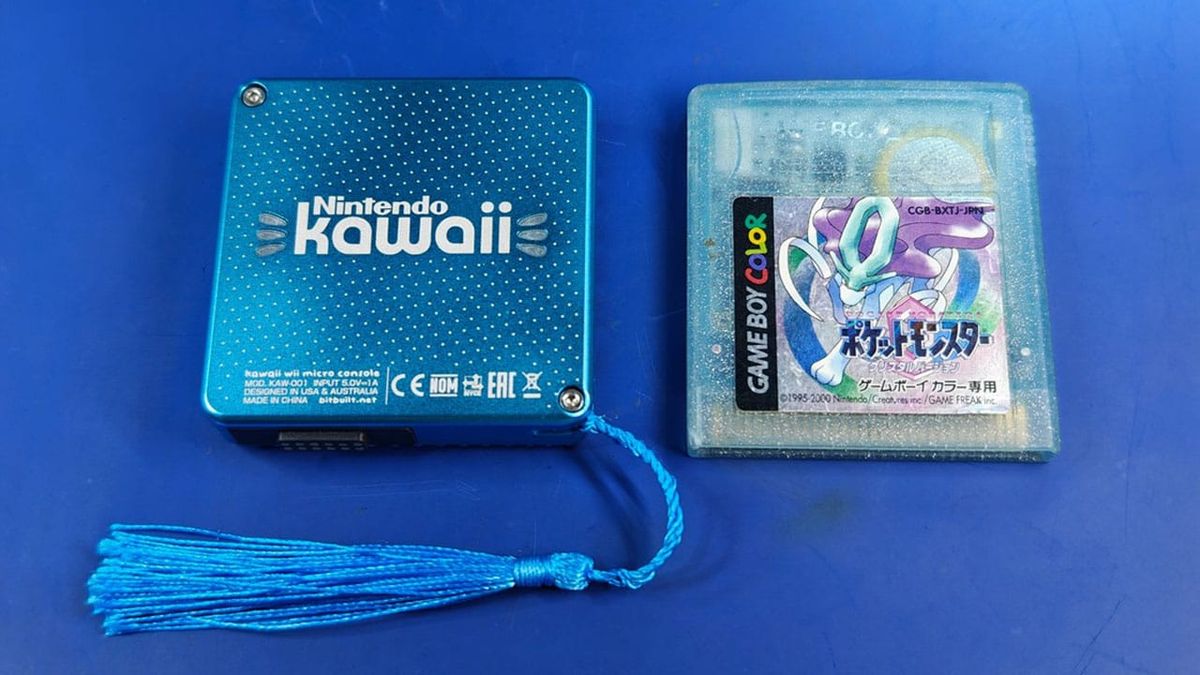
Nintendo Wii The Size Of A Game Boy Cartridge Finally Released Open Source
retrododo.com
preview
0

theregister
Signal signals discontent with Microsoft Recall
go.theregister.com
preview
Cross-posted from “Signal shuts the blinds on Microsoft Recall with the power of DRM” by @free@rss.ponder.cat in !theregister@rss.ponder.cat
From The Register via this RSS feed
Cross-posted from “Signal shuts the blinds on Microsoft Recall with the power of DRM” by @free@rss.ponder.cat in !theregister@rss.ponder.cat
From The Register via this RSS feed
0
0

Steam Curator: DRM-Free Complete List
store.steampowered.com
preview
cross-posted from: programming.dev/post/30095259
I made a curator with (almost) every DRM-free game on Steam
cross-posted from: programming.dev/post/30095259
I made a curator with (almost) every DRM-free game on Steam
0
404 Media
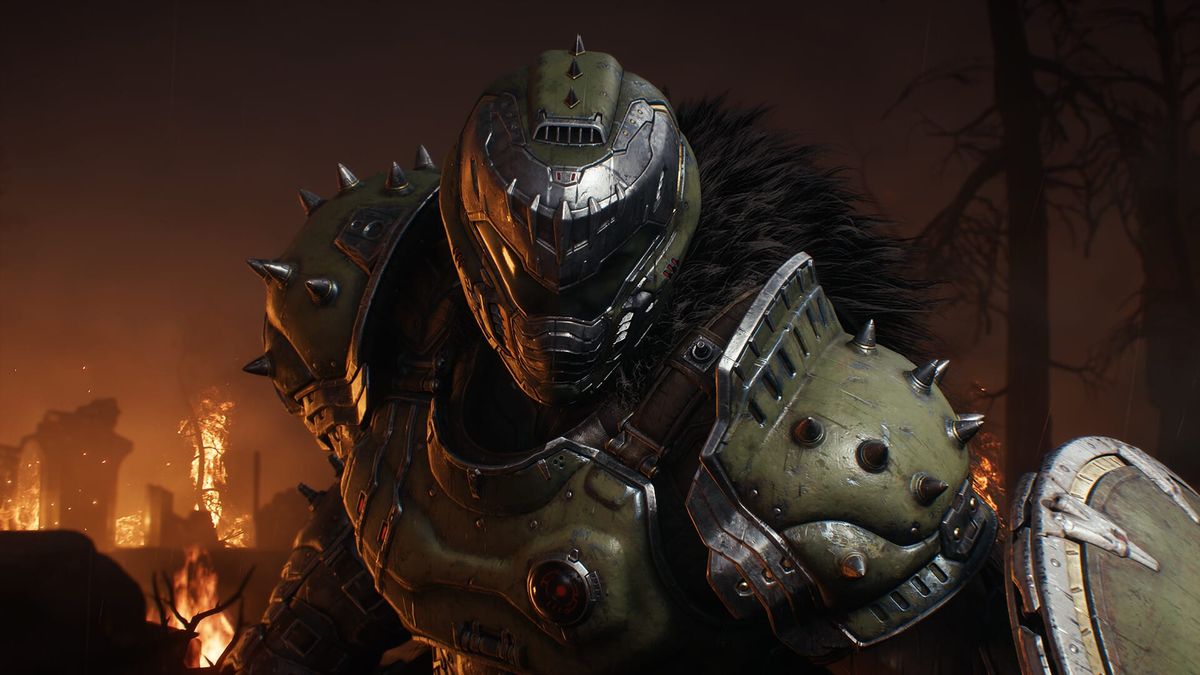
‘Doom: The Dark Ages’ DRM Is Locking Out Linux Users Who Bought the Game
www.404media.co
preview
cross-posted from: feddit.org/post/12528811
cross-posted from: feddit.org/post/12528811
0
preview
cross-posted from: rss.ponder.cat/post/168917
For streaming services such as Netflix, Digital Rights Management (DRM) systems provide a level of control over the company’s most valuable assets, including movies, TV shows, and other content for consumer consumption.
DRM not only restricts access to customers authorized to consume content, it can determine when and how it’s consumed too. When all goes to plan, DRM should also prevent end users from casually copying movies and TV shows, which should result in a positive contribution towards minimizing the spread of pirated content online; at least in theory.
Widevine Everywhere
Ultimately, whether users loathe it or just hate it, DRM exists in billions of web browsers and devices. One of the most widespread is Google’s Widevine and avoiding its footprint today is almost futile. It can be found in Chrome, Firefox and similar browsers, mobile platforms such as Android, videogame consoles, plus many set-top boxes and smart TVs. At least five billion of them, most probably more.
Unsurprisingly, Widevine has been exploited and reverse engineered over the years, as evidenced by the content it’s supposed to protect ending up on pirate sites, almost without exception. In 2020, Google took action against Chrome extension Widevine L3 Decryptor, which was capable of decrypting Widevine content keys by hijacking calls to the browser’s Encrypted Media Extensions (EME).
Problems persisted throughout 2021 and 2022 with Widevine Dump but the problems haven’t gone away. The same goes for individuals and groups committed to countering Widevine, although it’s still possible to attract negative attention.
OnlyFans Targets CDRM-Project
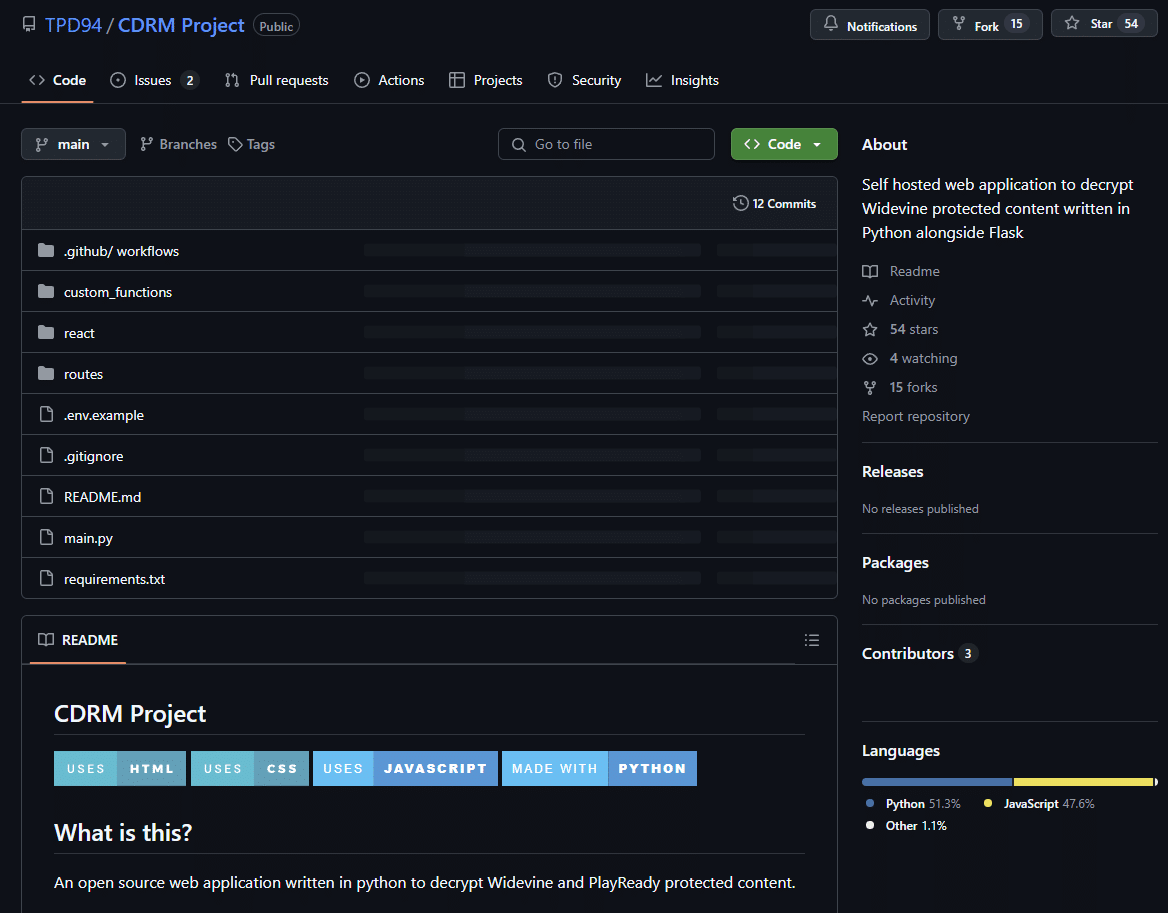
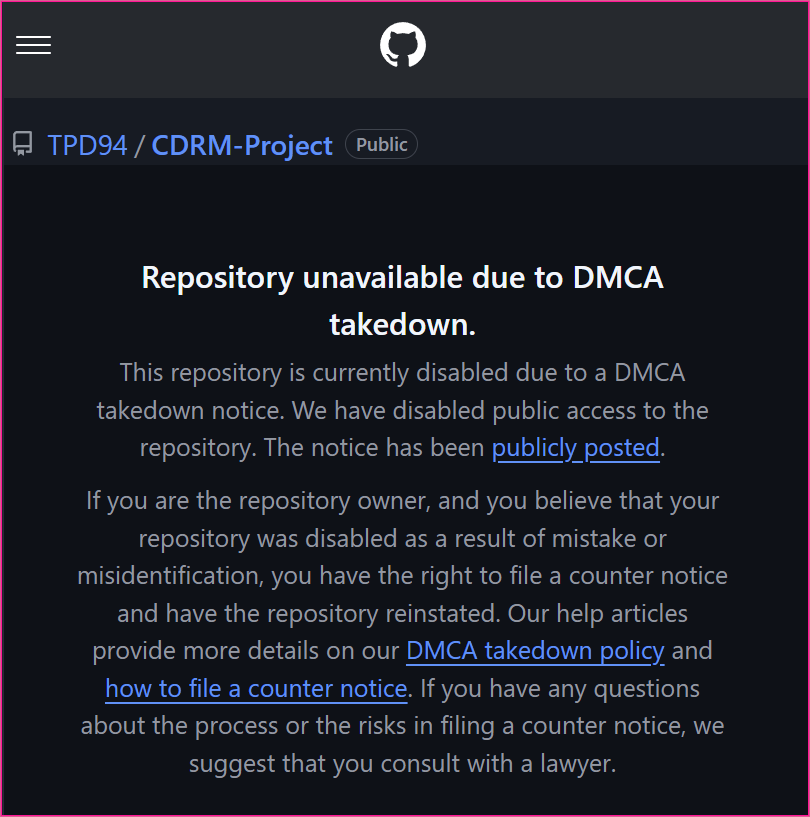
In a DMCA takedown notice dated April 22, 2025, OnlyFans owner Fenix International Limited informs GitHub that it had “recently become aware” of repos on the platform with code “specifically designed” to circumvent Fenix’s DRM, aka Widevine.
“The identified repositories contain step-by-step instructions which are specifically designed to circumvent the DRM protections in place on OnlyFans. The repositories contain links that are ‘hard-coded’ and specifically targeted at OnlyFans,” Fenix writes.
“The coding is designed to impersonate a video player in order to decrypt and play DRM protected files, obtaining the ‘secret’ token required to play the DRM protected content. The downloaded files are then converted into an MP4 format which has the DRM protection removed.”
CDRM-Project repo before suspension
In line with its pro-developer policy when processing DMCA takedown notices, GitHub contacted the operator of the main repo and the operators of six additional forks, with an opportunity to address the complaint and avoid suspension.
For reasons that aren’t revealed, GitHub’s outreach couldn’t prevent the suspension of the entire CDRM-Project repo and all reported forks.
GitHub requested Fenix to identify “every specific file” in the repo that it considers infringing; Fenix responded with a statement that the “entire repository is infringing” and should be removed.
Anti-Circumvention Complaint
To GitHub’s credit, when rightsholders allege violations of the DMCA’s anti-circumvention provisions, GitHub conducts its own assessment. If there is no basis for a claim, GitHub sometimes finds other copyright-related grounds, but here there is no pushback. That’s usually a sign of a complaint that stands up under intense scrutiny.
Another unusual aspect to the complaint is the Fenix response to GitHub’s request to provide the alleged infringer’s contact details, if they’re in possession of them. In most cases rightsholders say they’re unaware of those details but here, Fenix provides the details of two sets of owners and two sets of contributors.
The project is now being made available via a repo on cdm-project.com but how long that’s likely to last is unclear.
When any DRM system unnecessarily restricts access to content by design or due to inherent limitations, those who suffer the most are legitimate customers. Most have no interest in piracy, were never part of the original problem, but are responsible for the bulk of the revenue. Once DRM starts to feel like DRM, that’s where the big problems start.
From: TF, for the latest news on copyright battles, piracy and more.
From TorrentFreak via this RSS feed
cross-posted from: rss.ponder.cat/post/168917
DRM not only restricts access to customers authorized to consume content, it can determine when and how it’s consumed too. When all goes to plan, DRM should also prevent end users from casually copying movies and TV shows, which should result in a positive contribution towards minimizing the spread of pirated content online; at least in theory.
Widevine Everywhere
Ultimately, whether users loathe it or just hate it, DRM exists in billions of web browsers and devices. One of the most widespread is Google’s Widevine and avoiding its footprint today is almost futile. It can be found in Chrome, Firefox and similar browsers, mobile platforms such as Android, videogame consoles, plus many set-top boxes and smart TVs. At least five billion of them, most probably more.
Unsurprisingly, Widevine has been exploited and reverse engineered over the years, as evidenced by the content it’s supposed to protect ending up on pirate sites, almost without exception. In 2020, Google took action against Chrome extension Widevine L3 Decryptor, which was capable of decrypting Widevine content keys by hijacking calls to the browser’s Encrypted Media Extensions (EME).
Problems persisted throughout 2021 and 2022 with Widevine Dump but the problems haven’t gone away. The same goes for individuals and groups committed to countering Widevine, although it’s still possible to attract negative attention.
OnlyFans Targets CDRM-Project
In a DMCA takedown notice dated April 22, 2025, OnlyFans owner Fenix International Limited informs GitHub that it had “recently become aware” of repos on the platform with code “specifically designed” to circumvent Fenix’s DRM, aka Widevine.
“The identified repositories contain step-by-step instructions which are specifically designed to circumvent the DRM protections in place on OnlyFans. The repositories contain links that are ‘hard-coded’ and specifically targeted at OnlyFans,” Fenix writes.
“The coding is designed to impersonate a video player in order to decrypt and play DRM protected files, obtaining the ‘secret’ token required to play the DRM protected content. The downloaded files are then converted into an MP4 format which has the DRM protection removed.”
CDRM-Project repo before suspension
In line with its pro-developer policy when processing DMCA takedown notices, GitHub contacted the operator of the main repo and the operators of six additional forks, with an opportunity to address the complaint and avoid suspension.
For reasons that aren’t revealed, GitHub’s outreach couldn’t prevent the suspension of the entire CDRM-Project repo and all reported forks.
GitHub requested Fenix to identify “every specific file” in the repo that it considers infringing; Fenix responded with a statement that the “entire repository is infringing” and should be removed.
Anti-Circumvention Complaint
To GitHub’s credit, when rightsholders allege violations of the DMCA’s anti-circumvention provisions, GitHub conducts its own assessment. If there is no basis for a claim, GitHub sometimes finds other copyright-related grounds, but here there is no pushback. That’s usually a sign of a complaint that stands up under intense scrutiny.
Another unusual aspect to the complaint is the Fenix response to GitHub’s request to provide the alleged infringer’s contact details, if they’re in possession of them. In most cases rightsholders say they’re unaware of those details but here, Fenix provides the details of two sets of owners and two sets of contributors.
The project is now being made available via a repo on cdm-project.com but how long that’s likely to last is unclear.
When any DRM system unnecessarily restricts access to content by design or due to inherent limitations, those who suffer the most are legitimate customers. Most have no interest in piracy, were never part of the original problem, but are responsible for the bulk of the revenue. Once DRM starts to feel like DRM, that’s where the big problems start.
From: TF, for the latest news on copyright battles, piracy and more.
From TorrentFreak via this RSS feed
0

preview
cross-posted from: sh.itjust.works/post/35074590
cross-posted from: sh.itjust.works/post/35074590
0

404 Media
The Digital Packrat Manifesto
www.404media.co
0

Ars Technica
iPod fans evade Apple’s DRM to preserve 54 lost clickwheel-era games
arstechnica.com
preview
Cross-posted from “iPod fans evade Apple’s DRM to preserve 54 lost clickwheel-era games” by @simple@lemm.ee in !games@lemmy.world
Cross-posted from “iPod fans evade Apple’s DRM to preserve 54 lost clickwheel-era games” by @simple@lemm.ee in !games@lemmy.world
0
GOG.com
GOG.com
www.gog.com
preview
From their about-page:
We make games last forever
A home for building and playing your curated game collection, GOG is a digital distribution platform that puts gamers first and respects their need to own games.
GOG.com is Part of Polish CD PROJEKT group.
Cross-posted from “GOG.com from Poland - DRM-free computer games” by @Blaze@lemmy.dbzer0.com in !buyeuropean@feddit.uk
From their about-page:
We make games last forever
A home for building and playing your curated game collection, GOG is a digital distribution platform that puts gamers first and respects their need to own games.
GOG.com is Part of Polish CD PROJEKT group.
Cross-posted from “GOG.com from Poland - DRM-free computer games” by @Blaze@lemmy.dbzer0.com in !buyeuropean@feddit.uk
0
preview
Cross-posted from “Liberate your Kindle books before leaving Amazon (Tutorial)” by @snuggledick@lemm.ee in !buyeuropean@feddit.uk
Hey there, I wanted to get away from Amazon Kindle but of course take all my ebooks with me, I paid for them after all. Unfortunately Amazon tries really hard to stop you from doing this by introducing new file formats, DRM and encryption, disabling functionality on their website and so on, making this endeavor quite a hassle, but I finally managed to liberate my books so I can use them with other ebook readers. There’s a bunch of different tutorials for this out there, but I found each of them lacks one or two crucial points that prevent it from working, so I thought I’d write up a short tutorial with all the bits of information collected from all over the web and save you some frustration and time (took me a couple of hours to make this work).
I’m not sure if this is the best community to post this to, if you know a better one please let me know or feel free to cross-post it there.
So here’s how to get all your ebooks out of Amazon, strip them of DRM/copy protection and convert them to EPUB for use with other ebook readers:
-
Install Calibre (available for Linux, Windows and Mac) using whatever method works best for your operating system. I’m using Arch Linux and running “sudo pacman -S calibre” did the trick.
-
Download the latest release CANDIDATE! of the DeDRM plugin, NOT! the latest release! All tutorials I found referred to the stable release v10.0.3, which does NOT work with Amazon’s latest DRM shit. At the time of writing this “RC1 v10.0.9” was the latest available version. You’ll find it here: https://github.com/noDRM/DeDRM_tools/releases/tag/v10.0.9
-
Download the plugin “KFX Input.zip” at the bottom of this forum post: https://www.mobileread.com/forums/showthread.php?t=291290
-
Unzip the DeDRM release you downloaded, inside you’ll find a file “DeDRM_plugin.zip” which is the actual plugin. The KFX Input plugin does NOT need to be unzipped.
-
Start Calibre, go to “Preferences / Advanced / Plugins” and with the button “Load plugin from file” install the two plugins you downloaded. For the DeDRM plugin make sure you select the unzipped file “DeDRM_plugin.zip”, not the downloaded release package.
-
Restart Calibre.
-
Go to your “My Devices” page on Amazon (I can’t provide a direct link here because it’s different for every country, but you should be able to find it). Select your Kindle device and copy its serial number. Alternatively you can look it up on your Kindle itself in the device information in the settings, however you obivously can’t copy/paste it from there and I found it hard tell letter O and digit 0 apart, so the first method is probably less error prone.
-
Back in Calibre open the plugins section in the preferences again, search for the DeDRM plugin and double-click it. In the new dialog click “Kindle eInk ebooks”, then the green plus icon and paste your Kindle’s serial number. The fact that you need the serial number was also missing in most tutorials, took me ages to figure that out.
-
Optional step: Go to your “My Content” page on Amazon where all your purchased ebooks are listed. Select all and click “deliver to device” or whatever it’s called in your localized Amazon, and select your Kindle. Hit sync on your Kindle device. This is to make sure that all your purchased ebooks are actually saved on the device as we’re gonna copy the files from there in the next step. You can skip this if all your books are already downloaded to your Kindle or if you only want those that are.
-
Connect your Kindle to your computer via USB. Calibre should automatically detect it. Make sure your Kindle is in “USB Drive Mode”, not “Charging Mode”, so Calibre can access the files on it. For me this was the default when plugging the USB cable in.
-
In the top menu in Calibre click on “Device”, this should give you a list of all books on your Kindle.
-
Select all or some books you want to liberate, right click and click “Add books to library” in the context menu. Your books should now be all be copied to your library on your computer, but they’re still in Amazon’s proprietary AZW or KFX format
-
To make them usable with other ebook readers switch back to your local library (“Libary” button in the top menu) where you should now find all the books you just copied. Again select all books in the list and click “Convert” in the top menu. In the new dialog tweak the options as you wish or just hit “OK” to start. Depending on how many books you got this may take a little while.
-
Done! You now got a bunch of DRM-free EPUB files in your library that you can use with whatever ebook reader you want.
Few notes:
-
If you get errors like “books can’t be converted because of DRM” in step 13, make sure that the correct version of the DeDRM plugin is properly installed and you configured the correct serial number and start over from step 11.
-
A bunch of sites tell you that you can download AZW directly from your “My Content” page on Amazon, but they removed that function in February 2025.
-
If you’ve tried this before you probably stumbled upon a tool called “epubor” quite often which is trash and tries to make you pay for liberating the ebooks you already own, it doesn’t offer anything that Calibre doesn’t do for free.
Cross-posted from “Liberate your Kindle books before leaving Amazon (Tutorial)” by @snuggledick@lemm.ee in !buyeuropean@feddit.uk
Hey there, I wanted to get away from Amazon Kindle but of course take all my ebooks with me, I paid for them after all. Unfortunately Amazon tries really hard to stop you from doing this by introducing new file formats, DRM and encryption, disabling functionality on their website and so on, making this endeavor quite a hassle, but I finally managed to liberate my books so I can use them with other ebook readers. There’s a bunch of different tutorials for this out there, but I found each of them lacks one or two crucial points that prevent it from working, so I thought I’d write up a short tutorial with all the bits of information collected from all over the web and save you some frustration and time (took me a couple of hours to make this work).
I’m not sure if this is the best community to post this to, if you know a better one please let me know or feel free to cross-post it there.
So here’s how to get all your ebooks out of Amazon, strip them of DRM/copy protection and convert them to EPUB for use with other ebook readers:
-
Install Calibre (available for Linux, Windows and Mac) using whatever method works best for your operating system. I’m using Arch Linux and running “sudo pacman -S calibre” did the trick.
-
Download the latest release CANDIDATE! of the DeDRM plugin, NOT! the latest release! All tutorials I found referred to the stable release v10.0.3, which does NOT work with Amazon’s latest DRM shit. At the time of writing this “RC1 v10.0.9” was the latest available version. You’ll find it here: https://github.com/noDRM/DeDRM_tools/releases/tag/v10.0.9
-
Download the plugin “KFX Input.zip” at the bottom of this forum post: https://www.mobileread.com/forums/showthread.php?t=291290
-
Unzip the DeDRM release you downloaded, inside you’ll find a file “DeDRM_plugin.zip” which is the actual plugin. The KFX Input plugin does NOT need to be unzipped.
-
Start Calibre, go to “Preferences / Advanced / Plugins” and with the button “Load plugin from file” install the two plugins you downloaded. For the DeDRM plugin make sure you select the unzipped file “DeDRM_plugin.zip”, not the downloaded release package.
-
Restart Calibre.
-
Go to your “My Devices” page on Amazon (I can’t provide a direct link here because it’s different for every country, but you should be able to find it). Select your Kindle device and copy its serial number. Alternatively you can look it up on your Kindle itself in the device information in the settings, however you obivously can’t copy/paste it from there and I found it hard tell letter O and digit 0 apart, so the first method is probably less error prone.
-
Back in Calibre open the plugins section in the preferences again, search for the DeDRM plugin and double-click it. In the new dialog click “Kindle eInk ebooks”, then the green plus icon and paste your Kindle’s serial number. The fact that you need the serial number was also missing in most tutorials, took me ages to figure that out.
-
Optional step: Go to your “My Content” page on Amazon where all your purchased ebooks are listed. Select all and click “deliver to device” or whatever it’s called in your localized Amazon, and select your Kindle. Hit sync on your Kindle device. This is to make sure that all your purchased ebooks are actually saved on the device as we’re gonna copy the files from there in the next step. You can skip this if all your books are already downloaded to your Kindle or if you only want those that are.
-
Connect your Kindle to your computer via USB. Calibre should automatically detect it. Make sure your Kindle is in “USB Drive Mode”, not “Charging Mode”, so Calibre can access the files on it. For me this was the default when plugging the USB cable in.
-
In the top menu in Calibre click on “Device”, this should give you a list of all books on your Kindle.
-
Select all or some books you want to liberate, right click and click “Add books to library” in the context menu. Your books should now be all be copied to your library on your computer, but they’re still in Amazon’s proprietary AZW or KFX format
-
To make them usable with other ebook readers switch back to your local library (“Libary” button in the top menu) where you should now find all the books you just copied. Again select all books in the list and click “Convert” in the top menu. In the new dialog tweak the options as you wish or just hit “OK” to start. Depending on how many books you got this may take a little while.
-
Done! You now got a bunch of DRM-free EPUB files in your library that you can use with whatever ebook reader you want.
Few notes:
-
If you get errors like “books can’t be converted because of DRM” in step 13, make sure that the correct version of the DeDRM plugin is properly installed and you configured the correct serial number and start over from step 11.
-
A bunch of sites tell you that you can download AZW directly from your “My Content” page on Amazon, but they removed that function in February 2025.
-
If you’ve tried this before you probably stumbled upon a tool called “epubor” quite often which is trash and tries to make you pay for liberating the ebooks you already own, it doesn’t offer anything that Calibre doesn’t do for free.
0
preview
This isn’t a debate about the legality of the matter, but on whether it’s ethical to DeDRM ebooks that you’ve checked out from a library. The publishing company and author are usually paid for each copy that you’ve lent, which is often why eBooks exhaust large parts of a library’s budget. If you are able to loan a book for a month, but you DeDRM it and don’t share it anyone else, and therefore instead finish it in two months, is this ethical? Or have you intentionally reduced the potential for more revenue to the author by instead not lending it twice? Do the publishers predatory licensing fees for libraries make this more ethical?
This isn’t a debate about the legality of the matter, but on whether it’s ethical to DeDRM ebooks that you’ve checked out from a library. The publishing company and author are usually paid for each copy that you’ve lent, which is often why eBooks exhaust large parts of a library’s budget. If you are able to loan a book for a month, but you DeDRM it and don’t share it anyone else, and therefore instead finish it in two months, is this ethical? Or have you intentionally reduced the potential for more revenue to the author by instead not lending it twice? Do the publishers predatory licensing fees for libraries make this more ethical?
0

PC Gamer
Valve's DRM was inspired by an exec's nephew, who 'used a $500 check I'd sent him for school expenses and bought himself a CD-ROM replicator… he sent me a lovely thank you note'
www.pcgamer.com
preview
Cross-posted from “Valve’s DRM was inspired by an exec’s nephew, who ‘used a $500 check I’d sent him for school expenses and bought himself a CD-ROM replicator… he sent me a lovely thank you note’” by @nomugisan@lemmy.dbzer0.com in !piracy@lemmy.dbzer0.com
cross-posted from: sopuli.xyz/post/24356878
Cross-posted from “Valve’s DRM was inspired by an exec’s nephew, who ‘used a $500 check I’d sent him for school expenses and bought himself a CD-ROM replicator… he sent me a lovely thank you note’” by @nomugisan@lemmy.dbzer0.com in !piracy@lemmy.dbzer0.com
cross-posted from: sopuli.xyz/post/24356878
0
GitHub
[YouTube] DRM on ALL videos with `tv` (TVHTML5) client · Issue #12563 · yt-dlp/yt-dlp
github.com
preview
0
preview
Cross-posted from “Guide to Removing DRM From Amazon Kindle E-Books” by @NuXCOM_90Percent@lemmy.zip in !piracy@lemmy.dbzer0.com
This is a grey area for piracy since you need to own the ebook but… you also don’t really “own” anything purchased in digital distribution and this is removing DRM from that. Suffice to say, if this were Nintendo they would try to sue you so it is probably more piracy than not.
Confirmed working as of a few minutes ago since I wanted to rebuild this with KVM.
Based on www.reddit.com/r/Calibre/comments/1c2ryfz/ and comments thereof.
- Create a new virtual machine. I recently used KVM directly but also had success with Virtual Box.
- Install Windows 10
- Disable internet access for the VM.
- Download and install
Kindle 2.4.70904(SHA2562e2e4e5bb9fd585947244a4a62ce5baca47818c439d0213cc9a5a96f9a692119) from …amazonaws.com/…/KindleForPC-installer-2.4.70904.… - Run the Kindle app and disable updating (Tools > Options > General > disable “Automatically install updates…”). Optionally change the save path.
- Run the batch script
disable_k4pc_download.bat(SHA256656fbabfa9d1bb3fd1160100391fbf3886597633178e37cffcffe747d3b66567
) under step 2a at www.mobileread.com/forums/showthread.php?t=361503 to ACTUALLY disable automatic upgrading - Re-enable networking.
- Download and install
Calibre. 7.13.0from download.calibre-ebook.com/7.13.0/. This version is known working and all efforts I found used Windows so I went with the msi (SHA2567c1b57b6f55076cc646a30eb6394ec00df18be373c3badf80d7ee39152ccffda
) since this install exists solely to strip DRM before I then add them to my Calibre-Web server. - Launch Calibre and install the KFX Input plugin from the built in plugin manager
- Separately download the 10.0.9 version of the DeDRM plugin (newer may work but, again, lazy) from github.com/noDRM/…/DeDRM_tools_10.0.9.zip. SHA256 of
d46e7ff94a46dc871eb9b7e639e6da1883823cd5a9d705d53f51bd9c251aabda - Launch Kindle, login, and download whatever you want to strip DRM from. I did run into some weirdness where I had an exclamation point after logging in but restarting the k4pc app allowed me to download books.
- In Calibre, add all the books you downloaded by clicking and dragging the
.azwfile from Explorer to the Calibre window. You must do this from the downloaded directory as DeDRM is dependent on metadata in the same directory. This can be automated using a batch script pretty trivially. - Then convert them to a non azw3 format (mobi if you are putting it back on a Kindle. epub otherwise).
- And then all the epub files in your Calibre library should have had DRM removed and be ready to import into your real Calibre library (or in a random folder on your computer)
Cross-posted from “Guide to Removing DRM From Amazon Kindle E-Books” by @NuXCOM_90Percent@lemmy.zip in !piracy@lemmy.dbzer0.com
This is a grey area for piracy since you need to own the ebook but… you also don’t really “own” anything purchased in digital distribution and this is removing DRM from that. Suffice to say, if this were Nintendo they would try to sue you so it is probably more piracy than not.
Confirmed working as of a few minutes ago since I wanted to rebuild this with KVM.
Based on www.reddit.com/r/Calibre/comments/1c2ryfz/ and comments thereof.
- Create a new virtual machine. I recently used KVM directly but also had success with Virtual Box.
- Install Windows 10
- Disable internet access for the VM.
- Download and install
Kindle 2.4.70904(SHA2562e2e4e5bb9fd585947244a4a62ce5baca47818c439d0213cc9a5a96f9a692119) from …amazonaws.com/…/KindleForPC-installer-2.4.70904.… - Run the Kindle app and disable updating (Tools > Options > General > disable “Automatically install updates…”). Optionally change the save path.
- Run the batch script
disable_k4pc_download.bat(SHA256656fbabfa9d1bb3fd1160100391fbf3886597633178e37cffcffe747d3b66567
) under step 2a at www.mobileread.com/forums/showthread.php?t=361503 to ACTUALLY disable automatic upgrading - Re-enable networking.
- Download and install
Calibre. 7.13.0from download.calibre-ebook.com/7.13.0/. This version is known working and all efforts I found used Windows so I went with the msi (SHA2567c1b57b6f55076cc646a30eb6394ec00df18be373c3badf80d7ee39152ccffda
) since this install exists solely to strip DRM before I then add them to my Calibre-Web server. - Launch Calibre and install the KFX Input plugin from the built in plugin manager
- Separately download the 10.0.9 version of the DeDRM plugin (newer may work but, again, lazy) from github.com/noDRM/…/DeDRM_tools_10.0.9.zip. SHA256 of
d46e7ff94a46dc871eb9b7e639e6da1883823cd5a9d705d53f51bd9c251aabda - Launch Kindle, login, and download whatever you want to strip DRM from. I did run into some weirdness where I had an exclamation point after logging in but restarting the k4pc app allowed me to download books.
- In Calibre, add all the books you downloaded by clicking and dragging the
.azwfile from Explorer to the Calibre window. You must do this from the downloaded directory as DeDRM is dependent on metadata in the same directory. This can be automated using a batch script pretty trivially. - Then convert them to a non azw3 format (mobi if you are putting it back on a Kindle. epub otherwise).
- And then all the epub files in your Calibre library should have had DRM removed and be ready to import into your real Calibre library (or in a random folder on your computer)
0

Bluesky Social
cobalt (@cobalt.tools)
bsky.app
preview
If rolled out widely, this would make web browsers and third-party YouTube clients without a DRM license unusable for YouTube playback, download, etc. This would include almost all open-source web browsers and almost all third-party YouTube clients. Archive link to reddit post about this
If rolled out widely, this would make web browsers and third-party YouTube clients without a DRM license unusable for YouTube playback, download, etc. This would include almost all open-source web browsers and almost all third-party YouTube clients. Archive link to reddit post about this
0
preview
0

The Verge
Bookshop CEO Andy Hunter amps up his crusade against Amazon
www.theverge.com
preview
Bookshop.org is apparently tackling Amazon in order to bring more profit to authors. Sounds great, right? Well, the issue is that the ebooks they sell are only available to be read in their app. They’re not even available for downloading as LCP-protected ePubs able to be read in another LCP-supported reader. He really tries to avoid the questions asked by the journalist on the topic of DRM. Ironic how he then talks about allowing customers to own the eBook, while at the same time only allowing them to lease a license through his own store. See the following quotes:
What’s interesting about the music industry is that it got digitized first through Napster, which had no business model, and everyone was stealing everything. Then the iPod, and there was a fight over [digital rights management]. And Steve Jobs famously won the DRM fight with the iPod. And they said, “Just publish MP3s, DRM is never going to work,” and the music labels capitulated.
Then we moved to Spotify and we brought DRM back. Now, everybody has a streaming service that streams DRM music. So it goes. With video, broadly, DRM just won from the beginning. Everything was always DRM from the start. Books could go either way. A book is a PDF. I get a lot of galleys from authors who come on Decoder, and I just get PDFs with watermarks. And I’m like, “Why don’t books just work like this?”
But the publishers obviously want DRM. The Kindle file format is DRM to hell and back, and no one else can even read it. There are other formats, but you’re at the most Decoder question of all: you’re in a format war with a very late ‘90s DRM problem embedded in the heart of it. How do you think about that problem? Is it that we need a new format? Is it that the publishers need to give up on DRM because the people want to pay regardless of the existence of piracy? What is the shape of that conversation in 2025?
I have a slightly more nuanced view. I think that if you go out into the internet, about 80 percent of readers don’t notice or care. And 20 percent of them are adamantly and virulently against DRM. And then publishers, of course, are terrified of the Napster days happening to their industry. They don’t want it to all be piracy because the recording industry saw 80 percent of their revenue disappear when music went digital, and they’ve brought it back now with Spotify and streaming, and so now they’ve recovered. But it was a big blow. Publishers obviously don’t want that to happen.
I think that if there’s a system that allows people to own their books, ebooks, so they’re not leasing them but they actually own them. They don’t have to worry about a device taking them away from them or retailers taking their books away or making changes to their books after they’ve purchased them, which we’ve seen with ebooks. So they should own them, they should have control of the content and they should be portable. They should be able to put them on whatever device they want. I think that there should be a way to do that and still keep authors paid. Because completely removing every restriction and just being like, “Okay, we’re going to release the new Harry Potter book as a PDF and hope that people pay for it.” I think that they would suffer a massive loss of revenue.
And I particularly am concerned about authors even more than I care about publishing companies. Authors should get paid for their work. Artists should get paid for their work. Period. And so there should be a system for artists to be paid for the work of writing books and that needs to be preserved. But DRM was implemented based on Amazon’s designs and publishers working with Amazon to prevent piracy. And that happened in 2005, 2006, 2007. It’s been a long time. There’s new technologies out there. We can find a way to create portable, flexible ebooks that are owned that still make sure that the publishers and authors get paid.
That’s, I guess, my Holy Grail, and that’s not going to happen right away. But in five or 10 years, I would love to have the kind of clout that Steve Jobs had in saying, “This has to end or this has to change.” The thing is, before you get that kind of clout you actually have to have some customers. You have to have some readers so that the market will listen to you.
So what kind of files are you selling today?
They are almost all DRM protected using LCP DRM, which is a new standard, which is a great standard. But that’s because major publishers require it. And then we have a small selection of DRM-free ebooks that people will be able to buy and download and use on whatever device they want. And we’re going to be growing that DRM-free selection so that we end up with hopefully a catalog that is diverse and has maybe half DRM-free and half publisher-supported DRM.
Bookshop.org is apparently tackling Amazon in order to bring more profit to authors. Sounds great, right? Well, the issue is that the ebooks they sell are only available to be read in their app. They’re not even available for downloading as LCP-protected ePubs able to be read in another LCP-supported reader. He really tries to avoid the questions asked by the journalist on the topic of DRM. Ironic how he then talks about allowing customers to own the eBook, while at the same time only allowing them to lease a license through his own store. See the following quotes:
What’s interesting about the music industry is that it got digitized first through Napster, which had no business model, and everyone was stealing everything. Then the iPod, and there was a fight over [digital rights management]. And Steve Jobs famously won the DRM fight with the iPod. And they said, “Just publish MP3s, DRM is never going to work,” and the music labels capitulated.
Then we moved to Spotify and we brought DRM back. Now, everybody has a streaming service that streams DRM music. So it goes. With video, broadly, DRM just won from the beginning. Everything was always DRM from the start. Books could go either way. A book is a PDF. I get a lot of galleys from authors who come on Decoder, and I just get PDFs with watermarks. And I’m like, “Why don’t books just work like this?”
But the publishers obviously want DRM. The Kindle file format is DRM to hell and back, and no one else can even read it. There are other formats, but you’re at the most Decoder question of all: you’re in a format war with a very late ‘90s DRM problem embedded in the heart of it. How do you think about that problem? Is it that we need a new format? Is it that the publishers need to give up on DRM because the people want to pay regardless of the existence of piracy? What is the shape of that conversation in 2025?
I have a slightly more nuanced view. I think that if you go out into the internet, about 80 percent of readers don’t notice or care. And 20 percent of them are adamantly and virulently against DRM. And then publishers, of course, are terrified of the Napster days happening to their industry. They don’t want it to all be piracy because the recording industry saw 80 percent of their revenue disappear when music went digital, and they’ve brought it back now with Spotify and streaming, and so now they’ve recovered. But it was a big blow. Publishers obviously don’t want that to happen.
I think that if there’s a system that allows people to own their books, ebooks, so they’re not leasing them but they actually own them. They don’t have to worry about a device taking them away from them or retailers taking their books away or making changes to their books after they’ve purchased them, which we’ve seen with ebooks. So they should own them, they should have control of the content and they should be portable. They should be able to put them on whatever device they want. I think that there should be a way to do that and still keep authors paid. Because completely removing every restriction and just being like, “Okay, we’re going to release the new Harry Potter book as a PDF and hope that people pay for it.” I think that they would suffer a massive loss of revenue.
And I particularly am concerned about authors even more than I care about publishing companies. Authors should get paid for their work. Artists should get paid for their work. Period. And so there should be a system for artists to be paid for the work of writing books and that needs to be preserved. But DRM was implemented based on Amazon’s designs and publishers working with Amazon to prevent piracy. And that happened in 2005, 2006, 2007. It’s been a long time. There’s new technologies out there. We can find a way to create portable, flexible ebooks that are owned that still make sure that the publishers and authors get paid.
That’s, I guess, my Holy Grail, and that’s not going to happen right away. But in five or 10 years, I would love to have the kind of clout that Steve Jobs had in saying, “This has to end or this has to change.” The thing is, before you get that kind of clout you actually have to have some customers. You have to have some readers so that the market will listen to you.
So what kind of files are you selling today?
They are almost all DRM protected using LCP DRM, which is a new standard, which is a great standard. But that’s because major publishers require it. And then we have a small selection of DRM-free ebooks that people will be able to buy and download and use on whatever device they want. And we’re going to be growing that DRM-free selection so that we end up with hopefully a catalog that is diverse and has maybe half DRM-free and half publisher-supported DRM.
0
GitHub
GitHub - noDRM/DeDRM_tools: DeDRM tools for ebooks
github.com
0

preview
Cross-posted from “Calibre subreddit succumbs to (probable) pressure and removes a thread discussing a fully legal way of bypassing an e-book DRM solution (LCP) created by a particularly litigious organization” by @Yingwu@lemmy.dbzer0.com in !reddit@lemmy.world
Sorry for the long title. Some context to this: Readium LCP is a DRM-solution created and delivered by the non-profit foundation EDRLab (I guess we’ve learned by now that non-profit doesn’t equal good), based in France.
EDRLab is an international, non-profit development laboratory working on the deployment of an open, interoperable and accessible digital publishing ecosystem worldwide.
In recent years they’ve gained a large market share in the EU first and foremost, providing both regular e-book shops in many EU countries and libraries with this DRM (if you’re interested in some more technical information regarding this DRM solution, I’d recommend reading Terence’s previous blog post). What’s particular to this solution is that they’ve historically been very litigious about any attempts to DeDRM it. The most famous plugin for DeDRMing books in Calibre (mainly Adobe DRM) has been the NoDRM plugin, and they did release a DeDRM solution to LCP v1.0 but they were threatened with legal action with a DMCA takedown request (read more on Github).
In recent days, Terence Eden posted a fully legal solution on his blog on how to bypass their DRM. This was also posted to the /r/Calibre subreddit, see the following image:  I also made a thread on Lemmy here.
Nonetheless, after around a day the thread was removed on the Calibre subreddit. The only rule I could find that maybe could be applied to this (if it was illegal, and if Terence did this with any other material that wasn’t his own) is the rule against piracy. But it feels weird.


This subreddit has previously allowed, and still allow, discussions around the NoDRM plugin and how to DeDRM the Adobe DRM. What makes this fully legal solution of bypassing LCP any different? It can probably be deduced that the EDRLab foundation contacted the subreddits moderators, or reddit admins, and “threatened” them in order to have it taken down. Or guilt tripped them as they also did towards Terence. Aside from their previous DMCA takedown request to the NoDRM people, just look at their arrogant correspondence towards Terence (more in his blog post). Threatening him on no legal basis as well as somehow blaming their failure on developing accessibility tools to him posting about this solution:
“We were planning to now focus on new accessibility features on our open-source Thorium Reader, better access to annotations for blind users and an advanced reading mode for dyslexic people. Too bad; disturbances around LCP will force us to focus on a new round of security measures, ensuring the technology stays useful for ebook lending (stop reading after some time) and as a protection against oversharing.”
These are some of the reasons why I think a federated web will be necessary moving forth. I really dislike DRM, but also these methods that DRM organizations use in order to control the conversation. Thanks for reading and engaging with my small fixation on DRM and especially LCP :)
Cross-posted from “Calibre subreddit succumbs to (probable) pressure and removes a thread discussing a fully legal way of bypassing an e-book DRM solution (LCP) created by a particularly litigious organization” by @Yingwu@lemmy.dbzer0.com in !reddit@lemmy.world
Sorry for the long title. Some context to this: Readium LCP is a DRM-solution created and delivered by the non-profit foundation EDRLab (I guess we’ve learned by now that non-profit doesn’t equal good), based in France.
EDRLab is an international, non-profit development laboratory working on the deployment of an open, interoperable and accessible digital publishing ecosystem worldwide.
In recent years they’ve gained a large market share in the EU first and foremost, providing both regular e-book shops in many EU countries and libraries with this DRM (if you’re interested in some more technical information regarding this DRM solution, I’d recommend reading Terence’s previous blog post). What’s particular to this solution is that they’ve historically been very litigious about any attempts to DeDRM it. The most famous plugin for DeDRMing books in Calibre (mainly Adobe DRM) has been the NoDRM plugin, and they did release a DeDRM solution to LCP v1.0 but they were threatened with legal action with a DMCA takedown request (read more on Github).
In recent days, Terence Eden posted a fully legal solution on his blog on how to bypass their DRM. This was also posted to the /r/Calibre subreddit, see the following image:
I also made a thread on Lemmy here.
Nonetheless, after around a day the thread was removed on the Calibre subreddit. The only rule I could find that maybe could be applied to this (if it was illegal, and if Terence did this with any other material that wasn’t his own) is the rule against piracy. But it feels weird.
This subreddit has previously allowed, and still allow, discussions around the NoDRM plugin and how to DeDRM the Adobe DRM. What makes this fully legal solution of bypassing LCP any different? It can probably be deduced that the EDRLab foundation contacted the subreddits moderators, or reddit admins, and “threatened” them in order to have it taken down. Or guilt tripped them as they also did towards Terence. Aside from their previous DMCA takedown request to the NoDRM people, just look at their arrogant correspondence towards Terence (more in his blog post). Threatening him on no legal basis as well as somehow blaming their failure on developing accessibility tools to him posting about this solution:
“We were planning to now focus on new accessibility features on our open-source Thorium Reader, better access to annotations for blind users and an advanced reading mode for dyslexic people. Too bad; disturbances around LCP will force us to focus on a new round of security measures, ensuring the technology stays useful for ebook lending (stop reading after some time) and as a protection against oversharing.”
These are some of the reasons why I think a federated web will be necessary moving forth. I really dislike DRM, but also these methods that DRM organizations use in order to control the conversation. Thanks for reading and engaging with my small fixation on DRM and especially LCP :)
0
0
0
preview
Additions are welcome! Please post in the comments if you’re missing any. While I realize other sources and shadow libraries exist, I want this list to be about supporting the sites, stores and authors that make an effort to supply legal, DRM-free alternatives.
Ebook Stores
Weightless Books (Sci-Fi magazines)
Publishers
Authors
Cory Doctorow (Sci-Fi)
Greg Egan (Sci-Fi)
Honor Raconteur (Fantasy/YA)
Juliet Marillier (Fantasy)
Brandon Sanderson on Bookshop.org (Sci-Fi, US-only)
Brandon Sanderson on eBooks.com (Sci-Fi)
Libraries
Project Gutenberg (American/General Public Domain, has many other countries and languages as well)
Project Gutenberg Canada (Canadian Public Domain)
Project Gutenberg Australia (Australian Public Domain)
Standard eBooks (Formatted Public Domain eBooks)
French eBooks
Ebooks libres et gratuits (French Public Domain)
French Bibiliothèque Nationale’s Gallica (French Public Domain)
Les classiques des sciences social, with a large selection of essays and academic papers
La bibliothèque numérique Romande (Swiss fiction)
Le Belial (Sci-Fi/Fantasy)
Dystopia Editions (Sci-Fi/Fantasy)
Nordic eBooks
Litteraturbanken (Swedish Public Domain)
Runeberg (Swedish Public Domain)
Nasjionalbiblioteket (Norwegian Public Domain)
The National Library of Finland (Finnish Public Domain)
Audiobooks
LibriVox (Narrated public domain eBooks)
Games
Music
Honorable mention, SomaFM: free and non-commercialized internet radio.
A note, if your native language is for example German, Swedish, Norwegian, Danish, Polish or similar, you can usually find DRM-free ebooks in your native language through your national stores. The ePubs are usually just watermarked. This might be applicable to other countries as well, even though I’m aware that some countries like Japan or South Korea have even stricter DRM schemes than the English-speaking world.
More on DefectiveByDesign, Libreture and ButtonDown
Additions are welcome! Please post in the comments if you’re missing any. While I realize other sources and shadow libraries exist, I want this list to be about supporting the sites, stores and authors that make an effort to supply legal, DRM-free alternatives.
Ebook Stores
Weightless Books (Sci-Fi magazines)
Publishers
Authors
Cory Doctorow (Sci-Fi)
Greg Egan (Sci-Fi)
Honor Raconteur (Fantasy/YA)
Juliet Marillier (Fantasy)
Brandon Sanderson on Bookshop.org (Sci-Fi, US-only)
Brandon Sanderson on eBooks.com (Sci-Fi)
Libraries
Project Gutenberg (American/General Public Domain, has many other countries and languages as well)
Project Gutenberg Canada (Canadian Public Domain)
Project Gutenberg Australia (Australian Public Domain)
Standard eBooks (Formatted Public Domain eBooks)
French eBooks
Ebooks libres et gratuits (French Public Domain)
French Bibiliothèque Nationale’s Gallica (French Public Domain)
Les classiques des sciences social, with a large selection of essays and academic papers
La bibliothèque numérique Romande (Swiss fiction)
Le Belial (Sci-Fi/Fantasy)
Dystopia Editions (Sci-Fi/Fantasy)
Nordic eBooks
Litteraturbanken (Swedish Public Domain)
Runeberg (Swedish Public Domain)
Nasjionalbiblioteket (Norwegian Public Domain)
The National Library of Finland (Finnish Public Domain)
Audiobooks
LibriVox (Narrated public domain eBooks)
Games
Music
Honorable mention, SomaFM: free and non-commercialized internet radio.
A note, if your native language is for example German, Swedish, Norwegian, Danish, Polish or similar, you can usually find DRM-free ebooks in your native language through your national stores. The ePubs are usually just watermarked. This might be applicable to other countries as well, even though I’m aware that some countries like Japan or South Korea have even stricter DRM schemes than the English-speaking world.
More on DefectiveByDesign, Libreture and ButtonDown
0
preview
This is a mirror from a reddit post. Archiving here for future reference. Credit goes to TexasNiteowl. I can’t answer any questions regarding this.
2025 Guide for freeing books from Amazon
(from Feb. 27, 2025 after the download & transfer option was removed)
Some books may simply not work. There are publishers out there that have hardened DRM, which includes some textbooks particularly. I have no idea if comics/manga/graphic novels will work. But the following information will work for many ‘regular’ books.
Identifying your Options
• If you have a physical e-Ink kindle (not a Fire tablet) that is 3rd generation through 11th generation, you have 2 options: Wifi Delivery OR Kindle for PC.
• If you have a physical e-Ink kindle (not a Fire tablet) from the 2024 releases, there is some confusion or uncertainty as to whether Wifi Delivery will work based on whether Calibre can recognize your device and navigate the folder structure. You can try Wifi Delivery and if unsuccessful you can use Kindle for PC. I have been told a Colorsoft did work. I have been told a basic did work. But I do not have any 2024 model to test myself. I’ve seen reference this might be more of an issue on macs due to number of mtp connections that can be open? But I’m no expert.
• If you only have a Fire tablet, your only option is to use Kindle for PC.
• If you have NO physical kindle, your only option is to use Kindle for PC.
Wifi Delivery
This method involves sending your purchased books to your kindle device and then connecting your kindle to your computer by USB and importing the books from your kindle into Calibre.
- What is needed for this to work:
- A kindle that can connect to wifi and receive books sent/delivered by Amazon.
- Calibre (currently 7.26)
- DeDRM plugin (currently 10.0.9)
- The serial number of the kindle being used. The serial number must be added to the DeDRM plugin customization.
- KFX Input plugin (currently 2.22.0)
- Steps:
- From your Amazon content library, send/deliver the books to your kindle
- Make sure the books have been received on your device
- Open Calibre and then connect your kindle to your computer
- A “Device” button should appear in the menu row of Calibre
- Click on that Device button; the view should now change to show you the books that are on your kindle
- Select the books that you wish to import (or select all if you want)
- Right click on the books and choose “Add to Library”
- Calibre will now send the books from your device to your library and will attempt to DeDRM them
- When the job is done, click the “Library” button to switch back to your library
- Verify that dedrm was successful (2 options)
- Option 1: Select the books that you imported and convert them to another format such as epub. If conversion is successful, dedrm worked.
- Option 2: View the formats present in Calibre. In general, “kfx” formats worked and “kfx-zip” likely did not work. HOWEVER, if you have a very old device (K3/K4/K5/PW1), they deliver files in azw and azw3 formats instead of kfx. For those files, either double click on the book to open it or convert them to another format such as epub.
Recommendation: limit the number of books you do at one time; I have seen reports of books failing if dedrm gets overwhelmed with too many books at one time. (In fact, I had 6 books fail when I did a large batch of books but when I retried those 6 books alone, they worked fine.)
Note: K3/K4/K5/PW1 will download the files in azw/azw3 formats. K6/PW2 and newer, including Voyage and Oasis, will download in kfx format. One difference to be noted is that kfx files are “optimized” for the device and so for b&w eInk displays, any color covers or color illustrations are changed to be b&w. Exception is likely the Colorsoft (but I don’t have one and can’t verify).
Kindle for PC
This method involves downloading your books to your computer using the Kindle for PC software and then importing the books into Calibre.
Note: Kindle for MAC will not work! If you only own a Mac, you will need to run a Windows VM. I know one way to do this using Parallels but I don’t know if there are other methods, etc.
- What is needed for this to work:
- Kindle for PC v2.4.0. Newer versions will NOT work. (Note: K4PC v1.17 will still download books published before Jan. 2023 to the best of my knowledge. But for more recent books 1.17 will not work. See other notes about 1.17 below.)
- Calibre (currently 7.26)
- DeDRM plugin (currently 10.0.9)
- KFX Input plugin (currently 2.22.0)
Installing K4PC
The most important things about installing K4PC is that the version must be 2.4.0 or older and auto-updates must be turned off. During my install of K4PC 2.4.0, immediately after install and before registering/logging into Amazon, I was able to access the menus and change the settings to uncheck the auto updates option. Other people have not been able to do this successfully. Some instructions advise disabling your internet access while installing K4PC until after you are able to change the auto update setting. One other method is to use a batch file to create a file that in theory blocks the update folder from being created. Here are links to discussion about these methods:
See this thread for more information about Calibre installation and/or removal of other versions and reinstallation: https://www.reddit.com/r/Calibre/comments/1c2ryfz/comment/lhtaln2/
See this thread at mobileread for information about the batch file to prevent updates: https://www.mobileread.com/forums/showthread.php?t=283371
Using K4PC and importing to Calibre
I am presenting two methods here because of the way that books are identified in K4PC. In short, when the books are downloaded into K4PC and placed on your computer, they are not easily identifiable in your “My Kindle Content” library folder. They use Amazon’s ASIN identification string instead of an identifiable title. This is no big deal on an initial import of a large number of books when you can import from multiple folders, but can be an issue if you are trying to locate and import one single book.
- Scenario 1: Downloading an individual book (ie. made a new purchase and adding just one book to my existing library)
- Open K4PC and confirm it did not update and is still on v2.4.0
- Initiate the download of the desired book
- When the download is complete, you may close K4PC
- Option 1: Drag and Drop file from a file folder
- Go to your K4PC library location (default is C:\Users\*username*\documents\My Kindle Content)
- Sort the folders by date with most recent first
- Go into the most recent folder and drag the .azw file into Calibre
- Calibre will add the book and attempt to dedrm it
- Check the format shown for the book: in general a “KFX” format indicates success and “KFX-ZIP” indicates failure; alternately, convert the book to epub or another format – if the convert completes, drm removal was successful
- Option 2: Add the book from inside Calibre
- Open Calibre and click the Add Books button
- In the “Select Books” window go to the most recent folder in your My Kindle Content location (C:\Users\*username*\documents\My Kindle Content) and select the *filename*_ebok.azw file
- Calibre will add the book and attempt to dedrm it
- Check the format shown for the book: in general a “KFX” format indicates success and “KFX-ZIP” indicates failure; alternately, convert the book to epub or another format – if the convert completes, drm removal was successful
- Scenario 2: Initial download of all purchases (ie. a lot of books!)
- Open K4PC and confirm it did not update and is still on v2.4.0
- Initiate the download of the desired books (see note below about collections)
- When the download is complete, you may close K4PC
- Open Calibre
- On the side of the “Add Books” button is a small expansion arrow, click that and choose “Control the adding of books”
- In the new “Adding Books” window, click the middle tab “Adding Actions”
- Click the “Rules to filter added files” next to “Control which files are added during bulk imports”
- Click “Add rule”
- You will add a total of 4 rules
- Ignore the file, if the filename ends with: .voucher
- Ignore the file, if the filename ends with: .phl
- Ignore the file, if the filename ends with: .md
- Ignore the file, if the filename ends with: .res
- Click Apply
- Click the arrow next to “Add books” again and choose “Add from folders and sub-folders”
- On the “Multi-file books?” popup window, choose “yes”
- Choose your K4PC library folder (ie. c:\users\username\documents\My Kindle Content)
- Calibre will begin the import and add and dedrm the books
- Check the format shown for the books: in general a “KFX” format indicates success and “KFX-ZIP” indicates failure; alternately, do a bulk convert process and convert the books to epub or another format – if the convert completes, drm removal was successful
- If most books work, but a handful show kfx-zip, identify the ASIN (Amazon identifier = folder name) for those books and then remove them and re-add them individually. Occasionally dedrm might get slightly overwhelmed and blip. This did happen to me. Out of over 1400 books, 6 ended up as kfx-zip. But when I deleted them and then re-added them one at a time, they worked fine.
Congrats! You have freed your purchased books! You may now use them on your Kobo or other device.
About Collections
When you are doing the initial download of multiple books, you may consider putting them in collections which will allow you to download multiple books without clicking on each and every book.
In your content library on the Amazon website, look at your book purchases. Each page has 25 books per page. Select all and add to a collection. Go to the next page and do the same. I would not make the collections too large, but I did collections of 150-200 books (ie. 6-8 pages of books). Then, when downloading in K4PC you can download an entire collection at once instead of having to click and download each book.
About K4PC 1.17
This very old version of K4PC will download books published before Jan. 2023 (and maybe a few after). 1.17 also downloads books in azw or azw3 format which is different from the kfx versions downloaded by 2.4.0. The azw/azw3 files downloaded by 1.17 are self-contained single file books. 2.4.0 KFX downloads are comprised of multiple files. Even though the 2.4.0 KFX downloads contain an azw file as one of the files, the file is not the same as the azw file that 1.17 might download. In short, even though they might have the same/similar extension, 1.17 azw files and 2.4.0 azw files do not work the same way.
Links:
- Calibre: https://calibre-ebook.com/download
- DeDRM: github.com/noDRM/DeDRM/_tools
- Note: If using the Wifi Delivery method, do not forget to add your serial number to the customization area of the plugin after installation.
- Note: Do not download the stable 10.0.3 release; read the readme and download the 10.0.9 version
- If you have continued failures with the 10.0.9 release, consider trying the alpha release which is also linked from the readme
- KFX Input: www.mobileread.com/forums/showthread.php?t=291290
- Note: installation is done within Calibre (Preferences > Plugins); this link is to a thread maintained by the plugin author
- K4PC v2.4.0: https://kindleforpc.s3.amazonaws.com/70904/KindleForPC-installer-2.4.70904.exe
References:
- 2024 Guide: www.reddit.com/r/Calibre/comments/…/lhtaln2/
- Good tips on completely uninstalling a previous version of K4PC if necessary and other information too
- Dealing with Kindle ebooks in Calibre from MobileRead forums: https://www.mobileread.com/forums/showthread.php?t=361503
Note: KFX Input is updated to v2.22.0 on 07 March 2025. It says: Fix bug that prevented metadata from being shown in Device view for books in KFX format on Kindles do not use MTP (pre-2024 models).
This is a mirror from a reddit post. Archiving here for future reference. Credit goes to TexasNiteowl. I can’t answer any questions regarding this.
2025 Guide for freeing books from Amazon
(from Feb. 27, 2025 after the download & transfer option was removed)
Some books may simply not work. There are publishers out there that have hardened DRM, which includes some textbooks particularly. I have no idea if comics/manga/graphic novels will work. But the following information will work for many ‘regular’ books.
Identifying your Options
• If you have a physical e-Ink kindle (not a Fire tablet) that is 3rd generation through 11th generation, you have 2 options: Wifi Delivery OR Kindle for PC.
• If you have a physical e-Ink kindle (not a Fire tablet) from the 2024 releases, there is some confusion or uncertainty as to whether Wifi Delivery will work based on whether Calibre can recognize your device and navigate the folder structure. You can try Wifi Delivery and if unsuccessful you can use Kindle for PC. I have been told a Colorsoft did work. I have been told a basic did work. But I do not have any 2024 model to test myself. I’ve seen reference this might be more of an issue on macs due to number of mtp connections that can be open? But I’m no expert.
• If you only have a Fire tablet, your only option is to use Kindle for PC.
• If you have NO physical kindle, your only option is to use Kindle for PC.
Wifi Delivery
This method involves sending your purchased books to your kindle device and then connecting your kindle to your computer by USB and importing the books from your kindle into Calibre.
- What is needed for this to work:
- A kindle that can connect to wifi and receive books sent/delivered by Amazon.
- Calibre (currently 7.26)
- DeDRM plugin (currently 10.0.9)
- The serial number of the kindle being used. The serial number must be added to the DeDRM plugin customization.
- KFX Input plugin (currently 2.22.0)
- Steps:
- From your Amazon content library, send/deliver the books to your kindle
- Make sure the books have been received on your device
- Open Calibre and then connect your kindle to your computer
- A “Device” button should appear in the menu row of Calibre
- Click on that Device button; the view should now change to show you the books that are on your kindle
- Select the books that you wish to import (or select all if you want)
- Right click on the books and choose “Add to Library”
- Calibre will now send the books from your device to your library and will attempt to DeDRM them
- When the job is done, click the “Library” button to switch back to your library
- Verify that dedrm was successful (2 options)
- Option 1: Select the books that you imported and convert them to another format such as epub. If conversion is successful, dedrm worked.
- Option 2: View the formats present in Calibre. In general, “kfx” formats worked and “kfx-zip” likely did not work. HOWEVER, if you have a very old device (K3/K4/K5/PW1), they deliver files in azw and azw3 formats instead of kfx. For those files, either double click on the book to open it or convert them to another format such as epub.
Recommendation: limit the number of books you do at one time; I have seen reports of books failing if dedrm gets overwhelmed with too many books at one time. (In fact, I had 6 books fail when I did a large batch of books but when I retried those 6 books alone, they worked fine.)
Note: K3/K4/K5/PW1 will download the files in azw/azw3 formats. K6/PW2 and newer, including Voyage and Oasis, will download in kfx format. One difference to be noted is that kfx files are “optimized” for the device and so for b&w eInk displays, any color covers or color illustrations are changed to be b&w. Exception is likely the Colorsoft (but I don’t have one and can’t verify).
Kindle for PC
This method involves downloading your books to your computer using the Kindle for PC software and then importing the books into Calibre.
Note: Kindle for MAC will not work! If you only own a Mac, you will need to run a Windows VM. I know one way to do this using Parallels but I don’t know if there are other methods, etc.
- What is needed for this to work:
- Kindle for PC v2.4.0. Newer versions will NOT work. (Note: K4PC v1.17 will still download books published before Jan. 2023 to the best of my knowledge. But for more recent books 1.17 will not work. See other notes about 1.17 below.)
- Calibre (currently 7.26)
- DeDRM plugin (currently 10.0.9)
- KFX Input plugin (currently 2.22.0)
Installing K4PC
The most important things about installing K4PC is that the version must be 2.4.0 or older and auto-updates must be turned off. During my install of K4PC 2.4.0, immediately after install and before registering/logging into Amazon, I was able to access the menus and change the settings to uncheck the auto updates option. Other people have not been able to do this successfully. Some instructions advise disabling your internet access while installing K4PC until after you are able to change the auto update setting. One other method is to use a batch file to create a file that in theory blocks the update folder from being created. Here are links to discussion about these methods:
See this thread for more information about Calibre installation and/or removal of other versions and reinstallation: https://www.reddit.com/r/Calibre/comments/1c2ryfz/comment/lhtaln2/
See this thread at mobileread for information about the batch file to prevent updates: https://www.mobileread.com/forums/showthread.php?t=283371
Using K4PC and importing to Calibre
I am presenting two methods here because of the way that books are identified in K4PC. In short, when the books are downloaded into K4PC and placed on your computer, they are not easily identifiable in your “My Kindle Content” library folder. They use Amazon’s ASIN identification string instead of an identifiable title. This is no big deal on an initial import of a large number of books when you can import from multiple folders, but can be an issue if you are trying to locate and import one single book.
- Scenario 1: Downloading an individual book (ie. made a new purchase and adding just one book to my existing library)
- Open K4PC and confirm it did not update and is still on v2.4.0
- Initiate the download of the desired book
- When the download is complete, you may close K4PC
- Option 1: Drag and Drop file from a file folder
- Go to your K4PC library location (default is C:\Users\*username*\documents\My Kindle Content)
- Sort the folders by date with most recent first
- Go into the most recent folder and drag the .azw file into Calibre
- Calibre will add the book and attempt to dedrm it
- Check the format shown for the book: in general a “KFX” format indicates success and “KFX-ZIP” indicates failure; alternately, convert the book to epub or another format – if the convert completes, drm removal was successful
- Option 2: Add the book from inside Calibre
- Open Calibre and click the Add Books button
- In the “Select Books” window go to the most recent folder in your My Kindle Content location (C:\Users\*username*\documents\My Kindle Content) and select the *filename*_ebok.azw file
- Calibre will add the book and attempt to dedrm it
- Check the format shown for the book: in general a “KFX” format indicates success and “KFX-ZIP” indicates failure; alternately, convert the book to epub or another format – if the convert completes, drm removal was successful
- Scenario 2: Initial download of all purchases (ie. a lot of books!)
- Open K4PC and confirm it did not update and is still on v2.4.0
- Initiate the download of the desired books (see note below about collections)
- When the download is complete, you may close K4PC
- Open Calibre
- On the side of the “Add Books” button is a small expansion arrow, click that and choose “Control the adding of books”
- In the new “Adding Books” window, click the middle tab “Adding Actions”
- Click the “Rules to filter added files” next to “Control which files are added during bulk imports”
- Click “Add rule”
- You will add a total of 4 rules
- Ignore the file, if the filename ends with: .voucher
- Ignore the file, if the filename ends with: .phl
- Ignore the file, if the filename ends with: .md
- Ignore the file, if the filename ends with: .res
- Click Apply
- Click the arrow next to “Add books” again and choose “Add from folders and sub-folders”
- On the “Multi-file books?” popup window, choose “yes”
- Choose your K4PC library folder (ie. c:\users\username\documents\My Kindle Content)
- Calibre will begin the import and add and dedrm the books
- Check the format shown for the books: in general a “KFX” format indicates success and “KFX-ZIP” indicates failure; alternately, do a bulk convert process and convert the books to epub or another format – if the convert completes, drm removal was successful
- If most books work, but a handful show kfx-zip, identify the ASIN (Amazon identifier = folder name) for those books and then remove them and re-add them individually. Occasionally dedrm might get slightly overwhelmed and blip. This did happen to me. Out of over 1400 books, 6 ended up as kfx-zip. But when I deleted them and then re-added them one at a time, they worked fine.
Congrats! You have freed your purchased books! You may now use them on your Kobo or other device.
About Collections
When you are doing the initial download of multiple books, you may consider putting them in collections which will allow you to download multiple books without clicking on each and every book.
In your content library on the Amazon website, look at your book purchases. Each page has 25 books per page. Select all and add to a collection. Go to the next page and do the same. I would not make the collections too large, but I did collections of 150-200 books (ie. 6-8 pages of books). Then, when downloading in K4PC you can download an entire collection at once instead of having to click and download each book.
About K4PC 1.17
This very old version of K4PC will download books published before Jan. 2023 (and maybe a few after). 1.17 also downloads books in azw or azw3 format which is different from the kfx versions downloaded by 2.4.0. The azw/azw3 files downloaded by 1.17 are self-contained single file books. 2.4.0 KFX downloads are comprised of multiple files. Even though the 2.4.0 KFX downloads contain an azw file as one of the files, the file is not the same as the azw file that 1.17 might download. In short, even though they might have the same/similar extension, 1.17 azw files and 2.4.0 azw files do not work the same way.
Links:
- Calibre: https://calibre-ebook.com/download
- DeDRM: github.com/noDRM/DeDRM/_tools
- Note: If using the Wifi Delivery method, do not forget to add your serial number to the customization area of the plugin after installation.
- Note: Do not download the stable 10.0.3 release; read the readme and download the 10.0.9 version
- If you have continued failures with the 10.0.9 release, consider trying the alpha release which is also linked from the readme
- KFX Input: www.mobileread.com/forums/showthread.php?t=291290
- Note: installation is done within Calibre (Preferences > Plugins); this link is to a thread maintained by the plugin author
- K4PC v2.4.0: https://kindleforpc.s3.amazonaws.com/70904/KindleForPC-installer-2.4.70904.exe
References:
- 2024 Guide: www.reddit.com/r/Calibre/comments/…/lhtaln2/
- Good tips on completely uninstalling a previous version of K4PC if necessary and other information too
- Dealing with Kindle ebooks in Calibre from MobileRead forums: https://www.mobileread.com/forums/showthread.php?t=361503
Note: KFX Input is updated to v2.22.0 on 07 March 2025. It says: Fix bug that prevented metadata from being shown in Device view for books in KFX format on Kindles do not use MTP (pre-2024 models).
0
preview
cross-posted from: lemmy.dbzer0.com/post/38033968
Apparently many libraries, including the ones in my country, are moving over to a system where you’re not allowed to digitally download the epub file anymore. You’re only allowed to borrow the book, and read it, in a closed ecosystem: an app. This per definition then excludes the majority of e-ink readers that don’t run Android. This is due to Directive (EU) 2019/882 of the European Parliament and of the Council of 17 April 2019 on the accessibility requirements for products and services (Text with EEA relevance) (source) entering into force June 28 this year.
As the Adobe DRM solution hasn’t been updated for years, it isn’t capable of fulfilling all the requirements that this law lays out without endangering the DRM solution. Text-to-speech is one function that isn’t fully supported by Adobe for example. This means that there are apparently two directions to go for full compliance, Readium DRM which is barely supported as well or a closed app ecosystem.
This is frustrating on so many levels, especially if I would like to borrow an ebook in my native language that isn’t available elsewhere on the web, which is often the situation for books in my language (and I’m guessing most languages outside of English). The alternatives left is borrowing a physical copy, or buying it.
The enshittification of everything continues…
cross-posted from: lemmy.dbzer0.com/post/38033968
Apparently many libraries, including the ones in my country, are moving over to a system where you’re not allowed to digitally download the epub file anymore. You’re only allowed to borrow the book, and read it, in a closed ecosystem: an app. This per definition then excludes the majority of e-ink readers that don’t run Android. This is due to Directive (EU) 2019/882 of the European Parliament and of the Council of 17 April 2019 on the accessibility requirements for products and services (Text with EEA relevance) (source) entering into force June 28 this year.
As the Adobe DRM solution hasn’t been updated for years, it isn’t capable of fulfilling all the requirements that this law lays out without endangering the DRM solution. Text-to-speech is one function that isn’t fully supported by Adobe for example. This means that there are apparently two directions to go for full compliance, Readium DRM which is barely supported as well or a closed app ecosystem.
This is frustrating on so many levels, especially if I would like to borrow an ebook in my native language that isn’t available elsewhere on the web, which is often the situation for books in my language (and I’m guessing most languages outside of English). The alternatives left is borrowing a physical copy, or buying it.
The enshittification of everything continues…
0
preview
cross-posted from: lemmy.dbzer0.com/post/40191472
Finally there are some more methods to tackle LCP DRM, but the messages to the creator from Readium consortium is so frustrating. Just read this:
“We were planning to now focus on new accessibility features on our open-source Thorium Reader, better access to annotations for blind users and an advanced reading mode for dyslexic people. Too bad; disturbances around LCP will force us to focus on a new round of security measures, ensuring the technology stays useful for ebook lending (stop reading after some time) and as a protection against oversharing.”
Also on Mastodon
cross-posted from: lemmy.dbzer0.com/post/40191472
Finally there are some more methods to tackle LCP DRM, but the messages to the creator from Readium consortium is so frustrating. Just read this:
“We were planning to now focus on new accessibility features on our open-source Thorium Reader, better access to annotations for blind users and an advanced reading mode for dyslexic people. Too bad; disturbances around LCP will force us to focus on a new round of security measures, ensuring the technology stays useful for ebook lending (stop reading after some time) and as a protection against oversharing.”
Also on Mastodon