#selfhosted

posts tagged #selfhosted

60

For people using OpnSense who want some automatic snapshots.

preview

So here is the deal. OpnSense is based on FreeBSD (as the users know but others may not understand) and utilizes ZFS Snapshots which are an amazing way to go back to a previous state when something breaks after an update. However for some reason the cron section has been changed so you can not add any random cron job and can only select from predefined options. This means we have to work from the CLI to add jobs, but even worse after an update the cron jobs are removed… which becomes self defeating.

I think I have a decent solution that will work to not only persist the backup script that will automatically create and remove snapshots but also recreate the cron jobs automatically. Ideally there would be some sort of addon where we could adjust things but this is the best I can do for now and want to share with everyone.

Here is the script, place it at: /usr/local/etc/rc.syshook.d/start/99-snapshot-addon.sh and preform a chmod +x so that it is executable. Then reboot and the script to create the snapshot automatically and the cron job should be created. Since this runs on boot it will do this check after every update that requires a reboot or reboot in general and if the script and cron jobs are removed due to an update it will recreate them.

#!/bin/sh

CAT_PATH="/usr/local/opnsense/scripts/auto_be_retention.sh"

# Ensure target directory exists
mkdir -p /usr/local/opnsense/scripts

# 1. Write/Update the auto_be_retention.sh script
cat << 'EOF' > "$CAT_PATH"
#!/bin/sh

WEEKLY_RETENTION=6
MONTHLY_RETENTION=4

TYPE=$1

if [ "$TYPE" != "weekly" ] && [ "$TYPE" != "monthly" ]; then
    echo "Usage: $0 [weekly|monthly]"
    exit 1
fi

DATE_TAG=$(date +%Y%m%d_%H%M%S)
BE_NAME="auto_${TYPE}_${DATE_TAG}"

/sbin/bectl create "${BE_NAME}"

if [ "$TYPE" = "weekly" ]; then
    KEEP=$WEEKLY_RETENTION
else
    KEEP=$MONTHLY_RETENTION
fi

/sbin/bectl list -H | awk '{print $1}' | grep "^auto_${TYPE}_" | sort | \
awk -v keep="$KEEP" '
    { lines[NR] = $1 }
    END {
        to_delete = NR - keep
        for (i = 1; i <= to_delete; i++) {
            print lines[i]
        }
    }
' | while read -r OLD_BE; do
    if [ -n "$OLD_BE" ]; then
        /sbin/bectl destroy -F -o "$OLD_BE"
    fi
done
EOF

chmod +x "$CAT_PATH"

# 2. Inject cron tasks into /etc/crontab if missing
CRON_FILE="/etc/crontab"

if ! grep -q "auto_be_retention.sh weekly" "$CRON_FILE"; then
    echo "0 3 * * 0 root /usr/local/opnsense/scripts/auto_be_retention.sh weekly" >> "$CRON_FILE"
fi

if ! grep -q "auto_be_retention.sh monthly" "$CRON_FILE"; then
    echo "30 3 1 * * root /usr/local/opnsense/scripts/auto_be_retention.sh monthly" >> "$CRON_FILE"
fi

# 3. Reload cron daemon
service cron restart

This will check for and if missing create a script at /usr/local/opnsense/scripts/auto_be_retention.sh and it will check for and if missing create two cron jobs.

The script located at /usr/local/opnsense/scripts/auto_be_retention.sh will create a snapshot with a timestamp named similar to: auto_monthly_20261001_033000

It will also look the count of previous snapshots (6 for weekly and 4 for monthly which can be adjusted if you choose) and delete the oldest one. Weekly snapshots will happen every Sunday at 3:00 AM and monthly snapshots will happen on the 1st of the month at 3:30 AM.


Why do we need this?

We don’t “need” this but the advantage is that if you can have automatic updates (which are an option that is available in the cron section) it’s probably better to have a snapshot that can easily be rolled back to in the case of something acting up automatically created as well. The other option is try and undo the issue or take a config backup and reinstall then use that to get everything up and running again.

Rolling back a snapshot takes a few minutes and gets everything back up and running until a solution for the issue/s are available.

I ran the script and I am not seeing anything in the Settings > cron section!!

You won’t… that is part of the deal with how OpnSense has decided to handle things. You will need to look in: /etc/crontab This is because of how OpnSense is using menu drive cron selections, since the selections are not available it seems to not want to create or show them.

I have done some testing and removed the files and jobs and also had them recreated. At the next update we will see if everything sticks around or if it is removed.

Please remember that the script above is given without warranty or guarantee, use it at your own risk. I am not responsible if this script causes things not limited to but including data loss, testicular/breast shrinkage/growth, rude children, nagging wives/girlfriends/husbands/partners, alien visitation, global warming, or thermonuclear war. ID10T errors are also your own responsibility… you should not be running things you find on the internet without understanding how they work.

So here is the deal. OpnSense is based on FreeBSD (as the users know but others may not understand) and utilizes ZFS Snapshots which are an amazing way to go back to a previous state when something breaks after an update. However for some reason the cron section has been changed so you can not add any random cron job and can only select from predefined options. This means we have to work from the CLI to add jobs, but even worse after an update the cron jobs are removed… which becomes self defeating.

I think I have a decent solution that will work to not only persist the backup script that will automatically create and remove snapshots but also recreate the cron jobs automatically. Ideally there would be some sort of addon where we could adjust things but this is the best I can do for now and want to share with everyone.

Here is the script, place it at: /usr/local/etc/rc.syshook.d/start/99-snapshot-addon.sh and preform a chmod +x so that it is executable. Then reboot and the script to create the snapshot automatically and the cron job should be created. Since this runs on boot it will do this check after every update that requires a reboot or reboot in general and if the script and cron jobs are removed due to an update it will recreate them.

#!/bin/sh

CAT_PATH="/usr/local/opnsense/scripts/auto_be_retention.sh"

# Ensure target directory exists
mkdir -p /usr/local/opnsense/scripts

# 1. Write/Update the auto_be_retention.sh script
cat << 'EOF' > "$CAT_PATH"
#!/bin/sh

WEEKLY_RETENTION=6
MONTHLY_RETENTION=4

TYPE=$1

if [ "$TYPE" != "weekly" ] && [ "$TYPE" != "monthly" ]; then
    echo "Usage: $0 [weekly|monthly]"
    exit 1
fi

DATE_TAG=$(date +%Y%m%d_%H%M%S)
BE_NAME="auto_${TYPE}_${DATE_TAG}"

/sbin/bectl create "${BE_NAME}"

if [ "$TYPE" = "weekly" ]; then
    KEEP=$WEEKLY_RETENTION
else
    KEEP=$MONTHLY_RETENTION
fi

/sbin/bectl list -H | awk '{print $1}' | grep "^auto_${TYPE}_" | sort | \
awk -v keep="$KEEP" '
    { lines[NR] = $1 }
    END {
        to_delete = NR - keep
        for (i = 1; i <= to_delete; i++) {
            print lines[i]
        }
    }
' | while read -r OLD_BE; do
    if [ -n "$OLD_BE" ]; then
        /sbin/bectl destroy -F -o "$OLD_BE"
    fi
done
EOF

chmod +x "$CAT_PATH"

# 2. Inject cron tasks into /etc/crontab if missing
CRON_FILE="/etc/crontab"

if ! grep -q "auto_be_retention.sh weekly" "$CRON_FILE"; then
    echo "0 3 * * 0 root /usr/local/opnsense/scripts/auto_be_retention.sh weekly" >> "$CRON_FILE"
fi

if ! grep -q "auto_be_retention.sh monthly" "$CRON_FILE"; then
    echo "30 3 1 * * root /usr/local/opnsense/scripts/auto_be_retention.sh monthly" >> "$CRON_FILE"
fi

# 3. Reload cron daemon
service cron restart

This will check for and if missing create a script at /usr/local/opnsense/scripts/auto_be_retention.sh and it will check for and if missing create two cron jobs.

The script located at /usr/local/opnsense/scripts/auto_be_retention.sh will create a snapshot with a timestamp named similar to: auto_monthly_20261001_033000

It will also look the count of previous snapshots (6 for weekly and 4 for monthly which can be adjusted if you choose) and delete the oldest one. Weekly snapshots will happen every Sunday at 3:00 AM and monthly snapshots will happen on the 1st of the month at 3:30 AM.


Why do we need this?

We don’t “need” this but the advantage is that if you can have automatic updates (which are an option that is available in the cron section) it’s probably better to have a snapshot that can easily be rolled back to in the case of something acting up automatically created as well. The other option is try and undo the issue or take a config backup and reinstall then use that to get everything up and running again.

Rolling back a snapshot takes a few minutes and gets everything back up and running until a solution for the issue/s are available.

I ran the script and I am not seeing anything in the Settings > cron section!!

You won’t… that is part of the deal with how OpnSense has decided to handle things. You will need to look in: /etc/crontab This is because of how OpnSense is using menu drive cron selections, since the selections are not available it seems to not want to create or show them.

I have done some testing and removed the files and jobs and also had them recreated. At the next update we will see if everything sticks around or if it is removed.

Please remember that the script above is given without warranty or guarantee, use it at your own risk. I am not responsible if this script causes things not limited to but including data loss, testicular/breast shrinkage/growth, rude children, nagging wives/girlfriends/husbands/partners, alien visitation, global warming, or thermonuclear war. ID10T errors are also your own responsibility… you should not be running things you find on the internet without understanding how they work.

22

[AIP] Portabase (v1.34) now supports file and directory backups

GitHub GitHub - Portabase/portabase: Portabase - Database backup &amp; restore tool for PostgreSQL, MySQL, MsSQL, MariaDB, Firebird SQL, SQLite, MongoDB, Redis, Files and Docker Volume github.com
preview

Hi everyone,

It’s been a while since I last posted here! I’m happy to announce that we’ve released Portabase 1.34!

Repository: github.com/Portabase/portabase (on the road to 2k stars)

For those unfamiliar with Portabase, it’s an open-source, self-hostable backup and restore platform designed for data retention, disaster recovery, and homogeneous migrations.

Until now, Portabase supported 10 data sources (including PostgreSQL, MySQL, MariaDB, MongoDB and Docker volumes).

With v1.34, we’re introducing our 11th data source: files and directories!

There are 3 ways to back up your files:

  • Archive (logical backup): creates a full .tar.gz of the selected directory.
  • Snapshot (incremental): uses Restic under the hood to provide incremental backups with deduplication, reducing storage usage.
  • Sync: synchronize files and directories to a destination. This is a direct copy, not a restorable backup.

What’s new in 1.34?

  • Support for file and directory backup/restore (obviously)
  • UX improvements and UI fixes
  • Multiple security fixes, thanks to users who reported vulnerabilities
  • DACPAC support for Microsoft SQL Server (in addition to BACPAC, and native BACKUP DATABASE support is also on the way)
  • Helm chart improvements

Important: If you’re upgrading and want to use the new file and directory backup features, make sure to update your agents as well.

As always, if you encounter a bug, please open an issue on GitHub. And if you like the project, consider giving us a star! It means a lot to us and helps the project gain visibility.

Thanks to everyone using, testing, contributing to, and supporting Portabase!

Hi everyone,

It’s been a while since I last posted here! I’m happy to announce that we’ve released Portabase 1.34!

Repository: github.com/Portabase/portabase (on the road to 2k stars)

For those unfamiliar with Portabase, it’s an open-source, self-hostable backup and restore platform designed for data retention, disaster recovery, and homogeneous migrations.

Until now, Portabase supported 10 data sources (including PostgreSQL, MySQL, MariaDB, MongoDB and Docker volumes).

With v1.34, we’re introducing our 11th data source: files and directories!

There are 3 ways to back up your files:

  • Archive (logical backup): creates a full .tar.gz of the selected directory.
  • Snapshot (incremental): uses Restic under the hood to provide incremental backups with deduplication, reducing storage usage.
  • Sync: synchronize files and directories to a destination. This is a direct copy, not a restorable backup.

What’s new in 1.34?

  • Support for file and directory backup/restore (obviously)
  • UX improvements and UI fixes
  • Multiple security fixes, thanks to users who reported vulnerabilities
  • DACPAC support for Microsoft SQL Server (in addition to BACPAC, and native BACKUP DATABASE support is also on the way)
  • Helm chart improvements

Important: If you’re upgrading and want to use the new file and directory backup features, make sure to update your agents as well.

As always, if you encounter a bug, please open an issue on GitHub. And if you like the project, consider giving us a star! It means a lot to us and helps the project gain visibility.

Thanks to everyone using, testing, contributing to, and supporting Portabase!

36

[AIP] - Tempus v4.31.0 android subsonic client release

preview

Tempus is an open-source and lightweight music client for Subsonic, designed and built natively for Android.

AI Disclosure:

  • Implementation - Assisted (many contributions use ai)
  • Testing - Assisted
  • Review - Assisted

This app works with any service that implements the Subsonic API, including:

https://github.com/eddyizm/tempus/releases/tag/v4.31.0

My last release post was for v4.20.0 so I’ve included what’s changed across recent stable releases up to v4.31.0.

What’s Changed

Highlighting major features added over recent releases:

  • feat: UPnP and DLNA streaming & control — Play directly to UPnP/DLNA renderers on your network, control remote player volume from your phone, and cast seamlessly.
  • feat: Parametric Equalizer & AutoEq Support — Import AutoEq profiles for custom headphone/audio profiles, plus improved equalizer stability.
  • feat: Continue Listening & Queue Management — Resume playback where you left off with a dedicated home section, modern player queue sheets with summary and quick actions, and fast playlist queueing.
  • feat: Custom HTTP Headers — Support custom HTTP headers per server configuration.
  • feat: Downloads & Syncing — Added fast scrolling to download views and automatic playlist download synchronization with the server.

And a ton of bug fixes, performance improvements, and updated translations across many languages -> Full Changelog: github.com/eddyizm/tempus/…/v4.20.0...v4.31.0

📝 Note: Looking for Google Play Testers!

Tempus is currently being prepared for Google Play and is in the review process. If you are interested in testing early Google Play builds and helping out with feedback, please let me know—testers are greatly appreciated!

Release Notes app-tempus* <- The GitHub release with all the Android Auto, Chromecast, and media features. app-degoogled* <- The IzzyOnDroid release built without any Google dependencies.

As usual, any dev contributions appreciated as I am not actually a java/mobile dev, so my progress is significantly slower than those who do this on the daily.

Big thanks to all the folks who have been contributing.

Tempus is an open-source and lightweight music client for Subsonic, designed and built natively for Android.

AI Disclosure:

  • Implementation - Assisted (many contributions use ai)
  • Testing - Assisted
  • Review - Assisted

This app works with any service that implements the Subsonic API, including:

https://github.com/eddyizm/tempus/releases/tag/v4.31.0

My last release post was for v4.20.0 so I’ve included what’s changed across recent stable releases up to v4.31.0.

What’s Changed

Highlighting major features added over recent releases:

  • feat: UPnP and DLNA streaming & control — Play directly to UPnP/DLNA renderers on your network, control remote player volume from your phone, and cast seamlessly.
  • feat: Parametric Equalizer & AutoEq Support — Import AutoEq profiles for custom headphone/audio profiles, plus improved equalizer stability.
  • feat: Continue Listening & Queue Management — Resume playback where you left off with a dedicated home section, modern player queue sheets with summary and quick actions, and fast playlist queueing.
  • feat: Custom HTTP Headers — Support custom HTTP headers per server configuration.
  • feat: Downloads & Syncing — Added fast scrolling to download views and automatic playlist download synchronization with the server.

And a ton of bug fixes, performance improvements, and updated translations across many languages -> Full Changelog: github.com/eddyizm/tempus/…/v4.20.0...v4.31.0

📝 Note: Looking for Google Play Testers!

Tempus is currently being prepared for Google Play and is in the review process. If you are interested in testing early Google Play builds and helping out with feedback, please let me know—testers are greatly appreciated!

Release Notes app-tempus* <- The GitHub release with all the Android Auto, Chromecast, and media features. app-degoogled* <- The IzzyOnDroid release built without any Google dependencies.

As usual, any dev contributions appreciated as I am not actually a java/mobile dev, so my progress is significantly slower than those who do this on the daily.

Big thanks to all the folks who have been contributing.

18

[CBH] URHome Connect - Web + Command-line tool that allows you to easily manage requests to access your Homelab services

Workflow for URHome Connect utility
preview

Hi all, I’ve started working on URHome Connect (UHC) which allows you to set up a ‘client’ website that your users visit in order to request access to your homelab. You run the ‘admin’ mode on your LAN which modifies the Opnsense alias that you’ve used to allow access for your users.

Attached image contains the concept of operations, as somewhat of a design.

It’s in very early stages so calling it v0.3.1 in the releases tab might even be generous. It’s functional, either installation through the binary or through docker, currently only have support for Opnsense and Pushover - if this gets a bit of interest then i’ll work on expanding notification support.

You’ll find some more info on the Codeberg link, but some goals of this project:

  • Simple setup and use
  • No Javascript (HTML + CSS Only)
  • Mobile / Desktop compatibility

I’ve not used AI to write anything used in the project, but have read some AI summaries while researching some topics i’m not fully across like CSS which has come a long way since i’ve touched it.

Really need the community input to drive the direction of UHC. The way I see it now is it serves my purposes just fine and happy for it to grow slowly and organically as needs emerge. There are still things I need to finish but figured i’d get it out there as soon as possible to hear what you all think.

Edit: add link to Codeberg

Codeberg Link - URHome Connect

Hi all, I’ve started working on URHome Connect (UHC) which allows you to set up a ‘client’ website that your users visit in order to request access to your homelab. You run the ‘admin’ mode on your LAN which modifies the Opnsense alias that you’ve used to allow access for your users.

Attached image contains the concept of operations, as somewhat of a design.

It’s in very early stages so calling it v0.3.1 in the releases tab might even be generous. It’s functional, either installation through the binary or through docker, currently only have support for Opnsense and Pushover - if this gets a bit of interest then i’ll work on expanding notification support.

You’ll find some more info on the Codeberg link, but some goals of this project:

  • Simple setup and use
  • No Javascript (HTML + CSS Only)
  • Mobile / Desktop compatibility

I’ve not used AI to write anything used in the project, but have read some AI summaries while researching some topics i’m not fully across like CSS which has come a long way since i’ve touched it.

Really need the community input to drive the direction of UHC. The way I see it now is it serves my purposes just fine and happy for it to grow slowly and organically as needs emerge. There are still things I need to finish but figured i’d get it out there as soon as possible to hear what you all think.

Edit: add link to Codeberg

Codeberg Link - URHome Connect

35

Basic file sharing but with the ability to sync with other users.

preview

I’ve been running syncthing for a couple of years now and it does what it says on the tin quite well. One thing I’m missing is the ability to share files (e.g. a common Keepass database between myself and my wife) and maintain these synced. It appears that File Browser Quantum may support me here although I’m not sure I understand how. A.t.m., I have a folder on my laptop that is shared with a server and the server shares it to my mobile and my wife’s mobile. But if I try to share that folder with my wife’s account on my laptop (Debian), things get complicated. So maybe what I should do is use the folder on my laptop (my account) as the root folder for FBQ and then let FBQ sync it with my wifes devices and accounts? Just a bit worried that if I let both Syncthing and FBQ operate on the same folder, I may get conflicts arising. Anyone have similar use cases and what to share their experience? I’ve read of people using both these tools effectively.

I’ve been running syncthing for a couple of years now and it does what it says on the tin quite well. One thing I’m missing is the ability to share files (e.g. a common Keepass database between myself and my wife) and maintain these synced. It appears that File Browser Quantum may support me here although I’m not sure I understand how. A.t.m., I have a folder on my laptop that is shared with a server and the server shares it to my mobile and my wife’s mobile. But if I try to share that folder with my wife’s account on my laptop (Debian), things get complicated. So maybe what I should do is use the folder on my laptop (my account) as the root folder for FBQ and then let FBQ sync it with my wifes devices and accounts? Just a bit worried that if I let both Syncthing and FBQ operate on the same folder, I may get conflicts arising. Anyone have similar use cases and what to share their experience? I’ve read of people using both these tools effectively.

24

syncthing but with file sharing

preview

Been using syncthing for a year now and works great for syncing between devices. But i miss file sharing with family members that nextcloud allowed me to do. Yet i left ut because it was too bloated and every update at the time broke my instalkation. Is there something a mature and specialised as syncthing but that allows sharing between accounts?

Been using syncthing for a year now and works great for syncing between devices. But i miss file sharing with family members that nextcloud allowed me to do. Yet i left ut because it was too bloated and every update at the time broke my instalkation. Is there something a mature and specialised as syncthing but that allows sharing between accounts?

43

recommendations for small, energy efficient hardware

preview

My use case is a homelab kubernetes cluster, so I want multiple nodes for redundancy, but I don’t want to use too much electricity or generate too much heat. But for the sake of other readers, let’s keep it general:

What’s a nice little computer for a homelab, with its own power supply, ethernet, and room for 2 internal disks?

My use case is a homelab kubernetes cluster, so I want multiple nodes for redundancy, but I don’t want to use too much electricity or generate too much heat. But for the sake of other readers, let’s keep it general:

What’s a nice little computer for a homelab, with its own power supply, ethernet, and room for 2 internal disks?

4

NodeGuard: self-hosted UEM for your home network, looking for beta testers

GitHub GitHub - mamphis/NodeGuard-Docs github.com
preview

NodeGuard is a self-hosted web app to manage the servers in your home network from one place. It shows agent status and hardware usage, and it runs and schedules Bash scripts on Linux machines. It runs with Docker Compose, and the agent is a single binary per machine.

I’m looking for a few beta testers with one to three Linux machines at home. Setup guide: github.com/mamphis/…/quick-start.en.md

AI disclosure: parts of the code and docs were written with Claude (Anthropic). Feedback is welcome!

NodeGuard is a self-hosted web app to manage the servers in your home network from one place. It shows agent status and hardware usage, and it runs and schedules Bash scripts on Linux machines. It runs with Docker Compose, and the agent is a single binary per machine.

I’m looking for a few beta testers with one to three Linux machines at home. Setup guide: github.com/mamphis/…/quick-start.en.md

AI disclosure: parts of the code and docs were written with Claude (Anthropic). Feedback is welcome!

81

Bookmark manager recommendations

preview

I am looking for a self hosted bookmark manager. Does anyone have any experience to share?

Ideally I’d like:

  • Self hosted with FOSS license
  • Firefox integration (ideally on android, too)
  • ideally no AI features or at least opt-in
  • ideally human driven development (as little AI code as possible)

Linkwarden, Karakeep, Nextcloud/bookmarks seems to be the main ones.

I am looking for a self hosted bookmark manager. Does anyone have any experience to share?

Ideally I’d like:

  • Self hosted with FOSS license
  • Firefox integration (ideally on android, too)
  • ideally no AI features or at least opt-in
  • ideally human driven development (as little AI code as possible)

Linkwarden, Karakeep, Nextcloud/bookmarks seems to be the main ones.

16

Feature Drop: Shared Services

Jami Jami jami.net
preview

Share any TCP network service (like a web server, game, etc.) with your contacts through Jami! It can also manage an embedded web server as needed to easily share simple websites or directories.

Share any TCP network service (like a web server, game, etc.) with your contacts through Jami! It can also manage an embedded web server as needed to easily share simple websites or directories.

17

Server case recommendation

preview

Looking to move some drives from my gaming rig to my server but it lacks hot swappable bays. I have seen a few nice cases but they dont check all the boxes. Anyone have a good recommendation based on…

  1. 12+ hot swappable drive bays
  2. Fit full size graphics cards
  3. ATX full size
  4. Rack mountable
  5. Includes rails is a plus but optional

Looking to move some drives from my gaming rig to my server but it lacks hot swappable bays. I have seen a few nice cases but they dont check all the boxes. Anyone have a good recommendation based on…

  1. 12+ hot swappable drive bays
  2. Fit full size graphics cards
  3. ATX full size
  4. Rack mountable
  5. Includes rails is a plus but optional
-5

Thoughts on coding with AI: my experience

preview

I wanted to share with you all my experience on coding with AI, on a self-hosted oss.

This entire post has been fully written by me without any AI.

Edit: I violated rule 4, so I cut the long text here, please read it on the linked blog post!

Also, to be clear, the post itself has no ads and no monetization whatsoever. This is not self promotion for any scope than to share my experience on a controversial topic.

I wanted to share with you all my experience on coding with AI, on a self-hosted oss.

This entire post has been fully written by me without any AI.

Edit: I violated rule 4, so I cut the long text here, please read it on the linked blog post!

Also, to be clear, the post itself has no ads and no monetization whatsoever. This is not self promotion for any scope than to share my experience on a controversial topic.

40

Voting Software Recommendation (Preferably STAR or Condorcet)

preview

I am founding a FOSS club in my university and I want to be able to consult to the members in most decisions about the club. And I want to do so with upmost accuracy.

So I am looking for a self hosted, easy to use (at least for the voters), preferably anonymous (not a requirement) voting software

I am founding a FOSS club in my university and I want to be able to consult to the members in most decisions about the club. And I want to do so with upmost accuracy.

So I am looking for a self hosted, easy to use (at least for the voters), preferably anonymous (not a requirement) voting software

47

[CBH] Chhoto URL: A simple, blazingly fast, selfhosted URL shortener

GitHub GitHub - SinTan1729/chhoto-url: A simple, blazingly fast, selfhosted URL shortener with no unnecessary features; written in Rust github.com
preview

cross-posted from: programming.dev/post/58898830

There has been some QoL improvements added recently. Notable ones are:

  1. Support for OIDC login
  2. Batched inserts
  3. Temporary link disabling
  4. Faster reply and redirection due to async handling of some less-important tasks

There have also been small changes to the backend and UI that improve the user experience overall.

If you’re looking for a selfhosted URL shortener, please check it out.

Extra links: Codeberg, Official website

cross-posted from: programming.dev/post/58898830

There has been some QoL improvements added recently. Notable ones are:

  1. Support for OIDC login
  2. Batched inserts
  3. Temporary link disabling
  4. Faster reply and redirection due to async handling of some less-important tasks

There have also been small changes to the backend and UI that improve the user experience overall.

If you’re looking for a selfhosted URL shortener, please check it out.

Extra links: Codeberg, Official website

64

Looking to offload Plex from my gaming PC

preview

I am looking to basically just transition to a small time, forever on, server to support my growing Plex footprint. I don’t need anything top of the line, and I’ve already crimped my lines to the room.

What’s the most cost effective way to go about this? Figured i would come to the pros.

Thanks!

I am looking to basically just transition to a small time, forever on, server to support my growing Plex footprint. I don’t need anything top of the line, and I’ve already crimped my lines to the room.

What’s the most cost effective way to go about this? Figured i would come to the pros.

Thanks!

57

NUC recommendations please

preview

Looking to build/buy a headless Linux PC to #selfhost a few things including #pihole, #Nextcloud, media server, etc. Nothing that needs amazing compute power. Ideally small form factor like a NUC. This is replacing a Raspberry Pi 4 which I feel is underpowered and cumbersome with the 2.5" external drives separate or externally powered 3.5 inch drives. Ideally I’d be able to use the cheaper 3.5" drives on this setup without needing external power that requires.

I looked on local resale options and can’t seem to find anything available.

Thanks

Looking to build/buy a headless Linux PC to #selfhost a few things including #pihole, #Nextcloud, media server, etc. Nothing that needs amazing compute power. Ideally small form factor like a NUC. This is replacing a Raspberry Pi 4 which I feel is underpowered and cumbersome with the 2.5" external drives separate or externally powered 3.5 inch drives. Ideally I’d be able to use the cheaper 3.5" drives on this setup without needing external power that requires.

I looked on local resale options and can’t seem to find anything available.

Thanks

15

Mounting Truenas datsets on Proxmox

preview

I have Truenas Scale as a file repository. Then Proxmox on seperate machine but same network. On Proxmox I have VM withe several services. Some of these store several GBs of data so i would lime to mount datasets to Proxmox. What is the best wat of doing this? Mount a single nfs share to proxmox and the mount this share in the vm or should i mount the truenas daraset directly in the vm? The latter semms simpler? My.main cincern is avoiding disasters on services, vm and proxmox il nas goes offline for whatever reason. Is there a way to deal with this risk?

I have Truenas Scale as a file repository. Then Proxmox on seperate machine but same network. On Proxmox I have VM withe several services. Some of these store several GBs of data so i would lime to mount datasets to Proxmox. What is the best wat of doing this? Mount a single nfs share to proxmox and the mount this share in the vm or should i mount the truenas daraset directly in the vm? The latter semms simpler? My.main cincern is avoiding disasters on services, vm and proxmox il nas goes offline for whatever reason. Is there a way to deal with this risk?

170

Help an idiot protect his homelab and few services exposed to the internet.

preview

Hi all,

I am running proxmox on a mini PC with a handful of services in my stack. I also run NPM in an LXC to reach my services through my domain name (service.domain.tld).

For my Arr related stuff, I use Usenet, and everything runs through a VPN.

I have three services which are public. Jellyfin, Seer and BookOrbit (for syncing Kobos).

Currently I have no security besides the built in login managers from the services, but I am considering setting up Authentik. I know I’m asking for trouble with my current set up.

I have elderly and extremely tech averse family members who live in two countries other than me, so tech support can be a challenge.

A lot of people suggest running a VPN, but it would be difficult for my family and I don’t know how to make it work syncing our Kobos with BookOrbit.

I’ve also seen some posts about tunneling to a VPS somewhere and users can connect to the VPS without a VPN.

I feel this question has been asked several times, and I tried searching here and on the internet in general, but my knowledge is not good enough to use the right terms and to get something that is idiot proof.

Any suggestions on best practices or links to guides you recommend would be much appreciated. Also, what EU based affordable VPS would you recommend?

Hi all,

I am running proxmox on a mini PC with a handful of services in my stack. I also run NPM in an LXC to reach my services through my domain name (service.domain.tld).

For my Arr related stuff, I use Usenet, and everything runs through a VPN.

I have three services which are public. Jellyfin, Seer and BookOrbit (for syncing Kobos).

Currently I have no security besides the built in login managers from the services, but I am considering setting up Authentik. I know I’m asking for trouble with my current set up.

I have elderly and extremely tech averse family members who live in two countries other than me, so tech support can be a challenge.

A lot of people suggest running a VPN, but it would be difficult for my family and I don’t know how to make it work syncing our Kobos with BookOrbit.

I’ve also seen some posts about tunneling to a VPS somewhere and users can connect to the VPS without a VPN.

I feel this question has been asked several times, and I tried searching here and on the internet in general, but my knowledge is not good enough to use the right terms and to get something that is idiot proof.

Any suggestions on best practices or links to guides you recommend would be much appreciated. Also, what EU based affordable VPS would you recommend?

77

How much pain should I expect upgrading my server from Debian 12 to 13?

preview

The insidious urge to fix what ain’t broke has arisen. I’ll probably follow the official documentation, unless someone has a better suggestion.
I’m not running anything unusual and I haven’t done much, if any, “customization”. I update packages maybe a couple of times a week, so they’re current.
Should I go ahead and put myself through this now, or wait until support is dropped and I’m forced?

The insidious urge to fix what ain’t broke has arisen. I’ll probably follow the official documentation, unless someone has a better suggestion.
I’m not running anything unusual and I haven’t done much, if any, “customization”. I update packages maybe a couple of times a week, so they’re current.
Should I go ahead and put myself through this now, or wait until support is dropped and I’m forced?

45

Is webmin safe to have accesible over the web

preview

As the title says ive started running webmin. And i wanna know if its safe for me to reverse proxy (with 2fa) or should i just use tailscale or ssh to access it.

As the title says ive started running webmin. And i wanna know if its safe for me to reverse proxy (with 2fa) or should i just use tailscale or ssh to access it.

49

Looking for a tool for browsing contents of unmounted cold storage

preview

Hello everyone, I’m in the process of setting up long term storage of a large amount of media files for my family. Since this is stuff that’s rarely accessed, I don’t need it to be always fully available, and I want to limit the actual transfer of files to a specific schedule.

Since knowing what’s already in storage is kinda non-trivial, are there any tools out there that allow me to browse which files are in cold storage, without the actual drives being attached / mounted? So only info like file location, name, metadata, perhaps icon, etc.

The transfer part I can manage to automate, as I can think of a few ways of allowing my users to “stage” pulling and pushing info from and to cold storage, and having the transfers be done on a fixed schedule like every two weeks or something.

Obviously self-hosted, open source stuff that’s not vibecoded is preferred.

Thanks in advance!

Hello everyone, I’m in the process of setting up long term storage of a large amount of media files for my family. Since this is stuff that’s rarely accessed, I don’t need it to be always fully available, and I want to limit the actual transfer of files to a specific schedule.

Since knowing what’s already in storage is kinda non-trivial, are there any tools out there that allow me to browse which files are in cold storage, without the actual drives being attached / mounted? So only info like file location, name, metadata, perhaps icon, etc.

The transfer part I can manage to automate, as I can think of a few ways of allowing my users to “stage” pulling and pushing info from and to cold storage, and having the transfers be done on a fixed schedule like every two weeks or something.

Obviously self-hosted, open source stuff that’s not vibecoded is preferred.

Thanks in advance!

217

PSA: Update your Tailscale!

preview

Just a quick notice for anyone using this software in their homelab. Tailscale has released v1.104.4 to address a series of prominent vulnerabilities disclosed last week. These vulns affect the Tailscale Serve and Tailscale SSH functionalities of the software, and allow already-authorized attackers to gain further privileges erroneously. Kindly update to that version or higher, especially if you are using one of the SSH/Serve features.

For headscale selfhosters that also use Tailscale SSH, consider setting TS_SSH_DISABLE_FORWARDING=1 on all clients, as headscale does not have a way to force turning off SSH forwarding (one of the attack vectors). Headscale also has a relevant disclosed vulnerability affecting node registration, and an in-progress patch for that which is trackable here.

Finally, do give your SSH grants/access control list a review again. You may also disable these ssh/serve features if you don’t need them (and even compile the binary without them if you know how), and consider traditional alternatives such as OpenSSH + normal reverse proxy.

Further links:

  • Tailscale’s blogpost on findings and fixes, with security recommendations
  • Tailscale’s security bulletin for more info on the vulnerabilities (see TS-2026-014 to TS-2026-017)
  • Their prior investigation notes here

Just a quick notice for anyone using this software in their homelab. Tailscale has released v1.104.4 to address a series of prominent vulnerabilities disclosed last week. These vulns affect the Tailscale Serve and Tailscale SSH functionalities of the software, and allow already-authorized attackers to gain further privileges erroneously. Kindly update to that version or higher, especially if you are using one of the SSH/Serve features.

For headscale selfhosters that also use Tailscale SSH, consider setting TS_SSH_DISABLE_FORWARDING=1 on all clients, as headscale does not have a way to force turning off SSH forwarding (one of the attack vectors). Headscale also has a relevant disclosed vulnerability affecting node registration, and an in-progress patch for that which is trackable here.

Finally, do give your SSH grants/access control list a review again. You may also disable these ssh/serve features if you don’t need them (and even compile the binary without them if you know how), and consider traditional alternatives such as OpenSSH + normal reverse proxy.

Further links:

  • Tailscale’s blogpost on findings and fixes, with security recommendations
  • Tailscale’s security bulletin for more info on the vulnerabilities (see TS-2026-014 to TS-2026-017)
  • Their prior investigation notes here
62

[AIP] Reitti v5.8.1: Complete Statistics rework, Intervals.icu fitness sync, and security hardening

preview

Hey everyone, Daniel here.

For those unfamiliar, Reitti is an open-source, privacy-focused, self-hosted location tracker and Google Timeline alternative. It ingests data from open clients like OwnTracks or GPSLogger, geotags your Immich photos, and keeps your travel history completely under your own control.

Over the past few weeks, several updates have landed. The main addition is something I would have done way earlier, but never found the time for: a completely reworked Statistics page. These updates also include a new fitness integration, major visit detection improvements, and substantial security hardening, thanks to a lot of PRs and security advisories I received over the last month.

Here is an overview of what is new.


The New Statistics Page

The statistics section used to be just a handful of simple charts. It has been rebuilt into a movement and lifestyle report that you can view across months, years, or your entire history:

  • Key Figures: Distance totals, percentage of weekday time spent at home, places visited (including how many were new), nights away from home, and your Eddington number for distance.
  • Weekday vs. Weekend Habits: A side-by-side comparison showing how routines change between workdays and weekends (daily distances, typical departure/return times, stop counts).
  • Movement Radar: A radar chart showing visited locations organized by direction and distance relative to home.
  • Day Classification Calendar: Days are automatically categorized (Commute, Wander, Travel, Home, or Untracked), with low-data days faded out so they do not distort your overall metrics.
  • Routines and Transport Breakdown: Recurring locations, stay durations, and trip breakdowns (time, distance, count, average speed) across transport modes.

I was also able to reuse several components from the new statistics page to improve the visuals and usefulness of the aggregated timeline view when looking at more than two weeks of data at once. You can now click directly on a day row inside the chart to inspect it, and your top places for that period are also selectable.

Intervals.icu / Garmin Integration

If you track activities like running, cycling, or hiking with a Garmin watch, you no longer have to export and upload FIT files manually.

Reitti now supports background syncing via Intervals.icu:

Garmin Watch -> Garmin Connect -> Intervals.icu -> Reitti

Once configured with an API key, Reitti runs an initial historical import and continues syncing new activities automatically in the background. (Note: Due to Strava’s API terms, activities originating strictly from Strava cannot be forwarded via this bridge).


Smarter Visit & Transport Detection

The data processing pipeline received several core improvements:

  • Speed-Based Visit Detection: Instead of relying on rigid time and distance guards when dealing with sparse points (like battery-saver modes in OwnTracks), Reitti now derives stationary visits based on speed between points. This makes detection significantly more accurate.
  • Better Transition Handling: Detection logic handles intermediate edge cases much more gracefully, preventing anomalous slowdowns during fast travel (like temporary traffic slowdowns) from misclassifying trips.

A Note on Security and Hardening

Security has been a major focus recently. In one release alone, an external contributor submitted 16 security-related PRs addressing various areas across the codebase. Alongside those, several reported advisories were resolved, including issues around share-link scoping, file uploads, and map style handling.

Most of these issues boil down to scenarios where client-side code could be executed in the context of another user if triggered. Because of that, the baseline assumption remains: you should trust the users on your instance.

If your instance is exposed to the internet, upgrading to the latest version is always a good idea. I will continue doing my best to fix these types of vulnerabilities as they are found, provided the fixes do not get in the way of usability.


Other Notes

Arch Linux / AUR: Huge thanks to hashworks for packaging Reitti for Arch Linux! It is available directly in the AUR at aur.archlinux.org/packages/reitti. This one really made my day after I found it.


What’s Next: Notifications (Looking for Community Input!)

For upcoming releases, I want to introduce a notification mechanism.

Some potential use cases:

  • System events: Version upgrade alerts, background job updates (e.g., successful or failed imports).
  • Memory triggers: Automatic detection when you stay overnight away from home, paired with a gentle nudge to turn that trip into a Memory.
  • Workflow triggers: Alerts for geofence crossings of users (if I ever implement geofences) or when a device did not report for x hours.

Right now, I am looking at built-in in-app notifications and third-party services like ntfy.sh.

What other notification channels do you rely on in your self-hosted stack (Gotify, Webhooks, Apprise, Telegram, email)? And what kind of events or lifestyle nudges would actually be useful to you without feeling like spam?


Links & Community

Feedback, questions, and ideas are always welcome!

— Daniel


AI Project Disclosure

  • Implementation (Assisted): I use AI to write repetitive boilerplate code that is tedious to write manually. The majority of the codebase is written directly by me, and all generated code is reviewed and tested by me.
  • Testing (Pair): Approximately an even split between human-authored tests and AI-assisted generation for test scenarios and edge cases.
  • Documentation (Assisted): I use AI as an editing tool to help refine phrasing, documentation, and release notes into clean English. All content, technical decisions, and structure are mine.

Hey everyone, Daniel here.

For those unfamiliar, Reitti is an open-source, privacy-focused, self-hosted location tracker and Google Timeline alternative. It ingests data from open clients like OwnTracks or GPSLogger, geotags your Immich photos, and keeps your travel history completely under your own control.

Over the past few weeks, several updates have landed. The main addition is something I would have done way earlier, but never found the time for: a completely reworked Statistics page. These updates also include a new fitness integration, major visit detection improvements, and substantial security hardening, thanks to a lot of PRs and security advisories I received over the last month.

Here is an overview of what is new.


The New Statistics Page

The statistics section used to be just a handful of simple charts. It has been rebuilt into a movement and lifestyle report that you can view across months, years, or your entire history:

  • Key Figures: Distance totals, percentage of weekday time spent at home, places visited (including how many were new), nights away from home, and your Eddington number for distance.
  • Weekday vs. Weekend Habits: A side-by-side comparison showing how routines change between workdays and weekends (daily distances, typical departure/return times, stop counts).
  • Movement Radar: A radar chart showing visited locations organized by direction and distance relative to home.
  • Day Classification Calendar: Days are automatically categorized (Commute, Wander, Travel, Home, or Untracked), with low-data days faded out so they do not distort your overall metrics.
  • Routines and Transport Breakdown: Recurring locations, stay durations, and trip breakdowns (time, distance, count, average speed) across transport modes.

I was also able to reuse several components from the new statistics page to improve the visuals and usefulness of the aggregated timeline view when looking at more than two weeks of data at once. You can now click directly on a day row inside the chart to inspect it, and your top places for that period are also selectable.

Intervals.icu / Garmin Integration

If you track activities like running, cycling, or hiking with a Garmin watch, you no longer have to export and upload FIT files manually.

Reitti now supports background syncing via Intervals.icu:

Garmin Watch -> Garmin Connect -> Intervals.icu -> Reitti

Once configured with an API key, Reitti runs an initial historical import and continues syncing new activities automatically in the background. (Note: Due to Strava’s API terms, activities originating strictly from Strava cannot be forwarded via this bridge).


Smarter Visit & Transport Detection

The data processing pipeline received several core improvements:

  • Speed-Based Visit Detection: Instead of relying on rigid time and distance guards when dealing with sparse points (like battery-saver modes in OwnTracks), Reitti now derives stationary visits based on speed between points. This makes detection significantly more accurate.
  • Better Transition Handling: Detection logic handles intermediate edge cases much more gracefully, preventing anomalous slowdowns during fast travel (like temporary traffic slowdowns) from misclassifying trips.

A Note on Security and Hardening

Security has been a major focus recently. In one release alone, an external contributor submitted 16 security-related PRs addressing various areas across the codebase. Alongside those, several reported advisories were resolved, including issues around share-link scoping, file uploads, and map style handling.

Most of these issues boil down to scenarios where client-side code could be executed in the context of another user if triggered. Because of that, the baseline assumption remains: you should trust the users on your instance.

If your instance is exposed to the internet, upgrading to the latest version is always a good idea. I will continue doing my best to fix these types of vulnerabilities as they are found, provided the fixes do not get in the way of usability.


Other Notes

Arch Linux / AUR: Huge thanks to hashworks for packaging Reitti for Arch Linux! It is available directly in the AUR at aur.archlinux.org/packages/reitti. This one really made my day after I found it.


What’s Next: Notifications (Looking for Community Input!)

For upcoming releases, I want to introduce a notification mechanism.

Some potential use cases:

  • System events: Version upgrade alerts, background job updates (e.g., successful or failed imports).
  • Memory triggers: Automatic detection when you stay overnight away from home, paired with a gentle nudge to turn that trip into a Memory.
  • Workflow triggers: Alerts for geofence crossings of users (if I ever implement geofences) or when a device did not report for x hours.

Right now, I am looking at built-in in-app notifications and third-party services like ntfy.sh.

What other notification channels do you rely on in your self-hosted stack (Gotify, Webhooks, Apprise, Telegram, email)? And what kind of events or lifestyle nudges would actually be useful to you without feeling like spam?


Links & Community

Feedback, questions, and ideas are always welcome!

— Daniel


AI Project Disclosure

  • Implementation (Assisted): I use AI to write repetitive boilerplate code that is tedious to write manually. The majority of the codebase is written directly by me, and all generated code is reviewed and tested by me.
  • Testing (Pair): Approximately an even split between human-authored tests and AI-assisted generation for test scenarios and edge cases.
  • Documentation (Assisted): I use AI as an editing tool to help refine phrasing, documentation, and release notes into clean English. All content, technical decisions, and structure are mine.
39

Self-hosting redlib?

preview

Hey all,

I use redlib instead of reddit for the info I still need to access on that platform. Recently, and with the API changes, the existing public instances being unreliabile cause of that I was maybe looking to host an instance myself. I don’t know if I wanna keep it private or not but in the scenario that I do make it a public instance, how would I manage this? Is it a good idea to host this in my home, cause I have a residential IP. I dont want to get that banned by reddit, so residential proxies? I assume a random VPN would be blocked. Also what about bot protection? Anubis and crowdsec? What specs would be needed for such an instance?

Thank you!

Edit 30/10: well I guess if reddit is going to be requiring logins I’ll just go pound sand 😢

Hey all,

I use redlib instead of reddit for the info I still need to access on that platform. Recently, and with the API changes, the existing public instances being unreliabile cause of that I was maybe looking to host an instance myself. I don’t know if I wanna keep it private or not but in the scenario that I do make it a public instance, how would I manage this? Is it a good idea to host this in my home, cause I have a residential IP. I dont want to get that banned by reddit, so residential proxies? I assume a random VPN would be blocked. Also what about bot protection? Anubis and crowdsec? What specs would be needed for such an instance?

Thank you!

Edit 30/10: well I guess if reddit is going to be requiring logins I’ll just go pound sand 😢

52

OIDC Recommendations?

preview

Looking to setup OIDC…is there a recommended provider on the Fediverse?

Give me your recommendations!

Edit: Thanks everyone. I landed on PocketID for it’s simplicity. Quick and easy to setup!

Looking to setup OIDC…is there a recommended provider on the Fediverse?

Give me your recommendations!

Edit: Thanks everyone. I landed on PocketID for it’s simplicity. Quick and easy to setup!

54

[AIP] GameVault 2 leaves Early Access and runs on Linux

GameVault 2 leaves Early Access and runs on Linux | GameVault gamevau.lt
preview

Hey c/selfhosted,

In my last post here, I introduced the Web UI and said it would become the foundation for a cross-platform desktop client. Quite a few of you were waiting for a Linux application. I’m really happy to finally be back with one: GameVault 2 is now available to everyone as a public beta!

For anyone coming across it for the first time, GameVault is a self-hosted platform for managing your own DRM-free game collection. Your server holds the library, and the desktop client downloads and installs games so you can play them locally and share your collection with friends and family.

The new desktop app runs on Linux, Windows and macOS. On Linux, we provide AppImage and .deb packages, and Windows games can run through umu-launcher with Wine/Proton. Each game gets its own prefix.

We’ve also rebuilt the interface around the frontend we started with the Web UI. It’s a huge visual improvement over the old client, and it’s responsive, so the layout adapts when you’re browsing on a phone or using a smaller window. The browser and desktop app share the same interface. You can now keep multiple versions of a game in your vault and pick the version you want to download, too.

When we first shared GameVault here, it was a small project built with the technology we knew. A lot has changed since then. We’re still two developers, and being able to come back here with the Linux client people asked for means a lot to me. I’m proud of this release.

There are still rough edges: GameVault 2 is a public beta, GameVault+ features are still missing, and games installed through GameVault 1 need to be downloaded and installed again. The old client remains available while we work on the missing functionality and stability.

Thanks to everyone who stuck around, tested builds or gave us feedback. We’ve already moved to GameVault 2 ourselves, and I’m excited for more of you to try it.

Download GameVault 2, and please report any bugs you find.

AI disclosure:

  • Implementation — Pair
  • Testing — Pair
  • Documentation — Pair
  • Deployment — Pair

GameVault was originally built about 3–4 years ago without AI. For the new client rewrite, we worked alongside LLM agents on the implementation. We spent dozens of hours testing the new client and ran an Early Access phase with real users before this release. AI also helped with the wording of this announcement.

Hey c/selfhosted,

In my last post here, I introduced the Web UI and said it would become the foundation for a cross-platform desktop client. Quite a few of you were waiting for a Linux application. I’m really happy to finally be back with one: GameVault 2 is now available to everyone as a public beta!

For anyone coming across it for the first time, GameVault is a self-hosted platform for managing your own DRM-free game collection. Your server holds the library, and the desktop client downloads and installs games so you can play them locally and share your collection with friends and family.

The new desktop app runs on Linux, Windows and macOS. On Linux, we provide AppImage and .deb packages, and Windows games can run through umu-launcher with Wine/Proton. Each game gets its own prefix.

We’ve also rebuilt the interface around the frontend we started with the Web UI. It’s a huge visual improvement over the old client, and it’s responsive, so the layout adapts when you’re browsing on a phone or using a smaller window. The browser and desktop app share the same interface. You can now keep multiple versions of a game in your vault and pick the version you want to download, too.

When we first shared GameVault here, it was a small project built with the technology we knew. A lot has changed since then. We’re still two developers, and being able to come back here with the Linux client people asked for means a lot to me. I’m proud of this release.

There are still rough edges: GameVault 2 is a public beta, GameVault+ features are still missing, and games installed through GameVault 1 need to be downloaded and installed again. The old client remains available while we work on the missing functionality and stability.

Thanks to everyone who stuck around, tested builds or gave us feedback. We’ve already moved to GameVault 2 ourselves, and I’m excited for more of you to try it.

Download GameVault 2, and please report any bugs you find.

AI disclosure:

  • Implementation — Pair
  • Testing — Pair
  • Documentation — Pair
  • Deployment — Pair

GameVault was originally built about 3–4 years ago without AI. For the new client rewrite, we worked alongside LLM agents on the implementation. We spent dozens of hours testing the new client and ran an Early Access phase with real users before this release. AI also helped with the wording of this announcement.

63

Figuring out what to do with an old Mac Mini (Base M1) Linux?

preview

Hey everyone! I’m pretty glad to have come across Lemmy haha. I was going to start looking into doing some self hosting stuff on Reddit and a lot of people seemed a bit… Opinionated. That said, I have an old base M1 Mac Mini that has been sitting in my closet for a while, and while I do have a simple proxmox setup in my own house for a couple small things, I was considering a fun side project to try to host something for my mom in her house. My main question is has anyone actually tried doing any self hosting stuff on a 8GB model of a Mac Mini with M1? It seems that Asahi linux supports it pretty well, but its all ARM. I have basically no experience with ARM on linux, especially not on a box made by apple. I have very light experience with a Pi 5 but outside of that not much.

Hey everyone! I’m pretty glad to have come across Lemmy haha. I was going to start looking into doing some self hosting stuff on Reddit and a lot of people seemed a bit… Opinionated. That said, I have an old base M1 Mac Mini that has been sitting in my closet for a while, and while I do have a simple proxmox setup in my own house for a couple small things, I was considering a fun side project to try to host something for my mom in her house. My main question is has anyone actually tried doing any self hosting stuff on a 8GB model of a Mac Mini with M1? It seems that Asahi linux supports it pretty well, but its all ARM. I have basically no experience with ARM on linux, especially not on a box made by apple. I have very light experience with a Pi 5 but outside of that not much.

14

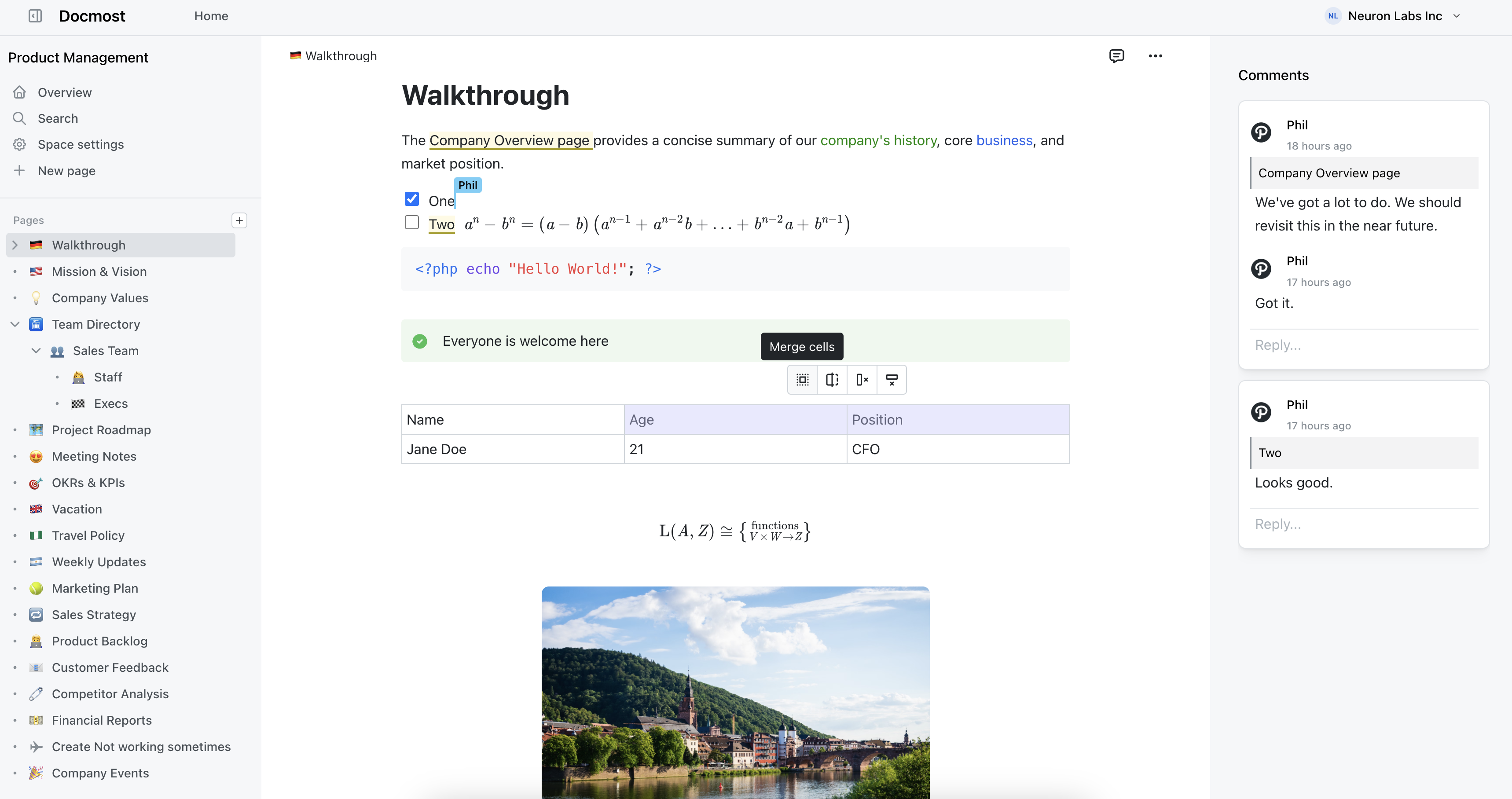
Question about Docmost

Enterprise-ready Wiki for Teams | Docmost docmost.com
preview

Anyone here running the non-enterprise version perhaps? How have you found it?

Wondering about licensing too. If I were to create my own OIDC/SSO connectors on a fork of the code, strip out the EE stuff and deploy that fork, would that be a breach of license? Many of the features behind the paywall I find useful. I already run Authentik and have all my other apps behind it for SSO, so was curious how building my own stuff on my own fork would make me non-compliant (if at all).

Anyone here running the non-enterprise version perhaps? How have you found it?

Wondering about licensing too. If I were to create my own OIDC/SSO connectors on a fork of the code, strip out the EE stuff and deploy that fork, would that be a breach of license? Many of the features behind the paywall I find useful. I already run Authentik and have all my other apps behind it for SSO, so was curious how building my own stuff on my own fork would make me non-compliant (if at all).

18

Container Vulnerability Management

Container Vulnerability Management - Niclas Heinz nheinz.eu
preview

How I manage my Containers and their Vulnerability Management across selfhosted infrastructure and how the patching of PHP2SHELL looked like

How I manage my Containers and their Vulnerability Management across selfhosted infrastructure and how the patching of PHP2SHELL looked like

52

Basic Homeserver with old Mac Mini

preview

Hi all

I’m going to set up a little server on a pretty old Mac Mini, with an external RAID 1 enclosure. It’s initially got two main purposes - to run an Immich server to backup my photos when I’m away travelling, and to give me something to learn about Linux and self-hosting on. I used Linux a bit back in the day, but I’ve been living the lazy Mac life for years. I’d really like to transition out of the Mac ecosystem eventually, so this is an initial toe in the water towards that aim.

I’m planning on running Debian, for stability and compatibility, and backing up to a separate NAS that already exists, so that I’m not completely screwed if (definitely when) I mess something up. It’ll all be set up in my power/internet access point shed, so I’d prefer it to be fully remote access, no screen/DE.

It seems like I’ll be running Immich in Docker, and that I’ll need Tailscale/Wireguard for my remote connection. Does this seem like a decent initial plan? Are there any decent resources for learning this that you’d recommend? I already own the hardware, and all my photos are safe on SD card, SSD, and local backup, so there’s no real consequence to me messing about with this. Any advice/thoughts would be welcome

Ta

Hi all

I’m going to set up a little server on a pretty old Mac Mini, with an external RAID 1 enclosure. It’s initially got two main purposes - to run an Immich server to backup my photos when I’m away travelling, and to give me something to learn about Linux and self-hosting on. I used Linux a bit back in the day, but I’ve been living the lazy Mac life for years. I’d really like to transition out of the Mac ecosystem eventually, so this is an initial toe in the water towards that aim.

I’m planning on running Debian, for stability and compatibility, and backing up to a separate NAS that already exists, so that I’m not completely screwed if (definitely when) I mess something up. It’ll all be set up in my power/internet access point shed, so I’d prefer it to be fully remote access, no screen/DE.

It seems like I’ll be running Immich in Docker, and that I’ll need Tailscale/Wireguard for my remote connection. Does this seem like a decent initial plan? Are there any decent resources for learning this that you’d recommend? I already own the hardware, and all my photos are safe on SD card, SSD, and local backup, so there’s no real consequence to me messing about with this. Any advice/thoughts would be welcome

Ta

71

LiveOverflow - php situation 24h later (YouTube)

YouTube php situation 24h later www.youtube.com
preview

This is and update on the php2shell vulnerability and a response to the blog post from lemmy.world/post/53441818 : eliastaylor.com/noexploit/

This is and update on the php2shell vulnerability and a response to the blog post from lemmy.world/post/53441818 : eliastaylor.com/noexploit/

95

For users with public facing services: How does the current explosion of AI-discovered vulnerabilities affect your threat model and willingness to be public facing?

preview

PHP, TLS, etc… We appear to be facing a tsunami of vulnerabilities being discovered in record time. Further, the window to act on these vulnerabilities has basically closed to zero; hackers’ tools now automatically fold the very latest vulnerabilities into their botnets within minutes/hours of discovery. I have always been extremely reluctant to expose any of my services - even with the latest and greatest security tools. My choice to stay totally within the confines of tailscale seems vindicated given this week’s news. How are you all taking this?

pwn.watch

PHP, TLS, etc… We appear to be facing a tsunami of vulnerabilities being discovered in record time. Further, the window to act on these vulnerabilities has basically closed to zero; hackers’ tools now automatically fold the very latest vulnerabilities into their botnets within minutes/hours of discovery. I have always been extremely reluctant to expose any of my services - even with the latest and greatest security tools. My choice to stay totally within the confines of tailscale seems vindicated given this week’s news. How are you all taking this?

pwn.watch

21

[AIT] what is your selfhosted local LLM stack?

preview

What tools and projects do you use for your local LLM chats and agents?

I’m trying to sift through the mess of LLM harness and tools to find how to really get the most out of local LLMs.

What tools and projects do you use for your local LLM chats and agents?

I’m trying to sift through the mess of LLM harness and tools to find how to really get the most out of local LLMs.

84

Anybody running IncusOS here?

Linux Containers - IncusOS - Introduction linuxcontainers.org
preview

I discovered Incus and IncusOS recently, and they seem like a very cool foundation for a self-hosted setup.

I’m thinking of using them with incus-compose to declare my setup.

Does anybody use them? I’d love to get some feedback. Are they stable and polished yet, or are there still a lot of sharp edges?

They mention “designed for modern systems” on their website. Are there any issues running it on a roughly 10-year-old laptop?

I discovered Incus and IncusOS recently, and they seem like a very cool foundation for a self-hosted setup.

I’m thinking of using them with incus-compose to declare my setup.

Does anybody use them? I’d love to get some feedback. Are they stable and polished yet, or are there still a lot of sharp edges?

They mention “designed for modern systems” on their website. Are there any issues running it on a roughly 10-year-old laptop?

25

How do you all handle port 80 and HTTP-01/DNS-01 challenges for Let's Encrypt cert renewals?

preview

I’m currently running a bunch of services behind a reverse proxy and that proxy is configured to use let’s encrypt for ssl certs using DNS-01 challenges for renewals. All of the services are configured to only work using Tailscale IPs, so, as far as I’m aware, none of the services are open to the internet, except for port 80.

I noticed if I don’t leave port 80 open, when it’s time for renewal, everything fails. This leads to a bunch of logs on my Unifi setup saying intrusion attempts have been blocked on port 80. I thought I could go to Let’s Encrypt’s website and find a list of IPs I could put on an allow list but they don’t post those. So my questions are:

1. If I understand the process correctly, Let’s Encrypt checks the DNS TXT record to verify I own a domain, then sends a new cert to my server over port 80; meaning, I have to have port 80 open during the renewal process, correct? Nope

2. If that’s correct, what do you all do about port 80? Do you just have a script to open the port during the renewal process and close it afterwards or do you just leave it open all the time? Is there maybe a tool that already has this functionality? not if using DNS-01 challenges

3. I think I have port 443 open as well but I don’t remember if that’s needed or if I just did that when I opened port 80 trying to get all my services working again. Does 443 need to be open too? not if using DNS-01 challenges

4. If there is a better way to do all this or if I fucked up somewhere, please share. This was just the first setup I got working. I fucked up, see below

Thanks

EDIT: After deleting the current certificate and going through the process of generating a new one, everything is working without port 80 open. I’m using NGINX Proxy Manager and I must have clicked on “Lets Encrypt via HTTP” and not “Lets Encrypt via DNS” when originally setting this up. Not sure how else this could have happened 😅

I’m currently running a bunch of services behind a reverse proxy and that proxy is configured to use let’s encrypt for ssl certs using DNS-01 challenges for renewals. All of the services are configured to only work using Tailscale IPs, so, as far as I’m aware, none of the services are open to the internet, except for port 80.

I noticed if I don’t leave port 80 open, when it’s time for renewal, everything fails. This leads to a bunch of logs on my Unifi setup saying intrusion attempts have been blocked on port 80. I thought I could go to Let’s Encrypt’s website and find a list of IPs I could put on an allow list but they don’t post those. So my questions are:

1. If I understand the process correctly, Let’s Encrypt checks the DNS TXT record to verify I own a domain, then sends a new cert to my server over port 80; meaning, I have to have port 80 open during the renewal process, correct? Nope

2. If that’s correct, what do you all do about port 80? Do you just have a script to open the port during the renewal process and close it afterwards or do you just leave it open all the time? Is there maybe a tool that already has this functionality? not if using DNS-01 challenges

3. I think I have port 443 open as well but I don’t remember if that’s needed or if I just did that when I opened port 80 trying to get all my services working again. Does 443 need to be open too? not if using DNS-01 challenges

4. If there is a better way to do all this or if I fucked up somewhere, please share. This was just the first setup I got working. I fucked up, see below

Thanks

EDIT: After deleting the current certificate and going through the process of generating a new one, everything is working without port 80 open. I’m using NGINX Proxy Manager and I must have clicked on “Lets Encrypt via HTTP” and not “Lets Encrypt via DNS” when originally setting this up. Not sure how else this could have happened 😅

19

Question(s) about self-hosting matrix server on Raspberry Pi 4 next to Navidrome and Jellyfin

preview

Hi everyone,

I am new to self-hosting and this is also my first post on Lemmy. I have a navidrome instance for my music (installed via docker compose) and a jellyfin instance for movies and shows (also installed via docker compose) running on a Raspberry Pi 4 8GB. I know I could also use music over jellyfin but I prefer to have it in navidrome.

The next thing that I want to achieve on my journey through the world of self-hosting is to run my own matrix server. The ideal eventual goal would be to have my own server on that same Raspberry Pi which I can then use to bridge Whatsapp to so I finally can get rid of that App from my primary phone. Receiving Whatsapp messages is unfortunately necessary for me to keep contact with certain people, although I would prefer to get rid of it completely as well, but who am I telling that, there are plenty of people out there facing the same issue.

As Whatsapp needs to run somewhere, which is required to have the bridge properly working, it would ideally run in an Android Virtual Device although that is no requirement as I know physical phones are recommended and emulated devices get blocked more often.

Ideally, the matrix server would also be installed using docker compose. It is intended to have one user only which is me but should of course be able to communicate with other servers to enable me to talk to others. The main limitation is that all three services should be running on that Raspberry Pi at the same time.

As my experience regarding such a project is virtually zero, my questions are:

Is such a setup is feasible and generally a good or bad idea (considering running jellyfin, navidrome and matrix on one Raspberry Pi)?

What issues should I consider before starting such a project?

If there’s someone having a similar setup, what are your experiences?

Also important to note: The matrix server should be able to handle video and voice calls as well, not in large rooms of course, but rather in a context of 2 to 4 people max.

Any advice, information or personal experience is well appreciated! I want to properly inform myself before starting out and thought here might be a good starting point. If I forgot to mention any specific information that is needed please let me know.

Thanks a lot!

EDIT: Adjusted post title to better reflect the advise-seeking character of this post and adjusted question phrasing

Hi everyone,

I am new to self-hosting and this is also my first post on Lemmy. I have a navidrome instance for my music (installed via docker compose) and a jellyfin instance for movies and shows (also installed via docker compose) running on a Raspberry Pi 4 8GB. I know I could also use music over jellyfin but I prefer to have it in navidrome.

The next thing that I want to achieve on my journey through the world of self-hosting is to run my own matrix server. The ideal eventual goal would be to have my own server on that same Raspberry Pi which I can then use to bridge Whatsapp to so I finally can get rid of that App from my primary phone. Receiving Whatsapp messages is unfortunately necessary for me to keep contact with certain people, although I would prefer to get rid of it completely as well, but who am I telling that, there are plenty of people out there facing the same issue.

As Whatsapp needs to run somewhere, which is required to have the bridge properly working, it would ideally run in an Android Virtual Device although that is no requirement as I know physical phones are recommended and emulated devices get blocked more often.

Ideally, the matrix server would also be installed using docker compose. It is intended to have one user only which is me but should of course be able to communicate with other servers to enable me to talk to others. The main limitation is that all three services should be running on that Raspberry Pi at the same time.

As my experience regarding such a project is virtually zero, my questions are:

Is such a setup is feasible and generally a good or bad idea (considering running jellyfin, navidrome and matrix on one Raspberry Pi)?

What issues should I consider before starting such a project?

If there’s someone having a similar setup, what are your experiences?

Also important to note: The matrix server should be able to handle video and voice calls as well, not in large rooms of course, but rather in a context of 2 to 4 people max.

Any advice, information or personal experience is well appreciated! I want to properly inform myself before starting out and thought here might be a good starting point. If I forgot to mention any specific information that is needed please let me know.

Thanks a lot!

EDIT: Adjusted post title to better reflect the advise-seeking character of this post and adjusted question phrasing

50

Release FreshRSS 1.30.3 - patching severe PHP vulnerabilities

GitHub Release FreshRSS 1.30.3 · FreshRSS/FreshRSS github.com
preview

While you should probably take some services offline altogether, FreshRSS has an update out.

Just one of many updates that we’re going to be seeing over the next few hours / days.

For those who haven’t seen it yet

therecord.media/php-script-vulnerabilities-warnin…

Hundreds of websites taken offline as concern grows over two PHP vulnerabilities

huntress.com/…/php2shell-leaked-critical-php-vuln…

While you should probably take some services offline altogether, FreshRSS has an update out.

Just one of many updates that we’re going to be seeing over the next few hours / days.

For those who haven’t seen it yet

therecord.media/php-script-vulnerabilities-warnin…

Hundreds of websites taken offline as concern grows over two PHP vulnerabilities

huntress.com/…/php2shell-leaked-critical-php-vuln…

15

Mysterious Loop Devices in Disk manager on plex server

preview

Hey all, recently I was doing some work on the machine where I host my plex and audiobookshelf servers and I noticed that there were 3 new devices listed in the disk manager.

All 3 of the new devices have a description along the lines of “78MB Loop Device” and lists a backing file at location /var/lib/snapd/snaps/snapd_22291.snap (not exactly but they’re all similar to this). They show as unmounted and I’m not really sure what this is.

Additionally when I try to use libation to pull my latest audible books down it says it can’t read my local file location folder.

I recently saw the post about the plex vulnerability (which is part of why i was doing work on it, to make sure that my auto update was working) when I noticed this and it got me worried.

Are these new devices that showed up indicative that a malicious user has accessed my system through the internet and has setup a crypto miner to run in the background on my server or is it more likely that a disk is failing and this is the first sign?

Also before anyone feels the need to say it, I know that plex is not ideal and jellyfin is better, but I have remote users that I cannot talk through troubleshooting to get jellyfin when I can tell them to just install plex on their end.

Any help would be greatly appreciated

Hey all, recently I was doing some work on the machine where I host my plex and audiobookshelf servers and I noticed that there were 3 new devices listed in the disk manager.

All 3 of the new devices have a description along the lines of “78MB Loop Device” and lists a backing file at location /var/lib/snapd/snaps/snapd_22291.snap (not exactly but they’re all similar to this). They show as unmounted and I’m not really sure what this is.

Additionally when I try to use libation to pull my latest audible books down it says it can’t read my local file location folder.

I recently saw the post about the plex vulnerability (which is part of why i was doing work on it, to make sure that my auto update was working) when I noticed this and it got me worried.

Are these new devices that showed up indicative that a malicious user has accessed my system through the internet and has setup a crypto miner to run in the background on my server or is it more likely that a disk is failing and this is the first sign?

Also before anyone feels the need to say it, I know that plex is not ideal and jellyfin is better, but I have remote users that I cannot talk through troubleshooting to get jellyfin when I can tell them to just install plex on their end.

Any help would be greatly appreciated

93

Beginner looking for advice on open-source NAS hardware and OS for self-hosting

preview

Hey everyone! I’m completely new to self-hosting, but I’ve become convinced of its benefits and would like to get started in the near future. I’m still trying to figure out which hardware and software would be the best fit for my needs, so I’d really appreciate some advice.

What I’m looking for:

  • I live in the EU and want to move away from US-based and other non-EU cloud providers, which is one of the main reasons I’m interested in self-hosting.
  • I want to de-Google my digital life and replace services like Google Photos, Google Drive, and Google’s contact and calendar syncing with self-hosted alternatives.
  • I’d like to automatically back up photos from my phone, sync files, contacts, and calendars, and access everything remotely.
  • I want to avoid proprietary operating systems and vendor-specific apps as much as reasonably possible, ideally relying on open-source software.
  • (Eventually, I’d also like to consider hosting my own email server, although I’ve heard that this comes with quite a few challenges. This isn’t a priority for now.)
  • I don’t want to become a Linux or server administration expert just to keep everything running.

A little more context:

  • Users: Just two people.
  • Workload: Mainly file storage and syncing, photo backups and management, contacts, and calendars. No video editing, media transcoding, or other particularly demanding tasks.
  • Budget: Around €500–800 for the NAS itself, excluding storage drives.
  • Hardware preference: I’d prefer a compact, reasonably power-efficient, ready-made NAS rather than building a full PC, mostly due to limited space.
  • Technical experience: I’ve been building my own PCs for almost 30 years and consider myself an advanced Windows user. However, my last real Linux experience was with Ubuntu about 20 years ago.
  • Internet connection: 250/40 Mbps DSL with a public (dynamic) IPv4 address and a FRITZ!Box 7590 router, which supports WireGuard VPN.

Here are my main questions:

  1. Which operating system would you recommend? I’ve been looking into TrueNAS Community Edition and OpenMediaVault, but I’m open to other suggestions. Ease of use, stability, and low maintenance are important to me.
  2. Would a prebuilt NAS be a good choice? I’ve been considering devices like the UGREEN DXP4800 Plus and TerraMaster F4-424 Pro. Can their proprietary operating systems be replaced with something open-source without losing important functionality, such as fan control, power management, or hardware monitoring? Are there particular models known to work especially well with TrueNAS or OpenMediaVault?
  3. How much hardware performance do I actually need? Given my relatively modest requirements, would something like an Intel N100 already be sufficient, or would it make sense to invest in a more powerful CPU and additional RAM for future flexibility?
  4. Which software stack would you recommend? I’m currently considering Nextcloud for files, contacts, and calendars, and possibly Immich for photos. I’d prefer solutions with reliable automatic syncing and open-source Android apps.
  5. What should I consider regarding backups and remote access? I’m planning to use WireGuard for remote access, but I’d be interested in recommendations for a simple, reliable backup strategy as well.

I’m happy to learn new things and follow technical guides, but I’d prefer a system that doesn’t require constant tinkering once it’s set up.

Thanks for reading, and I appreciate any suggestions or experiences you’re willing to share!

Hey everyone! I’m completely new to self-hosting, but I’ve become convinced of its benefits and would like to get started in the near future. I’m still trying to figure out which hardware and software would be the best fit for my needs, so I’d really appreciate some advice.

What I’m looking for:

  • I live in the EU and want to move away from US-based and other non-EU cloud providers, which is one of the main reasons I’m interested in self-hosting.
  • I want to de-Google my digital life and replace services like Google Photos, Google Drive, and Google’s contact and calendar syncing with self-hosted alternatives.
  • I’d like to automatically back up photos from my phone, sync files, contacts, and calendars, and access everything remotely.
  • I want to avoid proprietary operating systems and vendor-specific apps as much as reasonably possible, ideally relying on open-source software.
  • (Eventually, I’d also like to consider hosting my own email server, although I’ve heard that this comes with quite a few challenges. This isn’t a priority for now.)
  • I don’t want to become a Linux or server administration expert just to keep everything running.

A little more context:

  • Users: Just two people.
  • Workload: Mainly file storage and syncing, photo backups and management, contacts, and calendars. No video editing, media transcoding, or other particularly demanding tasks.
  • Budget: Around €500–800 for the NAS itself, excluding storage drives.
  • Hardware preference: I’d prefer a compact, reasonably power-efficient, ready-made NAS rather than building a full PC, mostly due to limited space.
  • Technical experience: I’ve been building my own PCs for almost 30 years and consider myself an advanced Windows user. However, my last real Linux experience was with Ubuntu about 20 years ago.
  • Internet connection: 250/40 Mbps DSL with a public (dynamic) IPv4 address and a FRITZ!Box 7590 router, which supports WireGuard VPN.

Here are my main questions:

  1. Which operating system would you recommend? I’ve been looking into TrueNAS Community Edition and OpenMediaVault, but I’m open to other suggestions. Ease of use, stability, and low maintenance are important to me.
  2. Would a prebuilt NAS be a good choice? I’ve been considering devices like the UGREEN DXP4800 Plus and TerraMaster F4-424 Pro. Can their proprietary operating systems be replaced with something open-source without losing important functionality, such as fan control, power management, or hardware monitoring? Are there particular models known to work especially well with TrueNAS or OpenMediaVault?
  3. How much hardware performance do I actually need? Given my relatively modest requirements, would something like an Intel N100 already be sufficient, or would it make sense to invest in a more powerful CPU and additional RAM for future flexibility?
  4. Which software stack would you recommend? I’m currently considering Nextcloud for files, contacts, and calendars, and possibly Immich for photos. I’d prefer solutions with reliable automatic syncing and open-source Android apps.
  5. What should I consider regarding backups and remote access? I’m planning to use WireGuard for remote access, but I’d be interested in recommendations for a simple, reliable backup strategy as well.

I’m happy to learn new things and follow technical guides, but I’d prefer a system that doesn’t require constant tinkering once it’s set up.

Thanks for reading, and I appreciate any suggestions or experiences you’re willing to share!

300

PSA: PHP warns it plans to release 2 emergency patches imminently (today 14:00 UTC)

Ars Technica PHP warns it plans to release 2 emergency patches imminently arstechnica.com
preview

The set of vulnerabilities is dubbed PHP2Shell and disclosure is scheduled for 14:00 UTC with attacks expected to follow soon after.

It is adviced to take offline every non-vital services until the patch has been installed (or the Docker image has been updated with a patched version of PHP)

Update: fix is out www.php.net/archive/2026.php#2026-10-21-5

The set of vulnerabilities is dubbed PHP2Shell and disclosure is scheduled for 14:00 UTC with attacks expected to follow soon after.

It is adviced to take offline every non-vital services until the patch has been installed (or the Docker image has been updated with a patched version of PHP)

Update: fix is out www.php.net/archive/2026.php#2026-10-21-5