
0
Looking for a community dedicated to ricing Linux - Lemmy.World
lemmy.world
posts tagged #unixporn

. Fastfetch I modified from someone cooler and more talented than i.
 riff for Spotify.
 surface-kernel allows touch interface and surface pen to work flawlessly.
.
Fastfetch I modified from someone cooler and more talented than i.
riff for Spotify.
surface-kernel allows touch interface and surface pen to work flawlessly.

So I ditched KDE completely since my last post. What do you think of my setup so far? I tweaked it a little, including new hotkeys and software.
Environment:
Extra Software (some custom shortcuts made for):
Question: Is it strange to use SDDM with Niri? Some folks switch to another DM.
See the desktop in motion
Edit: added a .gif to show off the desktop better.


Niri + Noctalia on my diehard Lenovo 440S. Colour scheme is Nord. Fun fact, in my install, I don’t have a graphical login screen and instead, I boot into CLI, login at CLI, and then call up Niri. Does not affect performance, I can suspend my computer, and I’m not sure if it is a bug, but after a couple of hours of the computer being suspended, it lights up and hibernates itself. I’m not going to try fix it, I think its cool.
Niri + Noctalia on my diehard Lenovo 440S. Colour scheme is Nord. Fun fact, in my install, I don’t have a graphical login screen and instead, I boot into CLI, login at CLI, and then call up Niri. Does not affect performance, I can suspend my computer, and I’m not sure if it is a bug, but after a couple of hours of the computer being suspended, it lights up and hibernates itself. I’m not going to try fix it, I think its cool.


I love retro aesthetics :3
I love retro aesthetics :3


Hello friends, it has been a while. I posted my Linux Mint + i3 setup way back under my lemmy.social account before I switched to this server. I thought after CachyOS with KDE, my distro hopping/ricing was over, but nope.
Furthermore, I present to you my take on ricing CachyOS:
CachyOS (Clean Niri + Noctalia) (KDE is available as a backup system, soon to be removed completely).
Kitty and plenty of useful tools in the terminal. I started to become a terminal junkie. Not what I expected after getting comfy with Mint back then, but here we are!
My wallpaper was originally downloaded via ColorWall (a wallpaper program for Linux). To make it a little more accessible to you guys, I uploaded my FHD wallpaper lossless to: u.cubeupload.com/Freakazoid/ColorWallkwvjv7.jpg
Edit: Removed duplicate screenshot.


cross-posted from: programming.dev/post/52571973
This is absolutely 100% real. I am ashamed at my actions.
bbLean is cool though.
Go ahead, sharpen your pitchforks. I’ve been learning windows, there’s no pain worse than that.
cross-posted from: programming.dev/post/52571973
This is absolutely 100% real. I am ashamed at my actions.
bbLean is cool though.
Go ahead, sharpen your pitchforks. I’ve been learning windows, there’s no pain worse than that.


This set-up has been transferred over from Hyprland and onto Mango and has been worked over bit by bit as I use it. I’ve got no solid idea about the overall look I wanted, but it seems it came together quite decently.
The main bar and widgets are made with Quickshell, but the desktop widgets are made with EWW. Desktop widgets still not quite complete though as two of the widgets are still stubs.
Start menu widget on an empty desktop:

Dashboard (meta) widget on an empty desktop:

Open window explorer widget on an empty desktop:

Dwindle layout showing btop and fastfetch

Vertical scrolling layout:

This set-up has been transferred over from Hyprland and onto Mango and has been worked over bit by bit as I use it. I’ve got no solid idea about the overall look I wanted, but it seems it came together quite decently.
The main bar and widgets are made with Quickshell, but the desktop widgets are made with EWW. Desktop widgets still not quite complete though as two of the widgets are still stubs.
Start menu widget on an empty desktop:
Dashboard (meta) widget on an empty desktop:
Open window explorer widget on an empty desktop:
Dwindle layout showing btop and fastfetch
Vertical scrolling layout:
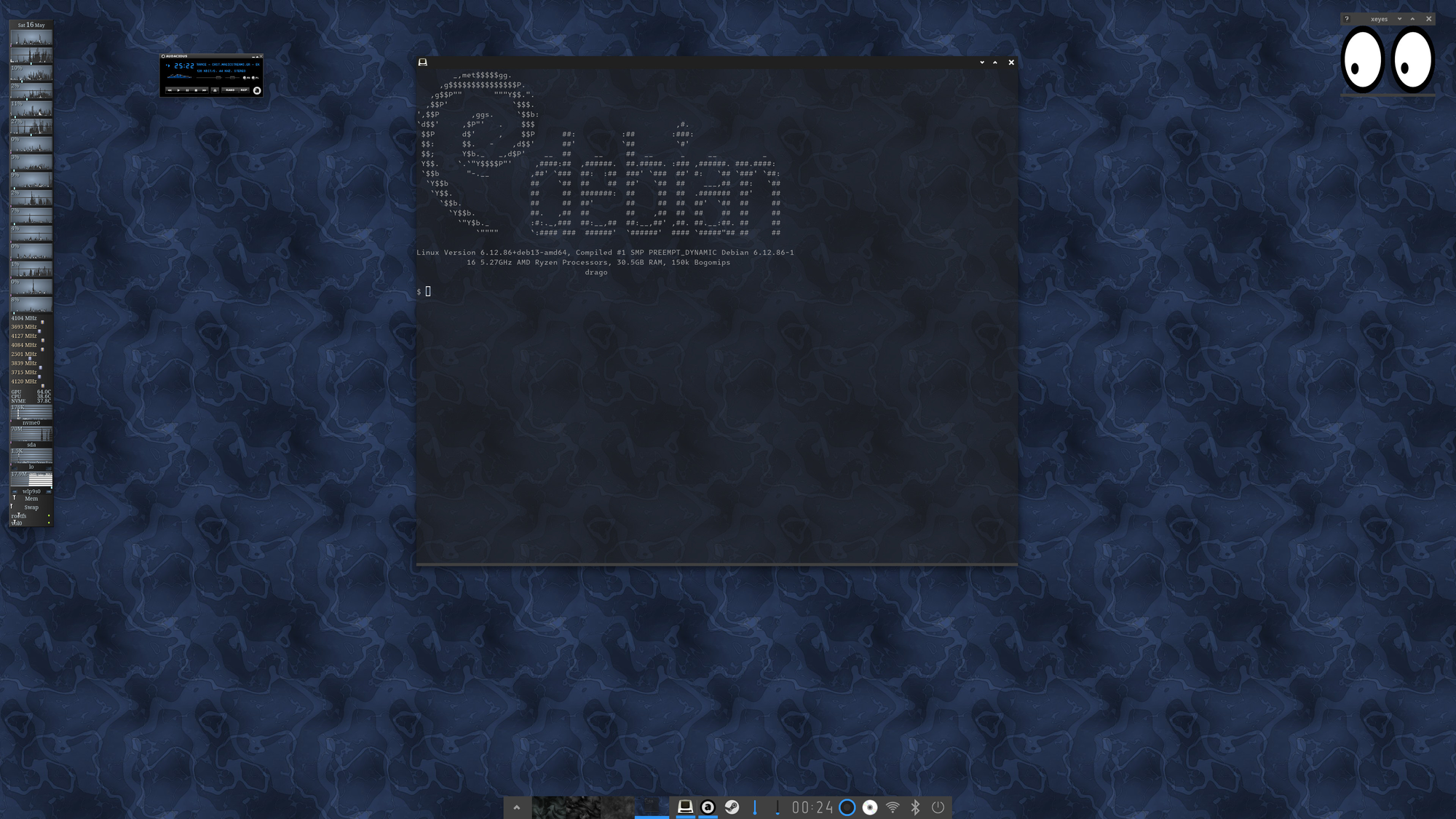
I don’t care what year it is :)
I don’t care what year it is :)

WM: niri
distro: arch BTW
terminal: foot
notification: fnott made by the same developer of foot
web browser: qutebrowser
statusbar: i3bar-river and powered by i3status-rs
I made my own bash script to randomize wallpapers that took me long time to make. If you want to try it out: randwall
My dotfiles are not very organized yet that’s why I haven’t git them for now but I will do soon …


I’ve never been too fond of Wayland, with it’s corporate sponsors and project architecture that threatens to kill-off smaller desktops and window managers: hurting one of *NIX’s best qualities IMO, it’s fragmentation and user-choice.
So, when I heard about the X11 revival effort, XLibre, and read that they had a mostly stable release, I switched over.
It’s been a drop-in replacement, my package manager (pacman) prompted me that xorg-xserver and xlibre-xserver would be in-conflict, and thus automatically removed xorg-* in favour of xlibre-*. Everything else has just worked.
Immediately off-the-bat XLibre has TearFree enabled by default, which improves the feel of the desktop massively. But that’s about the only change I can “feel”, a lot of the work is under-the-hood with code-cleanup efforts and refactoring.
System Details:

I am really impressed with Artix! everything runs just like how it would on arch. I am on OpenRC
I’m going to try to config/rice sway later in the week.
I am really impressed with Artix! everything runs just like how it would on arch. I am on OpenRC
I’m going to try to config/rice sway later in the week.
@unixporn@lemmy.ml @unixporn@lemmy.world @debian l wish to convert to MX Linux as my OS. How do I install the systemd version ?
@unixporn@lemmy.ml @unixporn@lemmy.world @debian l wish to convert to MX Linux as my OS. How do I install the systemd version ?

JES - it’s a shell for Wayland WM
created for every day, not show.
Designed for desktop PC
JES is built for everyday practicality, not trends.
By the way, JES has a very simple plugin system: just drop a folder with QML, import in shell.qml, and you’re good. I’ve documented the process in the repo.
JES - it’s a shell for Wayland WM
created for every day, not show.
Designed for desktop PC
JES is built for everyday practicality, not trends.
By the way, JES has a very simple plugin system: just drop a folder with QML, import in shell.qml, and you’re good. I’ve documented the process in the repo.


It is a Chromebook. My most beloved potato. I plan on editing the rofi theme to match the bumblebee-status.


Here is the new rofi theme, i might take the curves down a bit more.


It is a Chromebook. My most beloved potato. I plan on editing the rofi theme to match the bumblebee-status.
Here is the new rofi theme, i might take the curves down a bit more.

Yes i am aware its veeeeery Basic but ay what can ya do about it :P
Yes i am aware its veeeeery Basic but ay what can ya do about it :P


I’m not a Blender expert, was just fooling around and thought this looked okay-ish, so sharing it here.
Higher resolution renders and .blend file here: mega.nz/folder/t9cD1SgS#w4JY512ztiEs_zqyjc0jOA
I am releasing this under CC0, so feel free to remix this or use the model of the logo in it however you want. :)
Some of my previous work is here:
Arch Linux: www.opendesktop.org/p/1727791
KDE Plasma: www.opendesktop.org/p/1727768
Gentoo: www.opendesktop.org/p/1788876
Edit: Added this one to OpenDesktop as well: www.opendesktop.org/p/2355452/

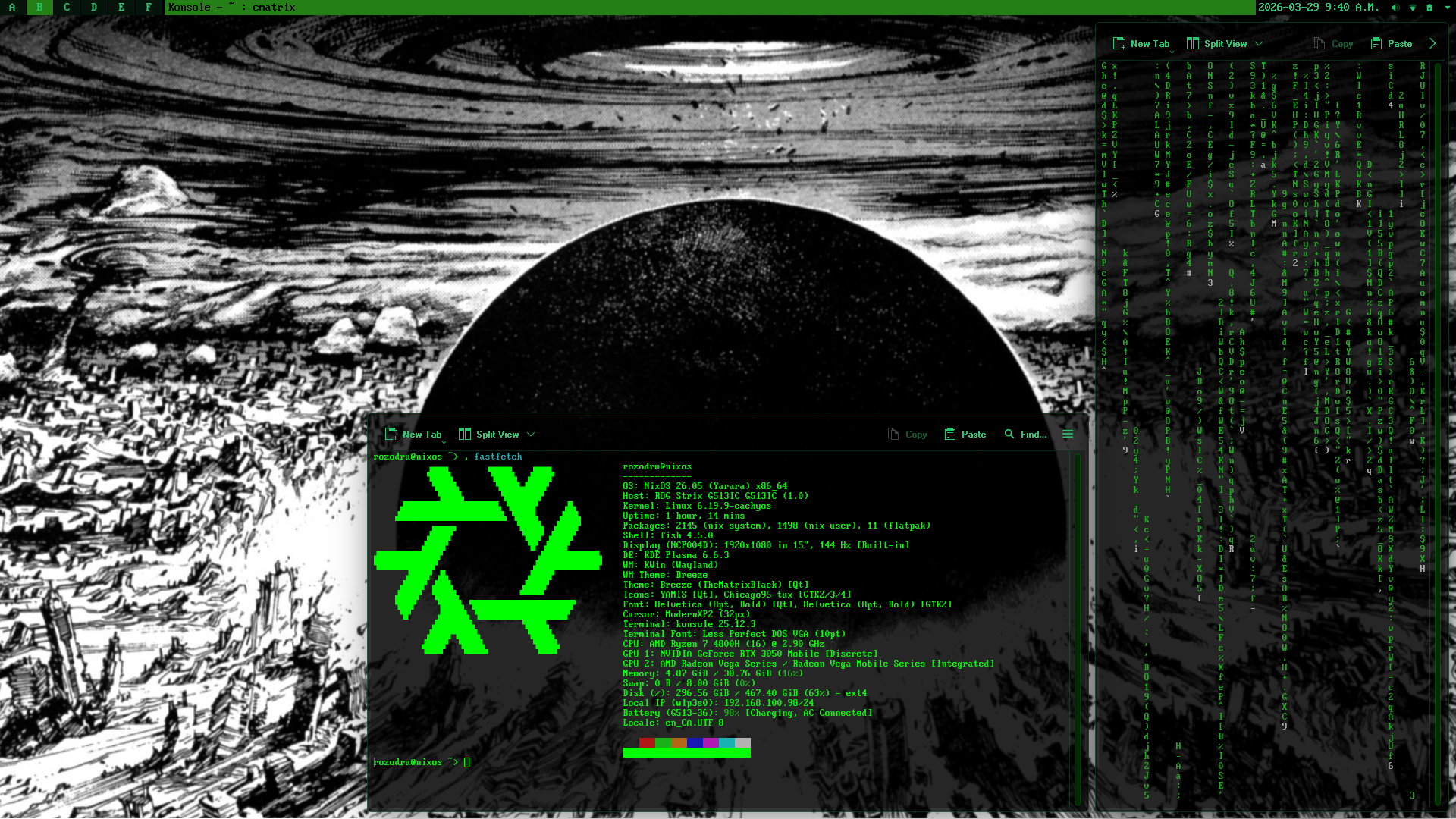
I’ve been having issues with Window Managers lately either mouse or keyboard issues when gaming and my annoyance after using them for a solid couple years when it comes to configuring them. So I asked “can’t I just make Plasma look like one?” answer is yes.
It tiles the same way DWL or another WM does, made the status bar to also look the same. I prefer Konsole now over other terminal emulators so I just left it as is. My Plasma is now essentially a tiling WM without the headaches of a tiling WM and everything now just works.
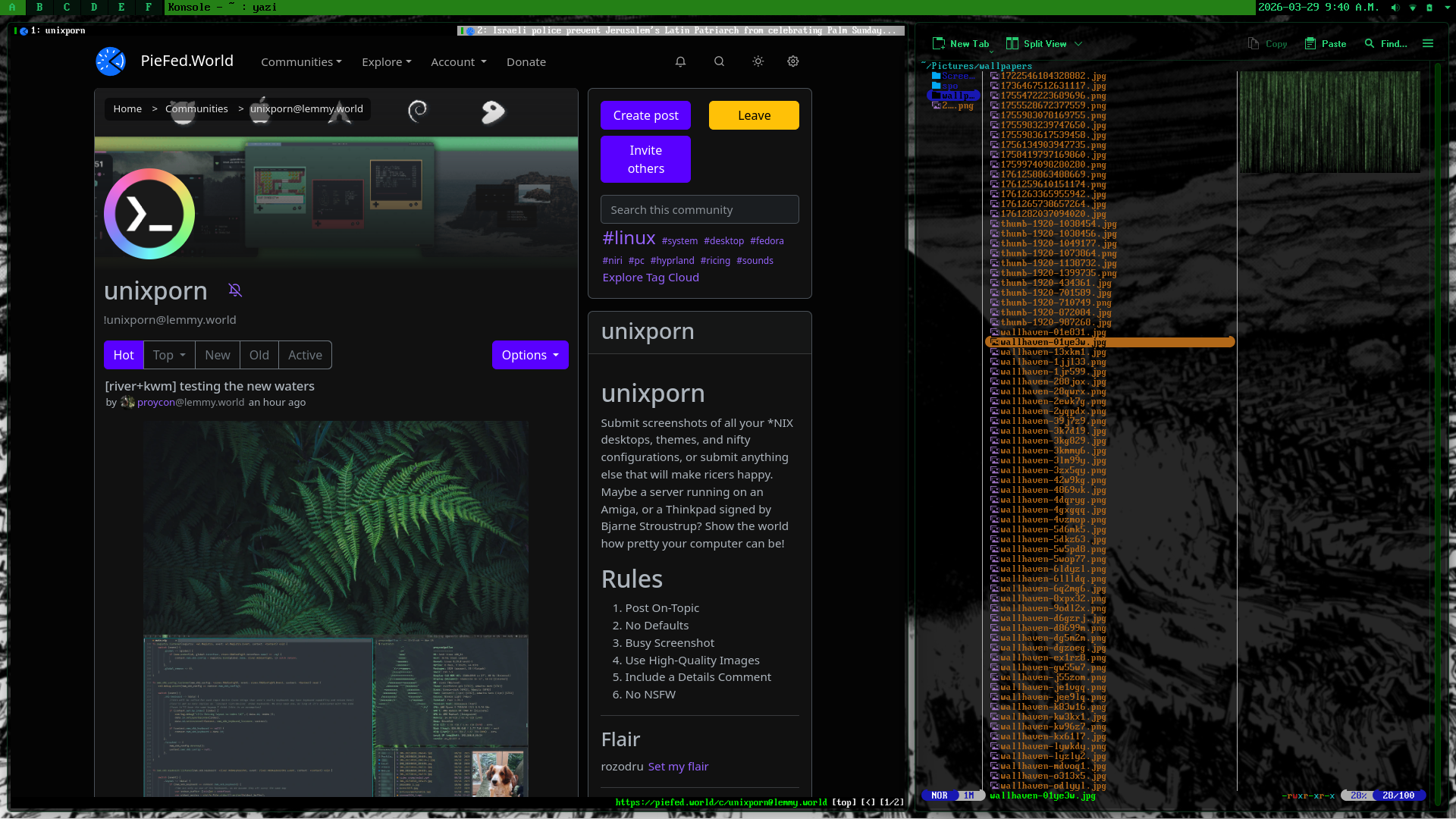
I’ve been having issues with Window Managers lately either mouse or keyboard issues when gaming and my annoyance after using them for a solid couple years when it comes to configuring them. So I asked “can’t I just make Plasma look like one?” answer is yes.
It tiles the same way DWL or another WM does, made the status bar to also look the same. I prefer Konsole now over other terminal emulators so I just left it as is. My Plasma is now essentially a tiling WM without the headaches of a tiling WM and everything now just works.

After the river 0.4 release I migrated from river-classic to kwm, recreating about the same design I’ve used for years now.
The image is a combination of three separate screenshots of the same screen. It shows a ‘fake-busy’ terminal (foot) based workflow featuring neovim, yazi, aerc, senpai and newsraft.
See codeberg.org/proycon/dotfiles for dotfiles

Editor and file manager

Editor

Wallpaper

I hate it when there’s a lot of stuff on the screen. Been using this setup for like 3 years.
Editor and file manager
Editor
Wallpaper
I hate it when there’s a lot of stuff on the screen. Been using this setup for like 3 years.
fetch:

reading Dwarf Fortress raws with neovim:

fake busy editing niri source with helix:

browsing screenshots with dolphin:

blank:

Gentoo, niri, and noctalia-shell on an old HP Spectre x360. The rounded screen borders look a lot better IRL 8)
fetch:
reading Dwarf Fortress raws with neovim:
fake busy editing niri source with helix:
browsing screenshots with dolphin:
blank:
Gentoo, niri, and noctalia-shell on an old HP Spectre x360. The rounded screen borders look a lot better IRL 8)

All dots on github.com/szorfein/dotfiles
All dots on github.com/szorfein/dotfiles

Works on wayland compositors with wlr-layer-shell, most of them except gnome. No AI, I did enjoy making this 😌.
Works on wayland compositors with wlr-layer-shell, most of them except gnome. No AI, I did enjoy making this 😌.


> Theme (Nightfox GTK Theme) but slightly modified to make the background of the start menu darker
> Theme (Nightfox GTK Theme) but slightly modified to make the background of the start menu darker


Theme using Swayfx and Eww.
Dotfiles on github.com/szorfein/dotfiles
Theme using Swayfx and Eww.
Dotfiles on github.com/szorfein/dotfiles


Now this is my regular computer setup.
Hardware: Dell PowerEdge r630 OS: Fedora Sway Atomic 43, until recently called Fedora Sericea WM: Sway Theme: Derived from one I saw on Reddit a good while ago Terminal: foot Editor: micro Music player: rmpc with mpd
I just upgraded the GPU from an Nvidia GTX 1070. It worked perfectly, even with Sway, but with Nvidia discontinuing driver support I wanted something with open source drivers, more recent and with 16 GB VRAM before prices went even crazier.

A warm theme I built around a photo a took at White Sands National Park a few years ago.
A warm theme I built around a photo a took at White Sands National Park a few years ago.

This one feels faster than the previous one I posted, probably thanks to the fact it has an SSD (!!!).
LXQt does miracles with old hardware. I’m just waiting for the LXQt experimental Wayland support to come to Debian. Knowing Debian, that might be a few years.
Next I’ll try KDE on it
This one feels faster than the previous one I posted, probably thanks to the fact it has an SSD (!!!).
LXQt does miracles with old hardware. I’m just waiting for the LXQt experimental Wayland support to come to Debian. Knowing Debian, that might be a few years.
Next I’ll try KDE on it

I was wiping this old laptop to sell or give it away. Couldn’t resist putting Fedora Silverblue on it to try it out. It’s very slow but I was able to check my e-mails in the browser, big win.
I was wiping this old laptop to sell or give it away. Couldn’t resist putting Fedora Silverblue on it to try it out. It’s very slow but I was able to check my e-mails in the browser, big win.