
CachyOS & Arch's Heated Rivalry
BladeFederation
member since 19 Feb 2026 00:40
Can’t say I’m particularly excited about Activision taking over, but this was a mercy killing.
Walking simulators aren’t even a bad genre if the story is good enough, but the story didn’t have much to say either.
I thought it was interesting enough of a premise that I played the first game. The audio design was top notch, especially the voices in her head of course. But the plot went absolutely nowhere, and it doesn’t have anything to say about psychosis or the causes and consequences of it. And the combat is bad. The game is mostly walking through linear levels with occasional graphical stuttering, occasional pressing of square to fight, and very basic puzzles. There was no world where I would have played the second game unless it reviewed differently.
One would think the market is more susceptible to strange games in 2026. Everyone loves their hyper niches with other forms of media.
In the context of this meme, Mint is everyone’s childhood friend who nobody has a problem with but is a bit stuck in the past (I don’t have a Spongebob character equivalent, sorry)
XFCE is generally fine and lightweight, but you may be shooting yourself in the foot there since it won’t support gaming related features like VRR or HDR. It is still on X11. If you don’t use Wayland features it may be fine though.
How does LibreBoot work? Was it hard to set up?
Citation needed
Eh. The choice between Android and iPhone is a bit tough if you don’t have access to GrapheneOS. You can have less freedom with Apple but good security and meh privacy, stock Android with freedom (but not soon) good security, and horrendous privacy, or another custom Android ROM that isn’t GrapheneOS, which has incredible freedom, bad security, and good privacy (assuming you don’t get hacked).
Does it auto detect your architecture to know which to install?
Sometimes the Linux community is pretty cool, love you guys.

Garuda is very, VERY similar to CachyOS. They are both gaming focused, Arch rolling releases, have their own modified kernel, have their own repos, both set up proprietary Nvidia drivers by default.
I haven’t spent a lot of time with Garuda, but I’ve found CachyOS to be an improved version of what it is trying to do. It has a bigger community, better gaming performance in every benchmark I’ve seen (they’ve also had a few bugs lately that have made Fedora benchmark better than Garuda), better general Ui responsiveness (and if you use Garuda’s Dragonized Desktop it’s even heavier than GNOME). I also don’t like that Garuda enables Chaotic AUR out of thr box. This allows random third parties to compile binaries for you, instead of building from source. This takes a lot less time to update if you have limited hardware, but you’re also probably not using a bleeding edge OS if you have old hardware. AUR is already dangerous, no need to add Chaotic AUR where you can’t even be sure that what code is being executed on your system is what is described in the package. Lastly I like Shelly a lot more than Pamac, I couldn’t even get Pamac to manage Flatpak last time I tried it, and Shelly easily manages every possible package type with ease and matches KDE’s theming better.
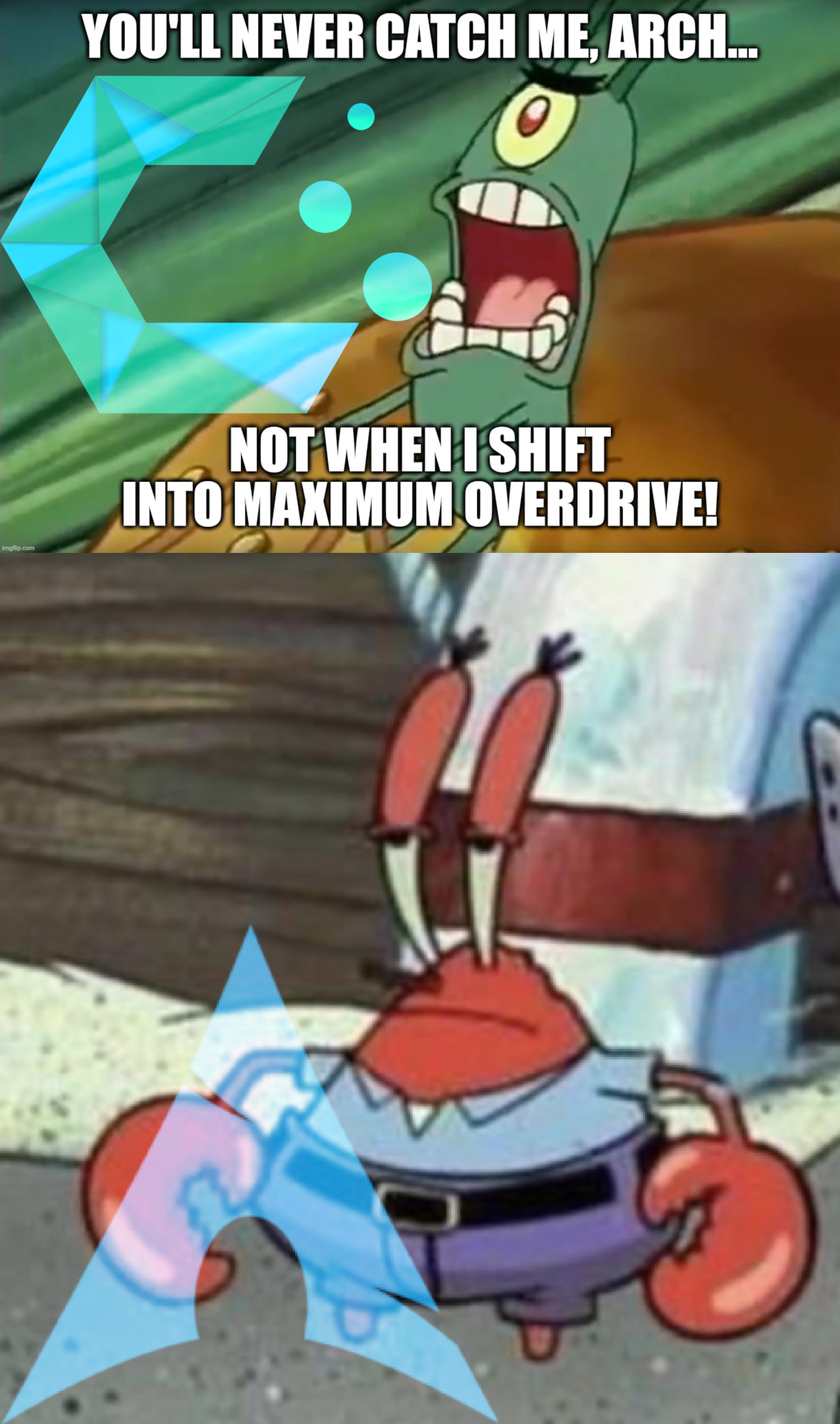
That being said, Linux is Linux for the most part. I did make this meme making fun of other CachyOS users for thinking the performance boosts are so mega important.
Endeavor is a very good distro, don’t get me wrong, I’m not trying to convince you to switch. It just seems silly to me that it seemed like you were interested in the other Cachy features, but as soon as you hear that it comes with a GUI package manager, that automatically makes it not for you, when it wouldn’t affect you.
I am familiar with Terminal. I don’t even use a GUI at all on my home server because that’s unnecessary overhead. But that doesn’t mean I want to use it for everything in my day to day life. For example, I’m not going to use it to move files. I’m just going to use Dolphin, it is far faster and logical to do so.
With Terminal I have to know the package name. Whoops it’s not “signal”, it’s “signal-desktop”, which there is no way to know unless I search the repo, remember from doing it before, or look it up on my browser, which I can’t do because that’s a GUI and GUI sucks /s. Then I have to do a second command to refresh all repos and update before installing. Then I have to know what repo it is in, and remember the commands for native, AUR, and Flatpak because I regularly use all 3. I can’t manage AppImages at all like I can with Shelly. Same goes for updates, I have to do a separate command for Flatpaks, and use a different package manager like yay for AUR + native.
Or I can just type “signal” in the Shelly search bar and see what I am looking for, sometimes with an icon, what the full package name is, who published it, what repo it is in, then install it with one click (+my password). Updates take one click (+ my password) because Shelly’s home page is set the updates page and auto check. For every type of package on my system, including AppImage.
Choices ARE good! It helped you find the niche that suits you best. After a while we forget that other people value different things, so there is no one best choice.
Nobody is forcing you to use it instead of command line, or preventing you from uninstalling it.
You may have to experiment a little. Cachy is good at auto finding drivers for you, but sometimes rolling releases can break compatibility with older drivers or stop supporting them faster. Then again, 970 isn’t THAT old so you might be OK. If you don’t like being harassed for updates, rolling release is probably not what you’re looking for.
If you have the drivers working, you may want to just leave it. People like CachyOS for gaming because it has up to date features and improves compatibility. You won’t get up to date features if thr GPU doesn’t support it though. The faster wait time for Proton compatibility will still help.
If you are still looking to switch, maybe something a bit in between. Tuxedo OS uses KDE, Wayland, and is good at auto detecting/downloading proprietary Nvidia drivers too. It’s based on Ubuntu LTS so it won’t update all the time. They are transitioning to being based on Debian Testing and further testing those updates, which will probably roughly feel like Fedora’s level of updates. Pop!_OS says that they support older Nvidia cards in their standard LTS version too, which is also based km Ubuntu. They just switched to their brand new DE though, which I like but has some bugs last I checked.
Also maybe consider using Docker for the server stuff, that way it doesn’t matter as much what distro you use.
More like
Arch: Actually you took most of who you are from me.
Not really, I use CachyOS, but it is funny how much people hype the performance boosts. I notice it, but not by a ton or anything. It’s mostly just Arch but easier to use and with built in tools that are helpful.
So I’m actually making fun of the tribalism.
Blasphemer!
It is also a command line package manager (like pacman), meaning it integrated with the system better than anything, even YaST on openSUSE. It doesn’t require a reboot for updates the way KDE Discover would for example (though occasionally I run into bugs if I don’t reboot), and also seems to manage proprietary Nvidia drivers that CachyOS downloaded for me.
Depends on what you’re hosting on the home server and how often you’ll use the device for gaming/other stuff. Most people prefer stable distros for servers, because if you go too long without updating you may be missing dependencies. But if you’re going to update regularly and use it every week, it’s probably fine. Some people do use Arch based distros for servers. CachyOS is my favorite and easiest to use Arch based distros despite making fun of it in the meme.
You were straighter when you used Arch? That can’t be right, isn’t that against the rules?
In fairness, Manjaro was one of the first ones to be that. And their 2 week waiting period for updates seems like a solid middle ground. The problem is, they don’t actually test those updates much, and if there is a breaking change on Arch, it’s usually on Manjaro as well, just 2 weeks later. This is not only pointless, but can cause additional dependency issues from being out of date, especially if you use the AUR, because AUR is rolling release and expects up to date Arch dependencies.
Also sorry if I came off harsh earlier, I’m just poking fun at everyone in this thread, even myself as a CachyOS user.
Good question, let me check real quick…
Oh. I can’t. They forgot to renew their website’s SSL certificate for the 9th time.
It is a good educational experience, especially if you want to do sysadmin adjacent stuff.
Yes, I think it may have cured my distro hopping. I was on Fedora KDE the longest besides Cachy, but there’s a lot of little things that I like better.
That is true, Arch performance is technically at zero when I’m staring at Terminal for 3 hours.
Yeah this is the real reason I prefer it. A sane installer, auto installing Nvidia drivers, auto setting up Snapper, a good GUI package manager that actually manages everything.
The customized kernel, and performance boosts that may or may not actually exist are just a bonus.
I use CachyOS BTW 🚀
To be clear, I’m fine with the wholesomeness, it was what I was in the mood for. I was more referring to the difficulty having crazy spikes, especially in the beginning. You’d expect a game like this to trend easy-ish. Never thought a cute catlike furball intro boss that is eating a farmer’s crops would be a near insurmountable wall.
I’m playing thr first one right now.
It does not fuck around. This really surprised me, given how cutesy/wholesome it is.
Buy something without an internet connection, and hope that data privacy laws catch up by the time you have to buy a new one.
Some manufacturers like Mazda allow you to remotely disable the telematic control unit (Sim card basically). But note that they can remotely enable it too. Some models you can take it out. The dealer will not usually agree to do this and it could void your warranty. It can also disable some features like front speakers or the stereo entirely, so do your research on the model you are interested in.
The government is really worrying about the big issues I see.
As much as I dislike Google, any self respecting workplace or especially a school is paying Google for enterprise/education accounts, for which Google does not collect data to sell or train their Ai, and further has specificalized written contracts clarifying SLAs of how the company/school info can be handled.
American data laws as a whole are not great, but this context is as good a scenario as you can get. It’s also not a battle you can win. You will use what you are provided in a work/school context.
Lol. Lmao even.
I might actually buy some Ubisoft games again, pirating is 1000x better for their shit. Some stuff is literally unplayable the way they want you to do it, like Far Cry 3.
Blame the manufacturers for not including hardware security on cheaper phones. It would be nice to not have to pay a premium for sufficient security, or to have sandboxed Play Services on a less secure phone for example, but it’s simply not GrapheneOS if you gut a lot of features that make people trust in it. That’s not GrapheneOS’s fault.
Same principal as Privacy Guides. They’re not going to recommend something that’s doesn’t meet their requirements. You will not see them recommend Windows no matter how many people comment “but how do I use Windows privately?” You can’t. That’s why it isn’t recommended.
The Mastodon thread linked in the most said they are planning to get an implementation that requires sandboxes Play Services first, then they should have a better idea of how to implement it solely with the carrier. It is an open standard in theory, just not in practice, since it is secretive.
Proton Mail can access your local contacts app, but not sync backwards with it on Android. This means that you do not have cloud sync for contacts if you are not signed into Google, or if you are kn a degoogled ROM. This app would be a way to get around this. Add a new contact to either Proton Mail or your local Contacts app, and it gets backed up to Proton & synced with both apps.
I’ll be honest: I am too lazy to switch profiles. I’ve done the best I can (for now) to eliminate propriety apps. I only have 12/100, and that’s including Google Play Services, Play Store, and Android Auto as 3 of them. 2 of the rest do not have network permissions.
Not sure about Japan specifically, but I use Here We Go. i have also found that Open Street Maps based maps don’t have enough info in my area.
Here We Go is sort of a legacy project, currently owned by several European car manufacturers, servers in the Netherlands, a good country for data privacy laws. Basically it costs money to operate a maps app, but it’s a rounding error for the type of money they make. Solid privacy policy. Closest in functionality to Google, using TrioAdvisor for discovery/reviews/pictures/business info. Solid at real time traffic. Built in buttons to run in offline mode and delete any data. You can save favorite locations without an account.
It’s not perfect though. Closed source. Can’t search along route in Android Auto mode, and when you do in normal mode it does not tell you how much time will be added to the trip. Voice assistant doesn’t work in Android auto (its no longer installed on my phone though). 2 trackers: Google Crashlytics & Facebook login. You can turn off telemetry in the app though, and not sign into Facebook obviously. You have to download it from Play Store specifically for Android Auto, not even Aurora Store, not even if you enable unknown sources for Android Auto.
Don’t fall for the marketing. MapQuest uses Open Street Maps data and slaps ads or a paid subscription on top of it. They aren’t ALLOWED to change it, because it is not their data,it is a community project. There are plenty of FOSS clients for OSM, most notably CoMaps.
That being said, I’ve also found OSM to be unusably bad in my area so whatever.
Except it’s not official. An executive order means the executive branch has to use that name. Nobody else does.
Even with some that are kind of opinionated like Cachy, you can still change it to be the way you want, and they make it easy to do so. Unlike ElementaryOS or whatnot.
I thought this was an anniversary of a funny event that happened one time type of meme. But no. It has happened NINE TIMES, including today.
I think the Arch derivatives that are more user friendly than Arch kind of took over the Tumbleweed niche. More compatible, more popular, access to AUR, not tied to a corporation, some bundle proprietary software, etc. I still like Tumbleweed but that’s why I left personally.
Something old enough to not have a cellular modem in it, and hope that privacy laws improve before you have to buy again and it’s inescapable.
That being said, I was forced to buy new last time. I called Mazda and they were able to deactivate it remotely, and confirmed that this deactivates everything and does not send any data to them moving forward. Does this mean they can reactivate it remotely? Yes. But it’s something. I have tried a few times to get the telematic control unit physically removed, but got stonewalled by the dealer. I may try a third party mechanic or a different dealer. I found a schematic that seems to suggest it can be removed kn my vehicle with no downsides. Not all vehicles are like this, it may break something such as audio or other sensors.
If you do end jup switching, KDE is generally the way to go, though GNOME is usually good about depending in implementation by the distro, but Garuda is rolling so you should be good there. Some Window Managers support all Wayland features as well.