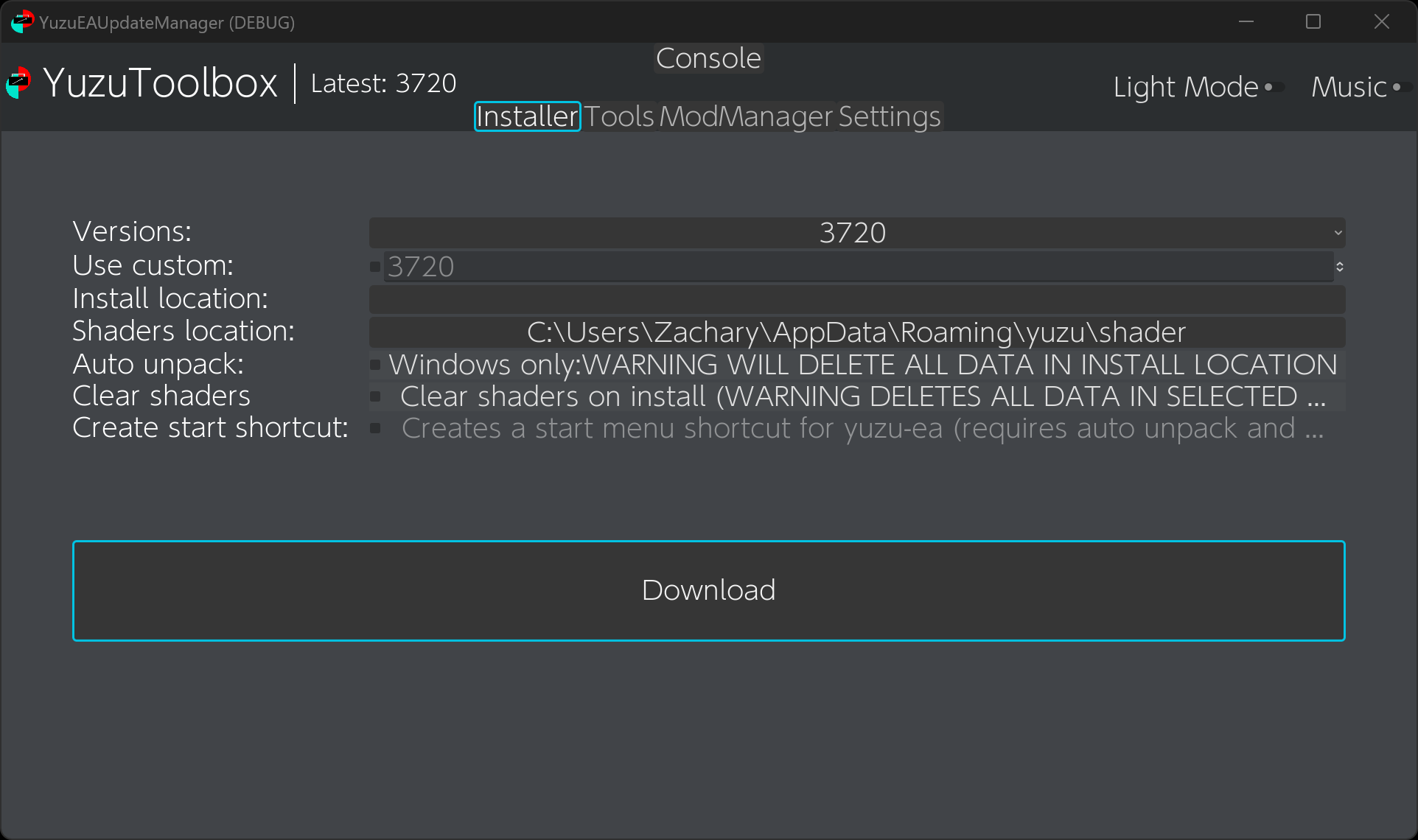
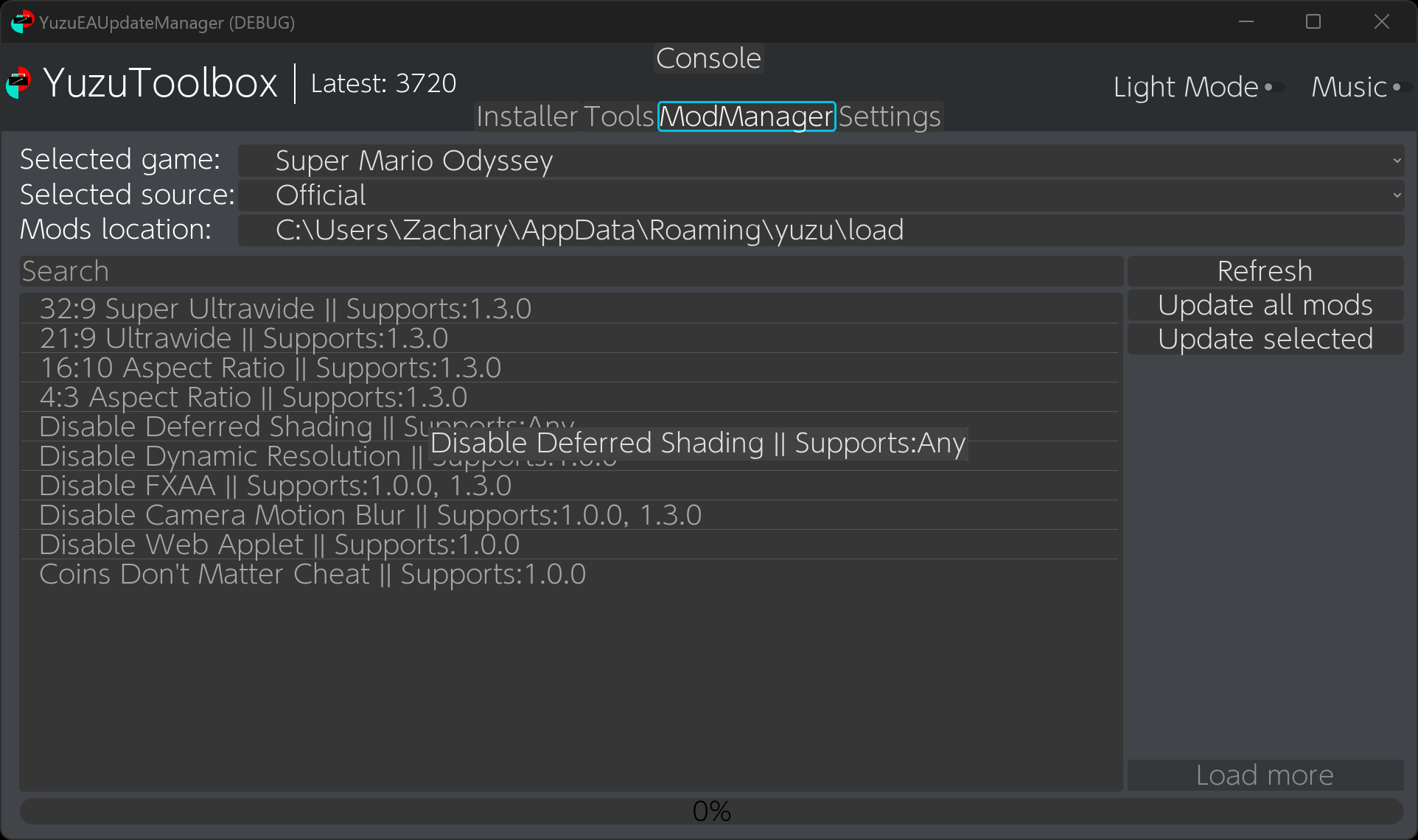
Yuzu Toolbox (previously known as PineappleEA-GUI) is an all in one app for installing Yuzu-EA, managing saves and shader caches, and mod management. The app is entirely open source and easily available on Itch as well!
Big update time!:
This update brings a few minor bug fixes and an updated game index, in addition to some QOL changes such as a “Delete all mods” button, which will delete all of the mods for the currently selected game. The update also brings the ability to set the desired executable name upon install. A lot of the multi-threaded aspects had to be tweaked to work with new thread safety in Godot 4.1, but the app now supports it! This update also brings about a highly requested feature, auto-updating. By launching the app with --launcher or setting your shortcut to use auto updating launching the app will check your Yuzu version, and if old update it before launching Yuzu and closing itself.
Changes
Added missing titles from Title Keys site
Updated to Godot 4.1
Added Executable name parameter for setting custom executable name upon install
Added clear all mods button (clears mod folder for selected game)
Added launcher mode (updates Yuzu, launches it then closes itself)
Add auto updater parameter (If enabled makes it so the created shortcut will launch the program in launcher mode)
Bug fixes / Cleanup
Features:
Cross platform (Windows and Linux)
updating with overwrites of previous versions
Simple management tools such as clearing shader caches / install directory
Shortcut creation and automatic unpacking for windows
Basic backup tool (allows save directory to be duplicated into another directory and then restored when desired)
Mod management features (downloading, installing and updating mods from a variety of sources; + ability to uninstall and detect manually installed mods)
Yuzu Toolbox (previously known as PineappleEA-GUI) is an all in one app for installing Yuzu-EA, managing saves and shader caches, and mod management. The app is entirely open source and easily available on Itch as well!
Big update time!:
This update brings a few minor bug fixes and an updated game index, in addition to some QOL changes such as a “Delete all mods” button, which will delete all of the mods for the currently selected game. The update also brings the ability to set the desired executable name upon install. A lot of the multi-threaded aspects had to be tweaked to work with new thread safety in Godot 4.1, but the app now supports it! This update also brings about a highly requested feature, auto-updating. By launching the app with --launcher or setting your shortcut to use auto updating launching the app will check your Yuzu version, and if old update it before launching Yuzu and closing itself.
Changes
Added missing titles from Title Keys site
Updated to Godot 4.1
Added Executable name parameter for setting custom executable name upon install
Added clear all mods button (clears mod folder for selected game)
Added launcher mode (updates Yuzu, launches it then closes itself)
Add auto updater parameter (If enabled makes it so the created shortcut will launch the program in launcher mode)
Bug fixes / Cleanup
Features:
Cross platform (Windows and Linux)
updating with overwrites of previous versions
Simple management tools such as clearing shader caches / install directory
Shortcut creation and automatic unpacking for windows
Basic backup tool (allows save directory to be duplicated into another directory and then restored when desired)
Mod management features (downloading, installing and updating mods from a variety of sources; + ability to uninstall and detect manually installed mods)
I just released version 3.1 of my yuzu early access manager + tool kit + general purpose mod manager. The update now includes the Github TOTK holo mods as a source for Zelda in addition to closing a lot of bugs and lots of backend work.
Features:
Cross platform (Windows and Linux)
updating with overwrites of previous versions
Simple management tools such as clearing shader caches / install directory
Shortcut creation and automatic unpacking for windows
Basic backup tool (allows save directory to be duplicated into another directory and then restored when desired)
Mod management features (downloading, installing and updating mods from a variety of sources; + ability to uninstall and detect manually installed mods)
I just released version 3.1 of my yuzu early access manager + tool kit + general purpose mod manager. The update now includes the Github TOTK holo mods as a source for Zelda in addition to closing a lot of bugs and lots of backend work.
Features:
Cross platform (Windows and Linux)
updating with overwrites of previous versions
Simple management tools such as clearing shader caches / install directory
Shortcut creation and automatic unpacking for windows
Basic backup tool (allows save directory to be duplicated into another directory and then restored when desired)
Mod management features (downloading, installing and updating mods from a variety of sources; + ability to uninstall and detect manually installed mods)
I just released the third major version of my yuzu early access manager, which includes the ability to install and update yuzu early access in addition to some basic QOL tools and a mod manager for your yuzu games.
Changes
Big mod manager refactor to now use custom classes and save the installed mods list
Support for multiple sources when getting mods (currently the yuzu wiki and bananamods, with ZeldaTOTK holo planned next)
New settings page to easily reset your settings and installed mods file incase of corruption
New mod search bar
Mod download progress and input locking when installing mods
P.S: I am looking at renaming it, since it is now quite a bit more than just a GUI for managing pineapple builds, any recommendations? Or should I just leave it as is.
I just released the third major version of my yuzu early access manager, which includes the ability to install and update yuzu early access in addition to some basic QOL tools and a mod manager for your yuzu games.
Changes
Big mod manager refactor to now use custom classes and save the installed mods list
Support for multiple sources when getting mods (currently the yuzu wiki and bananamods, with ZeldaTOTK holo planned next)
New settings page to easily reset your settings and installed mods file incase of corruption
New mod search bar
Mod download progress and input locking when installing mods
P.S: I am looking at renaming it, since it is now quite a bit more than just a GUI for managing pineapple builds, any recommendations? Or should I just leave it as is.