0

Battery issues on a Thinkpad T470s

preview

I have a Thinkpad T470s running Linux Mint where the batteries suddenly stopped charging. The batteries are supposedly new (the laptop is a refurbished one) with battop showing a cycle count of only around 20 for both batteries when they stopped charging. The laptop is now running on mains only and will die once it is plugged out.

It seems as if it is the main battery (00HW022) that is defective, as battop first showed a voltage of around 5V, and then later did not register in battop at all. The secondary battery (01AV405) shows a voltage of 12.5V, but it is also not charging.

Locating local replacement batteries for the 00HW022 was a little more difficult than I expected with these machines. I have a replacement 01AV405, but I don’t want to install it now as I suspect it is not the problem.

  1. Can I remove just the 00HW022 and expect that the other battery can begin to charge again and allow the laptop to run on only that?
  2. Is there a reason I would have a hard time finding a replacement 00HW022, or is that just a skill issue? Do they go under other names?
  3. Is there any reason to believe that Linux is making things difficult here? I suspect that everything related to batteries is handled by the firmware and Linux is only reporting on diagnostic values and have nothing to do with the charging itself - is that correct?

I have a Thinkpad T470s running Linux Mint where the batteries suddenly stopped charging. The batteries are supposedly new (the laptop is a refurbished one) with battop showing a cycle count of only around 20 for both batteries when they stopped charging. The laptop is now running on mains only and will die once it is plugged out.

It seems as if it is the main battery (00HW022) that is defective, as battop first showed a voltage of around 5V, and then later did not register in battop at all. The secondary battery (01AV405) shows a voltage of 12.5V, but it is also not charging.

Locating local replacement batteries for the 00HW022 was a little more difficult than I expected with these machines. I have a replacement 01AV405, but I don’t want to install it now as I suspect it is not the problem.

  1. Can I remove just the 00HW022 and expect that the other battery can begin to charge again and allow the laptop to run on only that?
  2. Is there a reason I would have a hard time finding a replacement 00HW022, or is that just a skill issue? Do they go under other names?
  3. Is there any reason to believe that Linux is making things difficult here? I suspect that everything related to batteries is handled by the firmware and Linux is only reporting on diagnostic values and have nothing to do with the charging itself - is that correct?
0

RISC-V Market Analysis Report 2026 - Market Adoption Accelerates [PDF]

preview

cross-posted from: lemmy.ml/post/48171005

This is an abridged version of 2026 RISC-V Market Report and Ecosystem Guide by the SHDgroup, provided at no charge thanks to the support of their sponsors. An unabridged version is also available with over 200 pages and comes with a spreadsheet containing over 300 tables of detailed information. In both versions, the intention is to provide a comprehensive examination of the rapidly expanding semiconductor market, including how it is evolving alongside the concurrent emergence of RISC-V and the influence of AI. The accelerating build-out of data centers for AI inferencing and training and Large Language Models (LLMs) is having a profound impact on semiconductor revenues worldwide. This impact extends to the adoption of the RISC-V ISA in an increasing number of SoCs aimed at including some level of AI functionality in the silicon solution. These impacts also extend to the Semiconductor Intellectual Property (SIP) vendors as they look to accommodate the acceleration of the different Neural Networks being used and EDA Tool vendors as they look to infuse AI functionality into their EDA tools to aid the productivity of silicon designers.

The introduction of RISC-V has fueled extensive CPU architectural exploration, visibly impacting device revenues, unit shipments, design starts, business models and IP licensing revenues on a global basis. The pervasive integration of AI across applications is a primary catalyst in today’s semiconductor market. The RISC-V architecture has notably influenced SoC designers and architects and is poised to drive a substantial share of designs, revenues, and unit shipments in the coming years.

0

Replaced a file server from 2007 (pictures)

Pixelfed MissingGhost (@MissingGhost@pixelfed.social) pixelfed.social
preview

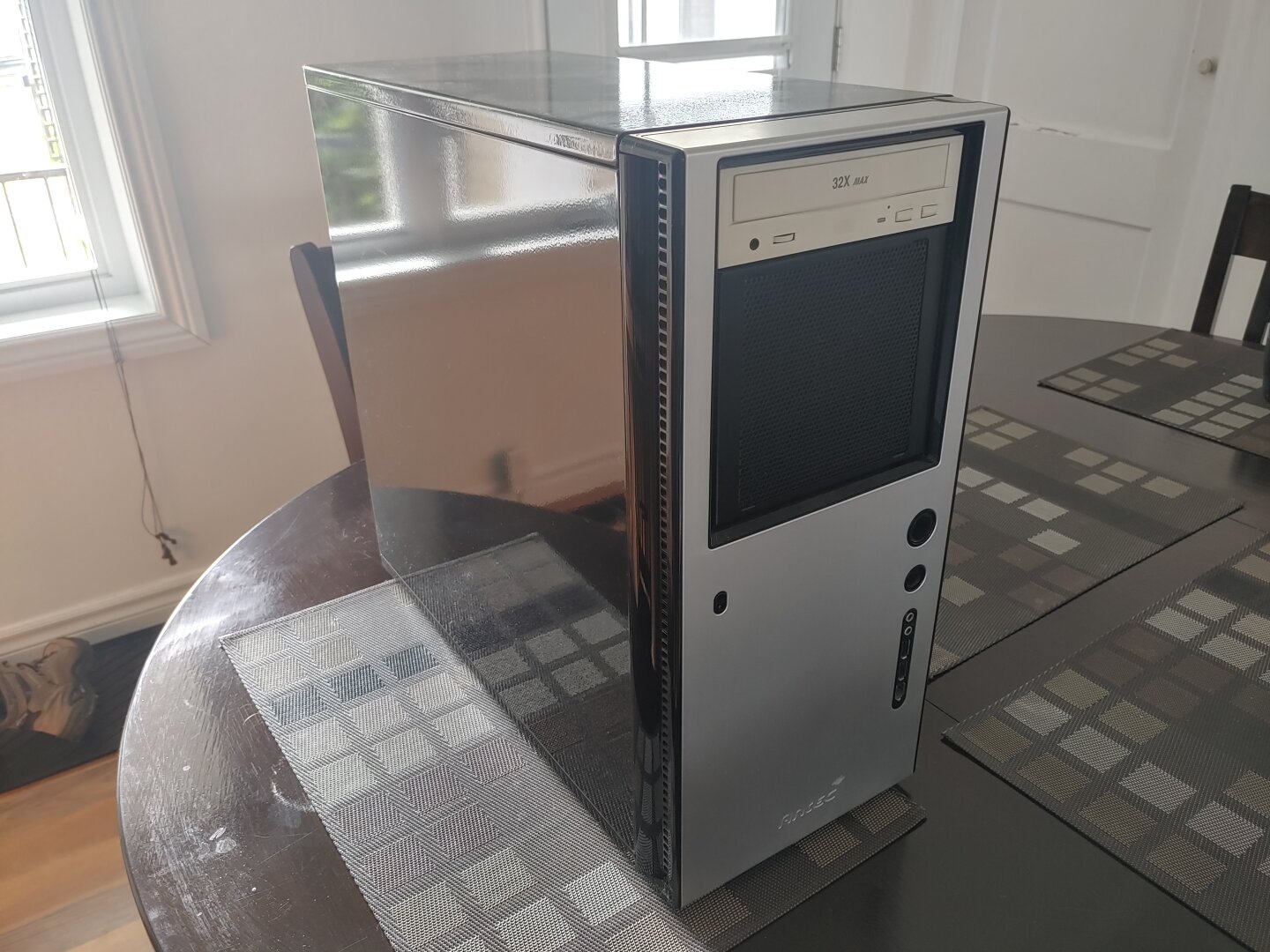
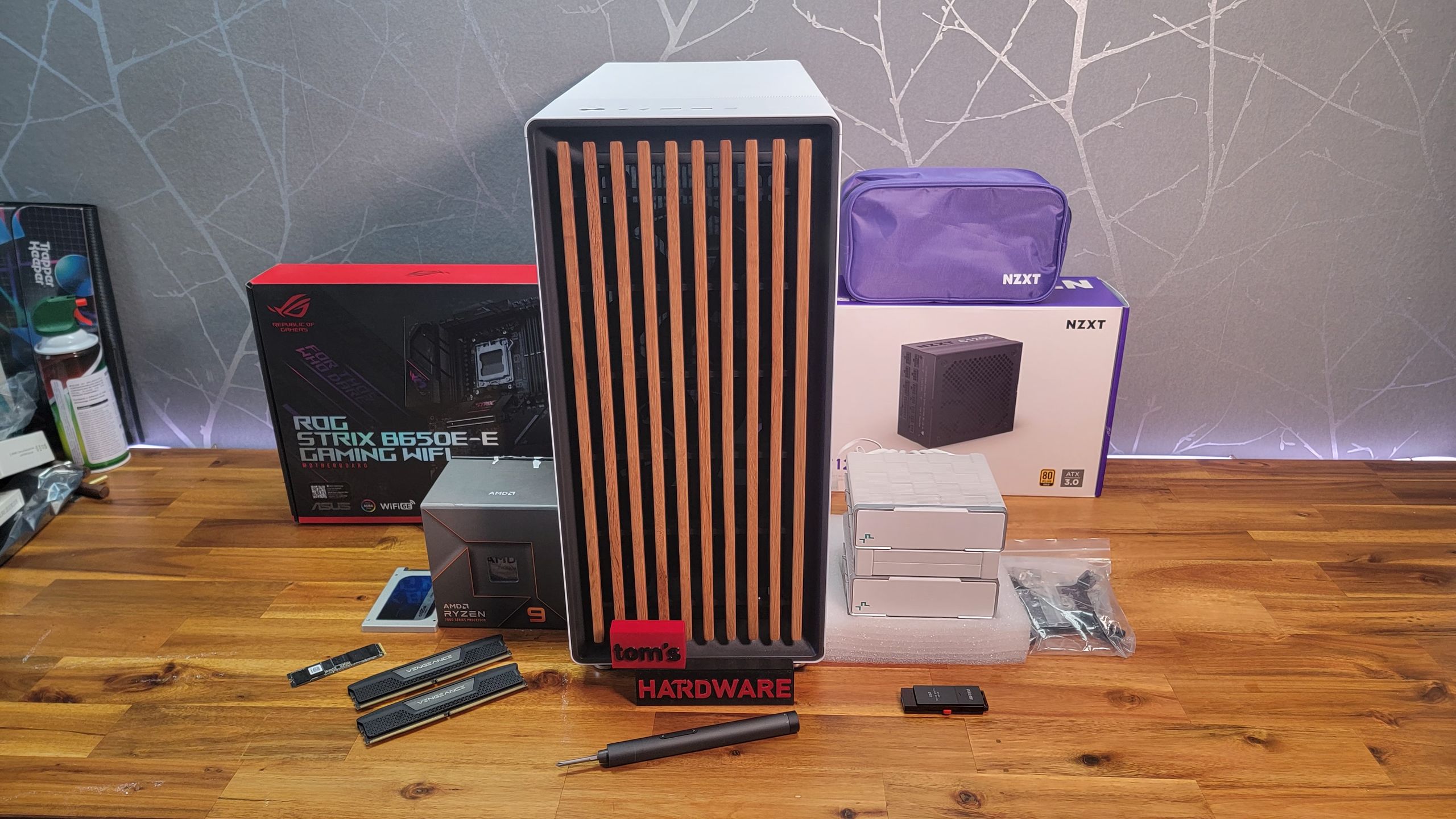
Some pictures of a build from last year. I replaced a file server that was in reliable operation since 2007, seeing no hardware failures. Its purpose is to store file backups from the network. With only 4,5TB available, it was constantly getting full. It was also loud and power hungry, so I decided that the best option was a complete replacement. I hope the new one is as trouble free as the old!

Old specs: (built may 2007, upgraded some drives late 2009)

  • motherboard: TYAN S2925 "Tomcat n3400B"
  • CPU: AMD Sempron 3000+ “Manila” (single core)
  • RAM: DDR-2 ECC 800mHz 1GB
  • operating system drives: HDD, Hardware RAID-1, SCSI-320, 2x 36GB, ext3 and XFS file systems
  • served data drives: HDD, LVM, SATA-II, 3x 500GB and 3x 1TB, XFS file systems
  • removable media: IDE CD drive
  • operating system: Debian GNU/Linux, starting with version 4 “Etch”

New specs: (built september 2025)

  • motherboard: ASRock B850M-X R2.0
  • CPU: AMD Ryzen 5 9600X “Granite Ridge” (6 cores, 12 threads)
  • RAM: DDR-5 ECC 2600mHz 32GB
  • operating system drives: SSD, ZFS mirror, SATA-III, 2x 128GB, ZFS file systems
  • served data drives: HDD, ZFS RAID-Z1, SATA-III, 3x 24TB, ZFS file systems
  • removable media: USB 3.0 micro SD cards
  • operating system: FreeBSD, starting with version 14
0

Is this Raspberry Pi 5 damage fixable? How do you guys find good repair shops?

preview

(Sorry if I’m posting this in the wrong community!)

A Raspberry Pi 5 I use (not the one in the photo) fell off the table, and the black square component pointed at by the arrow was straight knocked off the board. Yeah, if you needed a reason why you should always use a case, this is one, ooops lol…

It looks like it came off cleanly, leaving two square metal pads below. I still have the component, the small black box. This happened while the Raspberry Pi was running, and the power LED went from green to red in an instant. Afterward, booting was no longer possible. So, my questions:

  1. If this happened while it was running, is it likely that this fried something else and it’s not worth getting fixed? Or is this likely fixable?

  2. If I want to get this fixed, how do you guys find a good local repair shop? I heard some apparently do sloppy soldering jobs, and given the RAM prices I would like not to have this Raspberry Pi unnecessarily damaged further if it’s salvageable. I live in Freiburg im Breisgau in Germany, if anybody knows good local places.

0

What is this button? [Lenovo 20L6S01Q2Y motherboard]

preview

Edit: this guide doesn’t seem to mention it pcsupport.lenovo.com/us/en/…/document-userguide

I was flashing Libreboot on to my ThinkPad T480, when I noticed this little button. Sorry for the poor images!

Edit: this guide doesn’t seem to mention it pcsupport.lenovo.com/us/en/…/document-userguide

I was flashing Libreboot on to my ThinkPad T480, when I noticed this little button. Sorry for the poor images!

0

RVA23 Ends Speculation’s Monopoly in RISC-V CPUs

SemiWiki RVA23 Ends Speculation’s Monopoly in RISC-V CPUs semiwiki.com
preview

cross-posted from: lemmy.ml/post/44200610

RVA23 profile of RISC-V marks a turning point in how mainstream CPUs are expected to scale performance. By making the RISC-V Vector Extension (RVV) mandatory, it elevates structured, explicit parallelism to the same architectural status as scalar execution. Vectors are no longer optional accelerators bolted onto speculation-heavy cores. They are baseline capabilities that software can rely on.

RVA23 doesn’t force scalar execution to become deterministic. It simply makes determinism viable because the scalar side is no longer responsible for throughput. The vector unit handles the parallel work explicitly, and the scalar core becomes a coordinator that can be simple, predictable, and low‑power without sacrificing performance.

To understand why this shift matters, it helps to recall how thoroughly speculative execution came to dominate high-performance CPU design. It delivered speed, but at increasing cost—in power, complexity, verification burden, and security exposure. RVA23 does not reject speculation. Instead, it restores balance. It acknowledges that predictable, vector-driven parallelism is now a credible, mainstream path for performance growth.

0

[Help request] USB 240W charging + Data?

preview

so i already have 240W charging over USB-C (framework16), but it would be great if there was a way to also transfer data over the very same cable for low priority USB devices. every hub i found maxes out at 140w per port and the powerbrick does not include a way to inject data.

does anybody know of a way to add data to the mix without compromising power? it would only need to provide a single USB “access point” for that data

note: i do not posess the tools required to safely work on the powerbrick itself, so thats out of the question

0

[Help request] Which nuts should I buy for M.2 standoffs?

preview

Hi, does anybody know which kind of nuts should I buy to attach my M.2 standoffs? My motherboard seems to not have any and obviously without the nuts it doesn’t matter if I have screws and standoffs.

Hi, does anybody know which kind of nuts should I buy to attach my M.2 standoffs? My motherboard seems to not have any and obviously without the nuts it doesn’t matter if I have screws and standoffs.

0

Where there is a will... [M.2 drive cooler]

preview

…there is a way? What possible application/need would make this necessary/feasible? Sure, my M.2 drives run hot, especially when doing continuous I/O for prolonged periods, but… Maybe I’m just inexperienced. (:

Edit: the link might appear… Fishy? So I added an image.

Edit2: which seems to have deleted the link www.newegg.com/p/3C6-038N-00JC6

0

Custom network rack air cooling: Absolutely-final-one-I'll-shut-up-for-good-now version

preview

Instead of just cooling my one router, I thought I’d share the love with some other pieces of equipment too. I bought three older Noctua fans: www.noctua.at/en/products/…/specifications

I also bought a somewhat more powerful DC adapter (max capacity 27 Watts instead of 3.6), tied it all together, and now I’ll shut up for good.

Thank you all! :)

0

The final result: how I powered an AMD Wraith CPU cooler with an adjustable 12V DC power supply

How to power a 4-pin CPU fan? - programming.dev programming.dev
preview

Follow the link for background info!

Thank you so much for all the great advice! What a nice community! :)

I pushed out the pins from the 4-pin connector using a SIM tool:

I bought a 12V DC power supply with adjustable voltage (3~12) so that I can adjust the fan speed to my liking (noise, temps). The power supply came with a bipolar terminal. How in the world could I be this lucky. No need to carve any wires here (although it would have been nice to finally learn how to do that too…):

I put back the sense and control pins into the connector in order to avoid accidental shorts and what not. I have no idea why ground goes into the negative node, but it was the only plausible configuration, since the power simply has to come from the positive node, according to conventional current:

And voila! I have no idea why I’m unable to upload the GIF of my fan spinning, so you’ll have to take my word for it.

Thanks again!

0

[Help request] [Solved] Hardware clock not resetting

preview

My computer recently developed an error where the hardware clock displays the time as follows

System date [Mon 31/63/25755]
System time [63:28:25]

The clock runs.

I’ve tried all the usual tactics: remove CMOS battery, short the pins to force a reset, put fresh battery, reflash BIOS. Nothing.

On boot, I get an error on reading the hardware clock and the system defaults to 3 of September, 2025.

I think I’m looking at a mobo heading to the e-waste bin.

The board in question is a GygaByte AB350M-DASH. It still runs but it’s a bit annoying having to set the system clock every single time I boot up the machine.

Any advice on the matter is welcome.

0

How to power a 4-pin CPU fan?

preview

I disassembled an AMD CPU Wraith Cooler, meaning, I took the fan off of the heatsink, because I want to attach the fan on top of a Raspberry Pi that I’m using as a router. The Pi runs quite hot because it transmits several hundred megabytes per second, non stop, and I want to give it some cooling. (It already has its own heatsinks on its various chips inside the chassi and I don’t want to use the little shitty Okdo fan, because it’s loud.)

Is there any smart solution to how I could power this 4-pin fan? It needs 12V DC.

This is the Pi with its chassi.

And I’m considering something barbaric like this.

Are there perhaps conveniently positioned GPIO pins on the Pi that the 4-pin connector could just slide on to and just work? Never mind this. The Pi 4 that I’m using can only output 5V:

Or would I need to cut off the 4-pin connector to expose the individual wires and attach them to a 12V DC adapter?

Or any other genuis solutions? :)

0

Tevion Notebook Kit MD85555

preview

Just wanted to share a pretty sic “notebook kit” that I found at a thrift store. I didn’t buy it since I don’t need it (I’m carrying around an XTRFY M42 RGB PINK and a Deltaco WK90B TKL). But the fact that it even has RJ11 connectors just blew me away.

Mods: Feel free to remove this post if it doesn’t fit here

0

Help with Dell Constellation HDD

preview

Hi, I bought a used Dell constellation HDD from eBay. Here’s the link for the listing.

It’s supposed to be tested by them, but when I received it, it didn’t spin up. I tried putting it inside my Lenovo ThinkCentre M900 Tiny, and also tried using an external SATA to USB adapter, but none of them work.

Now, it’s a bit weird and different from the usual HDDs. It’s 2.5 inch, but thicker than usual, 7200 RPM, and is supposed to be enterprise grade. So maybe I’m doing something wrong, and need a special adapter for it. Or it can be a faulty drive. I’m not sure. If anyone has experience with these drives, please let me know if I should be doing something different. Thanks.

Edit: I came to the conclusion that the drive is faulty. I contacted the seller, and was given a refund.

0

I'm building a Frigate NVR server. What Dell Server and GPU combo should I go with?

preview

I’m deploying Frigate (camera NVR software) at work for our 100something security cams. We only buy Dell servers which is a shame because I would have probably went Supermicro in this instance. Anyway. I’m doing some research and it’s really unclear to me what Dell server I should go with if I intend to install a GPU in it.

I’m thinking I’ll probably go refurbished, like one generation or two old.

Should I go with a 4U server, and if I did, would that eliminate the need for a PCIe riser card?

Do I need a datacenter class GPU? I have read that many of the powerful consumer cards will simply be too large for the server case.

Right now I am testing with an R550 and there is only one available 8 pin on the power supply. How do I power a 12 pin on the GPU if all that is available?

0

Worth Paying for SSD and RAM Upgrades When Buying a Laptop?”

preview

Is it worth paying 90 AUD to upgrade the laptop’s 512 GB M.2 2242 PCIe Gen4 TLC SSD to 1 TB, or would it be better to buy a 1 TB SSD myself and and save the 512 GB for future use?

Also, is it worth paying $150 to upgrade from the included 16 GB DDR5-5600 MT/s (SODIMM) to 32 GB (2 × 16 GB) when buying the laptop?

I’d also appreciate any recommendations on where to buy the cheapest RAM and SSD.

Thanks in advance for any advice or input!

0

AMD Backtracks Previous RDNA1 and RDNA2 Maintenance Mode Statements. 5000 and 6000 Series GPUs to Continue Getting Individual Game Support.

play · youtube.com
YouTube AMD Reverses Their Blunder - Game Support Returns to RDNA 1/2 www.youtube.com
preview

Link to official blog post (somehow still blames people for correctly understanding their first statements)

Of Note:

  • No dates were specified, No commitments made.

  • Day 1 game support was not promised, just individual game support.

  • They still plan on splitting the development for RDNA1 and RDNA2 from RDNA3 and RDNA4 development, giving only the latter support for new features.

Edit:

0

RISC-V takes first step toward international standardization as ISO/IEC JTC1 grants PAS Submitter status

RISC-V International RISC-V Takes First Step Toward International Standardization as ISO/IEC JTC1 Grants PAS Submitter Status riscv.org
preview

cross-posted from: lemmy.ml/post/38267171

RISC-V is an industry standard, like USB or Wi-Fi. The specifications are publicly available under the Creative Commons license and every engineer, wherever they are in the world, can use them to design their products locally, while engaging with the global RISC-V ecosystem.

This standard is defined by RISC-V International and its members. Decisions are voted upon collectively, ensuring every member is heard. It’s a model that has worked for us for many years, ensuring any updates to the RISC-V ISA happen transparently, without breaking existing designs, and always in service of the broader ecosystem.

The RISC-V ISA is already an industry standard and the next step is impartial recognition from a trusted international organization.

Today, I’m excited to announce that we have taken that first step. RISC-V International has been approved as a recognized PAS (that’s publicly available specification) Submitter by the ISO/IEC Joint Technical Committee (JTC 1).

This means we’re able to submit draft international papers, starting with the The RISC-V Instruction Set Manual, for consideration as true, international standards.

0

[Guide] Optimizing Expanded Metal Mesh in FreeCAD

Eco-Libre Optimizing Expanded Metal Mesh in FreeCAD - eco-libre.org
preview

This article will show how to model sheets of Expanded Metal in FreeCAD, without slowing (or killing) FreeCAD.

Troubleshooting Large File Sizes in FreeCAD

Who is Eco-Libre?

Eco-Libre is a volunteer-run project that designs libre technology for sustainable communities.

Eco-Libre’s mission is to research, develop, document, teach, build, and distribute open-source technology that sustainably enfranchises communities’ human rights.

We aim to provide clear documentation to build low-cost machines, tools, and infrastructure for people all over the world who wish to live in sustainable communities with others.

Contribute to Eco-Libre

If you’d like to help Eco-Libre reach our mission to enfranchise sustainable communities’ human rights with libre tech, please contact us to get involved :)

Join Us
eco-libre.org/join

Cheers,
The Eco-Libre Team
www.eco-libre.org