



0
0

Dan Holloran
node:sqlite: The Database That Already Ships With Node
danholloran.me

Not on this instance? Enter your own instance's domain to go straight to following c/nodejs@programming.dev there.
showing posts tagged #nodejs — clear
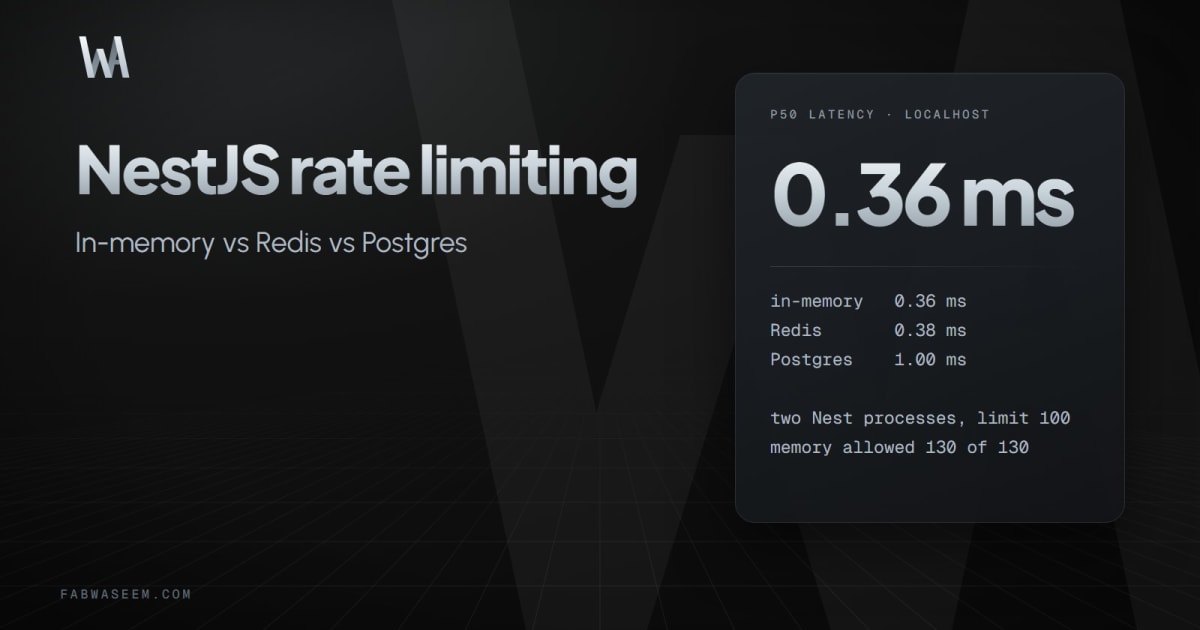
I wrote this (my own blog). I shipped Nest with the default @nestjs/throttler storage and only noticed the hole when a second instance sat behind the load balancer — each process kept its own counter, so a client that should stop at 100/min quietly got closer to 200.
Retested on Nest 12.3 / throttler 6.7 with limit 100/60s on one box. One process: memory, Redis and Postgres all 429 on request 101. Two processes alternating the same IP: memory allowed all 130; Redis and Postgres stopped at 100. Localhost p50 was 0.36 ms memory, 0.38 ms Redis, 1.00 ms Postgres.
Storage code and tables are in the post. Curious what people use in production when they already have Postgres and don’t want Redis just for counters.
I wrote this (my own blog). I shipped Nest with the default @nestjs/throttler storage and only noticed the hole when a second instance sat behind the load balancer — each process kept its own counter, so a client that should stop at 100/min quietly got closer to 200.
Retested on Nest 12.3 / throttler 6.7 with limit 100/60s on one box. One process: memory, Redis and Postgres all 429 on request 101. Two processes alternating the same IP: memory allowed all 130; Redis and Postgres stopped at 100. Localhost p50 was 0.36 ms memory, 0.38 ms Redis, 1.00 ms Postgres.
Storage code and tables are in the post. Curious what people use in production when they already have Postgres and don’t want Redis just for counters.
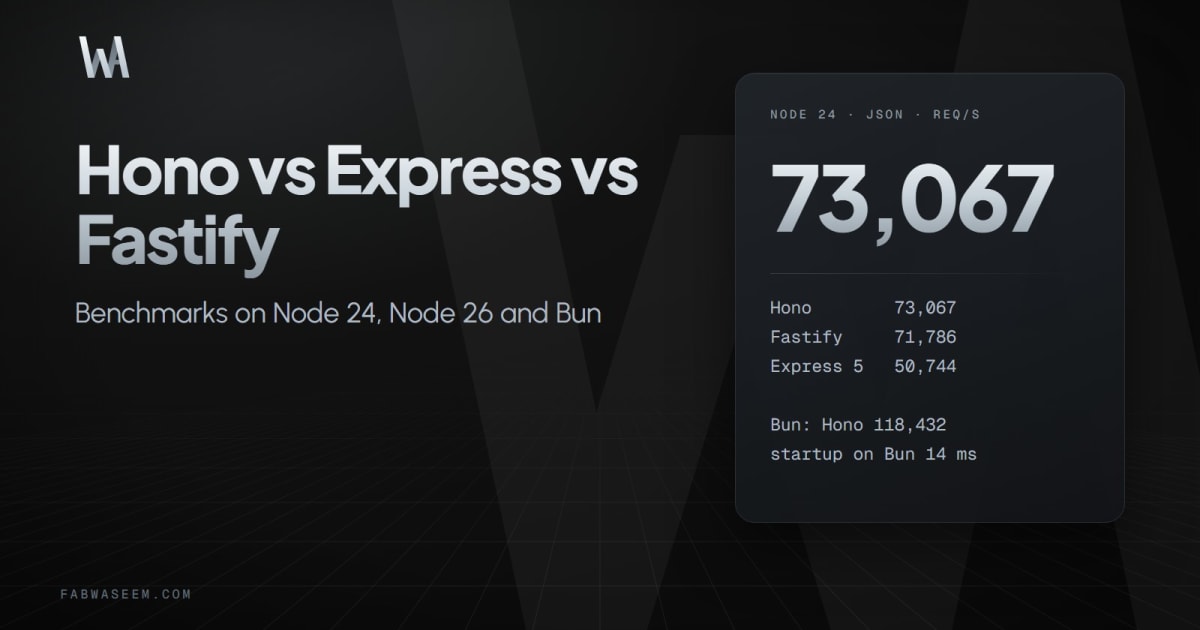
I wrote this (my own blog). I ran the same three routes on one CPU core each, 3 rounds, median, on Node.js 26: Fastify 85k rps GET /json, Hono 83k, NestJS on Fastify 70k, Express 49k, NestJS on Express 44k. Switching NestJS from Express to Fastify gave 60-75% more GET throughput with the same controllers. Hono started in 90 ms; NestJS took 404-486 ms and ~40 MB more RAM. With a real DB call in each handler most of the gap shrinks.
Full tables and how to reproduce are in the post. Curious what people run in production and why.
I wrote this (my own blog). I ran the same three routes on one CPU core each, 3 rounds, median, on Node.js 26: Fastify 85k rps GET /json, Hono 83k, NestJS on Fastify 70k, Express 49k, NestJS on Express 44k. Switching NestJS from Express to Fastify gave 60-75% more GET throughput with the same controllers. Hono started in 90 ms; NestJS took 404-486 ms and ~40 MB more RAM. With a real DB call in each handler most of the gap shrinks.
Full tables and how to reproduce are in the post. Curious what people run in production and why.








cross-posted from: lemmy.bestiver.se/post/1091570
cross-posted from: lemmy.bestiver.se/post/1091570
A minimal Node.js wrapper around ClamAV that scans any file and returns
a typed Verdict Symbol: Verdict.Clean, Verdict.Malicious, or Verdict.ScanError.
No daemons. No cloud. No native bindings. Zero runtime dependencies.
Works locally via clamscan or remotely via clamd TCP socket (Docker-friendly).
npm install pompelmi
Repo: github.com/pompelmi/pompelmi Issues, PRs, and stars all welcome — it’s how open source stays alive.
A minimal Node.js wrapper around ClamAV that scans any file and returns
a typed Verdict Symbol: Verdict.Clean, Verdict.Malicious, or Verdict.ScanError.
No daemons. No cloud. No native bindings. Zero runtime dependencies.
Works locally via clamscan or remotely via clamd TCP socket (Docker-friendly).
npm install pompelmi
Repo: github.com/pompelmi/pompelmi Issues, PRs, and stars all welcome — it’s how open source stays alive.



I made a tool to hunt down changelog.md docs for @nodejs packages https://github.com/james2doyle/changelogger
I was recently upgrading a site and had a hell of a time finding all the notes I needed to safely upgrade all the dependencies. I’m curious to have some people try it out
I made a tool to hunt down changelog.md docs for @nodejs packages https://github.com/james2doyle/changelogger
I was recently upgrading a site and had a hell of a time finding all the notes I needed to safely upgrade all the dependencies. I’m curious to have some people try it out


