

0

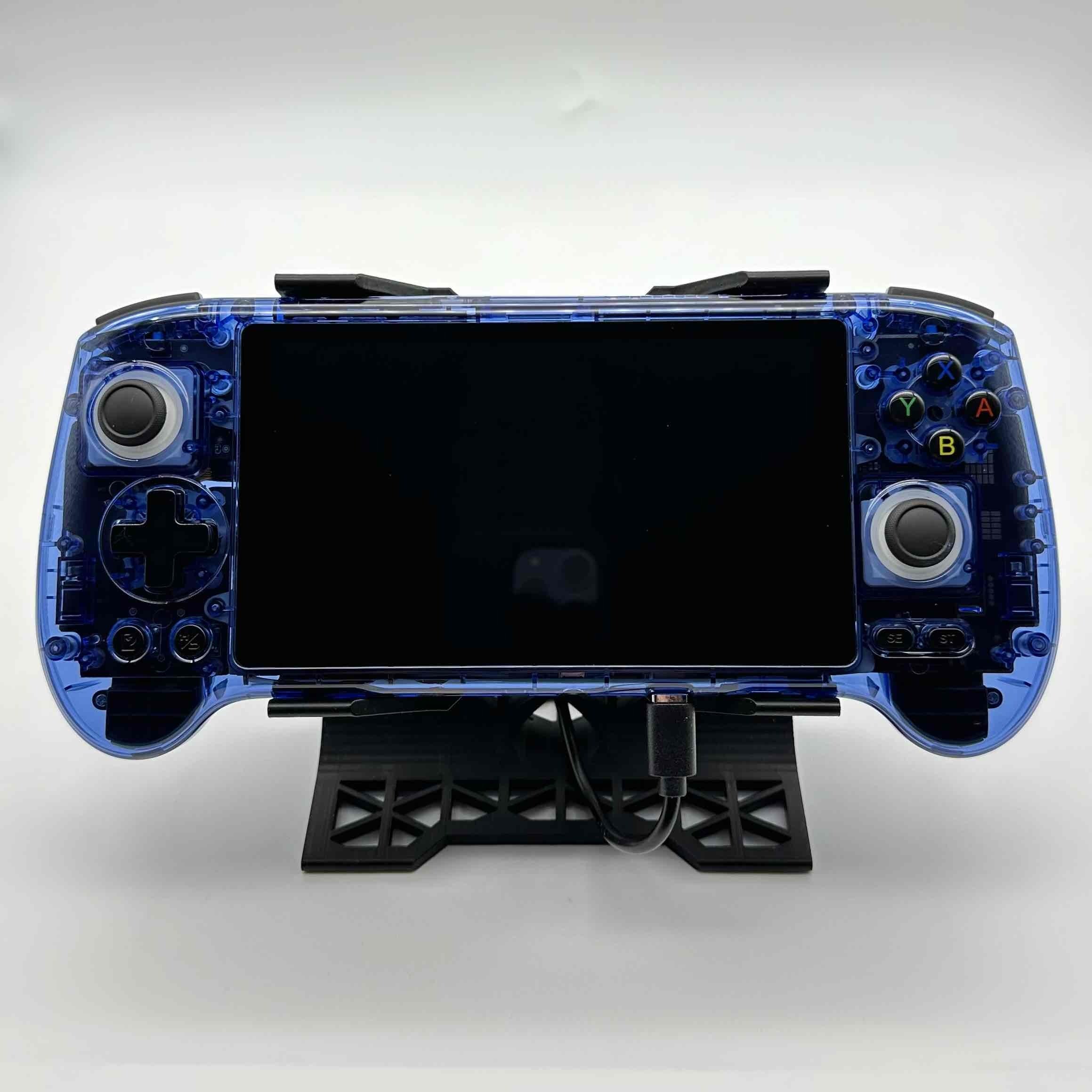
Among all *pocketable* handhelds with built in analog sticks, is there even one that would be comfortable to play an fps on - without added grips?

preview

I’ve been looking into this, and I don’t think it exists. I have an Anbernic RG 405m, and have been testing TimeSplitters on it. On easy mode it’s kind of playable, but certainly not comfortable and accuracy is atrocious.

So now I’m looking through lists of handhelds, and from I can tell, it looks like there just is no such thing as a handheld that is both pocketable and reasonable to play dual analog games on.

The closest might be the Retroid Pocket Flip (can’t say for sure cause I don’t have one), but I do not consider that pocketable.

I’ve been looking into this, and I don’t think it exists. I have an Anbernic RG 405m, and have been testing TimeSplitters on it. On easy mode it’s kind of playable, but certainly not comfortable and accuracy is atrocious.

So now I’m looking through lists of handhelds, and from I can tell, it looks like there just is no such thing as a handheld that is both pocketable and reasonable to play dual analog games on.

The closest might be the Retroid Pocket Flip (can’t say for sure cause I don’t have one), but I do not consider that pocketable.

0

[A] on bottom, [B] on right is the industry standard. Nintendo is the outlier and the control scheme sucks.

preview

Sega, Xbox, Steam - and functionally speaking, even Sony all default to a face button scheme with the action/enter/accept button on the bottom, and cancel/back on the right. Nintendo’s control scheme is really the primary thing that throws a wrench in retro handheld setups. It’s also just a bad layout. X on top? What is that nonsense?

Sega, Xbox, Steam - and functionally speaking, even Sony all default to a face button scheme with the action/enter/accept button on the bottom, and cancel/back on the right. Nintendo’s control scheme is really the primary thing that throws a wrench in retro handheld setups. It’s also just a bad layout. X on top? What is that nonsense?

0

With all the hype for the RG SP, I managed to get the RG34XX-SP for only $50!

preview

I’m really happy with this thing. I was considering getting the RG SP but it was a solid $20-30 more expensive, since it’s the newest model. Meanwhile, good offers were being made for the 34XX-SP which is basically the same device.

Initial impressions:

  • The yellow model looks great IRL. It’s less saturated than in the picture.
  • 4:3 games are really not that small on the screen, the bezels aren’t an issue like everyone says they are.
  • Controls are great, they’re clicky but not annoying or loud. The bumpers are way better than the ones in the RG35XX-H. I’m surprised how much I love the thin D-pad. The only thing I actively dislike is how loud the function button is.

I’m really happy with this thing. I was considering getting the RG SP but it was a solid $20-30 more expensive, since it’s the newest model. Meanwhile, good offers were being made for the 34XX-SP which is basically the same device.

Initial impressions:

  • The yellow model looks great IRL. It’s less saturated than in the picture.
  • 4:3 games are really not that small on the screen, the bezels aren’t an issue like everyone says they are.
  • Controls are great, they’re clicky but not annoying or loud. The bumpers are way better than the ones in the RG35XX-H. I’m surprised how much I love the thin D-pad. The only thing I actively dislike is how loud the function button is.
0

What Retro Achievement sets have encouraged you to vary your typical play style?

preview

A lot of Retro Achievement sets consist almost entirely of completing a mission or level under a certain time limit or on a harder difficulty level. I’m more wondering about achievement sets that fall beyond the scope of challenges the game intentionally offers. Achievements sets that almost seem like the self imposed challenges you would give yourself as a kid to spice things up a bit.


Grand Theft Auto 3 for the PS2 for example has several achievements that involve completing missions without using specific weapons. The mission Silence the Sneak normally involves you throwing a grenade into someone’s second story apartment but The Best Bartender achievement had me wondering how I could do this without grenades. I spent a while looking for where I could find molotovs in the wild because they weren’t available at Ammunation yet and trying to pile up vehicles in a way that would allow me to get one inside the window.

It was pretty fun.

There’s several achievements in the set that had me doing some extra levels of strategizing I wouldn’t normally do.


I feel like these kind of acheievements are most common in RPGs.

Another example that came to mind was the Master of Seduction achievement in The Urbz: Sims in the City for the GBA which has you romance four different women before leaving the tutorial area.

A lot of Retro Achievement sets consist almost entirely of completing a mission or level under a certain time limit or on a harder difficulty level. I’m more wondering about achievement sets that fall beyond the scope of challenges the game intentionally offers. Achievements sets that almost seem like the self imposed challenges you would give yourself as a kid to spice things up a bit.


Grand Theft Auto 3 for the PS2 for example has several achievements that involve completing missions without using specific weapons. The mission Silence the Sneak normally involves you throwing a grenade into someone’s second story apartment but The Best Bartender achievement had me wondering how I could do this without grenades. I spent a while looking for where I could find molotovs in the wild because they weren’t available at Ammunation yet and trying to pile up vehicles in a way that would allow me to get one inside the window.

It was pretty fun.

There’s several achievements in the set that had me doing some extra levels of strategizing I wouldn’t normally do.


I feel like these kind of acheievements are most common in RPGs.

Another example that came to mind was the Master of Seduction achievement in The Urbz: Sims in the City for the GBA which has you romance four different women before leaving the tutorial area.

0

I finally joined the retro gaming handheld club!

Anbernic RG35XX-H playing Castlevania: Dracula X
preview

cross-posted from: programming.dev/post/48277785

In the pic: Anbernic RG35XX-H playing Castlevania: Dracula X

I’ve been thinking about buying one of these for a while but finally bit the bullet now that companies have started raising prices due to the RAM/chip shortage…

And it turned out to be the best purchase I’ve made in a while! It’s a ton of fun gaming on this little thing. I flashed a custom operating system on it and am now playing Castlevania & Secrets of Mana with RetroAchievements support (which adds achievements and progress tracking to retro games).

I’m also playing a lot of random PICO-8 games since it runs on the device and I can easily browse and play free games on it. Low-key wish I had bought it sooner with how neat it is.

Anybody else have a retro handheld here?

cross-posted from: programming.dev/post/48277785

In the pic: Anbernic RG35XX-H playing Castlevania: Dracula X

I’ve been thinking about buying one of these for a while but finally bit the bullet now that companies have started raising prices due to the RAM/chip shortage…

And it turned out to be the best purchase I’ve made in a while! It’s a ton of fun gaming on this little thing. I flashed a custom operating system on it and am now playing Castlevania & Secrets of Mana with RetroAchievements support (which adds achievements and progress tracking to retro games).

I’m also playing a lot of random PICO-8 games since it runs on the device and I can easily browse and play free games on it. Low-key wish I had bought it sooner with how neat it is.

Anybody else have a retro handheld here?

0

Android emulation in danger? Good for Linux?

preview

I’m sure we’ve all seen the posts about the upcoming developer changes on Android and the panic about it affecting emulation. I’m curious if I’m the only person who’s tentatively thrilled that this might make Linux the better choice for high end handhelds. I prefer Linux on an ideological and ease of setup and use. My biggest complaint is of course battery drain. But if this gets more eyes on Linux I’m curious if something like Rocknix will have better sleep function on handhelds like the Odin. Just thinking that this could be the silver lining of all this

I’m sure we’ve all seen the posts about the upcoming developer changes on Android and the panic about it affecting emulation. I’m curious if I’m the only person who’s tentatively thrilled that this might make Linux the better choice for high end handhelds. I prefer Linux on an ideological and ease of setup and use. My biggest complaint is of course battery drain. But if this gets more eyes on Linux I’m curious if something like Rocknix will have better sleep function on handhelds like the Odin. Just thinking that this could be the silver lining of all this

0

Star Wars: The Force Unleashed (PSP) On RP3+

preview

Any tips on running this game?

For some reason this is the only game in my library that really struggles to run. God of war runs full speed for me at 2X resolution, but even at 1X this game needs frame skip and is still struggling (Especially with the lightning effect on the main title screen)

Any tips on running this game?

For some reason this is the only game in my library that really struggles to run. God of war runs full speed for me at 2X resolution, but even at 1X this game needs frame skip and is still struggling (Especially with the lightning effect on the main title screen)

0

Minui putting all my GBC games in GB folder

preview

Hi, I am loving minui on my RG Cube xx. But I am having a bizarre issue where, despite being in different folders, the GB option displays all my GBC games as well.

This does not happen the other way around.

Is there any way to fix this?

Hi, I am loving minui on my RG Cube xx. But I am having a bizarre issue where, despite being in different folders, the GB option displays all my GBC games as well.

This does not happen the other way around.

Is there any way to fix this?

0

Transfer savegames from android/Retroarch to R36S?

preview

Hi guys, I would like to port my savegames from an Android/retroarch to the R36S running ArkOS. Not sure how to do that. Any guides? I already tried to sync savegames between two android devices, but Retroarch on the “new” device did not recognize the saves, hence I am close to giving up.

Any help will be appreciated!

Hi guys, I would like to port my savegames from an Android/retroarch to the R36S running ArkOS. Not sure how to do that. Any guides? I already tried to sync savegames between two android devices, but Retroarch on the “new” device did not recognize the saves, hence I am close to giving up.

Any help will be appreciated!

0

Ayn Odin 2 vs Retroid Pocket 5

preview

So I narrowed it down to these 2 and looking for some feedback.

I mainly want to play GameCube and Wii games but would also be interested to play Wii U and Switch games in the future, so would like a device that can in principle support those.

I understand the Ayn Odin 2 is more powerful, but I wonder if the ~$80 price difference is justified based on performance alone considering the Retroid Pocket 5 has a better screen and battery.

Again if that difference is what is going to make or break emulating Wii U and Switch at some point in the future, then it would be money well spent in my view. Just not sure that’s actually the case - What would you advise?

And if it is the Odin 2, is the Base model going to be OK or would I need more RAM as in the Pro and Max models?

Bonus question: I’m in the EU - Should I order them from the official websites shipping from China or find a EU reseller on AliExpress? They’re actually a bit more expensive on AliExpress, but I’d really like to avoid having to pay a 20% import fee if I buy from China.

Thanks!

So I narrowed it down to these 2 and looking for some feedback.

I mainly want to play GameCube and Wii games but would also be interested to play Wii U and Switch games in the future, so would like a device that can in principle support those.

I understand the Ayn Odin 2 is more powerful, but I wonder if the ~$80 price difference is justified based on performance alone considering the Retroid Pocket 5 has a better screen and battery.

Again if that difference is what is going to make or break emulating Wii U and Switch at some point in the future, then it would be money well spent in my view. Just not sure that’s actually the case - What would you advise?

And if it is the Odin 2, is the Base model going to be OK or would I need more RAM as in the Pro and Max models?

Bonus question: I’m in the EU - Should I order them from the official websites shipping from China or find a EU reseller on AliExpress? They’re actually a bit more expensive on AliExpress, but I’d really like to avoid having to pay a 20% import fee if I buy from China.

Thanks!

0

Review for Retroid Pocket Mini V2

preview

Received the new screen and want to share my impressions about the device.

New screen

For those unaware of the screen drama, I’d suggest to read this article first.

Once Retroid announced they will send free new screen replacements, I immediately filled a request for one. They prioritized US citizens due to upcoming tarifs, so I had to quite some time until they shipped mine.

It arrived in a Retroid Pocket 5 box - looks like they just reused existing packaging. I saw some people on Discord got theirs in a Retroid Pocket Mini box instead. The package includes a full black shell, since that’s the only color they offer. So, owners of other colors now have a black RP Mini with different button colors 😄

But honestly, black is the best color for this device. Combined with the OLED screen, it makes the letterboxing practically invisible, which is perfect for retro gaming.

The replacement process was easy for me. I just followed their official video. It’s not very optimal, though. Sticks and fan disassembly is completely unnecessary, you can skip those. I also occasionally checked this disassembly stream recording.

The screen has rounded edges, but I actually like it. The taller screen (31:27) makes Android interface less painful.

But most importantly, it plays nicely with most retro games. In RetroArch I enabled Integer Scale and set Integer Scale Scaling to Smart. This way games will use overscale, but fallbacks to underscale if when the image is cropped too much. Retro games was designed with overscan in mind, so no important content is cut, the image occupies maximum possible space and everything is pixel perfect. I usually don’t enable integer scaling on high resolution screens like this, but it works great for this specific device.

No surprise, GB, GBC and Pico8 looks great. They won’t take fullscreen with integer scaling, but it’s very close.

But the best systems to play for me are actually SNES and NES! They were played on 4:3, but their actual aspect ration is close to a square. So for SNES9x core I set the aspect ratio to Uncorrected and for Mesen (NES) I set it to No Stretching. I know they were developed with 4:3 in mind, but this way they occupy the entire screen and look pixel perfect!

Systems like Dreamcast and PS1 look exactly the same, I don’t have to turn integer scaling off, they take all horizontal space.

In Dolphin, widescreen hacks work well with the taller screen, so you can fill the entire display. However, I usually play Dolphin on my Steam Deck, since the Android version doesn’t support RetroAchievements.

PS2 widescreen hacks don’t work well with this screen, but it still looks fine in 4:3 - identical to how it looked before the screen swap, except with now properly aligned pixels.

PSP isn’t a great fit for this device, but thanks to the OLED and black color, the letterboxing is barely noticeable. I’ve seen some people stretch the image, but I’m not a fan of that.

Device

Here’s what I like about it:

  1. Great battery life when using Android. I usually leave a game running, and it barely drains any battery while idle. This makes it easy to earn RetroAchievements in hardcode mode.
  2. Pocketable. The sticks protrude a bit, but I found it pretty comfortable to carry in my jacket.
  3. The stock OS is fairly clean, though I do wish I could install LineageOS.
  4. It can run mainline Linux.
  5. Powerful enough to handle all my favorite games.
  6. Ergonomic. I can play for hours without my hands hurting.
  7. And now it also has a great screen.

However, I would’t recommend this device. Here is why:

  1. ABXY buttons feel awfull. It’s hard to explain, but I simply don’t like pressing them. Even swapping to more quite PSX-style buttons from Etsy didn’t help. I think it’s because of the membrane and glass front. Controls are very important for me.
  2. Glass front looks nice, but it’s marky. Also dirt easily accumulates on edges on edges and its hard to remove it. I prefer to keep my devices clean.

I ordered the Retroid Pocket Flip 2 after asking for a screen replacement, and somehow they managed to deliver it earlier. But I’m enjoying it much more - it’s more pocketable, has a bigger screen, and avoids the drawbacks of the Mini. And it’s only $20 more.

Received the new screen and want to share my impressions about the device.

New screen

For those unaware of the screen drama, I’d suggest to read this article first.

Once Retroid announced they will send free new screen replacements, I immediately filled a request for one. They prioritized US citizens due to upcoming tarifs, so I had to quite some time until they shipped mine.

It arrived in a Retroid Pocket 5 box - looks like they just reused existing packaging. I saw some people on Discord got theirs in a Retroid Pocket Mini box instead. The package includes a full black shell, since that’s the only color they offer. So, owners of other colors now have a black RP Mini with different button colors 😄

But honestly, black is the best color for this device. Combined with the OLED screen, it makes the letterboxing practically invisible, which is perfect for retro gaming.

The replacement process was easy for me. I just followed their official video. It’s not very optimal, though. Sticks and fan disassembly is completely unnecessary, you can skip those. I also occasionally checked this disassembly stream recording.

The screen has rounded edges, but I actually like it. The taller screen (31:27) makes Android interface less painful.

But most importantly, it plays nicely with most retro games. In RetroArch I enabled Integer Scale and set Integer Scale Scaling to Smart. This way games will use overscale, but fallbacks to underscale if when the image is cropped too much. Retro games was designed with overscan in mind, so no important content is cut, the image occupies maximum possible space and everything is pixel perfect. I usually don’t enable integer scaling on high resolution screens like this, but it works great for this specific device.

No surprise, GB, GBC and Pico8 looks great. They won’t take fullscreen with integer scaling, but it’s very close.

But the best systems to play for me are actually SNES and NES! They were played on 4:3, but their actual aspect ration is close to a square. So for SNES9x core I set the aspect ratio to Uncorrected and for Mesen (NES) I set it to No Stretching. I know they were developed with 4:3 in mind, but this way they occupy the entire screen and look pixel perfect!

Systems like Dreamcast and PS1 look exactly the same, I don’t have to turn integer scaling off, they take all horizontal space.

In Dolphin, widescreen hacks work well with the taller screen, so you can fill the entire display. However, I usually play Dolphin on my Steam Deck, since the Android version doesn’t support RetroAchievements.

PS2 widescreen hacks don’t work well with this screen, but it still looks fine in 4:3 - identical to how it looked before the screen swap, except with now properly aligned pixels.

PSP isn’t a great fit for this device, but thanks to the OLED and black color, the letterboxing is barely noticeable. I’ve seen some people stretch the image, but I’m not a fan of that.

Device

Here’s what I like about it:

  1. Great battery life when using Android. I usually leave a game running, and it barely drains any battery while idle. This makes it easy to earn RetroAchievements in hardcode mode.
  2. Pocketable. The sticks protrude a bit, but I found it pretty comfortable to carry in my jacket.
  3. The stock OS is fairly clean, though I do wish I could install LineageOS.
  4. It can run mainline Linux.
  5. Powerful enough to handle all my favorite games.
  6. Ergonomic. I can play for hours without my hands hurting.
  7. And now it also has a great screen.

However, I would’t recommend this device. Here is why:

  1. ABXY buttons feel awfull. It’s hard to explain, but I simply don’t like pressing them. Even swapping to more quite PSX-style buttons from Etsy didn’t help. I think it’s because of the membrane and glass front. Controls are very important for me.
  2. Glass front looks nice, but it’s marky. Also dirt easily accumulates on edges on edges and its hard to remove it. I prefer to keep my devices clean.

I ordered the Retroid Pocket Flip 2 after asking for a screen replacement, and somehow they managed to deliver it earlier. But I’m enjoying it much more - it’s more pocketable, has a bigger screen, and avoids the drawbacks of the Mini. And it’s only $20 more.

0

[Update] Does anyone know how to set the real time clock in PlumOS on the GXD Pixel 2? Is PlumOS still the best option?

preview

I’m playing Pokemon Unbound and the clock is out of wack. It also think it’s 2024.

I’ve tried the following options:

  • Emulation Station - There’s a section to change the time zone but I would need to set the time zone incorrectly to display the correct time.

  • RetroArch - I couldn’t find anything.

  • IUX (the basic system UI) - There’s a section to change the time and date under the settings tab. It was way off. Years in the past and completely the wrong time. Changing the settings didn’t do anything.

What I think would fix it would be connecting it to the internet using a driverless dongle and a USB C adapter. Unfortunately my wireless adapter doesn’t seem to work so I would have to buy another one.

My RG Nano had an option to configure the RTC (real time clock) so I thought there might be a standalone app for it but if there is something like that in PlumOS I can’t find it.

The Retro Games Corps How to Make the GKD Pixel II Software Suck Less doesn’t seem to say anything about this.

Does anyone have any ideas?


Update: I just read about Rogue OS and it apparently has an app similar to the one I had on my RG Nano. Is one OS really more feature rich than the other?

Update 2: I switched to Rogue OS. The setup process was a bit weird. I had to flash version one then update the SYSTEM file to get the latest version.

Rogue OS seems fine. There were some shaders turned on for GBA I didn’t care for and the firmware uses a different core for GBA so I changed both.

I’m playing Pokemon Unbound and the clock is out of wack. It also think it’s 2024.

I’ve tried the following options:

  • Emulation Station - There’s a section to change the time zone but I would need to set the time zone incorrectly to display the correct time.

  • RetroArch - I couldn’t find anything.

  • IUX (the basic system UI) - There’s a section to change the time and date under the settings tab. It was way off. Years in the past and completely the wrong time. Changing the settings didn’t do anything.

What I think would fix it would be connecting it to the internet using a driverless dongle and a USB C adapter. Unfortunately my wireless adapter doesn’t seem to work so I would have to buy another one.

My RG Nano had an option to configure the RTC (real time clock) so I thought there might be a standalone app for it but if there is something like that in PlumOS I can’t find it.

The Retro Games Corps How to Make the GKD Pixel II Software Suck Less doesn’t seem to say anything about this.

Does anyone have any ideas?


Update: I just read about Rogue OS and it apparently has an app similar to the one I had on my RG Nano. Is one OS really more feature rich than the other?

Update 2: I switched to Rogue OS. The setup process was a bit weird. I had to flash version one then update the SYSTEM file to get the latest version.

Rogue OS seems fine. There were some shaders turned on for GBA I didn’t care for and the firmware uses a different core for GBA so I changed both.

0

My Retroid Pocket Flip 2 finally arrived!

preview

My Retroid Pocket Flip 2 finally arrived!

The screen is way bigger than my RP Mini - even for 4:3 content. Surprisingly, the device is even more pocketable.

The screen upgrade for the Mini is on the way. I’ll make a proper comparison once it arrives. For those unaware of the screen drama, here’s a good article about it: https://retrohandhelds.gg/the-retroid-pocket-mini-v2-has-arrived-but-dont-wait-too-long-to-order-one/

@sbcgaming

#retrogaming #handheld #retroid

My Retroid Pocket Flip 2 finally arrived!

The screen is way bigger than my RP Mini - even for 4:3 content. Surprisingly, the device is even more pocketable.

The screen upgrade for the Mini is on the way. I’ll make a proper comparison once it arrives. For those unaware of the screen drama, here’s a good article about it: https://retrohandhelds.gg/the-retroid-pocket-mini-v2-has-arrived-but-dont-wait-too-long-to-order-one/

@sbcgaming

#retrogaming #handheld #retroid

0

RetroAchievement's list of PSP games that don't require an analog stick and list of DS games that don't require a touch screen + ROM hacks to remove their requirement

preview

If you have a device like the Miyoo Mini Plus that has no touch screen or analog sticks this might be helpful.


RetroAchievements

ROMHacking .net


The RetroAchievement’s lists aren’t complete. A lot of games haven’t been catalogued on the RetroAchievement’s website. I imagine results are also going to vary a lot from game to game. For example Stardew Valley can be played with PortMaster on handhelds like the RG35XXSP, you don’t need analog sticks a majority of the time, but you do need analog sticks to move around where you want to position buildings on your farm. It wouldn’t surprise me if stuff like that comes up.

How has your experience been playing DS and PSP games on devices without touch screens and analog sticks? Can you think of any games that you would recommend?

I’d be interested to hear any other ROM hacks that remove or minimize their use.

If you have a device like the Miyoo Mini Plus that has no touch screen or analog sticks this might be helpful.


RetroAchievements

ROMHacking .net


The RetroAchievement’s lists aren’t complete. A lot of games haven’t been catalogued on the RetroAchievement’s website. I imagine results are also going to vary a lot from game to game. For example Stardew Valley can be played with PortMaster on handhelds like the RG35XXSP, you don’t need analog sticks a majority of the time, but you do need analog sticks to move around where you want to position buildings on your farm. It wouldn’t surprise me if stuff like that comes up.

How has your experience been playing DS and PSP games on devices without touch screens and analog sticks? Can you think of any games that you would recommend?

I’d be interested to hear any other ROM hacks that remove or minimize their use.

0

Knulli Gladiator has been released | Are people still having trouble with HMDI out and PortMaster on the RG35XXSP using Knulli?

GitHub Release 20250505 · knulli-cfw/distribution github.com
preview

Well, if you are not, this changes now: KNULLI Gladiator has gone public! The brand new version of KNULLI comes loaded with a whole lot of new features and improvements, such as:

  • Added device support for the Anbernic RG34XX (including tate mode)
  • Improved support for TrimUI devices (toggle switch support, RGB, suspend mode, d-pad-as-stick toggle)
  • Switched default file system to exFAT
  • Introduced access via USB in MTP mode
  • Added quick resume mode to boot directly back into your game
  • Improved Bluetooth and Wi-Fi connectivity
  • Automated assignment of controllers to players
  • Automated switch between Bluetooth audio and built-in speakers
  • Extended power management settings in EmulationStation
  • Integrated RGB settings into EmulationStation
  • Improved RGB behavior
  • Improved power management and battery saving
  • Improved EmulationStation launch speed
  • Replaced Drastic-Steward with Advanced Drastic as a new NDS emulator
  • Added MPV media player
  • Automated detection of ScummVM games
  • Applied 60 Hz patches for RG35XX SP, RG34XX, and RG CubeXX (Thanks to @TheGammaSqueeze!)
  • Added USB Audio support
  • Added ZRAM swap support
  • Tons of bugfixes and performance improvements

The information above is from the Release Notes section of the GitHub page. The actual change log page has more information.


Has anyone tried it out yet on the RG35XXSP?

I was unsuccessful in getting a lot of PortMaster games working Knulli despite following the recommended installation instructions. My post from nearly a year ago about trying to get Stardew Valley working can be found here. I was able to get PortMaster working on MuOS at the time but I prefer Knulli’s frontend.

I also noticed an issue where connecting a display to the HMDI output would not work and prevent the system from booting though I admittedly only tried this briefly.

The developer has stated because it’s a major update people need to reflash their SD cards. Most of the changes that come with this update aren’t things I care about so I figured I’d ask before switching over.

Apparently there is some kind of fix for exFAT file systems in regards to PortMaster so I may try that first. I’m relatively confident my system is running EXT4 though.

Well, if you are not, this changes now: KNULLI Gladiator has gone public! The brand new version of KNULLI comes loaded with a whole lot of new features and improvements, such as:

  • Added device support for the Anbernic RG34XX (including tate mode)
  • Improved support for TrimUI devices (toggle switch support, RGB, suspend mode, d-pad-as-stick toggle)
  • Switched default file system to exFAT
  • Introduced access via USB in MTP mode
  • Added quick resume mode to boot directly back into your game
  • Improved Bluetooth and Wi-Fi connectivity
  • Automated assignment of controllers to players
  • Automated switch between Bluetooth audio and built-in speakers
  • Extended power management settings in EmulationStation
  • Integrated RGB settings into EmulationStation
  • Improved RGB behavior
  • Improved power management and battery saving
  • Improved EmulationStation launch speed
  • Replaced Drastic-Steward with Advanced Drastic as a new NDS emulator
  • Added MPV media player
  • Automated detection of ScummVM games
  • Applied 60 Hz patches for RG35XX SP, RG34XX, and RG CubeXX (Thanks to @TheGammaSqueeze!)
  • Added USB Audio support
  • Added ZRAM swap support
  • Tons of bugfixes and performance improvements

The information above is from the Release Notes section of the GitHub page. The actual change log page has more information.


Has anyone tried it out yet on the RG35XXSP?

I was unsuccessful in getting a lot of PortMaster games working Knulli despite following the recommended installation instructions. My post from nearly a year ago about trying to get Stardew Valley working can be found here. I was able to get PortMaster working on MuOS at the time but I prefer Knulli’s frontend.

I also noticed an issue where connecting a display to the HMDI output would not work and prevent the system from booting though I admittedly only tried this briefly.

The developer has stated because it’s a major update people need to reflash their SD cards. Most of the changes that come with this update aren’t things I care about so I figured I’d ask before switching over.

Apparently there is some kind of fix for exFAT file systems in regards to PortMaster so I may try that first. I’m relatively confident my system is running EXT4 though.

0

Investigating the Retroid Pocket Mini's Display

BitBuilt - Giving Life to Old Consoles Discussion - Investigating the Retroid Pocket Mini's Display bitbuilt.net
preview

Fascinating work done by a community member, which strongly suggests that the Retroid Pocket Mini may in fact just be a 3.92" 1080x1240 AMOLED panel (same as in upcoming RP Classic) but with part of the panel hidden to achieve a 4:3 aspect ratio.

Fascinating work done by a community member, which strongly suggests that the Retroid Pocket Mini may in fact just be a 3.92" 1080x1240 AMOLED panel (same as in upcoming RP Classic) but with part of the panel hidden to achieve a 4:3 aspect ratio.

0

Retroid Pocket Mini received an update for Android 13

preview

ES-DE Molla

I was hoping this update would enable pure black mode (which looks awesome on the borderless display of the black model). But it turns out that feature was added in Android 14 😢

I really wish retro handhelds were supported by FOSS Android distros like LineageOS.

Still, I’m quite happy with the update. This time I decided to try Molla launcher and ES-DE 🙂

ES-DE Molla

I was hoping this update would enable pure black mode (which looks awesome on the borderless display of the black model). But it turns out that feature was added in Android 14 😢

I really wish retro handhelds were supported by FOSS Android distros like LineageOS.

Still, I’m quite happy with the update. This time I decided to try Molla launcher and ES-DE 🙂

0

Modded my RP Mini with PlayStation buttons

preview

I used buttons for the Odin 2 Mini from SakuraRetroModding on Etsy. They fit without any modifications, except that the original buttons are glued to the membrane. Thankfully, it’s easy to unglue them by cutting through the glue with nails.

Here is how the unglue process looks like. The video is for RP5, but the approach is the same for the Mini.

The new buttons are quieter, have a lower profile, and feel similar to an Xbox controller overall. I’m really happy with the mod!

I used buttons for the Odin 2 Mini from SakuraRetroModding on Etsy. They fit without any modifications, except that the original buttons are glued to the membrane. Thankfully, it’s easy to unglue them by cutting through the glue with nails.

Here is how the unglue process looks like. The video is for RP5, but the approach is the same for the Mini.

The new buttons are quieter, have a lower profile, and feel similar to an Xbox controller overall. I’m really happy with the mod!

0

Does the ROCKNIX CFW have an option to automatically boot into a game?

preview

ROCKNIX is a continuation of JELOS and I have it installed on my RGB30 because ArkOS wasn’t letting me enable WiFi. I want to use it as a dedicated PICO-8 machine and have it boot automatically into Splore, the PICO-8 cartridge browser, but I can’t seem to find the setting to do this. Which seems strange considering how many modern firmwares have this.


I’m starting to think ROCKNIX doesn’t have an option for this. I’ve clicked around the settings but haven’t come across anything. I’d like appreciate it if someone could confirm my suspicion.

ROCKNIX is a continuation of JELOS and I have it installed on my RGB30 because ArkOS wasn’t letting me enable WiFi. I want to use it as a dedicated PICO-8 machine and have it boot automatically into Splore, the PICO-8 cartridge browser, but I can’t seem to find the setting to do this. Which seems strange considering how many modern firmwares have this.


I’m starting to think ROCKNIX doesn’t have an option for this. I’ve clicked around the settings but haven’t come across anything. I’d like appreciate it if someone could confirm my suspicion.

0

Finished SMW - Merry Mountain Christmas Adventure

preview

It’s a very cool hack, highly recommend!

It lets you switch between 4 different characters on the map screen. Each one have unique physics and a special move. Also there is one additional unlockable character.

Bosses also very interesting. Each have unique mechanics. They are way harder then the original, but not super difficult.

What I didn’t like is that many surfaces are slippery. It makes the game feel a bit unfair sometimes.

Retroachievements for this game are fine, but I disliked the speedrun and deathless one.

Here is the link to the patch.

It’s a very cool hack, highly recommend!

It lets you switch between 4 different characters on the map screen. Each one have unique physics and a special move. Also there is one additional unlockable character.

Bosses also very interesting. Each have unique mechanics. They are way harder then the original, but not super difficult.

What I didn’t like is that many surfaces are slippery. It makes the game feel a bit unfair sometimes.

Retroachievements for this game are fine, but I disliked the speedrun and deathless one.

Here is the link to the patch.

0

Any recommendations for good one-handed games to play sporadically on my RG Nano?

preview

While it can play up to PSX I feel like the small screen size and cramped controls have pushed me to towards looking for RPGs on the NES, SNES, GB, and GBC.

I was wondering what else people have played on their smaller handhelds like RG Nano, Game Kiddy Pixel, or FunKey S.

I’d even be happy to hear about ROM hacks or homebrew. I’ve gotten a bit tired of vanilla Pokemon.

The NES homebrew of 2048 is my other go-to game. It can be played with one hand and is good for 5 to 30 minutes.


The photo is of my RG Nano and after about ~6 months in my work pants pocket with my keys. I’m surprised how well its held up considering I devolved into the mindset of it’s better to use it and break it than have it in a case, in a backpack, where I’ll never touch it.

While it can play up to PSX I feel like the small screen size and cramped controls have pushed me to towards looking for RPGs on the NES, SNES, GB, and GBC.

I was wondering what else people have played on their smaller handhelds like RG Nano, Game Kiddy Pixel, or FunKey S.

I’d even be happy to hear about ROM hacks or homebrew. I’ve gotten a bit tired of vanilla Pokemon.

The NES homebrew of 2048 is my other go-to game. It can be played with one hand and is good for 5 to 30 minutes.


The photo is of my RG Nano and after about ~6 months in my work pants pocket with my keys. I’m surprised how well its held up considering I devolved into the mindset of it’s better to use it and break it than have it in a case, in a backpack, where I’ll never touch it.

0

Mastered Super Mario Bros Mini!

preview

It’s a port of the original Super Mario Bros from the NES to the Game Boy Color. The physics feel very nice, and I like how the sprites are adapted.

The port also extends the game. After the 8 original worlds, Quest B adds 8 more with new enemies, mechanics, and even bosses! I had so much fun playing it.

Also, the game is FOSS: github.com/Mico27/SuperMarioBrosMini

It’s a port of the original Super Mario Bros from the NES to the Game Boy Color. The physics feel very nice, and I like how the sprites are adapted.

The port also extends the game. After the 8 original worlds, Quest B adds 8 more with new enemies, mechanics, and even bosses! I had so much fun playing it.

Also, the game is FOSS: github.com/Mico27/SuperMarioBrosMini

0

Bought a Retroid Pocket Mini

preview

I just wanted a pocketable device, so I decided to pick Mini over 5.

Originally, I wanted to order the white color but ended up choosing the black one because it makes the bezels and pillar boxes blend into the case. It also looks like a small SteamDeck 😅

When I’m not programming, I’m playing GTA III on it and earning RetroAchievements 😃

With SteamDeck

GTA III

I just wanted a pocketable device, so I decided to pick Mini over 5.

Originally, I wanted to order the white color but ended up choosing the black one because it makes the bezels and pillar boxes blend into the case. It also looks like a small SteamDeck 😅

When I’m not programming, I’m playing GTA III on it and earning RetroAchievements 😃

With SteamDeck

GTA III

0

Between the disappointment around the Miyoo A30 and the release of the RG35XXSP is there still much hype for the Miyoo Mini Flip?

preview

It might be because I’m not using Reddit anymore but I feel like I’ve been hearing increasingly less about the Miyoo Mini Flip.

I remember a lot of people being disappointed by the Miyoo A30 and a significant amount of the hype seemed to be around having a better version of the Powkiddy V90 but I feel like the RG35XXSP is working for a lot of people.

Having the extra sticks could be nice but I am not sure how they’ll feel for N64 and PSP. Maybe someone who has used a vertical handheld with similarly placed sticks like the RG353V, K36, R36S, and so on could answer that though.

It might be because I’m not using Reddit anymore but I feel like I’ve been hearing increasingly less about the Miyoo Mini Flip.

I remember a lot of people being disappointed by the Miyoo A30 and a significant amount of the hype seemed to be around having a better version of the Powkiddy V90 but I feel like the RG35XXSP is working for a lot of people.

Having the extra sticks could be nice but I am not sure how they’ll feel for N64 and PSP. Maybe someone who has used a vertical handheld with similarly placed sticks like the RG353V, K36, R36S, and so on could answer that though.

0

Do you use a case with your handheld emulators or do you raw dog them?

preview

For devices with joysticks I typically use a case because I feel like they are going to get snagged or damaged but I’ve stopped using them for devices like the GXD Pixel and the RG35XXSP and I find I’m using them more often and getting my moneys worth of out of these devices.

I’ve also never been a big fan of those belt clips or holsters.

For devices with joysticks I typically use a case because I feel like they are going to get snagged or damaged but I’ve stopped using them for devices like the GXD Pixel and the RG35XXSP and I find I’m using them more often and getting my moneys worth of out of these devices.

I’ve also never been a big fan of those belt clips or holsters.

0

2013 Throwback - Game Pudding SP

preview

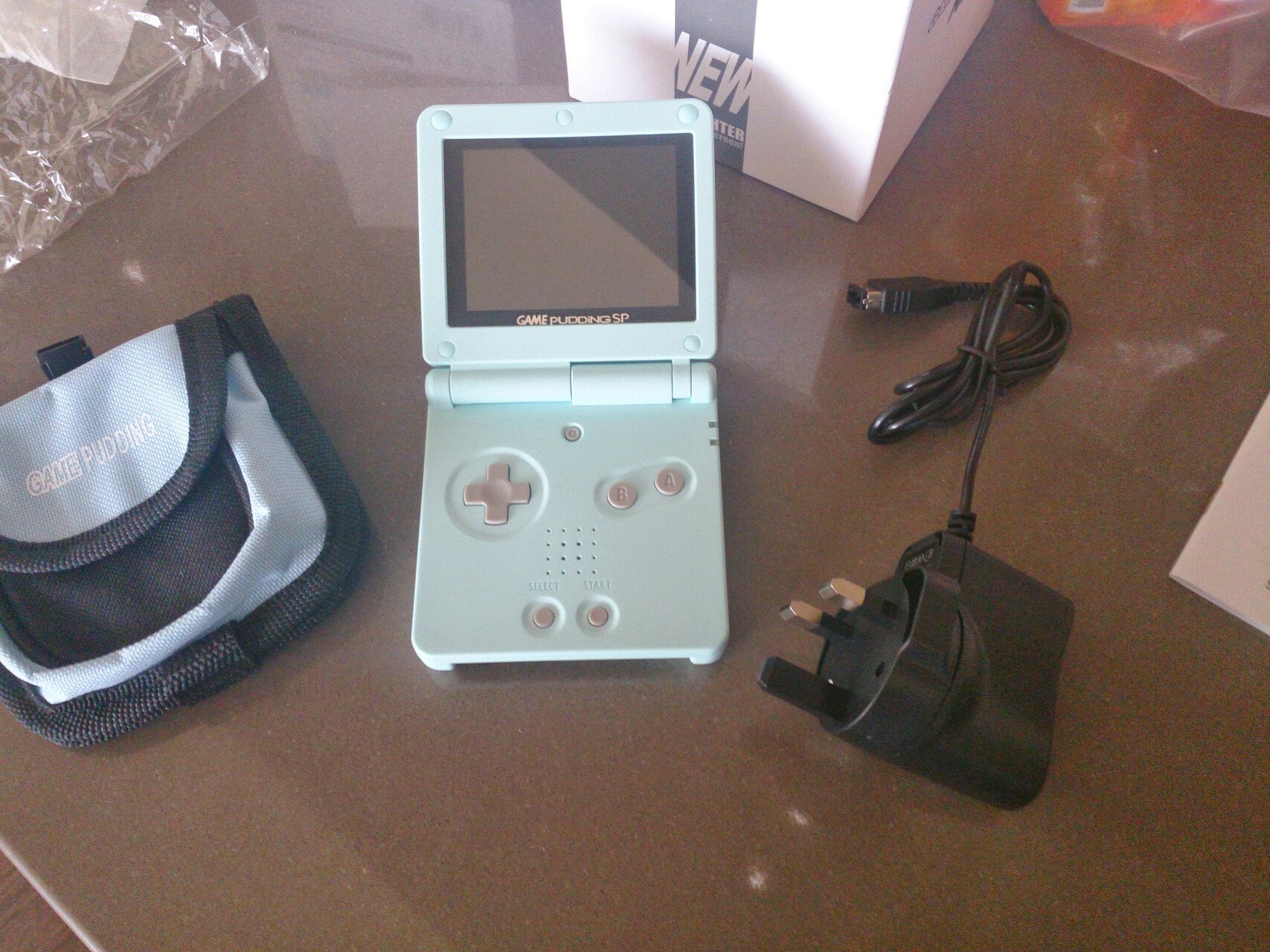
I encountered the Game Pudding in the electronics shops that darted the Musaffah strip malls in Abu Dhabi. It was an oddity that started the love of retro handhelds that continues today. It’s pretty crazy how far we have come!

I encountered the Game Pudding in the electronics shops that darted the Musaffah strip malls in Abu Dhabi. It was an oddity that started the love of retro handhelds that continues today. It’s pretty crazy how far we have come!

0

AYANEO's Pocket EVO Is The World's First Android Handheld With A 7-inch 120Hz OLED Screen

Time Extension AYANEO's Pocket EVO Is The World's First Android Handheld With A 7-inch 120Hz OLED Screen www.timeextension.com
preview

AYANEO is making another Android-based gaming handheld – but this one has a trick up its sleeve. The Pocket EVO is the world’s first Android handheld with a 7-inch 120Hz OLED screen, according to the manufacturer. That high refresh rate should mean smoother gameplay, assuming there are enough titles to support it.

Based on the design of the AYANEO 2S, the Pocket EVO boasts a Qualcomm Snapdragon G3x Gen 2 chipset, which will ensure it has plenty of grunt for AAA mobile gaming and emulation.

AYANEO is making another Android-based gaming handheld – but this one has a trick up its sleeve. The Pocket EVO is the world’s first Android handheld with a 7-inch 120Hz OLED screen, according to the manufacturer. That high refresh rate should mean smoother gameplay, assuming there are enough titles to support it.

Based on the design of the AYANEO 2S, the Pocket EVO boasts a Qualcomm Snapdragon G3x Gen 2 chipset, which will ensure it has plenty of grunt for AAA mobile gaming and emulation.

0

I created a toggle for the power LED on MinUI for the RG35XXSP

GitHub GitHub - Skyline969/MinUI_RG35XXSP_LED_Toggle: A toggle for the power LED on MinUI for the RG35XXSP github.com
preview

cross-posted from: lemmy.ca/post/23871363

I absolutely love MinUI on my RG35XXSP, but I hated that it turned the power LED off. Initially I tried to fiddle with just disabling the part of the MinUI boot that turned off the LED, but then I realized that putting the console to sleep and turning it back on disabled the LED anyway. That was baked into the OS, and I didn’t want to recompile the whole thing just to disable that.

Enter this tool. It contains a script that gets set to run during boot to turn on the power LED and keep it on. It can also undo all of its changes by running the tool again. Since it does modify system files, I also figured out how to recover from any potential issues. I was unable to cause any significant issues during my testing, but the recovery plan is there nonetheless. Full documentation is available on the repo.

Let there be light!

cross-posted from: lemmy.ca/post/23871363

I absolutely love MinUI on my RG35XXSP, but I hated that it turned the power LED off. Initially I tried to fiddle with just disabling the part of the MinUI boot that turned off the LED, but then I realized that putting the console to sleep and turning it back on disabled the LED anyway. That was baked into the OS, and I didn’t want to recompile the whole thing just to disable that.

Enter this tool. It contains a script that gets set to run during boot to turn on the power LED and keep it on. It can also undo all of its changes by running the tool again. Since it does modify system files, I also figured out how to recover from any potential issues. I was unable to cause any significant issues during my testing, but the recovery plan is there nonetheless. Full documentation is available on the repo.

Let there be light!

0

sunset inside a Castle(venia)

preview

I only got to know about these remarkable handhelds a couple of weeks ago and couldn’t resist getting a rg35xx h. It arrived just in time for our summer holiday family trip. Tonight we are staying in a 14th century castle in the Eiffel region, and here I am getting to know Rondo of Blood for the first time. Man, this pretty insane.

I only got to know about these remarkable handhelds a couple of weeks ago and couldn’t resist getting a rg35xx h. It arrived just in time for our summer holiday family trip. Tonight we are staying in a 14th century castle in the Eiffel region, and here I am getting to know Rondo of Blood for the first time. Man, this pretty insane.

0

Has anyone been able to get Stardew Valley working on the RG35XXSP?

preview

I followed the guides that are out there that basically say the following.

  • Install Port Master and the Stardew Valley port though the app

  • In Steam right click on Stardew Valley and go to properties followed by Betas and select compatibility - For 32-bit systems. The legacy XNA version of Stardew Valley. Wait for it to update.

  • Transfer the game’s files into ports/stardewvalley/game data

But every time I attempt to launch it goes to a black screen then back to the lists of ports. I am not sure if this is because I am running KNULLI. When I was searching for this online people seem to be running muOS.

I’ve been able to get Half Life to launch so I’m not sure what’s going on here. I would appreciate some advice.

I might try the other compatibility option for Stardew Valley which is the legacy option for 1.5.6 but I don’t think that will do anything either.


The TL:DR of my edits is I still haven’t gotten it to work. Once I saw that it worked in muOS I started looking into the differences between the two and trying to transfer them over to KNULLI. All my searching online says that it’s an issue with mono but the files are there. muOS and KNULLI have different directory layouts so I am wondering if some folder isn’t in the correct location.


Troubleshooting Edits:

Edit: Using muOS works. I’m using the same setup process for each firmware so I’m not sure what’s happening here. I thought it might be an issue with the .sh file pointing to the wrong directory but I compared it to the Half Life one and it looks pretty similar. There is a log file in the Stardew Valley folder that mentioned a SIGSEGV while executing native code. It says this is usually an error in mono runtime or one of the native libraries. It goes into more detail but it says > warning: unable to find libthread_db matching inferior’s thread library, thread debugging will not be available. > 0x0000007f8fded794 in wait4 () from /lib/libc.so.6 I might try to post the entire log file in its entirety later today. — Edit 2: I decided to look more into mono but it hasn’t really turned up anything. I thought I might be missing some kind of mono file but I compared the two firmwares and both have the mono-6.12.0.122-aarch64.squashfs file in \PortMaster\libs\ and the various mono files in \ports\stardewvalley\dlls. When searching for “mono” on the KNULLI firmware I do have an empty mono folder. I also tried reinstalling mono through PortMaster but it did nothing. After reinstalling Stardew Valley it seems like it auto-installs along with it. — Edit 3: I tried to down-grade PortMaster by deleting the folder and .sh file and downloading an older version from GitHub to match the version muOS uses but I may have done this incorrectly because PortMaster is no longer launching. I found several other posts detailing the same issue or similar issues. The setup guide for Stardew Valley by RetroGamesCorps has multiple people in the comments mentioning it, the GitHub page for KNULLI has an issue post about this (it can be found here where I believe they attempted to launch the Stardew Valley .sh file through the file manager app Commander, and on subreddits like /r/RG35XX_H and /r/SBCGaming people are talking about PortMaster games not launching or launching after several attempts. I tried messing with the Stardew Valley .sh file to see if changing the monofile line to use the address of the mono squashfs file would help but that didn’t seem to do anything. My next step will probably be to use the Steam console to download a specific version of the game. Some have said that might work. It all seems so sporadic. People have been able to get it working and comment on the triggers being reversed and others can’t seem to get it all. I like KNULLI because it reminds me of AmberELEC with the video previews and I think you can set it up so games display whether they have RetroAchievements from the selection screen but I may end up switching over muOS at this rate. I haven’t been able to get achievements to display either but I am doing one thing at a time. —

Edit 4 (Solution and Follow Up):

The newest version of Knulli as of now, Scarab, works for Stardew Valley. I think part of the issue I ran into was adding the files for Stardew Valley immediately or using a pre-installed version I found online. Reinstalling the game from the PortMaster app, attempting to launch the game, and adding the data files worked fine. I accomplished this using an exFAT filesystem setup on my secondary SD card.

One of the other things I mentioned in my troubleshooting steps was Knulli not displaying achievements. I believe this was due to some issues with RetroAchievements API key not working Knulli Gladiator. In Knulli Scarab you now have the option to add your own API key from RetroAchievements which seems to fix this issue.

I followed the guides that are out there that basically say the following.

  • Install Port Master and the Stardew Valley port though the app

  • In Steam right click on Stardew Valley and go to properties followed by Betas and select compatibility - For 32-bit systems. The legacy XNA version of Stardew Valley. Wait for it to update.

  • Transfer the game’s files into ports/stardewvalley/game data

But every time I attempt to launch it goes to a black screen then back to the lists of ports. I am not sure if this is because I am running KNULLI. When I was searching for this online people seem to be running muOS.

I’ve been able to get Half Life to launch so I’m not sure what’s going on here. I would appreciate some advice.

I might try the other compatibility option for Stardew Valley which is the legacy option for 1.5.6 but I don’t think that will do anything either.


The TL:DR of my edits is I still haven’t gotten it to work. Once I saw that it worked in muOS I started looking into the differences between the two and trying to transfer them over to KNULLI. All my searching online says that it’s an issue with mono but the files are there. muOS and KNULLI have different directory layouts so I am wondering if some folder isn’t in the correct location.


Troubleshooting Edits:

Edit: Using muOS works. I’m using the same setup process for each firmware so I’m not sure what’s happening here. I thought it might be an issue with the .sh file pointing to the wrong directory but I compared it to the Half Life one and it looks pretty similar. There is a log file in the Stardew Valley folder that mentioned a SIGSEGV while executing native code. It says this is usually an error in mono runtime or one of the native libraries. It goes into more detail but it says > warning: unable to find libthread_db matching inferior’s thread library, thread debugging will not be available. > 0x0000007f8fded794 in wait4 () from /lib/libc.so.6 I might try to post the entire log file in its entirety later today. — Edit 2: I decided to look more into mono but it hasn’t really turned up anything. I thought I might be missing some kind of mono file but I compared the two firmwares and both have the mono-6.12.0.122-aarch64.squashfs file in \PortMaster\libs\ and the various mono files in \ports\stardewvalley\dlls. When searching for “mono” on the KNULLI firmware I do have an empty mono folder. I also tried reinstalling mono through PortMaster but it did nothing. After reinstalling Stardew Valley it seems like it auto-installs along with it. — Edit 3: I tried to down-grade PortMaster by deleting the folder and .sh file and downloading an older version from GitHub to match the version muOS uses but I may have done this incorrectly because PortMaster is no longer launching. I found several other posts detailing the same issue or similar issues. The setup guide for Stardew Valley by RetroGamesCorps has multiple people in the comments mentioning it, the GitHub page for KNULLI has an issue post about this (it can be found here where I believe they attempted to launch the Stardew Valley .sh file through the file manager app Commander, and on subreddits like /r/RG35XX_H and /r/SBCGaming people are talking about PortMaster games not launching or launching after several attempts. I tried messing with the Stardew Valley .sh file to see if changing the monofile line to use the address of the mono squashfs file would help but that didn’t seem to do anything. My next step will probably be to use the Steam console to download a specific version of the game. Some have said that might work. It all seems so sporadic. People have been able to get it working and comment on the triggers being reversed and others can’t seem to get it all. I like KNULLI because it reminds me of AmberELEC with the video previews and I think you can set it up so games display whether they have RetroAchievements from the selection screen but I may end up switching over muOS at this rate. I haven’t been able to get achievements to display either but I am doing one thing at a time. —

Edit 4 (Solution and Follow Up):

The newest version of Knulli as of now, Scarab, works for Stardew Valley. I think part of the issue I ran into was adding the files for Stardew Valley immediately or using a pre-installed version I found online. Reinstalling the game from the PortMaster app, attempting to launch the game, and adding the data files worked fine. I accomplished this using an exFAT filesystem setup on my secondary SD card.

One of the other things I mentioned in my troubleshooting steps was Knulli not displaying achievements. I believe this was due to some issues with RetroAchievements API key not working Knulli Gladiator. In Knulli Scarab you now have the option to add your own API key from RetroAchievements which seems to fix this issue.

0

Favorite Micro Sd Card Brands

preview

Hello all! Seems like micro sd card prices have been floating up slowly all year. Usually pick up a Samsung pro plus or a sandisk extreme card once Anbernic, Ayn Miyoo etc release a new internesting handheld. Unfortunately, prices have gotten a bit steep for storage. Instead, been trying out other brands as they seem to be priced more competitively (Amazon US anyway). Curious what everyone’s current go to is?

Latest card, been working fine in the RG556 with Silent Hill 3. Appears to be a rebranded Samsung card as the write speeds are higher using a reader included with a Pro plus card. Priced $34.99 on Amazon us so not bad at all.

SABRENT Rocket V30 A2 512GB MicroSDXC Memory Card R100MB/s W30MB/s (SD-MQ30-512)

Hello all! Seems like micro sd card prices have been floating up slowly all year. Usually pick up a Samsung pro plus or a sandisk extreme card once Anbernic, Ayn Miyoo etc release a new internesting handheld. Unfortunately, prices have gotten a bit steep for storage. Instead, been trying out other brands as they seem to be priced more competitively (Amazon US anyway). Curious what everyone’s current go to is?

Latest card, been working fine in the RG556 with Silent Hill 3. Appears to be a rebranded Samsung card as the write speeds are higher using a reader included with a Pro plus card. Priced $34.99 on Amazon us so not bad at all.

SABRENT Rocket V30 A2 512GB MicroSDXC Memory Card R100MB/s W30MB/s (SD-MQ30-512)

0

Larger display emulator for aging eyes

preview

So, I’m the kid that grew up with the originals. Hence I love the emulators.

However, I’m obviously now an old bastard and my vision isn’t what it was.

I see some super cute emulators, but the screens are tiny.

Does anyone have recommendations for larger screen emulators, that play as many systems as possible?

I have an emulator or two on my Samsung tablet and it’s GREAT, but, having the controller separate sucks to be honest. So I’m interested in the largest screens about, with controller built in.

Any suggestions would be super appreciated.

Note. I’m in Australia, so the Steam Deck is out as an option.

So, I’m the kid that grew up with the originals. Hence I love the emulators.

However, I’m obviously now an old bastard and my vision isn’t what it was.

I see some super cute emulators, but the screens are tiny.

Does anyone have recommendations for larger screen emulators, that play as many systems as possible?

I have an emulator or two on my Samsung tablet and it’s GREAT, but, having the controller separate sucks to be honest. So I’m interested in the largest screens about, with controller built in.

Any suggestions would be super appreciated.

Note. I’m in Australia, so the Steam Deck is out as an option.

0

Anbernic RG556 Advanced Display Stand

preview

Good Day Everyone!

Anbernic’s latest flagship was too good to pass up during that last sale. Since the Odin 2 Advanced Display Stand design proved to be so popular, completed a next gen update of it for the RG556. Works with the usb c cable Anbernic packed in with the 556. As an aside, loving the device so far, inky black levels make parasite eve 2 a treat to play. Pretty close to using a pvm. Etsy Shop links provided below for a pre printed version and the stl/.3mf so you can print your own. Stand is printed using engineering grade filament made in the US. Thanks!

Pre Printed Stand using 3D Print Fuel Pro Pla+ (Engineering Grade and made in the US)

US Shipping Only

rpiradiodesigns.etsy.com/listing/1731873467

STL and .3mf

US and International Digital Download

rpiradiodesigns.etsy.com/listing/1731913615

Good Day Everyone!

Anbernic’s latest flagship was too good to pass up during that last sale. Since the Odin 2 Advanced Display Stand design proved to be so popular, completed a next gen update of it for the RG556. Works with the usb c cable Anbernic packed in with the 556. As an aside, loving the device so far, inky black levels make parasite eve 2 a treat to play. Pretty close to using a pvm. Etsy Shop links provided below for a pre printed version and the stl/.3mf so you can print your own. Stand is printed using engineering grade filament made in the US. Thanks!

Pre Printed Stand using 3D Print Fuel Pro Pla+ (Engineering Grade and made in the US)

US Shipping Only

rpiradiodesigns.etsy.com/listing/1731873467

STL and .3mf

US and International Digital Download

rpiradiodesigns.etsy.com/listing/1731913615

0

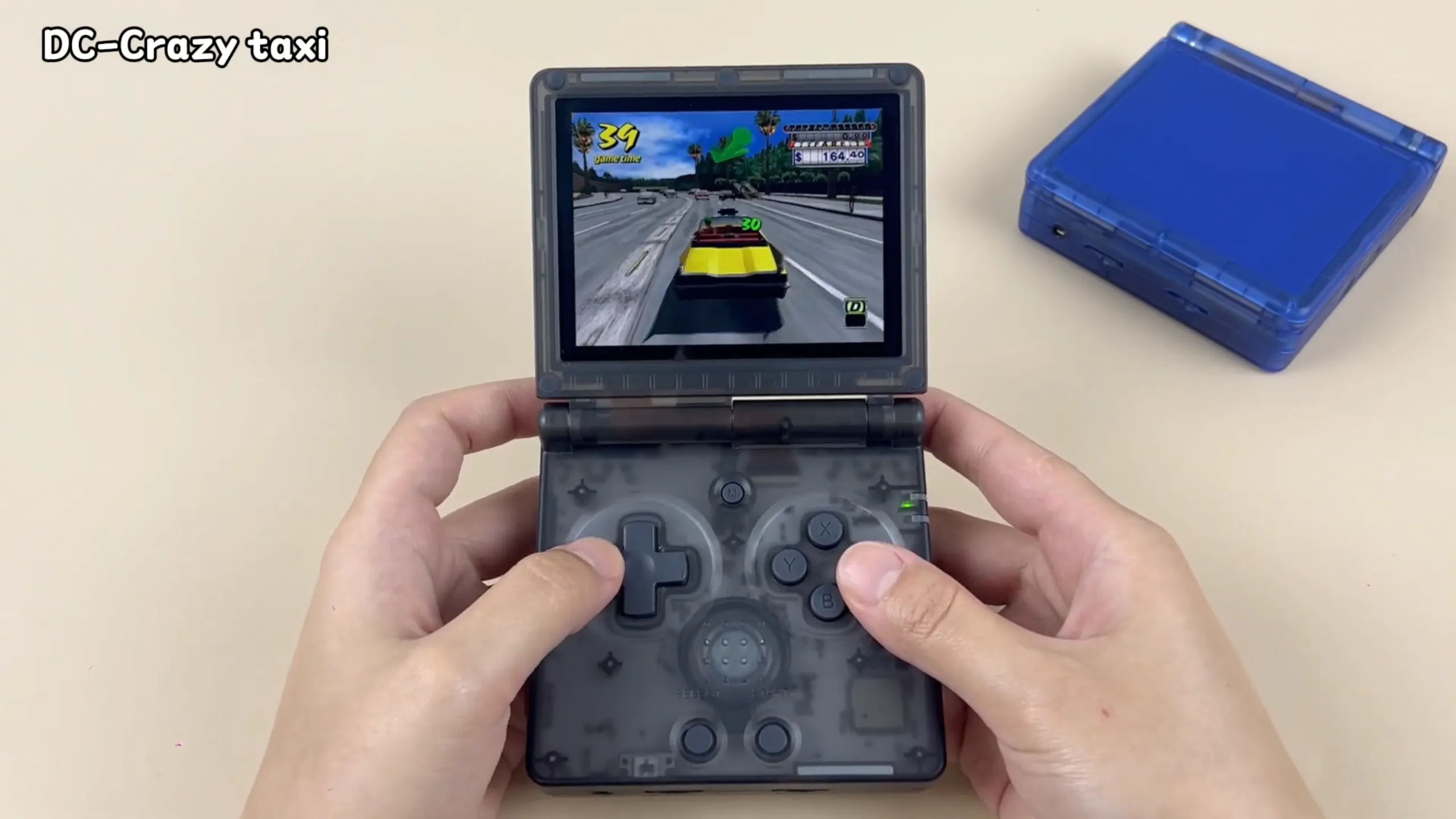
Anbernic has released a video showing off the RG35XXSP a GBA SP-style device with WiFi, Bluetooth, and video out that can play up to PSP/DC/N64

preview

A link to the video can be found here.


I wonder if this will end up being the updated version of the Powkiddy V90 a lot of people have been asking for and if this will end up being the direct competition to the Miyoo Mini Flip despite it’s lack of thumb sticks.

I feel like custom firmware availability and whether or not there are blatant design issues (ex. faulty hinges like the Retroid Pocket Flip) will decide how well this does.

How about you? Any thoughts?

A link to the video can be found here.


I wonder if this will end up being the updated version of the Powkiddy V90 a lot of people have been asking for and if this will end up being the direct competition to the Miyoo Mini Flip despite it’s lack of thumb sticks.

I feel like custom firmware availability and whether or not there are blatant design issues (ex. faulty hinges like the Retroid Pocket Flip) will decide how well this does.

How about you? Any thoughts?

0

Does anyone know if there is a way to list Retro Achievement availability in ES-DE for Android?

preview

In AmberELEC there was a way to display a trophy next to games that indicated if there were Retro Achievements available. I believe pressing start on the title would also allow you to view the achievements.

I’m wondering if there’s a way to display this with the Android version of ES-DE? Maybe it’s similar to the non-Android version that people frequently use on handheld PCs like the Steam Deck. I’m not sure.


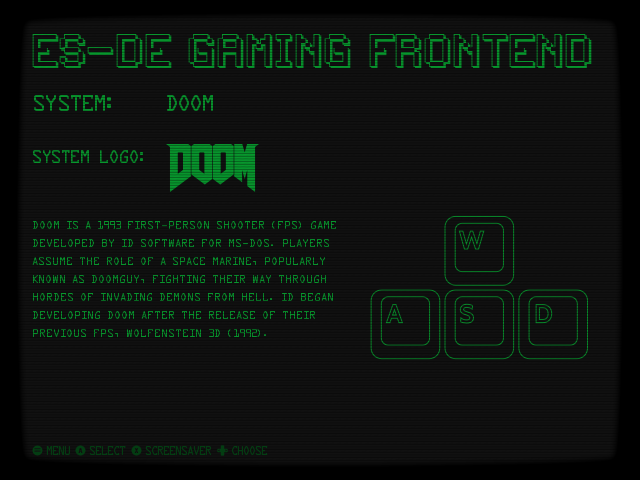
The picture is ES-DE with the ES-BOY theme. It’s pretty neat and even uses Fallout sound effects. Unrelated but I wanted to add some flair to my post.

In AmberELEC there was a way to display a trophy next to games that indicated if there were Retro Achievements available. I believe pressing start on the title would also allow you to view the achievements.

I’m wondering if there’s a way to display this with the Android version of ES-DE? Maybe it’s similar to the non-Android version that people frequently use on handheld PCs like the Steam Deck. I’m not sure.


The picture is ES-DE with the ES-BOY theme. It’s pretty neat and even uses Fallout sound effects. Unrelated but I wanted to add some flair to my post.

0

What are your thoughts on the GKD Pixel? Anything a potential buyer should be aware of?

preview

I’ve seen the Retro Games Corp follow up video and a few others on the device but I can’t recall all the info.

The firmware is largely where I’m in the dark. Does it have a proper sleep mode? Any news of custom firmware or updates?

It seems pretty neat and I feel like it would make for an alright pocket device to pair with my RG405M.

Also which colour do you think looks the best?

I was leaning towards the green or red but I saw the black and it looks pretty neat too. I’m wondering which looks good with the green LEDs on the side.

I’ve seen the Retro Games Corp follow up video and a few others on the device but I can’t recall all the info.

The firmware is largely where I’m in the dark. Does it have a proper sleep mode? Any news of custom firmware or updates?

It seems pretty neat and I feel like it would make for an alright pocket device to pair with my RG405M.

Also which colour do you think looks the best?

I was leaning towards the green or red but I saw the black and it looks pretty neat too. I’m wondering which looks good with the green LEDs on the side.