

103

What is your self hosted power draw?

preview

Selfhosters what is the power draw of your entire setup? And have you done anything special to manage it you’d like to share?

Including all network equipment I use around 110kWh of good ol’ 120V 60Hz USA juice per month. Averaging about 215 watts of power draw for my systems. Nothing amazing, but I like to think that it’s a conservative setup for everything I accomplish with it. I’m paying around $25 a month for my setup. None of that includes my work PC or personal PC, just hosting infrastructure.

Other than trying to make sure all power states are available on my server I haven’t done a lot of power conservation.

I’m curious what you all have.

Selfhosters what is the power draw of your entire setup? And have you done anything special to manage it you’d like to share?

Including all network equipment I use around 110kWh of good ol’ 120V 60Hz USA juice per month. Averaging about 215 watts of power draw for my systems. Nothing amazing, but I like to think that it’s a conservative setup for everything I accomplish with it. I’m paying around $25 a month for my setup. None of that includes my work PC or personal PC, just hosting infrastructure.

Other than trying to make sure all power states are available on my server I haven’t done a lot of power conservation.

I’m curious what you all have.

18

Does anyone here have experience with Glauca.digital registrar?

preview

Possibly it would make more sense to ask on the 196 community based on the company’s energy.

Anyway, I was browsing EURid’s list of registrars, and this company’s logo took my attention. However, I can’t find any experiences online.

I’ve checked through their websites, and so far my feelings are a bit mixed. Although most of it is just outdated or somewhat inconsistent bits across their websites.

Things that make me unsure

First and least important is info about one of the people behind the company, “Alfie”. Links on the about page are just completely outdated and dead. Website link in docs is at least alive, but also outdated, as can be seen by navigating in manner of URL in docs -> keybase -> GitHub -> newer website.

Second, the “Email us” button on the contact page redirects to a contact form, which really contradicts the text below:

If you want to send us a PGP encrypted email, please use the below key. Remember to attach your own key (as application/pgp-keys), so we can encrypt our reply to you.

That sounded so cool when I’ve seen it, but what e-mail address?
The contact form is on a “support” subdomain of their other website. This seems to be centered around the contact form, but there is also a “Manage PGP keys” button which redirects to a login page.
Maybe they migrated to that?
But then going to contact page on the domain’s second level does show an email, as well as linking to the same contact form.

Third, in the list of services, there’s also “Email”… which presents a self-signed certificate. Ignoring that, there’s just an “Unknown URL” error page.

We’re probably not responsible for this domain.

Lastly, and most importantly, right on ther main page it says:

Proxy registration for .eu

And that’s the only mention of that feature. But what is it? If following ICANN’s definition…

Proxy Services – Proxy services allow a domain name to keep certain identity and contact details from appearing in public Whois information. The proxy service becomes the registered name holder of record, and its identity and contact information is displayed in Whois data.

…it might be a problem. Because, let’s take a look at T&C of EURid (PDF):

Throughout the Term of your Domain Name registration, you must: […] b. keep your registration data accurate, complete and up-to-date at all times. Your registration data must be your own data and must not be that of your Registrar, or of a proxy holder or a representative of a natural person or legal entity who does not meet the eligibility criteria. […]

There’s also an annoying requirement for tax reasons, but that’s not their fault:

In short things are about to get a lot more complicated. We will need to collect at least two pieces of non contradictory evidence about which country you’re resident in, so we can pay the correct tax authority.

And what caught my attention (in a good way)

As I’ve said, I checked them based on their logo. That’s not a usual company logo.

Pricing for .eu TLD is OK.

Their ToS is short.

One button on bottom says “there’s no ai here!”.

Looking at the about page, this seems to be a small company operated by 2 people.

Looking at their mailing list archive, they’ve used to have a VPS service, gave shutdown information in advance (though less than 2 months), and set-up a migration route with another provider.
They’ve also informed about a security incident at one of their registries.

WHOIS privacy includes email forwarding from a funny domain name:

If you do not select it we will generate an anonymous @owowhosth.is email and publish that instead.

On their Mastodon, they describe themselves with

On a mission to make interneting a little easier, join us at glauca.digital. Possibly anarchist, definitely antifascist.

Oh, and speaking of Mastodon, that is listed as one of their services. Based on this disclaimer…

MOBILE APP USERS: if you’re trying to sign up with a mobile app go back and select login to authenticate with our SSO.

…it does indeed sound like being their customer includes account on their Mastodon instance. Pretty cool if true.

Also, try whois with their ASN:

aut-num:        AS207960
as-name:        AS-TRANSRIGHTS
descr:          Trans Rights! Hell Yeah!
[...]
remarks:        ----------------------------
remarks:        Hmmmmm tasty routing policies...
remarks:        ----------------------------

Possibly it would make more sense to ask on the 196 community based on the company’s energy.

Anyway, I was browsing EURid’s list of registrars, and this company’s logo took my attention. However, I can’t find any experiences online.

I’ve checked through their websites, and so far my feelings are a bit mixed. Although most of it is just outdated or somewhat inconsistent bits across their websites.

Things that make me unsure

First and least important is info about one of the people behind the company, “Alfie”. Links on the about page are just completely outdated and dead. Website link in docs is at least alive, but also outdated, as can be seen by navigating in manner of URL in docs -> keybase -> GitHub -> newer website.

Second, the “Email us” button on the contact page redirects to a contact form, which really contradicts the text below:

If you want to send us a PGP encrypted email, please use the below key. Remember to attach your own key (as application/pgp-keys), so we can encrypt our reply to you.

That sounded so cool when I’ve seen it, but what e-mail address?
The contact form is on a “support” subdomain of their other website. This seems to be centered around the contact form, but there is also a “Manage PGP keys” button which redirects to a login page.
Maybe they migrated to that?
But then going to contact page on the domain’s second level does show an email, as well as linking to the same contact form.

Third, in the list of services, there’s also “Email”… which presents a self-signed certificate. Ignoring that, there’s just an “Unknown URL” error page.

We’re probably not responsible for this domain.

Lastly, and most importantly, right on ther main page it says:

Proxy registration for .eu

And that’s the only mention of that feature. But what is it? If following ICANN’s definition…

Proxy Services – Proxy services allow a domain name to keep certain identity and contact details from appearing in public Whois information. The proxy service becomes the registered name holder of record, and its identity and contact information is displayed in Whois data.

…it might be a problem. Because, let’s take a look at T&C of EURid (PDF):

Throughout the Term of your Domain Name registration, you must: […] b. keep your registration data accurate, complete and up-to-date at all times. Your registration data must be your own data and must not be that of your Registrar, or of a proxy holder or a representative of a natural person or legal entity who does not meet the eligibility criteria. […]

There’s also an annoying requirement for tax reasons, but that’s not their fault:

In short things are about to get a lot more complicated. We will need to collect at least two pieces of non contradictory evidence about which country you’re resident in, so we can pay the correct tax authority.

And what caught my attention (in a good way)

As I’ve said, I checked them based on their logo. That’s not a usual company logo.

Pricing for .eu TLD is OK.

Their ToS is short.

One button on bottom says “there’s no ai here!”.

Looking at the about page, this seems to be a small company operated by 2 people.

Looking at their mailing list archive, they’ve used to have a VPS service, gave shutdown information in advance (though less than 2 months), and set-up a migration route with another provider.
They’ve also informed about a security incident at one of their registries.

WHOIS privacy includes email forwarding from a funny domain name:

If you do not select it we will generate an anonymous @owowhosth.is email and publish that instead.

On their Mastodon, they describe themselves with

On a mission to make interneting a little easier, join us at glauca.digital. Possibly anarchist, definitely antifascist.

Oh, and speaking of Mastodon, that is listed as one of their services. Based on this disclaimer…

MOBILE APP USERS: if you’re trying to sign up with a mobile app go back and select login to authenticate with our SSO.

…it does indeed sound like being their customer includes account on their Mastodon instance. Pretty cool if true.

Also, try whois with their ASN:

aut-num:        AS207960
as-name:        AS-TRANSRIGHTS
descr:          Trans Rights! Hell Yeah!
[...]
remarks:        ----------------------------
remarks:        Hmmmmm tasty routing policies...
remarks:        ----------------------------
227

These are the kind of reactions I get when I recommend Anubis to deal with bots at work, what alternatives are there?

preview

At work I was asked by a different team how we can deal with bots, because someone in my team remembered that I knew how to do it.

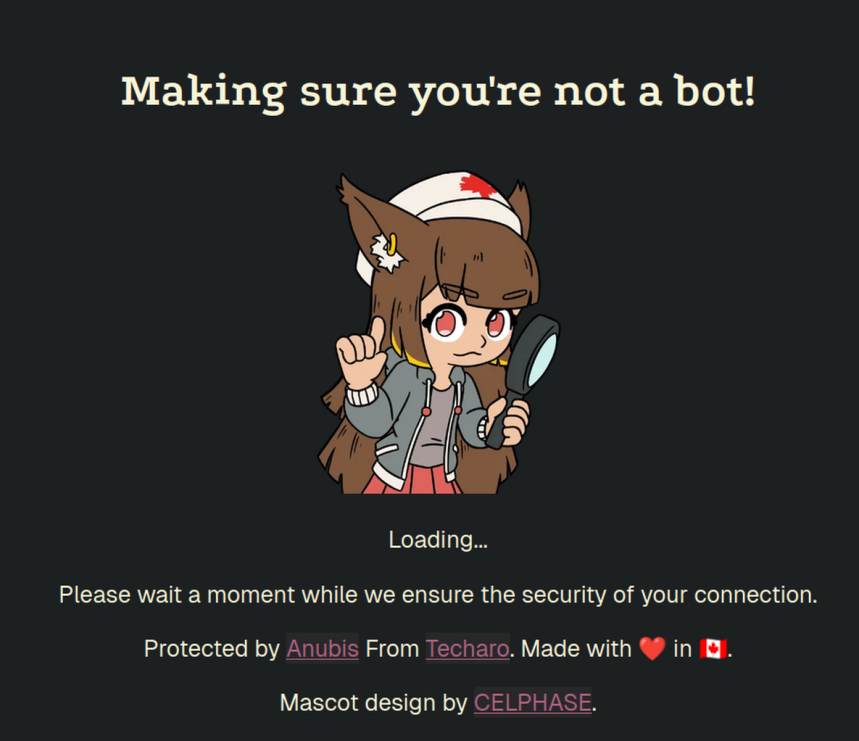
I reluctantly suggested Anubis because I got shit for it last time, This is the URL https://anubis.techaro.lol

This is the 2nd and last time I will ever recommend Anubis anywhere at work to deal with bots because of how unprofessional, un-serious and weird others perceive it.

image
The mascot being a ~10 year old “cutsie” anime cat girl is weird in a work setting.
I will never put myself in a situation again where I have to explain that it’s not weird to anyone again, same for that URL.

What is a professional looking open-source alternative to Anubis?

Edit: No I can’t just send my colleges here https://anubis.techaro.lol/docs/admin/botstopper The issue is they find the Mascot and domain weird, they will still run into both.

My Goal: Recommend a Open-Source bot protection tool

The Issue: When I send my coworkers to https://anubis.techaro.lol/docs/admin/botstopper they find the mascot and URL weird.

Result: They don’t see Anubis as a serious tool and turn away from it

What is a professional looking open-source alternative to Anubis?

At work I was asked by a different team how we can deal with bots, because someone in my team remembered that I knew how to do it.

I reluctantly suggested Anubis because I got shit for it last time, This is the URL https://anubis.techaro.lol

This is the 2nd and last time I will ever recommend Anubis anywhere at work to deal with bots because of how unprofessional, un-serious and weird others perceive it.

image
The mascot being a ~10 year old “cutsie” anime cat girl is weird in a work setting.
I will never put myself in a situation again where I have to explain that it’s not weird to anyone again, same for that URL.

What is a professional looking open-source alternative to Anubis?

Edit: No I can’t just send my colleges here https://anubis.techaro.lol/docs/admin/botstopper The issue is they find the Mascot and domain weird, they will still run into both.

My Goal: Recommend a Open-Source bot protection tool

The Issue: When I send my coworkers to https://anubis.techaro.lol/docs/admin/botstopper they find the mascot and URL weird.

Result: They don’t see Anubis as a serious tool and turn away from it

What is a professional looking open-source alternative to Anubis?

53

How do you sort your music?

preview

Hello everyone!

I have been having a hard time finding a solution to my problem of sorting music from both Youtube music and Bandcamp. I have tried Picard and while it is good I have had problems with it. For example it has made songs shorter (they now end to soon.). So far the only solution I have found is to use Picard and manually review every song I own, and since I have thousands of songs It would take quite long.

I’m using Jellyfin with Finamp to play my music, and sometimes add lyrics via the Jellyfin app when they are missing.

How have you people solved this or similar issues? Does someone have a automated setup that works well?

Hello everyone!

I have been having a hard time finding a solution to my problem of sorting music from both Youtube music and Bandcamp. I have tried Picard and while it is good I have had problems with it. For example it has made songs shorter (they now end to soon.). So far the only solution I have found is to use Picard and manually review every song I own, and since I have thousands of songs It would take quite long.

I’m using Jellyfin with Finamp to play my music, and sometimes add lyrics via the Jellyfin app when they are missing.

How have you people solved this or similar issues? Does someone have a automated setup that works well?

16

Proxmox Crash

preview

My new-this-year MS-02 crashed tonight, so I’m going through journalctl -b -1 -p warning -r and I see a bunch of this repeated over and over going back for days:

Oct 12 23:59:50 proxmox-06 kernel: pcieport 0000:80:1b.4: AER:   TLP Header: 0x34000000 0x00000052 0x00000000 0x00000000
Oct 12 23:59:50 proxmox-06 kernel: pcieport 0000:80:1b.4:    [21] ACSViol                (First)
Oct 12 23:59:50 proxmox-06 kernel: pcieport 0000:80:1b.4:   device [8086:7f44] error status/mask=00200000/00000000
Oct 12 23:59:50 proxmox-06 kernel: pcieport 0000:80:1b.4: PCIe Bus Error: severity=Uncorrectable (Non-Fatal), type=Transaction Layer, (Receiver ID)
Oct 12 23:59:50 proxmox-06 kernel: pcieport 0000:80:1b.4: AER:   TLP Header: 0x34000000 0x00000052 0x00000000 0x00000000
Oct 12 23:59:50 proxmox-06 kernel: pcieport 0000:80:1b.4:    [21] ACSViol                (First)
Oct 12 23:59:50 proxmox-06 kernel: pcieport 0000:80:1b.4:   device [8086:7f44] error status/mask=00200000/00000000
Oct 12 23:59:50 proxmox-06 kernel: pcieport 0000:80:1b.4: PCIe Bus Error: severity=Uncorrectable (Non-Fatal), type=Transaction Layer, (Receiver ID)
Oct 12 23:59:50 proxmox-06 kernel: pcieport 0000:80:1b.4: AER:   TLP Header: 0x34000000 0x00000052 0x00000000 0x00000000
Oct 12 23:59:50 proxmox-06 kernel: pcieport 0000:80:1b.4:    [21] ACSViol                (First)
Oct 12 23:59:50 proxmox-06 kernel: pcieport 0000:80:1b.4:   device [8086:7f44] error status/mask=00200000/00000000
Oct 12 23:59:50 proxmox-06 kernel: pcieport 0000:80:1b.4: PCIe Bus Error: severity=Uncorrectable (Non-Fatal), type=Transaction Layer, (Receiver ID)
Oct 12 23:59:50 proxmox-06 kernel: pcieport 0000:80:1b.4: AER:   TLP Header: 0x34000000 0x00000052 0x00000000 0x00000000
Oct 12 23:59:50 proxmox-06 kernel: pcieport 0000:80:1b.4:    [21] ACSViol                (First)
Oct 12 23:59:50 proxmox-06 kernel: pcieport 0000:80:1b.4:   device [8086:7f44] error status/mask=00200000/00000000
Oct 12 23:59:50 proxmox-06 kernel: pcieport 0000:80:1b.4: PCIe Bus Error: severity=Uncorrectable (Non-Fatal), type=Transaction Layer, (Receiver ID)
Oct 12 23:59:50 proxmox-06 kernel: pcieport 0000:80:1b.4: AER:   TLP Header: 0x34000000 0x00000052 0x00000000 0x00000000
Oct 12 23:59:50 proxmox-06 kernel: pcieport 0000:80:1b.4:    [21] ACSViol                (First)
Oct 12 23:59:50 proxmox-06 kernel: pcieport 0000:80:1b.4:   device [8086:7f44] error status/mask=00200000/00000000
Oct 12 23:59:50 proxmox-06 kernel: pcieport 0000:80:1b.4: PCIe Bus Error: severity=Uncorrectable (Non-Fatal), type=Transaction Layer, (Receiver ID)
Oct 12 23:59:50 proxmox-06 kernel: pcieport 0000:80:1b.4: AER:   TLP Header: 0x34000000 0x00000052 0x00000000 0x00000000
Oct 12 23:59:50 proxmox-06 kernel: pcieport 0000:80:1b.4:    [21] ACSViol                (First)
Oct 12 23:59:50 proxmox-06 kernel: pcieport 0000:80:1b.4:   device [8086:7f44] error status/mask=00200000/00000000
Oct 12 23:59:50 proxmox-06 kernel: pcieport 0000:80:1b.4: PCIe Bus Error: severity=Uncorrectable (Non-Fatal), type=Transaction Layer, (Receiver ID)
Oct 12 23:59:50 proxmox-06 kernel: pcieport 0000:80:1b.4: AER:   TLP Header: 0x34000000 0x00000052 0x00000000 0x00000000
Oct 12 23:59:50 proxmox-06 kernel: pcieport 0000:80:1b.4:    [21] ACSViol                (First)
Oct 12 23:59:50 proxmox-06 kernel: pcieport 0000:80:1b.4:   device [8086:7f44] error status/mask=00200000/00000000
Oct 12 23:59:50 proxmox-06 kernel: pcieport 0000:80:1b.4: PCIe Bus Error: severity=Uncorrectable (Non-Fatal), type=Transaction Layer, (Receiver ID)
Oct 12 23:59:50 proxmox-06 kernel: pcieport 0000:80:1b.4: AER:   TLP Header: 0x34000000 0x00000052 0x00000000 0x00000000
Oct 12 23:59:50 proxmox-06 kernel: pcieport 0000:80:1b.4:    [21] ACSViol                (First)
Oct 12 23:59:50 proxmox-06 kernel: pcieport 0000:80:1b.4:   device [8086:7f44] error status/mask=00200000/00000000
Oct 12 23:59:50 proxmox-06 kernel: pcieport 0000:80:1b.4: PCIe Bus Error: severity=Uncorrectable (Non-Fatal), type=Transaction Layer, (Receiver ID)
Oct 12 23:59:50 proxmox-06 kernel: pcieport 0000:80:1b.4: AER:   TLP Header: 0x34000000 0x00000052 0x00000000 0x00000000
Oct 12 23:59:50 proxmox-06 kernel: pcieport 0000:80:1b.4:    [21] ACSViol                (First)
Oct 12 23:59:50 proxmox-06 kernel: pcieport 0000:80:1b.4:   device [8086:7f44] error status/mask=00200000/00000000
Oct 12 23:59:50 proxmox-06 kernel: pcieport 0000:80:1b.4: PCIe Bus Error: severity=Uncorrectable (Non-Fatal), type=Transaction Layer, (Receiver ID)
Oct 12 23:59:49 proxmox-06 kernel: pcieport 0000:80:1b.4: AER:   TLP Header: 0x34000000 0x00000052 0x00000000 0x00000000
Oct 12 23:59:49 proxmox-06 kernel: pcieport 0000:80:1b.4:    [21] ACSViol                (First)
Oct 12 23:59:49 proxmox-06 kernel: pcieport 0000:80:1b.4:    [20] UnsupReq              
Oct 12 23:59:49 proxmox-06 kernel: pcieport 0000:80:1b.4:   device [8086:7f44] error status/mask=00300000/00000000
Oct 12 23:59:49 proxmox-06 kernel: pcieport 0000:80:1b.4: PCIe Bus Error: severity=Uncorrectable (Non-Fatal), type=Transaction Layer, (Requester ID)
Oct 12 23:59:49 proxmox-06 kernel: aer_ratelimit: 119 callbacks suppressed
Oct 12 23:59:49 proxmox-06 kernel: pcieport 0000:80:1b.4:    [15] HeaderOF              
Oct 12 23:59:49 proxmox-06 kernel: pcieport 0000:80:1b.4:   device [8086:7f44] error status/mask=00008000/00002000
Oct 12 23:59:49 proxmox-06 kernel: pcieport 0000:80:1b.4: PCIe Bus Error: severity=Correctable, type=Transaction Layer, (Receiver ID)
Oct 12 23:59:49 proxmox-06 kernel: aer_ratelimit: 119 callbacks suppressed

Does this mean one of the SSDs is failing already? I have 1 Crucial P310 4TB SSD for the main drive and another for backups.

=== START OF INFORMATION SECTION ===
Model Number:                       CT4000P310SSD8
Serial Number:                      25465454F087
Firmware Version:                   V8CR010
PCI Vendor/Subsystem ID:            0xc0a9
IEEE OUI Identifier:                0x00a075
Controller ID:                      0
NVMe Version:                       1.4
Number of Namespaces:               1
Namespace 1 Size/Capacity:          4,000,787,030,016 [4.00 TB]
Namespace 1 Formatted LBA Size:     512
Namespace 1 IEEE EUI-64:            00a075 015454f087
Local Time is:                      Tue Oct 13 00:30:43 2026 EDT
Firmware Updates (0x14):            2 Slots, no Reset required
Optional Admin Commands (0x0017):   Security Format Frmw_DL Self_Test
Optional NVM Commands (0x00d7):     Comp Wr_Unc DS_Mngmt Sav/Sel_Feat Timestmp Verify
Log Page Attributes (0x1e):         Cmd_Eff_Lg Ext_Get_Lg Telmtry_Lg Pers_Ev_Lg
Maximum Data Transfer Size:         64 Pages
Warning  Comp. Temp. Threshold:     86 Celsius
Critical Comp. Temp. Threshold:     88 Celsius
Namespace 1 Features (0x18):        No_ID_Reuse NP_Fields

Supported Power States
St Op     Max   Active     Idle   RL RT WL WT  Ent_Lat  Ex_Lat
 0 +     6.30W       -        -    0  0  0  0        0       0
 1 +     2.40W       -        -    1  1  1  1        0       0
 2 +     1.50W       -        -    2  2  2  2        0       0
 3 -   0.0300W       -        -    3  3  3  3     1500    5000
 4 -   0.0025W       -        -    4  4  4  4     5000   30000

Supported LBA Sizes (NSID 0x1)
Id Fmt  Data  Metadt  Rel_Perf
 0 +     512       0         0
 1 -    4096       0         0

=== START OF SMART DATA SECTION ===
SMART overall-health self-assessment test result: PASSED

SMART/Health Information (NVMe Log 0x02, NSID 0xffffffff)
Critical Warning:                   0x00
Temperature:                        41 Celsius
Available Spare:                    100%
Available Spare Threshold:          5%
Percentage Used:                    1%
Data Units Read:                    428,281,946 [219 TB]
Data Units Written:                 44,641,186 [22.8 TB]
Host Read Commands:                 15,033,643,064
Host Write Commands:                1,728,938,256
Controller Busy Time:               25,445
Power Cycles:                       24
Power On Hours:                     3,255
Unsafe Shutdowns:                   18
Media and Data Integrity Errors:    0
Error Information Log Entries:      0
Warning  Comp. Temperature Time:    0
Critical Comp. Temperature Time:    0
Temperature Sensor 1:               41 Celsius

Error Information (NVMe Log 0x01, 16 of 255 entries)
No Errors Logged

Self-test Log (NVMe Log 0x06, NSID 0xffffffff)
Self-test status: No self-test in progress
No Self-tests Logged
=== START OF INFORMATION SECTION ===
Model Number:                       CT4000P310SSD8
Serial Number:                      2545543AD7B7
Firmware Version:                   V8CR010
PCI Vendor/Subsystem ID:            0xc0a9
IEEE OUI Identifier:                0x00a075
Controller ID:                      0
NVMe Version:                       1.4
Number of Namespaces:               1
Namespace 1 Size/Capacity:          4,000,787,030,016 [4.00 TB]
Namespace 1 Formatted LBA Size:     512
Namespace 1 IEEE EUI-64:            00a075 01543ad7b7
Local Time is:                      Tue Oct 13 00:28:48 2026 EDT
Firmware Updates (0x14):            2 Slots, no Reset required
Optional Admin Commands (0x0017):   Security Format Frmw_DL Self_Test
Optional NVM Commands (0x00d7):     Comp Wr_Unc DS_Mngmt Sav/Sel_Feat Timestmp Verify
Log Page Attributes (0x1e):         Cmd_Eff_Lg Ext_Get_Lg Telmtry_Lg Pers_Ev_Lg
Maximum Data Transfer Size:         64 Pages
Warning  Comp. Temp. Threshold:     86 Celsius
Critical Comp. Temp. Threshold:     88 Celsius
Namespace 1 Features (0x18):        No_ID_Reuse NP_Fields

Supported Power States
St Op     Max   Active     Idle   RL RT WL WT  Ent_Lat  Ex_Lat
 0 +     6.30W       -        -    0  0  0  0        0       0
 1 +     2.40W       -        -    1  1  1  1        0       0
 2 +     1.50W       -        -    2  2  2  2        0       0
 3 -   0.0300W       -        -    3  3  3  3     1500    5000
 4 -   0.0025W       -        -    4  4  4  4     5000   30000

Supported LBA Sizes (NSID 0x1)
Id Fmt  Data  Metadt  Rel_Perf
 0 +     512       0         0
 1 -    4096       0         0

=== START OF SMART DATA SECTION ===
SMART overall-health self-assessment test result: PASSED

SMART/Health Information (NVMe Log 0x02, NSID 0xffffffff)
Critical Warning:                   0x00
Temperature:                        38 Celsius
Available Spare:                    100%
Available Spare Threshold:          5%
Percentage Used:                    6%
Data Units Read:                    2,161,355 [1.10 TB]
Data Units Written:                 154,163,444 [78.9 TB]
Host Read Commands:                 8,882,927
Host Write Commands:                610,221,348
Controller Busy Time:               2,682
Power Cycles:                       24
Power On Hours:                     3,278
Unsafe Shutdowns:                   18
Media and Data Integrity Errors:    0
Error Information Log Entries:      0
Warning  Comp. Temperature Time:    0
Critical Comp. Temperature Time:    0
Temperature Sensor 1:               38 Celsius

Error Information (NVMe Log 0x01, 16 of 255 entries)
No Errors Logged

Self-test Log (NVMe Log 0x06, NSID 0xffffffff)
Self-test status: No self-test in progress
No Self-tests Logged

My new-this-year MS-02 crashed tonight, so I’m going through journalctl -b -1 -p warning -r and I see a bunch of this repeated over and over going back for days:

Oct 12 23:59:50 proxmox-06 kernel: pcieport 0000:80:1b.4: AER:   TLP Header: 0x34000000 0x00000052 0x00000000 0x00000000
Oct 12 23:59:50 proxmox-06 kernel: pcieport 0000:80:1b.4:    [21] ACSViol                (First)
Oct 12 23:59:50 proxmox-06 kernel: pcieport 0000:80:1b.4:   device [8086:7f44] error status/mask=00200000/00000000
Oct 12 23:59:50 proxmox-06 kernel: pcieport 0000:80:1b.4: PCIe Bus Error: severity=Uncorrectable (Non-Fatal), type=Transaction Layer, (Receiver ID)
Oct 12 23:59:50 proxmox-06 kernel: pcieport 0000:80:1b.4: AER:   TLP Header: 0x34000000 0x00000052 0x00000000 0x00000000
Oct 12 23:59:50 proxmox-06 kernel: pcieport 0000:80:1b.4:    [21] ACSViol                (First)
Oct 12 23:59:50 proxmox-06 kernel: pcieport 0000:80:1b.4:   device [8086:7f44] error status/mask=00200000/00000000
Oct 12 23:59:50 proxmox-06 kernel: pcieport 0000:80:1b.4: PCIe Bus Error: severity=Uncorrectable (Non-Fatal), type=Transaction Layer, (Receiver ID)
Oct 12 23:59:50 proxmox-06 kernel: pcieport 0000:80:1b.4: AER:   TLP Header: 0x34000000 0x00000052 0x00000000 0x00000000
Oct 12 23:59:50 proxmox-06 kernel: pcieport 0000:80:1b.4:    [21] ACSViol                (First)
Oct 12 23:59:50 proxmox-06 kernel: pcieport 0000:80:1b.4:   device [8086:7f44] error status/mask=00200000/00000000
Oct 12 23:59:50 proxmox-06 kernel: pcieport 0000:80:1b.4: PCIe Bus Error: severity=Uncorrectable (Non-Fatal), type=Transaction Layer, (Receiver ID)
Oct 12 23:59:50 proxmox-06 kernel: pcieport 0000:80:1b.4: AER:   TLP Header: 0x34000000 0x00000052 0x00000000 0x00000000
Oct 12 23:59:50 proxmox-06 kernel: pcieport 0000:80:1b.4:    [21] ACSViol                (First)
Oct 12 23:59:50 proxmox-06 kernel: pcieport 0000:80:1b.4:   device [8086:7f44] error status/mask=00200000/00000000
Oct 12 23:59:50 proxmox-06 kernel: pcieport 0000:80:1b.4: PCIe Bus Error: severity=Uncorrectable (Non-Fatal), type=Transaction Layer, (Receiver ID)
Oct 12 23:59:50 proxmox-06 kernel: pcieport 0000:80:1b.4: AER:   TLP Header: 0x34000000 0x00000052 0x00000000 0x00000000
Oct 12 23:59:50 proxmox-06 kernel: pcieport 0000:80:1b.4:    [21] ACSViol                (First)
Oct 12 23:59:50 proxmox-06 kernel: pcieport 0000:80:1b.4:   device [8086:7f44] error status/mask=00200000/00000000
Oct 12 23:59:50 proxmox-06 kernel: pcieport 0000:80:1b.4: PCIe Bus Error: severity=Uncorrectable (Non-Fatal), type=Transaction Layer, (Receiver ID)
Oct 12 23:59:50 proxmox-06 kernel: pcieport 0000:80:1b.4: AER:   TLP Header: 0x34000000 0x00000052 0x00000000 0x00000000
Oct 12 23:59:50 proxmox-06 kernel: pcieport 0000:80:1b.4:    [21] ACSViol                (First)
Oct 12 23:59:50 proxmox-06 kernel: pcieport 0000:80:1b.4:   device [8086:7f44] error status/mask=00200000/00000000
Oct 12 23:59:50 proxmox-06 kernel: pcieport 0000:80:1b.4: PCIe Bus Error: severity=Uncorrectable (Non-Fatal), type=Transaction Layer, (Receiver ID)
Oct 12 23:59:50 proxmox-06 kernel: pcieport 0000:80:1b.4: AER:   TLP Header: 0x34000000 0x00000052 0x00000000 0x00000000
Oct 12 23:59:50 proxmox-06 kernel: pcieport 0000:80:1b.4:    [21] ACSViol                (First)
Oct 12 23:59:50 proxmox-06 kernel: pcieport 0000:80:1b.4:   device [8086:7f44] error status/mask=00200000/00000000
Oct 12 23:59:50 proxmox-06 kernel: pcieport 0000:80:1b.4: PCIe Bus Error: severity=Uncorrectable (Non-Fatal), type=Transaction Layer, (Receiver ID)
Oct 12 23:59:50 proxmox-06 kernel: pcieport 0000:80:1b.4: AER:   TLP Header: 0x34000000 0x00000052 0x00000000 0x00000000
Oct 12 23:59:50 proxmox-06 kernel: pcieport 0000:80:1b.4:    [21] ACSViol                (First)
Oct 12 23:59:50 proxmox-06 kernel: pcieport 0000:80:1b.4:   device [8086:7f44] error status/mask=00200000/00000000
Oct 12 23:59:50 proxmox-06 kernel: pcieport 0000:80:1b.4: PCIe Bus Error: severity=Uncorrectable (Non-Fatal), type=Transaction Layer, (Receiver ID)
Oct 12 23:59:50 proxmox-06 kernel: pcieport 0000:80:1b.4: AER:   TLP Header: 0x34000000 0x00000052 0x00000000 0x00000000
Oct 12 23:59:50 proxmox-06 kernel: pcieport 0000:80:1b.4:    [21] ACSViol                (First)
Oct 12 23:59:50 proxmox-06 kernel: pcieport 0000:80:1b.4:   device [8086:7f44] error status/mask=00200000/00000000
Oct 12 23:59:50 proxmox-06 kernel: pcieport 0000:80:1b.4: PCIe Bus Error: severity=Uncorrectable (Non-Fatal), type=Transaction Layer, (Receiver ID)
Oct 12 23:59:49 proxmox-06 kernel: pcieport 0000:80:1b.4: AER:   TLP Header: 0x34000000 0x00000052 0x00000000 0x00000000
Oct 12 23:59:49 proxmox-06 kernel: pcieport 0000:80:1b.4:    [21] ACSViol                (First)
Oct 12 23:59:49 proxmox-06 kernel: pcieport 0000:80:1b.4:    [20] UnsupReq              
Oct 12 23:59:49 proxmox-06 kernel: pcieport 0000:80:1b.4:   device [8086:7f44] error status/mask=00300000/00000000
Oct 12 23:59:49 proxmox-06 kernel: pcieport 0000:80:1b.4: PCIe Bus Error: severity=Uncorrectable (Non-Fatal), type=Transaction Layer, (Requester ID)
Oct 12 23:59:49 proxmox-06 kernel: aer_ratelimit: 119 callbacks suppressed
Oct 12 23:59:49 proxmox-06 kernel: pcieport 0000:80:1b.4:    [15] HeaderOF              
Oct 12 23:59:49 proxmox-06 kernel: pcieport 0000:80:1b.4:   device [8086:7f44] error status/mask=00008000/00002000
Oct 12 23:59:49 proxmox-06 kernel: pcieport 0000:80:1b.4: PCIe Bus Error: severity=Correctable, type=Transaction Layer, (Receiver ID)
Oct 12 23:59:49 proxmox-06 kernel: aer_ratelimit: 119 callbacks suppressed

Does this mean one of the SSDs is failing already? I have 1 Crucial P310 4TB SSD for the main drive and another for backups.

=== START OF INFORMATION SECTION ===
Model Number:                       CT4000P310SSD8
Serial Number:                      25465454F087
Firmware Version:                   V8CR010
PCI Vendor/Subsystem ID:            0xc0a9
IEEE OUI Identifier:                0x00a075
Controller ID:                      0
NVMe Version:                       1.4
Number of Namespaces:               1
Namespace 1 Size/Capacity:          4,000,787,030,016 [4.00 TB]
Namespace 1 Formatted LBA Size:     512
Namespace 1 IEEE EUI-64:            00a075 015454f087
Local Time is:                      Tue Oct 13 00:30:43 2026 EDT
Firmware Updates (0x14):            2 Slots, no Reset required
Optional Admin Commands (0x0017):   Security Format Frmw_DL Self_Test
Optional NVM Commands (0x00d7):     Comp Wr_Unc DS_Mngmt Sav/Sel_Feat Timestmp Verify
Log Page Attributes (0x1e):         Cmd_Eff_Lg Ext_Get_Lg Telmtry_Lg Pers_Ev_Lg
Maximum Data Transfer Size:         64 Pages
Warning  Comp. Temp. Threshold:     86 Celsius
Critical Comp. Temp. Threshold:     88 Celsius
Namespace 1 Features (0x18):        No_ID_Reuse NP_Fields

Supported Power States
St Op     Max   Active     Idle   RL RT WL WT  Ent_Lat  Ex_Lat
 0 +     6.30W       -        -    0  0  0  0        0       0
 1 +     2.40W       -        -    1  1  1  1        0       0
 2 +     1.50W       -        -    2  2  2  2        0       0
 3 -   0.0300W       -        -    3  3  3  3     1500    5000
 4 -   0.0025W       -        -    4  4  4  4     5000   30000

Supported LBA Sizes (NSID 0x1)
Id Fmt  Data  Metadt  Rel_Perf
 0 +     512       0         0
 1 -    4096       0         0

=== START OF SMART DATA SECTION ===
SMART overall-health self-assessment test result: PASSED

SMART/Health Information (NVMe Log 0x02, NSID 0xffffffff)
Critical Warning:                   0x00
Temperature:                        41 Celsius
Available Spare:                    100%
Available Spare Threshold:          5%
Percentage Used:                    1%
Data Units Read:                    428,281,946 [219 TB]
Data Units Written:                 44,641,186 [22.8 TB]
Host Read Commands:                 15,033,643,064
Host Write Commands:                1,728,938,256
Controller Busy Time:               25,445
Power Cycles:                       24
Power On Hours:                     3,255
Unsafe Shutdowns:                   18
Media and Data Integrity Errors:    0
Error Information Log Entries:      0
Warning  Comp. Temperature Time:    0
Critical Comp. Temperature Time:    0
Temperature Sensor 1:               41 Celsius

Error Information (NVMe Log 0x01, 16 of 255 entries)
No Errors Logged

Self-test Log (NVMe Log 0x06, NSID 0xffffffff)
Self-test status: No self-test in progress
No Self-tests Logged
=== START OF INFORMATION SECTION ===
Model Number:                       CT4000P310SSD8
Serial Number:                      2545543AD7B7
Firmware Version:                   V8CR010
PCI Vendor/Subsystem ID:            0xc0a9
IEEE OUI Identifier:                0x00a075
Controller ID:                      0
NVMe Version:                       1.4
Number of Namespaces:               1
Namespace 1 Size/Capacity:          4,000,787,030,016 [4.00 TB]
Namespace 1 Formatted LBA Size:     512
Namespace 1 IEEE EUI-64:            00a075 01543ad7b7
Local Time is:                      Tue Oct 13 00:28:48 2026 EDT
Firmware Updates (0x14):            2 Slots, no Reset required
Optional Admin Commands (0x0017):   Security Format Frmw_DL Self_Test
Optional NVM Commands (0x00d7):     Comp Wr_Unc DS_Mngmt Sav/Sel_Feat Timestmp Verify
Log Page Attributes (0x1e):         Cmd_Eff_Lg Ext_Get_Lg Telmtry_Lg Pers_Ev_Lg
Maximum Data Transfer Size:         64 Pages
Warning  Comp. Temp. Threshold:     86 Celsius
Critical Comp. Temp. Threshold:     88 Celsius
Namespace 1 Features (0x18):        No_ID_Reuse NP_Fields

Supported Power States
St Op     Max   Active     Idle   RL RT WL WT  Ent_Lat  Ex_Lat
 0 +     6.30W       -        -    0  0  0  0        0       0
 1 +     2.40W       -        -    1  1  1  1        0       0
 2 +     1.50W       -        -    2  2  2  2        0       0
 3 -   0.0300W       -        -    3  3  3  3     1500    5000
 4 -   0.0025W       -        -    4  4  4  4     5000   30000

Supported LBA Sizes (NSID 0x1)
Id Fmt  Data  Metadt  Rel_Perf
 0 +     512       0         0
 1 -    4096       0         0

=== START OF SMART DATA SECTION ===
SMART overall-health self-assessment test result: PASSED

SMART/Health Information (NVMe Log 0x02, NSID 0xffffffff)
Critical Warning:                   0x00
Temperature:                        38 Celsius
Available Spare:                    100%
Available Spare Threshold:          5%
Percentage Used:                    6%
Data Units Read:                    2,161,355 [1.10 TB]
Data Units Written:                 154,163,444 [78.9 TB]
Host Read Commands:                 8,882,927
Host Write Commands:                610,221,348
Controller Busy Time:               2,682
Power Cycles:                       24
Power On Hours:                     3,278
Unsafe Shutdowns:                   18
Media and Data Integrity Errors:    0
Error Information Log Entries:      0
Warning  Comp. Temperature Time:    0
Critical Comp. Temperature Time:    0
Temperature Sensor 1:               38 Celsius

Error Information (NVMe Log 0x01, 16 of 255 entries)
No Errors Logged

Self-test Log (NVMe Log 0x06, NSID 0xffffffff)
Self-test status: No self-test in progress
No Self-tests Logged
42

What sort of things do y'all monitor with Grafana / Beszel / etc.?

preview

Have been working on my Grafana dashboard recently and am thinking about what else I could add. So far, I have:

  • CPU usage and temperature
  • Memory usage
  • Network usage
  • Backrest daily backup status
  • SMART status of drives
  • CPU and memory usage of containers

Anything else that you find useful? I have a few other ideas, but am curious what others have up. Is everything on one scrollable dashboard, or do you have it organized across multiple?

Have been working on my Grafana dashboard recently and am thinking about what else I could add. So far, I have:

  • CPU usage and temperature
  • Memory usage
  • Network usage
  • Backrest daily backup status
  • SMART status of drives
  • CPU and memory usage of containers

Anything else that you find useful? I have a few other ideas, but am curious what others have up. Is everything on one scrollable dashboard, or do you have it organized across multiple?

20

[AIP] A thumbnail generator for your backend.

preview

I wrote a thumbnail generator server. You give it a file, and it gives you back a thumbnail. Supports images, videos, music, 3D models, PDFs, ebooks, documents, spreadsheets, presentations, text, fonts, HTML, and more.

This is really only going to be useful to people writing their own apps. You wouldn’t use this as an end user.

If it’s missing any file types that could conceivably have a thumbnail generated for them, let me know. Maybe I can add that type too. I want it to basically be able to thumbnail everything. I know that’s a lofty goal, but the closer I can get the better. :)

AI Disclosure:

One of the scripts in this project is AI generated. It is disclosed here. It is the script that configures Blender and renders thumbnails for 3D models with it.

I wrote a thumbnail generator server. You give it a file, and it gives you back a thumbnail. Supports images, videos, music, 3D models, PDFs, ebooks, documents, spreadsheets, presentations, text, fonts, HTML, and more.

This is really only going to be useful to people writing their own apps. You wouldn’t use this as an end user.

If it’s missing any file types that could conceivably have a thumbnail generated for them, let me know. Maybe I can add that type too. I want it to basically be able to thumbnail everything. I know that’s a lofty goal, but the closer I can get the better. :)

AI Disclosure:

One of the scripts in this project is AI generated. It is disclosed here. It is the script that configures Blender and renders thumbnails for 3D models with it.

43

Help with Getting My Reverse Proxy to Forward the Correct IP Address

preview

Hi, folks! I’ve learned a lot these past 8-9 months in self-hosting, but I’m not sure what’s going on with my reverse proxy setup. At this point, I’m only running Nginx Proxy Manager, Jellyfin, and Komga, separated from my home network via VLANs and firewall rules. My home network is 192.168.1.X and hosted services are on 192.168.10.X. Yet when I look at access logs for Jellyfin or Komga, both are reporting access from 192.168.65.1 when accessed from outside my home network. I don’t have a 65 subnet, so this is strange. The reverse proxy is run on a mini PC at .10.201, and Jellyfin and Komga are hosted on a NAS at .10.202; all of them run via Docker containers.

The instructions for Jellyfin for reverse proxy just say to list the address for the reverse proxy, which I did using IPv4 and the domain, and various configurations of only one or the other, as well as the 192.168.65.1 address that manifested out of nowhere. I haven’t observed any kind of change in IP address reporting after making changes here. I haven’t begun to try to configure Komga for the reverse proxy, because I figure until I get it working for Jellyfin and understand how to do it, it probably doesn’t matter; I only listed it here as evidence that two different services were reporting the same phantom IP address. I did ask for help on this issue on a Discord server a little while ago, and some of those folks suggested looking at the Docker networks. I left network settings on basically default for all three of these applications, and they all seem to generate something like a 172.17.0.X address, not the 192.168.65.1 that I’m seeing in logs.

I know there are supposed to be extra headers on network packets that these services can be aware of if they know it’s going through a reverse proxy first, and I figure this is important for proper monitoring of folks accessing my hosted services, so i want to get this figured out before I start running a few more apps. Any help anyone can offer would be appreciated. A lot of times, the documentation for this stuff is written up with an assumption of more understanding than the person reading it might have. Or maybe I just glanced right by something obvious and stupid.

EDIT: In case anyone from the future stumbles across this thread and wanted to know the solution, the problem was definitely caused by Docker Desktop. The best answer I got was to just not use it, as it’s meant for development and not running live. I rebuilt my reverse proxy container in Dockge, which is basically a GUI for Docker Compose. A little less GUI than I would have liked, but it still automates a lot for you, to reduce the chance for human error, which I appreciate. The correct IP address is now getting forwarded.

Hi, folks! I’ve learned a lot these past 8-9 months in self-hosting, but I’m not sure what’s going on with my reverse proxy setup. At this point, I’m only running Nginx Proxy Manager, Jellyfin, and Komga, separated from my home network via VLANs and firewall rules. My home network is 192.168.1.X and hosted services are on 192.168.10.X. Yet when I look at access logs for Jellyfin or Komga, both are reporting access from 192.168.65.1 when accessed from outside my home network. I don’t have a 65 subnet, so this is strange. The reverse proxy is run on a mini PC at .10.201, and Jellyfin and Komga are hosted on a NAS at .10.202; all of them run via Docker containers.

The instructions for Jellyfin for reverse proxy just say to list the address for the reverse proxy, which I did using IPv4 and the domain, and various configurations of only one or the other, as well as the 192.168.65.1 address that manifested out of nowhere. I haven’t observed any kind of change in IP address reporting after making changes here. I haven’t begun to try to configure Komga for the reverse proxy, because I figure until I get it working for Jellyfin and understand how to do it, it probably doesn’t matter; I only listed it here as evidence that two different services were reporting the same phantom IP address. I did ask for help on this issue on a Discord server a little while ago, and some of those folks suggested looking at the Docker networks. I left network settings on basically default for all three of these applications, and they all seem to generate something like a 172.17.0.X address, not the 192.168.65.1 that I’m seeing in logs.

I know there are supposed to be extra headers on network packets that these services can be aware of if they know it’s going through a reverse proxy first, and I figure this is important for proper monitoring of folks accessing my hosted services, so i want to get this figured out before I start running a few more apps. Any help anyone can offer would be appreciated. A lot of times, the documentation for this stuff is written up with an assumption of more understanding than the person reading it might have. Or maybe I just glanced right by something obvious and stupid.

EDIT: In case anyone from the future stumbles across this thread and wanted to know the solution, the problem was definitely caused by Docker Desktop. The best answer I got was to just not use it, as it’s meant for development and not running live. I rebuilt my reverse proxy container in Dockge, which is basically a GUI for Docker Compose. A little less GUI than I would have liked, but it still automates a lot for you, to reduce the chance for human error, which I appreciate. The correct IP address is now getting forwarded.

65

How can self-hosted software make money without hurting the ecosystem?

preview

To be clear, I’m not looking to make any meaningful money off my own project (which is “just” a dashboard).

But if we want self-hosted software to become a real alternative to commercial services, we need people, especially developers, to care enough to build and maintain it.

Sure, AI is changing things. It’s easier than ever to build your own software, but even with AI, I wouldn’t be able to replace all the online services I use. And I doubt most people would either. Building something is one thing, maintaining it over the years is another. It’s still a serious amount of free time to dedicate to something.

What actually got me thinking about this was Heaper, a self-hosted cloud alternative that uses CRDTs. I’d really like to see it succeed because it’s doing something genuinely different from what’s already out there.

And I think those are exactly the kinds of projects we should be supporting. Software that offers real value in everyday use and gives people a reason to move away from commercial services.

But relying on donations clearly isn’t enough to sustain development for most projects. Providing a hosted version does conflict with the main idea of a service being self-hosted.

Then there are apps like Plex, which keep raising their subscription prices. At some point, you have to wonder what the financial benefit of self-hosting even is if every service comes with another subscription.

I’m not saying self-hosting always needs to be cheaper. I’m fine with paying for good software, especially if it supports the people developing it. But part of the appeal of self-hosting is having control over your own services without having to worry about a growing list of recurring bills.

Larger open-source projects can sometimes fund development through business licenses or public funding, but that doesn’t necessarily work for smaller projects.

I don’t really have a solution here. I just think we need better ways to financially support the developers building software we actually want to use, without turning self-hosting into another collection of subscriptions.

What do you think would be a reasonable way to fund these projects?

To be clear, I’m not looking to make any meaningful money off my own project (which is “just” a dashboard).

But if we want self-hosted software to become a real alternative to commercial services, we need people, especially developers, to care enough to build and maintain it.

Sure, AI is changing things. It’s easier than ever to build your own software, but even with AI, I wouldn’t be able to replace all the online services I use. And I doubt most people would either. Building something is one thing, maintaining it over the years is another. It’s still a serious amount of free time to dedicate to something.

What actually got me thinking about this was Heaper, a self-hosted cloud alternative that uses CRDTs. I’d really like to see it succeed because it’s doing something genuinely different from what’s already out there.

And I think those are exactly the kinds of projects we should be supporting. Software that offers real value in everyday use and gives people a reason to move away from commercial services.

But relying on donations clearly isn’t enough to sustain development for most projects. Providing a hosted version does conflict with the main idea of a service being self-hosted.

Then there are apps like Plex, which keep raising their subscription prices. At some point, you have to wonder what the financial benefit of self-hosting even is if every service comes with another subscription.

I’m not saying self-hosting always needs to be cheaper. I’m fine with paying for good software, especially if it supports the people developing it. But part of the appeal of self-hosting is having control over your own services without having to worry about a growing list of recurring bills.

Larger open-source projects can sometimes fund development through business licenses or public funding, but that doesn’t necessarily work for smaller projects.

I don’t really have a solution here. I just think we need better ways to financially support the developers building software we actually want to use, without turning self-hosting into another collection of subscriptions.

What do you think would be a reasonable way to fund these projects?

27

Lidarr not finding release / group that exists in MusicBrains?

preview

Any idea why Lidarr can’t find musicbrainz.org/…/165b34c9-6132-4632-b1f4-981f51f… ? It finds the other four albums but not this one.

Any idea why Lidarr can’t find musicbrainz.org/…/165b34c9-6132-4632-b1f4-981f51f… ? It finds the other four albums but not this one.

394

Bitwarden Switches to Commercial License

Bitwarden Community Forums Published version update in app stores community.bitwarden.com
preview

RyanL Bitwarden Employee

Hello everyone!

Starting in the next release, the Bitwarden apps published to the various stores will be the commercially licensed builds. No action is needed, and the apps will work exactly as they do today.

Bitwarden remains committed to open source security and transparency
The GPLv3 OSS licensed version continues to be updated and published on GitHub
All current features are available in both versions
License details are on GitHub
Bitwarden remains committed to a robust, free forever plan for everyone

If you have any questions, please ask them in this thread. Thanks all!

EDIT:

Bitwarden is not going closed-source
You can still fork Bitwarden
No change to self-hosting, the licensing change affects those who are repackaging and reselling Bitwarden
The free plan is here to stay permanently

RyanL Bitwarden Employee

Hello everyone!

Starting in the next release, the Bitwarden apps published to the various stores will be the commercially licensed builds. No action is needed, and the apps will work exactly as they do today.

Bitwarden remains committed to open source security and transparency
The GPLv3 OSS licensed version continues to be updated and published on GitHub
All current features are available in both versions
License details are on GitHub
Bitwarden remains committed to a robust, free forever plan for everyone

If you have any questions, please ask them in this thread. Thanks all!

EDIT:

Bitwarden is not going closed-source
You can still fork Bitwarden
No change to self-hosting, the licensing change affects those who are repackaging and reselling Bitwarden
The free plan is here to stay permanently
1

[AIP] Fathom v0.13.1 released: Interface Size, YouTube download fixes, Quick Connect on Jellyfin 12

GitHub Release v0.13.1 · Fathom-Media/fathom github.com
preview

Fathom is a free, open-source (AGPL) Jellyfin client for Linux, Windows and Android, with YouTube, Seerr requests and internet radio built in.

Thanks to feedback here, 0.13.1 adds an Interface Size setting on Linux and Windows (75% to 200%). On Linux it also sizes up on its own on a dense 4K screen when the desktop’s scaling is left at 100%.

Also new:

  • Android YouTube downloads are saved to Movies/Fathom and Music/Fathom, where your Files app, gallery and other players see them
  • Windows includes ffmpeg, so YouTube downloads above 360p work with nothing else to install
  • Quick Connect works on Jellyfin 12
  • Android notification, lock screen and earbud controls no longer stop responding
  • Downloaded movies and episodes get readable names with their real file extension
  • Radio reconnects within seconds after a dropped connection

Release and downloads: github.com/Fathom-Media/fathom/…/v0.13.1 Docs: fathom-media.github.io/fathom/

AI Disclosure

Per Rule 7 / [AIP] disclosure requirements AI was used during development as a coding assistant. Level per category:

  • Design (architecture, system design): Hint: I make the architectural calls; AI suggests trade-offs and edge cases I might have missed.
  • Implementation (production code): Pair: roughly 50/50. AI drafts, I review, adjust, test on real hardware, and only commit what I’ve verified. Every commit is manually reviewed before it goes to my dev repo.
  • Testing (writing tests, test plans, QA): Assisted: real-device testing is manual (I test on my own PC and mobile devices before every release). AI helps draft test plans and think through edge cases.
  • Documentation (docs, comments, README, CHANGELOG): Pair: release notes and changelog entries are drafted with AI then edited for tone; comments and code docs are mostly Pair as well.
  • Review (code review, PR feedback): Assisted: I’m the reviewer; AI helps with security sweeps, audit passes on complex changes, and consistency checks.
  • Deployment (CI/CD config): Hint: Docker/GitHub Actions/release pipeline is largely conventional; AI-suggested improvements only.

Fathom is a free, open-source (AGPL) Jellyfin client for Linux, Windows and Android, with YouTube, Seerr requests and internet radio built in.

Thanks to feedback here, 0.13.1 adds an Interface Size setting on Linux and Windows (75% to 200%). On Linux it also sizes up on its own on a dense 4K screen when the desktop’s scaling is left at 100%.

Also new:

  • Android YouTube downloads are saved to Movies/Fathom and Music/Fathom, where your Files app, gallery and other players see them
  • Windows includes ffmpeg, so YouTube downloads above 360p work with nothing else to install
  • Quick Connect works on Jellyfin 12
  • Android notification, lock screen and earbud controls no longer stop responding
  • Downloaded movies and episodes get readable names with their real file extension
  • Radio reconnects within seconds after a dropped connection

Release and downloads: github.com/Fathom-Media/fathom/…/v0.13.1 Docs: fathom-media.github.io/fathom/

AI Disclosure

Per Rule 7 / [AIP] disclosure requirements AI was used during development as a coding assistant. Level per category:

  • Design (architecture, system design): Hint: I make the architectural calls; AI suggests trade-offs and edge cases I might have missed.
  • Implementation (production code): Pair: roughly 50/50. AI drafts, I review, adjust, test on real hardware, and only commit what I’ve verified. Every commit is manually reviewed before it goes to my dev repo.
  • Testing (writing tests, test plans, QA): Assisted: real-device testing is manual (I test on my own PC and mobile devices before every release). AI helps draft test plans and think through edge cases.
  • Documentation (docs, comments, README, CHANGELOG): Pair: release notes and changelog entries are drafted with AI then edited for tone; comments and code docs are mostly Pair as well.
  • Review (code review, PR feedback): Assisted: I’m the reviewer; AI helps with security sweeps, audit passes on complex changes, and consistency checks.
  • Deployment (CI/CD config): Hint: Docker/GitHub Actions/release pipeline is largely conventional; AI-suggested improvements only.
56

Dedicated admin account or normal privileged users?

preview

Hi all. I’ve been wondering about account separations while reviewing my SSO stuff. Do you all create a separate account for administrative tasks for your services? Or do you just give your normal account admin rights?

In my opinion, a different account is nice to separate impactful admin work (like provisioning users and groups) from general usage. Having this UX “barrier” also somewhat prevents doing dumb things like accidentally deactivating other people’s accounts. But the downside is it can be quite inconvenient, especially if I need to administer or debug something quickly. I’m also not sure if my homelab expands, should I share the admin user credentials with other human admins or not.

What’s the best topology to use? Or is there some other “accounts structure” that I’ve missed? I’m looking to replicate the same mapping between my identity provider and all dependent services as well (so that if an account is marked as admin on the IDP, it’ll also be the admin for Forgejo or my Matrix server). So it’d be nice to settle on a plan right now.

Thanks for any responses!

Hi all. I’ve been wondering about account separations while reviewing my SSO stuff. Do you all create a separate account for administrative tasks for your services? Or do you just give your normal account admin rights?

In my opinion, a different account is nice to separate impactful admin work (like provisioning users and groups) from general usage. Having this UX “barrier” also somewhat prevents doing dumb things like accidentally deactivating other people’s accounts. But the downside is it can be quite inconvenient, especially if I need to administer or debug something quickly. I’m also not sure if my homelab expands, should I share the admin user credentials with other human admins or not.

What’s the best topology to use? Or is there some other “accounts structure” that I’ve missed? I’m looking to replicate the same mapping between my identity provider and all dependent services as well (so that if an account is marked as admin on the IDP, it’ll also be the admin for Forgejo or my Matrix server). So it’d be nice to settle on a plan right now.

Thanks for any responses!

32

Self-hosted Radio

preview

Wondering if anyone knows of a project similar to NostalgiaTV, but for music, essential where I’d be able to create stations pointed at playlists on my Jellyfin server and it will just build a continuous schedule where if I turn on that station it might just be in the middle of a song, rather than me just selecting a playlist and skipping songs till I get to one I want right now.

I know, it’s not necessarily practical, but I like the idea.

Wondering if anyone knows of a project similar to NostalgiaTV, but for music, essential where I’d be able to create stations pointed at playlists on my Jellyfin server and it will just build a continuous schedule where if I turn on that station it might just be in the middle of a song, rather than me just selecting a playlist and skipping songs till I get to one I want right now.

I know, it’s not necessarily practical, but I like the idea.

102

What's your weirdest or most unique self-hosted use case and solution?

preview

I’m self hosting on an old laptop, and I’m a convert for life. Self-hosting is amazing. Looking for other people’s weirdest examples of what they’re doing as inspiration.

My example, I recently set up a grammar script, where I have a couple 8b LLMs and an html landing page. I upload a doc and it corrects grammar and highlights changes it made, or just proofreads and I make changes manually. I can upload a novel before bed, and have suggestions based on specific writing styles in the morning. All local, perfectly suited for my own work.

I’m self hosting on an old laptop, and I’m a convert for life. Self-hosting is amazing. Looking for other people’s weirdest examples of what they’re doing as inspiration.

My example, I recently set up a grammar script, where I have a couple 8b LLMs and an html landing page. I upload a doc and it corrects grammar and highlights changes it made, or just proofreads and I make changes manually. I can upload a novel before bed, and have suggestions based on specific writing styles in the morning. All local, perfectly suited for my own work.

-14

Found a self-hosting giveaway with free hardware and a bunch of license keys

preview

Just found this and figured some people here might want to try their luck.You basically leave a comment about your self-hosting setup or story, and you’re in the giveaway. They’ve got ZimaBoard 2s, ZimaBlades, plus a bunch of AdGuard, PhotoPrism, and Emby licenses.

Ends October 25. Worth dropping a comment if you already have a homelab 😄

reddit.com/…/selfhosting_day_2026_is_here_share_y… You need to comment on the original Reddit post to enter.

Just found this and figured some people here might want to try their luck.You basically leave a comment about your self-hosting setup or story, and you’re in the giveaway. They’ve got ZimaBoard 2s, ZimaBlades, plus a bunch of AdGuard, PhotoPrism, and Emby licenses.

Ends October 25. Worth dropping a comment if you already have a homelab 😄

reddit.com/…/selfhosting_day_2026_is_here_share_y… You need to comment on the original Reddit post to enter.

91

Dawarich 1.15.3 Update - your favorite Google Timeline alternative (stickers included) [AIP]

preview

Hi there, my dear people of Selfhosted!

Evgenii here, the developer of Dawarich, a free, open-source, self-hostable alternative to Google Timeline.

Eight releases since my last update, and we’re now at 1.15.3. Some fun map things, some integrations with other self-hosted apps, and a lot of work on the rough edges you brought up in the comments. Thank you for those, by the way :)


AI Disclosure (as per lemmy.world/post/49320548):

Implementation - Generated

Testing - Generated

Design - Generated


Our links:

Github: github.com/Freika/dawarich

Website: dawarich.app

iOS app: apps.apple.com/us/app/dawarich/id6739544999

Android app: play.google.com/store/apps/details?id=app.dawaric…


Your location history now comes with exploration achievements

Every country gets a collectible card, and 183 countries have a grid of their first-level regions. Spend enough time in a region and it becomes part of your collection. The threshold follows your minimum-time-in-city setting, so simply passing through wouldn’t count as exploring it.

Existing history is checked in the background, and earned regions stay earned. You can share a card through a link with a preview of its geography and progress.

This shipped experimentally in 1.15.2 and is available without a feature flag in 1.15.3. A little geography game built from the places you’ve actually been. I think this is a pretty lovely use for location history :)

I have some plans for the achievements system, so this is just the beginning. For example, I’d love to add the US national parks, Camino de Santiago, lighthouses visits and probably some other spacial achievements that can fit nicely. Let me know if you have have ideas for the feature!

Update to points editing on the map

In the last post, I said you’d have to turn tiled rendering off to drag points around. That restriction is gone.

You can drag a point directly on the vector-tile map, and its track and segments are recalculated. There’s undo and redo for the last five moves (which I love a lot), and edits sync to other open sessions. On touch screens, a long press starts the drag.

The main map now uses vector tiles by default, so there’s no beta toggle to remember. We’ve also fixed date-range clipping: selecting Today should show the relevant part of a track, even if the track itself spans a longer period.

Some of those GPS spikes got attention

Several people mentioned weird jumps and tracks zigzagging between devices.

A stray location uploaded on its own is now checked again when the next point arrives, which catches anomalies the original upload couldn’t reveal. Family maps also filter anomaly points.

Trips recorded by several devices at once now use the busiest device during overlapping recording periods. Devices used one after another still stay in the trip. For an existing trip with a messy route or wrong distance, press Recalculate on its page.

These are specific fixes; tracking and transportation-mode detection still have edge cases. Reports with the tracker, server version and an example remain very helpful.

More of your self-hosted apps can talk to Dawarich

  • TREK: import planned trips, put the itinerary over your recorded route, and bring over day notes. Imported notes keep syncing until you edit them in Dawarich.
  • TeslaMateApi: sync completed drives into your location history, manually or daily.
  • OsmAnd and other GPX waypoint exports: import favourites as places, with categories becoming tags. Re-imports don’t duplicate them, and bookmarks don’t affect your distance statistics.

You can also share a trip privately with family members. It appears in their trip list with a read-only map, respecting sharing settings and privacy zones.

Experimental MCP support

Dawarich has a read-only MCP endpoint now. A compatible assistant can read a timeline of up to seven days, find your latest recorded location, and search your visits by place, city, country or area name. It’s available to every self-hosted user. The MCP tools cannot edit or delete data. If your client uses a cloud AI provider, the location data it requests goes to that provider, so your choice of client matters. I know some Dawarich users integrate with their Hermes assistant, so that may come in handy :)

Setup and privacy details: dawarich.app/docs/features/mcp/

A few smaller things you’ll probably notice

Video Studio has a Fog of War mode and exact start/end time selection. Poster and video generation now load the route correctly when using tiled rendering.

Immich and PhotoPrism photo handling got fixes around timestamps, missing photos and archived images. City statistics now handle infrequent location reports better, and Simplified Chinese brings the interface to seven languages.

Geocoding configuration now lives under Settings → Instance, with a connection test and no redeploy needed. Environment variables still take precedence. There’s also a Send test email button under General settings.

An upgrade note worth reading

Version 1.14.5 fixed a registration bypass affecting self-hosted versions 1.7.1–1.14.4: the mobile registration endpoint could create an account even when registration was disabled. If you’re running an affected version, upgrade to a patched release. For an internet-facing instance, also check Settings → Users for unexpected accounts. Security advisory.


Mobile apps update

We also updated mobile apps, and those are no small changes, thanks to my partner, Konstantin.

First of all, let me take a step back and provide you some broader context. It may be something new to our Android users, but on iOS we do have an optional subscription for self-hosters (all mentioned features are available for free with no extra payment to our cloud users), who want to support development. After subscribing user could easily import their GPX tracks from Apple Health (see screenshot below). I’m stressing the word “optional”, because no data is being paywalled, the tracks from Apple Health can be extracted for free in other way, just less convenient, and imported to Dawarich without any limits.

Now, we added two more features to this subscription on iOS: rich widgets and importing geodata from Apple Photos to Dawarich. Mind you, there is a simpler daily widget that is available without this subscription. Again, see the screenshot below:

Now, to Android. For the first time, it received the same subscription, except there is currently no way to easily import GPX tracks from Google Health Connect to Dawarich, so the subscription only provides two features: widgets and importing geodata from your photos. We wanted to add the third feature to Android as well, but this time Google did not allow us to release the app with it built in, referencing to the required permissions not being crucual for the app functionality. I hope we can add it eventually to Android as well. Important: core functionality of our mobile apps is and will remain free, nothing that is already free will ever be hidden behind a paywall. We’re seeing it as a way for our users to support development and get something nice and optional in return. I hope you can trust me on this, and if not — I’m happy to answer any of your questions.


Now, about the new features in mobile apps!

Family is here!

Finally, you can see and manage your family location sharing settings. Family members are now visible on the map as well as their location history (given they have it enabled, privacy-first, you know). Proper family management will be added later, but I think it’s a great first step.

Settings sync

Your Dawarich instance now will serve as a sync point so you could have same tracking settings on your new device as on the old one. Neat.

Widgets

As mentioned and shown above, Daily widget available to all Dawarich app users free or charge, and if you would like to have the Insights one, you can support the development with a coin :) If you’d rather not, I won’t judge you.

Importing geodata from photos on your device

Basically, what the subheader says. Again, if you’d rather not pay, we got you covered: there is a free private (nothing leaves your device) tool to extract geodata from your photos: dawarich.app/tools/photo-geotagging/

Visits sync

At last, after few months, we’re releasing visits sync for iOS. You see, the iOS itself detects places you visited and Dawarich for iOS had them for ages, but there was no way to send them to your Dawarich server, until the recent update. Now visits are being synced and I already had a very positive feedback on the quality of iOS visit detection. The Android OS unfortunately doesn’t have such thing, but we’ll probably figure something out for our app ourselves. Oh, and the Android app doesn’t munch on your phone battery like a monster anymore.


And as always, our links one more time to save you a scroll:

Github: github.com/Freika/dawarich

Website: dawarich.app

iOS app: apps.apple.com/us/app/dawarich/id6739544999

Android app: play.google.com/store/apps/details?id=app.dawaric…

Donate: www.patreon.com/freika / github.com/sponsors/Freika/

P.S. I hope you like stickers, coz we have stickers now! Leave your address in the form: tally.so/r/1A1DBg

The idea is to leave them during our travels and then compose a map with stickers positions on it, so please do send me photos of places you applied a sticker with coordinates :) The address is hi@dawarich.app

P.P.S. Kudos to you for scrolling all way down here! I’m experimenting with something extra radical and it could make all our self-hosters dreams come true: smaller CPU and RAM impact, less containers, better performance and what not… join our Discord and check offtop channel if I got you hooked :) discord.gg/pHsBjpt5J8 See ya!

Hi there, my dear people of Selfhosted!

Evgenii here, the developer of Dawarich, a free, open-source, self-hostable alternative to Google Timeline.

Eight releases since my last update, and we’re now at 1.15.3. Some fun map things, some integrations with other self-hosted apps, and a lot of work on the rough edges you brought up in the comments. Thank you for those, by the way :)


AI Disclosure (as per lemmy.world/post/49320548):

Implementation - Generated

Testing - Generated

Design - Generated


Our links:

Github: github.com/Freika/dawarich

Website: dawarich.app

iOS app: apps.apple.com/us/app/dawarich/id6739544999

Android app: play.google.com/store/apps/details?id=app.dawaric…


Your location history now comes with exploration achievements

Every country gets a collectible card, and 183 countries have a grid of their first-level regions. Spend enough time in a region and it becomes part of your collection. The threshold follows your minimum-time-in-city setting, so simply passing through wouldn’t count as exploring it.

Existing history is checked in the background, and earned regions stay earned. You can share a card through a link with a preview of its geography and progress.

This shipped experimentally in 1.15.2 and is available without a feature flag in 1.15.3. A little geography game built from the places you’ve actually been. I think this is a pretty lovely use for location history :)

I have some plans for the achievements system, so this is just the beginning. For example, I’d love to add the US national parks, Camino de Santiago, lighthouses visits and probably some other spacial achievements that can fit nicely. Let me know if you have have ideas for the feature!

Update to points editing on the map

In the last post, I said you’d have to turn tiled rendering off to drag points around. That restriction is gone.

You can drag a point directly on the vector-tile map, and its track and segments are recalculated. There’s undo and redo for the last five moves (which I love a lot), and edits sync to other open sessions. On touch screens, a long press starts the drag.

The main map now uses vector tiles by default, so there’s no beta toggle to remember. We’ve also fixed date-range clipping: selecting Today should show the relevant part of a track, even if the track itself spans a longer period.

Some of those GPS spikes got attention

Several people mentioned weird jumps and tracks zigzagging between devices.

A stray location uploaded on its own is now checked again when the next point arrives, which catches anomalies the original upload couldn’t reveal. Family maps also filter anomaly points.

Trips recorded by several devices at once now use the busiest device during overlapping recording periods. Devices used one after another still stay in the trip. For an existing trip with a messy route or wrong distance, press Recalculate on its page.

These are specific fixes; tracking and transportation-mode detection still have edge cases. Reports with the tracker, server version and an example remain very helpful.

More of your self-hosted apps can talk to Dawarich

  • TREK: import planned trips, put the itinerary over your recorded route, and bring over day notes. Imported notes keep syncing until you edit them in Dawarich.
  • TeslaMateApi: sync completed drives into your location history, manually or daily.
  • OsmAnd and other GPX waypoint exports: import favourites as places, with categories becoming tags. Re-imports don’t duplicate them, and bookmarks don’t affect your distance statistics.

You can also share a trip privately with family members. It appears in their trip list with a read-only map, respecting sharing settings and privacy zones.

Experimental MCP support

Dawarich has a read-only MCP endpoint now. A compatible assistant can read a timeline of up to seven days, find your latest recorded location, and search your visits by place, city, country or area name. It’s available to every self-hosted user. The MCP tools cannot edit or delete data. If your client uses a cloud AI provider, the location data it requests goes to that provider, so your choice of client matters. I know some Dawarich users integrate with their Hermes assistant, so that may come in handy :)

Setup and privacy details: dawarich.app/docs/features/mcp/

A few smaller things you’ll probably notice

Video Studio has a Fog of War mode and exact start/end time selection. Poster and video generation now load the route correctly when using tiled rendering.

Immich and PhotoPrism photo handling got fixes around timestamps, missing photos and archived images. City statistics now handle infrequent location reports better, and Simplified Chinese brings the interface to seven languages.

Geocoding configuration now lives under Settings → Instance, with a connection test and no redeploy needed. Environment variables still take precedence. There’s also a Send test email button under General settings.

An upgrade note worth reading

Version 1.14.5 fixed a registration bypass affecting self-hosted versions 1.7.1–1.14.4: the mobile registration endpoint could create an account even when registration was disabled. If you’re running an affected version, upgrade to a patched release. For an internet-facing instance, also check Settings → Users for unexpected accounts. Security advisory.


Mobile apps update

We also updated mobile apps, and those are no small changes, thanks to my partner, Konstantin.

First of all, let me take a step back and provide you some broader context. It may be something new to our Android users, but on iOS we do have an optional subscription for self-hosters (all mentioned features are available for free with no extra payment to our cloud users), who want to support development. After subscribing user could easily import their GPX tracks from Apple Health (see screenshot below). I’m stressing the word “optional”, because no data is being paywalled, the tracks from Apple Health can be extracted for free in other way, just less convenient, and imported to Dawarich without any limits.

Now, we added two more features to this subscription on iOS: rich widgets and importing geodata from Apple Photos to Dawarich. Mind you, there is a simpler daily widget that is available without this subscription. Again, see the screenshot below:

Now, to Android. For the first time, it received the same subscription, except there is currently no way to easily import GPX tracks from Google Health Connect to Dawarich, so the subscription only provides two features: widgets and importing geodata from your photos. We wanted to add the third feature to Android as well, but this time Google did not allow us to release the app with it built in, referencing to the required permissions not being crucual for the app functionality. I hope we can add it eventually to Android as well. Important: core functionality of our mobile apps is and will remain free, nothing that is already free will ever be hidden behind a paywall. We’re seeing it as a way for our users to support development and get something nice and optional in return. I hope you can trust me on this, and if not — I’m happy to answer any of your questions.


Now, about the new features in mobile apps!

Family is here!

Finally, you can see and manage your family location sharing settings. Family members are now visible on the map as well as their location history (given they have it enabled, privacy-first, you know). Proper family management will be added later, but I think it’s a great first step.

Settings sync

Your Dawarich instance now will serve as a sync point so you could have same tracking settings on your new device as on the old one. Neat.

Widgets

As mentioned and shown above, Daily widget available to all Dawarich app users free or charge, and if you would like to have the Insights one, you can support the development with a coin :) If you’d rather not, I won’t judge you.

Importing geodata from photos on your device

Basically, what the subheader says. Again, if you’d rather not pay, we got you covered: there is a free private (nothing leaves your device) tool to extract geodata from your photos: dawarich.app/tools/photo-geotagging/

Visits sync

At last, after few months, we’re releasing visits sync for iOS. You see, the iOS itself detects places you visited and Dawarich for iOS had them for ages, but there was no way to send them to your Dawarich server, until the recent update. Now visits are being synced and I already had a very positive feedback on the quality of iOS visit detection. The Android OS unfortunately doesn’t have such thing, but we’ll probably figure something out for our app ourselves. Oh, and the Android app doesn’t munch on your phone battery like a monster anymore.


And as always, our links one more time to save you a scroll:

Github: github.com/Freika/dawarich

Website: dawarich.app

iOS app: apps.apple.com/us/app/dawarich/id6739544999

Android app: play.google.com/store/apps/details?id=app.dawaric…

Donate: www.patreon.com/freika / github.com/sponsors/Freika/

P.S. I hope you like stickers, coz we have stickers now! Leave your address in the form: tally.so/r/1A1DBg

The idea is to leave them during our travels and then compose a map with stickers positions on it, so please do send me photos of places you applied a sticker with coordinates :) The address is hi@dawarich.app

P.P.S. Kudos to you for scrolling all way down here! I’m experimenting with something extra radical and it could make all our self-hosters dreams come true: smaller CPU and RAM impact, less containers, better performance and what not… join our Discord and check offtop channel if I got you hooked :) discord.gg/pHsBjpt5J8 See ya!

88

My Grafana dashboard for monitoring my self hosted cluster.

preview

I made a Grafana Master-dashboard to monitor my Kubernetes cluster.

Features:

  1. Health bar at the top, that will turn amber or red when things go wrong, and send push notifications to my phone
  2. CPU, Memory and Network utilization
  3. Database and Storage backup statuses

I also added CPU/Memory usage request monitoring so that I can tune how much CPU/Memory a pod requests in the cluster.
image

And active alerts
image
I’ve muted these two, I need to add a 3rd node with more CPU and ram, currently if one node goes down there isn’t enough redundancy for the cluster to just keep working.

Lots more detail here: https://erasmus.works It’s all Open-Source, leave a Star on my repo if you like what you see.

I made a Grafana Master-dashboard to monitor my Kubernetes cluster.

Features:

  1. Health bar at the top, that will turn amber or red when things go wrong, and send push notifications to my phone
  2. CPU, Memory and Network utilization
  3. Database and Storage backup statuses

I also added CPU/Memory usage request monitoring so that I can tune how much CPU/Memory a pod requests in the cluster.
image

And active alerts
image
I’ve muted these two, I need to add a 3rd node with more CPU and ram, currently if one node goes down there isn’t enough redundancy for the cluster to just keep working.

Lots more detail here: https://erasmus.works It’s all Open-Source, leave a Star on my repo if you like what you see.

251

Release v3.3.0 · immich-app/immich

GitHub Release v3.3.0 · immich-app/immich github.com
preview

For those unfamiliar, Immich is a self-hosted photo and video manager, similar to Google Photos, etc.

In the short time I’ve been using Immich, they’ve already more or less addressed my main concern, which was around shared albums. Now all I really need is for the option to display select shared albums in a user’s main feed.

Some key changes from this version that I thought were neat:

We are very pleased to release the next big milestone towards better sharing: people can now be shared!

As a user you can share people with another user in your cluster group

Lastly, by allowing cross-user merging, you can now merge a face from your own assets with people shared with you from other users. This is especially helpful if you didn’t want to re-run facial recognition after joining a cluster group before. Now, after setting up bi-directional sharing, users can manually link people together.

In an effort of making Immich more joyful to use, we are introducing memories for people’s birthdays.

If it’s the birthday of a person in your library, Immich will now celebrate that with a special memory featuring previous birthdays.

After a long list of optimizations, ML is both significantly faster and uses less memory. This affects every backend, including CPU inference. However, the level of improvement varies by model and backend. Cases where certain backends (such as OpenVINO) produced wrong outputs at times should be resolved.

For those unfamiliar, Immich is a self-hosted photo and video manager, similar to Google Photos, etc.

In the short time I’ve been using Immich, they’ve already more or less addressed my main concern, which was around shared albums. Now all I really need is for the option to display select shared albums in a user’s main feed.

Some key changes from this version that I thought were neat:

We are very pleased to release the next big milestone towards better sharing: people can now be shared!

As a user you can share people with another user in your cluster group

Lastly, by allowing cross-user merging, you can now merge a face from your own assets with people shared with you from other users. This is especially helpful if you didn’t want to re-run facial recognition after joining a cluster group before. Now, after setting up bi-directional sharing, users can manually link people together.

In an effort of making Immich more joyful to use, we are introducing memories for people’s birthdays.

If it’s the birthday of a person in your library, Immich will now celebrate that with a special memory featuring previous birthdays.

After a long list of optimizations, ML is both significantly faster and uses less memory. This affects every backend, including CPU inference. However, the level of improvement varies by model and backend. Cases where certain backends (such as OpenVINO) produced wrong outputs at times should be resolved.

108

How do you monitor your servers?

preview

Running services, network usage, memory usage, bandwidth, disk I/O, successful logins, whether the thing is even alive, etc…
So far my only method has been “hope and pray”.

Running services, network usage, memory usage, bandwidth, disk I/O, successful logins, whether the thing is even alive, etc…
So far my only method has been “hope and pray”.

26

NAS Build Part 2: Electric Boogaloo

preview

Finally…FINALLY had time to start moving everything over from my old Mac Mini-based NAS to my “new” NAS.

For reference: lemmy.dbzer0.com/post/61180593

So far so good! Ultimately, I decided to start with a fresh install of the most recent OMV release (v8.5), and migrated my existing mdadm-managed RAID5 array to that. OMV picked it up immediately, which made that part very easy.

The tricky part I’m dealing with now is remapping the various shares to my Proxmox cluster and VMs. Because I started fresh, I changed things up a little bit and created a second “disk” for each of my four Proxmox-hosted Docker VMs, which will hold those containers’ user data (not the container itself). The secondary VM disks are hosted inside Proxmox’s own NFS mount from the NAS.

Maybe there’s a better way to map the storage, but honestly I’ve learned an absolute shitton about how to properly set up Linux permissions and service users through this whole process. Plus, if the Mac mini was shut off from a power interruption or whatever, I would still have to manually power-on each disk in its USB-connected enclosure.

Unfortunately, during this migration process, one of my 4TB Reds refused to play nice, and checking the SMART stats showed multiple failing sectors. It has 69k (nice) hours, same as its twin. I had anticipated this, as I bought the first pair of EFRX Reds back in 2018, so about a year or two ago I added a newish 4TB Black as a hot spare (already had it, wasn’t using it for anything else). By the time I found the dying Red, mdadm had already automatically removed the Red from the array, pulled in the spare Black, and rebuilt the array. Fucking awesome. Both legitimately and sarcastically…

The neat part is that the case is 100% ATX compliant. Everything works with the new mobo, from the power button, to the lights, and even the front USB ports.

Obligatory pics!

Fully assembled:

OS install:

And its original config from HP, right before I tore it apart. Check out that dust blanket:

Full specs:

Part Name
Case HP ProLiant ML110 Gen 2 (2004-ish)
Motherboard Asus PRIME Q270M-C mATX
CPU Intel Pentium G4560T
Memory Samsung 1x8GB DDR4-2400
Power Supply Rosewill Capstone 650W
CPU Cooler Thermalright Assassin X SE
Case Fan Noctua A12x25 120mm
Operating System OpenMediaVault v8.5
OS Drive Toshiba 128GB M.2 NVME SSD
Storage Management LSI HBA 9211-8i - IT Mode
Storage Management Rosewill 4 x 3.5" HDD Hot-Swap Cage (+fan)
RAID5 Storage WD Red CMR 4TB 3.5" HDD
RAID5 Storage WD Black 4TB 3.5" HDD (Hot spare - it’s CMR, too!)
RAID5 1:1 Backup WD Red Plus CMR 8TB 3.5" HDD
Camera Storage WD Purple 1TB 3.5" HDD

Finally…FINALLY had time to start moving everything over from my old Mac Mini-based NAS to my “new” NAS.

For reference: lemmy.dbzer0.com/post/61180593

So far so good! Ultimately, I decided to start with a fresh install of the most recent OMV release (v8.5), and migrated my existing mdadm-managed RAID5 array to that. OMV picked it up immediately, which made that part very easy.

The tricky part I’m dealing with now is remapping the various shares to my Proxmox cluster and VMs. Because I started fresh, I changed things up a little bit and created a second “disk” for each of my four Proxmox-hosted Docker VMs, which will hold those containers’ user data (not the container itself). The secondary VM disks are hosted inside Proxmox’s own NFS mount from the NAS.

Maybe there’s a better way to map the storage, but honestly I’ve learned an absolute shitton about how to properly set up Linux permissions and service users through this whole process. Plus, if the Mac mini was shut off from a power interruption or whatever, I would still have to manually power-on each disk in its USB-connected enclosure.

Unfortunately, during this migration process, one of my 4TB Reds refused to play nice, and checking the SMART stats showed multiple failing sectors. It has 69k (nice) hours, same as its twin. I had anticipated this, as I bought the first pair of EFRX Reds back in 2018, so about a year or two ago I added a newish 4TB Black as a hot spare (already had it, wasn’t using it for anything else). By the time I found the dying Red, mdadm had already automatically removed the Red from the array, pulled in the spare Black, and rebuilt the array. Fucking awesome. Both legitimately and sarcastically…

The neat part is that the case is 100% ATX compliant. Everything works with the new mobo, from the power button, to the lights, and even the front USB ports.

Obligatory pics!

Fully assembled:

OS install:

And its original config from HP, right before I tore it apart. Check out that dust blanket:

Full specs:

Part Name
Case HP ProLiant ML110 Gen 2 (2004-ish)
Motherboard Asus PRIME Q270M-C mATX
CPU Intel Pentium G4560T
Memory Samsung 1x8GB DDR4-2400
Power Supply Rosewill Capstone 650W
CPU Cooler Thermalright Assassin X SE
Case Fan Noctua A12x25 120mm
Operating System OpenMediaVault v8.5
OS Drive Toshiba 128GB M.2 NVME SSD
Storage Management LSI HBA 9211-8i - IT Mode
Storage Management Rosewill 4 x 3.5" HDD Hot-Swap Cage (+fan)
RAID5 Storage WD Red CMR 4TB 3.5" HDD
RAID5 Storage WD Black 4TB 3.5" HDD (Hot spare - it’s CMR, too!)
RAID5 1:1 Backup WD Red Plus CMR 8TB 3.5" HDD
Camera Storage WD Purple 1TB 3.5" HDD
15

Advice on double-identity server architecture and finding relevant resources to learn?

preview

I have had some experience with self-hosting before, but most of this was fairly temporary. My goal is to have two separate (but linked) personas online, one more professional, and one more small-web-like (hobbies and things).

They should each have a

  • Website (Zola Blog)
  • Matrix homeserver (I was thinking tuwunel) (just me)
  • Fediverse instance (Probably GoToSocial) (also just me)
  • Lemmy instance (also also just me)

I currently use Docker Compose for container management, I was considering adding some sort of frontend too accessible over Tailscale so I can manage the containers.

After some light research, I’ve come to the conclusion that renting a VPS and using a WireGuard tunnel will be a good option for public internet traffic, but otherwise, I was wondering if anyone had opinions on this setup? If you could point me to some good resources for these things as well that would be awesome!

Additionally, if anyone knows anything about security, keeping the software up to date, backups, generally being a good server admin, some information or resources on that would be amazing too!

I have had some experience with self-hosting before, but most of this was fairly temporary. My goal is to have two separate (but linked) personas online, one more professional, and one more small-web-like (hobbies and things).

They should each have a

  • Website (Zola Blog)
  • Matrix homeserver (I was thinking tuwunel) (just me)
  • Fediverse instance (Probably GoToSocial) (also just me)
  • Lemmy instance (also also just me)

I currently use Docker Compose for container management, I was considering adding some sort of frontend too accessible over Tailscale so I can manage the containers.

After some light research, I’ve come to the conclusion that renting a VPS and using a WireGuard tunnel will be a good option for public internet traffic, but otherwise, I was wondering if anyone had opinions on this setup? If you could point me to some good resources for these things as well that would be awesome!

Additionally, if anyone knows anything about security, keeping the software up to date, backups, generally being a good server admin, some information or resources on that would be amazing too!

164

Hardware price surge drives student demand for refurbished laptops

The Times of India Hardware price surge drives student demand for refurbished laptops timesofindia.indiatimes.com
preview

it’s true in the usa and it’s true in india, exact same response to the exact same stressors. that’s interesting.

it’s true in the usa and it’s true in india, exact same response to the exact same stressors. that’s interesting.

84

What do you use for alerting?

preview

… specifically, the thing to deliver alerts from your servers to your phone or whatever. I’m using Discord, because it doesn’t depend on my own infrastructure, and I can make a private “alerts” channel on my private server. But I’d like to switch to something that’s not Discord. I’m using alertmanager, FWIW.

… specifically, the thing to deliver alerts from your servers to your phone or whatever. I’m using Discord, because it doesn’t depend on my own infrastructure, and I can make a private “alerts” channel on my private server. But I’d like to switch to something that’s not Discord. I’m using alertmanager, FWIW.

121

2026 Self-Host User Survey (selfh.st)

selfh.st 2026 Self-Host User Survey: Open for Submissions selfh.st
preview

Hey, c/selfhosted! Every year I facilitate a 40-45 question user survey identifying habits, trends, and preferences across the self-hosting and homelab crowd.

I kicked off this year’s survey this morning and would love for everyone to take 10-15 minutes to complete it!

The survey will remain open until October 31st, and results will be published in early November.

As usual, I’ve also published a separate form to collect feedback on this year’s survey and ideas for future surveys, which I’ve linked to below.

Thanks!

Hey, c/selfhosted! Every year I facilitate a 40-45 question user survey identifying habits, trends, and preferences across the self-hosting and homelab crowd.

I kicked off this year’s survey this morning and would love for everyone to take 10-15 minutes to complete it!

The survey will remain open until October 31st, and results will be published in early November.

As usual, I’ve also published a separate form to collect feedback on this year’s survey and ideas for future surveys, which I’ve linked to below.

Thanks!

121

Anyone using 6-day certs yet?

preview

Since the beginning of this year, Let’s Encrypt rolled out a new shortlived profile for certificates that make them valid for only 160 hours. The intention, as they say, is to encourage automation and reduce the window of certificate compromise (because revocation is somewhat a flakey thing).

Yet, I haven’t seen a lot of news about it since then. Hence the question: is this shorter cert thingy something you considered and deployed for your homelab?

As for me I’ve set up lego-acme with profile: “shortlived” on my rig. Lego runs on a bihourly cronjob, but only renews when a cert has >=3 days to expiry. It’s been pretty much a set-and-forget experience, although some more monitoring would be nice.

Since the beginning of this year, Let’s Encrypt rolled out a new shortlived profile for certificates that make them valid for only 160 hours. The intention, as they say, is to encourage automation and reduce the window of certificate compromise (because revocation is somewhat a flakey thing).

Yet, I haven’t seen a lot of news about it since then. Hence the question: is this shorter cert thingy something you considered and deployed for your homelab?

As for me I’ve set up lego-acme with profile: “shortlived” on my rig. Lego runs on a bihourly cronjob, but only renews when a cert has >=3 days to expiry. It’s been pretty much a set-and-forget experience, although some more monitoring would be nice.

101

Vaultwarden security update

GitHub Release 1.37.4 · dani-garcia/vaultwarden github.com
preview

As the title suggests, there is a vaultwarden security update, from yesterday actually so probably all of you are way ahead of me on this.

As the title suggests, there is a vaultwarden security update, from yesterday actually so probably all of you are way ahead of me on this.

26

Any selfhosted service to keep track of private tracker ?

preview

Hey all :) how you doing?

I have seen a few post here about how to keep track of them and I kinda bookmarked it but I seems I’m not able to find them back…

It’s getting hard to keep track of my presence on all of them and I wished there was and easy and neat interface.

I have multiple trackers in 3 different language (FR, DE, EN).

Has anyone a good solution or a docker service that’s upto date? I don’t care if it’s AI generated, as long as it’s tested and works :)

Thank you !!

Hey all :) how you doing?

I have seen a few post here about how to keep track of them and I kinda bookmarked it but I seems I’m not able to find them back…

It’s getting hard to keep track of my presence on all of them and I wished there was and easy and neat interface.

I have multiple trackers in 3 different language (FR, DE, EN).

Has anyone a good solution or a docker service that’s upto date? I don’t care if it’s AI generated, as long as it’s tested and works :)

Thank you !!

21

Can't access some services behind reverse proxy (Solved)

preview

Hello! I have 2 services that are only being accessed locally but require HTTPS so I am using Caddy & DuckDNS w/ DNS-01 to reverse proxy them. In DuckDNS, both subdomains are pointing at the local IP address of Caddy, and my Caddyfile has:

service1.duckdns.org:443 {
        tls {
                dns duckdns {
                        api_token API-TOKEN
                }
        }
        reverse_proxy 192.168.0.51:8080
	}

service2.duckdns.org:443 {
        tls {
                dns duckdns {
                        api_token API-TOKEN
                }
        }
        reverse_proxy 192.168.0.20:8080
	}

The issue is that I can access service1.duckdns.org (within my home network), but I can’t access service2.duckdns.org (502 Bad Gateway). Caddy is running in a LXC in Proxmox, and Service1 is on a different VM on the same Proxmox machine, while Service2 is on a different machine on my network. I don’t see any entries in my router’s firewall logs or PiHole that indicates something is blocking it. I enabled logging in Caddy for both services and I am only able to see activity for Service1, so I guess that means something is blocking Service2 from reaching Caddy entirely?

I’m able to access service2 directly from the IP address but I’m a novice in networking so I’m trying to understand and learn what could be causing this. Any help would be appreciated!

Edit: service2 is ActualBudget and I had configured it to use the certs using the instructions here (actualbudget.org/docs/config/https/) when I didn’t need to (since Caddy handles all of this already… i think)

Hello! I have 2 services that are only being accessed locally but require HTTPS so I am using Caddy & DuckDNS w/ DNS-01 to reverse proxy them. In DuckDNS, both subdomains are pointing at the local IP address of Caddy, and my Caddyfile has:

service1.duckdns.org:443 {
        tls {
                dns duckdns {
                        api_token API-TOKEN
                }
        }
        reverse_proxy 192.168.0.51:8080
	}

service2.duckdns.org:443 {
        tls {
                dns duckdns {
                        api_token API-TOKEN
                }
        }
        reverse_proxy 192.168.0.20:8080
	}

The issue is that I can access service1.duckdns.org (within my home network), but I can’t access service2.duckdns.org (502 Bad Gateway). Caddy is running in a LXC in Proxmox, and Service1 is on a different VM on the same Proxmox machine, while Service2 is on a different machine on my network. I don’t see any entries in my router’s firewall logs or PiHole that indicates something is blocking it. I enabled logging in Caddy for both services and I am only able to see activity for Service1, so I guess that means something is blocking Service2 from reaching Caddy entirely?

I’m able to access service2 directly from the IP address but I’m a novice in networking so I’m trying to understand and learn what could be causing this. Any help would be appreciated!

Edit: service2 is ActualBudget and I had configured it to use the certs using the instructions here (actualbudget.org/docs/config/https/) when I didn’t need to (since Caddy handles all of this already… i think)

39

Does anyone have an ARR/automated book and manga system?

preview

What are you guys running for this? I was looking around online and on the other site but everything seems either very new with few people saying anything or it’s a completely vibe coded project, or just dead. Some people are just recommending to instead do it on-device but where’s the fun in that if you have a server ;)

Cheers for any responses.

What are you guys running for this? I was looking around online and on the other site but everything seems either very new with few people saying anything or it’s a completely vibe coded project, or just dead. Some people are just recommending to instead do it on-device but where’s the fun in that if you have a server ;)

Cheers for any responses.

71

Self host a garden management software

preview

Hi folks. I have quite a bit on land with orchard of varies fruit aolive trees. I’m finding i would benefit from keeping a database of which tree gets what treatment, what fertilizer, how much produce i get, etc. Has anyone thought of such a tool? I use Joplin notes but its not as elegant, plus my sons are getting into it too now so multiuser woukd be cool.

Hi folks. I have quite a bit on land with orchard of varies fruit aolive trees. I’m finding i would benefit from keeping a database of which tree gets what treatment, what fertilizer, how much produce i get, etc. Has anyone thought of such a tool? I use Joplin notes but its not as elegant, plus my sons are getting into it too now so multiuser woukd be cool.

53

[AIP] Cliparr 3.0 - Plex/Jellyfin Media Clipper

Cliparr Cliparr 3.0: audio exports and custom subtitles | Cliparr cliparr.dev
preview

What is Cliparr?

A tool for creating clips from media playing on your Plex or Jellyfin server. Perfect for memes, soundboards, content creators, and more.

What’s New in 3.0?

  • Audio-only export supporting multiple formats (mp3, ogg, wav, flac, m4a).
  • Custom subtitles. You can now arbitrarily add custom subtitles/captions, regardless of whether the source contains any.
  • Improved metadata embedded into exports. Now includes a versioned metadata schema.
  • Security improvements.
  • Performance improvements.

Mentions on the web

Recently listed on selfh.st, the self-hosted application directory.

Pick of the week on the Linux Unplugged podcast.

This is the best pick of my life

It’s life-changing

What is perhaps the best web interface for editing clips I have ever seen

The folks on the Linux Unplugged podcast had amazing things to say, check out their full episode.

Links

What is Cliparr?

A tool for creating clips from media playing on your Plex or Jellyfin server. Perfect for memes, soundboards, content creators, and more.

What’s New in 3.0?

  • Audio-only export supporting multiple formats (mp3, ogg, wav, flac, m4a).
  • Custom subtitles. You can now arbitrarily add custom subtitles/captions, regardless of whether the source contains any.
  • Improved metadata embedded into exports. Now includes a versioned metadata schema.
  • Security improvements.
  • Performance improvements.

Mentions on the web

Recently listed on selfh.st, the self-hosted application directory.

Pick of the week on the Linux Unplugged podcast.

This is the best pick of my life

It’s life-changing

What is perhaps the best web interface for editing clips I have ever seen

The folks on the Linux Unplugged podcast had amazing things to say, check out their full episode.

Links

67

Refurbished hard drive retailers

preview

I’ve had a hard drive throw a fault on my truenas zfs pool, so probably need to buy a replacement. I know about serverpartdeals, but seem to recall another fairly cheap refurb hard drive seller when I bought these 4 years ago. I just don’t remember the name. What retailers are you using for hard drives these days if you have a failure?

In the US btw.

I’ll also try just reseating cables in a bit once the scrub finishes. (just in case that’s all it is)

ETA: the other retailer is goharddrive.com. I’m still interested to hear other suggestions if anyone has them.

Edit2: luckily reseating power and sata cables appear to have fixed it for now. the drive is resilvering, so hopefully I’m good. Thanks everyone for the recommendations, as I know one will fail at some point.

I’ve had a hard drive throw a fault on my truenas zfs pool, so probably need to buy a replacement. I know about serverpartdeals, but seem to recall another fairly cheap refurb hard drive seller when I bought these 4 years ago. I just don’t remember the name. What retailers are you using for hard drives these days if you have a failure?

In the US btw.

I’ll also try just reseating cables in a bit once the scrub finishes. (just in case that’s all it is)

ETA: the other retailer is goharddrive.com. I’m still interested to hear other suggestions if anyone has them.

Edit2: luckily reseating power and sata cables appear to have fixed it for now. the drive is resilvering, so hopefully I’m good. Thanks everyone for the recommendations, as I know one will fail at some point.

-53

if you're waiting to buy a computer, do it soon. prices are going to skyrocket (again) in 2027 and 2028. especially ram. i've linked to some of my sources in the post.

preview

i’m seeing some estimates stating ram prices are going to jump 400% by the end of june 2027. major price increases are inbound.

here is some of the information i’m seeing:

  1. Memory shortage deepens, extending boom for Korean chipmakers
  2. Samsung expects memory shortage to worsen through 2027 and last until 2028
  3. SK Hynix CEO sees worst memory shortage in 2027, demand to outstrip supply beyond 2030
  4. SSD and memory price to remain high at least until 2029?
  5. Micron: Memory Crunch Outpaces 20% Supply Growth
  6. Price of SSDs in 2026: why it’s a panic (and when it will calm down)
  7. The Rising Cost of RAM & SSDs: What’s Happening, Why It’s Happening AGAIN and What Comes Next
  8. Riding the AI Supercycle: Navigating the 2026 Memory & Storage Market
  9. Electronic Pricing Pressures Will Last Beyond 2026
  10. Memory’s $200B Inflection
  11. Micron Is Up 900%. Here’s Why the AI Memory Trade May Still Have Room to Run
  12. Memory & HBM
  13. Prediction: Micron Could Be the Most Important AI Stock After Nvidia
  14. Memory Will Cost Cloud Giants More Than GPUs by 2027: NVIDIA Uses That to Justify 15% Server Hike
  15. Gartner Says Surging Memory Costs Will Reduce Global PC and Smartphone Shipments in 2026

prices may never come down again.

“post consumer computing”

i’m seeing some estimates stating ram prices are going to jump 400% by the end of june 2027. major price increases are inbound.

here is some of the information i’m seeing:

  1. Memory shortage deepens, extending boom for Korean chipmakers
  2. Samsung expects memory shortage to worsen through 2027 and last until 2028
  3. SK Hynix CEO sees worst memory shortage in 2027, demand to outstrip supply beyond 2030
  4. SSD and memory price to remain high at least until 2029?
  5. Micron: Memory Crunch Outpaces 20% Supply Growth
  6. Price of SSDs in 2026: why it’s a panic (and when it will calm down)
  7. The Rising Cost of RAM & SSDs: What’s Happening, Why It’s Happening AGAIN and What Comes Next
  8. Riding the AI Supercycle: Navigating the 2026 Memory & Storage Market
  9. Electronic Pricing Pressures Will Last Beyond 2026
  10. Memory’s $200B Inflection
  11. Micron Is Up 900%. Here’s Why the AI Memory Trade May Still Have Room to Run
  12. Memory & HBM
  13. Prediction: Micron Could Be the Most Important AI Stock After Nvidia
  14. Memory Will Cost Cloud Giants More Than GPUs by 2027: NVIDIA Uses That to Justify 15% Server Hike
  15. Gartner Says Surging Memory Costs Will Reduce Global PC and Smartphone Shipments in 2026

prices may never come down again.

“post consumer computing”

97

Recommendations for self hosted recipe manager

preview

Hi everyone,

I am currently using a wild mix of browser bookmarks, actual printouts, saved PDFs and screenshots to save recipes I liked and might want to cook again. Obviously this has become unsustainable over the years so now I thought I could put that into a service specialized for that and maybe also stop using Bring! as my shopping list while I’m at it, just to reduce my dependence on cloud services.

I am basically looking for something I can use to catalogue my recipes that allows me to import my various sources and turn them into a searchable uniform format, preferably with some sort of OCR.

I looked at Mealie and Kitchenowl but don’t quite like how they present the recipes and their recipe parsing works only so so…

Have you guys any recommendation?

Hi everyone,

I am currently using a wild mix of browser bookmarks, actual printouts, saved PDFs and screenshots to save recipes I liked and might want to cook again. Obviously this has become unsustainable over the years so now I thought I could put that into a service specialized for that and maybe also stop using Bring! as my shopping list while I’m at it, just to reduce my dependence on cloud services.

I am basically looking for something I can use to catalogue my recipes that allows me to import my various sources and turn them into a searchable uniform format, preferably with some sort of OCR.

I looked at Mealie and Kitchenowl but don’t quite like how they present the recipes and their recipe parsing works only so so…

Have you guys any recommendation?

60

looking for lightweight ghost blog alternative

preview

My blog is currently running on Ghost 1.0 I’m blogging for almost 20 years, started with blogger.com I think, eventually migrated to self-hosted Ghost when it was pretty new and lightweight. I can host anything that runs on Linux, I can even use Docker.

I don’t want to migrate to the latest Ghost version because it feels very enterprisey now, needs a lot of resources on the server and uses a complex data format instead of Markdown. I don’t need monetization either.

My requirements are:

  • possible to migrate ~30-40 Markdown posts + embedded images from Ghost 1.0
  • future proof, i.e. simple data format so I don’t get locked in
  • low RAM/CPU usage
  • easy maintenance, creating posts, backups, etc
  • RSS support

I’ll be very grateful for any suggestions.

My blog is currently running on Ghost 1.0 I’m blogging for almost 20 years, started with blogger.com I think, eventually migrated to self-hosted Ghost when it was pretty new and lightweight. I can host anything that runs on Linux, I can even use Docker.

I don’t want to migrate to the latest Ghost version because it feels very enterprisey now, needs a lot of resources on the server and uses a complex data format instead of Markdown. I don’t need monetization either.

My requirements are:

  • possible to migrate ~30-40 Markdown posts + embedded images from Ghost 1.0
  • future proof, i.e. simple data format so I don’t get locked in
  • low RAM/CPU usage
  • easy maintenance, creating posts, backups, etc
  • RSS support

I’ll be very grateful for any suggestions.

22

Local Mastodon Instance

preview

Hi everyone! I’m looking to run a Mastodon instance on a home server, entirely within LAN, without owning a domain. It does not need to interact with other Mastodon instances, but users on the local server should still be able to follow accounts on other Mastodon servers. Local users should also be able to create posts and see each other’s posts on the local instance. I’d appreciate advice from anyone running Mastodon this way at home. Thanks!

Hi everyone! I’m looking to run a Mastodon instance on a home server, entirely within LAN, without owning a domain. It does not need to interact with other Mastodon instances, but users on the local server should still be able to follow accounts on other Mastodon servers. Local users should also be able to create posts and see each other’s posts on the local instance. I’d appreciate advice from anyone running Mastodon this way at home. Thanks!

58

Personal radio station

preview

Apologies if this has been asked before however after some searching I’ve found several posts / articles here in Lemmy (plus generally around via web searches). Some of the posts are dated however so want to see what the most ‘up to date’ suggestions are.

I have spare hardware so this is more a software query.

I want to run my own private radio station where I can listen to my music while on the move and at work. Nothing special and it doesnt need bells and whistles however at minimum :

  1. able to listen via web browser (android app would be a bonus but not required)
  2. able to lock it down so only people with the password can listen (me and other half in UK and brother in Australia)
  3. ) a generic login so people without the password do not know what it is or what its for
  4. option to set playlists and / or random via genre over specific time periods

Thanks in advance.

Apologies if this has been asked before however after some searching I’ve found several posts / articles here in Lemmy (plus generally around via web searches). Some of the posts are dated however so want to see what the most ‘up to date’ suggestions are.

I have spare hardware so this is more a software query.

I want to run my own private radio station where I can listen to my music while on the move and at work. Nothing special and it doesnt need bells and whistles however at minimum :

  1. able to listen via web browser (android app would be a bonus but not required)
  2. able to lock it down so only people with the password can listen (me and other half in UK and brother in Australia)
  3. ) a generic login so people without the password do not know what it is or what its for
  4. option to set playlists and / or random via genre over specific time periods

Thanks in advance.

54

Old laptop with non-funtional display... What do I turn it into

preview

So being the tech guy in my family, I just “inherited” my brother’s old laptop. It’s internals are reasonably modern, it has a Ryzen 5800HS and a RTX 3050Ti inside, the only issue is the display somehow died (I’ve opened the laptop up and I can’t tell how, but it definitely seems to be a hardware issue as far as I can tell - the laptop simply no longer detects the display is connected at all).

I’ve been able to confirm that full video output still works over HDMI (including access to the BIOS and boot menu, which I’ve heard isn’t a given with laptops) and that it can still boot with the battery removed as long as the stock 20v power supply is used (it won’t boot with only usb-c power)

So my question is, what would you do with this thing?

A bit of background on my current setup: I already have 2 mini PCs which I use for Docker containers (*arr stack, Jellyfin, Navidrome, Nextcloud and some other web services. All these run fine and storage is my bottleneck rather than power currently) and the other I use to run Home Assistant OS with a couple of relevant addons (or “apps” as they insist on calling them now)

I’d hate to have that 3050Ti sitting around unused, but I don’t really feel like I want or need a local AI server so I’d welcome any suggestions with interesting use cases for that GPU :)

So being the tech guy in my family, I just “inherited” my brother’s old laptop. It’s internals are reasonably modern, it has a Ryzen 5800HS and a RTX 3050Ti inside, the only issue is the display somehow died (I’ve opened the laptop up and I can’t tell how, but it definitely seems to be a hardware issue as far as I can tell - the laptop simply no longer detects the display is connected at all).

I’ve been able to confirm that full video output still works over HDMI (including access to the BIOS and boot menu, which I’ve heard isn’t a given with laptops) and that it can still boot with the battery removed as long as the stock 20v power supply is used (it won’t boot with only usb-c power)

So my question is, what would you do with this thing?

A bit of background on my current setup: I already have 2 mini PCs which I use for Docker containers (*arr stack, Jellyfin, Navidrome, Nextcloud and some other web services. All these run fine and storage is my bottleneck rather than power currently) and the other I use to run Home Assistant OS with a couple of relevant addons (or “apps” as they insist on calling them now)

I’d hate to have that 3050Ti sitting around unused, but I don’t really feel like I want or need a local AI server so I’d welcome any suggestions with interesting use cases for that GPU :)

32

Connect turntables to HomePods

GitHub GitHub - lo-tech-systems/autostream: Automatically play vinyl and CDs through HomePods, Apple TV, Sonos and other AirPlay speakers. Works with HomePod OS and tvOS 27. See what's playing and control it with iPhone - or companion dial. Runs on Raspberry Pi. github.com
preview

I spotted this project today and thought it might be of interest for some of you.

It will allow you to stream your vinyls, CD or cassette players to airplay capable devices.

I spotted this project today and thought it might be of interest for some of you.

It will allow you to stream your vinyls, CD or cassette players to airplay capable devices.

31

Tasks app recommendation with notifications?

preview

Hi,

I’m desperate for a good Todo app with proper Android notifications support, or at lease web push notifications from the browser.

Best I could find was Vikunja, but email notifications aren’t very practical for multiple daily tasks with reminders.

Lately I’ve been trying to use Obsidian as my tracker for things to do, but it’s just not that convenient for me and doesn’t trigger notifications.

I know selfhosted push notifications isn’t a simple problem to solve, so I don’t have much hope got a solution.

I’m so close to going back to Todoist, which to me is the gold standard, you guys are my last attempt 🙏

Hi,

I’m desperate for a good Todo app with proper Android notifications support, or at lease web push notifications from the browser.

Best I could find was Vikunja, but email notifications aren’t very practical for multiple daily tasks with reminders.

Lately I’ve been trying to use Obsidian as my tracker for things to do, but it’s just not that convenient for me and doesn’t trigger notifications.

I know selfhosted push notifications isn’t a simple problem to solve, so I don’t have much hope got a solution.

I’m so close to going back to Todoist, which to me is the gold standard, you guys are my last attempt 🙏

-47

How Many Users Can a 1 vCPU / 2 GB RAM Server Actually Handle?

The CyberSec Guru How Many Users Can a 1 vCPU 2GB RAM Server Handle? | The CyberSec Guru thecybersecguru.com
preview

I put together a practical breakdown of how many users a small 1 vCPU + 2 GB RAM server can realistically handle. The answer isn’t simply “X users” because it depends heavily on the workload, application stack, caching, database usage, concurrent requests, and whether you’re serving static or dynamic content. For anyone running small self-hosted services or websites on inexpensive VPS instances, this may be useful

I put together a practical breakdown of how many users a small 1 vCPU + 2 GB RAM server can realistically handle. The answer isn’t simply “X users” because it depends heavily on the workload, application stack, caching, database usage, concurrent requests, and whether you’re serving static or dynamic content. For anyone running small self-hosted services or websites on inexpensive VPS instances, this may be useful

32

[AIP] - Managarr (an *arr CLI and TUI) now supports Readarr + compatible forks

GitHub GitHub - Dark-Alex-17/managarr: A TUI and CLI for managing *arr servers. Built with 🤎 in Rust github.com
preview

Managarr is a CLI (command-line) and TUI (Text-based User Interface) tool for managing all of your Servarr’s in one place.

This most recent release adds support for Readarr and several compatible forks.

I know that Readarr has sadly been retired, however there’s still community support in keeping the dream of Readarr alive. As such, extra time was put into this release to test out Managarr with four of those forks to ensure that in addition to the final release of Readarr, Managarr works with these other forks as well.

So now, as long as a fork of Readarr still is compatible with the v1 Readarr API, Managarr can work with it too.

I tested the following forks and made changes in Managarr to ensure support:

In addition to Readarr (and forks), Managarr supports Radarr, Sonarr, and Lidarr.

You can try it out for yourself without installing it by visiting the demo site if you’d like!

This is a passion project of mine so I’d love to hear any and all feedback! And thanks to all who contributed to this release!

AI Use Disclosure

As per the release notes: AI was utilized in the development of this release in a couple ways:

  • Implementation: Assisted
  • Testing: Assisted
  • Review: Pair

AI tools used:

Managarr is a CLI (command-line) and TUI (Text-based User Interface) tool for managing all of your Servarr’s in one place.

This most recent release adds support for Readarr and several compatible forks.

I know that Readarr has sadly been retired, however there’s still community support in keeping the dream of Readarr alive. As such, extra time was put into this release to test out Managarr with four of those forks to ensure that in addition to the final release of Readarr, Managarr works with these other forks as well.

So now, as long as a fork of Readarr still is compatible with the v1 Readarr API, Managarr can work with it too.

I tested the following forks and made changes in Managarr to ensure support:

In addition to Readarr (and forks), Managarr supports Radarr, Sonarr, and Lidarr.

You can try it out for yourself without installing it by visiting the demo site if you’d like!

This is a passion project of mine so I’d love to hear any and all feedback! And thanks to all who contributed to this release!

AI Use Disclosure

As per the release notes: AI was utilized in the development of this release in a couple ways:

  • Implementation: Assisted
  • Testing: Assisted
  • Review: Pair

AI tools used:

44

Home Assistant Automation for freezing warnings

preview

Hey Folks. I was wondering how to warn me before my whole water stuff outside freezes and bursts cause I forget to check the weather. The Solutions I found while searching the web did not click with me so here is what I came up with:

old solution:

yaml alias: Freezing Warning description: ‘’ triggers: - trigger: time at: ‘07:00:00’ conditions: [] actions: - variables: message: Your message to go out and close those Vales and empty the hoses mtittle: Freezing Alarm! minTemp: 2 - action: weather.get_forecasts metadata: {} target: device_id: ChangeMe data: type: daily response_variable: daily - if: - condition: template value_template: |- {% set ns = namespace(freezing=false) %} {% for day in daily[‘weather.forecast_home’].forecast %} {% if day.templow < minTemp %} {% set ns.freezing = true %} {% endif %} {% endfor %} {{ ns.freezing }} then: - action: notify.send_message metadata: {} target: device_id: ChangeMe data: title: ‘{{ mtittle }}’ message: ‘{{ message }}’ mode: single

Just a simple Automation. No editing template.yaml files. Could add a condition with a helper var like “I closed the vales etc” and don’t remind me every day. Guess I’ll do that… Be sure to change the ID of you location and ID of you mobile device for the message.

have fun, bye

Edit: here I am posting the new refined solution (now you have to suffer with my german stuff inside the vars and stuff):

You will need a helper like: input_boolean.wasser_bereit_fur_den_winter

Automation to check the Weather and create a Mobile-App warning with action item:

yaml alias: Freezing Warning description: ‘’ triggers: - trigger: time at: ‘07:00:05’ conditions: [] actions: - variables: messageCold: Es wird in den nächsten 6 Tagen Frieren! mtittleCold: Freezing Alarm! minTemp: 2 maxTemp: 8 messageWarm: Es ist wieder warm genug für Wasser draußen mtittleWarm: Wasser für draußen - action: weather.get_forecasts metadata: {} target: device_id: CHANGEME data: type: daily response_variable: daily - if: - condition: template value_template: |- {{ (daily[‘weather.forecast_home’].forecast | map(attribute=‘templow’) | min) < minTemp }} - condition: switch.is_off target: entity_id: input_boolean.wasser_bereit_fur_den_winter options: behavior: any for: ‘00:00:00’ then: - action: notify.mobile_app_handy_artur metadata: {} data: message: ‘{{ messageCold }}’ title: ‘{{ mtittleCold }}’ data: actions: - action: closed_outdoor_valve title: Dunezo! alias: check for freezing - if: - condition: template value_template: |- {{ (daily[‘weather.forecast_home’].forecast | map(attribute=‘templow’) | min) > maxTemp }} - condition: switch.is_on target: entity_id: input_boolean.wasser_bereit_fur_den_winter options: behavior: any for: ‘00:00:00’ then: - action: notify.mobile_app_CHANGEME metadata: {} data: message: ‘{{ messageWarm }}’ title: ‘{{ mtittleWarm }}’ data: actions: - action: opend_outdoor_valve title: Dunezo! alias: check for warm mode: single

Automation for the Mobile action:

yaml alias: Mobile Actions mode: parallel max: 10 triggers: - event_type: mobile_app_notification_action id: mobile_action_closed_outdoor_valve event_data: action: closed_outdoor_valve trigger: event - event_type: mobile_app_notification_action id: mobile_action_opend_outdoor_valve event_data: action: opend_outdoor_valve trigger: event conditions: [] actions: - if: - condition: trigger id: - mobile_action_closed_outdoor_valve then: - action: input_boolean.turn_on metadata: {} target: entity_id: input_boolean.wasser_bereit_fur_den_winter data: {} - if: - condition: trigger id: - mobile_action_opend_outdoor_valve then: - action: input_boolean.turn_off metadata: {} target: entity_id: input_boolean.wasser_bereit_fur_den_winter data: {}

Hey Folks. I was wondering how to warn me before my whole water stuff outside freezes and bursts cause I forget to check the weather. The Solutions I found while searching the web did not click with me so here is what I came up with:

old solution:

yaml alias: Freezing Warning description: ‘’ triggers: - trigger: time at: ‘07:00:00’ conditions: [] actions: - variables: message: Your message to go out and close those Vales and empty the hoses mtittle: Freezing Alarm! minTemp: 2 - action: weather.get_forecasts metadata: {} target: device_id: ChangeMe data: type: daily response_variable: daily - if: - condition: template value_template: |- {% set ns = namespace(freezing=false) %} {% for day in daily[‘weather.forecast_home’].forecast %} {% if day.templow < minTemp %} {% set ns.freezing = true %} {% endif %} {% endfor %} {{ ns.freezing }} then: - action: notify.send_message metadata: {} target: device_id: ChangeMe data: title: ‘{{ mtittle }}’ message: ‘{{ message }}’ mode: single

Just a simple Automation. No editing template.yaml files. Could add a condition with a helper var like “I closed the vales etc” and don’t remind me every day. Guess I’ll do that… Be sure to change the ID of you location and ID of you mobile device for the message.

have fun, bye

Edit: here I am posting the new refined solution (now you have to suffer with my german stuff inside the vars and stuff):

You will need a helper like: input_boolean.wasser_bereit_fur_den_winter

Automation to check the Weather and create a Mobile-App warning with action item:

yaml alias: Freezing Warning description: ‘’ triggers: - trigger: time at: ‘07:00:05’ conditions: [] actions: - variables: messageCold: Es wird in den nächsten 6 Tagen Frieren! mtittleCold: Freezing Alarm! minTemp: 2 maxTemp: 8 messageWarm: Es ist wieder warm genug für Wasser draußen mtittleWarm: Wasser für draußen - action: weather.get_forecasts metadata: {} target: device_id: CHANGEME data: type: daily response_variable: daily - if: - condition: template value_template: |- {{ (daily[‘weather.forecast_home’].forecast | map(attribute=‘templow’) | min) < minTemp }} - condition: switch.is_off target: entity_id: input_boolean.wasser_bereit_fur_den_winter options: behavior: any for: ‘00:00:00’ then: - action: notify.mobile_app_handy_artur metadata: {} data: message: ‘{{ messageCold }}’ title: ‘{{ mtittleCold }}’ data: actions: - action: closed_outdoor_valve title: Dunezo! alias: check for freezing - if: - condition: template value_template: |- {{ (daily[‘weather.forecast_home’].forecast | map(attribute=‘templow’) | min) > maxTemp }} - condition: switch.is_on target: entity_id: input_boolean.wasser_bereit_fur_den_winter options: behavior: any for: ‘00:00:00’ then: - action: notify.mobile_app_CHANGEME metadata: {} data: message: ‘{{ messageWarm }}’ title: ‘{{ mtittleWarm }}’ data: actions: - action: opend_outdoor_valve title: Dunezo! alias: check for warm mode: single

Automation for the Mobile action:

yaml alias: Mobile Actions mode: parallel max: 10 triggers: - event_type: mobile_app_notification_action id: mobile_action_closed_outdoor_valve event_data: action: closed_outdoor_valve trigger: event - event_type: mobile_app_notification_action id: mobile_action_opend_outdoor_valve event_data: action: opend_outdoor_valve trigger: event conditions: [] actions: - if: - condition: trigger id: - mobile_action_closed_outdoor_valve then: - action: input_boolean.turn_on metadata: {} target: entity_id: input_boolean.wasser_bereit_fur_den_winter data: {} - if: - condition: trigger id: - mobile_action_opend_outdoor_valve then: - action: input_boolean.turn_off metadata: {} target: entity_id: input_boolean.wasser_bereit_fur_den_winter data: {}

48

Would you say, it is worth it to pay for a VPS for Pangolin?

preview

Hey,
I am currently paying 5,50€ a month for a Hetzner VPS to selfhost a Pangolin instance. I’ve come to quite rely on Pangolin, because I have to access all of my selfhosted services from my home server from remote. That’s because I have to keep my server at home (while I live in a student dorm, which doesn’t allow using their network to host servers). Also their authentication and private resources are really good for security and exposing ssh and other stuff from my home server to authenticated clients.

Anyway, I like this setup, because it is fully FOSS and I have 100% control of what my VPS does. It is really expensive though and I am trying to reduce my monthly expenses right now.

I saw online, that you can get a free managed instance of Pangolin on their website (https://pangolin.net/pricing Cloud). It would meet all my needs, but I wouldn’t be 1. Fully FOSS (because they probably run the business licensed version of their software) and 2. I wouldn’t have full control.

These services work by managing all the https certs themselves, so the have to decrypt all their traffic and send it through the tunnel to your server. Theoretically, Pangolin could log all my traffic to and from my server, which would be a huge privacy risk. But probably they’re not, because that would be really impractical…? I don’t know.

Do you think, it would be worth the privacy tradeoff for the cost savings?

Hey,
I am currently paying 5,50€ a month for a Hetzner VPS to selfhost a Pangolin instance. I’ve come to quite rely on Pangolin, because I have to access all of my selfhosted services from my home server from remote. That’s because I have to keep my server at home (while I live in a student dorm, which doesn’t allow using their network to host servers). Also their authentication and private resources are really good for security and exposing ssh and other stuff from my home server to authenticated clients.

Anyway, I like this setup, because it is fully FOSS and I have 100% control of what my VPS does. It is really expensive though and I am trying to reduce my monthly expenses right now.

I saw online, that you can get a free managed instance of Pangolin on their website (https://pangolin.net/pricing Cloud). It would meet all my needs, but I wouldn’t be 1. Fully FOSS (because they probably run the business licensed version of their software) and 2. I wouldn’t have full control.

These services work by managing all the https certs themselves, so the have to decrypt all their traffic and send it through the tunnel to your server. Theoretically, Pangolin could log all my traffic to and from my server, which would be a huge privacy risk. But probably they’re not, because that would be really impractical…? I don’t know.

Do you think, it would be worth the privacy tradeoff for the cost savings?