0

preview
Who exactly is encouraging webp usage? Oh right…

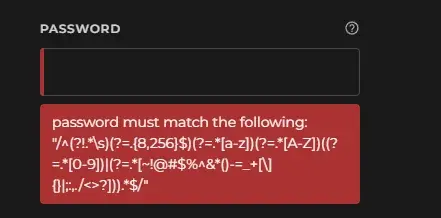
From the google OAuth configuration screen.
Who exactly is encouraging webp usage? Oh right…
From the google OAuth configuration screen.

Not on this instance? Enter your own instance's domain to go straight to following c/software_gore@programming.dev there.
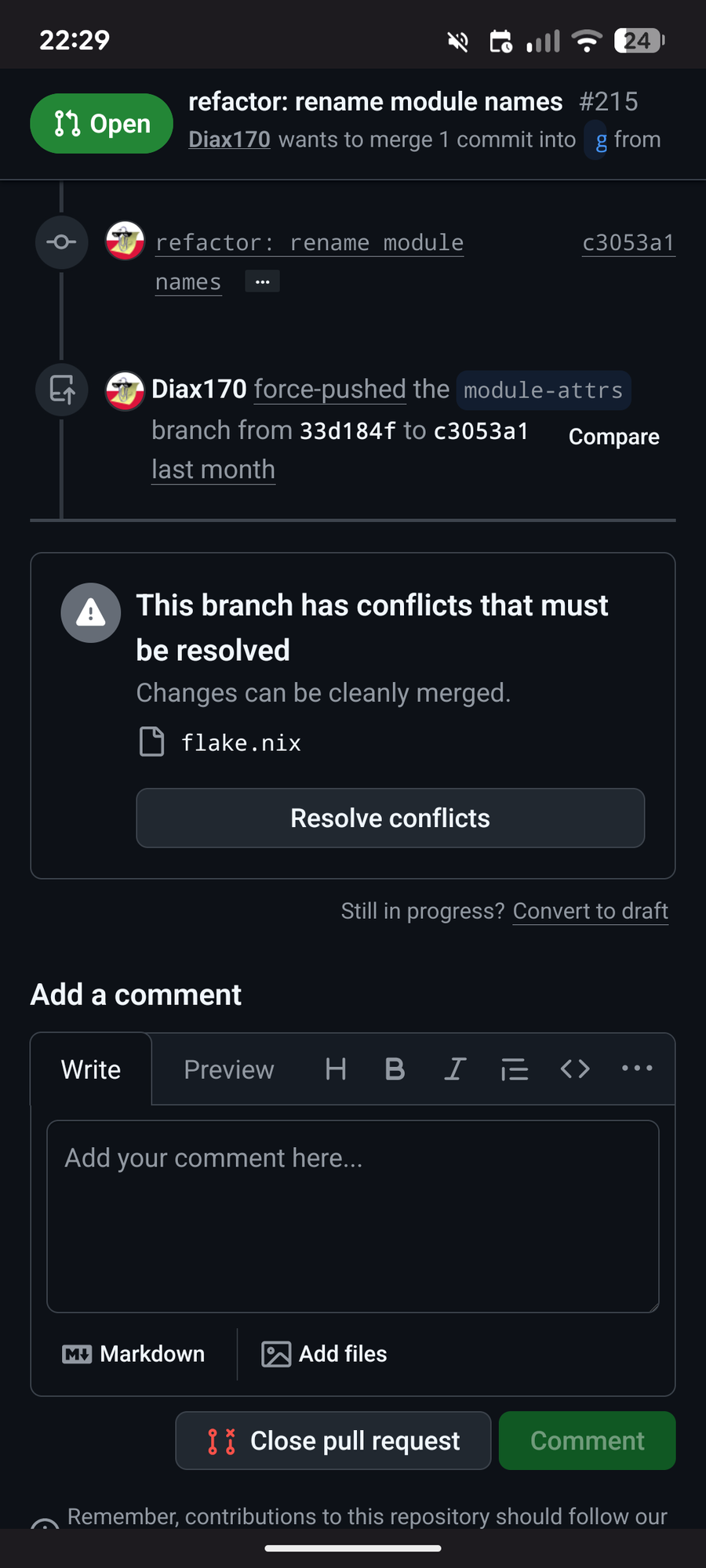
github at its finest ^
github at its finest ^


Who exactly is encouraging webp usage? Oh right…
From the google OAuth configuration screen.
Who exactly is encouraging webp usage? Oh right…
From the google OAuth configuration screen.

Can’t add my wife as an additional cardholder on my credit card, because she once used her phone number on a Barclays account of her own.
Can’t add my wife as an additional cardholder on my credit card, because she once used her phone number on a Barclays account of her own.

Glitch with Voyager app for browsing Threadiverse
Glitch with Voyager app for browsing Threadiverse
(0) Read the official Microsoft support guide, because otherwise you will never succeed.
…microsoft.com/…/change-sharepoint-online-languag…
Note that the UIs in the following steps may be in a language that you do not speak, but the support guide will naturally refer to the English localization. If you need the localized names of the UI elements, the guide is available in multiple languages. Unfortunately this will change the language of the entire guide, which may make it difficult to understand the steps themselves.
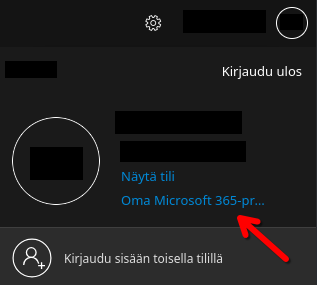
(1) Click on your profile circle in the top right and then click on this link.
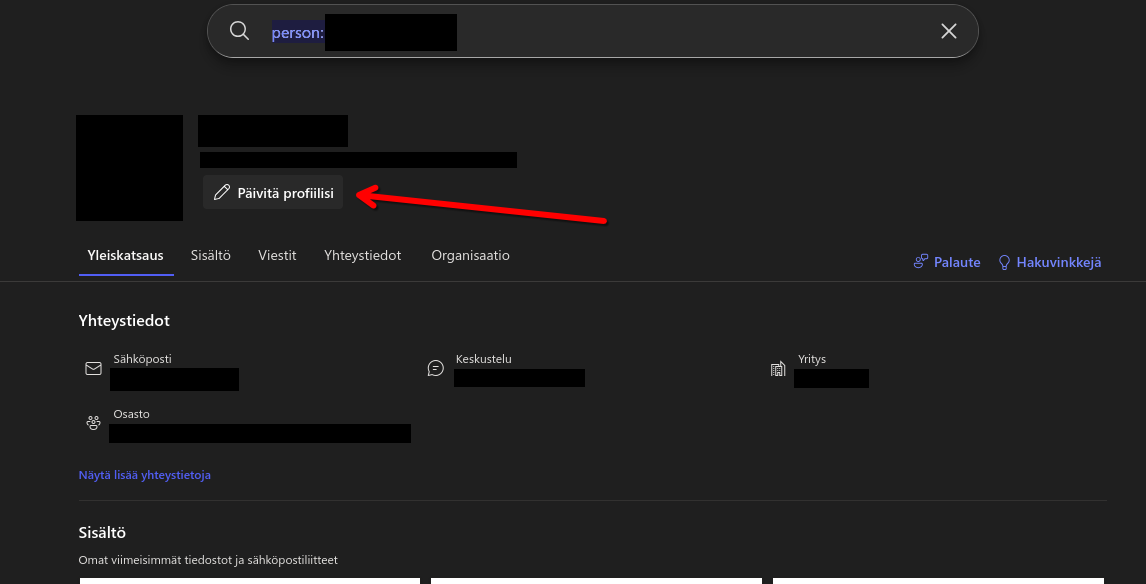
(2) On the new page that opens, click this button.
(3) In the modal pop-up, click this unassuming one-word link in the bottom left.
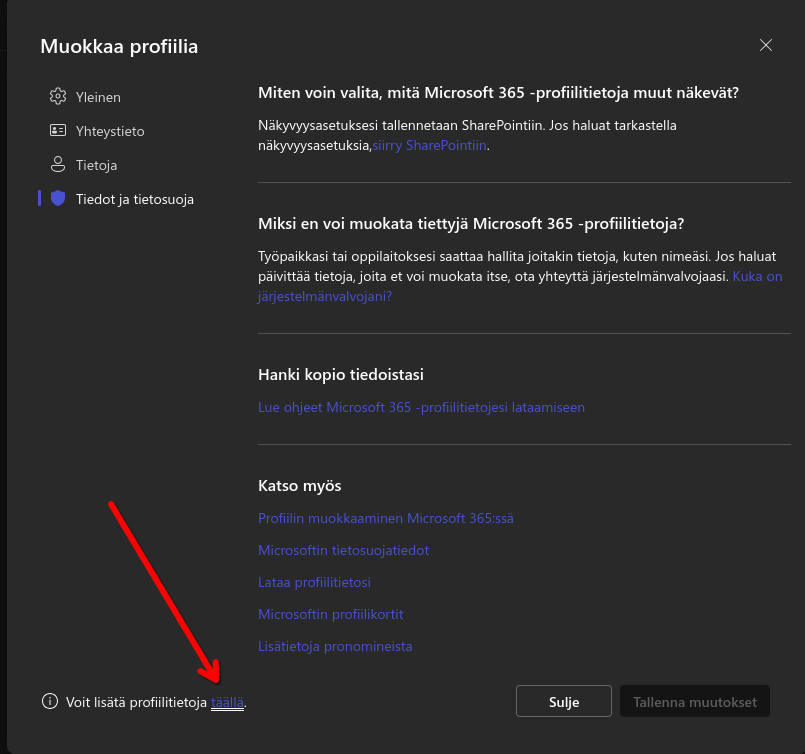
(The link translates to “You can add more profile information here.”)
(4) On the new page that opens, click on the ellipsis button to show the hidden items of the horizontal navigation.
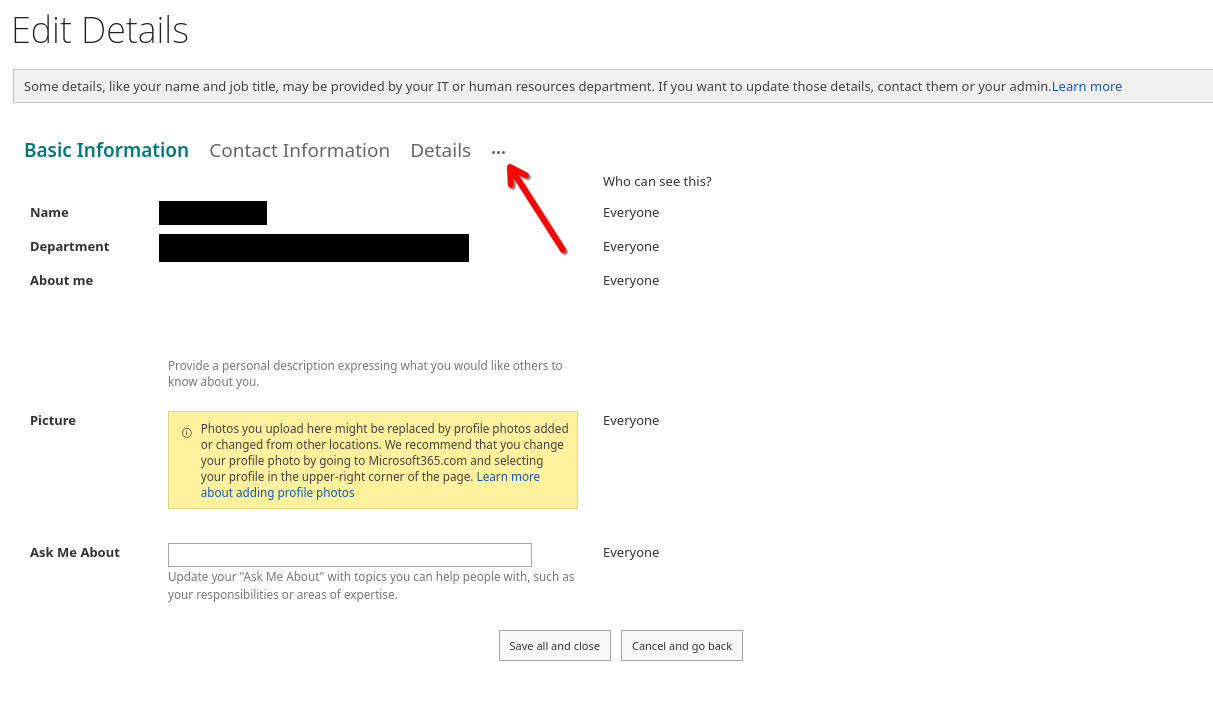
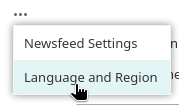
(5) Select “Language and region”.
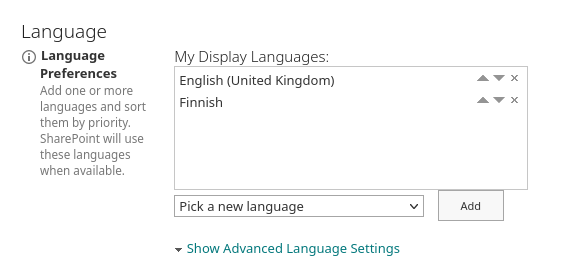
(6) Add your preferred language using the drop-down box and move it to the top of the list using the little arrows.
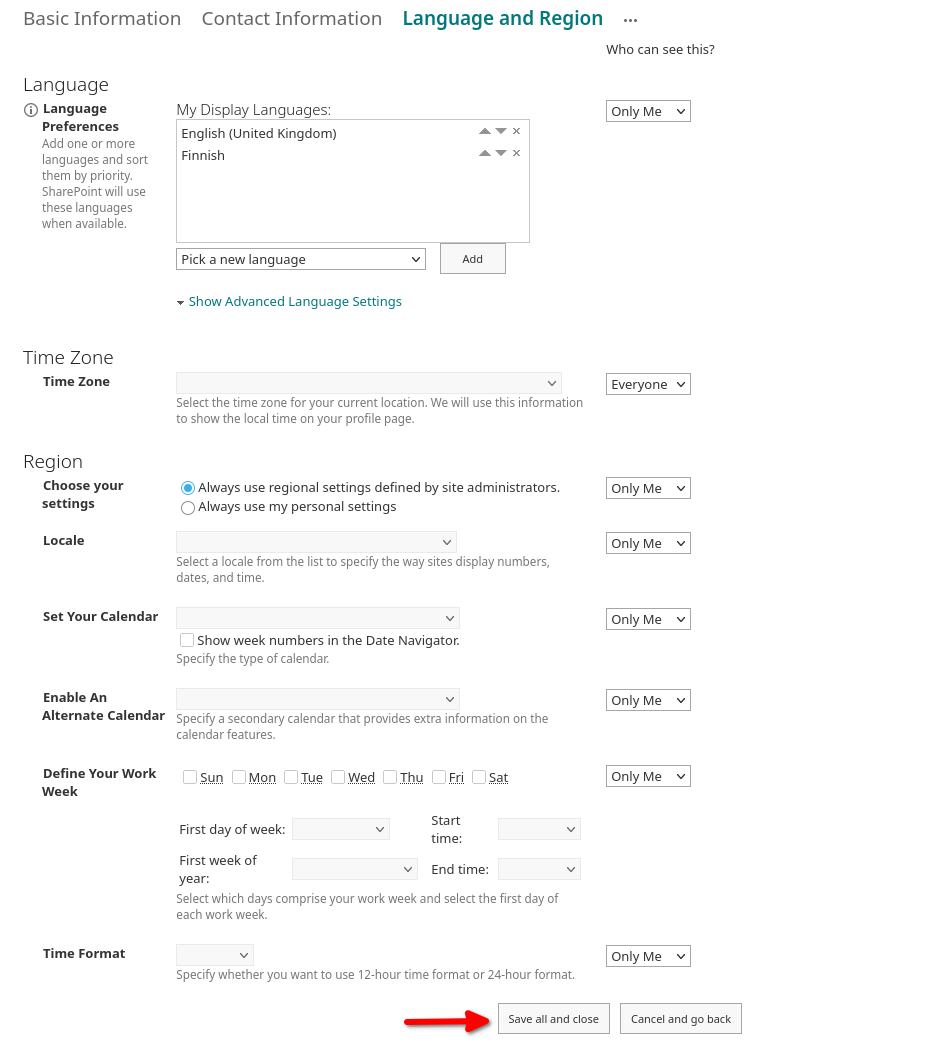
(7) IMPORTANT! Don’t forget to scroll to the bottom and click on “Save all and close”!
(8) Click “OK” on this pop-up.
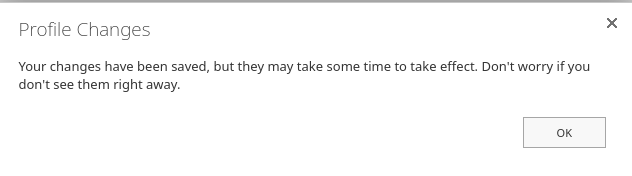
(9) You’re done and will be navigated back to the page from step 2!
Hope you didn’t want to change any other settings here.
Oh, and the page from step 2 will still be in the original language. Don’t worry, the pop-up dialog assured us it will change soon. Word may also still be in the original language, but should change sooner than the page from step 2 (I am still waiting on that one).
(0) Read the official Microsoft support guide, because otherwise you will never succeed.
…microsoft.com/…/change-sharepoint-online-languag…
Note that the UIs in the following steps may be in a language that you do not speak, but the support guide will naturally refer to the English localization. If you need the localized names of the UI elements, the guide is available in multiple languages. Unfortunately this will change the language of the entire guide, which may make it difficult to understand the steps themselves.
(1) Click on your profile circle in the top right and then click on this link.
(2) On the new page that opens, click this button.
(3) In the modal pop-up, click this unassuming one-word link in the bottom left.
(The link translates to “You can add more profile information here.”)
(4) On the new page that opens, click on the ellipsis button to show the hidden items of the horizontal navigation.
(5) Select “Language and region”.
(6) Add your preferred language using the drop-down box and move it to the top of the list using the little arrows.
(7) IMPORTANT! Don’t forget to scroll to the bottom and click on “Save all and close”!
(8) Click “OK” on this pop-up.
(9) You’re done and will be navigated back to the page from step 2!
Hope you didn’t want to change any other settings here.
Oh, and the page from step 2 will still be in the original language. Don’t worry, the pop-up dialog assured us it will change soon. Word may also still be in the original language, but should change sooner than the page from step 2 (I am still waiting on that one).


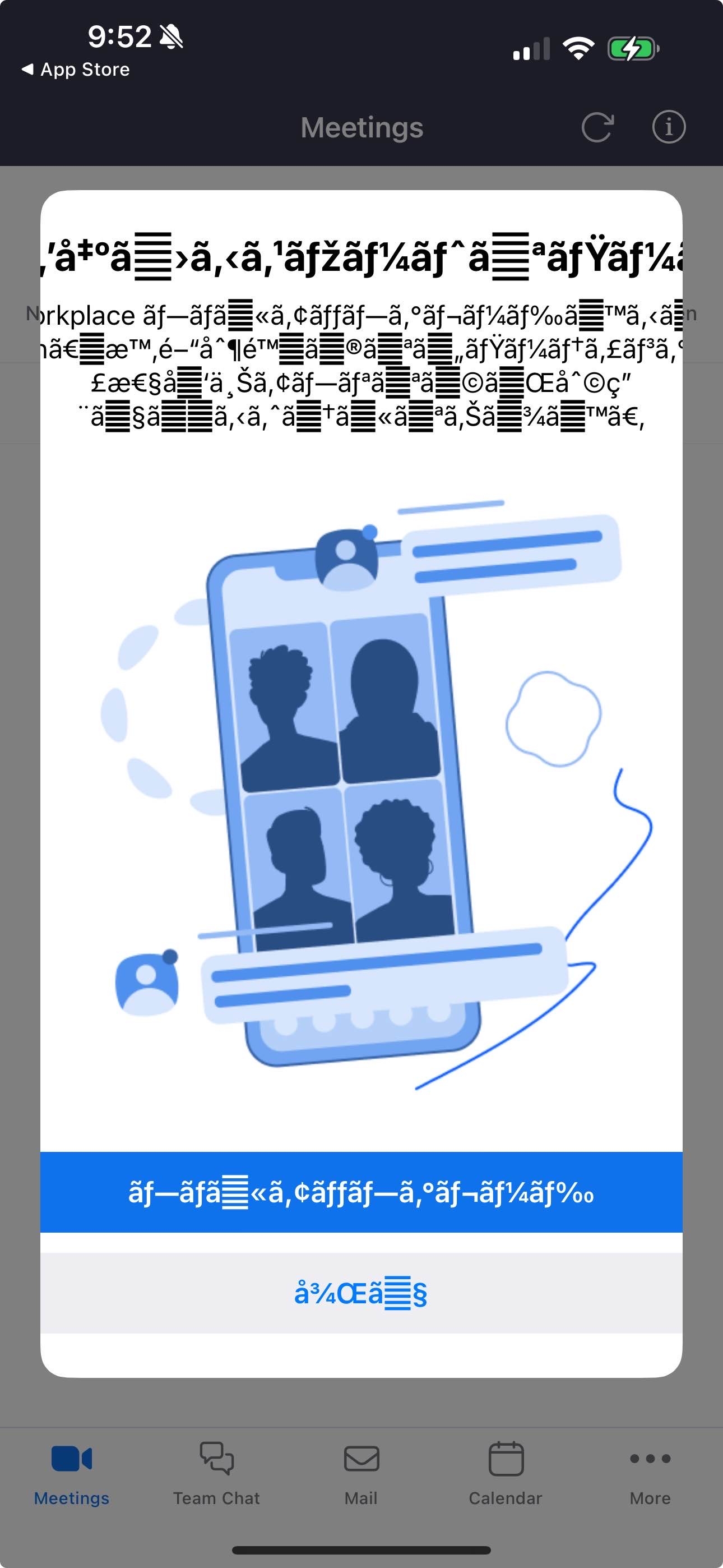
A kindle with broken text encoding.
A kindle with broken text encoding.

My gender? 1x38b.
A personality test. The result says, “The quiz is complete! The Jung personality test’s 60 questions classify you as: Catastrophic Failure {1x38b). something went wrong. Contact website administrator with the provided error code for troubleshooting.” The “Gender” field aslo says “1x38B”.
My gender? 1x38b.
A personality test. The result says, “The quiz is complete! The Jung personality test’s 60 questions classify you as: Catastrophic Failure {1x38b). something went wrong. Contact website administrator with the provided error code for troubleshooting.” The “Gender” field aslo says “1x38B”.



(not sure where to post this…)
I had an idea there might be a TUI lib for typescript. A duckduckgo search came up with an article that described exactly what I wanted!
So of course I immediately searched for this fabled tui lib. A quick search didn’t reveal anything, and npm can’t seem to find it either! www.npmjs.com/search?q=Tui
Navigating directly to the npm package page reveals a 10 year old got repo with no actual code… (github.com/basarat/tui)
What the scuff is this world coming to?!
This seems to absolutely align with my experience of using LLMs
(Also accepting suggestions for typescript TUI libs that actually exist!)
(not sure where to post this…)
I had an idea there might be a TUI lib for typescript. A duckduckgo search came up with an article that described exactly what I wanted!
So of course I immediately searched for this fabled tui lib. A quick search didn’t reveal anything, and npm can’t seem to find it either! www.npmjs.com/search?q=Tui
Navigating directly to the npm package page reveals a 10 year old got repo with no actual code… (github.com/basarat/tui)
What the scuff is this world coming to?!
This seems to absolutely align with my experience of using LLMs
(Also accepting suggestions for typescript TUI libs that actually exist!)

cross-posted from: programming.dev/post/29294671
Transcript
A windows dialogue saying "Select an app to open this ‘msteams’ link. The suggested apps are Microsoft teams, with a “new” subtext, and MicroSoft Teams, with the word new in its icon.
cross-posted from: programming.dev/post/29294671
Transcript
A windows dialogue saying "Select an app to open this ‘msteams’ link. The suggested apps are Microsoft teams, with a “new” subtext, and MicroSoft Teams, with the word new in its icon.

A screenshot saying “Your child’s Results, Your child’s BMI is Infinity. That puts them in the 100th percentile which indicates that they are obese.”
A screenshot saying “Your child’s Results, Your child’s BMI is Infinity. That puts them in the 100th percentile which indicates that they are obese.”

An uninstall window for McAfee WebAdvisor (usually installed as bloat on new computers), it says "Maybe you should keep us around… Here’s why: ". The reasons list is empty.
An uninstall window for McAfee WebAdvisor (usually installed as bloat on new computers), it says "Maybe you should keep us around… Here’s why: ". The reasons list is empty.

A “Now Playing” popup which shows “system Preferences” as the song playing.
A “Now Playing” popup which shows “system Preferences” as the song playing.


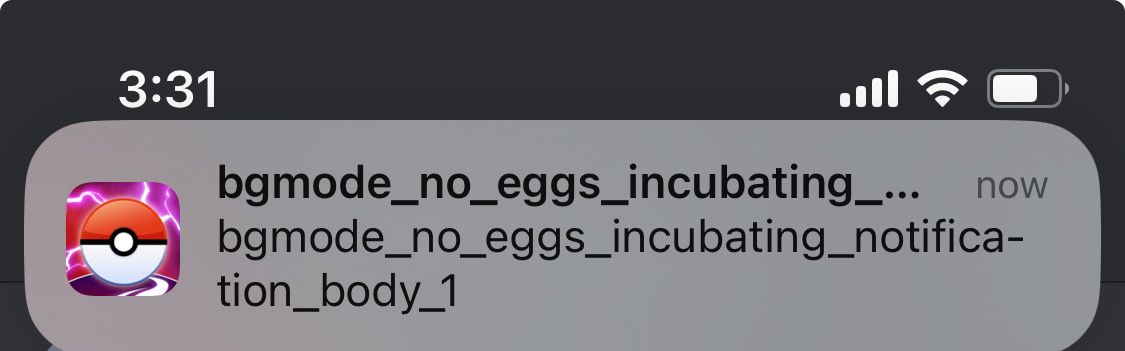




You’d think they’d just get rid of the indicator after I show up, or the day after the appointment, instead of leaving it there and saying I have -1 days left until it happens…
You’d think they’d just get rid of the indicator after I show up, or the day after the appointment, instead of leaving it there and saying I have -1 days left until it happens…

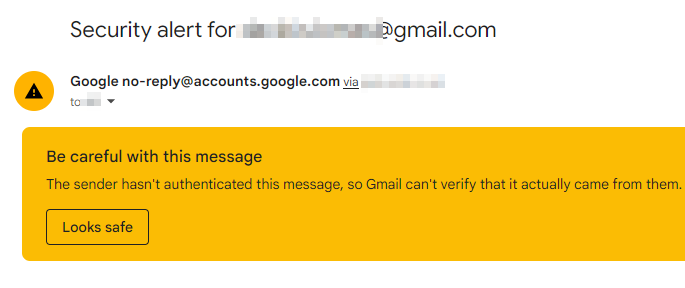
Google classify their own security alerts as spam. Or they just can’t be arsed with sorting out DKIM.
Google classify their own security alerts as spam. Or they just can’t be arsed with sorting out DKIM.
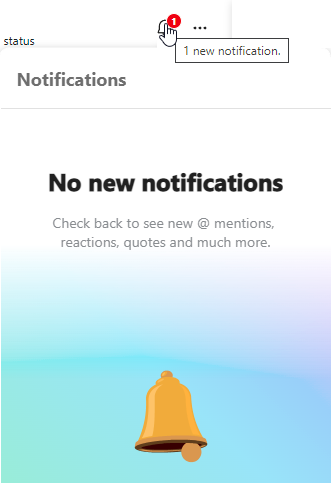
Skype pretty much always stuck like this.
Skype pretty much always stuck like this.