#selfhosted

posts tagged #selfhosted

108

How do you monitor your servers?

preview

Running services, network usage, memory usage, bandwidth, disk I/O, successful logins, whether the thing is even alive, etc…
So far my only method has been “hope and pray”.

Running services, network usage, memory usage, bandwidth, disk I/O, successful logins, whether the thing is even alive, etc…
So far my only method has been “hope and pray”.

26

NAS Build Part 2: Electric Boogaloo

preview

Finally…FINALLY had time to start moving everything over from my old Mac Mini-based NAS to my “new” NAS.

For reference: lemmy.dbzer0.com/post/61180593

So far so good! Ultimately, I decided to start with a fresh install of the most recent OMV release (v8.5), and migrated my existing mdadm-managed RAID5 array to that. OMV picked it up immediately, which made that part very easy.

The tricky part I’m dealing with now is remapping the various shares to my Proxmox cluster and VMs. Because I started fresh, I changed things up a little bit and created a second “disk” for each of my four Proxmox-hosted Docker VMs, which will hold those containers’ user data (not the container itself). The secondary VM disks are hosted inside Proxmox’s own NFS mount from the NAS.

Maybe there’s a better way to map the storage, but honestly I’ve learned an absolute shitton about how to properly set up Linux permissions and service users through this whole process. Plus, if the Mac mini was shut off from a power interruption or whatever, I would still have to manually power-on each disk in its USB-connected enclosure.

Unfortunately, during this migration process, one of my 4TB Reds refused to play nice, and checking the SMART stats showed multiple failing sectors. It has 69k (nice) hours, same as its twin. I had anticipated this, as I bought the first pair of EFRX Reds back in 2018, so about a year or two ago I added a newish 4TB Black as a hot spare (already had it, wasn’t using it for anything else). By the time I found the dying Red, mdadm had already automatically removed the Red from the array, pulled in the spare Black, and rebuilt the array. Fucking awesome. Both legitimately and sarcastically…

The neat part is that the case is 100% ATX compliant. Everything works with the new mobo, from the power button, to the lights, and even the front USB ports.

Obligatory pics!

Fully assembled:

OS install:

And its original config from HP, right before I tore it apart. Check out that dust blanket:

Full specs:

Part Name
Case HP ProLiant ML110 Gen 2 (2004-ish)
Motherboard Asus PRIME Q270M-C mATX
CPU Intel Pentium G4560T
Memory Samsung 1x8GB DDR4-2400
Power Supply Rosewill Capstone 650W
CPU Cooler Thermalright Assassin X SE
Case Fan Noctua A12x25 120mm
Operating System OpenMediaVault v8.5
OS Drive Toshiba 128GB M.2 NVME SSD
Storage Management LSI HBA 9211-8i - IT Mode
Storage Management Rosewill 4 x 3.5" HDD Hot-Swap Cage (+fan)
RAID5 Storage WD Red CMR 4TB 3.5" HDD
RAID5 Storage WD Black 4TB 3.5" HDD (Hot spare - it’s CMR, too!)
RAID5 1:1 Backup WD Red Plus CMR 8TB 3.5" HDD
Camera Storage WD Purple 1TB 3.5" HDD

Finally…FINALLY had time to start moving everything over from my old Mac Mini-based NAS to my “new” NAS.

For reference: lemmy.dbzer0.com/post/61180593

So far so good! Ultimately, I decided to start with a fresh install of the most recent OMV release (v8.5), and migrated my existing mdadm-managed RAID5 array to that. OMV picked it up immediately, which made that part very easy.

The tricky part I’m dealing with now is remapping the various shares to my Proxmox cluster and VMs. Because I started fresh, I changed things up a little bit and created a second “disk” for each of my four Proxmox-hosted Docker VMs, which will hold those containers’ user data (not the container itself). The secondary VM disks are hosted inside Proxmox’s own NFS mount from the NAS.

Maybe there’s a better way to map the storage, but honestly I’ve learned an absolute shitton about how to properly set up Linux permissions and service users through this whole process. Plus, if the Mac mini was shut off from a power interruption or whatever, I would still have to manually power-on each disk in its USB-connected enclosure.

Unfortunately, during this migration process, one of my 4TB Reds refused to play nice, and checking the SMART stats showed multiple failing sectors. It has 69k (nice) hours, same as its twin. I had anticipated this, as I bought the first pair of EFRX Reds back in 2018, so about a year or two ago I added a newish 4TB Black as a hot spare (already had it, wasn’t using it for anything else). By the time I found the dying Red, mdadm had already automatically removed the Red from the array, pulled in the spare Black, and rebuilt the array. Fucking awesome. Both legitimately and sarcastically…

The neat part is that the case is 100% ATX compliant. Everything works with the new mobo, from the power button, to the lights, and even the front USB ports.

Obligatory pics!

Fully assembled:

OS install:

And its original config from HP, right before I tore it apart. Check out that dust blanket:

Full specs:

Part Name
Case HP ProLiant ML110 Gen 2 (2004-ish)
Motherboard Asus PRIME Q270M-C mATX
CPU Intel Pentium G4560T
Memory Samsung 1x8GB DDR4-2400
Power Supply Rosewill Capstone 650W
CPU Cooler Thermalright Assassin X SE
Case Fan Noctua A12x25 120mm
Operating System OpenMediaVault v8.5
OS Drive Toshiba 128GB M.2 NVME SSD
Storage Management LSI HBA 9211-8i - IT Mode
Storage Management Rosewill 4 x 3.5" HDD Hot-Swap Cage (+fan)
RAID5 Storage WD Red CMR 4TB 3.5" HDD
RAID5 Storage WD Black 4TB 3.5" HDD (Hot spare - it’s CMR, too!)
RAID5 1:1 Backup WD Red Plus CMR 8TB 3.5" HDD
Camera Storage WD Purple 1TB 3.5" HDD
15

Advice on double-identity server architecture and finding relevant resources to learn?

preview

I have had some experience with self-hosting before, but most of this was fairly temporary. My goal is to have two separate (but linked) personas online, one more professional, and one more small-web-like (hobbies and things).

They should each have a

  • Website (Zola Blog)
  • Matrix homeserver (I was thinking tuwunel) (just me)
  • Fediverse instance (Probably GoToSocial) (also just me)
  • Lemmy instance (also also just me)

I currently use Docker Compose for container management, I was considering adding some sort of frontend too accessible over Tailscale so I can manage the containers.

After some light research, I’ve come to the conclusion that renting a VPS and using a WireGuard tunnel will be a good option for public internet traffic, but otherwise, I was wondering if anyone had opinions on this setup? If you could point me to some good resources for these things as well that would be awesome!

Additionally, if anyone knows anything about security, keeping the software up to date, backups, generally being a good server admin, some information or resources on that would be amazing too!

I have had some experience with self-hosting before, but most of this was fairly temporary. My goal is to have two separate (but linked) personas online, one more professional, and one more small-web-like (hobbies and things).

They should each have a

  • Website (Zola Blog)
  • Matrix homeserver (I was thinking tuwunel) (just me)
  • Fediverse instance (Probably GoToSocial) (also just me)
  • Lemmy instance (also also just me)

I currently use Docker Compose for container management, I was considering adding some sort of frontend too accessible over Tailscale so I can manage the containers.

After some light research, I’ve come to the conclusion that renting a VPS and using a WireGuard tunnel will be a good option for public internet traffic, but otherwise, I was wondering if anyone had opinions on this setup? If you could point me to some good resources for these things as well that would be awesome!

Additionally, if anyone knows anything about security, keeping the software up to date, backups, generally being a good server admin, some information or resources on that would be amazing too!

164

Hardware price surge drives student demand for refurbished laptops

The Times of India Hardware price surge drives student demand for refurbished laptops timesofindia.indiatimes.com
preview

it’s true in the usa and it’s true in india, exact same response to the exact same stressors. that’s interesting.

it’s true in the usa and it’s true in india, exact same response to the exact same stressors. that’s interesting.

84

What do you use for alerting?

preview

… specifically, the thing to deliver alerts from your servers to your phone or whatever. I’m using Discord, because it doesn’t depend on my own infrastructure, and I can make a private “alerts” channel on my private server. But I’d like to switch to something that’s not Discord. I’m using alertmanager, FWIW.

… specifically, the thing to deliver alerts from your servers to your phone or whatever. I’m using Discord, because it doesn’t depend on my own infrastructure, and I can make a private “alerts” channel on my private server. But I’d like to switch to something that’s not Discord. I’m using alertmanager, FWIW.

121

2026 Self-Host User Survey (selfh.st)

selfh.st 2026 Self-Host User Survey: Open for Submissions selfh.st
preview

Hey, c/selfhosted! Every year I facilitate a 40-45 question user survey identifying habits, trends, and preferences across the self-hosting and homelab crowd.

I kicked off this year’s survey this morning and would love for everyone to take 10-15 minutes to complete it!

The survey will remain open until October 31st, and results will be published in early November.

As usual, I’ve also published a separate form to collect feedback on this year’s survey and ideas for future surveys, which I’ve linked to below.

Thanks!

Hey, c/selfhosted! Every year I facilitate a 40-45 question user survey identifying habits, trends, and preferences across the self-hosting and homelab crowd.

I kicked off this year’s survey this morning and would love for everyone to take 10-15 minutes to complete it!

The survey will remain open until October 31st, and results will be published in early November.

As usual, I’ve also published a separate form to collect feedback on this year’s survey and ideas for future surveys, which I’ve linked to below.

Thanks!

121

Anyone using 6-day certs yet?

preview

Since the beginning of this year, Let’s Encrypt rolled out a new shortlived profile for certificates that make them valid for only 160 hours. The intention, as they say, is to encourage automation and reduce the window of certificate compromise (because revocation is somewhat a flakey thing).

Yet, I haven’t seen a lot of news about it since then. Hence the question: is this shorter cert thingy something you considered and deployed for your homelab?

As for me I’ve set up lego-acme with profile: “shortlived” on my rig. Lego runs on a bihourly cronjob, but only renews when a cert has >=3 days to expiry. It’s been pretty much a set-and-forget experience, although some more monitoring would be nice.

Since the beginning of this year, Let’s Encrypt rolled out a new shortlived profile for certificates that make them valid for only 160 hours. The intention, as they say, is to encourage automation and reduce the window of certificate compromise (because revocation is somewhat a flakey thing).

Yet, I haven’t seen a lot of news about it since then. Hence the question: is this shorter cert thingy something you considered and deployed for your homelab?

As for me I’ve set up lego-acme with profile: “shortlived” on my rig. Lego runs on a bihourly cronjob, but only renews when a cert has >=3 days to expiry. It’s been pretty much a set-and-forget experience, although some more monitoring would be nice.

101

Vaultwarden security update

GitHub Release 1.37.4 · dani-garcia/vaultwarden github.com
preview

As the title suggests, there is a vaultwarden security update, from yesterday actually so probably all of you are way ahead of me on this.

As the title suggests, there is a vaultwarden security update, from yesterday actually so probably all of you are way ahead of me on this.

26

Any selfhosted service to keep track of private tracker ?

preview

Hey all :) how you doing?

I have seen a few post here about how to keep track of them and I kinda bookmarked it but I seems I’m not able to find them back…

It’s getting hard to keep track of my presence on all of them and I wished there was and easy and neat interface.

I have multiple trackers in 3 different language (FR, DE, EN).

Has anyone a good solution or a docker service that’s upto date? I don’t care if it’s AI generated, as long as it’s tested and works :)

Thank you !!

Hey all :) how you doing?

I have seen a few post here about how to keep track of them and I kinda bookmarked it but I seems I’m not able to find them back…

It’s getting hard to keep track of my presence on all of them and I wished there was and easy and neat interface.

I have multiple trackers in 3 different language (FR, DE, EN).

Has anyone a good solution or a docker service that’s upto date? I don’t care if it’s AI generated, as long as it’s tested and works :)

Thank you !!

21

Can't access some services behind reverse proxy (Solved)

preview

Hello! I have 2 services that are only being accessed locally but require HTTPS so I am using Caddy & DuckDNS w/ DNS-01 to reverse proxy them. In DuckDNS, both subdomains are pointing at the local IP address of Caddy, and my Caddyfile has:

service1.duckdns.org:443 {
        tls {
                dns duckdns {
                        api_token API-TOKEN
                }
        }
        reverse_proxy 192.168.0.51:8080
	}

service2.duckdns.org:443 {
        tls {
                dns duckdns {
                        api_token API-TOKEN
                }
        }
        reverse_proxy 192.168.0.20:8080
	}

The issue is that I can access service1.duckdns.org (within my home network), but I can’t access service2.duckdns.org (502 Bad Gateway). Caddy is running in a LXC in Proxmox, and Service1 is on a different VM on the same Proxmox machine, while Service2 is on a different machine on my network. I don’t see any entries in my router’s firewall logs or PiHole that indicates something is blocking it. I enabled logging in Caddy for both services and I am only able to see activity for Service1, so I guess that means something is blocking Service2 from reaching Caddy entirely?

I’m able to access service2 directly from the IP address but I’m a novice in networking so I’m trying to understand and learn what could be causing this. Any help would be appreciated!

Edit: service2 is ActualBudget and I had configured it to use the certs using the instructions here (actualbudget.org/docs/config/https/) when I didn’t need to (since Caddy handles all of this already… i think)

Hello! I have 2 services that are only being accessed locally but require HTTPS so I am using Caddy & DuckDNS w/ DNS-01 to reverse proxy them. In DuckDNS, both subdomains are pointing at the local IP address of Caddy, and my Caddyfile has:

service1.duckdns.org:443 {
        tls {
                dns duckdns {
                        api_token API-TOKEN
                }
        }
        reverse_proxy 192.168.0.51:8080
	}

service2.duckdns.org:443 {
        tls {
                dns duckdns {
                        api_token API-TOKEN
                }
        }
        reverse_proxy 192.168.0.20:8080
	}

The issue is that I can access service1.duckdns.org (within my home network), but I can’t access service2.duckdns.org (502 Bad Gateway). Caddy is running in a LXC in Proxmox, and Service1 is on a different VM on the same Proxmox machine, while Service2 is on a different machine on my network. I don’t see any entries in my router’s firewall logs or PiHole that indicates something is blocking it. I enabled logging in Caddy for both services and I am only able to see activity for Service1, so I guess that means something is blocking Service2 from reaching Caddy entirely?

I’m able to access service2 directly from the IP address but I’m a novice in networking so I’m trying to understand and learn what could be causing this. Any help would be appreciated!

Edit: service2 is ActualBudget and I had configured it to use the certs using the instructions here (actualbudget.org/docs/config/https/) when I didn’t need to (since Caddy handles all of this already… i think)

39

Does anyone have an ARR/automated book and manga system?

preview

What are you guys running for this? I was looking around online and on the other site but everything seems either very new with few people saying anything or it’s a completely vibe coded project, or just dead. Some people are just recommending to instead do it on-device but where’s the fun in that if you have a server ;)

Cheers for any responses.

What are you guys running for this? I was looking around online and on the other site but everything seems either very new with few people saying anything or it’s a completely vibe coded project, or just dead. Some people are just recommending to instead do it on-device but where’s the fun in that if you have a server ;)

Cheers for any responses.

71

Self host a garden management software

preview

Hi folks. I have quite a bit on land with orchard of varies fruit aolive trees. I’m finding i would benefit from keeping a database of which tree gets what treatment, what fertilizer, how much produce i get, etc. Has anyone thought of such a tool? I use Joplin notes but its not as elegant, plus my sons are getting into it too now so multiuser woukd be cool.

Hi folks. I have quite a bit on land with orchard of varies fruit aolive trees. I’m finding i would benefit from keeping a database of which tree gets what treatment, what fertilizer, how much produce i get, etc. Has anyone thought of such a tool? I use Joplin notes but its not as elegant, plus my sons are getting into it too now so multiuser woukd be cool.

53

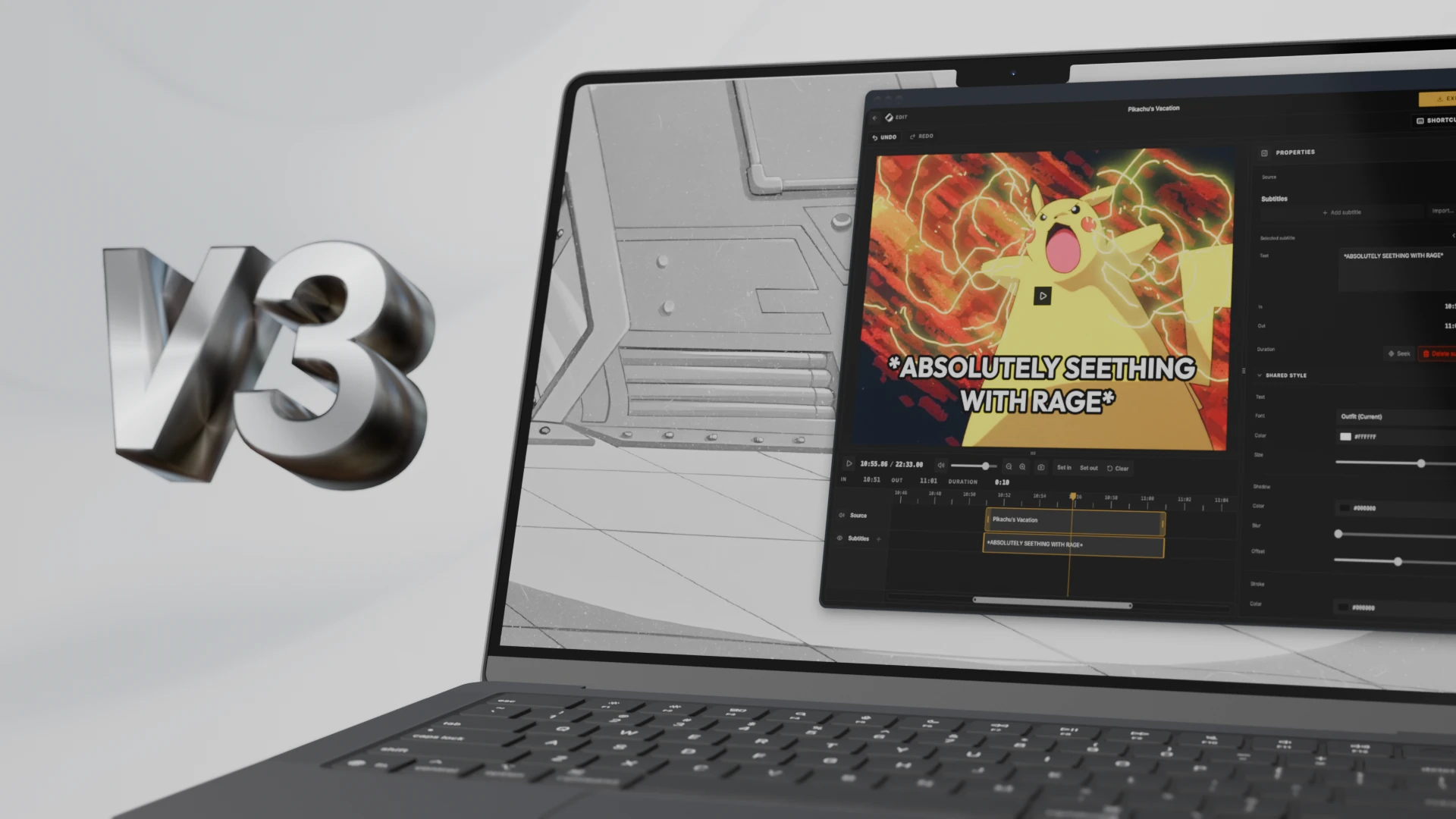
[AIP] Cliparr 3.0 - Plex/Jellyfin Media Clipper

Cliparr Cliparr 3.0: audio exports and custom subtitles | Cliparr cliparr.dev
preview

What is Cliparr?

A tool for creating clips from media playing on your Plex or Jellyfin server. Perfect for memes, soundboards, content creators, and more.

What’s New in 3.0?

  • Audio-only export supporting multiple formats (mp3, ogg, wav, flac, m4a).
  • Custom subtitles. You can now arbitrarily add custom subtitles/captions, regardless of whether the source contains any.
  • Improved metadata embedded into exports. Now includes a versioned metadata schema.
  • Security improvements.
  • Performance improvements.

Mentions on the web

Recently listed on selfh.st, the self-hosted application directory.

Pick of the week on the Linux Unplugged podcast.

This is the best pick of my life

It’s life-changing

What is perhaps the best web interface for editing clips I have ever seen

The folks on the Linux Unplugged podcast had amazing things to say, check out their full episode.

Links

What is Cliparr?

A tool for creating clips from media playing on your Plex or Jellyfin server. Perfect for memes, soundboards, content creators, and more.

What’s New in 3.0?

  • Audio-only export supporting multiple formats (mp3, ogg, wav, flac, m4a).
  • Custom subtitles. You can now arbitrarily add custom subtitles/captions, regardless of whether the source contains any.
  • Improved metadata embedded into exports. Now includes a versioned metadata schema.
  • Security improvements.
  • Performance improvements.

Mentions on the web

Recently listed on selfh.st, the self-hosted application directory.

Pick of the week on the Linux Unplugged podcast.

This is the best pick of my life

It’s life-changing

What is perhaps the best web interface for editing clips I have ever seen

The folks on the Linux Unplugged podcast had amazing things to say, check out their full episode.

Links

-53

if you're waiting to buy a computer, do it soon. prices are going to skyrocket (again) in 2027 and 2028. especially ram. i've linked to some of my sources in the post.

preview

i’m seeing some estimates stating ram prices are going to jump 400% by the end of june 2027. major price increases are inbound.

here is some of the information i’m seeing:

  1. Memory shortage deepens, extending boom for Korean chipmakers
  2. Samsung expects memory shortage to worsen through 2027 and last until 2028
  3. SK Hynix CEO sees worst memory shortage in 2027, demand to outstrip supply beyond 2030
  4. SSD and memory price to remain high at least until 2029?
  5. Micron: Memory Crunch Outpaces 20% Supply Growth
  6. Price of SSDs in 2026: why it’s a panic (and when it will calm down)
  7. The Rising Cost of RAM & SSDs: What’s Happening, Why It’s Happening AGAIN and What Comes Next
  8. Riding the AI Supercycle: Navigating the 2026 Memory & Storage Market
  9. Electronic Pricing Pressures Will Last Beyond 2026
  10. Memory’s $200B Inflection
  11. Micron Is Up 900%. Here’s Why the AI Memory Trade May Still Have Room to Run
  12. Memory & HBM
  13. Prediction: Micron Could Be the Most Important AI Stock After Nvidia
  14. Memory Will Cost Cloud Giants More Than GPUs by 2027: NVIDIA Uses That to Justify 15% Server Hike
  15. Gartner Says Surging Memory Costs Will Reduce Global PC and Smartphone Shipments in 2026

prices may never come down again.

“post consumer computing”

i’m seeing some estimates stating ram prices are going to jump 400% by the end of june 2027. major price increases are inbound.

here is some of the information i’m seeing:

  1. Memory shortage deepens, extending boom for Korean chipmakers
  2. Samsung expects memory shortage to worsen through 2027 and last until 2028
  3. SK Hynix CEO sees worst memory shortage in 2027, demand to outstrip supply beyond 2030
  4. SSD and memory price to remain high at least until 2029?
  5. Micron: Memory Crunch Outpaces 20% Supply Growth
  6. Price of SSDs in 2026: why it’s a panic (and when it will calm down)
  7. The Rising Cost of RAM & SSDs: What’s Happening, Why It’s Happening AGAIN and What Comes Next
  8. Riding the AI Supercycle: Navigating the 2026 Memory & Storage Market
  9. Electronic Pricing Pressures Will Last Beyond 2026
  10. Memory’s $200B Inflection
  11. Micron Is Up 900%. Here’s Why the AI Memory Trade May Still Have Room to Run
  12. Memory & HBM
  13. Prediction: Micron Could Be the Most Important AI Stock After Nvidia
  14. Memory Will Cost Cloud Giants More Than GPUs by 2027: NVIDIA Uses That to Justify 15% Server Hike
  15. Gartner Says Surging Memory Costs Will Reduce Global PC and Smartphone Shipments in 2026

prices may never come down again.

“post consumer computing”

97

Recommendations for self hosted recipe manager

preview

Hi everyone,

I am currently using a wild mix of browser bookmarks, actual printouts, saved PDFs and screenshots to save recipes I liked and might want to cook again. Obviously this has become unsustainable over the years so now I thought I could put that into a service specialized for that and maybe also stop using Bring! as my shopping list while I’m at it, just to reduce my dependence on cloud services.

I am basically looking for something I can use to catalogue my recipes that allows me to import my various sources and turn them into a searchable uniform format, preferably with some sort of OCR.

I looked at Mealie and Kitchenowl but don’t quite like how they present the recipes and their recipe parsing works only so so…

Have you guys any recommendation?

Hi everyone,

I am currently using a wild mix of browser bookmarks, actual printouts, saved PDFs and screenshots to save recipes I liked and might want to cook again. Obviously this has become unsustainable over the years so now I thought I could put that into a service specialized for that and maybe also stop using Bring! as my shopping list while I’m at it, just to reduce my dependence on cloud services.

I am basically looking for something I can use to catalogue my recipes that allows me to import my various sources and turn them into a searchable uniform format, preferably with some sort of OCR.

I looked at Mealie and Kitchenowl but don’t quite like how they present the recipes and their recipe parsing works only so so…

Have you guys any recommendation?

60

looking for lightweight ghost blog alternative

preview

My blog is currently running on Ghost 1.0 I’m blogging for almost 20 years, started with blogger.com I think, eventually migrated to self-hosted Ghost when it was pretty new and lightweight. I can host anything that runs on Linux, I can even use Docker.

I don’t want to migrate to the latest Ghost version because it feels very enterprisey now, needs a lot of resources on the server and uses a complex data format instead of Markdown. I don’t need monetization either.

My requirements are:

  • possible to migrate ~30-40 Markdown posts + embedded images from Ghost 1.0
  • future proof, i.e. simple data format so I don’t get locked in
  • low RAM/CPU usage
  • easy maintenance, creating posts, backups, etc
  • RSS support

I’ll be very grateful for any suggestions.

My blog is currently running on Ghost 1.0 I’m blogging for almost 20 years, started with blogger.com I think, eventually migrated to self-hosted Ghost when it was pretty new and lightweight. I can host anything that runs on Linux, I can even use Docker.

I don’t want to migrate to the latest Ghost version because it feels very enterprisey now, needs a lot of resources on the server and uses a complex data format instead of Markdown. I don’t need monetization either.

My requirements are:

  • possible to migrate ~30-40 Markdown posts + embedded images from Ghost 1.0
  • future proof, i.e. simple data format so I don’t get locked in
  • low RAM/CPU usage
  • easy maintenance, creating posts, backups, etc
  • RSS support

I’ll be very grateful for any suggestions.

22

Local Mastodon Instance

preview

Hi everyone! I’m looking to run a Mastodon instance on a home server, entirely within LAN, without owning a domain. It does not need to interact with other Mastodon instances, but users on the local server should still be able to follow accounts on other Mastodon servers. Local users should also be able to create posts and see each other’s posts on the local instance. I’d appreciate advice from anyone running Mastodon this way at home. Thanks!

Hi everyone! I’m looking to run a Mastodon instance on a home server, entirely within LAN, without owning a domain. It does not need to interact with other Mastodon instances, but users on the local server should still be able to follow accounts on other Mastodon servers. Local users should also be able to create posts and see each other’s posts on the local instance. I’d appreciate advice from anyone running Mastodon this way at home. Thanks!

58

Personal radio station

preview

Apologies if this has been asked before however after some searching I’ve found several posts / articles here in Lemmy (plus generally around via web searches). Some of the posts are dated however so want to see what the most ‘up to date’ suggestions are.

I have spare hardware so this is more a software query.

I want to run my own private radio station where I can listen to my music while on the move and at work. Nothing special and it doesnt need bells and whistles however at minimum :

  1. able to listen via web browser (android app would be a bonus but not required)
  2. able to lock it down so only people with the password can listen (me and other half in UK and brother in Australia)
  3. ) a generic login so people without the password do not know what it is or what its for
  4. option to set playlists and / or random via genre over specific time periods

Thanks in advance.

Apologies if this has been asked before however after some searching I’ve found several posts / articles here in Lemmy (plus generally around via web searches). Some of the posts are dated however so want to see what the most ‘up to date’ suggestions are.

I have spare hardware so this is more a software query.

I want to run my own private radio station where I can listen to my music while on the move and at work. Nothing special and it doesnt need bells and whistles however at minimum :

  1. able to listen via web browser (android app would be a bonus but not required)
  2. able to lock it down so only people with the password can listen (me and other half in UK and brother in Australia)
  3. ) a generic login so people without the password do not know what it is or what its for
  4. option to set playlists and / or random via genre over specific time periods

Thanks in advance.

54

Old laptop with non-funtional display... What do I turn it into

preview

So being the tech guy in my family, I just “inherited” my brother’s old laptop. It’s internals are reasonably modern, it has a Ryzen 5800HS and a RTX 3050Ti inside, the only issue is the display somehow died (I’ve opened the laptop up and I can’t tell how, but it definitely seems to be a hardware issue as far as I can tell - the laptop simply no longer detects the display is connected at all).

I’ve been able to confirm that full video output still works over HDMI (including access to the BIOS and boot menu, which I’ve heard isn’t a given with laptops) and that it can still boot with the battery removed as long as the stock 20v power supply is used (it won’t boot with only usb-c power)

So my question is, what would you do with this thing?

A bit of background on my current setup: I already have 2 mini PCs which I use for Docker containers (*arr stack, Jellyfin, Navidrome, Nextcloud and some other web services. All these run fine and storage is my bottleneck rather than power currently) and the other I use to run Home Assistant OS with a couple of relevant addons (or “apps” as they insist on calling them now)

I’d hate to have that 3050Ti sitting around unused, but I don’t really feel like I want or need a local AI server so I’d welcome any suggestions with interesting use cases for that GPU :)

So being the tech guy in my family, I just “inherited” my brother’s old laptop. It’s internals are reasonably modern, it has a Ryzen 5800HS and a RTX 3050Ti inside, the only issue is the display somehow died (I’ve opened the laptop up and I can’t tell how, but it definitely seems to be a hardware issue as far as I can tell - the laptop simply no longer detects the display is connected at all).

I’ve been able to confirm that full video output still works over HDMI (including access to the BIOS and boot menu, which I’ve heard isn’t a given with laptops) and that it can still boot with the battery removed as long as the stock 20v power supply is used (it won’t boot with only usb-c power)

So my question is, what would you do with this thing?

A bit of background on my current setup: I already have 2 mini PCs which I use for Docker containers (*arr stack, Jellyfin, Navidrome, Nextcloud and some other web services. All these run fine and storage is my bottleneck rather than power currently) and the other I use to run Home Assistant OS with a couple of relevant addons (or “apps” as they insist on calling them now)

I’d hate to have that 3050Ti sitting around unused, but I don’t really feel like I want or need a local AI server so I’d welcome any suggestions with interesting use cases for that GPU :)

32

Connect turntables to HomePods

GitHub GitHub - lo-tech-systems/autostream: Automatically play vinyl and CDs through HomePods, Apple TV, Sonos and other AirPlay speakers. Works with HomePod OS and tvOS 27. See what's playing and control it with iPhone - or companion dial. Runs on Raspberry Pi. github.com
preview

I spotted this project today and thought it might be of interest for some of you.

It will allow you to stream your vinyls, CD or cassette players to airplay capable devices.

I spotted this project today and thought it might be of interest for some of you.

It will allow you to stream your vinyls, CD or cassette players to airplay capable devices.

31

Tasks app recommendation with notifications?

preview

Hi,

I’m desperate for a good Todo app with proper Android notifications support, or at lease web push notifications from the browser.

Best I could find was Vikunja, but email notifications aren’t very practical for multiple daily tasks with reminders.

Lately I’ve been trying to use Obsidian as my tracker for things to do, but it’s just not that convenient for me and doesn’t trigger notifications.

I know selfhosted push notifications isn’t a simple problem to solve, so I don’t have much hope got a solution.

I’m so close to going back to Todoist, which to me is the gold standard, you guys are my last attempt 🙏

Hi,

I’m desperate for a good Todo app with proper Android notifications support, or at lease web push notifications from the browser.

Best I could find was Vikunja, but email notifications aren’t very practical for multiple daily tasks with reminders.

Lately I’ve been trying to use Obsidian as my tracker for things to do, but it’s just not that convenient for me and doesn’t trigger notifications.

I know selfhosted push notifications isn’t a simple problem to solve, so I don’t have much hope got a solution.

I’m so close to going back to Todoist, which to me is the gold standard, you guys are my last attempt 🙏

-47

How Many Users Can a 1 vCPU / 2 GB RAM Server Actually Handle?

The CyberSec Guru How Many Users Can a 1 vCPU 2GB RAM Server Handle? | The CyberSec Guru thecybersecguru.com
preview

I put together a practical breakdown of how many users a small 1 vCPU + 2 GB RAM server can realistically handle. The answer isn’t simply “X users” because it depends heavily on the workload, application stack, caching, database usage, concurrent requests, and whether you’re serving static or dynamic content. For anyone running small self-hosted services or websites on inexpensive VPS instances, this may be useful

I put together a practical breakdown of how many users a small 1 vCPU + 2 GB RAM server can realistically handle. The answer isn’t simply “X users” because it depends heavily on the workload, application stack, caching, database usage, concurrent requests, and whether you’re serving static or dynamic content. For anyone running small self-hosted services or websites on inexpensive VPS instances, this may be useful

32

[AIP] - Managarr (an *arr CLI and TUI) now supports Readarr + compatible forks

GitHub GitHub - Dark-Alex-17/managarr: A TUI and CLI for managing *arr servers. Built with 🤎 in Rust github.com
preview

Managarr is a CLI (command-line) and TUI (Text-based User Interface) tool for managing all of your Servarr’s in one place.

This most recent release adds support for Readarr and several compatible forks.

I know that Readarr has sadly been retired, however there’s still community support in keeping the dream of Readarr alive. As such, extra time was put into this release to test out Managarr with four of those forks to ensure that in addition to the final release of Readarr, Managarr works with these other forks as well.

So now, as long as a fork of Readarr still is compatible with the v1 Readarr API, Managarr can work with it too.

I tested the following forks and made changes in Managarr to ensure support:

In addition to Readarr (and forks), Managarr supports Radarr, Sonarr, and Lidarr.

You can try it out for yourself without installing it by visiting the demo site if you’d like!

This is a passion project of mine so I’d love to hear any and all feedback! And thanks to all who contributed to this release!

AI Use Disclosure

As per the release notes: AI was utilized in the development of this release in a couple ways:

  • Implementation: Assisted
  • Testing: Assisted
  • Review: Pair

AI tools used:

Managarr is a CLI (command-line) and TUI (Text-based User Interface) tool for managing all of your Servarr’s in one place.

This most recent release adds support for Readarr and several compatible forks.

I know that Readarr has sadly been retired, however there’s still community support in keeping the dream of Readarr alive. As such, extra time was put into this release to test out Managarr with four of those forks to ensure that in addition to the final release of Readarr, Managarr works with these other forks as well.

So now, as long as a fork of Readarr still is compatible with the v1 Readarr API, Managarr can work with it too.

I tested the following forks and made changes in Managarr to ensure support:

In addition to Readarr (and forks), Managarr supports Radarr, Sonarr, and Lidarr.

You can try it out for yourself without installing it by visiting the demo site if you’d like!

This is a passion project of mine so I’d love to hear any and all feedback! And thanks to all who contributed to this release!

AI Use Disclosure

As per the release notes: AI was utilized in the development of this release in a couple ways:

  • Implementation: Assisted
  • Testing: Assisted
  • Review: Pair

AI tools used:

44

Home Assistant Automation for freezing warnings

preview

Hey Folks. I was wondering how to warn me before my whole water stuff outside freezes and bursts cause I forget to check the weather. The Solutions I found while searching the web did not click with me so here is what I came up with:

old solution:

yaml alias: Freezing Warning description: ‘’ triggers: - trigger: time at: ‘07:00:00’ conditions: [] actions: - variables: message: Your message to go out and close those Vales and empty the hoses mtittle: Freezing Alarm! minTemp: 2 - action: weather.get_forecasts metadata: {} target: device_id: ChangeMe data: type: daily response_variable: daily - if: - condition: template value_template: |- {% set ns = namespace(freezing=false) %} {% for day in daily[‘weather.forecast_home’].forecast %} {% if day.templow < minTemp %} {% set ns.freezing = true %} {% endif %} {% endfor %} {{ ns.freezing }} then: - action: notify.send_message metadata: {} target: device_id: ChangeMe data: title: ‘{{ mtittle }}’ message: ‘{{ message }}’ mode: single

Just a simple Automation. No editing template.yaml files. Could add a condition with a helper var like “I closed the vales etc” and don’t remind me every day. Guess I’ll do that… Be sure to change the ID of you location and ID of you mobile device for the message.

have fun, bye

Edit: here I am posting the new refined solution (now you have to suffer with my german stuff inside the vars and stuff):

You will need a helper like: input_boolean.wasser_bereit_fur_den_winter

Automation to check the Weather and create a Mobile-App warning with action item:

yaml alias: Freezing Warning description: ‘’ triggers: - trigger: time at: ‘07:00:05’ conditions: [] actions: - variables: messageCold: Es wird in den nächsten 6 Tagen Frieren! mtittleCold: Freezing Alarm! minTemp: 2 maxTemp: 8 messageWarm: Es ist wieder warm genug für Wasser draußen mtittleWarm: Wasser für draußen - action: weather.get_forecasts metadata: {} target: device_id: CHANGEME data: type: daily response_variable: daily - if: - condition: template value_template: |- {{ (daily[‘weather.forecast_home’].forecast | map(attribute=‘templow’) | min) < minTemp }} - condition: switch.is_off target: entity_id: input_boolean.wasser_bereit_fur_den_winter options: behavior: any for: ‘00:00:00’ then: - action: notify.mobile_app_handy_artur metadata: {} data: message: ‘{{ messageCold }}’ title: ‘{{ mtittleCold }}’ data: actions: - action: closed_outdoor_valve title: Dunezo! alias: check for freezing - if: - condition: template value_template: |- {{ (daily[‘weather.forecast_home’].forecast | map(attribute=‘templow’) | min) > maxTemp }} - condition: switch.is_on target: entity_id: input_boolean.wasser_bereit_fur_den_winter options: behavior: any for: ‘00:00:00’ then: - action: notify.mobile_app_CHANGEME metadata: {} data: message: ‘{{ messageWarm }}’ title: ‘{{ mtittleWarm }}’ data: actions: - action: opend_outdoor_valve title: Dunezo! alias: check for warm mode: single

Automation for the Mobile action:

yaml alias: Mobile Actions mode: parallel max: 10 triggers: - event_type: mobile_app_notification_action id: mobile_action_closed_outdoor_valve event_data: action: closed_outdoor_valve trigger: event - event_type: mobile_app_notification_action id: mobile_action_opend_outdoor_valve event_data: action: opend_outdoor_valve trigger: event conditions: [] actions: - if: - condition: trigger id: - mobile_action_closed_outdoor_valve then: - action: input_boolean.turn_on metadata: {} target: entity_id: input_boolean.wasser_bereit_fur_den_winter data: {} - if: - condition: trigger id: - mobile_action_opend_outdoor_valve then: - action: input_boolean.turn_off metadata: {} target: entity_id: input_boolean.wasser_bereit_fur_den_winter data: {}

Hey Folks. I was wondering how to warn me before my whole water stuff outside freezes and bursts cause I forget to check the weather. The Solutions I found while searching the web did not click with me so here is what I came up with:

old solution:

yaml alias: Freezing Warning description: ‘’ triggers: - trigger: time at: ‘07:00:00’ conditions: [] actions: - variables: message: Your message to go out and close those Vales and empty the hoses mtittle: Freezing Alarm! minTemp: 2 - action: weather.get_forecasts metadata: {} target: device_id: ChangeMe data: type: daily response_variable: daily - if: - condition: template value_template: |- {% set ns = namespace(freezing=false) %} {% for day in daily[‘weather.forecast_home’].forecast %} {% if day.templow < minTemp %} {% set ns.freezing = true %} {% endif %} {% endfor %} {{ ns.freezing }} then: - action: notify.send_message metadata: {} target: device_id: ChangeMe data: title: ‘{{ mtittle }}’ message: ‘{{ message }}’ mode: single

Just a simple Automation. No editing template.yaml files. Could add a condition with a helper var like “I closed the vales etc” and don’t remind me every day. Guess I’ll do that… Be sure to change the ID of you location and ID of you mobile device for the message.

have fun, bye

Edit: here I am posting the new refined solution (now you have to suffer with my german stuff inside the vars and stuff):

You will need a helper like: input_boolean.wasser_bereit_fur_den_winter

Automation to check the Weather and create a Mobile-App warning with action item:

yaml alias: Freezing Warning description: ‘’ triggers: - trigger: time at: ‘07:00:05’ conditions: [] actions: - variables: messageCold: Es wird in den nächsten 6 Tagen Frieren! mtittleCold: Freezing Alarm! minTemp: 2 maxTemp: 8 messageWarm: Es ist wieder warm genug für Wasser draußen mtittleWarm: Wasser für draußen - action: weather.get_forecasts metadata: {} target: device_id: CHANGEME data: type: daily response_variable: daily - if: - condition: template value_template: |- {{ (daily[‘weather.forecast_home’].forecast | map(attribute=‘templow’) | min) < minTemp }} - condition: switch.is_off target: entity_id: input_boolean.wasser_bereit_fur_den_winter options: behavior: any for: ‘00:00:00’ then: - action: notify.mobile_app_handy_artur metadata: {} data: message: ‘{{ messageCold }}’ title: ‘{{ mtittleCold }}’ data: actions: - action: closed_outdoor_valve title: Dunezo! alias: check for freezing - if: - condition: template value_template: |- {{ (daily[‘weather.forecast_home’].forecast | map(attribute=‘templow’) | min) > maxTemp }} - condition: switch.is_on target: entity_id: input_boolean.wasser_bereit_fur_den_winter options: behavior: any for: ‘00:00:00’ then: - action: notify.mobile_app_CHANGEME metadata: {} data: message: ‘{{ messageWarm }}’ title: ‘{{ mtittleWarm }}’ data: actions: - action: opend_outdoor_valve title: Dunezo! alias: check for warm mode: single

Automation for the Mobile action:

yaml alias: Mobile Actions mode: parallel max: 10 triggers: - event_type: mobile_app_notification_action id: mobile_action_closed_outdoor_valve event_data: action: closed_outdoor_valve trigger: event - event_type: mobile_app_notification_action id: mobile_action_opend_outdoor_valve event_data: action: opend_outdoor_valve trigger: event conditions: [] actions: - if: - condition: trigger id: - mobile_action_closed_outdoor_valve then: - action: input_boolean.turn_on metadata: {} target: entity_id: input_boolean.wasser_bereit_fur_den_winter data: {} - if: - condition: trigger id: - mobile_action_opend_outdoor_valve then: - action: input_boolean.turn_off metadata: {} target: entity_id: input_boolean.wasser_bereit_fur_den_winter data: {}

72

What are the best learning resources?

preview

I’ve been wanting to get into self hosting for a long time and messed about a bit with setting up a nextcloud. But while I am reasonably well versed in linux and programming all things to do with the internet are quite confusing and mostly after reading blogposts and the like I am feel like I am missing so much knowldedge. From why people use traefik, how and why to use docker containers, what settings to change on the router, how to connect and setup the domain, and probably most importantly how to do this safely. Is there a good book or site that explains these more basic things?

I’ve been wanting to get into self hosting for a long time and messed about a bit with setting up a nextcloud. But while I am reasonably well versed in linux and programming all things to do with the internet are quite confusing and mostly after reading blogposts and the like I am feel like I am missing so much knowldedge. From why people use traefik, how and why to use docker containers, what settings to change on the router, how to connect and setup the domain, and probably most importantly how to do this safely. Is there a good book or site that explains these more basic things?

32

What is Cloudflare doing ? Some Cloudflare IP addresses are acting weird in my logs

preview

I recently started seeing a bunch of probably malicious requests (probing for wordpress plugins on my lemmy host) coming from Cloudflare IP addresses. I do use Cloudflare for my nameservers, but the records are set to DNS only (not Proxy).

These requests all come from a Cloudflare IPv4, with 2a06:98c0:3600::103 as the X-Forwarded-For header, which VirusTotal also attributes to Cloudflare. There is nothing else in the X-Forwarded-For chain.

Does anyone know what is going on or have any hypothesis ?

I recently started seeing a bunch of probably malicious requests (probing for wordpress plugins on my lemmy host) coming from Cloudflare IP addresses. I do use Cloudflare for my nameservers, but the records are set to DNS only (not Proxy).

These requests all come from a Cloudflare IPv4, with 2a06:98c0:3600::103 as the X-Forwarded-For header, which VirusTotal also attributes to Cloudflare. There is nothing else in the X-Forwarded-For chain.

Does anyone know what is going on or have any hypothesis ?

24

Joplin sync

preview

cross-posted from: sh.itjust.works/post/67490052

Is it possible to use joplin on my phone and desktop with syncthing?

I cannot figure out how to sync Joplin with anything, but I do use syncthing to basically back up my whole phone to my desktop whenever I’m on WiFi. Can I use desktop Joplin to access the syncthing folder and edit notes?

cross-posted from: sh.itjust.works/post/67490052

Is it possible to use joplin on my phone and desktop with syncthing?

I cannot figure out how to sync Joplin with anything, but I do use syncthing to basically back up my whole phone to my desktop whenever I’m on WiFi. Can I use desktop Joplin to access the syncthing folder and edit notes?

25

Phishing / spam detection with local LLMs?

preview

I’ve tried giving screenshots of phishing emails to a local Qwen instance and so far it always correctly detected it as scam, even points out the exact elements that it based its judgement on. Sending screenshots to it ad-hoc isn’t too scalable for family and friends. I’d like to be able to either forward emails for screening, or perhaps have it screen everything from a mailbox.

Has anyone done anything like this? Is there anything self-hostable that does this?

I’ve tried giving screenshots of phishing emails to a local Qwen instance and so far it always correctly detected it as scam, even points out the exact elements that it based its judgement on. Sending screenshots to it ad-hoc isn’t too scalable for family and friends. I’d like to be able to either forward emails for screening, or perhaps have it screen everything from a mailbox.

Has anyone done anything like this? Is there anything self-hostable that does this?

51

[AIP] Reitti update: street-level photos on your own tracks, a rebuilt date picker, and stickers for everyone

GitHub Releases · dedicatedcode/reitti github.com
preview

Hey everyone, Daniel here!

A lot has happened since the v5.3.0 post, so let’s skip the version numbers and go straight to what’s new.

What is Reitti? “Reitti” (Finnish for “route”) is a self-hosted, privacy-first alternative to Google Timeline. It turns raw GPS points into visits, trips and a timeline of your life — stored exclusively on your own infrastructure.


First things first: a security fix

@kgaut responsibly reported a vulnerability in the setup flow: on an already-configured instance, the setup filter could be bypassed to grant admin rights. Fixed in v5.3.2, with tests added. If you’ve been skipping updates, now is a good time to catch up.

The main page, reworked

The date selection element drew its fair share of critique over the months, and honestly, the critique was fair. This release finally tackles it:

  • Pick your date picker style. In Map Settings → Date Picker Style you can now switch to a traditional picker with one or two plain input fields instead of the band.
  • Type your way through time. On the main page, just start typing a date: your locale’s format, a range like 2025 - 2026, or simply today and yesterday. A popup appears showing what Reitti understood. As a heavy keyboard user myself, this is my favorite little addition in a long time.
  • One clean bar at the top. The time scrubber is no longer a floating panel that jumps around the screen, and the action buttons moved into the same bar. The main page finally has a much calmer look.

Reitti showing the new datepicker and select-as-you-type

Street Photos: step into your own tracks

The feature I’m proudest of this month: Reitti now integrates with Panoramax, the open, community-built answer to Google Street View. Enable the Street Photos layer, click a photo sequence along your tracks, and look around at street level. Walk the route, pan around, and finally see the places your timeline only ever showed as dots.

Reitti showing its Panoramax integration

Take your timeline back

  • No-Visit Zones: draw a boundary around your bus stop or the post office queue and Reitti will never create a visit there again. Deleted visits now stay deleted (suppressed, restorable anytime) without touching your raw data.
  • Smoothed view mode: stationary GPS jitter filtered out, and a Kalman filter on the move. All render-time only; your raw coordinates stay 100% intact.
  • Custom start of day: your 2 AM walk home belongs to the evening it felt like, not to the calendar. This also keeps your Memories intact as one story.

Showing the edit interface for no-visit-zones

Smarter tracking for battery savers

Many of you run trackers like OwnTracks in significant move mode. The tradeoff: your phone reports when something happens, then goes quiet. On such sparse data, the stay detection would occasionally miss the stationary stretch and record a trip instead of a visit. The new stay-detection algorithm recognizes stationary periods in sparse data, so the visit is detected correctly, including its duration. No settings change needed on your phone.

Other updates

  • 40x faster H3 cell updates when importing into spatial coverage
  • Redis/Valkey over Unix sockets (REDIS_SOCKET)
  • Upgrades no longer break pending background jobs
  • Workbench polish: precise point selection, calmer hover-panning
  • Immich integration: album filters (show photos from one album instead of the whole library) and per-user photo sharing. Per-user photo sharing means you decide per user whether photos are included when you share your location data: tracks visible, photos private, or the other way around.

🎁 Stickers!

A little something on the fun side: I designed and ordered real Reitti stickers, and they’ve arrived. Seeing the project as something you can hold in your hand was a surprisingly good feeling. 49 sets are up for grabs, completely free: email daniel@dedicatedcode.com with subject REITTI STICKERS and your shipping address, and I’ll send one over. I ship worldwide as a standard letter, so it doesn’t matter where you live. Address is used for shipping only and deleted afterwards. Details (and photos) in the Ko-fi post.


Community & Support

As always, I’m curious how you use Reitti so feel free to share your setup and stories in the comments. ❤️


AI Disclosure

  • Implementation (Assisted): AI helps me generate boilerplate and work through specific problems, but the bulk of the code is written by me.
  • Documentation (Assisted): I use AI as a writing tool to get docs and release notes into an appropriate state. The content, structure and decisions are mine.

— Daniel

Hey everyone, Daniel here!

A lot has happened since the v5.3.0 post, so let’s skip the version numbers and go straight to what’s new.

What is Reitti? “Reitti” (Finnish for “route”) is a self-hosted, privacy-first alternative to Google Timeline. It turns raw GPS points into visits, trips and a timeline of your life — stored exclusively on your own infrastructure.


First things first: a security fix

@kgaut responsibly reported a vulnerability in the setup flow: on an already-configured instance, the setup filter could be bypassed to grant admin rights. Fixed in v5.3.2, with tests added. If you’ve been skipping updates, now is a good time to catch up.

The main page, reworked

The date selection element drew its fair share of critique over the months, and honestly, the critique was fair. This release finally tackles it:

  • Pick your date picker style. In Map Settings → Date Picker Style you can now switch to a traditional picker with one or two plain input fields instead of the band.
  • Type your way through time. On the main page, just start typing a date: your locale’s format, a range like 2025 - 2026, or simply today and yesterday. A popup appears showing what Reitti understood. As a heavy keyboard user myself, this is my favorite little addition in a long time.
  • One clean bar at the top. The time scrubber is no longer a floating panel that jumps around the screen, and the action buttons moved into the same bar. The main page finally has a much calmer look.

Reitti showing the new datepicker and select-as-you-type

Street Photos: step into your own tracks

The feature I’m proudest of this month: Reitti now integrates with Panoramax, the open, community-built answer to Google Street View. Enable the Street Photos layer, click a photo sequence along your tracks, and look around at street level. Walk the route, pan around, and finally see the places your timeline only ever showed as dots.

Reitti showing its Panoramax integration

Take your timeline back

  • No-Visit Zones: draw a boundary around your bus stop or the post office queue and Reitti will never create a visit there again. Deleted visits now stay deleted (suppressed, restorable anytime) without touching your raw data.
  • Smoothed view mode: stationary GPS jitter filtered out, and a Kalman filter on the move. All render-time only; your raw coordinates stay 100% intact.
  • Custom start of day: your 2 AM walk home belongs to the evening it felt like, not to the calendar. This also keeps your Memories intact as one story.

Showing the edit interface for no-visit-zones

Smarter tracking for battery savers

Many of you run trackers like OwnTracks in significant move mode. The tradeoff: your phone reports when something happens, then goes quiet. On such sparse data, the stay detection would occasionally miss the stationary stretch and record a trip instead of a visit. The new stay-detection algorithm recognizes stationary periods in sparse data, so the visit is detected correctly, including its duration. No settings change needed on your phone.

Other updates

  • 40x faster H3 cell updates when importing into spatial coverage
  • Redis/Valkey over Unix sockets (REDIS_SOCKET)
  • Upgrades no longer break pending background jobs
  • Workbench polish: precise point selection, calmer hover-panning
  • Immich integration: album filters (show photos from one album instead of the whole library) and per-user photo sharing. Per-user photo sharing means you decide per user whether photos are included when you share your location data: tracks visible, photos private, or the other way around.

🎁 Stickers!

A little something on the fun side: I designed and ordered real Reitti stickers, and they’ve arrived. Seeing the project as something you can hold in your hand was a surprisingly good feeling. 49 sets are up for grabs, completely free: email daniel@dedicatedcode.com with subject REITTI STICKERS and your shipping address, and I’ll send one over. I ship worldwide as a standard letter, so it doesn’t matter where you live. Address is used for shipping only and deleted afterwards. Details (and photos) in the Ko-fi post.


Community & Support

As always, I’m curious how you use Reitti so feel free to share your setup and stories in the comments. ❤️


AI Disclosure

  • Implementation (Assisted): AI helps me generate boilerplate and work through specific problems, but the bulk of the code is written by me.
  • Documentation (Assisted): I use AI as a writing tool to get docs and release notes into an appropriate state. The content, structure and decisions are mine.

— Daniel

118

[AIP] wanderer, the self-hosted trail database, now has a mobile app: public beta for iOS and Android

preview

wanderer is a self-hosted trail database and route planner connected to the fediverse, a bit like a Komoot or AllTrails you run yourself. Starting today there’s a native app for it, in public beta.

What the app does

  • Find trails: search your instance and any instances it federates with. Filter by category, difficulty, distance or elevation.
  • Plan routes: tap anchors on the map and the router connects them along paths, for hiking or one of four bike profiles.
  • Record: GPS tracking with live distance, elevation gain, speed and moving time. It keeps recording in the background and needs no network.
  • Offline maps: download whole map regions and trails before you leave.
  • Turn-by-turn navigation: works offline too, and records your track while you navigate.

For admins: what your instance needs

Please read the guide on how to make your instance comaptible with the app: openwanderer.com/run/…/mobile-app/

It’s a beta. Do not rely on the app alone for navigation! Always carry a backup map (digital or physical). The goal is full parity with the web UI, but some things are still web-only for now. There’s a full comparison here: wanderer.to/app/what-works-where

Install

Get the full tour: wanderer.to/app

Please report bugs with the app bug template, which asks for your device, OS and instance version: github.com/open-wanderer/wanderer/issues/new?temp…

Happy to answer questions in the comments.

Promotion posts require active participation, with an account that is at least 30 days old. F/LOSS without a paywall has exceptions, with requirements. See the rules link for details. Tags [CBH] or [AIP] are required, see the links in Rule 8 for details.

AI disclosure

The app was developed with Claude Code as a coding assistant. Involvement by area:

  • Design (architecture, system design): Pair
  • Implementation (production code): Generated
  • Testing (tests, test plans, QA): Pair. Tests are largely generated; QA is done on real devices.
  • Documentation (docs, changelogs, this post): Generated
  • Review (code review): Human
  • Deployment (CI/CD): Pair

wanderer is a self-hosted trail database and route planner connected to the fediverse, a bit like a Komoot or AllTrails you run yourself. Starting today there’s a native app for it, in public beta.

What the app does

  • Find trails: search your instance and any instances it federates with. Filter by category, difficulty, distance or elevation.
  • Plan routes: tap anchors on the map and the router connects them along paths, for hiking or one of four bike profiles.
  • Record: GPS tracking with live distance, elevation gain, speed and moving time. It keeps recording in the background and needs no network.
  • Offline maps: download whole map regions and trails before you leave.
  • Turn-by-turn navigation: works offline too, and records your track while you navigate.

For admins: what your instance needs

Please read the guide on how to make your instance comaptible with the app: openwanderer.com/run/…/mobile-app/

It’s a beta. Do not rely on the app alone for navigation! Always carry a backup map (digital or physical). The goal is full parity with the web UI, but some things are still web-only for now. There’s a full comparison here: wanderer.to/app/what-works-where

Install

Get the full tour: wanderer.to/app

Please report bugs with the app bug template, which asks for your device, OS and instance version: github.com/open-wanderer/wanderer/issues/new?temp…

Happy to answer questions in the comments.

Promotion posts require active participation, with an account that is at least 30 days old. F/LOSS without a paywall has exceptions, with requirements. See the rules link for details. Tags [CBH] or [AIP] are required, see the links in Rule 8 for details.

AI disclosure

The app was developed with Claude Code as a coding assistant. Involvement by area:

  • Design (architecture, system design): Pair
  • Implementation (production code): Generated
  • Testing (tests, test plans, QA): Pair. Tests are largely generated; QA is done on real devices.
  • Documentation (docs, changelogs, this post): Generated
  • Review (code review): Human
  • Deployment (CI/CD): Pair