preview
cross-posted from: discuss.tchncs.de/post/70444362
Tried the early access of G-Rebels, a dystopian sci-fi combat flight sim with telemetry. That was fun. The game detected all my stick properly, lets me explicitly enable/disable sticks, mapping worked like a charm with a sane mapping system, debug values and whatnot. Beam Eyetracker worked too and it is awesome to target with just a movement of the eyes 🤓 HDR, ultrawide and even telemetry! Started toying with this and had results fast to feed my Primary Flight Display 🤓
Still a few bugs to iron out but I’m already rather happy with this. Enjoy :)
See it in action: www.youtube.com/watch?v=tlWo0HrkgZY
Still a lot missing but I’m getting there. I’ll probably have to mod it with UE4SS to drag more data out for a better integration.
I couldn’t wait for the official documentation of the interface so I worked out most of this on my own: pastebin.com/6zfrfhbX
There’s now also an official documentation available by the devs that will be updated: reakktor.com/htm/gr_telemetry.htm
It’s not often that we get telemetry support for such games that early on.
(And yes I’m getting some proper Macross vibes from the flight model that just switches between hover and afterburner and can strafe in any direction and lets me target with the eyes using Beam Eyetracker - VR players will love this 🤓)
Time to hunt down some replicants.
cross-posted from: discuss.tchncs.de/post/70444362
Tried the early access of G-Rebels, a dystopian sci-fi combat flight sim with telemetry. That was fun. The game detected all my stick properly, lets me explicitly enable/disable sticks, mapping worked like a charm with a sane mapping system, debug values and whatnot. Beam Eyetracker worked too and it is awesome to target with just a movement of the eyes 🤓 HDR, ultrawide and even telemetry! Started toying with this and had results fast to feed my Primary Flight Display 🤓
Still a few bugs to iron out but I’m already rather happy with this. Enjoy :)
See it in action: www.youtube.com/watch?v=tlWo0HrkgZY
Still a lot missing but I’m getting there. I’ll probably have to mod it with UE4SS to drag more data out for a better integration.
I couldn’t wait for the official documentation of the interface so I worked out most of this on my own: pastebin.com/6zfrfhbX
There’s now also an official documentation available by the devs that will be updated: reakktor.com/htm/gr_telemetry.htm
It’s not often that we get telemetry support for such games that early on.
(And yes I’m getting some proper Macross vibes from the flight model that just switches between hover and afterburner and can strafe in any direction and lets me target with the eyes using Beam Eyetracker - VR players will love this 🤓)
Time to hunt down some replicants.
preview
Newbie here. FreeCAD is v1.1.1
Is there really no way to do simple manual vertices manipulation?
Coming from Wings3D. Found the Fase feature (PartDesign_Chamfer) which is a good start for my usual extrude/bevel workflow but I can not for my life find out how to manually select and move vertexes manually / individually.
I learned about converting a part into a mesh but even here I seem to not have the option to move vertices around freely?
Do I really have to go down to a 2D drawing first and work from there?
Newbie here. FreeCAD is v1.1.1
Is there really no way to do simple manual vertices manipulation?
Coming from Wings3D. Found the Fase feature (PartDesign_Chamfer) which is a good start for my usual extrude/bevel workflow but I can not for my life find out how to manually select and move vertexes manually / individually.
I learned about converting a part into a mesh but even here I seem to not have the option to move vertices around freely?
Do I really have to go down to a 2D drawing first and work from there?
preview
Wild but apparently my home cockpit somehow quietly sneaked to the top of Elite Dangerous videos on Steam: steamcommunity.com/app/359320/videos/?p=1&browsef…
Got a reward in my inbox today and wondered wth, been years that I uploaded this. Guess that explains it 🤓
Wild but apparently my home cockpit somehow quietly sneaked to the top of Elite Dangerous videos on Steam: steamcommunity.com/app/359320/videos/?p=1&browsef…
Got a reward in my inbox today and wondered wth, been years that I uploaded this. Guess that explains it 🤓
preview
Huh… not sure how well this works on Lemmy, that doesn’t seem to be able to deal with videos, but this is a quick demo of my home cockpit “rebooting” when I switch ships: indieweb.social/@bekopharm/114451319761012037
I’m considering to add some Mechwarrior like audio on top “All systems nominal” :D
Huh… not sure how well this works on Lemmy, that doesn’t seem to be able to deal with videos, but this is a quick demo of my home cockpit “rebooting” when I switch ships: indieweb.social/@bekopharm/114451319761012037
I’m considering to add some Mechwarrior like audio on top “All systems nominal” :D
preview
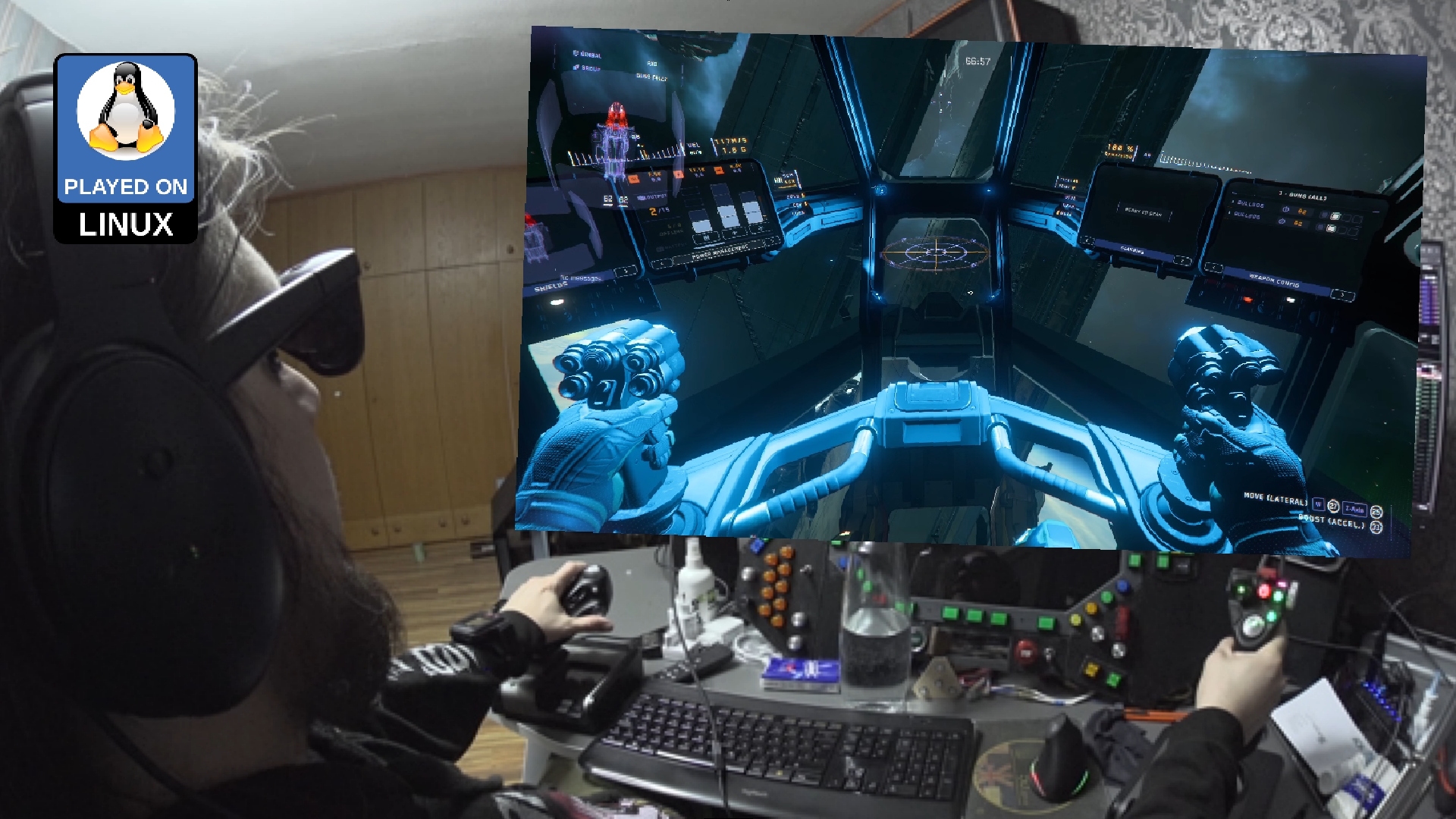
So I was asked if my head tracking approach of reading the IMU data from my Viture Pro to OpenTrack and SBS (side-by-side) mode with ReShade would also work with StarCitizen.
Guess it does 🤷
Pick your poison to watch the video: www.youtube.com/watch?v=rWUC2Y3TRh4 / makertube.net/w/8L7gVN8NnLvjhQCPGNmd6W
I start Star Citizen via Lutris (and not with Steam), which requires slightly different settings once ReShade is installed:
Enable Gamescope: ON
Output Resolution: “3840x1080”
Game Resolution: “3840x2160” (set this also ingame!)
Custom Settings: “–scaler stretch”
Can this get you banned? Who knows 🤷 Jury is still out on this. Do I care? Nope. I won’t miss my puny starter pack.
YMMV.
The proof of concept code to read the IMU data can be found at github.com/bekopharm/xr_to_opentrack (pending changes).
It works with the Breezy GNOME xr_driver: github.com/wheaney/breezy-desktop (but the Vulkan one works probably too but that’s untested). It should also be compatible with other glasses that have IMU for Breezy available.
There is an unlisted SBS version of this video linked in the description. You will need XR glasses that do FULL SBS though to watch it!
Originally posted at: beko.famkos.net/…/star-citizen-with-head-tracking…
So I was asked if my head tracking approach of reading the IMU data from my Viture Pro to OpenTrack and SBS (side-by-side) mode with ReShade would also work with StarCitizen.
Guess it does 🤷
Pick your poison to watch the video: www.youtube.com/watch?v=rWUC2Y3TRh4 / makertube.net/w/8L7gVN8NnLvjhQCPGNmd6W
I start Star Citizen via Lutris (and not with Steam), which requires slightly different settings once ReShade is installed:
Enable Gamescope: ON
Output Resolution: “3840x1080”
Game Resolution: “3840x2160” (set this also ingame!)
Custom Settings: “–scaler stretch”
Can this get you banned? Who knows 🤷 Jury is still out on this. Do I care? Nope. I won’t miss my puny starter pack.
YMMV.
The proof of concept code to read the IMU data can be found at github.com/bekopharm/xr_to_opentrack (pending changes).
It works with the Breezy GNOME xr_driver: github.com/wheaney/breezy-desktop (but the Vulkan one works probably too but that’s untested). It should also be compatible with other glasses that have IMU for Breezy available.
There is an unlisted SBS version of this video linked in the description. You will need XR glasses that do FULL SBS though to watch it!
Originally posted at: beko.famkos.net/…/star-citizen-with-head-tracking…
preview
It has been a while that I tried Star Citizen. With the new Neuralnet Tracker plugin (AI haha) for OpenTrack we get head tracking without annoying IR LEDs or reflecting stripes just by reading the webcam video feed. This is apparently fast enough to try head tracking without a dedicated head tracker nowadays. And all that on a Linux PC. Took some fiddling but the concept still works. What a time to be alive.
Demo: https://makertube.net/w/groS1wpAhP8XYE75vJwX32
HowTo: https://simpit.dev/systems/opentrack/
It has been a while that I tried Star Citizen. With the new Neuralnet Tracker plugin (AI haha) for OpenTrack we get head tracking without annoying IR LEDs or reflecting stripes just by reading the webcam video feed. This is apparently fast enough to try head tracking without a dedicated head tracker nowadays. And all that on a Linux PC. Took some fiddling but the concept still works. What a time to be alive.
Demo: https://makertube.net/w/groS1wpAhP8XYE75vJwX32
HowTo: https://simpit.dev/systems/opentrack/