0
preview
Original question by @POTOOOOOOOO@reddthat.com
Original question by @POTOOOOOOOO@reddthat.com


Not on this instance? Enter your own instance's domain to go straight to following c/linux@programming.dev there.
showing posts tagged #linux — clear
Original question by @POTOOOOOOOO@reddthat.com
Original question by @POTOOOOOOOO@reddthat.com

I was looking at statcounter when I came across that Linux once held 8% of the desktop marketshare worldwide. Since when did it get this far in popularity???
I was looking at statcounter when I came across that Linux once held 8% of the desktop marketshare worldwide. Since when did it get this far in popularity???

AV Linux 25.3, a Debian-based Linux distro for multimedia content creators, has been released, marking the return of Xfce as a fully integrated desktop environment alongside Enlightenment. AV Linux now boots into Xfce by default, but users can switch to Enlightenment from the LightDM login screen.
According to developer Glen MacArthur, the decision to bring back Xfce was driven by user feedback. Some users were reluctant to adopt Enlightenment after the distribution’s earlier desktop transition, and the new release offers both environments without abandoning the existing Enlightenment integration.
The two desktops share ConnMan for network connectivity, the Xfce application menu, similar panel layouts, and matching keyboard shortcuts. Moreover, a new Mosaic theme provides a consistent appearance across both environments.
Another change is the introduction of a dedicated package repository, replacing the previous web-based package archive. It is divided into three components: Desktop Enlightenment for AV Linux themes and configurations, Desktop Moksha for MX Moksha-specific packages, and Main for multimedia applications and plugins shared by both distributions.
The release also introduces in-house packaging of the Enlightenment stack, including EFL 1.29.0, Enlightenment 0.28, and associated applications and modules. Updated applications include the Evisum system monitor, Elaro IRC client, Eclair music player, and Equation calculator. MX Moksha, meanwhile, receives Moksha 4.2, along with fixes for suspend and hibernate functionality.
Under the hood, AV Linux 25.3 ships with the Liquorix kernel 7.3.4. The updated multimedia software selection includes Ardour 9.10, REAPER 7.85 as a demo, Audacity 4.0.2, and Cinelerra-GG. New audio plugins, including Pitchnet, are also available through the repository.
Several refinements have been made to the distribution’s file actions, including crop and preview functionality for the video upscaler. A new MX Linux utility for verifying ISO signatures is included as well.
One important consideration for existing users is that the extensive package restructuring requires a fresh installation to obtain the complete AV Linux 25.3 experience, including the new desktop configurations and repository integration.
However, users running AV Linux or MX Moksha 25 through 25.2 can enable the new Main repository without reinstalling. This provides access to updated multimedia applications, plugins, and file actions, although the new themes and desktop configurations will not be included.
Finally, the developer has discontinued XLibre ISO builds, citing the additional maintenance requirements and limited VPS storage capacity. Future package updates will also be distributed through the new repository rather than the old web archive.
For more information, see the announcement.
AV Linux 25.3, a Debian-based Linux distro for multimedia content creators, has been released, marking the return of Xfce as a fully integrated desktop environment alongside Enlightenment. AV Linux now boots into Xfce by default, but users can switch to Enlightenment from the LightDM login screen.
According to developer Glen MacArthur, the decision to bring back Xfce was driven by user feedback. Some users were reluctant to adopt Enlightenment after the distribution’s earlier desktop transition, and the new release offers both environments without abandoning the existing Enlightenment integration.
The two desktops share ConnMan for network connectivity, the Xfce application menu, similar panel layouts, and matching keyboard shortcuts. Moreover, a new Mosaic theme provides a consistent appearance across both environments.
Another change is the introduction of a dedicated package repository, replacing the previous web-based package archive. It is divided into three components: Desktop Enlightenment for AV Linux themes and configurations, Desktop Moksha for MX Moksha-specific packages, and Main for multimedia applications and plugins shared by both distributions.
The release also introduces in-house packaging of the Enlightenment stack, including EFL 1.29.0, Enlightenment 0.28, and associated applications and modules. Updated applications include the Evisum system monitor, Elaro IRC client, Eclair music player, and Equation calculator. MX Moksha, meanwhile, receives Moksha 4.2, along with fixes for suspend and hibernate functionality.
Under the hood, AV Linux 25.3 ships with the Liquorix kernel 7.3.4. The updated multimedia software selection includes Ardour 9.10, REAPER 7.85 as a demo, Audacity 4.0.2, and Cinelerra-GG. New audio plugins, including Pitchnet, are also available through the repository.
Several refinements have been made to the distribution’s file actions, including crop and preview functionality for the video upscaler. A new MX Linux utility for verifying ISO signatures is included as well.
One important consideration for existing users is that the extensive package restructuring requires a fresh installation to obtain the complete AV Linux 25.3 experience, including the new desktop configurations and repository integration.
However, users running AV Linux or MX Moksha 25 through 25.2 can enable the new Main repository without reinstalling. This provides access to updated multimedia applications, plugins, and file actions, although the new themes and desktop configurations will not be included.
Finally, the developer has discontinued XLibre ISO builds, citing the additional maintenance requirements and limited VPS storage capacity. Future package updates will also be distributed through the new repository rather than the old web archive.
For more information, see the announcement.
Rocky Linux 10.3 (Red Quartz) has been officially released following the Red Hat Enterprise Linux 10.3 release on November 11. The new version arrives alongside AlmaLinux 10.3, also released today, giving users two updated free RHEL-compatible options.
As expected, Rocky Linux 10.3 is built around Linux kernel 6.12, specifically version 6.12.0-264.16.1. Several kernel components have been updated beyond that baseline. The eBPF subsystem and perf tools are rebased to Linux 6.19, while memory management improvements include newer CXL support and changes to compressed swap handling.
Hardware support has also been improved, particularly for Intel platforms, while AMD’s amdxdna driver for Neural Processing Units (NPUs) is now available as a Technology Preview.
On the development side, Rocky Linux 10.3 introduces GCC Toolset 16, featuring GCC 16.2 and Binutils 2.46, alongside LLVM 22.1.8. The update also includes Rust 1.97, Go 1.27.3, and GDB 17.2, giving developers access to newer language features, debugging capabilities, and compiler improvements.
Regarding security, Libreswan 5.4 introduces post-quantum key exchange support through ML-KEM-768 and ML-KEM-1024, while SSH connections operating in FIPS mode now support and prefer hybrid post-quantum key exchange algorithms.
Other security-related updates include Keylime 7.14.3, which improves remote attestation capabilities, and fapolicyd 2.0.1, which introduces parallel policy processing and transactional updates. OpenSC 0.27.1 adds PKCS #11 3.2 support, while the updated Audit 4.2.1 provides additional capabilities for secure remote logging.
System monitoring also receives updates, with Grafana 12.4.3 introducing a redesigned dashboard architecture and improvements to unified alerting. Performance Co-Pilot 7.1.5 adds automatic archive repair and additional performance metrics.
For administrators working with system images, the image-builder command-line interface is now generally available. The web-based image builder can generate bootc-compatible images from locally available base images, while Kickstart gains additional certificate-handling capabilities during installation.
There are several compatibility changes worth mentioning. WEP wireless security support has been removed, along with the ZBUD compressed page allocator. Grafana also drops legacy alerting and AngularJS plugin support, which could affect existing monitoring configurations.
Regarding supported architectures, Rocky Linux 10.3 is available for x86-64-v3, ARM64, RISC-V, POWER10 and newer (ppc64le), and IBM z15 and newer. As with previous Rocky Linux 10 releases, older x86-64-v2 processors are not supported.
Existing Rocky Linux 10 users can upgrade to version 10.3 using the standard sudo dnf -y upgrade command or graphical update tools. However, upgrades from Rocky Linux 8 or 9 to version 10 are not officially supported, with a fresh installation recommended instead.
Installation ISOs, container images, cloud images, and live images are available from the Rocky Linux downloads page. For more information, see the official announcement.
Rocky Linux 10.3 (Red Quartz) has been officially released following the Red Hat Enterprise Linux 10.3 release on November 11. The new version arrives alongside AlmaLinux 10.3, also released today, giving users two updated free RHEL-compatible options.
As expected, Rocky Linux 10.3 is built around Linux kernel 6.12, specifically version 6.12.0-264.16.1. Several kernel components have been updated beyond that baseline. The eBPF subsystem and perf tools are rebased to Linux 6.19, while memory management improvements include newer CXL support and changes to compressed swap handling.
Hardware support has also been improved, particularly for Intel platforms, while AMD’s amdxdna driver for Neural Processing Units (NPUs) is now available as a Technology Preview.
On the development side, Rocky Linux 10.3 introduces GCC Toolset 16, featuring GCC 16.2 and Binutils 2.46, alongside LLVM 22.1.8. The update also includes Rust 1.97, Go 1.27.3, and GDB 17.2, giving developers access to newer language features, debugging capabilities, and compiler improvements.
Regarding security, Libreswan 5.4 introduces post-quantum key exchange support through ML-KEM-768 and ML-KEM-1024, while SSH connections operating in FIPS mode now support and prefer hybrid post-quantum key exchange algorithms.
Other security-related updates include Keylime 7.14.3, which improves remote attestation capabilities, and fapolicyd 2.0.1, which introduces parallel policy processing and transactional updates. OpenSC 0.27.1 adds PKCS #11 3.2 support, while the updated Audit 4.2.1 provides additional capabilities for secure remote logging.
System monitoring also receives updates, with Grafana 12.4.3 introducing a redesigned dashboard architecture and improvements to unified alerting. Performance Co-Pilot 7.1.5 adds automatic archive repair and additional performance metrics.
For administrators working with system images, the image-builder command-line interface is now generally available. The web-based image builder can generate bootc-compatible images from locally available base images, while Kickstart gains additional certificate-handling capabilities during installation.
There are several compatibility changes worth mentioning. WEP wireless security support has been removed, along with the ZBUD compressed page allocator. Grafana also drops legacy alerting and AngularJS plugin support, which could affect existing monitoring configurations.
Regarding supported architectures, Rocky Linux 10.3 is available for x86-64-v3, ARM64, RISC-V, POWER10 and newer (ppc64le), and IBM z15 and newer. As with previous Rocky Linux 10 releases, older x86-64-v2 processors are not supported.
Existing Rocky Linux 10 users can upgrade to version 10.3 using the standard sudo dnf -y upgrade command or graphical update tools. However, upgrades from Rocky Linux 8 or 9 to version 10 are not officially supported, with a fresh installation recommended instead.
Installation ISOs, container images, cloud images, and live images are available from the Rocky Linux downloads page. For more information, see the official announcement.
Not usable, it can detect modem and sim card but can’t pick up service, all sensors are not working touch stop responding if left in lock screen for 2h or more also no cameras (front work in NuraOS), GPU, speakers, buttons are working fine
OC by @ColdWater@lemmy.ca
OC by @ColdWater@lemmy.ca

The AlmaLinux OS Foundation announced today the release and general availability of AlmaLinux OS 10.3 (codename Mauve Lion) as the second point release of the latest AlmaLinux OS 10 series, based on Red Hat Enterprise Linux 10.3.
Coming five and a half months after AlmaLinux OS 10.2, the AlmaLinux OS 10.3 release is based on Red Hat Enterprise Linux 10.3 and brings back the ModSecurity web application firewall and the OWASP Core Rule Set (CRS). ModSecurity 2.9.14 with CRS 4.22 is included in the release.
According to the devs, CRS 4 reorganized the rule set, so if you’re bringing rules or tuning over from an AlmaLinux 9 server, plan to review them before you put AlmaLinux OS 10 in front of production traffic.
AlmaLinux OS 10.3 also ships with the Podman 6 container tool, which moves the vendor default configuration from /etc/containers to /usr/share/containers. Moreover, rootful and rootless storage settings now live in separate drop-in directories.
This release also introduces performance enhancements, updated development tools, and improved security. The toolchain has been updated as well to GCC 16, LLVM 22, Rust 1.97, Go 1.27, GDB 17.2, and Node.js 26. Security updates include fapolicyd 2.0, Keylime 7.14, audit 4.2, and libreswan 5.4.
You can download the AlmaLinux OS 10.3 release right now from the official website as installation ISO images for 64-bit (x86_64 and x86_64_v2), AArch64 (ARM64), PowerPC 64-bit Little Endian (ppc64le), and IBM System Z (s390x) architectures. Live and cloud images will be available as well, along with containers.
As expected, this release targets new users and those who want to perform a fresh installation. Existing AlmaLinux OS users can upgrade their installations to the new version by running the sudo dnf update command in a terminal emulator or virtual console.
Also today, the AlmaLinux OS Foundation released AlmaLinux OS 9.9 “Chartreuse Bobcat” as a free alternative to Red Hat Enterprise Linux 9.9, which keeps the ALESCo-approved kernel fix shipped in AlmaLinux OS 9.8, which stops systemd and ps from using excessive CPU during task cleanup. Check out the release notes for more details.
The AlmaLinux OS Foundation announced today the release and general availability of AlmaLinux OS 10.3 (codename Mauve Lion) as the second point release of the latest AlmaLinux OS 10 series, based on Red Hat Enterprise Linux 10.3.
Coming five and a half months after AlmaLinux OS 10.2, the AlmaLinux OS 10.3 release is based on Red Hat Enterprise Linux 10.3 and brings back the ModSecurity web application firewall and the OWASP Core Rule Set (CRS). ModSecurity 2.9.14 with CRS 4.22 is included in the release.
According to the devs, CRS 4 reorganized the rule set, so if you’re bringing rules or tuning over from an AlmaLinux 9 server, plan to review them before you put AlmaLinux OS 10 in front of production traffic.
AlmaLinux OS 10.3 also ships with the Podman 6 container tool, which moves the vendor default configuration from /etc/containers to /usr/share/containers. Moreover, rootful and rootless storage settings now live in separate drop-in directories.
This release also introduces performance enhancements, updated development tools, and improved security. The toolchain has been updated as well to GCC 16, LLVM 22, Rust 1.97, Go 1.27, GDB 17.2, and Node.js 26. Security updates include fapolicyd 2.0, Keylime 7.14, audit 4.2, and libreswan 5.4.
You can download the AlmaLinux OS 10.3 release right now from the official website as installation ISO images for 64-bit (x86_64 and x86_64_v2), AArch64 (ARM64), PowerPC 64-bit Little Endian (ppc64le), and IBM System Z (s390x) architectures. Live and cloud images will be available as well, along with containers.
As expected, this release targets new users and those who want to perform a fresh installation. Existing AlmaLinux OS users can upgrade their installations to the new version by running the sudo dnf update command in a terminal emulator or virtual console.
Also today, the AlmaLinux OS Foundation released AlmaLinux OS 9.9 “Chartreuse Bobcat” as a free alternative to Red Hat Enterprise Linux 9.9, which keeps the ALESCo-approved kernel fix shipped in AlmaLinux OS 9.8, which stops systemd and ps from using excessive CPU during task cleanup. Check out the release notes for more details.

The Manjaro team has registered its own non-profit in Germany. Called Manjaro Project e.V., it has seven founding members and is independent of the commercial-oriented Manjaro GmbH & Co. KG entity.
You might remember earlier this year, in March, a group of team members published a manifesto calling for the project to be split from the company, with a strike following soon after.
While this was announced on the Manjaro Linux forum and not on the main project webpage, the registration is already visible in the German register portal, under the Berlin court.
An e.V.?
An e.V. (eingetragener Verein) is a registered association under German law. It is entered in a register kept by the local court, and its purpose cannot be running a commercial business. Registering gives it its own legal identity, separate from the people in it.
That identity matters to the developers because it lets them hold things as a group.
The manifesto asked for equal ownership among members and open voting on big decisions instead of everything being centered on one person. It now means there’s a body that could own the assets if they’re handed over.
Manjaro GmbH & Co. KG is a different kind of body. A GmbH & Co. KG is a limited partnership where a GmbH takes on the personal liability, with the GmbH’s managing directors handling the running of the business.
Stating the obvious, Manjaro now has two separate bodies behind it, and it’s interesting to see how the project ended up in such a situation.
How Manjaro got here
Manjaro has been a German company since 2019. Way back in April 2024, that company announced a management change when Bernhard Landauer stepped away from the company to focus on other work and a new CTO joined to replace him.
Then came the Manjaro 2.0 Manifesto in March, where signatories said the leadership’s priorities didn’t line up with what the developers and community wanted.
Project lead Philip Müller replied, saying he had no personal objection to an association but wouldn’t help set it up and that any asset transfer would have to be discussed closely with the company.
The team has since managed to push out the most recent Testing and Stable updates without Müller being involved.
What now?
The manifesto suggested handing over assets like the manjaro.org domain, the forum, and community donations. According to the team, no transfer of company assets has happened yet.
Before that, the e.V. has some groundwork to do, such as tidying up its statutes, bringing in more members, and opening its own bank account. Talks with the company come after.
For end users, I don’t expect them to be affected in any major way. This kind of feels like a takeover, but a gentle one so far. The situation for donors who had set up recurring payments is a bit hazy.
You see, donations still go to accounts under the company’s control, possibly Müller’s too, and the e.V. hasn’t settled on whether to start fresh accounts or take over the current ones.
Basically, there’s no new recipient to switch to yet, and the team hasn’t said when that gets decided. A second announcement confirming that assets have moved is what I’d watch for, since that’s when the split becomes more than a register entry.
Then there’s the Orange Pi Neo, a handheld Orange Pi built with Manjaro that was put on hold in March because of skyrocketing memory and SSD prices. The announcement doesn’t say who handles partner projects like it, so that’s an open question.
The Manjaro team has registered its own non-profit in Germany. Called Manjaro Project e.V., it has seven founding members and is independent of the commercial-oriented Manjaro GmbH & Co. KG entity.
You might remember earlier this year, in March, a group of team members published a manifesto calling for the project to be split from the company, with a strike following soon after.
While this was announced on the Manjaro Linux forum and not on the main project webpage, the registration is already visible in the German register portal, under the Berlin court.
An e.V.?
An e.V. (eingetragener Verein) is a registered association under German law. It is entered in a register kept by the local court, and its purpose cannot be running a commercial business. Registering gives it its own legal identity, separate from the people in it.
That identity matters to the developers because it lets them hold things as a group.
The manifesto asked for equal ownership among members and open voting on big decisions instead of everything being centered on one person. It now means there’s a body that could own the assets if they’re handed over.
Manjaro GmbH & Co. KG is a different kind of body. A GmbH & Co. KG is a limited partnership where a GmbH takes on the personal liability, with the GmbH’s managing directors handling the running of the business.
Stating the obvious, Manjaro now has two separate bodies behind it, and it’s interesting to see how the project ended up in such a situation.
How Manjaro got here
Manjaro has been a German company since 2019. Way back in April 2024, that company announced a management change when Bernhard Landauer stepped away from the company to focus on other work and a new CTO joined to replace him.
Then came the Manjaro 2.0 Manifesto in March, where signatories said the leadership’s priorities didn’t line up with what the developers and community wanted.
Project lead Philip Müller replied, saying he had no personal objection to an association but wouldn’t help set it up and that any asset transfer would have to be discussed closely with the company.
The team has since managed to push out the most recent Testing and Stable updates without Müller being involved.
What now?
The manifesto suggested handing over assets like the manjaro.org domain, the forum, and community donations. According to the team, no transfer of company assets has happened yet.
Before that, the e.V. has some groundwork to do, such as tidying up its statutes, bringing in more members, and opening its own bank account. Talks with the company come after.
For end users, I don’t expect them to be affected in any major way. This kind of feels like a takeover, but a gentle one so far. The situation for donors who had set up recurring payments is a bit hazy.
You see, donations still go to accounts under the company’s control, possibly Müller’s too, and the e.V. hasn’t settled on whether to start fresh accounts or take over the current ones.
Basically, there’s no new recipient to switch to yet, and the team hasn’t said when that gets decided. A second announcement confirming that assets have moved is what I’d watch for, since that’s when the split becomes more than a register entry.
Then there’s the Orange Pi Neo, a handheld Orange Pi built with Manjaro that was put on hold in March because of skyrocketing memory and SSD prices. The announcement doesn’t say who handles partner projects like it, so that’s an open question.
Lead Fwupd/LVFS developer Richard Hughes of Red Hat kicked off the new week by releasing Fwupd 2.1.10 as the newest stable release for performing firmware updates on Linux.
Fwupd 2.1.10 ships with a wide variety of fixes. This takes care of various bugs reported by users as well as AI/LLM detected issues in the codebase. Nothing too particularly exciting on the fixes side unless you were personally impacted by one of the bugs.
On the new hardware support side, the only addition with Fwupd 2.1.10 is introducing support for the Synaptics 96F1 touchpad.
The full list of Fwupd 2.1.10 changes can be found via GitHub.
Lead Fwupd/LVFS developer Richard Hughes of Red Hat kicked off the new week by releasing Fwupd 2.1.10 as the newest stable release for performing firmware updates on Linux.
Fwupd 2.1.10 ships with a wide variety of fixes. This takes care of various bugs reported by users as well as AI/LLM detected issues in the codebase. Nothing too particularly exciting on the fixes side unless you were personally impacted by one of the bugs.
On the new hardware support side, the only addition with Fwupd 2.1.10 is introducing support for the Synaptics 96F1 touchpad.
The full list of Fwupd 2.1.10 changes can be found via GitHub.
And even if I am, what prevents me from using it as such? It didn’t seem like there’s some kind of file size restriction or whatever. Maybe there’s no end-to-end encryption but if put that aside, I don’t see any problems with it
And even if I am, what prevents me from using it as such? It didn’t seem like there’s some kind of file size restriction or whatever. Maybe there’s no end-to-end encryption but if put that aside, I don’t see any problems with it

Purism is crowdfunding a new version of its Librem 5 Linux smartphone, this one powered by RISC-V rather than Arm.
Librem 5 v2 will use an octa-core SpacemiT K1 RISC-V SoC, replacing the quad-core ARM64 NXP CPU This platform shift will provide much better performance and longer battery life than the existing Librem 5 – and not run as hot in use.
Memory is increased to 8 GB RAM, up from 3 GB in the first-generation handset, and storage leaps to 128 GB from 32 GB.
SD card reading speeds are boosted, and on-board hardware encoding means the Librem 5 v2 can take 13 megapixel photos with and shoot high-definition video for the first time.
The rest of the phone is familiar to the first. The same case design, 5.7-inch (720×1440) display, removable 4,500mAh battery, audio jack and physical kit switches. This is intentional as it will make repairs and upgrades between generations easier.
Wireless connectivity also stays modular, though the v2 handset will ship with an improved 4G modem. A 5G module is planned.
Librem 5 v2 will run PureOS, Purism’s Debian-based operating system using Phosh as its UI.
Librem 5 v2 costs from $1599
“RISC-V is the future, and Librem 5 v2 is the perfect product to bring it to a mainstream audience”, Jonathon Hall, CTO at Purism, says of the launch.
“Freeing us from the control of Big Tech starts with the foundation, and RISC-V’s foundation frees us from the oligarchy. The Librem 5 v2 puts you in control of your data, combining that with the ease of use we expect in the modern era”.
Given that general feedback to the first-gen Librem 5 – beset by delays, price rises and patchy build quality – was mixed best. But, to it credit, Purism is still out there making, selling and supporting the phones (and their other devices and services).
Transitioning to RISC-V for the follow-up won’t be trivial, mind. Graphics acceleration, new drivers and power management (which on a phone is rather critical) will be big undertakings.
And more work is needed to make the day-to-day software stack editable, like browser performance (sluggish on the newest and fastest RISC-V chips) and providing an Arm64 app compatibility layer to run software not made for RISC-V. Available to back until February 2027
If you’ve got at least $1599 burning a hole in your pocket and you don’t need anything to show for it before 2028, you can go pledge to the campaign. It runs until February 2027, so don’t feel pressured to decide just yet.
Purism is crowdfunding a new version of its Librem 5 Linux smartphone, this one powered by RISC-V rather than Arm.
Librem 5 v2 will use an octa-core SpacemiT K1 RISC-V SoC, replacing the quad-core ARM64 NXP CPU This platform shift will provide much better performance and longer battery life than the existing Librem 5 – and not run as hot in use.
Memory is increased to 8 GB RAM, up from 3 GB in the first-generation handset, and storage leaps to 128 GB from 32 GB.
SD card reading speeds are boosted, and on-board hardware encoding means the Librem 5 v2 can take 13 megapixel photos with and shoot high-definition video for the first time.
The rest of the phone is familiar to the first. The same case design, 5.7-inch (720×1440) display, removable 4,500mAh battery, audio jack and physical kit switches. This is intentional as it will make repairs and upgrades between generations easier.
Wireless connectivity also stays modular, though the v2 handset will ship with an improved 4G modem. A 5G module is planned.
Librem 5 v2 will run PureOS, Purism’s Debian-based operating system using Phosh as its UI.
Librem 5 v2 costs from $1599
“RISC-V is the future, and Librem 5 v2 is the perfect product to bring it to a mainstream audience”, Jonathon Hall, CTO at Purism, says of the launch.
“Freeing us from the control of Big Tech starts with the foundation, and RISC-V’s foundation frees us from the oligarchy. The Librem 5 v2 puts you in control of your data, combining that with the ease of use we expect in the modern era”.
Given that general feedback to the first-gen Librem 5 – beset by delays, price rises and patchy build quality – was mixed best. But, to it credit, Purism is still out there making, selling and supporting the phones (and their other devices and services).
Transitioning to RISC-V for the follow-up won’t be trivial, mind. Graphics acceleration, new drivers and power management (which on a phone is rather critical) will be big undertakings.
And more work is needed to make the day-to-day software stack editable, like browser performance (sluggish on the newest and fastest RISC-V chips) and providing an Arm64 app compatibility layer to run software not made for RISC-V. Available to back until February 2027
If you’ve got at least $1599 burning a hole in your pocket and you don’t need anything to show for it before 2028, you can go pledge to the campaign. It runs until February 2027, so don’t feel pressured to decide just yet.

KDE developers are preparing an important change for the upcoming Plasma 6.9 desktop environment, scheduled for release in late February. According to the latest update, XWayland, the compatibility layer that allows X11 applications to run in Wayland sessions, will now start only when needed instead of running continuously in the background.
Until now, Plasma kept XWayland active even when no X11 applications ran. The change means that Plasma’s Wayland session will no longer need to keep XWayland running simply to support applications that users may never launch.
Apart from this improvement, Plasma 6.9 is receiving a redesigned Task Switching page in System Settings. The page was ported to QML, with a refreshed interface that also includes configuration options for the Overview effect.
The Date & Time settings page is also undergoing a similar transition. Its new QML-based interface consolidates controls into a single page, making it quicker to change the system’s time zone.
KDE is also refining desktop customization. The wallpaper configuration page will have more room for browsing images after the desktop layout selector moved to a separate page. Moreover, desktop icons and the Folder View widget will gain additional size options, filling a noticeable gap between the two largest existing sizes.
Regarding performance improvements, Spectacle, KDE’s screenshot utility, will launch faster thanks to optimizations and parallelization. The Add Widgets sidebar has also been optimized to open substantially faster, with smoother animations.
On top of that, the Task Manager will handle window previews more efficiently by avoiding unnecessary thumbnail regeneration when the pointer leaves and returns to a preview, thus eliminating a minor flickering issue. Additionally, when a grouped application requests attention, opening its group popup will now identify the specific window responsible.
On the network management side, users will be able to forget saved connections directly from the Networks widget without opening System Settings. The network share configuration wizard will also automatically recognize more information from pasted URLs, including the protocol and whether encryption is required.
For system monitoring, Plasma 6.9 adds a sensor showing the number of physical CPU cores, available in both the System Monitor application and its widgets.
Other desktop refinements include named presets for the Wobbly Windows effect, fade animations for Spectacle’s screen capture overlay, and more convenient duration editing in the Timer widget. The Keyboard settings page will make it clearer when the system-wide keyboard layout is used rather than a custom configuration.
Finally, if the login via Plasma Login Manager fails, it will provide a basic terminal fallback instead of leaving users with a black screen, allowing them to access the system for troubleshooting.
For more information about the upcoming changes, see KDE’s “This Week in Plasma” blog post.
KDE developers are preparing an important change for the upcoming Plasma 6.9 desktop environment, scheduled for release in late February. According to the latest update, XWayland, the compatibility layer that allows X11 applications to run in Wayland sessions, will now start only when needed instead of running continuously in the background.
Until now, Plasma kept XWayland active even when no X11 applications ran. The change means that Plasma’s Wayland session will no longer need to keep XWayland running simply to support applications that users may never launch.
Apart from this improvement, Plasma 6.9 is receiving a redesigned Task Switching page in System Settings. The page was ported to QML, with a refreshed interface that also includes configuration options for the Overview effect.
The Date & Time settings page is also undergoing a similar transition. Its new QML-based interface consolidates controls into a single page, making it quicker to change the system’s time zone.
KDE is also refining desktop customization. The wallpaper configuration page will have more room for browsing images after the desktop layout selector moved to a separate page. Moreover, desktop icons and the Folder View widget will gain additional size options, filling a noticeable gap between the two largest existing sizes.
Regarding performance improvements, Spectacle, KDE’s screenshot utility, will launch faster thanks to optimizations and parallelization. The Add Widgets sidebar has also been optimized to open substantially faster, with smoother animations.
On top of that, the Task Manager will handle window previews more efficiently by avoiding unnecessary thumbnail regeneration when the pointer leaves and returns to a preview, thus eliminating a minor flickering issue. Additionally, when a grouped application requests attention, opening its group popup will now identify the specific window responsible.
On the network management side, users will be able to forget saved connections directly from the Networks widget without opening System Settings. The network share configuration wizard will also automatically recognize more information from pasted URLs, including the protocol and whether encryption is required.
For system monitoring, Plasma 6.9 adds a sensor showing the number of physical CPU cores, available in both the System Monitor application and its widgets.
Other desktop refinements include named presets for the Wobbly Windows effect, fade animations for Spectacle’s screen capture overlay, and more convenient duration editing in the Timer widget. The Keyboard settings page will make it clearer when the system-wide keyboard layout is used rather than a custom configuration.
Finally, if the login via Plasma Login Manager fails, it will provide a basic terminal fallback instead of leaving users with a black screen, allowing them to access the system for troubleshooting.
For more information about the upcoming changes, see KDE’s “This Week in Plasma” blog post.
edit: I decreased swappiness and increased vfs cache pressure to reduce the amount of swapping in general.
I’m noticing that a very intended behavior of Zswap is to write pages to disk when they don’t cleanly compress (or for some other reason). How can I configure it to act kind of like Zram but only writeback when the system is actually out of RAM?
grep -R . /sys/kernel/debug/zswap/
/sys/kernel/debug/zswap/stored_incompressible_pages:8224
/sys/kernel/debug/zswap/stored_pages:218538
/sys/kernel/debug/zswap/pool_total_size:229318656
/sys/kernel/debug/zswap/written_back_pages:251371
/sys/kernel/debug/zswap/decompress_fail:0
/sys/kernel/debug/zswap/reject_compress_poor:0
/sys/kernel/debug/zswap/reject_compress_fail:0
/sys/kernel/debug/zswap/reject_kmemcache_fail:0
/sys/kernel/debug/zswap/reject_alloc_fail:0
/sys/kernel/debug/zswap/reject_reclaim_fail:0
/sys/kernel/debug/zswap/pool_limit_hit:0
My parameters: zswap.enabled=1 zswap.compressor=zstd zswap.shrinker_enabled=0 zswap.max_pool_percent=20. Swappiness is at default value.
edit: I decreased swappiness and increased vfs cache pressure to reduce the amount of swapping in general.
I’m noticing that a very intended behavior of Zswap is to write pages to disk when they don’t cleanly compress (or for some other reason). How can I configure it to act kind of like Zram but only writeback when the system is actually out of RAM?
grep -R . /sys/kernel/debug/zswap/
/sys/kernel/debug/zswap/stored_incompressible_pages:8224
/sys/kernel/debug/zswap/stored_pages:218538
/sys/kernel/debug/zswap/pool_total_size:229318656
/sys/kernel/debug/zswap/written_back_pages:251371
/sys/kernel/debug/zswap/decompress_fail:0
/sys/kernel/debug/zswap/reject_compress_poor:0
/sys/kernel/debug/zswap/reject_compress_fail:0
/sys/kernel/debug/zswap/reject_kmemcache_fail:0
/sys/kernel/debug/zswap/reject_alloc_fail:0
/sys/kernel/debug/zswap/reject_reclaim_fail:0
/sys/kernel/debug/zswap/pool_limit_hit:0
My parameters: zswap.enabled=1 zswap.compressor=zstd zswap.shrinker_enabled=0 zswap.max_pool_percent=20. Swappiness is at default value.

Timestamps:
00:00 Intro
01:12 Darling project says they’ll use Al to bring mac apps to Linux
04:20 Proton posts article about their security and Al use
06:56 Steam updates brings 64bit and better remote play
08:49 Valve adds framerate data as public info for Deck users
11:21 MATE gets its Wayland compositor
12:55 Long time Linux maintainer steps back due to Al generated patches
14:13 Asahi to switch licenses, and progress report
16:02 Nexus Mods hiring a Linux dev
18:03 Nvidia CEO resigns
19:13 Tuxedo OS nears final beta
21:05 Dolphin gets columns view, again
22:41 GoogleBook OS doesn’t seem great
25:32 Sponsor: Tuxedo Computers
Links:
Darling project says they’ll use Al to bring mac apps to Linux
blog.darlinghq.org/…/development-update-q4-2026/
Proton posts article about their security and Al use
proton.me/blog/how-proton-keeps-your-data-secure
Steam updates brings 64bit and better remote play
store.steampowered.com/news/…/678515036155543747
Valve adds framerate data as public info for Deck users
store.steampowered.com/news/…/685269801333948419
MATE gets its Wayland compositor
discourse.ubuntu.com/t/…/91698
Long time Linux maintainer steps back due to Al generated patches
www.phoronix.com/news/Lorenzo-Stoakes-Al-Flood
Asahi to switch licences, and progress report
asahilinux.org/2026/11/progress-report-7-3/
Nexus Mods hiring a Linux dev
gamingonlinux.com/…/nexus-mods-hiring-for-a-linux…
Nvidia CEO resigns
…nvidia.com/…/nvidia-announces-ceo-transition
Tuxedo OS nears final beta
linuxiac.com/tuxedo-os-enters-final-beta-testing-…
Dolphin gets columns view, again
…kde.org/…/dolphin-gets-a-columns-view-again/
GoogleBook OS doesn’t seem great
Timestamps:
00:00 Intro
01:12 Darling project says they’ll use Al to bring mac apps to Linux
04:20 Proton posts article about their security and Al use
06:56 Steam updates brings 64bit and better remote play
08:49 Valve adds framerate data as public info for Deck users
11:21 MATE gets its Wayland compositor
12:55 Long time Linux maintainer steps back due to Al generated patches
14:13 Asahi to switch licenses, and progress report
16:02 Nexus Mods hiring a Linux dev
18:03 Nvidia CEO resigns
19:13 Tuxedo OS nears final beta
21:05 Dolphin gets columns view, again
22:41 GoogleBook OS doesn’t seem great
25:32 Sponsor: Tuxedo Computers
Links:
Darling project says they’ll use Al to bring mac apps to Linux
blog.darlinghq.org/…/development-update-q4-2026/
Proton posts article about their security and Al use
proton.me/blog/how-proton-keeps-your-data-secure
Steam updates brings 64bit and better remote play
store.steampowered.com/news/…/678515036155543747
Valve adds framerate data as public info for Deck users
store.steampowered.com/news/…/685269801333948419
MATE gets its Wayland compositor
discourse.ubuntu.com/t/…/91698
Long time Linux maintainer steps back due to Al generated patches
www.phoronix.com/news/Lorenzo-Stoakes-Al-Flood
Asahi to switch licences, and progress report
asahilinux.org/2026/11/progress-report-7-3/
Nexus Mods hiring a Linux dev
gamingonlinux.com/…/nexus-mods-hiring-for-a-linux…
Nvidia CEO resigns
…nvidia.com/…/nvidia-announces-ceo-transition
Tuxedo OS nears final beta
linuxiac.com/tuxedo-os-enters-final-beta-testing-…
Dolphin gets columns view, again
…kde.org/…/dolphin-gets-a-columns-view-again/
GoogleBook OS doesn’t seem great

cross-posted from: lemmy.world/post/54392985
I figure this could also be a place for discussing what are some things you’d like to see in Plasma Mobile? Frankly, hoping to organize ideas to formulate possible work items or goals to suggest to KDE.
cross-posted from: lemmy.world/post/54392985
I figure this could also be a place for discussing what are some things you’d like to see in Plasma Mobile? Frankly, hoping to organize ideas to formulate possible work items or goals to suggest to KDE.

Sorry if this has been posted before but couldn’t found it in my searches. (It’s from September 25)
The new systemd-report collects system facts and runtime metrics into unified, timestamped JSON reports for monitoring and fleet management.
systemd is getting a new reporting subsystem designed to collect both static system information and dynamic runtime metrics in one place.
Called
systemd-report, the new tool gathers data from multiple metric provider services via a generic Varlink interface and combines it into a single timestamped JSON report. The work targets system and fleet management, where administrators need a consistent view of many machines.
The collected information is split into two groups. The first covers relatively static system “facts,” such as CPU architecture, hostname, kernel version, OS identification, installed RAM, CPU count, virtualization technology, TPM information, and other hardware or platform details.
The second covers changing runtime metrics like CPU and memory use, load averages, disk I/O, swap usage, system pressure, cgroup statistics, network interface states, systemd unit states, restart counters, queued jobs, and high-priority journal messages.
According to Lennart Poettering, the underlying metrics service was initially contributed by Meta with a focus on dynamic runtime information. The same interface was later extended to handle more static system facts as well, something Amutable is using for areas such as operating system deployment management.
Once gathered,
systemd-reportcompiles all of this information into a consistent snapshot representing the state of the machine at a particular point in time.
The subsystem is designed for remote fleet management. Reports can be uploaded directly to an HTTPS server using PUT requests, letting organizations send system information to a central control plane. The setup includes periodic uploads via a systemd timer and reports triggered by events like system boot, reboot, or shutdown.
For security, reports can be cryptographically signed before being sent, and systemd currently provides three signing methods.
The simplest uses a software-generated asymmetric key stored locally. Systems with TPM hardware can produce a TPM quote covering platform measurements and the report data. A third option supports confidential-computing environments by generating a CPU TSM quote that ties the report to measurements of the secure virtual machine.
This makes
systemd-reportdifferent from traditional monitoring tools like Prometheus and itsnode_exporter. While both expose similar information, systemd obtains data directly from lower-level OS components instead of relying on a separate scraping model.
More importantly,
systemd-reportfocuses on complete, signed, timestamped snapshots rather than independent streams of metrics. Poettering notes that the two approaches are not mutually exclusive, and the new infrastructure could eventually provide the basis for integration between them.
The architecture is also intentionally extensible. Third-party projects can provide additional metrics or signing mechanisms simply by exposing the appropriate Varlink socket. These providers can be written in any programming language and only need to implement a small interface.
In other words,
systemd-reportis not just another command for displaying system information. It is shaping up as a broader reporting framework built directly into systemd, combining system facts, runtime metrics, secure signing, and remote reporting in a format suitable for managing everything from individual Linux machines to large server fleets.
For additional details, see Poettering’s announcement.
Sorry if this has been posted before but couldn’t found it in my searches. (It’s from September 25)
The new systemd-report collects system facts and runtime metrics into unified, timestamped JSON reports for monitoring and fleet management.
systemd is getting a new reporting subsystem designed to collect both static system information and dynamic runtime metrics in one place.
Called
systemd-report, the new tool gathers data from multiple metric provider services via a generic Varlink interface and combines it into a single timestamped JSON report. The work targets system and fleet management, where administrators need a consistent view of many machines.
The collected information is split into two groups. The first covers relatively static system “facts,” such as CPU architecture, hostname, kernel version, OS identification, installed RAM, CPU count, virtualization technology, TPM information, and other hardware or platform details.
The second covers changing runtime metrics like CPU and memory use, load averages, disk I/O, swap usage, system pressure, cgroup statistics, network interface states, systemd unit states, restart counters, queued jobs, and high-priority journal messages.
According to Lennart Poettering, the underlying metrics service was initially contributed by Meta with a focus on dynamic runtime information. The same interface was later extended to handle more static system facts as well, something Amutable is using for areas such as operating system deployment management.
Once gathered,
systemd-reportcompiles all of this information into a consistent snapshot representing the state of the machine at a particular point in time.
The subsystem is designed for remote fleet management. Reports can be uploaded directly to an HTTPS server using PUT requests, letting organizations send system information to a central control plane. The setup includes periodic uploads via a systemd timer and reports triggered by events like system boot, reboot, or shutdown.
For security, reports can be cryptographically signed before being sent, and systemd currently provides three signing methods.
The simplest uses a software-generated asymmetric key stored locally. Systems with TPM hardware can produce a TPM quote covering platform measurements and the report data. A third option supports confidential-computing environments by generating a CPU TSM quote that ties the report to measurements of the secure virtual machine.
This makes
systemd-reportdifferent from traditional monitoring tools like Prometheus and itsnode_exporter. While both expose similar information, systemd obtains data directly from lower-level OS components instead of relying on a separate scraping model.
More importantly,
systemd-reportfocuses on complete, signed, timestamped snapshots rather than independent streams of metrics. Poettering notes that the two approaches are not mutually exclusive, and the new infrastructure could eventually provide the basis for integration between them.
The architecture is also intentionally extensible. Third-party projects can provide additional metrics or signing mechanisms simply by exposing the appropriate Varlink socket. These providers can be written in any programming language and only need to implement a small interface.
In other words,
systemd-reportis not just another command for displaying system information. It is shaping up as a broader reporting framework built directly into systemd, combining system facts, runtime metrics, secure signing, and remote reporting in a format suitable for managing everything from individual Linux machines to large server fleets.
For additional details, see Poettering’s announcement.

I really am asking for a friend since I don’t use windows and am clueless about it. Also, my own computers are pretty old and don’t have UEFI, so I’m clueless about that too.
My friend just bought a new Lenovo Ideapad Slim 3 with Windows 11 Home preinstalled and it immediately sent her into some kind of Microslop enrollment hell, so (yay) she wants to trash Windows altogether and switch to GNU/Linux. I’m trying to help her through it. I do it myself all the time by writing a Debian MATE ISO to a USB stick, booting from USB, and running the Debian installer. But,
I prefer staying with Debian MATE since I’m used to it and the MATE UI is fairly familiar to Windows users, and GNOME is crap imho. But I’m open to whatever if that simplifies installation.
It would be great if there was a downloadable Windows executable that simply does everything. Install it, click it, it downloads a CD image and either writes it to USB or just manages to boot the image somehow. In days of yore you could do that with SYSLINUX or related stuff. Maybe there is something equivalent now.
Added: I appreciate all the responses but should add that I’m not looking for recommendations of distros unless Debain is for some reason seriously harder to get running, like because of UEFI. Otherwise I’m looking purely for installation advice. Distro choice mostly affects usage post-installation and MATE is what I’m comfortable with so I’d rather have my friend stick with that for now. Unfortunately she’s in another state, so I can’t go help her with the install in person.
I really am asking for a friend since I don’t use windows and am clueless about it. Also, my own computers are pretty old and don’t have UEFI, so I’m clueless about that too.
My friend just bought a new Lenovo Ideapad Slim 3 with Windows 11 Home preinstalled and it immediately sent her into some kind of Microslop enrollment hell, so (yay) she wants to trash Windows altogether and switch to GNU/Linux. I’m trying to help her through it. I do it myself all the time by writing a Debian MATE ISO to a USB stick, booting from USB, and running the Debian installer. But,
I prefer staying with Debian MATE since I’m used to it and the MATE UI is fairly familiar to Windows users, and GNOME is crap imho. But I’m open to whatever if that simplifies installation.
It would be great if there was a downloadable Windows executable that simply does everything. Install it, click it, it downloads a CD image and either writes it to USB or just manages to boot the image somehow. In days of yore you could do that with SYSLINUX or related stuff. Maybe there is something equivalent now.
Added: I appreciate all the responses but should add that I’m not looking for recommendations of distros unless Debain is for some reason seriously harder to get running, like because of UEFI. Otherwise I’m looking purely for installation advice. Distro choice mostly affects usage post-installation and MATE is what I’m comfortable with so I’d rather have my friend stick with that for now. Unfortunately she’s in another state, so I can’t go help her with the install in person.
The biggest thing I can think of is that X11 is more flexible when it comes to specifying custom resolutions; which some people use to output 240p on CRT TVs for emulation. AFAIK, there is currently no real equivalent for xrandr on any Wayland compositor.
I’ve also noticed that Grsync’s password prompt is broken on Wayland. Thankfully, it has a feature that lets you preview the command it’s about to run, so that you can copy and paste it into a terminal.
Being a KDE user on EndeavourOS, I use Wayland everyday. I switched over a few years ago for Waydroid, but now X11 isn’t even an option for me with the current release of KDE.
The biggest thing I can think of is that X11 is more flexible when it comes to specifying custom resolutions; which some people use to output 240p on CRT TVs for emulation. AFAIK, there is currently no real equivalent for xrandr on any Wayland compositor.
I’ve also noticed that Grsync’s password prompt is broken on Wayland. Thankfully, it has a feature that lets you preview the command it’s about to run, so that you can copy and paste it into a terminal.
Being a KDE user on EndeavourOS, I use Wayland everyday. I switched over a few years ago for Waydroid, but now X11 isn’t even an option for me with the current release of KDE.
Agent Name Service (ANS) now has a home at the Linux Foundation. The launch happened at KubeCon North America in Salt Lake City, and you might remember that the foundation first announced its plans for the project way back in June.
GoDaddy, Cloudflare, Salesforce, and DigiCert are among the organizations now involved with ANS, bringing the total number up to eleven.
One of the early deployments of ANS has been in AGNTCY, another project under the foundation, where its directory of AI agents can now check an agent’s ANS identity.
Announcing the move, Jim Zemlin, CEO of the Linux Foundation, had this to share:
Autonomous AI agents are transacting and operating across global systems, but they can't succeed without verifiable identity.

Under the neutral governance of the Linux Foundation, ANS provides a common foundation for trust that the entire industry can adopt, implement and improve together.
An explainer
Platforms identify AI agents in their own ways, and a service that receives a request from one has no standardized way to confirm who the agent represents.
ANS tackles this by linking each agent to a domain name its operator owns, the same way a website is tied to its domain. Each version of an agent gets its own name, such as ans://v1.4.2.travel.example.com.
To register an agent, the operator first has to prove it controls that domain. Certificates are then issued for the agent, and every registration goes into a public log that anyone can read.
ANS also publishes details about each agent in DNS, the internet’s address book, and other systems can then look them up with tools they already use.
The main DNS records use a format from a separate project called DNS-AID. ANS adds one record of its own that points to the agent’s entry in the public log.
When an agent sends a request, the receiving system can check that its registration exists, that it has not been revoked, and that the agent really holds the key tied to it.
ANS only covers who the agent is. Deciding what it can do is left to the receiving system, and platforms have to add the check themselves.
The setup behind ANS
A technical steering committee now oversees the project. It starts with five seats, held by three people from GoDaddy, Ken Huang of DistributedApps.ai, and Michael Kantor of Hashgraph Online (HOL).
That lineup is only a starting point. The first election has to be held within 12 months, and after it, the charter prevents any one company from holding half or more of the seats (to ensure vendor neutrality, I assume).
The charter also mentions that meetings are meant to be open to the public and that discussions and decisions should be visible to everyone.
As for all the code in the project, the Go, Rust, and Java libraries currently use the MIT license, but new code contributed from now on has to use the Apache 2.0 license.
Some lore info
ANS began in 2025 as a draft sent to the IETF, the internet standards body, and a follow-up came in October. Drafts like these have no formal standing at the IETF and are not endorsed by it.
At present, the Linux Foundation calls the specification formalized. The reference code and a local demo are on the project’s GitHub page, and the specifications are on ansinfo.ai.
Agent Name Service (ANS) now has a home at the Linux Foundation. The launch happened at KubeCon North America in Salt Lake City, and you might remember that the foundation first announced its plans for the project way back in June.
GoDaddy, Cloudflare, Salesforce, and DigiCert are among the organizations now involved with ANS, bringing the total number up to eleven.
One of the early deployments of ANS has been in AGNTCY, another project under the foundation, where its directory of AI agents can now check an agent’s ANS identity.
Announcing the move, Jim Zemlin, CEO of the Linux Foundation, had this to share:
Autonomous AI agents are transacting and operating across global systems, but they can't succeed without verifiable identity.

Under the neutral governance of the Linux Foundation, ANS provides a common foundation for trust that the entire industry can adopt, implement and improve together.
An explainer
Platforms identify AI agents in their own ways, and a service that receives a request from one has no standardized way to confirm who the agent represents.
ANS tackles this by linking each agent to a domain name its operator owns, the same way a website is tied to its domain. Each version of an agent gets its own name, such as ans://v1.4.2.travel.example.com.
To register an agent, the operator first has to prove it controls that domain. Certificates are then issued for the agent, and every registration goes into a public log that anyone can read.
ANS also publishes details about each agent in DNS, the internet’s address book, and other systems can then look them up with tools they already use.
The main DNS records use a format from a separate project called DNS-AID. ANS adds one record of its own that points to the agent’s entry in the public log.
When an agent sends a request, the receiving system can check that its registration exists, that it has not been revoked, and that the agent really holds the key tied to it.
ANS only covers who the agent is. Deciding what it can do is left to the receiving system, and platforms have to add the check themselves.
The setup behind ANS
A technical steering committee now oversees the project. It starts with five seats, held by three people from GoDaddy, Ken Huang of DistributedApps.ai, and Michael Kantor of Hashgraph Online (HOL).
That lineup is only a starting point. The first election has to be held within 12 months, and after it, the charter prevents any one company from holding half or more of the seats (to ensure vendor neutrality, I assume).
The charter also mentions that meetings are meant to be open to the public and that discussions and decisions should be visible to everyone.
As for all the code in the project, the Go, Rust, and Java libraries currently use the MIT license, but new code contributed from now on has to use the Apache 2.0 license.
Some lore info
ANS began in 2025 as a draft sent to the IETF, the internet standards body, and a follow-up came in October. Drafts like these have no formal standing at the IETF and are not endorsed by it.
At present, the Linux Foundation calls the specification formalized. The reference code and a local demo are on the project’s GitHub page, and the specifications are on ansinfo.ai.

Libreboot, the free and open-source boot firmware project that replaces proprietary BIOS and UEFI firmware on supported hardware, has released version 26.11, transitioning to full UEFI support through the MrChromebox EDK2 payload, which also makes it compatible with Microsoft Windows.
With this release, nearly all supported boards now ship exclusively with EDK2 firmware. The project removed GRUB as a coreboot payload, along with the previously included MemTest86plus and CSMWrap payloads, simplifying firmware configuration and reducing maintenance.
However, this change comes with an important warning for existing users. Systems configured to boot in legacy BIOS mode must be migrated to UEFI, including setting up a proper EFI System Partition, before installing the new firmware. Otherwise, existing operating system installations may no longer boot.
Legacy booting is still possible, but users must add the required components themselves when compiling Libreboot. The build system now supports inserting GRUB EFI, MemTest86plus, and ReBIOS through its efi/ directory.
On the hardware side, Libreboot 26.11 enables TPM 2.0 by default on several systems, including the ThinkPad X270, X280, T480, T480s, and T580, along with the Supermicro X11SSH-F and Topton X2E N150. TPM support was previously disabled due to problems with SeaBIOS, which no longer occur with EDK2.
Dell Latitude laptops also receive fixes for fan control, battery status reporting, and lid-switch handling during suspend. These improvements use an updated ACPI implementation replacing older SMM-based patches. Furthermore, SD card reader functionality has been restored on the ThinkPad W541 and Dell Latitude E7240 through an EDK2 patch.
For Chromebook users, the release restores configurations matching upstream MrChromebox after changes in Libreboot 26.10 caused boot failures on some systems. The Dell OptiPlex 780 also switches to EDK2, while the OptiPlex 5050 SFF gains SATA hotplug support and a fix for PCIe error reporting related to certain wireless cards.
A security-related EDK2 fix addresses an ICMP packet bounds-checking vulnerability in its PXE implementation. According to the developers, Libreboot was not affected because its configurations use iPXE instead, but the patch has been incorporated into the distributed source code.
Finally, the release simplifies several aspects of Libreboot’s build system, including firmware payload configuration, source handling, and ROM naming. Custom firmware images now use clearer BIOS and UEFI prefixes. Improvements to the lbmk build utility make it easier to insert additional EFI payloads and work with older firmware images.
For more information, see the release announcement.
Libreboot, the free and open-source boot firmware project that replaces proprietary BIOS and UEFI firmware on supported hardware, has released version 26.11, transitioning to full UEFI support through the MrChromebox EDK2 payload, which also makes it compatible with Microsoft Windows.
With this release, nearly all supported boards now ship exclusively with EDK2 firmware. The project removed GRUB as a coreboot payload, along with the previously included MemTest86plus and CSMWrap payloads, simplifying firmware configuration and reducing maintenance.
However, this change comes with an important warning for existing users. Systems configured to boot in legacy BIOS mode must be migrated to UEFI, including setting up a proper EFI System Partition, before installing the new firmware. Otherwise, existing operating system installations may no longer boot.
Legacy booting is still possible, but users must add the required components themselves when compiling Libreboot. The build system now supports inserting GRUB EFI, MemTest86plus, and ReBIOS through its efi/ directory.
On the hardware side, Libreboot 26.11 enables TPM 2.0 by default on several systems, including the ThinkPad X270, X280, T480, T480s, and T580, along with the Supermicro X11SSH-F and Topton X2E N150. TPM support was previously disabled due to problems with SeaBIOS, which no longer occur with EDK2.
Dell Latitude laptops also receive fixes for fan control, battery status reporting, and lid-switch handling during suspend. These improvements use an updated ACPI implementation replacing older SMM-based patches. Furthermore, SD card reader functionality has been restored on the ThinkPad W541 and Dell Latitude E7240 through an EDK2 patch.
For Chromebook users, the release restores configurations matching upstream MrChromebox after changes in Libreboot 26.10 caused boot failures on some systems. The Dell OptiPlex 780 also switches to EDK2, while the OptiPlex 5050 SFF gains SATA hotplug support and a fix for PCIe error reporting related to certain wireless cards.
A security-related EDK2 fix addresses an ICMP packet bounds-checking vulnerability in its PXE implementation. According to the developers, Libreboot was not affected because its configurations use iPXE instead, but the patch has been incorporated into the distributed source code.
Finally, the release simplifies several aspects of Libreboot’s build system, including firmware payload configuration, source handling, and ROM naming. Custom firmware images now use clearer BIOS and UEFI prefixes. Improvements to the lbmk build utility make it easier to insert additional EFI payloads and work with older firmware images.
For more information, see the release announcement.
Back then a few friends and I wanted to change the world with a Linux lab. The council gave us a backroom and word of mouth did the rest: people came from nearby towns, we gave classes and ran stands at FOSS days.
Just when we thought we’d made it, the council gave the room to another group. Back then we were puzzled, but now it makes sense: we spent the pitch explaining why Linux mattered to us, and never asked what would make it a success for them.
I wrote the story and the lessons learned here: www.theundostack.org/lost-in-translation/
Did anyone else run a LUG or install parties in those years? How did you keep your sponsor on your side?
Back then a few friends and I wanted to change the world with a Linux lab. The council gave us a backroom and word of mouth did the rest: people came from nearby towns, we gave classes and ran stands at FOSS days.
Just when we thought we’d made it, the council gave the room to another group. Back then we were puzzled, but now it makes sense: we spent the pitch explaining why Linux mattered to us, and never asked what would make it a success for them.
I wrote the story and the lessons learned here: www.theundostack.org/lost-in-translation/
Did anyone else run a LUG or install parties in those years? How did you keep your sponsor on your side?
When I decided to switch to using Linux as my primary OS I had Artix and Debian dreams (personal and work/enterprise) but the refurb dell 5420 rugged I got had other ideas… Tried many distros and Ubuntu 18.04 LTS was the only one that worked without nomodeset. (Funnily enough that’s the version Dell officially supports who would have thought…)
Guess I now have a year to figure out how to get these darn Intel GPU drivers to work on an up to date distro before I stop getting security patches…
(Still gonna run KDE tho)
My business VPSs are running Debian with windows server VMs and this laptop’s main purpose is gonna be SSH connections to those anyway but still.
When I decided to switch to using Linux as my primary OS I had Artix and Debian dreams (personal and work/enterprise) but the refurb dell 5420 rugged I got had other ideas… Tried many distros and Ubuntu 18.04 LTS was the only one that worked without nomodeset. (Funnily enough that’s the version Dell officially supports who would have thought…)
Guess I now have a year to figure out how to get these darn Intel GPU drivers to work on an up to date distro before I stop getting security patches…
(Still gonna run KDE tho)
My business VPSs are running Debian with windows server VMs and this laptop’s main purpose is gonna be SSH connections to those anyway but still.

The Deepin team has just released Deepin 25.3, the latest version of their China-developed, immutable Debian-based Linux distro. One of the most useful changes is a new freeze-protection mechanism that keeps core desktop components accessible if the system becomes extremely unresponsive.
In other words, under heavy load, you should still be able to get to the taskbar, the app launcher, and the System Monitor to see what’s going on and kill off the offending processes.
The devs have also been working on application startup performance, particularly the Control Center and the various office apps. System logs are now capped at 5GB by default and will automatically stop logging when disk space falls below 5% to prevent them from getting out of hand.
On the kernel side, Deepin 25.3 upgrades the default Linux kernel to 6.6.159, with fixes for several security vulnerabilities and boot issues on certain devices. For users with more modern hardware, 6.18.56 is available via Kernel Manager.
UOS AI, Deepin’s own AI assistant, can now create reminders, scheduled tasks, and recurring tasks from natural language. Moreover, it now has a whole-disk knowledge base so you can search the contents of authorized local files. There’s also a unified interface that brings MCP, Skills, and the various AI agents together.
Regarding system recovery, the immutable system in Deepin now allows snapshots to be stored on local disk, USB stick, and external HDD, with the ability to restore directly from a snapshot stored at a given location. The backup and rollback process has also been tweaked to reduce the amount of additional disk space consumed during an upgrade.
For the desktop, the update brings several fixes to Treeland (Deepin’s Wayland compositor), including Xwayland compatibility issues, incorrect window rendering when maximizing or going into fullscreen, and input method issues. The login screen has also been tweaked to ensure the controls are readable on light wallpapers.
On the Graphics support side, the NVIDIA Container Toolkit is now preinstalled to enable GPU acceleration for Linyaps containerized applications. The installer will also be able to automatically pick an appropriate NVIDIA driver version based on the graphics hardware that it detects.
Several bundled apps have received improvements as well. Image Viewer now supports cropping, rotation, annotations, mosaics, and blurring all within the viewer itself. Document Viewer now remembers your last position and layout, and Text Editor now has Markdown support.
On top of that, File Manager has an expandable directory tree in the sidebar, Calendar now supports third-party schedules, and App Store has proxy configuration options as well as more accessible installation error information.
Finally, Deepin 25.3 fixes several security issues in various components (Qt, curl, FFmpeg, glibc, OpenVPN, BlueZ, Xorg, and nginx), and the team has addressed some command injection, permission validation, and information disclosure issues in various system utilities.
For more details, see the release announcement.
The Deepin team has just released Deepin 25.3, the latest version of their China-developed, immutable Debian-based Linux distro. One of the most useful changes is a new freeze-protection mechanism that keeps core desktop components accessible if the system becomes extremely unresponsive.
In other words, under heavy load, you should still be able to get to the taskbar, the app launcher, and the System Monitor to see what’s going on and kill off the offending processes.
The devs have also been working on application startup performance, particularly the Control Center and the various office apps. System logs are now capped at 5GB by default and will automatically stop logging when disk space falls below 5% to prevent them from getting out of hand.
On the kernel side, Deepin 25.3 upgrades the default Linux kernel to 6.6.159, with fixes for several security vulnerabilities and boot issues on certain devices. For users with more modern hardware, 6.18.56 is available via Kernel Manager.
UOS AI, Deepin’s own AI assistant, can now create reminders, scheduled tasks, and recurring tasks from natural language. Moreover, it now has a whole-disk knowledge base so you can search the contents of authorized local files. There’s also a unified interface that brings MCP, Skills, and the various AI agents together.
Regarding system recovery, the immutable system in Deepin now allows snapshots to be stored on local disk, USB stick, and external HDD, with the ability to restore directly from a snapshot stored at a given location. The backup and rollback process has also been tweaked to reduce the amount of additional disk space consumed during an upgrade.
For the desktop, the update brings several fixes to Treeland (Deepin’s Wayland compositor), including Xwayland compatibility issues, incorrect window rendering when maximizing or going into fullscreen, and input method issues. The login screen has also been tweaked to ensure the controls are readable on light wallpapers.
On the Graphics support side, the NVIDIA Container Toolkit is now preinstalled to enable GPU acceleration for Linyaps containerized applications. The installer will also be able to automatically pick an appropriate NVIDIA driver version based on the graphics hardware that it detects.
Several bundled apps have received improvements as well. Image Viewer now supports cropping, rotation, annotations, mosaics, and blurring all within the viewer itself. Document Viewer now remembers your last position and layout, and Text Editor now has Markdown support.
On top of that, File Manager has an expandable directory tree in the sidebar, Calendar now supports third-party schedules, and App Store has proxy configuration options as well as more accessible installation error information.
Finally, Deepin 25.3 fixes several security issues in various components (Qt, curl, FFmpeg, glibc, OpenVPN, BlueZ, Xorg, and nginx), and the team has addressed some command injection, permission validation, and information disclosure issues in various system utilities.
For more details, see the release announcement.

Exfatprogs (exFAT Progs) 1.4.4, exFAT filesystem userspace utilities for Linux, has been released today with several improvements, a new feature, and multiple bug fixes.
Exfatprogs 1.4.4 is the fourth minor update in the Exfatprogs 1.4 series, coming three months after Exfatprogs 1.4.3. This release introduces a new feature to the exfatprogs command, namely optional I/O statistics collection for profiling read, write, discard, zero-out, and sync operations.
This release also updates mkfs.exfat to increase full-format speed by using BLKZEROOUT when supported, selecting larger zeroing batches, and improving quiet and trace progress output, and reducing page-cache pollution during full formatting on systems that support POSIX_FADV_NOREUSE.
Several bugs were fixed in Exfatprogs 1.4.4 for the mkfs.exfat command, avoiding memory-reservation failures when creating very large allocation bitmaps, and marking the percentage of used clusters as unknown until it is calculated.
The fsck.exfat command received the most attention, with fixes to prevent arithmetic overflows and out-of-bounds reads by rejecting malformed boot sector geometry, avoid printing version information during automatic repair with the “-p” or “-a” arguments, and missing line breaks in error messages.
In addition, the fsck.exfat command now stops immediately on I/O errors instead of treating them as file system inconsistencies. The dump.exfat command was updated to print complete file timestamps in raw and ISO formats, while the exfat2img command now keeps metadata image output on stdout free of status messages.
Last but not least, the exfatprogs command received fixes for parsing kernel versions and boolean environment variables, and showing the correct usage text for overwrite and read-back verification options.
Check out the release notes on the project’s GitHub page for more details about the changes included in exFAT Progs 1.4.4, from where you can download the source tarball if you want to compile it on your Linux distro. However, it is recommended to install Exfatprogs from your distro’s stable repositories.
Exfatprogs was designed as official userspace utilities that contain all of the standard utilities for creating, fixing, and debugging exFAT filesystems in Linux distributions. The goal of the exfatprogs project is to provide Linux users with the same high performance and quality as the exFAT utilities in Windows.
Exfatprogs (exFAT Progs) 1.4.4, exFAT filesystem userspace utilities for Linux, has been released today with several improvements, a new feature, and multiple bug fixes.
Exfatprogs 1.4.4 is the fourth minor update in the Exfatprogs 1.4 series, coming three months after Exfatprogs 1.4.3. This release introduces a new feature to the exfatprogs command, namely optional I/O statistics collection for profiling read, write, discard, zero-out, and sync operations.
This release also updates mkfs.exfat to increase full-format speed by using BLKZEROOUT when supported, selecting larger zeroing batches, and improving quiet and trace progress output, and reducing page-cache pollution during full formatting on systems that support POSIX_FADV_NOREUSE.
Several bugs were fixed in Exfatprogs 1.4.4 for the mkfs.exfat command, avoiding memory-reservation failures when creating very large allocation bitmaps, and marking the percentage of used clusters as unknown until it is calculated.
The fsck.exfat command received the most attention, with fixes to prevent arithmetic overflows and out-of-bounds reads by rejecting malformed boot sector geometry, avoid printing version information during automatic repair with the “-p” or “-a” arguments, and missing line breaks in error messages.
In addition, the fsck.exfat command now stops immediately on I/O errors instead of treating them as file system inconsistencies. The dump.exfat command was updated to print complete file timestamps in raw and ISO formats, while the exfat2img command now keeps metadata image output on stdout free of status messages.
Last but not least, the exfatprogs command received fixes for parsing kernel versions and boolean environment variables, and showing the correct usage text for overwrite and read-back verification options.
Check out the release notes on the project’s GitHub page for more details about the changes included in exFAT Progs 1.4.4, from where you can download the source tarball if you want to compile it on your Linux distro. However, it is recommended to install Exfatprogs from your distro’s stable repositories.
Exfatprogs was designed as official userspace utilities that contain all of the standard utilities for creating, fixing, and debugging exFAT filesystems in Linux distributions. The goal of the exfatprogs project is to provide Linux users with the same high performance and quality as the exFAT utilities in Windows.

Linux doesn’t deserve this
Imagine taking the lightweight, privacy-focused appeal of Linux and completely ruining it by hardwiring AI models straight into the OS. Nobody is switching from Windows for more forced AI features.
Linux doesn’t deserve this
Imagine taking the lightweight, privacy-focused appeal of Linux and completely ruining it by hardwiring AI models straight into the OS. Nobody is switching from Windows for more forced AI features.
Before we dive into the matter, you first have to understand what DisplayLink is. It is a proprietary graphics transport technology that lets computers connect to one or more external displays over USB, using docks or adapters built around DisplayLink chips.
It works by compressing display data on the host computer and sending it to a chip in the connected device. The chip then decodes it for output to monitors through interfaces such as HDMI or DisplayPort.
On Linux, this support can rub some people the wrong way due to its closed-source nature. That is where Mike Lothian’s (FireBurn) Vino comes in as an open alternative.
Unfortunately, Synaptics owns DisplayLink and has sent Mike cease-and-desist letters alleging that he infringed its DisplayLink patents with his project.
What’s Vino?
Vino is a driver that lets the Linux kernel talk to DisplayLink docks directly. It is meant to replace DisplayLink’s closed-source software and the open source EVDI kernel module that sits beside it.
Mike wrote it with help from Claude Code, and the first version reached the kernel mailing list in June, unfinished. He had faced a communication issue between the dock and the driver and asked other developers for help.
In early July (courtesy of LWN.net), he emailed a Synaptics employee for guidance and mentioned his Rust rewrite of EVDI. About two weeks later, a different employee replied.
That reply said his Rust rewrite of EVDI was not a thing of concern. Rather, the concern was the DisplayLink protocol and codec, which Synaptics believes are covered by its patents. Lawyers get involved
A cease-and-desist letter followed on August 17. It told Mike to stop development and withdraw anything he had submitted to maintainers and hosting sites, with a signed confirmation due by August 28.
An appendix listed over 125 patents without saying which applied. Mike posted a working version 3 of Vino on August 26 and asked Synaptics the next day which claims they had in mind.
The answer came in October as claim charts. They map one claim from each of two patents, GB2484736 and GB2485613, to his source code.
The October 5 letter said Synaptics would seek $25,000 for the cost of preparing those charts if Mike missed an October 11 deadline, with the figure rising by at least $25,000 each week.
Mike replied on October 6 (message 8) with an offer to pause public work on the encoding code the charts point to if Synaptics paused the deadline and the weekly charge. He also asked about licensing that code for non-commercial use.
On October 7, Synaptics said it would grant no patent license or promise not to sue and set October 18 as a final deadline.
 What I can see so far is a very aggressive patent infringement witch hunt against a lone open source developer who was quite open to communication.

 Synaptics took about three weeks to answer his request for specifics, then followed with a potentially life-ruining $25,000 demand that compounds weekly.
Clean room design quirks
Mike describes Vino as a clean-room driver and says he reverse engineered it from captured USB traffic and vendor programs.
If you didn’t know, in a clean-room recreation, one party studies the original implementation, then writes a description, and a separate party builds the new code from that description alone.
It is meant to act as a defense against copyright claims because it shows nothing was copied. Synaptics’ July reply argues that clean-room or independently written code can still infringe a patent.
The timing
Vino also lands in a busy stretch for AI-assisted reverse engineering, from smart TV cleanups to office suite clones. Legal pressure has reached other AI-built projects too.
Mike has already taken down the Vino repository in response to the demands, and Synaptics has not made a public statement so far.
Only time will tell what happens to the work, and I hope someone forked it before it went offline, as that would give others a good starting point to build on.
Before we dive into the matter, you first have to understand what DisplayLink is. It is a proprietary graphics transport technology that lets computers connect to one or more external displays over USB, using docks or adapters built around DisplayLink chips.
It works by compressing display data on the host computer and sending it to a chip in the connected device. The chip then decodes it for output to monitors through interfaces such as HDMI or DisplayPort.
On Linux, this support can rub some people the wrong way due to its closed-source nature. That is where Mike Lothian’s (FireBurn) Vino comes in as an open alternative.
Unfortunately, Synaptics owns DisplayLink and has sent Mike cease-and-desist letters alleging that he infringed its DisplayLink patents with his project.
What’s Vino?
Vino is a driver that lets the Linux kernel talk to DisplayLink docks directly. It is meant to replace DisplayLink’s closed-source software and the open source EVDI kernel module that sits beside it.
Mike wrote it with help from Claude Code, and the first version reached the kernel mailing list in June, unfinished. He had faced a communication issue between the dock and the driver and asked other developers for help.
In early July (courtesy of LWN.net), he emailed a Synaptics employee for guidance and mentioned his Rust rewrite of EVDI. About two weeks later, a different employee replied.
That reply said his Rust rewrite of EVDI was not a thing of concern. Rather, the concern was the DisplayLink protocol and codec, which Synaptics believes are covered by its patents. Lawyers get involved
A cease-and-desist letter followed on August 17. It told Mike to stop development and withdraw anything he had submitted to maintainers and hosting sites, with a signed confirmation due by August 28.
An appendix listed over 125 patents without saying which applied. Mike posted a working version 3 of Vino on August 26 and asked Synaptics the next day which claims they had in mind.
The answer came in October as claim charts. They map one claim from each of two patents, GB2484736 and GB2485613, to his source code.
The October 5 letter said Synaptics would seek $25,000 for the cost of preparing those charts if Mike missed an October 11 deadline, with the figure rising by at least $25,000 each week.
Mike replied on October 6 (message 8) with an offer to pause public work on the encoding code the charts point to if Synaptics paused the deadline and the weekly charge. He also asked about licensing that code for non-commercial use.
On October 7, Synaptics said it would grant no patent license or promise not to sue and set October 18 as a final deadline.
 What I can see so far is a very aggressive patent infringement witch hunt against a lone open source developer who was quite open to communication.

 Synaptics took about three weeks to answer his request for specifics, then followed with a potentially life-ruining $25,000 demand that compounds weekly.
Clean room design quirks
Mike describes Vino as a clean-room driver and says he reverse engineered it from captured USB traffic and vendor programs.
If you didn’t know, in a clean-room recreation, one party studies the original implementation, then writes a description, and a separate party builds the new code from that description alone.
It is meant to act as a defense against copyright claims because it shows nothing was copied. Synaptics’ July reply argues that clean-room or independently written code can still infringe a patent.
The timing
Vino also lands in a busy stretch for AI-assisted reverse engineering, from smart TV cleanups to office suite clones. Legal pressure has reached other AI-built projects too.
Mike has already taken down the Vino repository in response to the demands, and Synaptics has not made a public statement so far.
Only time will tell what happens to the work, and I hope someone forked it before it went offline, as that would give others a good starting point to build on.


Linux Mint is an Ubuntu-based distribution equipped with its own desktop environment and a set of XApp tools that make it a truly unique package that caters to both beginners and power users alike.
For years it followed a familiar rhythm of new releases roughly every six months, with girls’ names being used in alphabetical order from Ada in 2006 to Zena in 22.3 for naming individual releases.
That flow has since shifted as the developers settle on a longer development cycle, which sees them move to one major release per year with no point releases in between.
Version numbering and naming also change with this, as the number now points to the year ahead, taking users from 27 to 28 to 29, and boys’ names take over from the girls’ names.
Linux Mint 27 “Adrien” is the first release under this new strategy. It is planned for Christmas, builds on Ubuntu 26.04 LTS and comes with a five-year support period.
So, with this feature rundown, we are following the monthly news posts since January and are sticking to changes that are new in Linux Mint 27.
Everything below is a preview of the anticipated changes. These can still shift before the stable release.
- Wayland is Here
Cinnamon’s Wayland session is no longer experimental. Both X11 and Wayland are fully supported in the next Cinnamon release, with Wayland nearly level with X11. This makes the flagship experience of Linux Mint Wayland-ready, bringing it up to the level of other mainstream distros like Fedora and Ubuntu.
Much of the groundwork revolves around everyday interactions. Windows and menus map properly, focus stealing is prevented, and crashes across Cinnamon, Muffin, cinnamon-session, and Xwayland are fixed.
Multi-monitor setups and KVM switches are covered too.
Graphics get attention as well. Hardware acceleration is supported, including GBM over EGL for NVIDIA cards, while HiDPI scaling reaches cursors and Chromium-based apps such as Slack and VS Code.
The final gap in ensuring Wayland support was the screensaver.
The new one is rendered by the compositor and handled by Cinnamon itself in place of a separate cinnamon-screensaver process, and it works on both Wayland and X11. The old screensaver stays as a fallback for one release before it goes away.
- Desktop Upgrades
Nemo Changes
The default file manager, Nemo, gets a preview pane that can be opened with F7 or from the status bar. It handles audio files, pictures, and videos and can show metadata details such as the capture date and the camera used.
Similarly, Interactive Search, the feature that kicks in when you open a folder and start typing, becomes a filtered view that narrows the list as you type, in place of jumping to the first match and leaving you to navigate through the rest.
Screenshot Tool
A dedicated screenshot tool arrives for Cinnamon. It can capture a window with or without its shadow, and it can capture all monitors or just one.
You can also crop a shot before copying or saving it, and the tool deals with shadows differently for windows that draw their own titlebars and windows that rely on the system’s.
Library Redesign
The Library is how the XApp app Thingy appears on the desktop, and it gets a redesign that groups recent documents by type instead of by the application that opened them.
A sidebar holds predefined groups that you can show, hide, and reorder. You can also add custom groups based on file type and limit them to a single directory if you like. Single items can be removed, and the whole recent documents list can be cleared at once.
- System and Installer Changes
A Common Installer
Linux Mint switches to the live installer that Linux Mint Debian Edition (LMDE) already uses, replacing Ubiquity. The new installer handles OEM installs, BIOS and EFI systems, Secure Boot, and LVM and LUKS setups.
Hibernation Returns
After Ubuntu dropped it, hibernation has made a comeback in Linux Mint 27 through a new “Sleep Modes” page in the System Administration tool that makes it easy to set up again.
Though it still needs a large swap to work.
That page also adds two more options. Hybrid Sleep suspends the machine while also writing the session to disk, and Suspend-then-Hibernate starts out as a normal suspend before it hibernates once the battery reaches a critical level.
Kernel Management
This has moved out of the Update Manager and into the System Administration tool on both Mint and LMDE, and it is built around kernel series.
You track a series, choose how many older kernels to keep, and let a weekly cleanup remove the rest, or run a manual cleanup whenever you like, while a History page keeps a record of what happened.
Custom, OEM, and Real-Time are some of the kernel series’ that can be marked as tracked, while untracked series are removed at the next cleanup round unless their kernels are exempted.
User Settings
Account settings also move into the System Administration tool, with it taking over the handling of users and their account details. That includes home directory encryption at account creation, webcam selfies with a mirror option, and HiDPI avatars.
- Core App Additions
Superlight
Superlight is the new system monitor. Its graphs track CPU load, memory and swap use, GPU, network traffic, disk activity, temperatures, and fan speed, while a dedicated “Battery” page shows status and charge history.
An app page and a process list sit alongside them. Columns are configurable and sortable, and the choices are carried across sessions. The “Storage” page shows a usage breakdown and gives quick access to options like emptying the trash, clearing the cache, and accessing the file system.
Velocitty
The new default terminal for Linux Mint, called Velocitty, offers a tab overview in the style of Ghostty and Ptyxis, color palettes, and tabs that can be reordered, moved, and detached.
Paths can be shortened, and tab colors can flag root sessions, remote sessions, and running processes. Custom tabs can also be assigned a name, color, or command.
Xepub
If you prefer reading EPUB books, then you will love this one. Linux Mint 27 offers a dedicated app called Xepub that supports chapter navigation, search, bookmarks, and zoom.
You also get a choice of fonts, and it remembers where you stopped reading.
Selecting a word opens a menu that can be used to search the dictionary, Wikipedia, or a translator, and the search engine to be used is configurable.
Calendar and Clocks
Calendar is a new app from the Clockenstein project, and it connects to local calendars, Google Calendar, and CalDAV servers like Nextcloud. You can use it to create and edit events, and any sync errors on remote calendars are shown, with unreachable ones turning read-only.
Reminders can be dismissed or snoozed, and a separate daemon and notification agent deliver them while the app is not running, with the Cinnamon clock applet being compatible with those to keep events visible in the panel.
Clocks is the part that was still under development when we last heard about it. The September update previews it as an Android-inspired alarm app from the same project, with recurring alarms and custom sounds.
Unfold
Handling archives gets simpler with Unfold, a very portable archive manager that lets you view, create, and extract archives while using 7zip and 7zip-RAR to do the actual work behind the scenes.
Encrypted and password-protected archives are supported as well, and the app is released under GPLv3+.
- Misc Changes
Before we wrap up, here are a few smaller changes that could be of interest to you:
WPA3 and OWE support in Cinnamon.

Fingerprint login in Slick Greeter without needing to press Enter.

A new "Sensors" page in System Reports with fan speeds and temperatures that refresh automatically.

A Mint-Y refresh with better dark colors and contrast, plus rounded frames, scrolled areas, treeviews, and listviews.
Can’t Wait to Get Started?
Well, you will have to wait, oops. Linux Mint 27 is supposed to drop sometime around December 24 on Christmas Eve and will be offered in three officially supported variants:
Cinnamon (the flagship)

MATE

Xfce
Seeing that this article has gone live before the release is available, the download portal linked above only features the earlier releases of Linux Mint. Though, if you have the skills, you could build the release from source.
Linux Mint is an Ubuntu-based distribution equipped with its own desktop environment and a set of XApp tools that make it a truly unique package that caters to both beginners and power users alike.
For years it followed a familiar rhythm of new releases roughly every six months, with girls’ names being used in alphabetical order from Ada in 2006 to Zena in 22.3 for naming individual releases.
That flow has since shifted as the developers settle on a longer development cycle, which sees them move to one major release per year with no point releases in between.
Version numbering and naming also change with this, as the number now points to the year ahead, taking users from 27 to 28 to 29, and boys’ names take over from the girls’ names.
Linux Mint 27 “Adrien” is the first release under this new strategy. It is planned for Christmas, builds on Ubuntu 26.04 LTS and comes with a five-year support period.
So, with this feature rundown, we are following the monthly news posts since January and are sticking to changes that are new in Linux Mint 27.
Everything below is a preview of the anticipated changes. These can still shift before the stable release.
- Wayland is Here
Cinnamon’s Wayland session is no longer experimental. Both X11 and Wayland are fully supported in the next Cinnamon release, with Wayland nearly level with X11. This makes the flagship experience of Linux Mint Wayland-ready, bringing it up to the level of other mainstream distros like Fedora and Ubuntu.
Much of the groundwork revolves around everyday interactions. Windows and menus map properly, focus stealing is prevented, and crashes across Cinnamon, Muffin, cinnamon-session, and Xwayland are fixed.
Multi-monitor setups and KVM switches are covered too.
Graphics get attention as well. Hardware acceleration is supported, including GBM over EGL for NVIDIA cards, while HiDPI scaling reaches cursors and Chromium-based apps such as Slack and VS Code.
The final gap in ensuring Wayland support was the screensaver.
The new one is rendered by the compositor and handled by Cinnamon itself in place of a separate cinnamon-screensaver process, and it works on both Wayland and X11. The old screensaver stays as a fallback for one release before it goes away.
- Desktop Upgrades
Nemo Changes
The default file manager, Nemo, gets a preview pane that can be opened with F7 or from the status bar. It handles audio files, pictures, and videos and can show metadata details such as the capture date and the camera used.
Similarly, Interactive Search, the feature that kicks in when you open a folder and start typing, becomes a filtered view that narrows the list as you type, in place of jumping to the first match and leaving you to navigate through the rest.
Screenshot Tool
A dedicated screenshot tool arrives for Cinnamon. It can capture a window with or without its shadow, and it can capture all monitors or just one.
You can also crop a shot before copying or saving it, and the tool deals with shadows differently for windows that draw their own titlebars and windows that rely on the system’s.
Library Redesign
The Library is how the XApp app Thingy appears on the desktop, and it gets a redesign that groups recent documents by type instead of by the application that opened them.
A sidebar holds predefined groups that you can show, hide, and reorder. You can also add custom groups based on file type and limit them to a single directory if you like. Single items can be removed, and the whole recent documents list can be cleared at once.
- System and Installer Changes
A Common Installer
Linux Mint switches to the live installer that Linux Mint Debian Edition (LMDE) already uses, replacing Ubiquity. The new installer handles OEM installs, BIOS and EFI systems, Secure Boot, and LVM and LUKS setups.
Hibernation Returns
After Ubuntu dropped it, hibernation has made a comeback in Linux Mint 27 through a new “Sleep Modes” page in the System Administration tool that makes it easy to set up again.
Though it still needs a large swap to work.
That page also adds two more options. Hybrid Sleep suspends the machine while also writing the session to disk, and Suspend-then-Hibernate starts out as a normal suspend before it hibernates once the battery reaches a critical level.
Kernel Management
This has moved out of the Update Manager and into the System Administration tool on both Mint and LMDE, and it is built around kernel series.
You track a series, choose how many older kernels to keep, and let a weekly cleanup remove the rest, or run a manual cleanup whenever you like, while a History page keeps a record of what happened.
Custom, OEM, and Real-Time are some of the kernel series’ that can be marked as tracked, while untracked series are removed at the next cleanup round unless their kernels are exempted.
User Settings
Account settings also move into the System Administration tool, with it taking over the handling of users and their account details. That includes home directory encryption at account creation, webcam selfies with a mirror option, and HiDPI avatars.
- Core App Additions
Superlight
Superlight is the new system monitor. Its graphs track CPU load, memory and swap use, GPU, network traffic, disk activity, temperatures, and fan speed, while a dedicated “Battery” page shows status and charge history.
An app page and a process list sit alongside them. Columns are configurable and sortable, and the choices are carried across sessions. The “Storage” page shows a usage breakdown and gives quick access to options like emptying the trash, clearing the cache, and accessing the file system.
Velocitty
The new default terminal for Linux Mint, called Velocitty, offers a tab overview in the style of Ghostty and Ptyxis, color palettes, and tabs that can be reordered, moved, and detached.
Paths can be shortened, and tab colors can flag root sessions, remote sessions, and running processes. Custom tabs can also be assigned a name, color, or command.
Xepub
If you prefer reading EPUB books, then you will love this one. Linux Mint 27 offers a dedicated app called Xepub that supports chapter navigation, search, bookmarks, and zoom.
You also get a choice of fonts, and it remembers where you stopped reading.
Selecting a word opens a menu that can be used to search the dictionary, Wikipedia, or a translator, and the search engine to be used is configurable.
Calendar and Clocks
Calendar is a new app from the Clockenstein project, and it connects to local calendars, Google Calendar, and CalDAV servers like Nextcloud. You can use it to create and edit events, and any sync errors on remote calendars are shown, with unreachable ones turning read-only.
Reminders can be dismissed or snoozed, and a separate daemon and notification agent deliver them while the app is not running, with the Cinnamon clock applet being compatible with those to keep events visible in the panel.
Clocks is the part that was still under development when we last heard about it. The September update previews it as an Android-inspired alarm app from the same project, with recurring alarms and custom sounds.
Unfold
Handling archives gets simpler with Unfold, a very portable archive manager that lets you view, create, and extract archives while using 7zip and 7zip-RAR to do the actual work behind the scenes.
Encrypted and password-protected archives are supported as well, and the app is released under GPLv3+.
- Misc Changes
Before we wrap up, here are a few smaller changes that could be of interest to you:
WPA3 and OWE support in Cinnamon.

Fingerprint login in Slick Greeter without needing to press Enter.

A new "Sensors" page in System Reports with fan speeds and temperatures that refresh automatically.

A Mint-Y refresh with better dark colors and contrast, plus rounded frames, scrolled areas, treeviews, and listviews.
Can’t Wait to Get Started?
Well, you will have to wait, oops. Linux Mint 27 is supposed to drop sometime around December 24 on Christmas Eve and will be offered in three officially supported variants:
Cinnamon (the flagship)

MATE

Xfce
Seeing that this article has gone live before the release is available, the download portal linked above only features the earlier releases of Linux Mint. Though, if you have the skills, you could build the release from source.
Linux memory management expert Lorenzo Stoakes at Arm who has been contributing to the kernel since 2014 is stepping away from some reviewership roles within the Linux kernel due to all of the noise from the flood of kernel patches resulting from AI/LLMs.
Lorenzo announced today he is stepping away as a reviewer for the memory management (MM), core, misc, and Rust areas due to all the noise caused by AI. Lorenzo will continue serving as maintainer for areas of the kernel he oversees but is looking to lighten his load due to the increased patch burden in 2026.
Lorenzo commented in the patch series removing himself as reviewer for those areas of the kernel:
“Given the current throughput in the kernel resulting from AI-generated series, I unfortunately lack the bandwidth to generally be able to offer review except in those areas I maintain.
I have separated the patches into areas maintained by David, Andrew, and Alice + Danilo, so each can take the patches relevant to the subsystems, for convenience.
Apologies for doing this, but given the current trends I’d like to do something to make my inbox a little more manageable :)”
Lorenzo has been a longtime contributor to the Linux memory management code and also author of the book The Linux Memory Manager.
Linux memory management expert Lorenzo Stoakes at Arm who has been contributing to the kernel since 2014 is stepping away from some reviewership roles within the Linux kernel due to all of the noise from the flood of kernel patches resulting from AI/LLMs.
Lorenzo announced today he is stepping away as a reviewer for the memory management (MM), core, misc, and Rust areas due to all the noise caused by AI. Lorenzo will continue serving as maintainer for areas of the kernel he oversees but is looking to lighten his load due to the increased patch burden in 2026.
Lorenzo commented in the patch series removing himself as reviewer for those areas of the kernel:
“Given the current throughput in the kernel resulting from AI-generated series, I unfortunately lack the bandwidth to generally be able to offer review except in those areas I maintain.
I have separated the patches into areas maintained by David, Andrew, and Alice + Danilo, so each can take the patches relevant to the subsystems, for convenience.
Apologies for doing this, but given the current trends I’d like to do something to make my inbox a little more manageable :)”
Lorenzo has been a longtime contributor to the Linux memory management code and also author of the book The Linux Memory Manager.
Hackers are actively exploiting a recently discovered critical vulnerability that allows them to log in to privileged accounts on many Linux systems, multiple researchers are reporting.
The vulnerability, tracked under the name *sshole, arises from the interaction between OpenSSH and a code library known as musl. Linux systems that use both of these packages and meet certain other requirements can be hacked to give unauthenticated access to high-privilege accounts in a matter of seconds. *sshole became publicly known last Thursday and quickly stoked concerns it could lead to widespread compromise of Linux machines. Four days later, the prediction shows signs of becoming real. Attackers conducting “mature intrusions”
Security firm Greynoise said Monday that honeypots it maintains in Southeast Asia have come under attack by a group it’s tracking as GT10. The group conducted “mature intrusions” into the systems, which Greynoise uses to detect attempted or successful attacks in real time. Greynoise subsequently gained access to a GT10 server that revealed potential other victims and some of the tools used in the campaign. A backdoor the group is using in the attacks contains Chinese language comments and appears to be generated with the use of AI.
Greynoise said that GT10 is also installing the Python3 release on machines that don’t already have it because the package is required to run the hacker’s backdoor, which is tracked under the name TAC Agent. TAC Agent supports a wide range of functions, including shell commands, system reconnaissance, and persistence. OpenSSH has released a fix that prevents attacks from working.
Researchers at security firm watchTowr said Friday that they, too, were seeing exploitation activity, which was related to botnets and cryptocurrency. Security firm Previdian has also reported similar activity. It said its company’s sensors have seen 20 exploitation attempts from 13 unique attacker IP addresses geolocated to nine countries.
The vulnerability, tracked as CVE-2026-123158, resides in OpenSSH, when it runs alongside musl, a Linux alternative to the widely used libc code library. Further, OpenSSH must not use PAM (pluggable authentication modules), a framework that handles user authentication and account access checks. Additionally, SSH configurations must (1) have at least one account that’s accessible using a password that is hashed using the SHA256 or SHA512 function and (2) also be set to use passwordless accounts by way of specifying a “*” in the password field in the /etc/shadow file. Passwordless configurations are standard for certain types of accounts.
Exploits are triggered when an attacker enters passwords with more than 256 characters for a passwordless account. This step occurs when the OpenSSH server hashes the supplied password and checks it against the hash stored in /etc/shadow. The oversized password produces an error that causes musl’s password hashing function to return “*”. The attacks exploit the “misinterpretation of whether a string is intended to be a password hash,” Red Hat said.
Despite the multiple conditions necessary, CVE-2026-123158 poses a serious threat to a large base of machines, most notably those running Alpine, a lightweight distribution of Linux. The ease of exploitation allows hackers to direct malicious commands to any of the millions of SSH servers exposed to the Internet and identify potentially vulnerable ones in seconds. Anyone using OpenSSH should install the update promptly. Those using musl should investigate further.
Hackers are actively exploiting a recently discovered critical vulnerability that allows them to log in to privileged accounts on many Linux systems, multiple researchers are reporting.
The vulnerability, tracked under the name *sshole, arises from the interaction between OpenSSH and a code library known as musl. Linux systems that use both of these packages and meet certain other requirements can be hacked to give unauthenticated access to high-privilege accounts in a matter of seconds. *sshole became publicly known last Thursday and quickly stoked concerns it could lead to widespread compromise of Linux machines. Four days later, the prediction shows signs of becoming real. Attackers conducting “mature intrusions”
Security firm Greynoise said Monday that honeypots it maintains in Southeast Asia have come under attack by a group it’s tracking as GT10. The group conducted “mature intrusions” into the systems, which Greynoise uses to detect attempted or successful attacks in real time. Greynoise subsequently gained access to a GT10 server that revealed potential other victims and some of the tools used in the campaign. A backdoor the group is using in the attacks contains Chinese language comments and appears to be generated with the use of AI.
Greynoise said that GT10 is also installing the Python3 release on machines that don’t already have it because the package is required to run the hacker’s backdoor, which is tracked under the name TAC Agent. TAC Agent supports a wide range of functions, including shell commands, system reconnaissance, and persistence. OpenSSH has released a fix that prevents attacks from working.
Researchers at security firm watchTowr said Friday that they, too, were seeing exploitation activity, which was related to botnets and cryptocurrency. Security firm Previdian has also reported similar activity. It said its company’s sensors have seen 20 exploitation attempts from 13 unique attacker IP addresses geolocated to nine countries.
The vulnerability, tracked as CVE-2026-123158, resides in OpenSSH, when it runs alongside musl, a Linux alternative to the widely used libc code library. Further, OpenSSH must not use PAM (pluggable authentication modules), a framework that handles user authentication and account access checks. Additionally, SSH configurations must (1) have at least one account that’s accessible using a password that is hashed using the SHA256 or SHA512 function and (2) also be set to use passwordless accounts by way of specifying a “*” in the password field in the /etc/shadow file. Passwordless configurations are standard for certain types of accounts.
Exploits are triggered when an attacker enters passwords with more than 256 characters for a passwordless account. This step occurs when the OpenSSH server hashes the supplied password and checks it against the hash stored in /etc/shadow. The oversized password produces an error that causes musl’s password hashing function to return “*”. The attacks exploit the “misinterpretation of whether a string is intended to be a password hash,” Red Hat said.
Despite the multiple conditions necessary, CVE-2026-123158 poses a serious threat to a large base of machines, most notably those running Alpine, a lightweight distribution of Linux. The ease of exploitation allows hackers to direct malicious commands to any of the millions of SSH servers exposed to the Internet and identify potentially vulnerable ones in seconds. Anyone using OpenSSH should install the update promptly. Those using musl should investigate further.
The aerynOS team has published its latest unstable stream update, introducing Linux kernel 7.2.15, which marks the final release in the 7.2 series. The team is preparing to move to version 7.3, expected to arrive in the volatile repository soon.
The update also includes Linux LTS 6.18.62, along with newer versions of several system components, including systemd 261.5, LLVM 23.1.5, and glibc 2.44 development snapshots.
On the package management side, Moss now displays help when users enter the older moss install and moss remove commands or their aliases. Boulder and Ent have also been updated to use a new versioning format for packages built from Git commits.
Desktop updates include KDE Gear 26.08.3, Hyprland 0.57.1, Dux suite 2.1 (formerly Dank Material Shell), Waybar 0.16, and Mir 2.31, accompanied by a rebuild of Miracle WM.
KWin receives a fix for crashes involving DisplayLink docking stations when running fullscreen applications. Additional upstream NVIDIA fixes address graphical glitches, flickering, and buffer allocation problems.
COSMIC Player receives missing GStreamer dependencies, restoring audio and video playback. Meanwhile, both Ghostty and Kitty have fixes for Bash shell startup integration.
Other notable package updates include GStreamer 1.28.9, Poppler 26.11, Zed 1.27, Signal Desktop 8.34, and PowerStation 0.9. The Poppler update includes printing fixes, while additional character maps required by Ghostscript have been added.
Moreover, Rsync now includes daemon service units and the rrsync restricted helper. Zulip Desktop also gets a fix for flashing when using dark mode, along with a new application theme selector.
Finally, several new packages have been added to the repositories, including the terminal-based bandwidth monitor bandwhich, the disk usage utility duf, Gitea’s official command-line client, GNU Stow, and openfortivpn.
KDE’s KeepSecret password manager and the JetBrains Mono typeface are also newly available.
For more information, see the announcement.
The aerynOS team has published its latest unstable stream update, introducing Linux kernel 7.2.15, which marks the final release in the 7.2 series. The team is preparing to move to version 7.3, expected to arrive in the volatile repository soon.
The update also includes Linux LTS 6.18.62, along with newer versions of several system components, including systemd 261.5, LLVM 23.1.5, and glibc 2.44 development snapshots.
On the package management side, Moss now displays help when users enter the older moss install and moss remove commands or their aliases. Boulder and Ent have also been updated to use a new versioning format for packages built from Git commits.
Desktop updates include KDE Gear 26.08.3, Hyprland 0.57.1, Dux suite 2.1 (formerly Dank Material Shell), Waybar 0.16, and Mir 2.31, accompanied by a rebuild of Miracle WM.
KWin receives a fix for crashes involving DisplayLink docking stations when running fullscreen applications. Additional upstream NVIDIA fixes address graphical glitches, flickering, and buffer allocation problems.
COSMIC Player receives missing GStreamer dependencies, restoring audio and video playback. Meanwhile, both Ghostty and Kitty have fixes for Bash shell startup integration.
Other notable package updates include GStreamer 1.28.9, Poppler 26.11, Zed 1.27, Signal Desktop 8.34, and PowerStation 0.9. The Poppler update includes printing fixes, while additional character maps required by Ghostscript have been added.
Moreover, Rsync now includes daemon service units and the rrsync restricted helper. Zulip Desktop also gets a fix for flashing when using dark mode, along with a new application theme selector.
Finally, several new packages have been added to the repositories, including the terminal-based bandwidth monitor bandwhich, the disk usage utility duf, Gitea’s official command-line client, GNU Stow, and openfortivpn.
KDE’s KeepSecret password manager and the JetBrains Mono typeface are also newly available.
For more information, see the announcement.

Slax developer Tomas Matejicek has announced Slax 2026.11, a new version of the lightweight, portable Linux distribution designed to run from a USB drive. Based on Debian 13 and powered by the Linux kernel 6.12, the release features a redesigned desktop, a built-in AI assistant, Secure Boot support, and a graphical installer, all packed into a 512 MiB ISO image.
The desktop has been overhauled with Alt+Tab window previews, live taskbar thumbnails, and four virtual workspaces. Users can view all workspaces simultaneously with Alt+F3 or switch between them using Ctrl+F1 through F4.
The desktop also supports files and folders, and the taskbar includes keyboard layout switching and volume controls. Application interfaces have been adjusted for a more consistent appearance across older and newer programs.
The application launcher has been improved as well. Optional applications are marked with a download icon, letting users install and launch them from the menu. Traditional package management through APT remains available.
One of the most notable additions is the Slax AI Assistant, which allows users to troubleshoot problems, inspect their systems, and execute commands using natural-language instructions. It helps identify disk space usage, investigate system issues, and perform administrative tasks. The assistant requires an internet connection and user sign-in.
Slax 2026.11 also includes a graphical installer for Windows and Linux. Users can create bootable USB drives or install Slax alongside an existing operating system on supported configurations. Additionally, UEFI Secure Boot is now supported through a signed bootloader and kernel, eliminating the need to disable Secure Boot on compatible machines.
Another improvement concerns persistent sessions. A single USB drive can store multiple named sessions, each retaining its own applications, files, and settings. Users can select a session at startup, duplicate it using F4, or rename it with F6, as these sessions can be carried between computers.
For disk maintenance and recovery, Slax includes a graphical partition manager that supports creating, resizing, and formatting partitions. Additional utilities support LVM, LUKS encryption, and filesystems such as XFS. VirtualBox, VMware, and SPICE integration is also included for virtual machine environments.
However, users depending on Slax’s modular system should note an important change. The distribution now uses OverlayFS instead of AUFS, so the slax activate and slax deactivate commands can no longer dynamically load or unload .sb modules during a running session.
Modules can still be included before boot, while installing software through APT and preserving changes in persistent sessions remain supported.
For more information, see the announcement.
Slax developer Tomas Matejicek has announced Slax 2026.11, a new version of the lightweight, portable Linux distribution designed to run from a USB drive. Based on Debian 13 and powered by the Linux kernel 6.12, the release features a redesigned desktop, a built-in AI assistant, Secure Boot support, and a graphical installer, all packed into a 512 MiB ISO image.
The desktop has been overhauled with Alt+Tab window previews, live taskbar thumbnails, and four virtual workspaces. Users can view all workspaces simultaneously with Alt+F3 or switch between them using Ctrl+F1 through F4.
The desktop also supports files and folders, and the taskbar includes keyboard layout switching and volume controls. Application interfaces have been adjusted for a more consistent appearance across older and newer programs.
The application launcher has been improved as well. Optional applications are marked with a download icon, letting users install and launch them from the menu. Traditional package management through APT remains available.
One of the most notable additions is the Slax AI Assistant, which allows users to troubleshoot problems, inspect their systems, and execute commands using natural-language instructions. It helps identify disk space usage, investigate system issues, and perform administrative tasks. The assistant requires an internet connection and user sign-in.
Slax 2026.11 also includes a graphical installer for Windows and Linux. Users can create bootable USB drives or install Slax alongside an existing operating system on supported configurations. Additionally, UEFI Secure Boot is now supported through a signed bootloader and kernel, eliminating the need to disable Secure Boot on compatible machines.
Another improvement concerns persistent sessions. A single USB drive can store multiple named sessions, each retaining its own applications, files, and settings. Users can select a session at startup, duplicate it using F4, or rename it with F6, as these sessions can be carried between computers.
For disk maintenance and recovery, Slax includes a graphical partition manager that supports creating, resizing, and formatting partitions. Additional utilities support LVM, LUKS encryption, and filesystems such as XFS. VirtualBox, VMware, and SPICE integration is also included for virtual machine environments.
However, users depending on Slax’s modular system should note an important change. The distribution now uses OverlayFS instead of AUFS, so the slax activate and slax deactivate commands can no longer dynamically load or unload .sb modules during a running session.
Modules can still be included before boot, while installing software through APT and preserving changes in persistent sessions remain supported.
For more information, see the announcement.

Well, well, well…
Asahi Linux is the reason you can run Linux on an Apple Silicon Mac today. For years, the project put most of its own code under the MIT license so that anyone, including the BSDs, could reuse it as needed.
That is changing because Asahi Linux is tired of code laundering. They have announced that Asahi is moving all of its repositories to the GNU General Public License version 2 or later. Going forward, all Asahi Linux code will be under strong copyleft licenses only.
This is because people were taking in-development code straight out of their personal forks, publishing it without credit, or rewriting it with AI to hide its origin for “replacing the project and aggressively monetising Linux on Apple Silicon.”
What is code laundering?
Code laundering (also called license laundering) is the practice of taking someone else’s code and passing it through a process that hides where it came from, so you can use it without honoring the original license or crediting the author.
Before AI, this usually meant manually rewriting code line by line, renaming variables and stuff, and shuffling functions around until it no longer looked like the original.
LLMs made it much more easy and cheaper of course.
The MIT license only asks you to keep the original copyright notice. It doesn’t require you to share your changes or keep your version open. That’s what makes it popular, and it’s also what made things problematic for Asahi here.
Learning from history
The move has come after the Asahi team was made aware “some time ago” of multiple attempts to exploit its permissive licensing to hijack its work.
In the most extreme cases, feature code that was still under development was lifted from developers’ personal forks before it was even publicly released. The report points out that the MIT license “explicitly allows this, and has no carveouts to protect against bad faith actors.”
Asahi didn’t name anyone in the report. It also didn’t spell out how existing contributions will be relicensed or whether every past contributor agreed to it.
Asahi draws parallels with WINE’s situation two decades ago. WINE, the compatibility layer that lets you run Windows apps on Linux, was originally MIT-licensed too. But in the late 90s and early 2000s, companies took the code, built proprietary forks on top of it, and sold them commercially. So, in 2002, the WINE team relicensed to the LGPL to discourage proprietary forks and push companies to contribute upstream.
Those who do not learn from history are doomed to repeat it
Asahi has been upset lately
Asahi didn’t name anyone so we are left with guesswork on who they are targeting with this license move.
There have been at least two public forks of Asahi’s work in recent months, both tied to AI-assisted development. In case you did not know, Asahi Linux forbids AI generated code contribution.
The first is Aurora Silicon and its Vulkan driver, Borealis. Borealis is a fork of Asahi’s HoneyKrisp, the Vulkan driver for Apple GPUs. Aurora Silicon submitted a pull request to register its own Vulkan driver ID with Khronos (VK_DRIVER_ID_AURORA_BOREALIS), says the driver runs on M1 to M5 and the A18 Pro, and keeps it in its own Mesa fork rather than upstream.
The second is Gravity Linux, a Fedora-based distro for Apple Silicon. It was forked from Asahi over the disagreement about LLM use.
To be fair to Gravity, it is open source, it isn’t selling anything, and it credits its AI use openly. It even says it plans to sunset the distro once its driver work lands upstream.
It isn’t the kind of bad actor the progress report describes. But it does represent the “permissive fork that embraces AI” approach that Asahi has consistently pushed back against.
For clarification, Asahi’s progress report does not mention Aurora Silicon or Gravity Linux by name. I have provided their conflict with Asahi as context.
Why this license change matters
As far as I can tell, this is the first time a major open source project has moved to copyleft specifically because of AI-assisted code laundering. Projects have relicensed before, but usually to stop cloud providers from reselling their work as a service. This one is specifically about AI.
I wouldn’t be surprised if more hardware enablement and reverse-engineering projects follow. Making the first changes takes a lot of time and effort but they are easier to “rewrite” once someone has done the hard part.
Will the GPL actually help?
If the problem is people who already ignore the MIT license, why would they respect the GPL? After all, GPL cannot stop a determined bad actor. Nothing does, actually.
Stripping attribution from MIT code already breaks the MIT license, since keeping the copyright notice is its one real condition.
What the GPL changes is the commercial benefit. Under MIT, someone can take Asahi’s code, close it up, and sell a product, and that’s perfectly legal as long as the notice stays in.
Under the GPL, anyone who distributes a modified version has to release the source under the same license. You can’t legally build a closed, paid Apple Silicon distro on top of GPL code. And if a product’s source has to be public, the copying is easier to spot. Not everyone is happy
The move has drawn criticism, particularly from the BSD side, which was one of the main reasons Asahi chose MIT in the first place. OpenBSD’s Apple Silicon support relies on Asahi’s m1n1 bootloader.
OpenBSD developer Bryan Steele wrote on X:
"Sad to see Asahi out there burning bridges for no reason.. relicensing m1n1 and drivers under GPL2-or-later, seemingly without the consent of all prior contributors, under the guise of "defending against AI bad actors", seems entirely disingenuous and misguided."
Wrapping up
Asahi is betting that copyleft license provides a better defense in this changed world where anyone can launder code with a prompt.
It may not stop the bad actors from rewriting its code, but at least it reduces the chances of a closed commercial fork.
It would be interesting to see whether the BSD community finds a way to keep working with Asahi under the new terms.
Well, well, well…
Asahi Linux is the reason you can run Linux on an Apple Silicon Mac today. For years, the project put most of its own code under the MIT license so that anyone, including the BSDs, could reuse it as needed.
That is changing because Asahi Linux is tired of code laundering. They have announced that Asahi is moving all of its repositories to the GNU General Public License version 2 or later. Going forward, all Asahi Linux code will be under strong copyleft licenses only.
This is because people were taking in-development code straight out of their personal forks, publishing it without credit, or rewriting it with AI to hide its origin for “replacing the project and aggressively monetising Linux on Apple Silicon.”
What is code laundering?
Code laundering (also called license laundering) is the practice of taking someone else’s code and passing it through a process that hides where it came from, so you can use it without honoring the original license or crediting the author.
Before AI, this usually meant manually rewriting code line by line, renaming variables and stuff, and shuffling functions around until it no longer looked like the original.
LLMs made it much more easy and cheaper of course.
The MIT license only asks you to keep the original copyright notice. It doesn’t require you to share your changes or keep your version open. That’s what makes it popular, and it’s also what made things problematic for Asahi here.
Learning from history
The move has come after the Asahi team was made aware “some time ago” of multiple attempts to exploit its permissive licensing to hijack its work.
In the most extreme cases, feature code that was still under development was lifted from developers’ personal forks before it was even publicly released. The report points out that the MIT license “explicitly allows this, and has no carveouts to protect against bad faith actors.”
Asahi didn’t name anyone in the report. It also didn’t spell out how existing contributions will be relicensed or whether every past contributor agreed to it.
Asahi draws parallels with WINE’s situation two decades ago. WINE, the compatibility layer that lets you run Windows apps on Linux, was originally MIT-licensed too. But in the late 90s and early 2000s, companies took the code, built proprietary forks on top of it, and sold them commercially. So, in 2002, the WINE team relicensed to the LGPL to discourage proprietary forks and push companies to contribute upstream.
Those who do not learn from history are doomed to repeat it
Asahi has been upset lately
Asahi didn’t name anyone so we are left with guesswork on who they are targeting with this license move.
There have been at least two public forks of Asahi’s work in recent months, both tied to AI-assisted development. In case you did not know, Asahi Linux forbids AI generated code contribution.
The first is Aurora Silicon and its Vulkan driver, Borealis. Borealis is a fork of Asahi’s HoneyKrisp, the Vulkan driver for Apple GPUs. Aurora Silicon submitted a pull request to register its own Vulkan driver ID with Khronos (VK_DRIVER_ID_AURORA_BOREALIS), says the driver runs on M1 to M5 and the A18 Pro, and keeps it in its own Mesa fork rather than upstream.
The second is Gravity Linux, a Fedora-based distro for Apple Silicon. It was forked from Asahi over the disagreement about LLM use.
To be fair to Gravity, it is open source, it isn’t selling anything, and it credits its AI use openly. It even says it plans to sunset the distro once its driver work lands upstream.
It isn’t the kind of bad actor the progress report describes. But it does represent the “permissive fork that embraces AI” approach that Asahi has consistently pushed back against.
For clarification, Asahi’s progress report does not mention Aurora Silicon or Gravity Linux by name. I have provided their conflict with Asahi as context.
Why this license change matters
As far as I can tell, this is the first time a major open source project has moved to copyleft specifically because of AI-assisted code laundering. Projects have relicensed before, but usually to stop cloud providers from reselling their work as a service. This one is specifically about AI.
I wouldn’t be surprised if more hardware enablement and reverse-engineering projects follow. Making the first changes takes a lot of time and effort but they are easier to “rewrite” once someone has done the hard part.
Will the GPL actually help?
If the problem is people who already ignore the MIT license, why would they respect the GPL? After all, GPL cannot stop a determined bad actor. Nothing does, actually.
Stripping attribution from MIT code already breaks the MIT license, since keeping the copyright notice is its one real condition.
What the GPL changes is the commercial benefit. Under MIT, someone can take Asahi’s code, close it up, and sell a product, and that’s perfectly legal as long as the notice stays in.
Under the GPL, anyone who distributes a modified version has to release the source under the same license. You can’t legally build a closed, paid Apple Silicon distro on top of GPL code. And if a product’s source has to be public, the copying is easier to spot. Not everyone is happy
The move has drawn criticism, particularly from the BSD side, which was one of the main reasons Asahi chose MIT in the first place. OpenBSD’s Apple Silicon support relies on Asahi’s m1n1 bootloader.
OpenBSD developer Bryan Steele wrote on X:
"Sad to see Asahi out there burning bridges for no reason.. relicensing m1n1 and drivers under GPL2-or-later, seemingly without the consent of all prior contributors, under the guise of "defending against AI bad actors", seems entirely disingenuous and misguided."
Wrapping up
Asahi is betting that copyleft license provides a better defense in this changed world where anyone can launder code with a prompt.
It may not stop the bad actors from rewriting its code, but at least it reduces the chances of a closed commercial fork.
It would be interesting to see whether the BSD community finds a way to keep working with Asahi under the new terms.

Say the name “Chromium” out loud in Linux circles, and you will soon see what a mob looks like. Many people don’t like how much of the web rests on one engine led by Google, and they prefer to keep it away from their systems.
Now we have Domicile, a new Rust-based Wayland compositor that uses a patched build of Chromium to draw the entire desktop as a web page.
Apps still run natively, and each Wayland window goes straight into Chromium’s rendering system and shows up inside that page as an element. A window and a website can then sit side by side and be arranged the same way.
Domicile: Overview
Domicile is not a drop-in desktop like GNOME or KDE Plasma. It leaves the bar, the window layout, and the look to a shell, and that shell itself is a web page you have to write yourself.
Native app windows and websites both sit on that page, and because CSS decides where each one goes, layouts like tiling or floating take only a few lines of styling.
You can even swap the shell without closing a single window because loading a new one resets only the state held in the shell’s own page. A single page can span every monitor, and shells are built from packages that anyone can publish on npm, whether it is a whole desktop, a bar, or a launcher.
The compositor still handles the lock screen, tray icons, notifications, and screen sharing, while the shell decides how they look. The built-in browser runs Manifest V3 Chrome extensions, but some of them behave differently than they do in Chrome.
Apps need Wayland support to run. Electron, SDL, and Qt apps start in Wayland mode, but X11-only ones will not run. Xwayland, the compatibility layer that lets X11 apps work on Wayland desktops, is something Domicile does not include.
The project is provided under the MIT license, and the Chromium files it modifies stick to Chromium’s licenses. One more thing, and this could be a dealbreaker for some of you, the project is AI-assisted.
Manganese, the element?
Not quite. Manganese is the ready-made shell that comes with Domicile, and it works as a complete tiling desktop out of the box. Its keybindings follow Sway’s on the Super key, and you get ten workspaces along with tabs, stacks, splits, floating windows, and a scratchpad.
Websites open as windows too, sitting next to native apps in the same layout, while extensions from the Chrome Web Store show up as buttons in the top bar.
It comes with a Settings app, clipboard history, launcher, screenshots tool, notifications, and a lock screen. Since every part of it is its own package, you can add a new item to the bar or replace the launcher while the rest stays as it is.
Getting started
Packages exist for Fedora, openSUSE, Debian, Ubuntu, and Arch Linux, plus an AUR package for Arch users. For NixOS, or Nix on any distro, you can use the project’s flake.
It runs only on x86_64, and the project has no ARM builds.
A monolithic package carries Manganese, the login session, the domicile command, and the React packages that shells build against. After installing, you point a config file at the shell you want, then log out and pick “Domicile” on the login screen.
Say the name “Chromium” out loud in Linux circles, and you will soon see what a mob looks like. Many people don’t like how much of the web rests on one engine led by Google, and they prefer to keep it away from their systems.
Now we have Domicile, a new Rust-based Wayland compositor that uses a patched build of Chromium to draw the entire desktop as a web page.
Apps still run natively, and each Wayland window goes straight into Chromium’s rendering system and shows up inside that page as an element. A window and a website can then sit side by side and be arranged the same way.
Domicile: Overview
Domicile is not a drop-in desktop like GNOME or KDE Plasma. It leaves the bar, the window layout, and the look to a shell, and that shell itself is a web page you have to write yourself.
Native app windows and websites both sit on that page, and because CSS decides where each one goes, layouts like tiling or floating take only a few lines of styling.
You can even swap the shell without closing a single window because loading a new one resets only the state held in the shell’s own page. A single page can span every monitor, and shells are built from packages that anyone can publish on npm, whether it is a whole desktop, a bar, or a launcher.
The compositor still handles the lock screen, tray icons, notifications, and screen sharing, while the shell decides how they look. The built-in browser runs Manifest V3 Chrome extensions, but some of them behave differently than they do in Chrome.
Apps need Wayland support to run. Electron, SDL, and Qt apps start in Wayland mode, but X11-only ones will not run. Xwayland, the compatibility layer that lets X11 apps work on Wayland desktops, is something Domicile does not include.
The project is provided under the MIT license, and the Chromium files it modifies stick to Chromium’s licenses. One more thing, and this could be a dealbreaker for some of you, the project is AI-assisted.
Manganese, the element?
Not quite. Manganese is the ready-made shell that comes with Domicile, and it works as a complete tiling desktop out of the box. Its keybindings follow Sway’s on the Super key, and you get ten workspaces along with tabs, stacks, splits, floating windows, and a scratchpad.
Websites open as windows too, sitting next to native apps in the same layout, while extensions from the Chrome Web Store show up as buttons in the top bar.
It comes with a Settings app, clipboard history, launcher, screenshots tool, notifications, and a lock screen. Since every part of it is its own package, you can add a new item to the bar or replace the launcher while the rest stays as it is.
Getting started
Packages exist for Fedora, openSUSE, Debian, Ubuntu, and Arch Linux, plus an AUR package for Arch users. For NixOS, or Nix on any distro, you can use the project’s flake.
It runs only on x86_64, and the project has no ARM builds.
A monolithic package carries Manganese, the login session, the domicile command, and the React packages that shells build against. After installing, you point a config file at the shell you want, then log out and pick “Domicile” on the login screen.
Linus Torvalds just released the second weekly release candidate of Linux 7.4 with some notable bug fixes and other changes routed in past the merge window. It’s another big one in the AI era.
This week brought some adjustments to the AMD PerfOpt feature for helping Radeon iGPU performance, fixing faulty BHI mitigation selection for some kernel configurations, a big improvement for FAT32 especially with synchronous mounts, AMDGPU driver fixes for HDMI 2.2 FRL, and numerous fixes for “nasty long standing bugs” in the core memory management code. Plus the usual assortment of bug fixes as well as the seemingly never-ending flow of AI/LLM generated patches and bug reports.
Linux 7.4-rc2 Git tag
Linux creator Linus Torvalds wrote in the 7.4-rc2 announcement:
"Ok, a big -rc2 to go with the largest ever -rc1. But the diffstat looks fairly benign, and is dominated by some automated coccinelle updates that I got for the merge window but left for rc2 because I didn't want to deal with them when I was on the road (and had a hard time finding the motivation to deal with them afterwards too, to be honest).

That said, the scripted updates are largely just one- and two-liners, and they [really] are very straightforward so they "dominate" the diffstat only in the sense that they are very spread out and do add a lot of noise.

When masking that noise out from the diffstat, the shape of it changes - not spread out over thousands of files any more. But it does not look unusual: a third is drivers (gpu, networking and sound account for most of it, but there's a bit of everything), another third is networking and bpf, and the final third is "the rest" (mostly filesystems, mm, arch updates).

And yes, much of this was driven by various AI fixes. I think I'll stop repeating that, and we can just take it for granted. But this time around Alexei claims that on the bpf side at least the fixes are now coming in faster than the new reports, and that sounds lovely if true.

I think most other areas haven't reached that point yet, but it's at least a sign that we _may_ be starting to see the tide starting to turn.

Don't hold your breath, but maybe cross your fingers we'll be getting there in the not entirely distant future.

In the meantime, please keep testing,"
See our Linux 7.4 feature overview for a look at all the changes coming to this kernel aiming for a stable release around the end of December.
Linus Torvalds just released the second weekly release candidate of Linux 7.4 with some notable bug fixes and other changes routed in past the merge window. It’s another big one in the AI era.
This week brought some adjustments to the AMD PerfOpt feature for helping Radeon iGPU performance, fixing faulty BHI mitigation selection for some kernel configurations, a big improvement for FAT32 especially with synchronous mounts, AMDGPU driver fixes for HDMI 2.2 FRL, and numerous fixes for “nasty long standing bugs” in the core memory management code. Plus the usual assortment of bug fixes as well as the seemingly never-ending flow of AI/LLM generated patches and bug reports.
Linux 7.4-rc2 Git tag
Linux creator Linus Torvalds wrote in the 7.4-rc2 announcement:
"Ok, a big -rc2 to go with the largest ever -rc1. But the diffstat looks fairly benign, and is dominated by some automated coccinelle updates that I got for the merge window but left for rc2 because I didn't want to deal with them when I was on the road (and had a hard time finding the motivation to deal with them afterwards too, to be honest).

That said, the scripted updates are largely just one- and two-liners, and they [really] are very straightforward so they "dominate" the diffstat only in the sense that they are very spread out and do add a lot of noise.

When masking that noise out from the diffstat, the shape of it changes - not spread out over thousands of files any more. But it does not look unusual: a third is drivers (gpu, networking and sound account for most of it, but there's a bit of everything), another third is networking and bpf, and the final third is "the rest" (mostly filesystems, mm, arch updates).

And yes, much of this was driven by various AI fixes. I think I'll stop repeating that, and we can just take it for granted. But this time around Alexei claims that on the bpf side at least the fixes are now coming in faster than the new reports, and that sounds lovely if true.

I think most other areas haven't reached that point yet, but it's at least a sign that we _may_ be starting to see the tide starting to turn.

Don't hold your breath, but maybe cross your fingers we'll be getting there in the not entirely distant future.

In the meantime, please keep testing,"
See our Linux 7.4 feature overview for a look at all the changes coming to this kernel aiming for a stable release around the end of December.
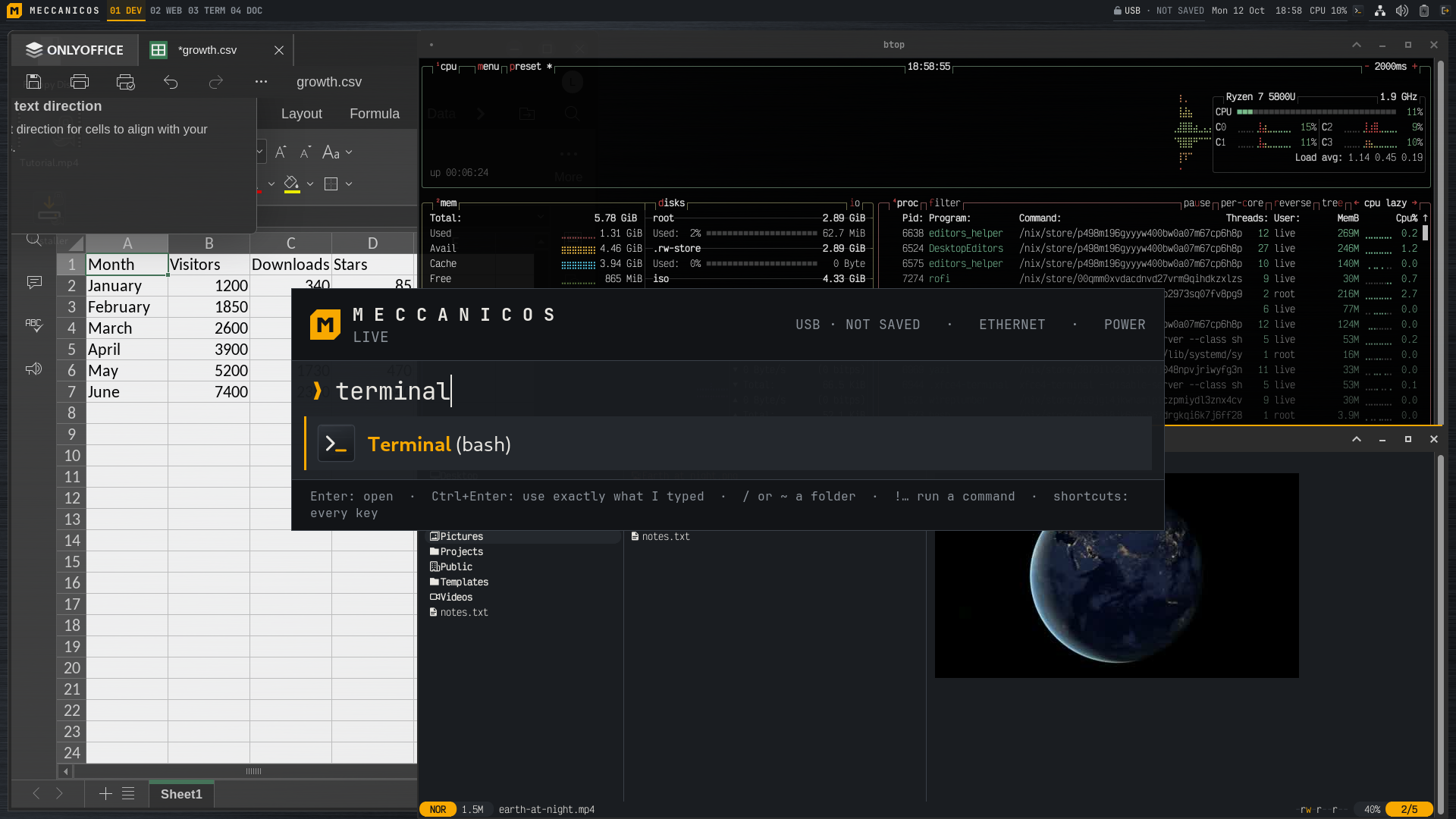

TUXEDO Computers has just announced that its upcoming Debian-based TUXEDO OS has entered the final stage of its open beta. That brings the Linux distro right up to the point of being fully transitioned away from Ubuntu.
The new edition, known as TUXEDO OS “Continuous Debian,” replaces the distribution’s traditional Ubuntu foundation with Debian Testing. The change denotes a significant shift for TUXEDO OS, which is developed by German Linux hardware manufacturer TUXEDO Computers.
Open beta testing started in August, and since then the dev team has issued five beta ISOs. The company has reported a large number of bug reports as a result of the testing, as well as a lot of positive feedback from users who have been running the new system without any issues.
As for the software, the current beta runs KDE Plasma 6.7.4 on Wayland, alongside KDE Frameworks 6.30, Qt 6.11.2, and Linux kernel 7.2. Unlike Debian itself, which periodically promotes its Testing branch to Stable, TUXEDO OS will remain permanently based on Debian Testing.
TUXEDO Computers will also continue maintaining its own package repositories and providing updates for key components, including the kernel, graphics drivers, and KDE Plasma.
Throughout November, the development team is concentrating on handling outstanding bug reports and handling remaining issues before the first stable release. Users participating in the testing program are encouraged to report not previously identified bugs or unanticipated behavior as soon as possible.
However, bug fixing is not the only thing left to do. TUXEDO Computers also needs to establish and validate a suite of structured, automated QA test procedures. Those tests have to be run before they can actually set a release date.
As for when the stable Debian-based TUXEDO OS will be arriving, the developers have not given us a date at this point. They do, however, expect to be able to release it fairly soon once the final testing and QA are complete.
For additional information, see the announcement.
Those interested in testing the upcoming Debian-based TUXEDO OS before its stable release can download the latest beta ISO images from the preview download directory.
TUXEDO Computers has just announced that its upcoming Debian-based TUXEDO OS has entered the final stage of its open beta. That brings the Linux distro right up to the point of being fully transitioned away from Ubuntu.
The new edition, known as TUXEDO OS “Continuous Debian,” replaces the distribution’s traditional Ubuntu foundation with Debian Testing. The change denotes a significant shift for TUXEDO OS, which is developed by German Linux hardware manufacturer TUXEDO Computers.
Open beta testing started in August, and since then the dev team has issued five beta ISOs. The company has reported a large number of bug reports as a result of the testing, as well as a lot of positive feedback from users who have been running the new system without any issues.
As for the software, the current beta runs KDE Plasma 6.7.4 on Wayland, alongside KDE Frameworks 6.30, Qt 6.11.2, and Linux kernel 7.2. Unlike Debian itself, which periodically promotes its Testing branch to Stable, TUXEDO OS will remain permanently based on Debian Testing.
TUXEDO Computers will also continue maintaining its own package repositories and providing updates for key components, including the kernel, graphics drivers, and KDE Plasma.
Throughout November, the development team is concentrating on handling outstanding bug reports and handling remaining issues before the first stable release. Users participating in the testing program are encouraged to report not previously identified bugs or unanticipated behavior as soon as possible.
However, bug fixing is not the only thing left to do. TUXEDO Computers also needs to establish and validate a suite of structured, automated QA test procedures. Those tests have to be run before they can actually set a release date.
As for when the stable Debian-based TUXEDO OS will be arriving, the developers have not given us a date at this point. They do, however, expect to be able to release it fairly soon once the final testing and QA are complete.
For additional information, see the announcement.
Those interested in testing the upcoming Debian-based TUXEDO OS before its stable release can download the latest beta ISO images from the preview download directory.
From the Alpine advisory and the researcher’s notes: musl’s crypt() gives back * when a password is over 256 bytes, and sshd then compares it with an account whose stored field is also *. Key-only users have that field, and so does the alpine user on tiny-cloud images. Fix is OpenSSH 10.6p2 or Alpine’s backport (on 3.24 that’s 10.3_p1-r2), plus an sshd restart. PasswordAuthentication no also closes it. Package table and check commands are in the link. Disclosure: it’s our blog, we run a proxy service.
From the Alpine advisory and the researcher’s notes: musl’s crypt() gives back * when a password is over 256 bytes, and sshd then compares it with an account whose stored field is also *. Key-only users have that field, and so does the alpine user on tiny-cloud images. Fix is OpenSSH 10.6p2 or Alpine’s backport (on 3.24 that’s 10.3_p1-r2), plus an sshd restart. PasswordAuthentication no also closes it. Package table and check commands are in the link. Disclosure: it’s our blog, we run a proxy service.

Hardened debian kernel built on top of graphene os patches by the redacted non profit . Details for apt repo are here.
git.unredacted.org/…/linux-hardened-unredacted
Figured Id share for those interested. Text below copied from git readme.
What this kernel changes
On top of upstream Linux, this build applies the
anthraxx/linux-hardenedpatch set under a kernel.configcomposed from anthraxx’s own Arch packagingconfig.x86_64(pinned by sha256 + signed-commit-verified inconfigs/upstream-seed.toml) layered with our project overlay (configs/intent.common.configplus the x86-onlyconfigs/intent.x86_64.config; per-symbol rationale inconfigs/POLICY.md). Each build re-fetches the pinned seed, verifies its signature, merges our intent, runsolddefconfig, and aborts unless every intent line lands — so new hardening features anthraxx adopts flow through automatically, while regressions on the symbols we explicitly pin fail fast at configure time. Full design indocs/operators/config-architecture.md. The hardening falls into four buckets: memory-safety (heap and stack zero-init, stack-erase-on-return, hardened usercopy, FORTIFY_SOURCE, slab freelist hardening and canaries, KASLR, KFENCE); integrity (W^X for kernel and module text, forced module-signature verification, integrity-mode lockdown under Secure Boot); attack-surface reduction (/dev/mem,/proc/kcore, kexec, and several legacy syscalls removed); and restrictive sysctl defaults (unprivileged user namespaces off; perf, BPF, and ptrace restricted to root).That hardening comes with friction worth knowing before you install:
- Out-of-tree modules (NVIDIA, ZFS, VirtualBox) must be rebuilt against our headers and signed. DKMS is designed to do this with a machine-local MOK key you enroll once at reboot (not yet validated against a published release — see docs/users/dkms.md).
- Rootless containers (Docker, Podman), the Chromium sandbox, Snap, and Flatpak depend on unprivileged user namespaces, which are off by default. Re-enable them via the opt-in in docs/users/incompatibilities.md.
- kexec/kdump, hibernation, and
/dev/mem-based tools do not work.- Every module must be signed. An unsigned out-of-tree module will not load (
MODULE_SIG_FORCE).Per-symptom workarounds are in docs/users/incompatibilities.md. Keep your distro’s stock kernel installed as a recovery fallback; both coexist and GRUB lists both.
Hardened debian kernel built on top of graphene os patches by the redacted non profit . Details for apt repo are here.
git.unredacted.org/…/linux-hardened-unredacted
Figured Id share for those interested. Text below copied from git readme.
What this kernel changes
On top of upstream Linux, this build applies the
anthraxx/linux-hardenedpatch set under a kernel.configcomposed from anthraxx’s own Arch packagingconfig.x86_64(pinned by sha256 + signed-commit-verified inconfigs/upstream-seed.toml) layered with our project overlay (configs/intent.common.configplus the x86-onlyconfigs/intent.x86_64.config; per-symbol rationale inconfigs/POLICY.md). Each build re-fetches the pinned seed, verifies its signature, merges our intent, runsolddefconfig, and aborts unless every intent line lands — so new hardening features anthraxx adopts flow through automatically, while regressions on the symbols we explicitly pin fail fast at configure time. Full design indocs/operators/config-architecture.md. The hardening falls into four buckets: memory-safety (heap and stack zero-init, stack-erase-on-return, hardened usercopy, FORTIFY_SOURCE, slab freelist hardening and canaries, KASLR, KFENCE); integrity (W^X for kernel and module text, forced module-signature verification, integrity-mode lockdown under Secure Boot); attack-surface reduction (/dev/mem,/proc/kcore, kexec, and several legacy syscalls removed); and restrictive sysctl defaults (unprivileged user namespaces off; perf, BPF, and ptrace restricted to root).That hardening comes with friction worth knowing before you install:
- Out-of-tree modules (NVIDIA, ZFS, VirtualBox) must be rebuilt against our headers and signed. DKMS is designed to do this with a machine-local MOK key you enroll once at reboot (not yet validated against a published release — see docs/users/dkms.md).
- Rootless containers (Docker, Podman), the Chromium sandbox, Snap, and Flatpak depend on unprivileged user namespaces, which are off by default. Re-enable them via the opt-in in docs/users/incompatibilities.md.
- kexec/kdump, hibernation, and
/dev/mem-based tools do not work.- Every module must be signed. An unsigned out-of-tree module will not load (
MODULE_SIG_FORCE).Per-symptom workarounds are in docs/users/incompatibilities.md. Keep your distro’s stock kernel installed as a recovery fallback; both coexist and GRUB lists both.