0

preview
It says that the NixOS wiki article is out of date and has bad practices.
It says that the NixOS wiki article is out of date and has bad practices.
posts tagged #nix
It says that the NixOS wiki article is out of date and has bad practices.
It says that the NixOS wiki article is out of date and has bad practices.
I’ve recently bought a VPS from Contabo in order to host my own Nextcloud instance (and maybe vaultwarden and abby later). It’s my first time ever using a VPS but I’ve figured NixOS would be great to host those thanks to the reproducibility and modules, and I’ve been using NixOS on my desktop so I figured it wouldn’t so hard right ? right ???
Well turns out it IS hard, I’ve been trying to install NixOS on my VPS using nixos-anywhere and using this template. The config works but the install seems to fail all the time ? It should output Done when it successfully finished the install, but instead it outputs this:
+ partprobe /dev/sda
+ udevadm trigger --subsystem-match=block
+ udevadm settle --timeout 120
+ device=/dev/disk/by-partlabel/disk-disk1-ESP
+ extraArgs=()
+ declare -a extraArgs
+ format=vfat
+ mountOptions=('defaults')
+ declare -a mountOptions
+ mountpoint=/boot
+ type=filesystem
+ grep -q TYPE=
+ blkid /dev/disk/by-partlabel/disk-disk1-ESP
+ mkfs.vfat /dev/disk/by-partlabel/disk-disk1-ESP
mkfs.fat 4.2 (2021-01-31)
mkfs.vfat: unable to open /dev/disk/by-partlabel/disk-disk1-ESP: No such file or directory
+ rm -rf /tmp/tmp.1dADBpsCkQ
Connection to 185.174.255.56 closed.
I was running the install like so: nix run nixpkgs#nixos-anywhere – --flake .#generic --generate-hardware-config nixos-generate-config ./hardware-configuration.nix root@<address>
And I can confirm it’s broken cuz when I try to ssh into the VPS afterward it just never let’s me connect.
But that’s not all, it actually did work TWICE and I was able to ssh into the server, but it then I noticed it just didn’t have any network access, couldn’t pull a git repo or even ping an address, and so couldn’t rebuild my config in the VPS. Idk how to fix that either, I imagine this could be related to the nextwork config but I’m not sure For example:
$ ping nixos.org
ping: nixos.org: Name or service not known
I tried all I could find online but nothing really worked, so idk what to do from here
Here’s a link to the config I’m using: codeberg.org/claymorwan/nixos-VPS
EDIT:
I’ve managed to fix both of those issue it seems, but my nextcloud instance still isn’t reachable. I did create an A record in my domain’s DNS pointing to my VPS’ ip address and I belive I’ve opened the correct ports in the config so idk what’s wrong here

Nextcloud does start correctly too according to the service
Nov 10 20:29:37 nixos systemd[1]: Starting nextcloud-setup.service...
Nov 10 20:29:41 nixos nextcloud-setup-start[683]: No upgrade required.
Nov 10 20:29:41 nixos nextcloud-setup-start[683]: Note: This command triggers the upgrade actions associated with a new version. The new version's updated source files must be deployed in advance.
Nov 10 20:29:41 nixos nextcloud-setup-start[683]: See the upgrade documentation: https://docs.nextcloud.com/server/35/go.php?to=admin-update for more information.
Nov 10 20:29:42 nixos nextcloud-setup-start[687]: System config value trusted_domains deleted
Nov 10 20:29:42 nixos nextcloud-setup-start[691]: calendar already enabled
Nov 10 20:29:42 nixos nextcloud-setup-start[691]: tasks already enabled
Nov 10 20:29:43 nixos nextcloud-setup-start[695]: System config value trusted_domains => 0 set to string nextcloud.deadf.org
Nov 10 20:29:43 nixos systemd[1]: nextcloud-setup.service: Deactivated successfully.
Nov 10 20:29:43 nixos systemd[1]: Finished nextcloud-setup.service.
Nov 10 20:29:43 nixos systemd[1]: nextcloud-setup.service: Consumed 3.423s CPU time over 5.718s wall clock time, 129.1M memory peak, 145.3M read from disk, 8K written to disk.
I’ve recently bought a VPS from Contabo in order to host my own Nextcloud instance (and maybe vaultwarden and abby later). It’s my first time ever using a VPS but I’ve figured NixOS would be great to host those thanks to the reproducibility and modules, and I’ve been using NixOS on my desktop so I figured it wouldn’t so hard right ? right ???
Well turns out it IS hard, I’ve been trying to install NixOS on my VPS using nixos-anywhere and using this template. The config works but the install seems to fail all the time ? It should output Done when it successfully finished the install, but instead it outputs this:
+ partprobe /dev/sda
+ udevadm trigger --subsystem-match=block
+ udevadm settle --timeout 120
+ device=/dev/disk/by-partlabel/disk-disk1-ESP
+ extraArgs=()
+ declare -a extraArgs
+ format=vfat
+ mountOptions=('defaults')
+ declare -a mountOptions
+ mountpoint=/boot
+ type=filesystem
+ grep -q TYPE=
+ blkid /dev/disk/by-partlabel/disk-disk1-ESP
+ mkfs.vfat /dev/disk/by-partlabel/disk-disk1-ESP
mkfs.fat 4.2 (2021-01-31)
mkfs.vfat: unable to open /dev/disk/by-partlabel/disk-disk1-ESP: No such file or directory
+ rm -rf /tmp/tmp.1dADBpsCkQ
Connection to 185.174.255.56 closed.
I was running the install like so: nix run nixpkgs#nixos-anywhere – --flake .#generic --generate-hardware-config nixos-generate-config ./hardware-configuration.nix root@<address>
And I can confirm it’s broken cuz when I try to ssh into the VPS afterward it just never let’s me connect.
But that’s not all, it actually did work TWICE and I was able to ssh into the server, but it then I noticed it just didn’t have any network access, couldn’t pull a git repo or even ping an address, and so couldn’t rebuild my config in the VPS. Idk how to fix that either, I imagine this could be related to the nextwork config but I’m not sure For example:
$ ping nixos.org
ping: nixos.org: Name or service not known
I tried all I could find online but nothing really worked, so idk what to do from here
Here’s a link to the config I’m using: codeberg.org/claymorwan/nixos-VPS
EDIT:
I’ve managed to fix both of those issue it seems, but my nextcloud instance still isn’t reachable. I did create an A record in my domain’s DNS pointing to my VPS’ ip address and I belive I’ve opened the correct ports in the config so idk what’s wrong here
Nextcloud does start correctly too according to the service
Nov 10 20:29:37 nixos systemd[1]: Starting nextcloud-setup.service...
Nov 10 20:29:41 nixos nextcloud-setup-start[683]: No upgrade required.
Nov 10 20:29:41 nixos nextcloud-setup-start[683]: Note: This command triggers the upgrade actions associated with a new version. The new version's updated source files must be deployed in advance.
Nov 10 20:29:41 nixos nextcloud-setup-start[683]: See the upgrade documentation: https://docs.nextcloud.com/server/35/go.php?to=admin-update for more information.
Nov 10 20:29:42 nixos nextcloud-setup-start[687]: System config value trusted_domains deleted
Nov 10 20:29:42 nixos nextcloud-setup-start[691]: calendar already enabled
Nov 10 20:29:42 nixos nextcloud-setup-start[691]: tasks already enabled
Nov 10 20:29:43 nixos nextcloud-setup-start[695]: System config value trusted_domains => 0 set to string nextcloud.deadf.org
Nov 10 20:29:43 nixos systemd[1]: nextcloud-setup.service: Deactivated successfully.
Nov 10 20:29:43 nixos systemd[1]: Finished nextcloud-setup.service.
Nov 10 20:29:43 nixos systemd[1]: nextcloud-setup.service: Consumed 3.423s CPU time over 5.718s wall clock time, 129.1M memory peak, 145.3M read from disk, 8K written to disk.
when setting up my new laptop i am intending to break /home and /nix into their own partitions. The NVME is 512GB so i am thinking
/ = 20GB
/nix = 50GB
swap = 16GB (2x RAM)
/home = all remaining
Thoughts?
when setting up my new laptop i am intending to break /home and /nix into their own partitions. The NVME is 512GB so i am thinking
/ = 20GB
/nix = 50GB
swap = 16GB (2x RAM)
/home = all remaining
Thoughts?

The responses don’t have to be strictly NixOS or Linux specific as I expect the general process to be very similar.
I never hardened a system before so I’m not sure what things I should be focusing on and what solutions are out there. I’m hearing a lot good on SELinux and apparmour but but those sadly aren’t supported on NixOS. Recently I set up adguard home with somewhat strict blocklists and SearxNG to take control over my web searches. In the coming days I intend to set up wireguard and a VPN in my config and I also have some firefox extensions for blocking ads, trackers, JS, port scanning, etc. but it all feels surface level and I don’t know where to take things from there. What are you guys doing with your setups?
Usually I prefer to never ask questions and look things up myself but reddit will soon block everything with a login wall and that’s where I get most info from so I’m finally giving it a shot. :p
Hey folks, for about 10 months or so been working on a hobby project just to get more practice in Linux application packaging, the Rust ecosystem/utilities, and software development on Nix and NixOS (as well as solve some personal pain points in using a HDMI TVs and projectors with PCs).
I’m posting here as while the project isn’t still fully stable, it’s daily drivable and fully documented, and I feel other Nix users aren’t too shy of beta software. While the pedantic app code may not be much to write home about, I’d be curious here on feedback of my nix packing approach, use of flakes for development and distribution, dev shell setup, and systemd services & permissions.
The app itself follows more of a distributed pub/sub architecture (my background is in robotics and cyber-physical system design, not desktop software), so converging on IPC and middle-ware libraries I’ve been meaning to experiment while keeping the installable setup self contained was a balance.
I’ve also adopted Cachix into the release pipeline (sparing my poor laptop and RPi from building the arm binaries with every release), but would be interested in finding other (Rust?) projects making use of Nix in CI for development to learn from, as that remains a large gap in GitHub Actions setup that is still imperatively Ubuntu based.
Links to the rendered docs and source repo (NixOS install instruction included if you’d like to try it).
Cheers
Hey guys, i could use some help.
I am trying to build cuprate: github.com/Cuprate/cuprate/ with the instructions found in github.com/…/48ee1bb9ed2dc3a0d7b53f66bb48f6273c96…
It builds fine, but when attempting to run it i get
[nix-shell:~/build/cuprate/cuprate/target/release]$ ./cuprated -h

./cuprated: error while loading shared libraries: libstdc++.so.6: cannot open shared object file: No such file or directory


[nix-shell:~/build/cuprate/cuprate/target/release]$
There is a build problem that started just when the update got merged. Does anyone know what happened?
There is a build problem that started just when the update got merged. Does anyone know what happened?
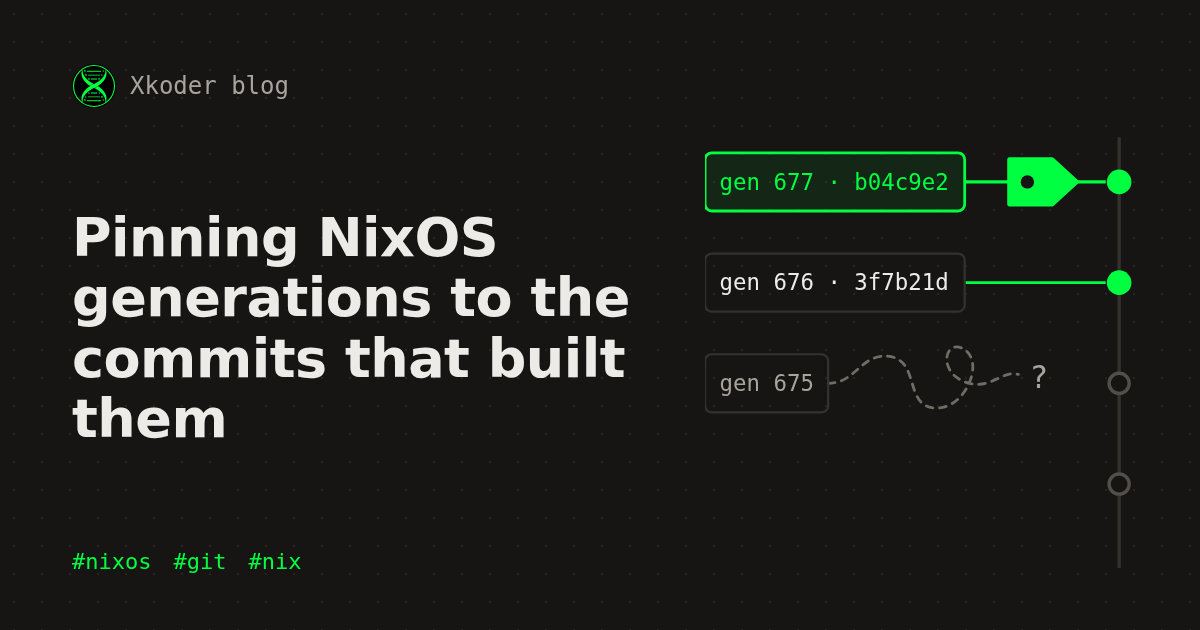
Tired of rolling back to an old NixOS generation and having no idea which commit it was built from? Here’s how to fix that: ikskoder.dev/blog/nixos-generations-git-commits
Tired of rolling back to an old NixOS generation and having no idea which commit it was built from? Here’s how to fix that: ikskoder.dev/blog/nixos-generations-git-commits
soooo i’m new to nix and nixos and i want to switch from gnome to hyprland. however there is a reallly steep learning curve for both and in the meantime i am looking for a working out of the box flake or configuration repo that i can just add to my configs as a starter to get hyprland up and running. is that a thing? thanks!
edit: thanks everyone for enlightening me about hyprland’s bad origins, let’s reframe it to - any hyprland alternative that aren’t Nazi adjacent?
On my raspberry pi (aka oliserver) I removed ~/.local but I forgot that nix profiles are stored there, and now I can’t access my home manager packages (commands, terminfo etc.). Is there a way to restore the ~/.local/state/nix/profiles/profile symlink? I already tried switching the config again. I am using nixos module home manager with den.nix, dots are here
edit: solved by setting uninstall = true in home manager, switching, and rolling back
So recently I’ve been working on creating a declarative PrismLauncher setup in Nix
While it’s usable , there are still some things to be done
Check it out: codeberg.org/OliMoli/prismix
Feature requests / PRs / other contributions are welcome :)
So recently I’ve been working on creating a declarative PrismLauncher setup in Nix
While it’s usable , there are still some things to be done
Check it out: codeberg.org/OliMoli/prismix
Feature requests / PRs / other contributions are welcome :)
nixpkgs is on Shithub and so are many of its dependencies. git mirrors of those dependencies can exist on other forges e.g KDE and Gnome have their own Gitlab instances. This project is an overlay that overrides pkgs.fetchFromGitHub to try and clone from those forges first if they are known to the overlay. The old fetchFromGitHub is only used when no alternative is known to the overlay.
You could consider this an index of alternative forges hosting the git repo.
Tip: to find out which repos still need mirroring, use warnOnShitHub = true; when activating the overlay and run nixos-rebuild on your config.
Shithub decided to rate-limit unauthenticated git clones about 2 weeks ago because of “AI scapers” (which they of course also run) and that broke my system for a day. I see this as the writing on the wall that Microslop is moving forward in their EEE-ways. They embraced ShitHub, extended it, and have been slowly restricting unauthenticated operations. I can barely search for code without getting a rate limit warning. Sometimes even clicking on files too quickly will trigger a rate limit.
Microslop will only make Shithub worse for unauthenticated people and at some point, they’ll require payment.
new to nixos. I have found a flake.nix file on the internet which I used to build my system. in that flake file I found the following line:
{
  inputs = {
    nixpkgs.url = "github:NixOS/nixpkgs/nixos-unstable";
    antigravity-nix = {
      url = "github:jacopone/antigravity-nix";
      inputs.nixpkgs.follows = "nixpkgs";
    };
  };

  outputs = { self, nixpkgs, antigravity-nix, ... }: {
    nixosConfigurations.your-hostname = nixpkgs.lib.nixosSystem {
      system = "x86_64-linux";
      modules = [
	./configuration.nix
	./hardware-configuration.nix
        {
          environment.systemPackages = [
            antigravity-nix.packages.x86_64-linux.default # Base App
            antigravity-nix.packages.x86_64-linux.google-antigravity-ide # IDE
            antigravity-nix.packages.x86_64-linux.google-antigravity-cli # CLI
          ];
        }
      ];
    };
  };
}
if I understood correctly the flake also has outputs variable in the attribute set and it’s returning nixpkgs whose url is set to the unstable. does it mean I am running unstable version of nixos?
Thanks in advance!
Just saw this on reddit (seemingly by the author), really cool tool to explore what your closure consists of. Very impressed by how well it works and how the info is provided.
Just saw this on reddit (seemingly by the author), really cool tool to explore what your closure consists of. Very impressed by how well it works and how the info is provided.
They also have a website with docs: nixmultiverse.com/docs/
The website can also be used to search for specific package versions in nixpkgs, to get the nixpkgs revision: nixmultiverse.com
The above feature is similar to: lazamar.co.uk/nix-versions/ or www.nixhub.io , but using this project is a way easier alternative than searching for an pinning revisions.
I’m a relatively new user and I’ve successfully set up Hyprland with home manager. I wanted to try out Niri though but it’s a bit more confusing for me. What’s the point of that repo? Does the Niri that’s in nixpkgs not work with home manager? Is that repo, and that repo alone, expected if you’re using home manager and want to manage Niri with it?
Thanks!
I’m really liking Jujutsu (a.k.a jj) for version control! If you’re not familiar, jj is a version control system that interoperates with git. It removes a lot of possible states git can get into, adds much more helpful oopsie recovery, and adds some useful abstractions.
I’m working on setting up my workflow to cover the functionality that I previously got from git hooks. I’m used to using one of my projects, git-format-staged, to automatically format code. Here’s an example Nix project config that does that.
(I don’t like to set my editor to format on save because that doesn’t go well with autosave. Thus hooks.)
I saw that there is discussion on using pre-commit with jj in this thread. That has spawned two projects, jj-pre-push and jj-hooks, that can both run pre-commit - but they run it before pushing to a git remote, not on at commit time, because running a hook on every commit change doesn’t work well with jj’s model.
I’m trying something different because I want formatting to run earlier than on push. And of course I want my setup to be automated with a Nix devShell!
I thought a natural point to “hook in” would be on bookmark moves.
In jj branches are anonymous, but there are named “bookmarks”.
Bookmarks don’t move automatically like git branch pointers - you move them manually.
When working with an upstream git repo you get bookmarks that are associated with remote
branches - they’re similar to local tracking branches in git.
When you run jj git push it updates remote branches to the commits the
matching bookmarks are on.
So I think of bookmarks as my plan for what I’m going to push.
The typical workflow is:
jj git push does basically what git push does if you set push.default = matching (or if you run git push origin :)Usually the latest commit in your anonymous branch in jj is the “working copy”
which you probably don’t want to push. So it’s common to advance the bookmark to
the most recent “finished” commit: the parent of the working copy. That commit is
referenced by the expression @-
All that to say, I’m trying out an alias that automatically advances the
“closest” bookmark to @-, and runs jj fix on all of the commits that are now
in the bookmark’s history that weren’t before. (This is a Home Manager config
snippet):
# Move closest bookmark to @-, and run jj fix;
programs.jujutsu.settings.aliases.tug = [
  "util"
  "exec"
  "--"
  "bash"
  "-c"
  ''
    set -euo pipefail
    jj fix -s 'heads(::@- & bookmarks())..@- & mutable()' # fix revisions after bookmark, up to and including @-
    jj bookmark move --from 'heads(::@- & bookmarks())' --to '@-'
  ''
  "" # last string becomes $0 -- see jj docs
  # TODO: accept an argument to override @- as the new bookmark target
];
The tug alias has been floating around. My addition is the jj fix command.
If I use this alias my changes get automatically formatted before I commit to
pushing them.
jj fix is intended specifically for automatic code formatting. Because jj is
especially good at editing history, the fix command is good at retroactively
formatting commits. It identifies changed files in each of the given commits,
and runs their content through formatters via stdio. It’s capable of formatting
only changed portions of files if you configure formatters to accept line ranges.
Understanding that script requires spending some time learning jj’s revset language. The very short version is:
jj fix -s <expression> runs configured fix tools on the specified commitsheads(::@- & bookmarks()) is a fancy way of identifying the closest commit with a bookmark on the DAGheads(::@- & bookmarks())…@- selects commits after that bookmark, up through @-& mutable() filters out commits that have already been pushed to main (in case you’re pushing a merge). Commits already in your upstream trunk are considered “immutable” by defaultI’d prefer a native hook to be able to run commands on any jj command that moves a bookmark. Maybe someday!
The last step is configuring the formatters that jj fix runs. This is where
the real Nix configuration comes in!
Formatters are set up in the jj config file.
Like with git you have a global config, and also a repo-specific config.
Also like with git, jj has a command to programmatically set config values.
I set up this devShell to use that command to automatically set up the repo-specific config for my project:
# Set formatters for `jj fix` to use for this repo
{
  perSystem = { lib, pkgs, ... }: {
    devShells.jj-fix =
      let
        # A JSON array is also a valid TOML array, so builtins.toJSON gives us
        # a value literal that `jj config set` will accept for `command` and
        # `patterns`.
        tomlArg = value: lib.escapeShellArg (builtins.toJSON value);
        set-tool-config = tool-name: config: /* bash */ ''
          jj config set --repo fix.tools.${tool-name}.command ${tomlArg config.command}
          jj config set --repo fix.tools.${tool-name}.patterns ${tomlArg config.patterns}
        '';

        # This variable holds the actual configuration for my three formatters
        fix-tools = {
          nixfmt = {
            command = [
              (lib.getExe pkgs.nixfmt)
              "--filename=$path"
            ];
            patterns = [ "glob:'**/*.nix'" ];
          };

          prettier = {
            command = [
              (lib.getExe pkgs.prettier)
              "--stdin-filepath=$path"
            ];
            patterns = [
              ''
                (glob:'**/*.[jt]s' | glob:'**/*.[jt]sx' | glob:'**/*.json' | glob:'**/*.css' | glob:'**/*.md')
                ~ glob:'.expo/types/**' ~ glob:'**/.sqlx/**'
              ''
            ];
          };

          rustfmt = {
            command = [
              (lib.getExe pkgs.rustfmt)
              "--edition=2024"
              "--emit=stdout"
            ];
            patterns = [ "glob:'**/*.rs'" ];
          };
        };
      in
      pkgs.mkShell {
        shellHook = builtins.concatStringsSep "\n" (lib.mapAttrsToList set-tool-config fix-tools);
      };
  };
}
# TODO: Does not automatically remove tools from jj config if they are removed from the devShell
That’s my first pass. At some point I might publish a flake-parts module that abstracts out the boilerplate to make this nicer to use.
In theory it’s sort of like using git-format-staged. Formatting runs less frequently than with a pre-commit hook. That might mean a higher chance of conflicts. But the jj fix docs make bold claims about never introducing conflicts. We’ll see. I’m still experimenting with this setup.
Another possible workflow is hooking into jj new to run fix on the commit
that just stopped being the working copy.
The main functionality that’s still missing for me is a replacement for the git
pre-commit hook that I had that runs cargo prepare sqlx on pre-commit.
That command needs to be able to read changed source files, and to output
separate files to add to version control. There’s an upcoming jj run command
that might do the
trick.
ive got a surface tablet at work running nixos. it mostly is used to view security cameras.
the machine is fairly low spec and bogs itself down after a coupke days, so id like it to auto reboot at 9am. i work a late shift and often don’t leave til around 2am.
i guess we don’t use cron anymore? i really don’t understand how the systemd timers work… the wiki doesnt really give great details…
systemd.timers.“autoreboot” = {
wantedBy = [ “timers.target” ];
timerConfig = {

  OnCalendar="*-*-* 9:00:00";                                     Unit = "autoreboot.service";

};
};
systemd.services.“autoreboot” = {
script = ‘’
set -eu

${pkgs.coreutils}/run/current-system/sw/bin/reboot
‘’;
serviceConfig = {
Type = "oneshot";

User = "root";
};
};
the systemd target seems to be created, but it reports as dead when i check it…
any advice?
Recently garnix shutdown, which mean trying to rebuild my config while having it as a subsituter just failswith a bad gateway. Issue is, to remove it from my config, i gotta rebuild my config, which obviously fails since it tries to check for garnix. Not sure what to do here
EDIT: I fixed by by “overriding” my nix config, I jsut copied the substituter related entry in the nix.conf geberated by nix, pasted them in ~/.config/nix/nix.conf and removed garnix from those, then just rebuild the config and boom it worked. Just dot forget to then remove those lines from the user nix config
It’s these two gems, specifically. I can build them on my local machine, and nix copy them to the server, but building them directly on the server always fails with curl: (6) Could not resolve host: rubygems.org.
(If you want to replicate it: nix build https://codeberg.org/libewa/pages/archive/main.tar.gz.)
Fair warning, I used Claude for a lot of the details. Architecturally, it’s my design.
Got NixOS running on my reMarkable Pro Paper Move (codename: chiappa) because when I got this tiny tablet, it was with the goal of replacing my iPad Mini (which I mainly used to read books on anyway) and wanting to use something that ran Linux (I use NixOS on every other machine I touch except my Phone…).
Finally got around to (helping Claude) port NixOS though so now, besides having my config live alongside the rest of my machines, I can boot right into KOReader and not play silly games with Xochitl everytime I reboot. Plus, being my own NixOS config, I can (WIP/testing) load/use other applications with ease.
The details and how to set it up are mostly in the NixOS flake/associated repo over here:
github.com/gitman-101111/remarkable-nixos
If you want to use the e-ink bridge/associated tools to port to another OS of your choice (I tried and succeeded in porting to PostmarketOS but they have a strict no generative AI policy), you can use this repo (which the flake also references):
github.com/gitman-101111/chiappa
All the hardware works with KOReader with some minor patching. Feel free to play around with different configurations, etc.
Details on the setup and specifics are in the repos.
Lastly, I wouldn’t recommend this to people unfamiliar with NixOS or at least some Linux experience. There’s a lot of information here on how to essentially brick your device lol. Be careful out there! :)
Pretty much the title. Please bear with me, since I’m sort of a beginner 😅
I am trying to use nixpak to sandbox iamb, but for whatever reason, it doesn’t start up and run properly. Here’s the relevant section of the config
environment.systemPackages = [
      (mkNixPak {
        config = { pkgs, sloth, ... }: {
          app.package = pkgs.iamb;

          bubblewrap = {
            network = true;
            shareIpc = false;
            dieWithParent = true;

            bind.rw = [
              [
                (sloth.mkdir (sloth.concat' sloth.homeDir "/Downloads/iamb"))
                (sloth.concat' sloth.homeDir "/Downloads")
              ]

              (sloth.mkdir (sloth.concat' sloth.xdgConfigHome "/iamb"))
              (sloth.mkdir (sloth.concat' sloth.xdgDataHome "/iamb"))
              (sloth.mkdir (sloth.concat' sloth.xdgStateHome "/iamb"))
              (sloth.mkdir (sloth.concat' sloth.xdgCacheHome "/iamb"))

            ];

            bind.ro = [
            "/etc"
            "/usr"
            # To mount the systemd resolution stuff and so on
            "/run/systemd"
            ];

            apivfs = {
              proc = true;
              dev = true;
            };

            bind.dev = [
              "/dev"
            ];

            tmpfs = [
              (sloth.mkdir "/tmp/iamb")
            ];

            env = {
                TERMINFO = "${pkgs.kitty}/lib/kitty/terminfo";
            };
          };

        };
      }).config.env
];
The full config can be found here
The following bubblewrap command works as-is on nixos, and doesn’t lead to any errors whatsoever:
bwrap --ro-bind /usr /usr \
--ro-bind /etc /etc \
--proc /proc \
--ro-bind /home/innocentzero/.local/state/nix/profile /home/innocentzero/.local/state/nix/profile \
--ro-bind /nix/store /nix/store \
--ro-bind /run/systemd /run/systemd \
--dev /dev \
--tmpfs /tmp \
--unshare-all \
--share-net \
--die-with-parent \
--bind /home/innocentzero/.config/iamb /home/innocentzero/.config/iamb \
--bind /home/innocentzero/.cache/iamb /home/innocentzero/.cache/iamb \
--bind /home/innocentzero/.local/share/iamb /home/innocentzero/.local/share/iamb \
iamb
However, executing the nixpak wrapped iamb produces the following (including the control characters):
^[[?62;4;22;28;52c^[[6;25;11t^[[0n* Logging in for @innocentzer0:cyberia.club…
Any ideas/suggestions? I’m not sure how exactly to get this to work. From what I see in the nixpak module, the generated command should be about the same. Any help is appreciated. Thanks!
This may be an unusual thing but I realised that use nix run a lot instead of putting the package in my nixos configuration. It’s often on packages I run at most once every 3 days
Am I the only one that does that?
This may be an unusual thing but I realised that use nix run a lot instead of putting the package in my nixos configuration. It’s often on packages I run at most once every 3 days
Am I the only one that does that?
I need to find out how much garbage can be cleared when ‘nix-collect-garbage -d’ is run for a personal project but I haven’t been able to find any answer about this on documentations and DDG.
I’ve tried ‘du -sh /nix/store’ but it would print the size everything in /nix/store however ‘nix-collect-garbage -d’ does not remove everything when it’s executed so that’s not gonna work. I’ve also tried executing “nix-store --gc --print-dead | grep ‘^/nix*’” (‘–print-dead’ produces output that which contains store paths that are not live and will not be used, with respect to roots) and then executing “stat -c ‘%s’” on each path (‘stat -c “%s” $file_name’ produces output containing the bytes of the concerned file in bytes) however that doesn’t seem to work as well for some unknown reason as they all seem to add up to a few kilobytes (despite the actual amount that ‘nix-collect-garbage -d’ deletes being about 400MB).
I know that the code below is extremely shit but that’s because that’s not my main project but a separate script solely for trying to find out what I am doing wrong and how I can properly implement this in my main project.
Thanks for any help!
`#!/usr/bin/env bash
tmp() {
declare -a str byt

str=( $(nix-store --gc --print-dead 2>/dev/null | grep '/nix*') )

for garbage in "${str[@]}"; do

    byt+=( $( stat -c '%s' $garbage ) )

done

total=0

for filesize in "${byt[@]}"; do

    total=$(( $total + $filesize ))

done

convertedtotal="$(( ( $total / 1024 ) /1024  ))MB"

echo "$total"

echo "$convertedtotal"
}
tmp`
Some responses from people on other platforms that did not work perfectly:
“I had the same issue a couple months back, i asked claude back then and got: sudo nix-store --gc --print-dead 2>/dev/null | xargs -I{} du -s {} 2>/dev/null | awk ‘{sum += $1} END {printf “%.2f GB\n”, sum/1024/1024}’”
And
"```
bytes=$(
nix-store --gc --print-dead |
xargs du -sb |
awk ‘{s+=$1} END {print s}’
)
numfmt --to=iec “$bytes”
some like this should work for you"

Both of them had one issue:

`$ nix-store --gc --print-dead | grep '^/nix*' | xargs du -sh | awk '{ print $1 }'

finding garbage collector roots...

determining live/dead paths...

8.0K

8.0K

8.0K

4.0K

1.6M

1.9M

8.0K

2.3M

8.0K

45M

4.0K

4.0K

8.0K

4.0K

4.0K

4.0K

684K

8.0K

8.0K

4.0K

8.0K

8.0K

7.7M

692K

4.0K

728K

8.0K

8.8M

344K

492K

4.0K

572K

8.0K

1.1M

4.0K

4.0K

8.0K

4.0K

8.0K

36K

8.0K

8.0K

8.0K

4.0K

4.0K

8.0K

# All of that is about 72MB.

$ nix-collect-garbage -d

removing old generations of profile /home/north/.local/state/nix/profiles/home-manager

removing old generations of profile /home/north/.local/state/nix/profiles/profile

finding garbage collector roots...

deleting garbage...

deleting '/nix/store/vdixm6r047a3rw1wx8pqsjh40nl886jj-kate-26.04.2.drv'

deleting '/nix/store/s5i0c135x2x5dz9ah01zxvl3prywqb30-kate-26.04.2.tar.xz.drv'

...

deleting '/nix/store/rivv4fh68mkqnc4v225mflmi3a9damcj-xfconf-4.20.0'

deleting '/nix/store/9nj1k063j54qfxzcm49dspwwl1sxhqs0-libxfce4util-4.20.1'

deleting unused links...

note: hard linking is currently saving 0.0 KiB

46 store paths deleted, 64.8 MiB freed`

Now what's strange is that 'nix-store --gc --print-dead' outputs these 46 paths (which add up to ~72MB) and 'nix-collect-garbage -d' deletes 46 paths but somehow, 64.8 MiB, which is about 68MB, is freed instead of 72MB. I tried to replicate this again and it worked, there's always some amount of inaccuracy. Of course, a few megabytes don't matter but this can create significant inaccuracies on systems with more cache, but this definitely is a lot better.
So I came here while researching for the problems with qt5 theme. So in the archi wiki it says -
3.1 QGtk3Style
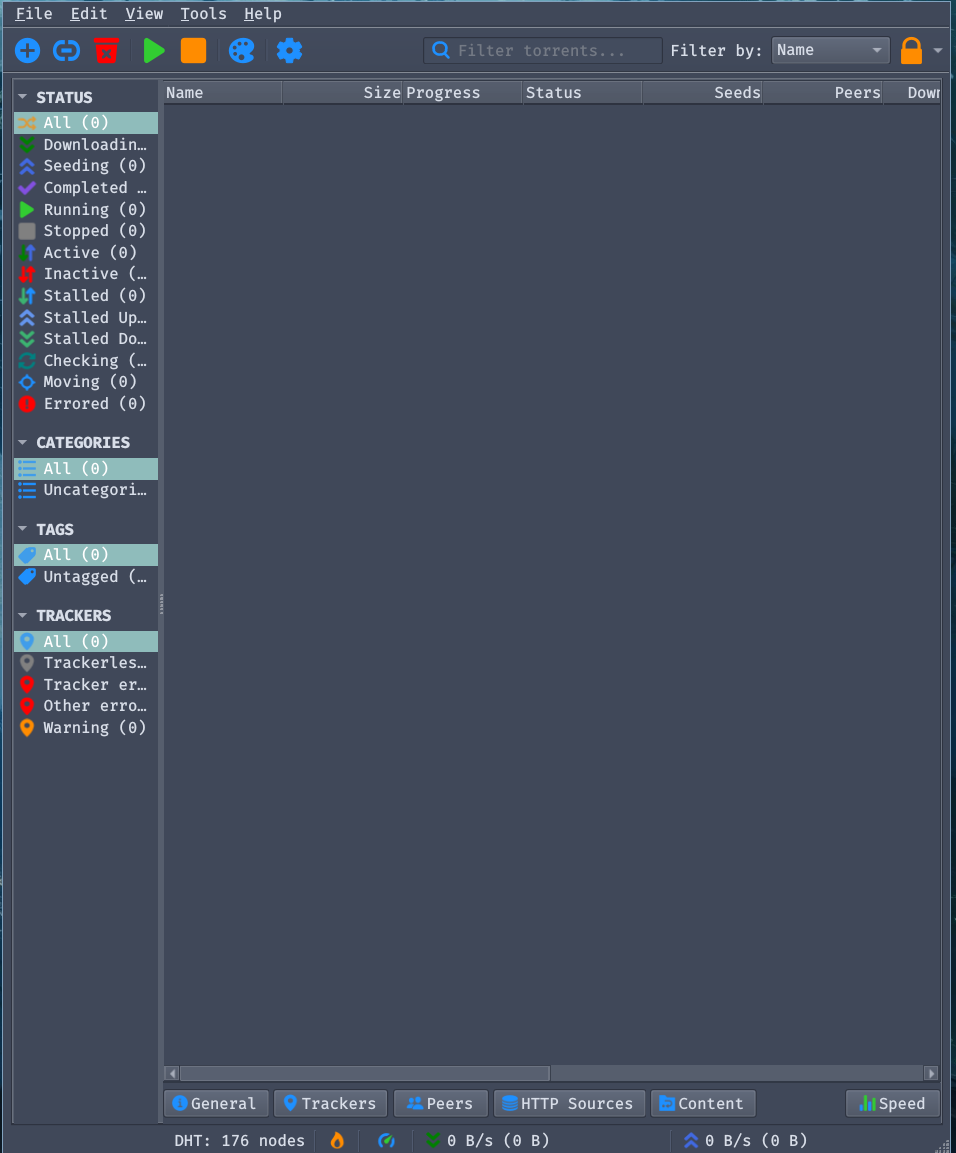
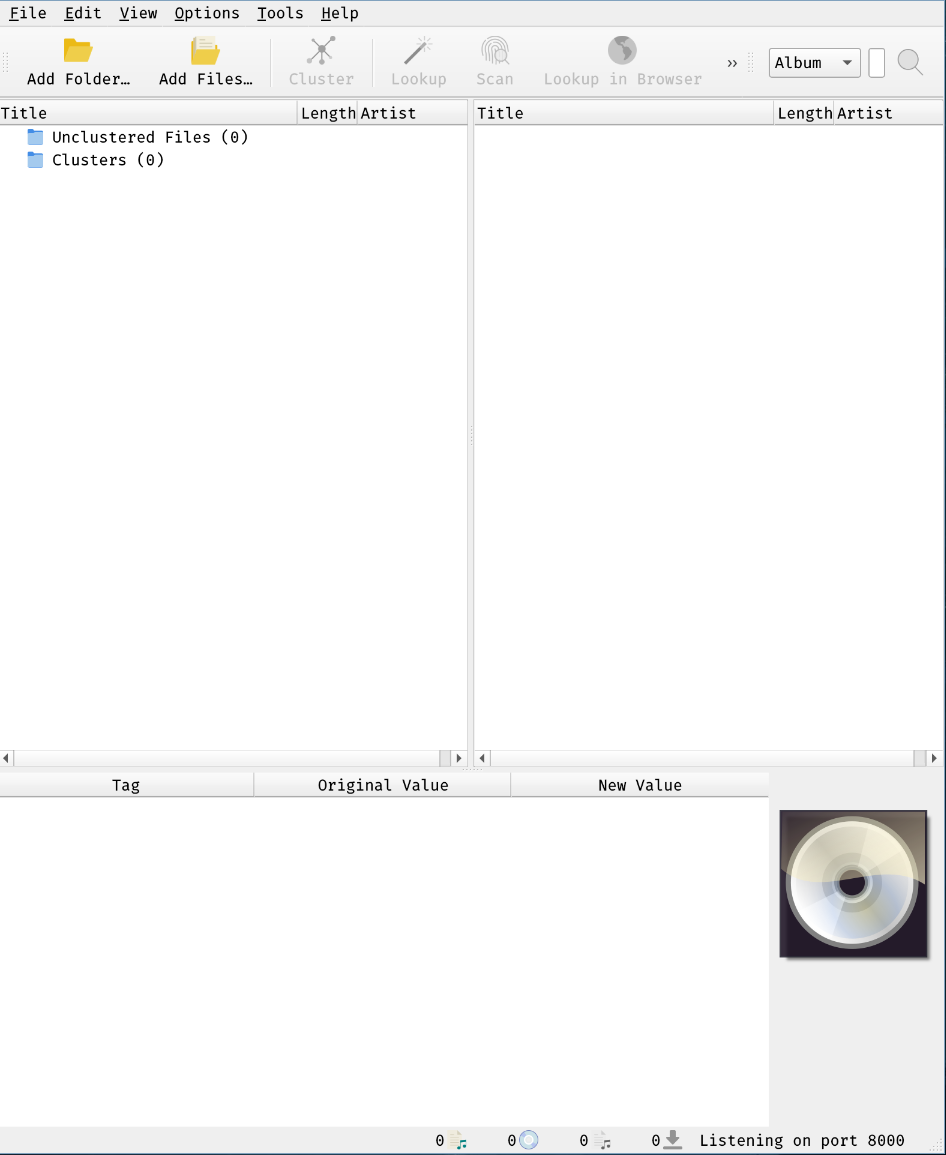
This is a platform theme built into qt5-base starting with version 5.7.0 [2] and qt6-base. It can be used to style Qt5 and Qt6 applications according to current GTK3 style. It can be enabled by setting the following environment variable: QT_QPA_PLATFORMTHEME=gtk3.
I am on nixos and if i set the same envionment variable qt6 apps like pcmanfm-qt, qbittorrent correctly use the same colors as my gtk3 theme, but it seems qt5 apps (like wpa_supplicant_gui, keepassxc, picard) even though in logs they seem to load the plugin, dont theme accordingly and show the default white color. I just want to know is the plugin abandoned? Meaning its no use trying to wait for it to update and be fixed or should i just switch to qtstyleplugins for qt5 apps?
I Can confirm this if i run
QT_DEBUG_PLUGINS=1 QT_QPA_PLATFORMTHEME=gtk3 wpa_gui 2>&1 | grep -i gtk3
and logs show
QFactoryLoader::QFactoryLoader() looking at "/nix/store/64qmp7fap3740hxd2bsnpy10s9ndy5qx-qtbase-5.15.18-bin/lib/qt-5.15.18/plugins/platformthemes/libqgtk3.so"
Found metadata in lib /nix/store/.../libqgtk3.so, metadata=
            "gtk3"
    "className": "QGtk3ThemePlugin",
Got keys from plugin meta data ("gtk3")
loaded library "/nix/store/.../libqgtk3.so"
Its using qt6, i can confirm
nix why-depends nixpkgs#qbittorrent nixpkgs#qt6.qtbase
/nix/store/i8r2n73xzlxk7sfchjlkdxajs8jbqbv0-qbittorrent-5.2.1
└───/nix/store/wzvm2pvf98a71v0scgfhmi01lqcxahfr-qtbase-6.11.0
Its using qt5, i can confirm
nix why-depends nixpkgs#picard nixpkgs#qt5.qtbase
/nix/store/wzqlnryvnjl95a93fiwwivlbz3ypixk7-picard-2.13.3
└───/nix/store/64qmp7fap3740hxd2bsnpy10s9ndy5qx-qtbase-5.15.18-bin
So I came here while researching for the problems with qt5 theme. So in the archi wiki it says -
3.1 QGtk3Style
This is a platform theme built into qt5-base starting with version 5.7.0 [2] and qt6-base. It can be used to style Qt5 and Qt6 applications according to current GTK3 style. It can be enabled by setting the following environment variable: QT_QPA_PLATFORMTHEME=gtk3.
I am on nixos and if i set the same envionment variable qt6 apps like pcmanfm-qt, qbittorrent correctly use the same colors as my gtk3 theme, but it seems qt5 apps (like wpa_supplicant_gui, keepassxc, picard) even though in logs they seem to load the plugin, dont theme accordingly and show the default white color. I just want to know is the plugin abandoned? Meaning its no use trying to wait for it to update and be fixed or should i just switch to qtstyleplugins for qt5 apps?
I Can confirm this if i run
QT_DEBUG_PLUGINS=1 QT_QPA_PLATFORMTHEME=gtk3 wpa_gui 2>&1 | grep -i gtk3
and logs show
QFactoryLoader::QFactoryLoader() looking at "/nix/store/64qmp7fap3740hxd2bsnpy10s9ndy5qx-qtbase-5.15.18-bin/lib/qt-5.15.18/plugins/platformthemes/libqgtk3.so"
Found metadata in lib /nix/store/.../libqgtk3.so, metadata=
            "gtk3"
    "className": "QGtk3ThemePlugin",
Got keys from plugin meta data ("gtk3")
loaded library "/nix/store/.../libqgtk3.so"
Its using qt6, i can confirm
nix why-depends nixpkgs#qbittorrent nixpkgs#qt6.qtbase
/nix/store/i8r2n73xzlxk7sfchjlkdxajs8jbqbv0-qbittorrent-5.2.1
└───/nix/store/wzvm2pvf98a71v0scgfhmi01lqcxahfr-qtbase-6.11.0
Its using qt5, i can confirm
nix why-depends nixpkgs#picard nixpkgs#qt5.qtbase
/nix/store/wzqlnryvnjl95a93fiwwivlbz3ypixk7-picard-2.13.3
└───/nix/store/64qmp7fap3740hxd2bsnpy10s9ndy5qx-qtbase-5.15.18-bin
Sorry if this is an ignorant question. I love Nix, but as a user it feels absurd that changing an option from true to false in a home-manager managed config file that then gets transpiled from Nix to TOML, for instance, takes like 10 seconds on a decently modern machine.
In my world that kind of transpilation should be instant. I get that there’s more happening behind the scenes than just doing Nix -> TOML, but still. Imagine if the transpilation of config files were instant, so you could have home-manager automagically do the transpilation every time you save the file. That would be awesome, especially for programs that support hot-reloading like Hyprland or Niri.
Is this a Nix issue or a home-manager issue? How much of speedup would it yield to rewrite Nix and/or home-manager in a faster language like Zig or Rust?
“Faust et al.” is about to be published as a result of the Akademie AIR residency I did last year at Schmiede.
It’s an algorithmic #comic where I drew, by hand, a conversation with a tuned Gemma3 model in Ollama (run locally on my laptop).
Conversation is around power, knowledge, agency and anthropomorphizing A.I.
I used Ollama and @Krita on a @nix machine
https://e.pcloud.link/publink/show?code=XZUxYcZmG8TU5VVQiVJuYnonGYVWuLLv79k

cross-posted from: lemy.lol/post/66477718
cross-posted from: lemy.lol/post/66477718

I’ve been having trouble rebuilding my system for a few days now. The issue seems to be that a commit to nixpkgs-xr/xrizer added an aarch64 patch. There’s been a commit that removes this patch but I can’t seem to pull it with nix flake update which makes me think my flake might never have been working properly (although I’m getting the home-manager, stylix and unstable packages I’ve selected). Could someone please review my flake.nix and tell me if I’m doing something wrong?
{
  description = "Core Flake";

  inputs = {
    # Official NixOS Packages v25.11
    nixpkgs.url = "github:NixOS/nixpkgs/nixos-25.11";
    home-manager = {
      url = "github:nix-community/home-manager/release-25.11";
      inputs.nixpkgs.follows = "nixpkgs";
    };

    nixpkgs-xr.url = "github:nix-community/nixpkgs-xr";

    unstable = {
      url = "github:NixOS/nixpkgs/nixos-unstable";
    };

    stylix = {
        url =  "github:nix-community/stylix/release-25.11";
        inputs.nixpkgs.follows = "nixpkgs";
        };
  };

  outputs = inputs@ { nixpkgs, nixpkgs-xr, unstable, home-manager, stylix, ... }: {
    nixosConfigurations.nixos = nixpkgs.lib.nixosSystem {
      modules = [
        # Import my existing configuration.nix
        ./configuration.nix

        nixpkgs-xr.nixosModules.nixpkgs-xr

        home-manager.nixosModules.home-manager
        {
          home-manager.useGlobalPkgs = true;
          home-manager.useUserPackages = true;
          home-manager.users.professor = import ./home.nix;
        }

        stylix.nixosModules.stylix

        {
        nixpkgs.overlays = [
          (final: prev: {
            unstable = import unstable {
                inherit (final) config;
                inherit (final.stdenv.hostPlatform) system;
                };
          })

        ];
        }
      ];
    };
  };
}
With Hyprland moving to Lua, I may make the switch to Lua-based configuration for my Hyprland and Neovim based workflow.
I went with nvf over stock Neovim so that I could handle everything in one language (Nix) as much as possible. I have a few Lua snippets, but that’s all.
Now with Hyprland making the switch to Lua as well, I’ve been considering importing dedicated Lua files into my Nix config.
So, what do you do? Write Nix as much as possible? Use Nix to import your Lua/yaml/etc config? Write other languages as snippets in your .nix files?
I’ll start. I just discovered this one. It shows asterisks (*********) while you type your sudo password:
security.sudo.extraConfig = # sh
  ''
    Defaults pwfeedback # Make typed password visible as asterisks
  '';
I’ll start. I just discovered this one. It shows asterisks (*********) while you type your sudo password:
security.sudo.extraConfig = # sh
  ''
    Defaults pwfeedback # Make typed password visible as asterisks
  '';
From my own post: cross-posted from: lemmy.world/post/47418159
I’ve just set up bees on my laptop.
I’m genuinely amazed.
Idk why, but I thought this was more of a gimmick for some reason, but nah it works well.
Can highly recommend :3
See github.com/Zygo/bees for the project if you wanna learn more.
Here’s all I did on my system (NixOS), see !nix@programming.dev
services.beesd.filesystems.root = {
  spec = "UUID=dfabb360-7fde-4b06-a884-03c8d217d877";
  hashTableSizeMB = 8192;
};
cd /etc/nixos && sudo nixos-rebuild switch |& nom
# tho just running sudo nixos-rebuild switch in the correct dir would be sufficient
And it just started giving me more space on my disk :3
PS: it’s been 49 minutes now, and I’m at 72G free 🎉
(the CPU has been maxed out the entire time, keep that in mind)
Hey guys, I have a project which I want to cross-compile to windows (because I don’t want to install windows on my machine, nor do I plan on developing on windows) and eventually MacOS.
All I really need is to know that it will compile for & run on windows.
This is what I tried, but I’m not sure what the best approach is here. Searching online didn’t yield any conclusive results either.
{
  description = "cross-compile dev env";

  inputs = {
    nixpkgs.url = "github:NixOS/nixpkgs/nixpkgs-unstable";
  };

  outputs = { nixpkgs, ... }:
    let
      supportedSystems = ["x86_64-linux"];
      eachSystem = fn: nixpkgs.lib.genAttrs supportedSystems (system:
        fn nixpkgs.legacyPackages.${system}
      );
    in
    {
      #1 this is what I tried at first,
      # but it created conflicts in the environment (obviously)
      devShells = eachSystem (pkgs: {
        default = pkgs.mkShell.override { stdenv = pkgs.gcc15.stdenv; } {
          packages = with pkgs; [
            ...
            pkgsCross.mingwW64.buildPackages.gcc15
          ];
        };
      });

      #2 this is probably a better solution?
      devShells = eachSystem (pkgs: let packages = with pkgs; [
        ...
      ]; in {
        default = pkgs.mkShell.override { stdenv = pkgs.gcc15.stdenv; } {
          inherit packages;
        };

        windows = pkgs.pkgsCross.mingwW64.mkShell {
          inherit packages;
        };
      });
    };
}
The project is just a C program which compiles using a Makefile. I stripped out dependencies etc. from the flake.
You probably already know that Nix Flakes does not recognize files in your project if you do not track them by Git, and if you do not want to add them directly, you can use the –intent-to-add flag:
git add --intent-to-add <file>
This makes Git track the file, but it is not staged. Example:
$ touch file
$ git add --intent-to-add file
$ git status -s file
 A file
So it will not be part of your next commit, but it will be registered to Flakes.
Recently, I was packaging a few NPM packages for my workflow migration. I ran into an issue with pkgs.buildNpmPackage where this section of the package.json was causing an issue (minimized):
{
  "scripts": {
    "copy-python": "mkdir -p lib/python && cp -r python/* lib/python/",
  }
}
Specifically:
> > mkdir -p lib/python && cp -r python/* lib/python/
>
> cp: cannot stat 'python/*': No such file or directory
This confused me because the python directory clearly existed in the root and was tracked by Git:
$ git ls-files python
python/mcp-bridge
When I inspected the type of directory, I saw that it was a submodule, so I assumed that was related:
$ git submodule status
 97f3c0d411065258679ee8d56f270fc5c7fc1a98 python/mcp-bridge (remotes/origin/feat/mcpm-aider)
I first assumed that it wasn’t pulled, so I naturally ran:
$ git submodule update --init --recursive
But that didn’t resolve the issue. Turns out that Nix Flakes does not copy submodule directories either, even though they are part of Git.
To fix this, you just have to supply the ?submodules=1 attribute:
$ nix run ".?submodules=1"
Obviously, make sure that you use the quotes because your shell may have issues:
$ nix run .?submodules=1
zsh: no matches found: .?submodules=1
If you use nix-direnv for your projects, you can integrate this into your .envrc:
use flake '.?submodules=1'
Hope this helps other people if they happen to be stuck with a situation like this.
I just updated my nixpkgs input and now thenodejs-20.20.2 package (prolly used by another package and idk why) is flagged as insecure, no big deal i just gotta add it to nixpkgs.config.permittedInsecurePackages, which I do:
  nixpkgs.config.permittedInsecurePackages = [
    "nodejs-20.20.2"
    "electron-38.8.4"
  ];
Execpt that it STILL doesn’t rebuild and tells me the same error message as when I didn’t have added it to the permitted insecure packages
       error: Refusing to evaluate package 'nodejs-20.20.2' in /nix/store/1hb1glkkpl6vjjpfrwzmvjyvhcyqfxfk-source/pkgs/development/web/nodejs/nodejs.nix:689 because it is marked as insecure

       Known issues:
        - This NodeJS release has reached its end of life. See https://nodejs.org/en/about/releases/.

       You can install it anyway by allowing this package, using the
       following methods:

       a) To temporarily allow all insecure packages, you can use an environment
          variable for a single invocation of the nix tools:

            $ export NIXPKGS_ALLOW_INSECURE=1

          Note: When using `nix shell`, `nix build`, `nix develop`, etc with a flake,
                then pass `--impure` in order to allow use of environment variables.

       b) for `nixos-rebuild` you can add ‘nodejs-20.20.2’ to
          `nixpkgs.config.permittedInsecurePackages` in the configuration.nix,
          like so:

            {
              nixpkgs.config.permittedInsecurePackages = [
                "nodejs-20.20.2"
              ];
            }

       c) For `nix-env`, `nix-build`, `nix-shell` or any other Nix command you can add
          ‘nodejs-20.20.2’ to `permittedInsecurePackages` in
          ~/.config/nixpkgs/config.nix, like so:

            {
              permittedInsecurePackages = [
                "nodejs-20.20.2"
              ];
            }
not sure what to do when the option to allow insecure packages does not allow insecure packages, weirdly enough tho it works just fine with
There’s a bunch of talks happening at 4:30 but are you wondering what to do after them at 5? Consider checking out one of the open spaces.
Starting at 05:00 PM:
Room 102A: @nix
Room 102C: --dangerously-skip-permissions, Safely
S-3: PyCon Running
S-4: CV/Resume Workshop
There’s a bunch of talks happening at 4:30 but are you wondering what to do after them at 5? Consider checking out one of the open spaces.
Starting at 05:00 PM:
Room 102A: @nix
Room 102C: --dangerously-skip-permissions, Safely
S-3: PyCon Running
S-4: CV/Resume Workshop
A short-ish post by me on how to use SMB3 (not the plumber game) with NixOS.
A short-ish post by me on how to use SMB3 (not the plumber game) with NixOS.

I went through an entire experience trying to fix broken/missing icons in gtk apps. I use kde plasma as my DE with breeze and breeze icons.
Adwaita and hicolor and stuff are installed, but apps like ghostty and trayscale were explicitly looking for icons only adwaita provides.
KDE was reporting “hicolor” as the gtk icon no matter what I tried for awhile. Finally fixed it with a three pronged fix. This issue happens on a fresh nixos install installing plasma and gtk and the related icon sets and booting up any gtk apps that use adwaita specific icons (which I believe is any app that uses libadwaita). So this should be helpful.
So that broke after a reboot, turns out there was still a race condition with dconf
I’ve updated the doc, but here’s how we fixed the fix
The override service (Layer 3) was silently failing since deployment. gsettings requires compiled GNOME schemas (gschemas.compiled) which NixOS+KDE does not have anywhere in the system path — only Steam runtimes had them. The service exited with No schemas installed and status 1.
Icons appeared to work initially because home-manager’s dconf.settings wrote the correct value at activation time, and kde-gtk-config hadn’t overwritten it yet. After a reboot/relogin cycle, kde-gtk-config would stomp it back to “breeze” and the broken service couldn’t fix it.
Fix: Replace gsettings with dconf write — dconf operates directly on the database without needing compiled schemas:
ExecStart = "${pkgs.glib}/bin/gsettings set org.gnome.desktop.interface icon-theme Adwaita";

# After (works everywhere):
ExecStart = "${pkgs.dconf}/bin/dconf write /org/gnome/desktop/interface/icon-theme \"'Adwaita'\"";
Note the nested quoting: dconf expects a GVariant string, so the value must be ‘Adwaita’ (with single quotes inside the double quotes).
Lesson: On NixOS with KDE (no GNOME), never use gsettings in systemd services or scripts. Always use dconf directly. gsettings is a convenience wrapper that requires schema compilation — a GNOME-ecosystem assumption that doesn’t hold on KDE-only NixOS.
I need to use multiple ? in one of my flake input’s url, the issue is only the first ? gets registered but not the second.
I’ve tried github:SteamClientHomebrew/Millennium?tag=latest?dir=packages/nix which returns this:
error:
       … while updating the lock file of flake 'git+file:///home/claymorwan/.dotfiles?dir=NixOS'

       … while updating the flake input 'millennium'

       error: path '«github:SteamClientHomebrew/Millennium/fcb0e5627deecf2fc03067ee3dfb63d37e8e82d4»/flake.nix' does not exist
Then I’ve tried github:SteamClientHomebrew/Millennium?dir=packages/nix?tag=latest which returns this:
error:
       … while updating the lock file of flake 'git+file:///home/claymorwan/.dotfiles?dir=NixOS'

       … while updating the flake input 'millennium'

       error: path '«github:SteamClientHomebrew/Millennium/fcb0e5627deecf2fc03067ee3dfb63d37e8e82d4»/packages/nix?tag=latest/flake.nix' does not exist
I’ve also tried to write the input differently like this
millenium = {
  type = "github";
  owner = "SteamClientHomebrew";
  repo = "Millennium";
  tag = "latest";
  dir = "packages/nix";
  inputs.nixpkgs.follows = "nixpkgs";
}
which also didn’t work and returns this
error:
       … while evaluating flake input
         at /home/claymorwan/.dotfiles/NixOS/flake.nix:48:5:
           47|
           48|     millennium = {
             |     ^
           49|       type = "github";

       error: input attribute 'tag' not supported by scheme 'github'
So not really sure how to set that up
Skills are basically markdown documents providing documentation/instructions for LLMs.
As an example, I would like to have a “Nix/NixOS skill” available to opencode when I’m in my NixOS configuration directory. For example one from agentskills.io . What’s the best way to install that with Nix?
There seem to be some non-Nix tools for doing this, like skills.
I did some searching online but I couldn’t find a simple solution to this.

TL;DR fetchmail to move all emails from email provider to local mailbox that is then served via IMAP by dovecot
Hi, I like being able to switch between email providers easily without having to change my email address (related post). For example right now people have to go through the hassle of going from mygreatusername@some.host to anotherusername@another.host. It’s a big barrier because you now have to update that email address everywhere. Imagine having everything on gmail and then moving to startmail, fastmail, posteo, or whatever else.
A solution I was made aware of is to:
mydomain.org for 10 years (can be cheap)That way, you will have your myname@mydomain.org and switch email providers underneath while keeping all your emails.
Example config
This config uses the module I wrote (maybe something else exists, but I couldn’t find it). It pulls emails of myaccount@my.domain from pop.remote.host to my.host and exposes them via IMAPS as myaccount@my.domain on my.host.
Notice that my.domain need not be the same as my.host. This allows me to hide my IMAP server. Somebody looking at the MX record of my.domain won’t immediately find the IMAP server.
{ config, ... }:
{
  /**
    configuration to for fetchmail to retrieve from the remote host
    emails will be moved into a the **local** mailbox of a user with the same email address
  */
  environment.etc."mail/fetchmailrc" = {
    text = ''
      poll pop.remote.host protocol pop3 port 995:
            user "myaccount@my.domain" with password "passwordWithouQuotes" is vmail here
            options fetchall
            ssl
            mda "dovecot-deliver -d myaccount@my.domain"
    '';
    user = config.services.email-fetch-serve.daemonUser;
    group = config.services.email-fetch-serve.daemonGroup;
  };

  /**
    usernames and passwords used to log into the **self-hosted** IMAP service
    Uses same format as /etc/passwd
    https://doc.dovecot.org/2.4.3/core/config/auth/databases/passwd_file.html
  */
  environment.etc."mail/imap.passwd" = {
    text = ''
      myAccount@my.domain:{plain}password
    '';
    user = config.services.email-fetch-serve.daemonUser;
    group = config.services.email-fetch-serve.daemonGroup;
  };
  services.email-fetch-serve = {
    enable = true;
    sslCertPath = "/var/acme/certs/mydomain.crt";
    sslCertKey = "/var/acme/certs/mydomain.key";
    fetchmailRcPath = "/etc/mail/fetchmailrc";
    imap = {
      port = 993;
      openFirewall = true;
      passdb = "/etc/mail/imap.passwd";
    };
  };
}
nix { config, lib, pkgs, … }: let cfg = config.services.email-fetch-serve; daemonUserHome = “/var/spool/${cfg.daemonUser}”; sslEnabled = (cfg.sslCertPath != null) && (cfg.sslCertKey != null); /** Used by fetchmail to deliver mail to dovecot */ dovecot-deliver-wrapper = pkgs.writeShellScriptBin “dovecot-deliver” ‘’${pkgs.dovecot}/libexec/dovecot/deliver “‘’${@}”‘’; in { /** A self-hosted “email relay” that allows fetching emails from a server and then serving it via IMAP. Emails are retrieved with fetchmail and exposed via dovecot. By default, dovecot used IMAP which unencrypted, but with an ssl certificate and key, it can be encrypted and thus turned into IMAPS. To generate SSL certs, the `security.acme` option is powerful, but you can also use a self-signed certificate. To store secrets, do consider using - agenix: https://github.com/ryantm/agenix - sopsnix: https://github.com/Mic92/sops-nix */ options = with lib; { services.email-fetch-serve = { enable = mkEnableOption “emails from an email server and serve them via IMAP”; sslCertPath = mkOption { type = types.nullOr types.externalPath; description = “Giving a path to an SSL cert **and** key will enable IMAPS and disable IMAP”; default = null; }; sslCertKey = mkOption { type = types.nullOr types.externalPath; description = “Giving a path to an SSL key **and** cert will enable IMAPS and disable IMAP”; default = null; }; fetchmailRcPath = mkOption { type = types.externalPath; description = “Configuration for fetchmail”; example = ‘’ poll pop.remote.host protocol pop3 port 995: user “accountName@remote.host” with password “passwordWithouQuotes” is vmail here options fetchall ssl mda “dovecot-deliver -d accountName@remote.host” ‘’; }; imap = { port = mkOption { type = types.int; description = ‘’ Which port to host the IMAP service on. If sslCertPath is set this will be the port of othe IMAPS service’‘; default = 143; # Default IMAP port }; openFirewall = lib.mkOption { type = lib.types.bool; default = false; example = true; description = “Allow external traffic to reach the IMAP(S) port”; }; passdb = mkOption { type = types.externalPath; description = ‘’ Where passwords for IMAP are stored. Should be secret and accessible by vmail user https://doc.dovecot.org/2.4.3/core/config/auth/databases/passwd_file.html https://doc.dovecot.org/2.4.3/core/config/auth/passdb.html ‘’; }; }; daemonUser = mkOption { type = types.str; description = “Name of the user running the daemons”; default = “vmail”; }; daemonGroup = mkOption { type = types.str; description = “Name of the user’s group running the daemons”; default = “vmail”; }; }; }; config = lib.mkIf cfg.enable { assertions = [ { # Either both SSL vars are set or none are set assertion = (cfg.sslCertPath == null && cfg.sslCertKey == null) || (cfg.sslCertPath != null && cfg.sslCertKey != null); message = “email-fetch-serve service must have sslCertPath AND sslCertKey to have functional SSL”; } ]; # How electronic email works # https://tldp.org/HOWTO/Mail-Administrator-HOWTO-3.html # ${daemonUserHome} needs to be created and owned by vmail users.users.“${cfg.daemonUser}” = { createHome = true; home = daemonUserHome; group = cfg.daemonGroup; isSystemUser = true; }; users.groups.“${cfg.daemonGroup}” = { }; services.dovecot2 = lib.mkMerge [ ({ # Taken and adapted from https://wiki.nixos.org/wiki/Dovecot enable = cfg.enable; createMailUser = true; enableImap = true; mailUser = cfg.daemonUser; mailGroup = cfg.daemonGroup; # implement virtual users # https://doc.dovecot.org/2.3/configuration_manual/howto/simple_virtual_install/ # store virtual mail under # /var/spool/mail/vmail/<DOMAIN>/<USER>/Maildir/ mailLocation = “maildir:~/Maildir”; mailboxes = { # use rfc standard https://apple.stackexchange.com/a/201346 All = { auto = “create”; autoexpunge = null; specialUse = “All”; }; Archive = { auto = “create”; autoexpunge = null; specialUse = “Archive”; }; Drafts = { auto = “create”; autoexpunge = null; specialUse = “Drafts”; }; Flagged = { auto = “create”; autoexpunge = null; specialUse = “Flagged”; }; Junk = { auto = “create”; autoexpunge = “60d”; specialUse = “Junk”; }; Sent = { auto = “create”; autoexpunge = null; specialUse = “Sent”; }; Trash = { auto = “create”; autoexpunge = “60d”; specialUse = “Trash”; }; }; extraConfig = lib.concatStrings [ ‘’ # force to use full user name plus domain name # for disambiguation auth_username_format = %Lu # Authentication configuration: auth_mechanisms = plain passdb { driver = passwd-file args = ${cfg.imap.passdb} } userdb { driver = static # the full e-mail address inside passwd-file is the username (%u) # user@example.com # %d for domain_name %n for user_name args = uid=${cfg.daemonUser} gid=${cfg.daemonGroup} username_format=%u home=${daemonUserHome}/%d/%n } ‘’ (lib.optionalString (!sslEnabled) ‘’ service imap-login { inet_listener imap { port = ${builtins.toString cfg.imap.port} } inet_listener imaps { port = 0 } ‘’) (lib.optionalString (sslEnabled) ‘’ service imap-login { inet_listener imap { port = 0 } inet_listener imaps { port = ${builtins.toString cfg.imap.port} } }’') ]; }) (lib.mkIf sslEnabled { sslServerCert = cfg.sslCertPath; sslServerKey = cfg.sslCertKey; }) ]; # Open the firewall port to be able to be contacted networking.firewall.allowedTCPPorts = [ cfg.imap.port ]; networking.firewall.allowedUDPPorts = [ cfg.imap.port ]; ##################### # To fetch the emails systemd.services.fetchmail = { enable = cfg.enable; after = [ “dovecot2.service” ]; wantedBy = [ “dovecot2.service” ]; path = [ dovecot-deliver-wrapper ]; serviceConfig = { User = cfg.daemonUser; ExecStart = “${pkgs.fetchmail}/bin/fetchmail --fetchmailrc ${cfg.fetchmailRcPath} --daemon 60”; }; }; }; }