0
preview
Drop your ideas for future events or leave some feedback for next year!
Main thread: toast.ooo/post/15168448
Drop your ideas for future events or leave some feedback for next year!
Main thread: toast.ooo/post/15168448

Not on this instance? Enter your own instance's domain to go straight to following c/canvas@toast.ooo there.

Got the documentation itch in you? Now’s your time!
2026.canvas-atlas.fediverse.events
The website should walk you through it, but a quick rundown:
Check the 2026 thank you post for details on posters/prints (deadline is August 1st, 2026!)
This is a fork of placeAtlas/place-2023, with some help from marius851000. Source is available on sc07.dev
Got the documentation itch in you? Now’s your time!
2026.canvas-atlas.fediverse.events
The website should walk you through it, but a quick rundown:
Check the 2026 thank you post for details on posters/prints (deadline is August 1st, 2026!)
This is a fork of placeAtlas/place-2023, with some help from marius851000. Source is available on sc07.dev

Canvas Stats has been updated for 2026!
The site was rewritten to be more efficient and now has a ton more features such as:
The biggest feature is Achievements. If you go to your profile on the site and click the “Claim the profile” button, it will unlock any achievements you have earned the 4 years that Canvas has taken place. More achievements will be added as they are suggested. It is guaranteed that everyone will get at least 1.
If you have any ideas for new features for the site, let me know. Currently working on
Canvas Stats has been updated for 2026!
The site was rewritten to be more efficient and now has a ton more features such as:
The biggest feature is Achievements. If you go to your profile on the site and click the “Claim the profile” button, it will unlock any achievements you have earned the 4 years that Canvas has taken place. More achievements will be added as they are suggested. It is guaranteed that everyone will get at least 1.
If you have any ideas for new features for the site, let me know. Currently working on

Drop your ideas for future events or leave some feedback for next year!
Main thread: toast.ooo/post/15168448
Drop your ideas for future events or leave some feedback for next year!
Main thread: toast.ooo/post/15168448

Thank you all for participating, it’s been a blast as always! 💜
Canvas 2026 ran from July 18th @ 4am UTC - July 20th @ 4am UTC
Hope you enjoyed the event as much as I and the moderators did! If you have any feedback, feature requests, or really anything, drop it in this thread (include any fun event ideas you have as well!)
Bringing the Canvas prints back this year, but only for like 2 weeks. Once August 1st rolls around, the shop will close again. (You’ll also be able to buy any previous year’s prints)
International shipping is a pain, so this year the shop will only let you checkout with an address in the United States. But! if you are wanting to get a print, but are not in the US, fill out this form and I’ll see what I can do :)
Just as always, Canvas is an open source project! If you want to take a peek at the code, report and issue directly to the tracker, or even contribute yourself, the source is available on sc07.dev
You can register either with your Fediverse account, or with an email and password. Unfortunately due to a lot of casino bots, registration is behind an approval queue. Send an email to hello@sc07.com if you’d like to ensure I see it
Not yet available, but they will be posted in the !canvas@toast.ooo Lemmy community, on the @canvas@fediverse.events Mastodon, and of course on sc07.tv PeerTube
Not yet available, but it will be available soon (I will update this post when it is available)
Check out Monte’s CanvasStats.com to explore the world of data and numbers for all of the years (he’s also added achievements this year!)
Thank you to all of the moderators that helped out this year!
As always, thank you so much for participating! Every contribution makes the Canvas what it is 💜💜💜 - grant (grants.cafe/@grant / @grant@toast.ooo)
Had an amazing time? tips.sc07.com (credit/debit) or Venmo @sc07_
Thank you all for participating, it’s been a blast as always! 💜
Canvas 2026 ran from July 18th @ 4am UTC - July 20th @ 4am UTC
Hope you enjoyed the event as much as I and the moderators did! If you have any feedback, feature requests, or really anything, drop it in this thread (include any fun event ideas you have as well!)
Bringing the Canvas prints back this year, but only for like 2 weeks. Once August 1st rolls around, the shop will close again. (You’ll also be able to buy any previous year’s prints)
International shipping is a pain, so this year the shop will only let you checkout with an address in the United States. But! if you are wanting to get a print, but are not in the US, fill out this form and I’ll see what I can do :)
Just as always, Canvas is an open source project! If you want to take a peek at the code, report and issue directly to the tracker, or even contribute yourself, the source is available on sc07.dev
You can register either with your Fediverse account, or with an email and password. Unfortunately due to a lot of casino bots, registration is behind an approval queue. Send an email to hello@sc07.com if you’d like to ensure I see it
Not yet available, but they will be posted in the !canvas@toast.ooo Lemmy community, on the @canvas@fediverse.events Mastodon, and of course on sc07.tv PeerTube
Not yet available, but it will be available soon (I will update this post when it is available)
Check out Monte’s CanvasStats.com to explore the world of data and numbers for all of the years (he’s also added achievements this year!)
Thank you to all of the moderators that helped out this year!
As always, thank you so much for participating! Every contribution makes the Canvas what it is 💜💜💜 - grant (grants.cafe/@grant / @grant@toast.ooo)
Had an amazing time? tips.sc07.com (credit/debit) or Venmo @sc07_
If you’re located within the US, you can order directly on sc07.shop, if you’re located outside the US, fill out this form
As always, it was a blast running Canvas 2026, glad everyone enjoyed it :)
Links:
If you’re located within the US, you can order directly on sc07.shop, if you’re located outside the US, fill out this form
As always, it was a blast running Canvas 2026, glad everyone enjoyed it :)
Links:
Three years ago, a made-up rule was used to ban me from Canvas for helping draw a QR code linking to the Dominion documentary. I was subsequently unbanned and the years that followed went smoothly.
Canvas Atlas was previously a third-party website run by Marius David, who did not try to interfere with community members’ submitted titles and descriptions, be it a Watch Dominion link or a QR code.
The hands-off approach changed with the creator of Canvas, Grant, becoming the Atlas maintainer for this year, though Grant was quite selective about it: of the 50 submissions reviewed and accepted, Grant decided to modify just five.
Three of them had superficial changes:
The more substantive changes were aimed strictly at the works related to animal welfare. A QR code leading to 3minutes.wtf/canvs was marked ambiguously by Grant as a “tracking link” as if to scare people off following it, whereas the description for Dominion was amended with that from Wikipedia and the link to the documentary was pushed down by a Wikipedia link added by Grant. Though the problem with the latter is hopefully obvious, and even more so when you consider that other artworks leading to websites did not get Wikipedia links from Grant (e.g. Serious Sam, Subnautica 2, KDE, Factorio and Inugami Korone), I’ll break down the former.
The default 3minutes.wtf link leads to a popup asking for a code, so following the bare link is not the smoothest experience. A customized link like /canvs allows to bypass that popup and lead people straight to the three minutes movie challenge as intended. That customized link also allows to see the views counts per page, video, and post-watch replies if volunteered by the visitor. Zero personally identifiable information.
The aggregated views counts available for custom 3minutes links are in contrast to the widely used Google Analytics and Cloudflare that collect (and sometimes sell) IP addresses, web browser data, technical details, demographics data and much more. The services are present all over the web, including the websites found on the Canvas or its Atlas: pawb.social, Reddit and YouTube, to name a few.
Grant’s own Canvas can easily tie IP addresses to usernames and potentially collect a lot of browser data through JavaScript, which can include the user’s desktop resolution, graphics card, browser and system language, timezone, installed extensions, and a lot more.
Low-traffic personal websites found on the Canvas, such as Redjard.org, can also be used to determine page views attributable to Canvas and guess Canvas users’ locations. For the former, the site owner would just have to compare their average views to those from when their website appeared on the Canvas. For the latter, they can isolate the connections made within the same time frame, check the IP addresses for geographic locations, then do a Lemmy API lookup through the Canvas participants’ comments to see if anyone has mentioned a similar location. If it’s a small town, chances are it may be the same user.
But for some reason, it’s only an animal welfare link that deserves a “tracking link” warning from Grant.
Three years ago, a made-up rule was used to ban me from Canvas for helping draw a QR code linking to the Dominion documentary. I was subsequently unbanned and the years that followed went smoothly.
Canvas Atlas was previously a third-party website run by Marius David, who did not try to interfere with community members’ submitted titles and descriptions, be it a Watch Dominion link or a QR code.
The hands-off approach changed with the creator of Canvas, Grant, becoming the Atlas maintainer for this year, though Grant was quite selective about it: of the 50 submissions reviewed and accepted, Grant decided to modify just five.
Three of them had superficial changes:
The more substantive changes were aimed strictly at the works related to animal welfare. A QR code leading to 3minutes.wtf/canvs was marked ambiguously by Grant as a “tracking link” as if to scare people off following it, whereas the description for Dominion was amended with that from Wikipedia and the link to the documentary was pushed down by a Wikipedia link added by Grant. Though the problem with the latter is hopefully obvious, and even more so when you consider that other artworks leading to websites did not get Wikipedia links from Grant (e.g. Serious Sam, Subnautica 2, KDE, Factorio and Inugami Korone), I’ll break down the former.
The default 3minutes.wtf link leads to a popup asking for a code, so following the bare link is not the smoothest experience. A customized link like /canvs allows to bypass that popup and lead people straight to the three minutes movie challenge as intended. That customized link also allows to see the views counts per page, video, and post-watch replies if volunteered by the visitor. Zero personally identifiable information.
The aggregated views counts available for custom 3minutes links are in contrast to the widely used Google Analytics and Cloudflare that collect (and sometimes sell) IP addresses, web browser data, technical details, demographics data and much more. The services are present all over the web, including the websites found on the Canvas or its Atlas: pawb.social, Reddit and YouTube, to name a few.
Grant’s own Canvas can easily tie IP addresses to usernames and potentially collect a lot of browser data through JavaScript, which can include the user’s desktop resolution, graphics card, browser and system language, timezone, installed extensions, and a lot more.
Low-traffic personal websites found on the Canvas, such as Redjard.org, can also be used to determine page views attributable to Canvas and guess Canvas users’ locations. For the former, the site owner would just have to compare their average views to those from when their website appeared on the Canvas. For the latter, they can isolate the connections made within the same time frame, check the IP addresses for geographic locations, then do a Lemmy API lookup through the Canvas participants’ comments to see if anyone has mentioned a similar location. If it’s a small town, chances are it may be the same user.
But for some reason, it’s only an animal welfare link that deserves a “tracking link” warning from Grant.

This event some creatures known as bleans visited to hang around the canvas! You can find them in various spots having fun if you look around.
This post is a gallery of all of the different ones that exist!
One Blean decided to take a little nap on top of the !newzealand@lemmy.nz logo

Another decided to cool off with some swimming over by Korone!

A couple went to go check out the programming.dev design. One fell asleep and seems to be getting eyed by a shark

These three Bleans are hanging out in the waterfalls going down the side of the duck! Ones doing some swimming while the other two cool off with water from the falls
Two Bleans had a nap together on top of Cyn while another is over on top of Trickshotterz guy

Five Bleans are hanging out over by the Toast logo! One pair decided to make a stack on top of it while another one found a good spot for a nap over in the corner

A few Bleans are hanging out in a huddle by the d2jam logo!

And a final Blean is resting in some shade over at the top of the water path below a tree

Bleans are a creature created by Rincs! You can find more of their stuff at rincs.art (the small ones are called cheets while the bigger ones are blorbs)

This event some creatures known as bleans visited to hang around the canvas! You can find them in various spots having fun if you look around.
This post is a gallery of all of the different ones that exist!
One Blean decided to take a little nap on top of the !newzealand@lemmy.nz logo
Another decided to cool off with some swimming over by Korone!
A couple went to go check out the programming.dev design. One fell asleep and seems to be getting eyed by a shark
These three Bleans are hanging out in the waterfalls going down the side of the duck! Ones doing some swimming while the other two cool off with water from the falls
Two Bleans had a nap together on top of Cyn while another is over on top of Trickshotterz guy
Five Bleans are hanging out over by the Toast logo! One pair decided to make a stack on top of it while another one found a good spot for a nap over in the corner
A few Bleans are hanging out in a huddle by the d2jam logo!
And a final Blean is resting in some shade over at the top of the water path below a tree
Bleans are a creature created by Rincs! You can find more of their stuff at rincs.art (the small ones are called cheets while the bigger ones are blorbs)


I’m done with my art and I’m really happy with what I could contribute. Post here if you need some help finishing yours in the next 7 hours.
I’m done with my art and I’m really happy with what I could contribute. Post here if you need some help finishing yours in the next 7 hours.

Join in on the Fediverse’s art project, there’s still plenty of space to hide tiny details and help fill in the patterns
(Plus it’s a fun thing to do while watching the world cup)
Join in on the Fediverse’s art project, there’s still plenty of space to hide tiny details and help fill in the patterns
(Plus it’s a fun thing to do while watching the world cup)

Touch grasshopper with me:
Touch grasshopper with me:

This is good fun, as always, but I’ve gone afk and am not enjoying the mobile experience as much as desktop because I keep having to click through the welcome modal and/or deal with a screen covered in duplicate (and superseded) errors. Sometimes it’s more errors than fit on the screen so I get it multiple times.
Please only one of each error.
This is good fun, as always, but I’ve gone afk and am not enjoying the mobile experience as much as desktop because I keep having to click through the welcome modal and/or deal with a screen covered in duplicate (and superseded) errors. Sometimes it’s more errors than fit on the screen so I get it multiple times.
Please only one of each error.


do you think theyre roses, petunias, or some otherworldly combination?
do you think theyre roses, petunias, or some otherworldly combination?

If you’d like to help, here’s the template:
If you’d like to help, here’s the template:

Canvas 2026 is underway! We have roughly 24 hours left until the event concludes, so get your pixels in!
If this is the first time seeing this, Canvas is a collaborative pixel canvas that runs every year, just for 48 hours. Anyone in the Fediverse is welcome to join!
Drop your templates & group names below to get some help from people who have some free pixels
(24 hour timelapse will be posted shortly!)
Canvas 2026 is underway! We have roughly 24 hours left until the event concludes, so get your pixels in!
If this is the first time seeing this, Canvas is a collaborative pixel canvas that runs every year, just for 48 hours. Anyone in the Fediverse is welcome to join!
Drop your templates & group names below to get some help from people who have some free pixels
(24 hour timelapse will be posted shortly!)

Just needing some art tips on how to make this character look better, I was able to fit them in on the 2024 canvas when it expanded, but that’s not looking to be the case this year Got them on the canvas looking decent enough, though I’m not sure about the outline due to the background (changed from dark gray to white after a bit of experimenting), it used to have a white outline like all the other artworks but I changed that (and maybe not for the better)
Here’s what I’m talking about next to some other stuff

Just needing some art tips on how to make this character look better, I was able to fit them in on the 2024 canvas when it expanded, but that’s not looking to be the case this year Got them on the canvas looking decent enough, though I’m not sure about the outline due to the background (changed from dark gray to white after a bit of experimenting), it used to have a white outline like all the other artworks but I changed that (and maybe not for the better)
Here’s what I’m talking about next to some other stuff
@threelonmusketeers you moved by pixels on @canvas and i didn’t just overwrite on them
Thanks !
@threelonmusketeers you moved by pixels on @canvas and i didn’t just overwrite on them
Thanks !
For the last few hours, I’ve been defending something I made from encroachment by another artist. I figure my (much) earlier claim to the space justifies me holding the line. Whatever the case, it’s annoying!
Update: Looks like they’ve given up at least for the moment, so I’m systematically “bending” their work just a little further away from mine in a way that makes it still look pretty good/natural. Hopefully they’ll consider that a good enough compromise for them.
Update 2: The “encroacher” made a “rat” who overlapped with my contribution, but later someone came along and removed the rat’s head.
Update 3: Looks like maybe whoever removed the rat’s head half-heartedly started putting the rat’s head even further from what I did, but hasn’t really followed through.
For the last few hours, I’ve been defending something I made from encroachment by another artist. I figure my (much) earlier claim to the space justifies me holding the line. Whatever the case, it’s annoying!
Update: Looks like they’ve given up at least for the moment, so I’m systematically “bending” their work just a little further away from mine in a way that makes it still look pretty good/natural. Hopefully they’ll consider that a good enough compromise for them.
Update 2: The “encroacher” made a “rat” who overlapped with my contribution, but later someone came along and removed the rat’s head.
Update 3: Looks like maybe whoever removed the rat’s head half-heartedly started putting the rat’s head even further from what I did, but hasn’t really followed through.
Want to find a place where to put your art? To make a collaboration between different works? To do diplomacy on a disputed territory? You can discuss your projects here to hopefully make the canvas a bit more beautiful and less divided.
Want to find a place where to put your art? To make a collaboration between different works? To do diplomacy on a disputed territory? You can discuss your projects here to hopefully make the canvas a bit more beautiful and less divided.
Example: I have 1 pixel in my bucket, and am due to receive another pixel in 5 seconds.
If I wait the 5 seconds, I can place 2 pixels.
However, if I place the 1 pixel from my bucket before the 5 seconds elapse, the countdown resets to 30 seconds, which I must wait until receiving the next pixel.
Is this the intended behaviour?
I would expect the behaviour to be “receive a pixel every 30 seconds that your bucket is not full”, but the current behaviour seems to be “receive a pixel every 30 seconds that you do not place a pixel and your bucket is not full”.
Example: I have 1 pixel in my bucket, and am due to receive another pixel in 5 seconds.
If I wait the 5 seconds, I can place 2 pixels.
However, if I place the 1 pixel from my bucket before the 5 seconds elapse, the countdown resets to 30 seconds, which I must wait until receiving the next pixel.
Is this the intended behaviour?
I would expect the behaviour to be “receive a pixel every 30 seconds that your bucket is not full”, but the current behaviour seems to be “receive a pixel every 30 seconds that you do not place a pixel and your bucket is not full”.

Hey everyone. This is my 3rd year making a Pokemon on the Canvas. I went from Bulbasaur to Ivysaur, and this year of course it’s Venusaur. I’m not doing a great job since there wasn’t much room and I’m not great at pixel art, but it’s at 288, 10 if anyone wants to help!
I love Canvas!

Hey everyone. This is my 3rd year making a Pokemon on the Canvas. I went from Bulbasaur to Ivysaur, and this year of course it’s Venusaur. I’m not doing a great job since there wasn’t much room and I’m not great at pixel art, but it’s at 288, 10 if anyone wants to help!
I love Canvas!


I’ve been listening to instrumental electronic music all morning, a new meta genre I’d like to call pixel placing music. This music is very nice to listen to while placing pixels. Here are the albums I listened to so far. I’ll update this post through the day. Feel free to add similar albums in the comments.
I’ve been listening to instrumental electronic music all morning, a new meta genre I’d like to call pixel placing music. This music is very nice to listen to while placing pixels. Here are the albums I listened to so far. I’ll update this post through the day. Feel free to add similar albums in the comments.


Canvas is a collaborative pixel canvas for the Fediverse! It’s live until July 20th @ 4am UTC!
Canvas is a collaborative pixel canvas for the Fediverse! It’s live until July 20th @ 4am UTC!
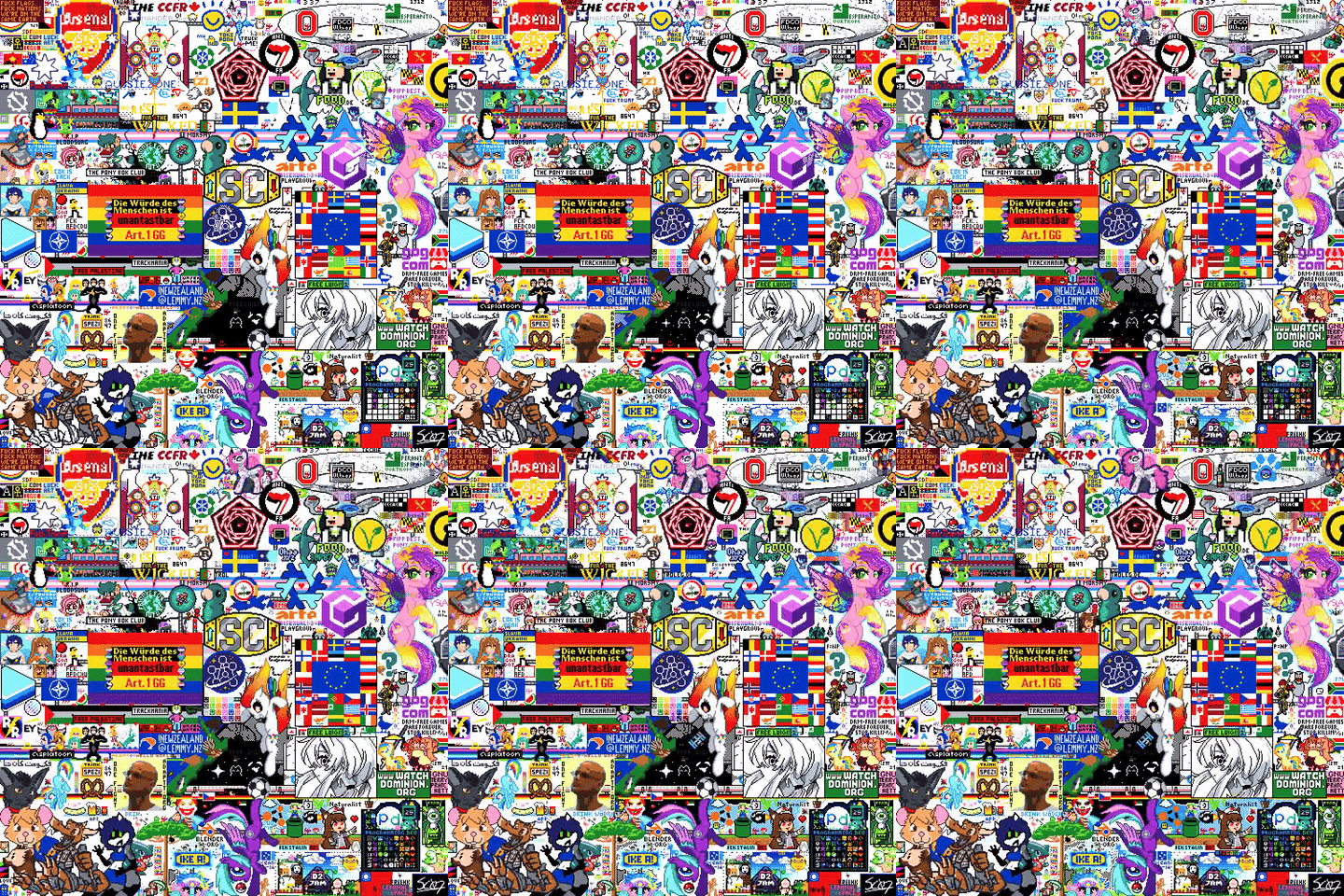
tomorrow! it’s tomorrow! in almost 24 hours we begin!
if you haven’t heard of this before– Canvas is a yearly event grant’s been running since 2023, and it’s a real-time collaborative pixel canvas that runs for 48 hours, just for the Fediverse!
On the website you’ll be able to login using fediverse-auth (it works similar to “sign in with google”)
if your app supports it, you can also login directly with it ✨
You can also test the login process directly on the site (click the emojis!)
Contributions welcome! sc07.dev/sc07/canvas

tomorrow! it’s tomorrow! in almost 24 hours we begin!
if you haven’t heard of this before– Canvas is a yearly event grant’s been running since 2023, and it’s a real-time collaborative pixel canvas that runs for 48 hours, just for the Fediverse!
On the website you’ll be able to login using fediverse-auth (it works similar to “sign in with google”)
if your app supports it, you can also login directly with it ✨
You can also test the login process directly on the site (click the emojis!)
Contributions welcome! sc07.dev/sc07/canvas

Been working on a larger change for awhile and its pretty much done now! In the previous events there was a script to have pings for where pixels were placed and then I adapted that so that it existed in the actual codebase so more people could use it (global pixel pings). Some of the feedback people gave from that was that it added a lot more activity to the canvas to make it seem more alive.
When thinking of other ways to make the canvas seem alive I got the idea to do something similar to cursors.io (which was shut down now but was a multiplayer team work game) or cursor camp (neal.fun/cursor-camp/) where you can see the cursors of other users on the canvas as they go around and place things.
This feature can be disabled (and then you dont send or receive cursor events) and is disabled on mobile as phones dont have cursors.
When you select a color your cursor is colored that color and you show up that way to any other users on the canvas. Cursors for people that are zoomed more out from you are a bit larger (and fade out when theyre overly big so they dont block things) and ones from people that are more zoomed in are smaller than you.

As a little communication method between cursors you can send one of 10 different reactions using the number keys. These are various emotes I commissioned from Rincs (who is a great artist, highly recommend looking at their stuff vgen.co/Rincs)

Hope you enjoy! This is a feature that I don’t think exists in any canvas type website currently but I think is going to be great to make it feel a lot more alive
Been working on a larger change for awhile and its pretty much done now! In the previous events there was a script to have pings for where pixels were placed and then I adapted that so that it existed in the actual codebase so more people could use it (global pixel pings). Some of the feedback people gave from that was that it added a lot more activity to the canvas to make it seem more alive.
When thinking of other ways to make the canvas seem alive I got the idea to do something similar to cursors.io (which was shut down now but was a multiplayer team work game) or cursor camp (neal.fun/cursor-camp/) where you can see the cursors of other users on the canvas as they go around and place things.
This feature can be disabled (and then you dont send or receive cursor events) and is disabled on mobile as phones dont have cursors.
When you select a color your cursor is colored that color and you show up that way to any other users on the canvas. Cursors for people that are zoomed more out from you are a bit larger (and fade out when theyre overly big so they dont block things) and ones from people that are more zoomed in are smaller than you.
As a little communication method between cursors you can send one of 10 different reactions using the number keys. These are various emotes I commissioned from Rincs (who is a great artist, highly recommend looking at their stuff vgen.co/Rincs)
Hope you enjoy! This is a feature that I don’t think exists in any canvas type website currently but I think is going to be great to make it feel a lot more alive

Todays day three of making and sharing new changes I’m making to the codebase. The change made today allows the ability to select a second color! For people who have used certain apps like aseprite you will recognise this functionality.
In the palette bar if you left click on a color you can then paint it using left click (which is how it was before). Now however if you right click on a color you can paint it using right click in addition to having something set on left click.
This means if you are working on an area that has two colors you can select one of the colors with your left click and the other with your right click and then paint it without needing to swap back and forth between the colors.
You can also hit the x button to swap the colors in your left and right clicks (changing the one in left click to be in right click and vice versa) which can be useful if you want to paint with left click mostly but still want to store another color for easy access
Todays day three of making and sharing new changes I’m making to the codebase. The change made today allows the ability to select a second color! For people who have used certain apps like aseprite you will recognise this functionality.
In the palette bar if you left click on a color you can then paint it using left click (which is how it was before). Now however if you right click on a color you can paint it using right click in addition to having something set on left click.
This means if you are working on an area that has two colors you can select one of the colors with your left click and the other with your right click and then paint it without needing to swap back and forth between the colors.
You can also hit the x button to swap the colors in your left and right clicks (changing the one in left click to be in right click and vice versa) which can be useful if you want to paint with left click mostly but still want to store another color for easy access

Hello Fediverse! I’ve come bearing some great news, Canvas 2026 starts in one week!
If you haven’t heard, Canvas is a collaborative pixel event that runs yearly, exclusively for the Fediverse. You will have 48 hours to make your mark on an art piece, one pixel at a time. This year the pixel cooldown will be 30 seconds flat, but you can stack up 6 pixels at a time so you don’t have to wait ages for pixels.
When you login to Canvas it’ll prompt you to identify yourself using fediverse-auth, which involves sending a DM to your account to verify who you are (or logging in with your client of choice, if your app supports it)
Try it out on the Canvas homepage using the emojis
Hello Fediverse! I’ve come bearing some great news, Canvas 2026 starts in one week!
If you haven’t heard, Canvas is a collaborative pixel event that runs yearly, exclusively for the Fediverse. You will have 48 hours to make your mark on an art piece, one pixel at a time. This year the pixel cooldown will be 30 seconds flat, but you can stack up 6 pixels at a time so you don’t have to wait ages for pixels.
When you login to Canvas it’ll prompt you to identify yourself using fediverse-auth, which involves sending a DM to your account to verify who you are (or logging in with your client of choice, if your app supports it)
Try it out on the Canvas homepage using the emojis

Continuing with posts on new features I’ve been adding in I just had another set of changes merged to be used in the event! (and they’re active right now on the site! You can go in and check them out as well as the snapshot changes I talked about in my last post)
This set includes many new UI features as well as an overall UI overhaul. Previously the site was pretty much just using base HeroUI components that were slapped together quickly to get something functioning. Now everything is styled together and should match to each other well.
The main part of the change is the change to make the ui look better. I went through and made all the components have a consistent style (with a white or black background depending on theme and an outline thats a bit different than the base color)

You can now hit a physical button in the palette bar to color pick or you can hit c to enter color picking mode. Middle click will still work and pick the color you click but entering color picking mode using the button or c enters a brand new mode there you can preview the color youre about to pick and have special UI.
You cant see my cursor in the screenshot but in this I have it over the dark blue and you can see theres a little color preview that shows up saying the name of the color and the hex code.

If I then click it copies it as the current active color and has a little color picked text.

Theres a new setting that lets you show symbols in the palette bar that match up to the symbols in the symbols template style. This can help you know what matches up to what easier or if you just think it looks cool.

It will automatically be enabled when you swap the template to symbols mode (and the numbers will automatically be shown when you swap to numbers mode)
When you hover over a color in the palette bar it will now give you the name of the color in a little tooltip to make discussion about the different colors easier since everyone can have consistent names for each of them.

You can now collapse the bottom left card that shows coordinates, pixels, and users online. Collapsing sets it to a mode where it only shows the pixels available to place if you want to save on some screen space.


Instead of needing to go into the settings to swap between overlays being on or not, theres a new overlays card that lets you toggle them on or off easily. To toggle them you can expand the card and then click on one of the overlays to enable it.


Instead of needing to shift click to open up whois data you can now instead just hold down on the pixel which will fill up a meter for a second and then once its full a question mark will appear. If you let go the whois panel will appear where you can check information on that pixel.


When you open a sidebar now (for example settings or info) the buttons will now move to the side with it so that you can still use them while the sidebar is open

I made it extremely smooth of a transition so enjoy playing around with that : )
When you scroll in a sidebar the sidebar title and the close button now stay always at the top so that they are easily accessible.

You can now set the palette to be in a compact mode where colors go over two lines instead of 1. It automatically swaps to this by default when you open a sidebar and then back to normal when you close it but you can also set it so it doesnt swap to it or so that its always active.

Instead of the mobile UI being extremely scuffed theres now handling to move the UI around so its usable! On smaller pc type screens and on mobile some buttons move into a “more” button according to how big the screen is so that it never collides with the ui on the left side

Added the ability to show how many of each color you need remaining for the template you have set. e.g. with the below image the template needs 26 more black pixels and various other colors to be complete)

Allows you to set it so that the palette bar only shows colors in the palette that exist in the template and still need to be placed as well so make it easier to know which color to choose to fill it in.

Added the official canvas icon to the top left and made it the favicon of the site instead of the site not having one! (more favicon updates coming soon to show things like pixel counts in it :) )

Removed the black overlay that appeared when a sidebar was open so its easier to have a sidebar open and place on the canvas at the same time.
Added little text when you place a pixel

Added icons in various spots and to various buttons such as in the bottom left card

Prevented settings and whois from being open simultaneously because they are both right sidebars (opening one closes the other)
Various new settings added to do things like disable keybindings, etc.
Hope you enjoy the new features! More coming soon as I work through them and theres some large ones I’m looking forward to
Continuing with posts on new features I’ve been adding in I just had another set of changes merged to be used in the event! (and they’re active right now on the site! You can go in and check them out as well as the snapshot changes I talked about in my last post)
This set includes many new UI features as well as an overall UI overhaul. Previously the site was pretty much just using base HeroUI components that were slapped together quickly to get something functioning. Now everything is styled together and should match to each other well.
The main part of the change is the change to make the ui look better. I went through and made all the components have a consistent style (with a white or black background depending on theme and an outline thats a bit different than the base color)
You can now hit a physical button in the palette bar to color pick or you can hit c to enter color picking mode. Middle click will still work and pick the color you click but entering color picking mode using the button or c enters a brand new mode there you can preview the color youre about to pick and have special UI.
You cant see my cursor in the screenshot but in this I have it over the dark blue and you can see theres a little color preview that shows up saying the name of the color and the hex code.
If I then click it copies it as the current active color and has a little color picked text.
Theres a new setting that lets you show symbols in the palette bar that match up to the symbols in the symbols template style. This can help you know what matches up to what easier or if you just think it looks cool.
It will automatically be enabled when you swap the template to symbols mode (and the numbers will automatically be shown when you swap to numbers mode)
When you hover over a color in the palette bar it will now give you the name of the color in a little tooltip to make discussion about the different colors easier since everyone can have consistent names for each of them.
You can now collapse the bottom left card that shows coordinates, pixels, and users online. Collapsing sets it to a mode where it only shows the pixels available to place if you want to save on some screen space.
Instead of needing to go into the settings to swap between overlays being on or not, theres a new overlays card that lets you toggle them on or off easily. To toggle them you can expand the card and then click on one of the overlays to enable it.
Instead of needing to shift click to open up whois data you can now instead just hold down on the pixel which will fill up a meter for a second and then once its full a question mark will appear. If you let go the whois panel will appear where you can check information on that pixel.
When you open a sidebar now (for example settings or info) the buttons will now move to the side with it so that you can still use them while the sidebar is open
I made it extremely smooth of a transition so enjoy playing around with that : )
When you scroll in a sidebar the sidebar title and the close button now stay always at the top so that they are easily accessible.
You can now set the palette to be in a compact mode where colors go over two lines instead of 1. It automatically swaps to this by default when you open a sidebar and then back to normal when you close it but you can also set it so it doesnt swap to it or so that its always active.
Instead of the mobile UI being extremely scuffed theres now handling to move the UI around so its usable! On smaller pc type screens and on mobile some buttons move into a “more” button according to how big the screen is so that it never collides with the ui on the left side
Added the ability to show how many of each color you need remaining for the template you have set. e.g. with the below image the template needs 26 more black pixels and various other colors to be complete)
Allows you to set it so that the palette bar only shows colors in the palette that exist in the template and still need to be placed as well so make it easier to know which color to choose to fill it in.
Added the official canvas icon to the top left and made it the favicon of the site instead of the site not having one! (more favicon updates coming soon to show things like pixel counts in it :) )
Removed the black overlay that appeared when a sidebar was open so its easier to have a sidebar open and place on the canvas at the same time.
Added little text when you place a pixel
Added icons in various spots and to various buttons such as in the bottom left card
Prevented settings and whois from being open simultaneously because they are both right sidebars (opening one closes the other)
Various new settings added to do things like disable keybindings, etc.
Hope you enjoy the new features! More coming soon as I work through them and theres some large ones I’m looking forward to

For a little pre-event discussion and to give some inspiration for peoples designs for this event, what was your favorite design that was made in previous iterations of the event?
Theres some atlases for the 2024 and 2025 editions of the event you can look at to see what people made


And then heres the 2023 timelapse
For a little pre-event discussion and to give some inspiration for peoples designs for this event, what was your favorite design that was made in previous iterations of the event?
Theres some atlases for the 2024 and 2025 editions of the event you can look at to see what people made
And then heres the 2023 timelapse

I’ve been working on some new features for canvas in the lead up to it starting so figured I would share some of the new stuff I’ve been working on and that will be available when the event starts.
If anyone wants to also help contribute changes the project is open source and I would love to help out with getting anyone else set up with the codebase to help grant and I clear out the tickets that are on the gitlab.
A change I made and that was just accepted is the ability to create snapshots of parts of the canvas! This is essentially just an easy way to create screenshots of areas to then share instead of needing to use other screenshot tools. Its useful as you can easily take screenshots of parts even if you aren’t looking at them (for example doing a full canvas screenshot) and you get full pixel precision instead of the scaling being weird.
This was a feature that existed in the previous iteration of the event but I noticed not many people knew about due to it just having a keybind (The P key). So I took the opportunity with adding the rest of the snapshot types to add a physical button thats easily findable for it as well.
This downloads a picture of the current canvas so that you can share it or use it for anything you might need the full canvas for (for example putting it into aseprite and then planning out a design for some new art over it.

This is similar to capture canvas but instead of capturing the entire canvas it captures only the area your template is within. It takes a picture of the smallest rectangle that contains the template plus 2 pixels of padding to make it look a bit nicer. This is useful if you want to share with the group that’s placing down the template how progress is going easily without needing to pan and scroll to get a good angle and then screenshot manually. Can be activated using shift+P or the ui button.

Similar to the above two but captures the area you’re currently looking at (all visible canvas pixels on your screen). For when you want to show off a cool thing on the canvas you found. Can be activated using the L key or the ui button.

Lets you select a rectangle area and then takes a picture of that area. For similar use cases as capture view but if you want to share a more precise area rather than the entire area you can currently view. Can be activated using shift+L or the ui button.

Whenever you take a snapshot (using one of the four methods above) it shows a preview of what you just took as a little polaroid visual in the center of your screen before downloading it. I mostly just added this cause it looks nice but can be useful to know that you took a picture of the right thing without needing to open the file.

If anyone has any other feature suggestions feel free to let me know somehow and I can make an issue for it on the projects gitlab repo if there isn’t one already. I have some other cool stuff in progress that hopefully should be done before the event starts
I’ve been working on some new features for canvas in the lead up to it starting so figured I would share some of the new stuff I’ve been working on and that will be available when the event starts.
If anyone wants to also help contribute changes the project is open source and I would love to help out with getting anyone else set up with the codebase to help grant and I clear out the tickets that are on the gitlab.
A change I made and that was just accepted is the ability to create snapshots of parts of the canvas! This is essentially just an easy way to create screenshots of areas to then share instead of needing to use other screenshot tools. Its useful as you can easily take screenshots of parts even if you aren’t looking at them (for example doing a full canvas screenshot) and you get full pixel precision instead of the scaling being weird.
This was a feature that existed in the previous iteration of the event but I noticed not many people knew about due to it just having a keybind (The P key). So I took the opportunity with adding the rest of the snapshot types to add a physical button thats easily findable for it as well.
This downloads a picture of the current canvas so that you can share it or use it for anything you might need the full canvas for (for example putting it into aseprite and then planning out a design for some new art over it.
This is similar to capture canvas but instead of capturing the entire canvas it captures only the area your template is within. It takes a picture of the smallest rectangle that contains the template plus 2 pixels of padding to make it look a bit nicer. This is useful if you want to share with the group that’s placing down the template how progress is going easily without needing to pan and scroll to get a good angle and then screenshot manually. Can be activated using shift+P or the ui button.
Similar to the above two but captures the area you’re currently looking at (all visible canvas pixels on your screen). For when you want to show off a cool thing on the canvas you found. Can be activated using the L key or the ui button.
Lets you select a rectangle area and then takes a picture of that area. For similar use cases as capture view but if you want to share a more precise area rather than the entire area you can currently view. Can be activated using shift+L or the ui button.
Whenever you take a snapshot (using one of the four methods above) it shows a preview of what you just took as a little polaroid visual in the center of your screen before downloading it. I mostly just added this cause it looks nice but can be useful to know that you took a picture of the right thing without needing to open the file.
If anyone has any other feature suggestions feel free to let me know somehow and I can make an issue for it on the projects gitlab repo if there isn’t one already. I have some other cool stuff in progress that hopefully should be done before the event starts

Cotemplate is a tool for creating “Megatemplates”: a template the size of the whole canvas which contains multiple independent templates.
This has two main advantages: teams can see where space is left when placing their artwork and users without a team who want to help various artworks can get the template directly without having to ask around for a URL.
You can find the Cotemplate for this year’s Canvas here: …goip.de/…/20260520-Canvas26_main
You can create your own team in the menu opened by the button top right. Everyone with the team credentials can add and manage templates of this team. Once placed, an image is visible for everyone (so outside the team too).
To login as a team-member you have to go to the login page.
I also want to highlight the following features:
Cotemplate is a tool for creating “Megatemplates”: a template the size of the whole canvas which contains multiple independent templates.
This has two main advantages: teams can see where space is left when placing their artwork and users without a team who want to help various artworks can get the template directly without having to ask around for a URL.
You can find the Cotemplate for this year’s Canvas here: …goip.de/…/20260520-Canvas26_main
You can create your own team in the menu opened by the button top right. Everyone with the team credentials can add and manage templates of this team. Once placed, an image is visible for everyone (so outside the team too).
To login as a team-member you have to go to the login page.
I also want to highlight the following features:

Canvas is a collaborative pixel canvas that runs for 48 hours starting July 18th, 2026 at 4am UTC. This is an event hosted for the Fediverse, allowing anyone with an account with in the Fediverse to participate! More details (like source code and community links) can be found on the website
Canvas is a collaborative pixel canvas that runs for 48 hours starting July 18th, 2026 at 4am UTC. This is an event hosted for the Fediverse, allowing anyone with an account with in the Fediverse to participate! More details (like source code and community links) can be found on the website
As working together on the canvas rather than fighting for space, coordination about who wants to pixel where is important. This year we have a tool for central management of templates, instead of posting single templates with coordinates in a thread:
Cotemplate
There you can create a team and with it place your templates on the megatemplate (to log in you need to go on the start page https://chocolatecakecodes.goip.de/cotemplate/ui/).
With the clipboard-button top center you can copy a URL of the resulting image which can be used directly in Canvas template feature.
As working together on the canvas rather than fighting for space, coordination about who wants to pixel where is important. This year we have a tool for central management of templates, instead of posting single templates with coordinates in a thread:
Cotemplate
There you can create a team and with it place your templates on the megatemplate (to log in you need to go on the start page https://chocolatecakecodes.goip.de/cotemplate/ui/).
With the clipboard-button top center you can copy a URL of the resulting image which can be used directly in Canvas template feature.
If you’re on a piefed instance, or are administrating one, make sure your instance is able to receive Fediverse Auth messages
Piefed defaulty rejects DMs from new actors, but this can be fixed in the admin interface by marking auth.fediverse.events as a trusted instance
Edit: trusted actor -> trusted instance
You can also test if your instance works by clicking on the emojis on the Canvas page ✨
If you’re on a piefed instance, or are administrating one, make sure your instance is able to receive Fediverse Auth messages
Piefed defaulty rejects DMs from new actors, but this can be fixed in the admin interface by marking auth.fediverse.events as a trusted instance
Edit: trusted actor -> trusted instance
You can also test if your instance works by clicking on the emojis on the Canvas page ✨

Canvas 2026 is in roughly 30 days!
Canvas is an annual event hosted for the Fediverse, allowing everyone to contribute to a pixel canvas, one pixel at a time
Check out the website for a live countdown, login testing, chat room (matrix/discord), and what last year’s Canvas was!
If you are a developer, check out the source, and if you’re a Fediverse app dev check the docs to add Canvas functionality to your app 👀
Mlem is adding support for Fediverse Events within their app ✨

Canvas 2026 is in roughly 30 days!
Canvas is an annual event hosted for the Fediverse, allowing everyone to contribute to a pixel canvas, one pixel at a time
Check out the website for a live countdown, login testing, chat room (matrix/discord), and what last year’s Canvas was!
If you are a developer, check out the source, and if you’re a Fediverse app dev check the docs to add Canvas functionality to your app 👀
Mlem is adding support for Fediverse Events within their app ✨

Canvas 2026 is in roughly 60 days!
Canvas is an annual event hosted for the Fediverse, allowing everyone to contribute to a pixel canvas, one pixel at a time
Check out the website for a live countdown, login testing, chat room (matrix/discord), and what last year’s Canvas was!
If you are a developer, check out the source, and if you’re a Fediverse app dev check the docs to add Canvas functionality to your app 👀
Canvas 2026 is in roughly 60 days!
Canvas is an annual event hosted for the Fediverse, allowing everyone to contribute to a pixel canvas, one pixel at a time
Check out the website for a live countdown, login testing, chat room (matrix/discord), and what last year’s Canvas was!
If you are a developer, check out the source, and if you’re a Fediverse app dev check the docs to add Canvas functionality to your app 👀

Available in 24" x 24" (61cm x 61cm – shown) and 20" x 20" (50.8cm x 50.8cm)
Only available until August 1st, 2025 (will also ship out then) // ships from the US
Shipping posters internationally does get a bit pricey, but if you buy multiple posters I can put them in the same tube (if people want to pool together an order lol)
if you’d still like to support the project you can always tip directly 💜
(for crossposts:)
Canvas is a yearly event for the Fediverse were people can collaboratively place pixels to make an art piece! 2025 has already concluded, but if you’d like to be in the know for next years event, follow the Lemmy community ( !canvas@toast.ooo ) or follow the Mastodon account @canvas@fediverse.events
Available in 24" x 24" (61cm x 61cm – shown) and 20" x 20" (50.8cm x 50.8cm)
Only available until August 1st, 2025 (will also ship out then) // ships from the US
Shipping posters internationally does get a bit pricey, but if you buy multiple posters I can put them in the same tube (if people want to pool together an order lol)
if you’d still like to support the project you can always tip directly 💜
(for crossposts:)
Canvas is a yearly event for the Fediverse were people can collaboratively place pixels to make an art piece! 2025 has already concluded, but if you’d like to be in the know for next years event, follow the Lemmy community ( !canvas@toast.ooo ) or follow the Mastodon account @canvas@fediverse.events
Canvas Stats 2025 is now live!
You can view how you rank out of 638 users, see how many pixels you places, how many of each color, and generate an image of all the pixels you placed. You can also compare how you did this year vs previous years.
I am still working on a few more graphs/images for the overall canvas.
The site layout might load weird on mobile, my goal was to get the stats up first, then I will go back and fix the design of the site.
Let me know if there are any other stats you want to see on the site!
Canvas Stats 2025 is now live!
You can view how you rank out of 638 users, see how many pixels you places, how many of each color, and generate an image of all the pixels you placed. You can also compare how you did this year vs previous years.
I am still working on a few more graphs/images for the overall canvas.
The site layout might load weird on mobile, my goal was to get the stats up first, then I will go back and fix the design of the site.
Let me know if there are any other stats you want to see on the site!

After the event ended, someone wanted to know how much of the megatemplate form before the event made it on to the final canvas. After running some python code, here is the result
After the event ended, someone wanted to know how much of the megatemplate form before the event made it on to the final canvas. After running some python code, here is the result
During this years Canvas a group of us worked on a project to have EU or European flags surround the European Union flag. All was going well until a few individuals wanted to start acting like little shits and intentionally adding non European flags to the group.
They replaced Hungary with Ukraine which whatever just rebuild it elsewhere. Then they started putting Canada, South Africa, Brazil, Esperanto on the mural. Once we finally got Hungary back on the board, they started to intentionally mess up the flag over virtue signaling politics when these same people admitted they don’t even participate in their own countries democratic system.
The Simple solution
All these people had to do was put a different EUROPEAN flag that wasn’t already on in the place of Hungary and no one would have cared, but they demanded on intentionally trying to fuck the whole thing up.
Drama
We ended up going back and forth for hours, and they refused such ideas as Scotland, I also tried Armenia, Georgia anything that was actually in Europe and then tried to say these countries were Asian not European. It got heated and they kicked us a few times. In the end they forced the ugly compromise keeping their stupid little flowers and grass on the board.
Conclusion
This whole ordeal explains perfectly why we’re in the mess we are in today, to many Gen Y and Gen Z would rather show “look at me I am a good person I stand for X/Y/Z” instead of actually trying to make real change. These people don’t vote, don’t get involved with politics, yet they will protest for months, come on these little projects and try and prove a point.
The people acting like Brazil which had legally mandated “race democracy” until the 1980s was a better choice than Hungary or any other actual European country that wasn’t added already, same with the clowns putting South Africa. They couldn’t let things be but they’ll talk about how “I don’t want to vote for this person who’s way less awful but not perfect”
So congratulations you messed up the mural for the EU the most successful international organization that has brought peace, prosperity, democracy and human rights to a whole continent because you wanted to look like a good person without any knowledge of the history of why the country is the way it is.
During this years Canvas a group of us worked on a project to have EU or European flags surround the European Union flag. All was going well until a few individuals wanted to start acting like little shits and intentionally adding non European flags to the group.
They replaced Hungary with Ukraine which whatever just rebuild it elsewhere. Then they started putting Canada, South Africa, Brazil, Esperanto on the mural. Once we finally got Hungary back on the board, they started to intentionally mess up the flag over virtue signaling politics when these same people admitted they don’t even participate in their own countries democratic system.
The Simple solution
All these people had to do was put a different EUROPEAN flag that wasn’t already on in the place of Hungary and no one would have cared, but they demanded on intentionally trying to fuck the whole thing up.
Drama
We ended up going back and forth for hours, and they refused such ideas as Scotland, I also tried Armenia, Georgia anything that was actually in Europe and then tried to say these countries were Asian not European. It got heated and they kicked us a few times. In the end they forced the ugly compromise keeping their stupid little flowers and grass on the board.
Conclusion
This whole ordeal explains perfectly why we’re in the mess we are in today, to many Gen Y and Gen Z would rather show “look at me I am a good person I stand for X/Y/Z” instead of actually trying to make real change. These people don’t vote, don’t get involved with politics, yet they will protest for months, come on these little projects and try and prove a point.
The people acting like Brazil which had legally mandated “race democracy” until the 1980s was a better choice than Hungary or any other actual European country that wasn’t added already, same with the clowns putting South Africa. They couldn’t let things be but they’ll talk about how “I don’t want to vote for this person who’s way less awful but not perfect”
So congratulations you messed up the mural for the EU the most successful international organization that has brought peace, prosperity, democracy and human rights to a whole continent because you wanted to look like a good person without any knowledge of the history of why the country is the way it is.