
showing posts tagged #webdev — clear

0

using .htaccess to manage two domains pointing to one website?

preview

Hey all, rookie dev here!

I want to set up a website example.net which holds all my projects, but I’d also like to have a domain www.project.test which actually points to a single file on my example.net: example.net/project.html I’d also like for project.test/* to return an error at project.test/404 while example.net/* works normally.

basically project.test should be a url specifically for one (or a subset of) html files which live on example.net.

I figured that I can probably achieve this with the .htaccess file on the shared hosting, apache server my website is on. However the copy/pasteable rules I find online don’t exactly fit my needs. I have already set up both domains to point to my website, now I’m kind of stuck… (I only know html/css and some vanilla js at this point)

Could someone point me to useful (possibly beginner friendly) resources, where I could learn to create my own .htaccess rules / where the syntax is explained in detail? Do you have tips on how to approach this idea?

Any help appreciated!

edit: I’m also not familiar with regex yet , if I need an understanding of those aswell to achieve what i want?


Hey all, rookie dev here!

I want to set up a website example.net which holds all my projects, but I’d also like to have a domain www.project.test which actually points to a single file on my example.net: example.net/project.html I’d also like for project.test/* to return an error at project.test/404 while example.net/* works normally.

basically project.test should be a url specifically for one (or a subset of) html files which live on example.net.

I figured that I can probably achieve this with the .htaccess file on the shared hosting, apache server my website is on. However the copy/pasteable rules I find online don’t exactly fit my needs. I have already set up both domains to point to my website, now I’m kind of stuck… (I only know html/css and some vanilla js at this point)

Could someone point me to useful (possibly beginner friendly) resources, where I could learn to create my own .htaccess rules / where the syntax is explained in detail? Do you have tips on how to approach this idea?

Any help appreciated!

edit: I’m also not familiar with regex yet , if I need an understanding of those aswell to achieve what i want?

0

Is there any way to run/emulate opera mini on desktop?

preview

I’m trying to make a site perform better in opera mini, right now I’m just using it on my phone, but it would be much easier if I didn’t have to switch between the two devices.

I could run an android emulator, but at that point just using my phone is easier.

I’m trying to make a site perform better in opera mini, right now I’m just using it on my phone, but it would be much easier if I didn’t have to switch between the two devices.

I could run an android emulator, but at that point just using my phone is easier.

0

Safari Just Made Browser-Controlled Dark Mode Real

Amit Merchant Safari Just Made Browser-Controlled Dark Mode Real www.amitmerchant.com
preview

On November 3, WebKit announced Adaptive Dark Mode in Safari 27.3 beta. When a user enables it, Safari can analyse a predominantly light website and transform it into a dark appearance. It adjusts backgrounds, text, gradients and certain graphics while trying to preserve usability and contrast.

On November 3, WebKit announced Adaptive Dark Mode in Safari 27.3 beta. When a user enables it, Safari can analyse a predominantly light website and transform it into a dark appearance. It adjusts backgrounds, text, gradients and certain graphics while trying to preserve usability and contrast.

0

jQuery is still on 53.7% of the web, and Webflow puts it on 97.6% of its sites

jQuery is loaded on 97.6% of Webflow websites
preview

I visited the homepages of the 14.8 million sites in Google’s Chrome UX Report in October.

I thought jQuery would be dead, but it’s still on 53.7% of sites, and it seems to be tied quite tightly to the platform. Webflow puts it on 97.6% of its sites, WordPress on 84.9%. For contrast, React is on 10.6% of sites.

jQuery helped me get into web development, and I guess it still gets the job done even if redundant with browser standards these days…

I visited the homepages of the 14.8 million sites in Google’s Chrome UX Report in October.

I thought jQuery would be dead, but it’s still on 53.7% of sites, and it seems to be tied quite tightly to the platform. Webflow puts it on 97.6% of its sites, WordPress on 84.9%. For contrast, React is on 10.6% of sites.

jQuery helped me get into web development, and I guess it still gets the job done even if redundant with browser standards these days…

0

Greetings from San Francisco

Greetings from San Francisco www.carmenansio.com
preview

I wanted a San Francisco postcard to send home, so I built one. The fog, the water and the reflections are all SVG filters, and this is how.

I wanted a San Francisco postcard to send home, so I built one. The fog, the water and the reflections are all SVG filters, and this is how.

0

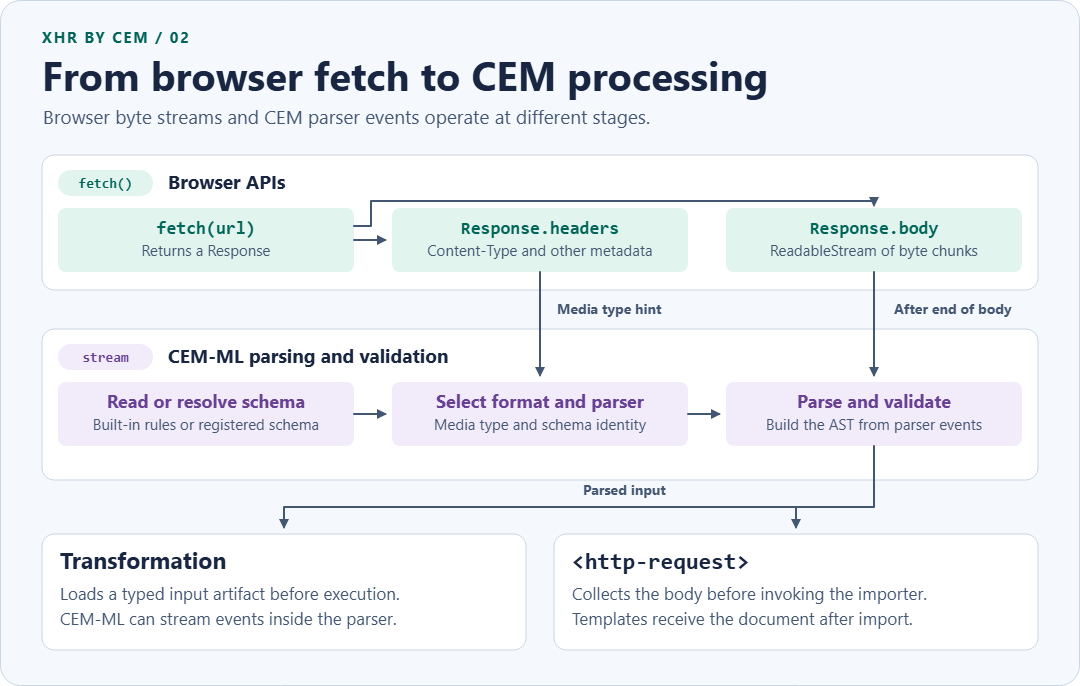
XHR by CEM, The data request API made right.

preview

XHR by CEM, The data request API made right.
Streaming, parsing, validating in browser and CLI. All formats from CSV to JSON supported.

CEM-ML parses the response off the UI thread. The main thread collects the response bytes, then sends them to a Web Worker, where the CEM-ML WASM importer parses them and retains the document.

https://blog.firsov.net/2026/11/xhr-by-cem-data-request-api-made-right.html

@webdev #webDev @w3c

XHR by CEM, The data request API made right.
Streaming, parsing, validating in browser and CLI. All formats from CSV to JSON supported.

CEM-ML parses the response off the UI thread. The main thread collects the response bytes, then sends them to a Web Worker, where the CEM-ML WASM importer parses them and retains the document.

https://blog.firsov.net/2026/11/xhr-by-cem-data-request-api-made-right.html

@webdev #webDev @w3c

0

Worth checking: your Cloudflare AI-training block may also cover mixed-purpose crawlers like Googlebot

preview

If you ticked a “block AI training” option on Cloudflare at some point, this is worth five minutes. Cloudflare’s docs (updated Nov 2) say training actions also apply to mixed-purpose crawlers used for both search and training. Their July blog post names Googlebot, Applebot and BingBot as examples.

There were reports in August of Googlebot getting 403s on sitemaps. Nobody has confirmed the cause as far as I can find, so don’t panic over it. It could be another setting entirely, Bot Fight Mode came up in the same thread.

Still, checking is cheap. Look at crawl stats in Search Console for a jump in 403s since mid-September, then read which Cloudflare setting is on. I’d rather spend five minutes on that than learn about it from a traffic graph.

Has anyone here actually seen this on their own site?

If you ticked a “block AI training” option on Cloudflare at some point, this is worth five minutes. Cloudflare’s docs (updated Nov 2) say training actions also apply to mixed-purpose crawlers used for both search and training. Their July blog post names Googlebot, Applebot and BingBot as examples.

There were reports in August of Googlebot getting 403s on sitemaps. Nobody has confirmed the cause as far as I can find, so don’t panic over it. It could be another setting entirely, Bot Fight Mode came up in the same thread.

Still, checking is cheap. Look at crawl stats in Search Console for a jump in 403s since mid-September, then read which Cloudflare setting is on. I’d rather spend five minutes on that than learn about it from a traffic graph.

Has anyone here actually seen this on their own site?

0

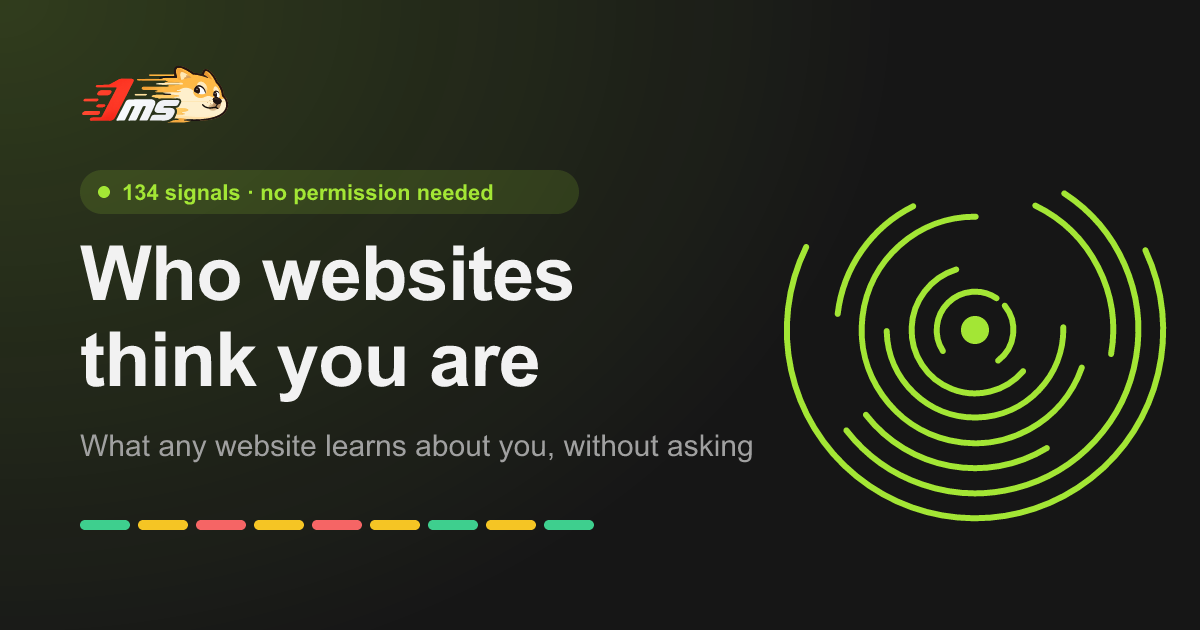
What a site can read about you without a permission prompt: notes from building a 118-signal self-check page

1ms.dog Who do websites think you are? Browser fingerprint, IP and privacy test · Who Are You who.1ms.dog
preview

I’m the author of this page, so take this as a “here’s what I built and what I learned” post rather than a neutral review.

Who Are You shows what any website can read about a visitor without a single permission prompt, then writes it back as a plain-language portrait (“you’re on X, in time zone Y, your DNS resolver is in Z…”). It currently reads 118 signals, split into what the server sees from the request and what JavaScript sees in the page.

A few things from building it that might be useful to other web devs:

  • The server half is bigger than people expect. Before any JS runs, the request already carries IP, ASN, approximate city and coordinates, the IP’s time zone, TLS version and HTTP protocol. On Cloudflare a lot of that comes straight from request.cf. Comparing that with what the page reports (system time zone, navigator.languages) is where most “you’re using a proxy” verdicts come from.
  • Spoofing extensions only change what JS reads. An extension that overrides the user agent or time zone patches navigator in the page, but the request headers stay the same, and a Web Worker often still reads the original values. Comparing the window with a Worker catches a lot of tampering.
  • Fingerprint bits aren’t independent. A 4K screen and a high-end GPU tend to come together, so the page doesn’t multiply per-signal rarity. It counts the whole fingerprint against anonymous aggregate counts (no IP, no full fingerprint, no per-visit record).
  • Some leaks aren’t in the browser at all. WebRTC and DNS leaks, a direct-vs-proxied split, the extra round trip a proxy adds, and the TCP/TLS fingerprint of whatever actually wrote the packets. Changing the user agent doesn’t touch any of those.

Each finding comes with a short “how to fix”, and there’s a mode for people who only care about privacy rather than appearing to be somewhere else.

Link: who.1ms.dog (also in zh, ja, ko, es, fr, de, pt, ru). It’s part of the 1ms.dog set of free network tools. The main repo is public (github.com/yt1988/1ms.dog), but the code for this page isn’t published yet, so I’m not calling it open source.

Disclosure: I’m 香蕉痞 Yang, I made it, and I used an AI assistant to help with the English. If you find a signal it reads wrong, or a check I’m missing, I’d really like to hear it.

I’m the author of this page, so take this as a “here’s what I built and what I learned” post rather than a neutral review.

Who Are You shows what any website can read about a visitor without a single permission prompt, then writes it back as a plain-language portrait (“you’re on X, in time zone Y, your DNS resolver is in Z…”). It currently reads 118 signals, split into what the server sees from the request and what JavaScript sees in the page.

A few things from building it that might be useful to other web devs:

  • The server half is bigger than people expect. Before any JS runs, the request already carries IP, ASN, approximate city and coordinates, the IP’s time zone, TLS version and HTTP protocol. On Cloudflare a lot of that comes straight from request.cf. Comparing that with what the page reports (system time zone, navigator.languages) is where most “you’re using a proxy” verdicts come from.
  • Spoofing extensions only change what JS reads. An extension that overrides the user agent or time zone patches navigator in the page, but the request headers stay the same, and a Web Worker often still reads the original values. Comparing the window with a Worker catches a lot of tampering.
  • Fingerprint bits aren’t independent. A 4K screen and a high-end GPU tend to come together, so the page doesn’t multiply per-signal rarity. It counts the whole fingerprint against anonymous aggregate counts (no IP, no full fingerprint, no per-visit record).
  • Some leaks aren’t in the browser at all. WebRTC and DNS leaks, a direct-vs-proxied split, the extra round trip a proxy adds, and the TCP/TLS fingerprint of whatever actually wrote the packets. Changing the user agent doesn’t touch any of those.

Each finding comes with a short “how to fix”, and there’s a mode for people who only care about privacy rather than appearing to be somewhere else.

Link: who.1ms.dog (also in zh, ja, ko, es, fr, de, pt, ru). It’s part of the 1ms.dog set of free network tools. The main repo is public (github.com/yt1988/1ms.dog), but the code for this page isn’t published yet, so I’m not calling it open source.

Disclosure: I’m 香蕉痞 Yang, I made it, and I used an AI assistant to help with the English. If you find a signal it reads wrong, or a check I’m missing, I’d really like to hear it.

0

Best way to structure file management routes

preview

Hello, I have made an upload and download route, both take or return streams of the file content to the browser, however I also want to make a file editor, I have been playing around with the idea of having it so as you scroll more, it fetches more of that file content from the backend, except this currently does not use the multipart stream.

I am wondering if it would be better if i had 4 routes, /upload, /download, /getfilecontent, and /patchfilecontent, the last 2 taking or returning json which contains raw text, or if its more standard and proper to just re-use upload and download but add headers so it can take offsets to patch or get file content, note this would require an extra translation step to take from a multipart stream and convert it into text to show in the browser, and some extra steps for the other way around.

What would you recommend?

Hello, I have made an upload and download route, both take or return streams of the file content to the browser, however I also want to make a file editor, I have been playing around with the idea of having it so as you scroll more, it fetches more of that file content from the backend, except this currently does not use the multipart stream.

I am wondering if it would be better if i had 4 routes, /upload, /download, /getfilecontent, and /patchfilecontent, the last 2 taking or returning json which contains raw text, or if its more standard and proper to just re-use upload and download but add headers so it can take offsets to patch or get file content, note this would require an extra translation step to take from a multipart stream and convert it into text to show in the browser, and some extra steps for the other way around.

What would you recommend?

0

Testing a Shopify store from another country: shipping rates ignore the IP, and the redirect only fires once

preview

Easy one to miss if you’re checking a Shopify store for other markets: a VPN or proxy won’t show you different shipping rates. Shopify ties rates to the shipping zone of the checkout address, so a local IP changes nothing there. A test checkout with a local address does.

Prices, currency, catalog and translations you can check for free in the admin: Markets, click the market, then More actions > View online store. Products > View as shows the market’s currency and which products aren’t published for it.

What the preview can’t show is the IP-driven stuff: the automatic redirect, geo app popups, the cookie banner, apps that block VPNs. For that you need a connection in the country and a clean browser profile, and you have to load the root domain, because Shopify only redirects on the first page a visitor opens. Land on /de/ directly and you skip the very redirect you wanted to test.

The cookie banner is the sneaky one. With automated privacy settings on, Shopify sets it up for UK and EEA visitors when you have active markets there, so from a US desk you just never see it.

How are you handling multi-market QA for stores like this, manual passes or something scripted?

Easy one to miss if you’re checking a Shopify store for other markets: a VPN or proxy won’t show you different shipping rates. Shopify ties rates to the shipping zone of the checkout address, so a local IP changes nothing there. A test checkout with a local address does.

Prices, currency, catalog and translations you can check for free in the admin: Markets, click the market, then More actions > View online store. Products > View as shows the market’s currency and which products aren’t published for it.

What the preview can’t show is the IP-driven stuff: the automatic redirect, geo app popups, the cookie banner, apps that block VPNs. For that you need a connection in the country and a clean browser profile, and you have to load the root domain, because Shopify only redirects on the first page a visitor opens. Land on /de/ directly and you skip the very redirect you wanted to test.

The cookie banner is the sneaky one. With automated privacy settings on, Shopify sets it up for UK and EEA visitors when you have active markets there, so from a US desk you just never see it.

How are you handling multi-market QA for stores like this, manual passes or something scripted?

0

Walkable isometric pixel rooms on a 2D canvas, with no image assets and rooms compressed into the URL

Roommimi Roommimi — your tiny pixel room roommimi.com
preview

Everything is drawn in code: boxes with per-face pixel shaders, palette sprites, a baked static layer plus a depth buffer for occlusion. Rooms are validated and compressed into the URL fragment for serverless sharing; fixed addresses run on Cloudflare Pages Functions + D1 with key-hash ownership (no accounts). ~48 KB JS first load. Happy to answer questions about the renderer.

Everything is drawn in code: boxes with per-face pixel shaders, palette sprites, a baked static layer plus a depth buffer for occlusion. Rooms are validated and compressed into the URL fragment for serverless sharing; fixed addresses run on Cloudflare Pages Functions + D1 with key-hash ownership (no accounts). ~48 KB JS first load. Happy to answer questions about the renderer.

0

Ranking movies with "which did you like more?" instead of stars: notes from building a small Next.js + Supabase app

preview

Disclosure: I’m the maker of the app described here (Wochly), and this post was drafted with AI help. Some actions on this account are automated.

I’ve been building a small web app that ranks movies and TV shows by asking “which did you like more?” instead of asking for a star rating. A few parts were more interesting (or more annoying) than I expected, so here are some notes.

1. Pairwise ranking instead of stars

Star ratings bunch up. Most people’s lists end up as a wall of 4s. So the app asks one rough question first (liked it / it was fine / didn’t like it), then places the title inside that group with a hidden binary insertion: it compares the new title against the middle item of the group, halves the range, and repeats.

  • It stops after at most 4 comparisons. With a group of 16 or fewer titles that gives an exact spot. Past that it settles on the middle of the remaining range, which is good enough, and you can drag to fix it later.
  • Position turns into a score by spreading the group evenly over a fixed band: liked is 6.7 to 10, fine is 3.4 to 6.6, didn’t like is 0 to 3.3. So the score is derived from order, not typed in.
  • Movies and TV are separate lists. Early on, a movie could get compared against a show, and the first tester rightly said that made no sense. Now a movie is only ever compared with movies, and a show with shows.
  • When you drag-reorder, the whole group gets renumbered and rescored. That’s a small pure function shared by the app and a backfill script, which made fixing old data easy.

2. Where “available on Netflix” comes from

There’s no public Netflix or Prime API, and I didn’t want to fake one. TMDB’s /{movie|tv}/{id}/watch/providers endpoint returns per-country availability (the data comes from JustWatch, which needs attribution). The catch is that the flatrate list mixes real subscriptions with paid add-ons like “HBO Max Amazon Channel”, “… Apple TV channel” and cable on-demand.

What worked:

  • An allowlist of about 18 core subscriptions plus a few truly free services (Tubi, Pluto TV, The Roku Channel). Each one maps several TMDB provider ids to one service (Max is 1899 and 384, Paramount+ is 2303, 2616 and 531), so it doesn’t show up twice.
  • Anything not on the list, or whose name matches /channel|on demand/i, is ignored everywhere. Rent and buy are listed separately.
  • For “best on service X” pages, I use /discover with with_watch_providers to get candidates, then re-check every title’s providers one by one. Discover is looser than the per-title data, and this removes the add-on false positives. The re-check runs 12 at a time with a small backoff on failure, to be gentle on TMDB.
  • “Watch” links go to the service’s own search page for the title. Deep links to exact titles aren’t reliably available without partner data.

3. Ranking titles when you have almost no users

A community average from 2 people is noise. So the sort score is the community average once a title has 5+ rankings, and until then it’s TMDB’s score with a Bayesian pull toward 6.5 (300 votes of weight for TV, 500 for movies), so a 10/10 from 3 voters can’t beat an 8.6 from 20,000. Honestly, today almost everything is still on the fallback.

4. Stack, all free tier

  • Next.js 15 (App Router) on Vercel Hobby. TMDB calls happen server-side so the key stays private, with fetch revalidation for caching.
  • Supabase for auth (email code or Google) and Postgres. Rankings are a plain table with row-level security, and the community average is a SQL view (avg(score), count(*) grouped by title).
  • You can rank without an account. Picks go to localStorage and get moved into your account when you sign in. The local copy is only cleared after the server confirms the write, so a flaky connection can’t lose rankings.
  • The Letterboxd import parses the export CSV entirely in the browser (a small RFC 4180-style parser that handles quoted commas, doubled quotes, BOM and CRLF), matches films to TMDB by title and year, and nothing is uploaded.

5. The hard parts

  • Provider data is messy and changes. Ids get renamed and ad tiers show up as new providers, so the allowlist needs re-checking by hand.
  • Vercel Hobby analytics doesn’t show custom events, so I log a few funnel events to a Supabase table instead.
  • Cold start is the real problem, not the code. Pairwise ranking feels good after about 10 comparisons, and getting someone there before they bounce is the whole game.

If you want to poke at it (no signup needed to rank a few titles): movie-app-nu-ruby-23.vercel.app

I’m happy to go deeper on any of this. I’m especially curious whether anyone has a better approach for the provider add-on problem than an allowlist.

Disclosure: I’m the maker of the app described here (Wochly), and this post was drafted with AI help. Some actions on this account are automated.

I’ve been building a small web app that ranks movies and TV shows by asking “which did you like more?” instead of asking for a star rating. A few parts were more interesting (or more annoying) than I expected, so here are some notes.

1. Pairwise ranking instead of stars

Star ratings bunch up. Most people’s lists end up as a wall of 4s. So the app asks one rough question first (liked it / it was fine / didn’t like it), then places the title inside that group with a hidden binary insertion: it compares the new title against the middle item of the group, halves the range, and repeats.

  • It stops after at most 4 comparisons. With a group of 16 or fewer titles that gives an exact spot. Past that it settles on the middle of the remaining range, which is good enough, and you can drag to fix it later.
  • Position turns into a score by spreading the group evenly over a fixed band: liked is 6.7 to 10, fine is 3.4 to 6.6, didn’t like is 0 to 3.3. So the score is derived from order, not typed in.
  • Movies and TV are separate lists. Early on, a movie could get compared against a show, and the first tester rightly said that made no sense. Now a movie is only ever compared with movies, and a show with shows.
  • When you drag-reorder, the whole group gets renumbered and rescored. That’s a small pure function shared by the app and a backfill script, which made fixing old data easy.

2. Where “available on Netflix” comes from

There’s no public Netflix or Prime API, and I didn’t want to fake one. TMDB’s /{movie|tv}/{id}/watch/providers endpoint returns per-country availability (the data comes from JustWatch, which needs attribution). The catch is that the flatrate list mixes real subscriptions with paid add-ons like “HBO Max Amazon Channel”, “… Apple TV channel” and cable on-demand.

What worked:

  • An allowlist of about 18 core subscriptions plus a few truly free services (Tubi, Pluto TV, The Roku Channel). Each one maps several TMDB provider ids to one service (Max is 1899 and 384, Paramount+ is 2303, 2616 and 531), so it doesn’t show up twice.
  • Anything not on the list, or whose name matches /channel|on demand/i, is ignored everywhere. Rent and buy are listed separately.
  • For “best on service X” pages, I use /discover with with_watch_providers to get candidates, then re-check every title’s providers one by one. Discover is looser than the per-title data, and this removes the add-on false positives. The re-check runs 12 at a time with a small backoff on failure, to be gentle on TMDB.
  • “Watch” links go to the service’s own search page for the title. Deep links to exact titles aren’t reliably available without partner data.

3. Ranking titles when you have almost no users

A community average from 2 people is noise. So the sort score is the community average once a title has 5+ rankings, and until then it’s TMDB’s score with a Bayesian pull toward 6.5 (300 votes of weight for TV, 500 for movies), so a 10/10 from 3 voters can’t beat an 8.6 from 20,000. Honestly, today almost everything is still on the fallback.

4. Stack, all free tier

  • Next.js 15 (App Router) on Vercel Hobby. TMDB calls happen server-side so the key stays private, with fetch revalidation for caching.
  • Supabase for auth (email code or Google) and Postgres. Rankings are a plain table with row-level security, and the community average is a SQL view (avg(score), count(*) grouped by title).
  • You can rank without an account. Picks go to localStorage and get moved into your account when you sign in. The local copy is only cleared after the server confirms the write, so a flaky connection can’t lose rankings.
  • The Letterboxd import parses the export CSV entirely in the browser (a small RFC 4180-style parser that handles quoted commas, doubled quotes, BOM and CRLF), matches films to TMDB by title and year, and nothing is uploaded.

5. The hard parts

  • Provider data is messy and changes. Ids get renamed and ad tiers show up as new providers, so the allowlist needs re-checking by hand.
  • Vercel Hobby analytics doesn’t show custom events, so I log a few funnel events to a Supabase table instead.
  • Cold start is the real problem, not the code. Pairwise ranking feels good after about 10 comparisons, and getting someone there before they bounce is the whole game.

If you want to poke at it (no signup needed to rank a few titles): movie-app-nu-ruby-23.vercel.app

I’m happy to go deeper on any of this. I’m especially curious whether anyone has a better approach for the provider add-on problem than an allowlist.

0

I built a turn-based multiplayer browser game with plain JS, Node and HTTP polling (no WebSockets). Help me load-test it?

Bronze & Glory Bronze & Glory: World Arena bronzeandglory.fun
preview

Disclosure: I’m the solo developer of Bronze & Glory, a free turn-based gladiator duel game in the browser. No ads, no download, no payments.

12 seconds of a real campaign bout

Stack: a static client in plain JavaScript ES modules, served by nginx. The game server is Node with SQLite. A separate small Node service counts players online from page heartbeats.

How the multiplayer sync works: there are no WebSockets. A duel is a server-side room; each client polls the room over HTTP and submits its move. The server runs the same rules engine module as the client (takeDuelTurn), so a client can’t fake a result. Because it is turn-based, polling latency is hidden in the turn animation. Per-user rate limits (e.g. 60 moves/min per user) keep a misbehaving tab from flooding the server.

The empty-queue problem: a small game’s online queue is empty most of the time. If nobody else is searching after a few seconds, a clearly labelled Practice Bot takes the seat (the server can also seat a ghost after 8 s). It is never counted as a player.

What I’d love feedback on: is HTTP polling a mistake at this scale, and where would you move to WebSockets/SSE?

Help me load-test the live server. Join now; group match at 01:20 UTC (30 minutes after posting). Can we get 4+ into one arena? Open the link, go to online duels (a free account: pick a username and password) and search for a quick match: you get paired with whoever else is searching.

Play: bronzeandglory.fun/?ref=r34-webdev-pd

Update: Load test #2 is Sun 25 Oct 19:00 UTC (15:00 EDT / 12:00 PDT / 20:00 CET): can we get 25 into one arena? bronzeandglory.fun/?ref=r35-return-webdev-pd

Disclosure: I’m the solo developer of Bronze & Glory, a free turn-based gladiator duel game in the browser. No ads, no download, no payments.

12 seconds of a real campaign bout

Stack: a static client in plain JavaScript ES modules, served by nginx. The game server is Node with SQLite. A separate small Node service counts players online from page heartbeats.

How the multiplayer sync works: there are no WebSockets. A duel is a server-side room; each client polls the room over HTTP and submits its move. The server runs the same rules engine module as the client (takeDuelTurn), so a client can’t fake a result. Because it is turn-based, polling latency is hidden in the turn animation. Per-user rate limits (e.g. 60 moves/min per user) keep a misbehaving tab from flooding the server.

The empty-queue problem: a small game’s online queue is empty most of the time. If nobody else is searching after a few seconds, a clearly labelled Practice Bot takes the seat (the server can also seat a ghost after 8 s). It is never counted as a player.

What I’d love feedback on: is HTTP polling a mistake at this scale, and where would you move to WebSockets/SSE?

Help me load-test the live server. Join now; group match at 01:20 UTC (30 minutes after posting). Can we get 4+ into one arena? Open the link, go to online duels (a free account: pick a username and password) and search for a quick match: you get paired with whoever else is searching.

Play: bronzeandglory.fun/?ref=r34-webdev-pd

Update: Load test #2 is Sun 25 Oct 19:00 UTC (15:00 EDT / 12:00 PDT / 20:00 CET): can we get 25 into one arena? bronzeandglory.fun/?ref=r35-return-webdev-pd

0

First Public Working Draft: Animation Triggers

preview

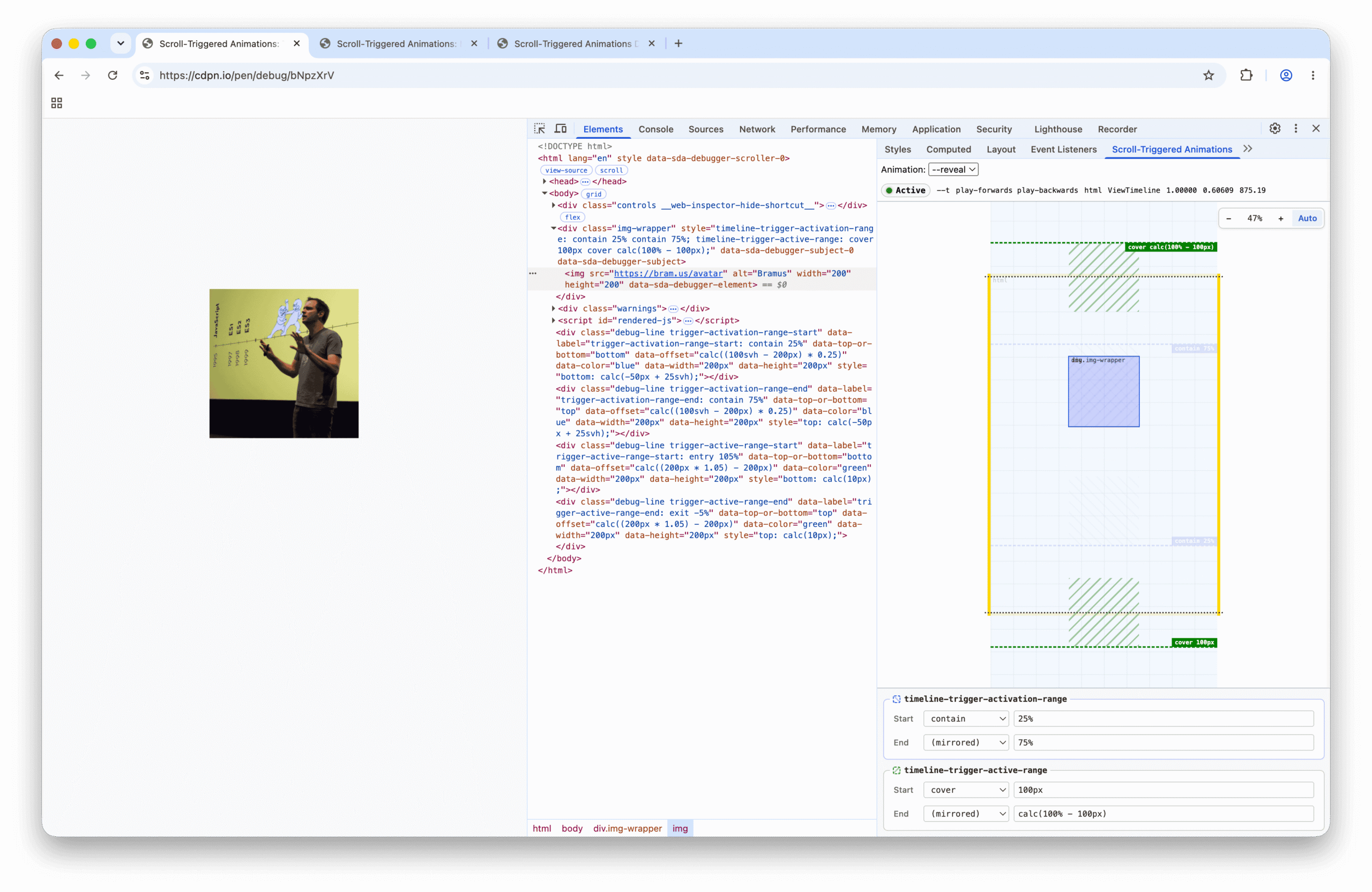
The CSS Working Group has published a First Public Working Draft of Animation Triggers. It defines CSS properties and an API for creating mechanisms that affect animation playback, based on DOM events resulting from user interaction, or on entry/exit of ranges on animation timelines.

In simple terms: this will let you start animations based on defined triggers, like mouse clicks or certain scroll (progress) events.

The CSS Working Group has published a First Public Working Draft of Animation Triggers. It defines CSS properties and an API for creating mechanisms that affect animation playback, based on DOM events resulting from user interaction, or on entry/exit of ranges on animation timelines.

In simple terms: this will let you start animations based on defined triggers, like mouse clicks or certain scroll (progress) events.

0

Practical Web Tools: 1,400+ free utilities that run entirely in your browser (no uploads, no signup)

Practical Web Tools Practical Web Tools — Browser-Based File Converters & Calculators practicalwebtools.com
preview

I’ve been building this on and off for the past year - it started because I got tired of “free” PDF tools that upload your files to who-knows-where or watermark page 2.

Everything runs client-side: a PDF suite (edit/merge/split/sign/OCR), image and audio converters, 200+ calculators, and some AI tools that lean on local models where possible. No accounts, no file size gates, and it works offline once installed (PWA).

The webdev-relevant bits: most of the heavy lifting is WASM (ffmpeg.wasm, tesseract), plus service workers for offline. Honestly the hardest part was memory management on large files in Safari.

Would genuinely like feedback - especially on what tools are missing. If you want to poke at the audio/video side, practicalwebtools.com/studio is the fun part.

I’ve been building this on and off for the past year - it started because I got tired of “free” PDF tools that upload your files to who-knows-where or watermark page 2.

Everything runs client-side: a PDF suite (edit/merge/split/sign/OCR), image and audio converters, 200+ calculators, and some AI tools that lean on local models where possible. No accounts, no file size gates, and it works offline once installed (PWA).

The webdev-relevant bits: most of the heavy lifting is WASM (ffmpeg.wasm, tesseract), plus service workers for offline. Honestly the hardest part was memory management on large files in Safari.

Would genuinely like feedback - especially on what tools are missing. If you want to poke at the audio/video side, practicalwebtools.com/studio is the fun part.

0

Offline support and real-time sync keep turning out to be the same problem

Marmelab Real-Time and Offline Are the Same Problem marmelab.com
preview

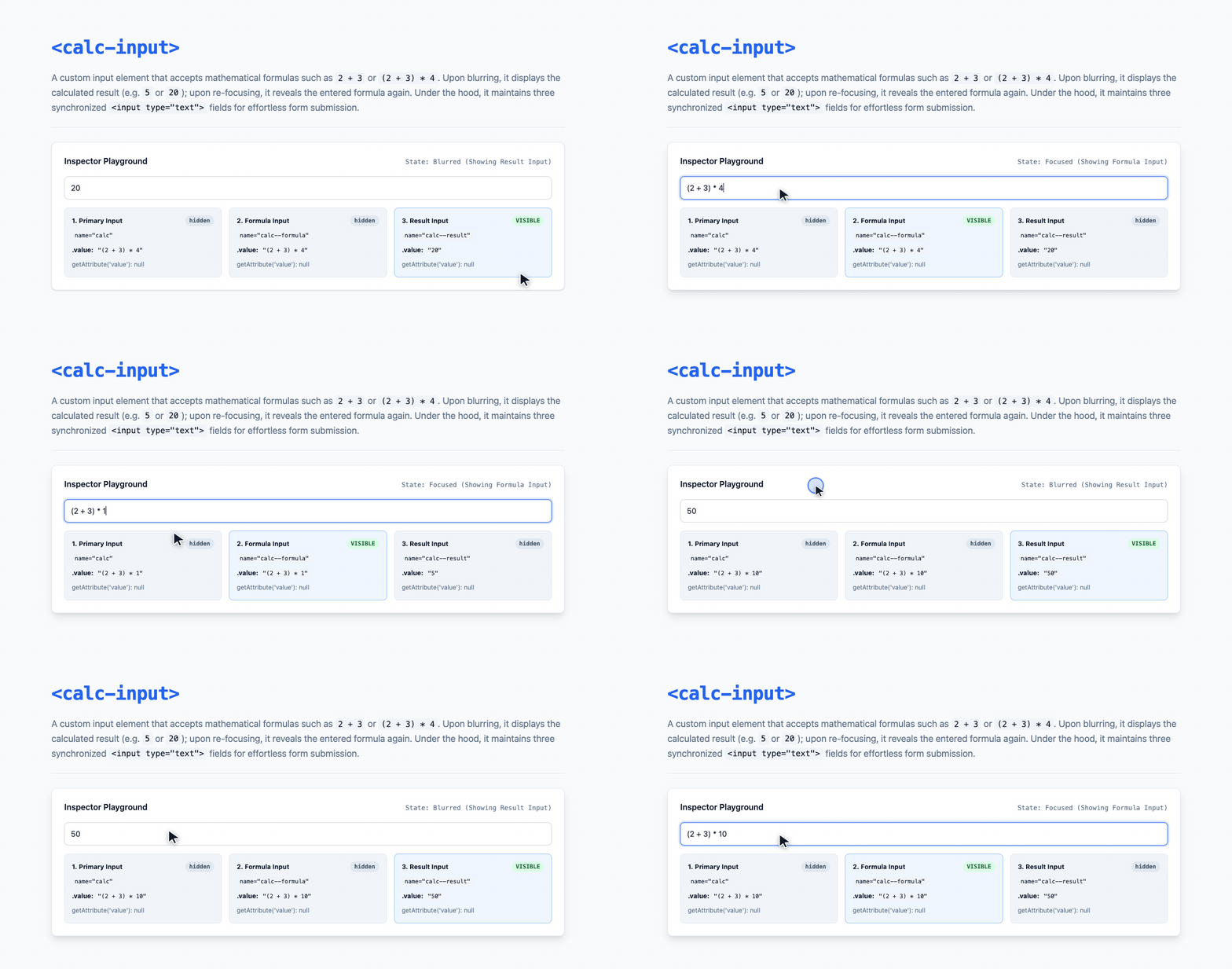
I’ve been building with Verdant and TanStack DB and ended up with the same conclusion from both.

Offline and real-time are basically one problem. Real-time is kinda just being offline for a very short time. Either way you need client-generated IDs, optimistic mutations, some rule for when two clients disagree, and a way to sync it all back. So if a library handles one well, it seems to get the other almost for free.

Tbh the ID part is what actually surprised me. And more generally, a lot of this seems to need planning from day one, because retrofitting it later is a real pain. If your API uses server-generated IDs, supporting offline edits seems to mean a breaking migration. You can remap temporary IDs after sync, sure, but it gets messy really fast once other records and URLs depend on them. Same story with the data layer. If it was designed around one-shot requests there’s nowhere for live updates to go. React Admin’s data provider expects plain async functions that return promises, so when you put TanStack DB behind it the live queries just get lost lol. Offline still works, it’s just the real-time part of TanStack DB that doesn’t make it through in that setup.

There’s a catch though. Neither library really helps when the server rejects a mutation that looked fine locally, you’re kinda on your own for that part. And for conflicts, Verdant basically ends up as last-write-wins while TanStack DB leaves it to whatever sync layer you plug in.

Honestly the bigger point for me is that none of this is really specific to offline apps. A plain request/response app actually has the same conflicts. If two people save the same record, a lot of the time the last save just overwrites the other one and that’s it. It’s last-write-wins there too, just without anyone ever deciding it. So imo it’s worth building pretty much any app as if it could go offline or real-time someday, mostly because it forces you to actually pick what happens in a conflict.

Do you actually know what happens when two saves collide, or has silent last-write-wins been fine most of the time? Ever had it bite you with lost data or users wondering where their changes went?
I’ve been building with Verdant and TanStack DB and ended up with the same conclusion from both.

Offline and real-time are basically one problem. Real-time is kinda just being offline for a very short time. Either way you need client-generated IDs, optimistic mutations, some rule for when two clients disagree, and a way to sync it all back. So if a library handles one well, it seems to get the other almost for free.

Tbh the ID part is what actually surprised me. And more generally, a lot of this seems to need planning from day one, because retrofitting it later is a real pain. If your API uses server-generated IDs, supporting offline edits seems to mean a breaking migration. You can remap temporary IDs after sync, sure, but it gets messy really fast once other records and URLs depend on them. Same story with the data layer. If it was designed around one-shot requests there’s nowhere for live updates to go. React Admin’s data provider expects plain async functions that return promises, so when you put TanStack DB behind it the live queries just get lost lol. Offline still works, it’s just the real-time part of TanStack DB that doesn’t make it through in that setup.

There’s a catch though. Neither library really helps when the server rejects a mutation that looked fine locally, you’re kinda on your own for that part. And for conflicts, Verdant basically ends up as last-write-wins while TanStack DB leaves it to whatever sync layer you plug in.

Honestly the bigger point for me is that none of this is really specific to offline apps. A plain request/response app actually has the same conflicts. If two people save the same record, a lot of the time the last save just overwrites the other one and that’s it. It’s last-write-wins there too, just without anyone ever deciding it. So imo it’s worth building pretty much any app as if it could go offline or real-time someday, mostly because it forces you to actually pick what happens in a conflict.

Do you actually know what happens when two saves collide, or has silent last-write-wins been fine most of the time? Ever had it bite you with lost data or users wondering where their changes went?

0

Introducing the Accessible Components Library

TetraLogical Introducing the Accessible Components Library - TetraLogical tetralogical.com
preview

We’ve open-sourced our Accessible Components Library, and, as you might expect, this includes the HTML, CSS, and JavaScript code. But, we thought, “Why stop there?” So, we’ve also published our documentation, including the accessibility requirements, test scenarios, and even the working automated tests which validate each one.

We’ve open-sourced our Accessible Components Library, and, as you might expect, this includes the HTML, CSS, and JavaScript code. But, we thought, “Why stop there?” So, we’ve also published our documentation, including the accessibility requirements, test scenarios, and even the working automated tests which validate each one.

0

A 200 response can still be a loading screen: what do you check before calling it a rendering problem?

preview

When a page looks fine in a browser but its discoverability is unclear, I’d separate three checks:

  • Does the original HTML contain the page’s main content and useful navigation?
  • Does the content appear only after JavaScript runs?
  • Is the response different when you change the user agent, or is an access rule getting in the way?

Those are different problems. A 200 status alone doesn’t settle any of them, and a missing mention in an AI answer doesn’t prove a rendering problem either.

Disclosure: I’m the founder of Prerender Buddy. Our open-source CLI checks returned HTML and discovery files: github.com/kopachlager/prerenderbuddy-cli. It flags things worth inspecting; it doesn’t run a browser or prove that a real crawler failed.

If a rendering gap is confirmed, the fix could be in the app’s rendering approach or a managed prerendering layer. PB offers the latter, alongside monitoring: prerenderbuddy.com. If the site already returns complete HTML, extra prerendering may not be needed.

What evidence do you normally collect before choosing between changing the app and adding a rendering service?

When a page looks fine in a browser but its discoverability is unclear, I’d separate three checks:

  • Does the original HTML contain the page’s main content and useful navigation?
  • Does the content appear only after JavaScript runs?
  • Is the response different when you change the user agent, or is an access rule getting in the way?

Those are different problems. A 200 status alone doesn’t settle any of them, and a missing mention in an AI answer doesn’t prove a rendering problem either.

Disclosure: I’m the founder of Prerender Buddy. Our open-source CLI checks returned HTML and discovery files: github.com/kopachlager/prerenderbuddy-cli. It flags things worth inspecting; it doesn’t run a browser or prove that a real crawler failed.

If a rendering gap is confirmed, the fix could be in the app’s rendering approach or a managed prerendering layer. PB offers the latter, alongside monitoring: prerenderbuddy.com. If the site already returns complete HTML, extra prerendering may not be needed.

What evidence do you normally collect before choosing between changing the app and adding a rendering service?

0

JSX's not React

JSX's not React gautier.dev
preview

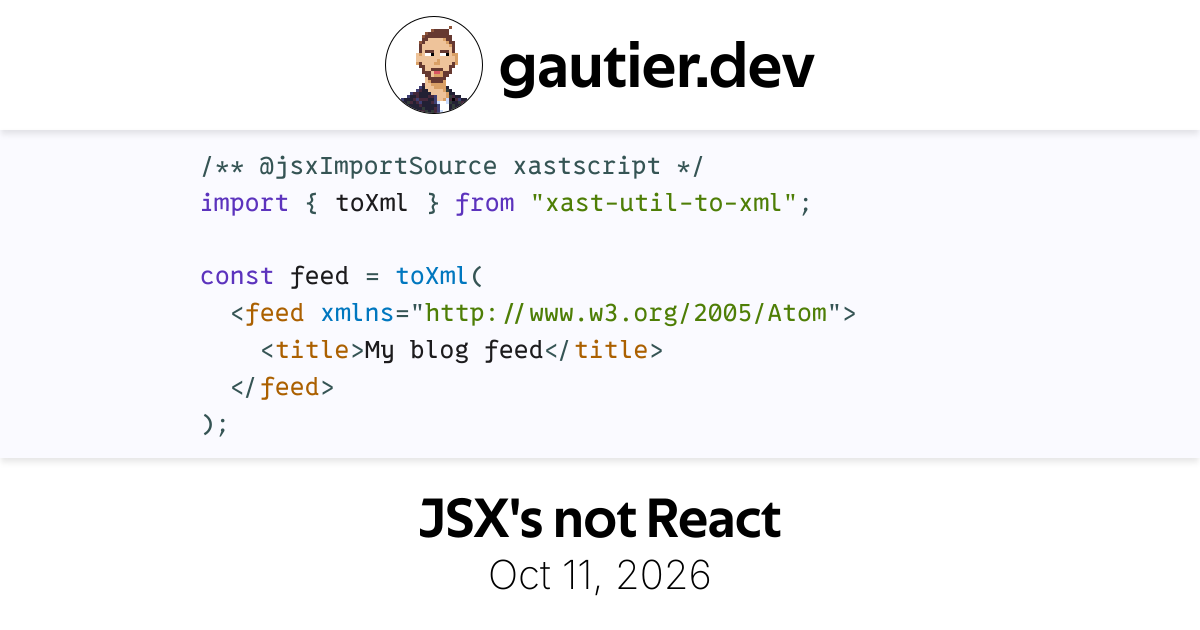
JSX, short for JavaScript XML, itself short for Extensible Markup Language, is a syntax extension for JavaScript that allows writing XML-like embeds anywhere an expression is accepted:

JSX, short for JavaScript XML, itself short for Extensible Markup Language, is a syntax extension for JavaScript that allows writing XML-like embeds anywhere an expression is accepted: