
#plugins

posts tagged #plugins

0

Lemmy tampermonkey and stylus scripts

preview

EDIT - I’ve been continuing work on this and have added a few things and bug fixes and it’s now available as a firefox extension. Still lots of things to add including an options dropdown but I’d love some feedback. Just go to the releases page on github and install it and test it out!

I’ve been working on Super Lemmy, a collection of Stylus CSS and Tampermonkey scripts that give Lemmy a more compact, old Reddit-inspired interface.

Features include color-coded comment nesting, improved comment collapsing, infinite scrolling, resizable images, and a more space-efficient layout.

This isn’t a standalone browser extension yet. It’s currently an experimental collection of scripts that require Stylus and Tampermonkey to install. My eventual goal is to combine everything into a single Firefox extension, but I’d like to gather feedback and refine the existing features first.

I’d especially appreciate feedback on the layout and usability. Is the compact design readable? Does color-coded nesting make discussions easier to follow? What features from old Reddit or RES would you like to see added? Bug reports and compatibility testing on other Lemmy instances would also be helpful.

Currently developed and tested on Firefox with lemmy.world.

AI disclosure: I used ChatGPT extensively to help write, debug, and refine the CSS and JavaScript. The design, feature choices, and testing have been guided by me. I’m sharing the project openly and would especially appreciate feedback on code quality, maintainability, and potential issues before turning it into a standalone extension.

GitHub: github.com/tangosox/Super-Lemmy

Suggestions and contributions are welcome!

0

Custom Navbar Links (Version 1)

Lemmy Custom Navbar Links with Scroll to Top greasyfork.org
preview

I decided to re-write my script from the ground up.

I noticed some not so good parts about it and now it should be more clear and easy for users to edit themselves when they want to add/remove custom links.

Enjoy!

Edit: I have added a scroll to top button. It will appear when you start scrolling.

0

Share to Lemmy (Bookmarklet)

preview

Similar to my last submission but not specific to YouTube, this is a very basic bookmarklet that does nothing but create a submission to Lemmy of the currently open website. It does not fill out the thumbnail and hopes that Lemmy will generate a proper one on its own.

You may need to replace “lemmy.world” in the script with the domain of the Lemmy instance that you use.

Source: pastefy.app/kKChBKoK

How you add a bookmarklet is by creating a new web browser bookmark and pasting the JavaScript code where the URL would go. Something like this:

The way Lemmy works, you may be prompted to login again. Lemmy can do weird things like ignore your session when referrer isn’t sent. Still easier than filling out the video title yourself.

There is also the “hidden” feature that you may enter a community ID as a URL parameter (currently empty). I think the ID for a specific community varies depending on your home instance. On Lemmy.World this community here is 7133, for example. You can find out the ID when you’re on the Create Post page and have a look at the address bar:

This may be useful, should you want to submit to a specific communtiy directly.

Code is public domain.

0

Share from YouTube [Bookmarklet]

preview

Apparently YouTube blocked the IPs of the several Lemmy servers such as Lemmy.World, so you cannot just conveniently post a video and get title and thumbnail filled out. Basically, these tasks need to be done locally instead of the Lemmy server. If you use a Lemmy client such as Thunder and use the share sheet from YouTube with it, the title is already filled out.

Here are two bookmarklets you can use. The way bookmarklets work is that you create a new web browser bookmark and paste the JavaScript code where the URL would go. Something like this:

The first bookmarklet is a generic one and should work for everyone regardless of browser choice. When in the YouTube browser tab, you just click on it and a new tab opens to create a new post. Title and thumbnail are filled out.

You need to replace “lemmy.world” with the domain name of your Lemmy instance.

I cannot post the code directly in code markup because stupid Cloudflare thinks I’m doing an SQL Injection. 🙄

Code: pastefy.app/SgP7s3Cp

The second bookmarklet is for when you use Firefox Multi-Account Containers, for example when you’re logged into YouTube using a dedicated account and you don’t want it to affect tabs with Google services you might use with a different account. If you don’t have that requirement, just use the first script.

Code: pastefy.app/TKEbB7Jx

The way Lemmy works, you may be prompted to login again. Lemmy can do weird things like ignore your session when referrer isn’t sent. Still easier than filling out the video title yourself, IMO.

Code is public domain.

0

Instance Assistant v1.2.6 is out - Redirect user profile pages

GitHub Release Instance Assistant v1.2.6 · cynber/lemmy-instance-assistant github.com
preview

cross-posted from: lemmy.ca/post/6770347

This is a very small update, but hopefully it’s helpful! As I mentioned in the last update, I’m a little tied up with other commitments right now, so I haven’t had a chance to implement the other features on the to-do list. This one was requested the other day, and it was simple to add since I could reuse a lot of existing code.


Links:


❓ What is Instance Assistant?

If you’re new to Instance Assistant, it is a browser extension with a collection of tools and features to simplify your browsing experience on Lemmy and Kbin. It is available on Chrome, Firefox, and Edge; you can also install it from the releases page on GitHub. For a full list of features, please see the GitHub homepage: github.com/cynber/lemmy-instance-assistant


⭐ What’s new in v1.2.6?

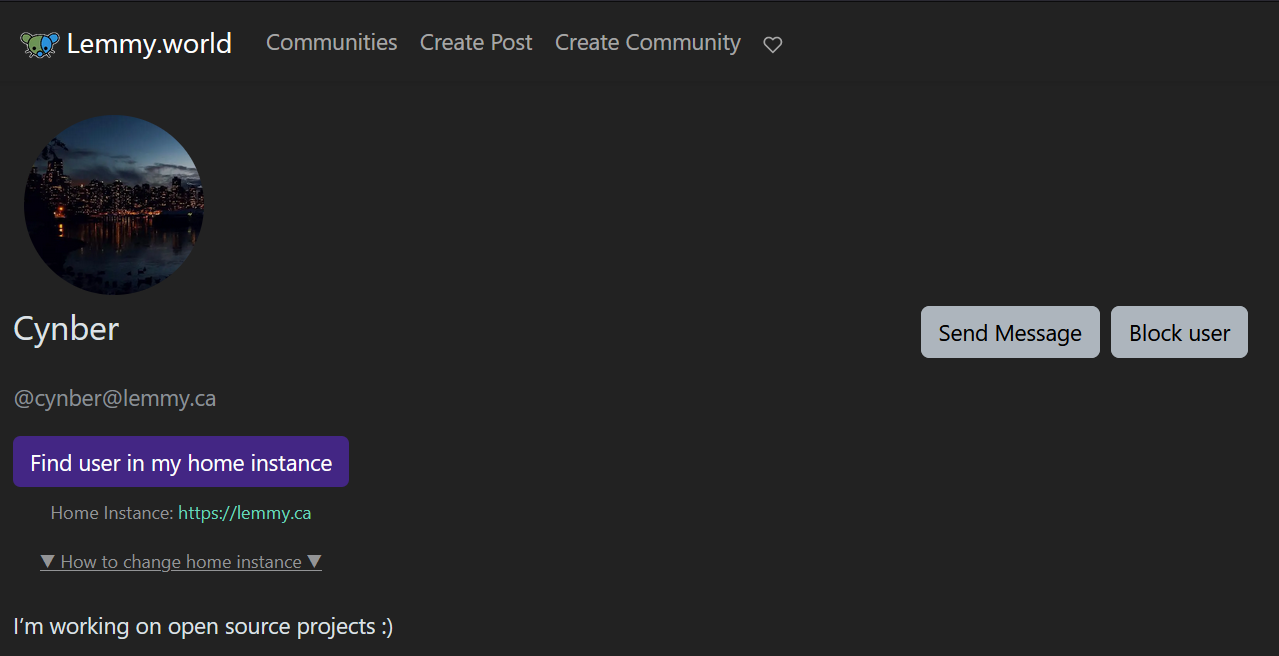
  • Redirect user profile pages: When you want to message a user and click on their profile, you might end up on a foreign instance. To message them, you need to modify the URL or copy/paste. Instead, you will now find a little button to jump you to your home instance.


💛 Also

Thank you for all the suggestions and feedback! Like I said before, I’m really happy to see that people are using the extension and finding it useful. Please continue to make suggestions and contribute your expertise.

Cheers :)

0

Is there anything that lets me simply hide individual posts?

preview

cannot find this anywhere. i don’t want to automatically hide everything i scroll past, or everything from an instance, just certain posts i don’t want to see or engage with

cannot find this anywhere. i don’t want to automatically hide everything i scroll past, or everything from an instance, just certain posts i don’t want to see or engage with

0

[UserScript] Simple old Lemmy community bar customisation (updated again)

preview

UPDATES BELOW

So I browse on the desktop using the mlmym/old.lemmy client (e.g. old.lemmy.world) because old habits die hard.

One of the many things I found myself missing from RES & Reddit was the ability to customise the community bar at the top of the page to contain some links to my favourite communities. I had a spare minute this morning to throw together a userscript for just that:

Here’s a pastebin with the script. Create a new userscript in tampermonkey (or whatever userscript plugin you use), drop the code in, change the array of communities at the top to be the ones you want prepending to the list, and you should be good.

Make sure to add the server suffix to any communities from other instances and if you want to use this on another instance other than lemmy.world, just change the match rule in the userscript header comment.

I didn’t host on greasyfork as I’m probably not going to make any further changes, and I’d need to come up with something a bit more sophisticated than an array of communities. I’ll update this post if I ever change my mind on that

Update

So I guess I wasn’t happy with leaving it alone:

Here it is on greasyfork greasyfork.org/…/474756-lemmy-mlmym-community-bar…

I added localStorage and a simple config GUI to configure the list of favourites now, no reordering yet (without just removing and re-adding in a different order), but I imagine I’ll end up adding that in time

Update 2

And another update:

I’ve just updated GreasyFork with 0.3

  • Added reordering
  • Added background fade and background click to close
  • Added favourite/unfavourite button to the community sidebar
0

Instance Assistant v1.2.5 released: You can now generate posts for Lemmy/Kbin, search for posts, and redirect posts from foreign instances

preview

Hi everyone, I’m excited to announce one more release before I take a short break. I have some other stuff starting up, so I won’t be pushing out new features as fast, but I’ll still be around to manage the project. (more at the end)

Links:


❓ What is Instance Assistant?

If you’re new to Instance Assistant, it is a browser extension with a collection of tools and features to simplify your browsing experience on Lemmy and Kbin. It is available on Chrome, Firefox, and Edge; you can also install it from the releases page on GitHub. For a full list of features, please see the GitHub homepage: github.com/cynber/lemmy-instance-assistant


⭐ What’s new in v1.2.5?

  • Redirect posts to your home instance!: Post pages now have a redirect button that will find the same post on your home instance(1). You don’t have to hunt it down yourself anymore.
  • Posts related to this webpage buttons in popup & sidebar
    • Make a post: You can now create a post from any webpage! Click the ‘Make a Post’ button in the extension popup or sidebar to generate a draft post with autofilled title, URL, and body contents. Afterwards, just select a community and hit post. (This currently works for both Lemmy & Kbin, but custom frontends are untested while they develop). Try it here: lemmy.ca/post/4478560
    • Open Posts: This will find any posts about the webpage/article/video that you are looking at. Use it to see if something has already been posted, or to find related discussions about it. When there are multiple posts, it will ask before opening them all. (see note on risks and why it doesn’t count automatically)
  • Post an image: You can now right-click on an image, anywhere on the web, and hit “Post this image”. It will open a new tab and autofill the title, image link, and add the page URL to the body as “Source: URL”. Try it here: lemmy.ca/post/1282303
  • Reorganizing popup:
    • I fixed the issue where the popup would still display a button after removing all instances from the list.
    • The number of default instances in the popup was reduced to 4
  • Added settings:
    • You can now hide onboardining guides to make the interfaces less wordy
  • General styling changes, wording improvements, and bugfixes

(1) This is an important feature to me because this little annoyance was part of why I set out to create the extension in the first place. Thanks to some help from @zero_gravitas, I was able to use the Lemmy API to grab the post details, and then run a search for it on your home instance. While most posts should only bring one result, there is a chance that there are multiple posts by the same user, in the same community, with the same title. If this is an issue, I’ll make this search more specific.


🗣️ My questions for you:

Improving 'post to Lemmy’

  • Right now the ‘Post to Lemmy’ button does a very basic search in the page meta tags for information. This works for most websites, but it is not perfect. What websites do you usually post from, and is the extension doing a good job of replicating how you format the post? Please share both good and bad examples, so we can fix what isn’t working and keep what is.

Improving Post search

  • Having the extension automatically count the number of posts and display it in the icon would be pretty nice, since then you would know about any posts for the news article / blog / video that you are looking at. However, there are privacy implications with this since it needs to send the URL to your home instance to do the search.
  • I would like to add the option to whitelist specific websites, so the user can choose what browsing data they want to find posts for. Is this something you would list to use? What websites would you whitelist?

Anything else?

Please share any issues that you find. Lemmy and Kbin instances have a lot of variation in how things are structured, so there are bound to be some bugs that I haven’t found yet. If you have any ideas for new features, please share them too! I’m always looking for new ideas to add to the project.


🔮 Cool ideas being discussed for the future

- Account switcher & ability to save login info to extension - Reddit migrator tools - multireddit input should convert subscriptions to official Threadiverse replacements, or large related communities - embeds on Subreddit sidebars to search for similar community - button on post pages to cross-post to home instance - Prepping for Firefox Mobile app, now that they are opening mobile up to all extensions! - Keyboard hotkeys, possibly collaborating with someone that already implemented something similar For the most up to date information, see the issues or the project road map


💛 Finally

Thank you for all the suggestions and feedback so far! I’m really happy to see that people are using the extension and finding it useful. I’m looking forward to seeing what we can do with it in the future.

Like I said above, I won’t be as active over the next few months in terms of getting new features out. The extension is now in good shape, and it covers most of the important use cases. There’s still lots of cool stuff we can do with it, so please contribute ideas and expertise! When I get a chance, I’ll pop in and grab a few more issues.

Cheers :)

0

Lemmy Keyboard Navigation 2.3 released with mlmym support

preview

This is a gift for all you mlmym lovers out there:

A userscript that allows you to navigate lemmy with HJKL keyboard navigation, now with mlmym support :) This is an initial release and only available on github for now.

ALL credits go to InfinibyteF4 for making this happen 🏆

EDIT: to link the updated file which works for both vanilla lemmy and mlmym

0

Tool for moderators: Violentmonkey/Greasemonkey script to list communities you moderate below your profile link

GitHub GitHub - pro-tarr/lemmy-ux-improvements github.com
preview

cross-posted from: lemmy.world/post/3689844

This is a User Script I made that makes some adjustments to Lemmy’s UX (works on lemmy.world and lemmy.ml).

Project page: github.com/pro-tarr/lemmy-ux-improvements

What it does

  • Quick access to communities you moderate: This script adds a list of the communities you moderate right below your profile link in the top-right menu, so you don’t need to load the profile page just to access your communities.

  • Open thumbnail links in a new tab: Links in thumbnails will automatically open in a new tab (image links will continue with their default behavior).

If you want to improve this in-a-rush code, expanding its features of fixing bugs, feel free to send pull requests.

How to install

  • Install the Violentmonkey extension.
  • Copy the source code and add it into Violentmonkey extension (if you have the extension installed, it will prompt you to install the script when you access the link to the code).

Happy Lemmy-ing!

0

Instance Assistant v1.2.4 is here!

preview

cross-posted from: lemmy.ca/post/3232301


Status & Download Links:

Firefox v1.2.4 Chrome v1.2.4 Edge v1.2.3

Download from source: release v1.2.4 (github.com)

  • While Edge and Opera are awaiting approval, you can install v1.2.4 from here, or through the Chrome store

Hi everyone!

On the surface, this update brings a handful of features integrating the extension with other tools and services. We have the first of many features from the LemmyTools userscript, as well as the support for Alexandrite and Photon frontends. You can also directly search for communities through Lemmyverse.net and for posts through search-lemmy.com, among other small changes.

The biggest change was behind the scenes. I’ve completely refactored the code throughout the extension. Now that we have a clearer plan for the extension, I simplified all around, such as consolidating most functions to a central utils.js file. I also reworked the settings, and unfortunately this means you may have to add your home instance again. Moving forwards, it should be a lot easier to maintain the extension and for people to collaborate, which brings me to:

Want to help?

Get started:

I’ve put together some notes on how the extension is structured for those that want to help. The extension itself is fairly simple, and it doesn’t use any particular framework or anything. It should a great first project to work on, even if you are just learning or new to web development. Having more people add to one place would make it easier for users that are juggling many extensions and userscripts. That’s why I’ve been focussed on having a more intuitive structure for the project and leaving detailed notes and comments. I’m also likely not going to have as much time starting next month so I’m trying to do what I can now to get everything rolling. If you don’t know where to start or just have an idea, let me know and I’ll see what I can do :) As always, you can add new ideas and issues here: github.com/cynber/…/issues


All new improvements with v1.2.4

New Changes

- search for communities through Lemmyverse.net or for posts through lemmy-search directly from the popup or sidebar - You now have the option to hide the default Lemmy sidebar (more LemmyTools features to come!) - Replaced non-functional ‘subscribe’ button on foreign /communities pages (only when no account is signed in, so not to replace something functional) - Support for Alexandrite & Photon frontends. Test them here: - Alexandrite: a.lemdro.id/c/lemdroid - Photon: nu.lemdro.id/c/lemdroid - New ‘communityNotFound’ button to account for alternate frontends: lemmy.ca/c/lemdroid@nu.lemdro.id - Fix for generated link on CommunityNotFound pages - Completely refactored the code to move repetitive functions to a utils.js file

Future Plans:

- Exploring a ‘Reddit migrator’ tool, similar to the mobile tool in Voyager, powered by lemmyverse.net - Adding more features from LemmyTools Userscript, with help from /u/howdy@thesimplecorner.org - Prepping for Firefox Mobile app, now that they are opening mobile up to all extensions! - Keyboard hotkeys, possibly collaborating with someone that already implemented something similar - Adding icons and simplifying the design, as the menus are getting very wordy - settings to limit onboarding / help instructions - Ability to have multiple ‘home instances’ - Finishing the setup so that people can contribute translations / other languages to the extension.

0

Has Anyone found a userscript or extension to instantly hide viewed links?

preview

This was a HUGE part of my reddit experience and I have yet to found an alternate.

I began using kbin instead of lemmy because of this userscript which has pretty much the exact functionality I’m looking for

greasyfork.org/…/469175-kbin-hide-posts-after-vot…

but Kbin blocks a LOT of communities that I want to interface with. I feel like I’m missing out if I’m not on Lemmy … but I feel like I hate the user experience without the automatically hiding posts :(

Any advise?

0

uBlock Filters for various stuff

preview

There are likely various edge cases I’ve missed, and I am not too sure on performance compared to a purpose-built userscript, but these seem to work well enough for my use cases.

Throw these to My filters in uBO settings. May also work with AdGuard, but I can’t support you there as I don’t use it. Other ad blockers probably won’t work, but then why are you using an ad blocker that isn’t uBO anyway?

Remove the exclamation mark preceding the rules and adjust the placeholders accordingly. If you need multiple filters copy paste the appropriate lines.

You may need to replace the lemmy.* part if your home instance is on a different (sub)domain. I’m not using .lemmy-site and a global selector for performance reasons.

! Post filters use :has instead of :upward to take advantage of native CSS support on browsers that implement it.
! If :has is not implemented, uBO will emulate it via JS. :upward might be more efficient on those cases.

! Lemmy: Filter post by link domain
! lemmy.*##.post-listing:has(.fst-italic[href*="example.com"])

! Lemmy: Filter post by keyword in title
! lemmy.*##.post-listing:has(.post-title:has-text(/\bkeyword\b/i))

! Lemmy: Filter post by author instance
! lemmy.*##.post-listing:has(.person-listing[title$="@example.com"])

! Lemmy: Filter post by community instance
! lemmy.*##.post-listing:has(.community-link[title$="@example.com"])

! Lemmy: Filter post by instance (author or community)
! lemmy.*##.post-listing:has([title$="@example.com"]:is(.person-listing, .community-link))

! Lemmy: Filter post by community name (any remote instance)
! lemmy.*##.post-listing:has(.community-link[title^="!politics@"])

! Lemmy: Filter post by community name (home instance, though in this case you can just use lemmy's own blocking)
! lemmy.*##.post-listing:has(.community-link[title="!politics"])

! Lemmy: Filter comment by keyword 
! lemmy.*##.md-div:has-text(/\bkeyword\b/i):upward(.comment)

! Lemmy: Filter comment by author instance
! lemmy.*##.person-listing[title$="@example.com"]:upward(.comment)

! Lemmy: Filter both by author instance
! lemmy.*##.person-listing[title$="@example.com"]:upward(:is(.post-listing, .comment))
0

Lemmy Extensions & Userscripts

preview

Browser Extensions:

Mullem (Firefox):

lemmy-keyboard-navigation (Chrome):

Instance Assistant:

Lemmy Link:

Lemmy Go:

Lemmy Modern UI (Firefox Addon):

Lemmy Home Instance Helper:

Userscripts:

LemmyTools:

Lemmy Image Expand:

Lemmy Universal Link Switcher:

Compact Lemmy to old.Reddit Re-format:

Lemmy/KBin Redir:

GM Lemmy NewTab:

Lemmy Style Cleanup:

lemmy-keyboard-navigation:

Lemmy Federation Awareness:

Lemmy Subscription Helper:

Block lemmy instances:

Lemmy Local Community Redirect:

Lemmy Custom Navbar Links:

beehaw lemmy add home-instance name to username:

beehaw lemmy separate spacing of delete and edit buttons:

Lemmy post filter - Filter posts by title:

Lemmy Post Keyword Filter:

Filter lemmy.ml communities:

0

[Userscript] I've updated my Dracula theme for Lemmy!

preview

cross-posted from: lemmy.blahaj.zone/post/1312795

[Image description: A screenshot of the lemmy.blahaj.zone front page with a custom userstyle applied. The userstyle features a dark gray background with medium gray text and brightly-colored accents of purple, pink, orange, and cyan. The right sidebar cards are a light shade of gray with lighter gray text, pink buttons, and orange links]

A few weeks ago I decided to try my hand at bringing my favorite theme to Lemmy and this userscript was born. It’s still in the early stages so there are some wrinkles to iron out, but I just pushed a big update with better contrast, style fixes, and streamlined code.

I’ve received several requests to turn it into a native Lemmy theme but have no idea how to do that. If anyone has any tips on theming, interest in collaborating, or a Lemmy instance where I could test a native theme, hit me up! You can find all the code here on Codeberg.

0

Instance Assistant v1.2.3 is now available on Chrome & Firefox + New Features

preview

cross-posted from: lemmy.ca/post/2012318

Links:

  • Firefox
  • Chrome
  • Edge - v1.2.3 is still being approved, you can grab the release from Github if you are eager
  • Opera: Still under review, please download from Chrome webstore or Github release.

For questions / support: !instance_assistant@lemmy.ca (alternate: lemmy.ca/c/instance_assistant)

What’s new?

(read on the wiki)

  • You can now customize the instance list to match which instances you actually use. This should be helpful for those that have accounts on different instances.
  • Added a settings page so that you can turn off features that you don’t want active
  • Added buttons for helpful tools that let you explore Lemmy/Kbin communities (with lemmyverse.net), and search across Lemmy sites (with search-lemmy.com).
  • Added a sidebar for those that prefer it (works on Firefox, Chrome & Opera; Edge doesn’t have sidebars yet but the code is there)
  • Fix for issues with the search trigger on the community not found page (thank-you to whqwert!)
  • Various bugfixes, small theme changes, and improved wording

What’s coming up?

(read on the wiki)

  • Working with the amazing /u/howdy@thesimplecorner.org to bring over features from the LemmyTools Userscript^1^
  • Integrating lemmyverse.net and search-lemmy.com so you can do everything right on your community page^2^
  • Adding icons and simplifying the design, as the UI is getting wordy
  • Adding support for alternative home instances (ex. Alexandrite - Issue 14)
  • Ability to have multiple ‘home instances’, so you can open it in any without having to change your home instance each time.
  • Finishing the setup so that people can contribute translations / other languages to the extension.
  • Getting the extension on Opera (no immediate plans, but this would be good to have)

More details:

  1. /u/howdy@thesimplecorner.org has created a really useful userscript that you can find here: thesimplecorner.org/c/lemmytools. We’re going to be working together to bring those features into Instance Assistant, so that you can have all the features in one place.

  2. Right now there are buttons to explore Lemmy/Kbin communities (with lemmyverse.net), and search across Lemmy sites (with search-lemmy.com). Both of these take you to the respective webpages. Instead, it might be nicer to have a lightweight version right on the Lemmy/Kbin community page (or in the extension popup/sidebar). This should be possible using their APIs/data access, and I have a little working proof of concept already (see GitHub)

I’m new, what is this?

Instance Assistant is a browser extension that started out as a way to quickly jump from one community to the version on your home instance, so that you could subscribe/participate immediately. Since then, a few other features have been implemented:

Features

  • Redirect to your home instance:
    • Buttons will be added to the sidebar of any Lemmy or Kbin community you visit, which will let you open the same community on your home instance.
  • Open links in home instance:
    • Right click context menu will allow you to open any links in your home instance
  • Improved Error Pages:
    • ‘Community not found’ pages now have better information, a button to trigger a fetch, a button to open a community in the source instance, and more.
  • Customizable popup & sidebar menus:
    • Customizable list of instances to let you quickly switch home instances. This is great for if you have multiple accounts on different instances.
    • There are also buttons for helpful tools that let you search for communities (with lemmyverse.net), and search across Lemmy sites (with search-lemmy.com).
  • Settings:
    • You can change the default behaviour of the extension, customize the popup & sidebar menus, and turn off features you don’t want to use.
0

Lemmy Keyboard Navigation 1.9 released - now with HJKL support

GitHub GitHub - vmavromatis/Lemmy-keyboard-navigation: RES-like script that allows you to easily navigate Lemmy with your keyboard github.com
preview

What is it?

Lemmy Keyboard Navigation is a RES-like userscript that allows you to navigate Lemmy with the keyboard. Supports both HJKL and arrow navigation.

What’s new

  • Due to popular demand, default navigation is now HJKL (aka RES or Vim-style). Change vimKeyNavigation into false if you wish to use Keyboard Arrows instead.
  • Enter key for comments collapse ⎆
  • S key for save post/comment 💾
  • R key to go to community of a post 🌐
  • Now also available as a Chrome Extension, however it’s still at version 1.8, waiting for Google to approve 1.9, should be there in few days.

Feel free to provide feedback and of course PRs are always welcome! Special thanks to @aglidden for the major contributions.

0

Annoyed by Lemmy links not going to your home instance? I just updated LULs, the script that changes all Lemmy links everywhere to your home instance! [xpost - NOT OC]

Lemmy Universal Link Switcher greasyfork.org
preview

cross-posted from: lemm.ee/post/1606937

If you didn’t already know about it, I included the full description after the release notes.

Release 1.3.0

  • You can now add multiple secondary instances: so if you, like me, also have an account on lemmynsfw.com (or of course any other instance), you can add that there and not have links rewritten for that instance
  • You can manually enter your home instance. Useful for self-hosted instances that didn’t show up in my instance list.

Full Description Below:

Description

Lemmy Universal Link Switcher, or LULs for short, scans all links on all websites, and if any link points to a Lemmy instance that is not your main/home instance, it rewrites the link so that it instead points to your main instance.

Also works on Firefox Android with the Tampermonkey extension!

Features

  • Rewrite links to Lemmy posts/comments to point to your home instance. Only after hovering over them, because getting home posts/comments links require communicating with the Lemmy servers, and we don’t want to spam the servers.
    video demonstrating links to posts being rewritten

  • Instantly rewrite all links of community or user links to Lemmy/kbin on all websites everywhere to your new instance! The rewritten links will have an icon next to it, and hovering/touching the icon will show you the original link, allowing you to go there if you want to.
    community links being rewritten

  • If you are already on a page that has a corresponding page on your home instance, a link will automatically be added to the page header.
    the header link to your home instance when already on a remote post

Home Instance Setup

Simply visit the Lemmy instance you want to set as your home while the script is active. You will be asked if you want to set this instance to your home instance:
popup to select home instance

Settings

If you want to change your home instance or add secondary instances in case you have multiple accounts, simply go to the script settings, accessible within Violent/Tampermonkey directly, or alternatively within any Lemmy instances’ settings.
button to set your new home instance

Common Issues

Coming soon

  • Rewrite kbin post/comment links
  • Better rewriting support for kbin community/user urls (e.g. sort options are currently ignored)
  • Nicer tooltip styling (fit into page theme)
  • Signify that “Show at home” button is loading for posts/comments
  • Integrate with lmmy.to redirector
0

Lemmy Keyboard Navigation version 1.8 has been released adding hjkl support 🎉

GitHub GitHub - vmavromatis/Lemmy-keyboard-navigation: RES-like script that allows you to easily navigate Lemmy with your keyboard github.com
preview

Thanks to @aglidden for the PR work

Direct link to userscript -> github.com/…/lemmy-keyboard-navigation.user.js

Thanks to @aglidden for the PR work

Direct link to userscript -> github.com/…/lemmy-keyboard-navigation.user.js

0

Lemmy Infinite Scrolling and Comment Sort

Pastebin Lemmy Sort and Scroll - Pastebin.com pastebin.com
preview

After my post with the comment sorting script yesterday, I thought that since I was already doing script rewriting I might as well go further, so here is a script implementing infinite scrolling for the home page and communities on Lemmy.

I didn’t publish it as a separate script to comment sort since both are incompatible, as they both edit lemmy’s client.js. If sorting comments by Top annoys you, just change the defaultSort back to Hot in the script.

Edit: Fixed the spinner on instances other than lemmy.world.

0

Change Lemmy Default Comment Sort

Pastebin // ==UserScript==// @name Lemmy Sort by Top// @description - Pastebin.com pastebin.com
preview

Currently, Lemmy sorts the comments by Hot, and there is no way to change this. This scripts changes the default behavior to sort by Top, this default can be changed by editing the defaultSort variable in the code.

Currently, Lemmy sorts the comments by Hot, and there is no way to change this. This scripts changes the default behavior to sort by Top, this default can be changed by editing the defaultSort variable in the code.

0

Instance Assistant for Lemmy & Kbin v1.2.0 is now available on Firefox, Chrome, & Edge

preview

cross-posted from: lemmy.ca/post/1418762

I’ve made a number of improvements since the last time I was posting about my extension. The update is now available on both Firefox and Chrome web stores.

For questions / support: !instance_assistant@lemmy.ca

TLDR: See the respective download pages on Firefox & Chrome. The screenshots and features list are mostly self-explanatory.

Note on versions:

  • Firefox has a more recent 1.2.1 version, because my build script missed some files while uploading v1.2.0. It doesn’t look like Chrome had this issue.
  • I’m uploading v1.2.2 to both stores today, which will bring the two missing features to Chrome as well. After 1.2.2, all browsers should have the same features. See below for details.

So how is this different from other similar extensions?

You may have noticed the extension’s name changed to be more generic (and include Kbin 🥳). I’m trying to make this a more well-rounded extension, and that means I’ve incorporated some features from the other extensions, in my own way.

Lemmy Links, Kbin Links, and the other forks:

This is a great extension that replaces links on your page with versions that go to your home instance. However, in order for this to work, it needs to recursively check every element on your page whenever DOM content (the stuff the browser is reading) changes. This is somewhat resource intensive, and while testing I ran into lag and freezing issues. As such, I decided to not include this functionality in the same way.

Instead, I’ve added a right click context menu that does the same thing. This way the user can pick which links they want the extension to convert, and it’s a lot more efficient resource wise. While it’s an extra click, I felt this was a reasonable compromise. However, I’m open to feedback!

NOTE: The context menu is available on Firefox, and it will be available in Chrome in about a week, depending on when they approve my update.

Lemmy Home Instance Helper

This is another extension which checks if you are logged in to an instance, and it creates a button to the search page if you are not. As my extension creates a button on any foreign instance, the search page is only helpful when a community hasn’t been loaded into your home instance yet (ex. because you’re the first one to try accessing it).

To deal with this, my extension modifies the “Community not found” pages with more instructions, as well as buttons to trigger the fetch process or to open the community elsewhere. See this screenshot for an example. Again, open to feedback!


As always, I’d love to collaborate with other people while building this. I’m still cleaning up my code, but feel free to look at the GitHub. If this extension gets popular, I will definitely need help for translations and for things like getting the extension on Safari (I don’t have a recent Apple device to sign the extension with).


Note on permissions:

  • The current versions request “Access to all sites”. This is because the extension needs access to any page that contains “/c/”, “/m/”, or “/post/” in order to create the sidebar buttons. While the extension only looks for those pages, it will show up as “Access to all sites” when installing. Once I have a proper welcome message and settings page, I plan on making this permission optional so you can just use the popup menu if you would like.

Summary of Recent Changes:

  • Added support for Kbin
  • Fixed issue where button wouldn’t load when navigating to a community within Lemmy (available on Firefox, should be on Chrome in a week).
  • (NEW) Right-click context menu on Lemmy/Kbin community links to let you open them directly. You can test them out here: lemmy.ca/post/1282303 (available on Firefox, should be on Chrome in a week)
  • (NEW) Information and buttons added to “Community Not Found” error pages to let you fetch the community or open it elsewhere.
  • Updates to sidebar button to state the current selected instance and provide more detailed instructions as a dropdownList
  • Refactored the code to remove more unnecessary permissions.
  • Another pile of bugfixes, UI improvements, and better wording for instructions.

Future Plans:

  • This is complete and will be in v1.2.2. Bringing over the new changes to Google Chrome. Since chrome requires Manifest 3, I still need to iron out some issues with the service workers. The missing features are all related to the background processes that are running on the Firefox version
  • Pushing to other browsers: Microsoft Edge & Opera are still reviewing v1.2.0. Unfortunately, I don’t have any immediate plans for Safari, as I don’t have a device that can sign the extension. I am looking into getting help for that.
  • Setting up a proper Welcome page, Settings page, and Options menu to allow users to turn off features that they don’t like. This will also let me make “access to all sites” optional.
  • Finishing the translations’ setup so that people can contribute other languages to the extension.
  • Adding an option to save your own instances to the popup, for those that have multiple home instances.
0

a browser extension for more easily navigating to Lemmy communities from the browser address bar by @Raicuparta@lemmy.ml

preview

cross-posted from: lemmy.ml/post/1999101

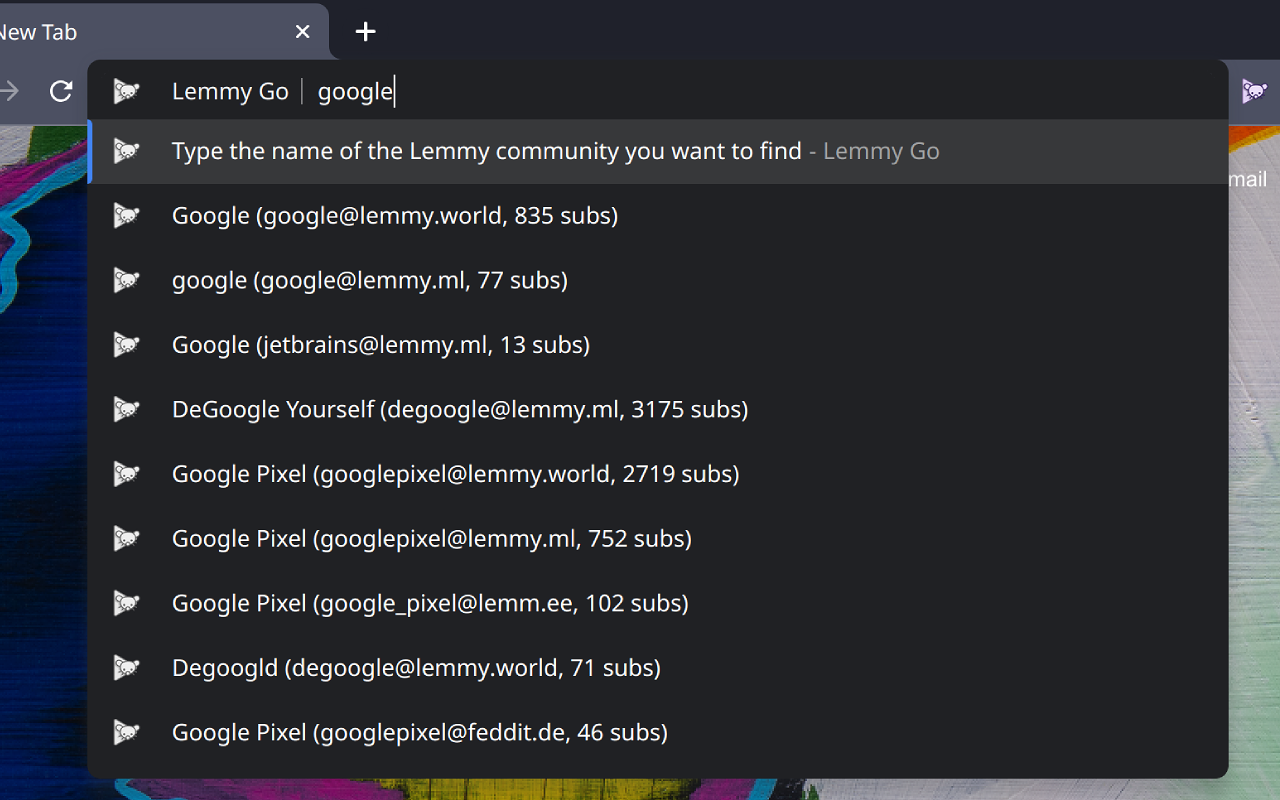
tl;dr: With Lemmy Go you type lg beekeeping on the address bar and it takes you to the most popular beekeeping community, or you can pick one from the given suggestions.

Get Lemmy Go for Firefox

Get Lemmy Go for Chrome

More information about Lemmy Go on GitHub

Why

On Reddit, I had a simple search keyword for navigating directly to subreddits, where I could just type r firefox and be taken to reddit.com/r/firefox.

I wanted to have the same behavior for Lemmy, but the Fediverse makes this a lot more complicated.

So I made Lemmy Go to try and make it as simple as possible to jump to a community, or even find new ones more easily.

It’s still a work in progress, so it might be a bit unstable and missing a bunch of features. But I’ve been using it myself for a few days, and it’s already pretty helpful.

Usage

Type lg followed by a space (some browsers also accept tab instead), and then type the name of the community you’re looking for.

Example: lg linux

Lemmy Go will search its database for any community that has the text linux in its name (e.g. linux_gaming) or title (Linux Gaming).

If you just type a community name and press enter, Lemmy Go will take you to the most popular community from that list.

If you don’t press enter right away, you will be shown a list of communities that match that query. You can then select the specific one you want.

Preferred Instance

If you set your preferred instance in the user settings (click the extension icon), Lemmy Go will try its best to navigate to that community in your preferred instance, although this isn’t always possible (in which case Lemmy Go will just navigate to the remote instance instead).

For instance, if your preferred instance is set to lemmy.ml and you select firefox@lemmy.world, Lemmy Go will take you to lemmy.ml/c/firefox@lemmy.world.

But if lemmy.ml blocks the lemmy.world instance, then Lemmy Go will take you to lemmy.world/c/firefox instead.

Read the readme on GitHub for more information about how Lemmy Go works

0

[UserScript] Just another lemmy style inspired by some old subreddit styles

preview

This is a style I primarily made for myself, but why not share it. It’s inspired by some of the old subreddit styles and the old youtube design.

  • Should work with litely and darkly plus compact variants.
  • Uses rounded thumbnails to external links.
  • Uses square thumbnails to internal images.
  • Colored proprietary social media thumbs with their brand colors. (So you don’t accidentally click on a youtube link for example).

There still are some things I have to fix in the dark theme, like buttons and card headers for example.

0

Not a CSS expert, but this makes Lemmy UI comments look better for me (on Desktop)

preview

Using this with Stylus:

li .comment-node {
    padding: 0.5ex;
    border: 0.1ex solid #80808060 !important;
    border-radius: 1ex;
}

li li .comment-node {
    border-left: none !important;
    border-top: none !important;
    border-radius: 1ex 1ex 1ex 0 !important;
}

Or for a more lightweight change:

.comment-node {
    border-bottom: 0.1ex solid #80808060 !important;

It’s the lack of clearly visible separation between comments that just doesn’t look right to me.

0

Easily Navigate Lemmy with Keyboard Arrows

GitHub GitHub - vmavromatis/Lemmy-keyboard-navigation: RES-like script that allows you to easily navigate Lemmy with your keyboard github.com
preview

Forked from @boobslider100@lem.ee’s script - I just modified it to navigate Lemmy with arrows instead. I find it much easier than using J/K. Right/Left arrows have dual usage also, as they can both change the page and jump to next/previous same level comment :)

Down = Next post / comment
Up = Previous post / comment
Right = Next page / parent comment
Left = Previous page / parent comment
A = Upvote
Z = Downvote
X = Expand
C = View Comments
Enter = View Link

I made it for me but feel free to give it a go and let me know what you think!

0

LASIM - A little tool for migrating Lemmy settings / subscriptions / blocks between accounts

GitHub GitHub - CMahaff/lasim: Move your Lemmy settings from one account to another github.com
preview

cross-posted from: lemmy.world/post/1060796

See the linked page for information about how it works, limitations, etc. and I’ll of course answer any questions below!

As I have stated in the release section, this software is alpha so please don’t be afraid to report bugs!

Releases are here: github.com/CMahaff/lasim/releases

Right now the program only supports Lemmy BE 0.18.1-rc9, but new releases will try to support new versions as they are released. The Lemmy API is changing a ton right now, but I’ll try to keep up.

Note: Supports 0.18.1-rc9+ - I have tested it with rc9, rc10, and the final release of 0.18.1.

0

[help] Is there a way to detect if a user is using one of the litely or darkly themes?

preview

I’m currently using const prefersDarkTheme = window.matchMedia(‘(prefers-color-scheme: dark)’).matches; but it doesn’t take into consideration users that use a light system with a dark website.

EDIT: Solved with the following:

const element = document.getElementById("app");
const themeVariant = element.getAttribute("data-bs-theme");
if (themeVariant === "light") {
    var primaryBackground = "#f0f0f0";
} else {
    var primaryBackground = "#121317";
}
0

Lemmy Darker - stylesheet for lemmy-ui instances

Lemmy Darker (lemmy-ui) - Experimental by aalhitennf userstyles.world
preview

cross-posted from: sopuli.xyz/post/1027579

Hi,

i’m new to lemmy, trying it out if i like it. One thing that bothers me is how inconsistent the UI is so i made this css to make lemmy-ui more easy for my eyes and thought why not share it. Maybe someone else would like it too.

You can install it with Stylus browser extension or whatever method you prefer.

Be aware that it may break some things, but i will likely improve it if i decide to stay on lemmy.

Added Lemmy Darker @ userstyles.world!

0

How to Install UserScripts: A Comprehensive Guide for Chrome and Firefox (Guide by ChatGPT)

preview

Table of Contents

  1. Introduction
  2. What is a UserScript?
  3. Installing a UserScript Manager
    • Installing Tampermonkey on Chrome
    • Installing Violentmonkey on Chrome
    • Installing Tampermonkey on Firefox
    • Installing Greasemonkey on Firefox
    • Installing Violentmonkey on Firefox
  4. Adding a UserScript
  5. Conclusion

Introduction

UserScripts are an incredible way to enhance and customize your browsing experience. They allow you to alter the functionality and layout of web pages, like Lemmy UI, by executing JavaScript codes on the client side. In this guide, we’ll walk you through the process of installing UserScripts in your Chrome or Firefox browser.

What is a UserScript?

UserScripts are bits of code written in JavaScript that run in your web browser. They can modify the content, layout, and behavior of web pages. The true power of UserScripts lies in their ability to tailor your browsing experience to your needs.

Installing a UserScript Manager

To run UserScripts, you’ll need to install a UserScript manager extension. Two popular ones are Tampermonkey and Greasemonkey.

Installing Tampermonkey on Chrome

  1. Open the Chrome web browser.
  2. Go to the Tampermonkey page on the Chrome Web Store.
  3. Click the “Add to Chrome” button.
  4. Confirm by clicking “Add extension” in the pop-up window.

Installing Violentmonkey on Chrome

  1. Open the Chrome web browser.
  2. Go to the Violentmonkey page on the Chrome Web Store.
  3. Click the “Add to Chrome” button.
  4. Confirm by clicking “Add extension” in the pop-up window.

Installing Tampermonkey on Firefox

  1. Open the Firefox web browser.
  2. Go to the Tampermonkey page on the Firefox Add-ons site.
  3. Click the “Add to Firefox” button.
  4. Confirm by clicking “Add” in the pop-up window.

Installing Greasemonkey on Firefox

  1. Open the Firefox web browser.
  2. Go to the Greasemonkey page on the Firefox Add-ons site.
  3. Click the “Add to Firefox” button.
  4. Confirm by clicking “Add” in the pop-up window.

Installing Violentmonkey on Firefox

  1. Open the Firefox web browser.
  2. Go to the Violentmonkey page on the Firefox Add-ons site.
  3. Click the “Add to Firefox” button.
  4. Confirm by clicking “Add” in the pop-up window.

Adding a UserScript

Now that you have a UserScript manager installed, you can add your own scripts. Here’s how:

  1. Click on the Tampermonkey or Greasemonkey icon in your browser toolbar.
  2. Choose “Create a new script…” from the dropdown menu.
  3. You’ll be taken to a new tab with a script template. Delete this template.
  4. Copy your UserScript and paste it into the empty field.
  5. Click “File” and then “Save” in the editor menu.

That’s it! Your UserScript is now installed and will run on the sites specified in its metadata.

Conclusion

UserScripts offer an incredible way to customize your web browsing experience. Whether you’re using Chrome or Firefox, Tampermonkey, Greasemonkey or Violentmonkey, you can create a browsing environment that’s uniquely suited to your needs. Happy scripting!

Remember, while UserScripts are powerful tools, they should be used responsibly. Don’t install scripts from sources you don’t trust, as they can pose security risks. Always review the code of a UserScript before installing it to ensure it doesn’t contain anything malicious.