
showing posts tagged #auai — clear

0

I built a self-hosted platform for vibe-coded apps, with IT in control. Here’s how it went

GitHub GitHub - marmelab/platform: Self-hosted hosting for Claude Code–built apps: a Supabase backend per app, deployed by asking Claude, on a single VM. github.com
preview

Some of my colleagues aren’t developers, but they actually build internal apps with Claude Code. Before, someone described a need, IT wrote the specs and a dev team built the app. Now people show up with an app that already works, and a lot of the time its data is hosted outside the company.

That’s hard for IT to say yes to. Each app is supposed to respect security rules, GDPR, accessibility and internal architecture standards, and checking all that app by app just isn’t realistic. So the default answer tends to be no. There’s a catch though. Saying no doesn’t stop people from building, so the apps can end up hosted anyway, outside any control, and IT loses track of what’s running and where the data is.

None of the AI platforms I reviewed let these apps run on the company’s own infrastructure with IT able to see and control every one of them. So I built one on top of Supabase.

Builders describe what they need to Claude Code, which builds and deploys the app. The normal path goes through a company GitHub repo so IT can review changes, and a deploy straight from a laptop gets flagged. IT gets a dashboard with every app, its owner, last deployment and traffic, and can stop an app, roll back a version, read the audit log or take over the apps of someone who left.

Everything runs on one VM the company controls, sized for 40 to 60 apps. Hosting costs from about €20 to €300 a month depending on the host, and with a dozen builders the Claude subscriptions actually cost more than that.

It doesn’t make apps compliant by itself though. The guardrails are narrow. A linter blocks tables without row-level security, and CI runs security checks. Row-level security keeps users out of each other’s data, but builders can see all of their app’s data, so who builds an app with sensitive data matters as much as who uses it. The first version took me about two weeks with Claude Code, and there are still about 90 known limitations, security hardening included.

I’m curious how IT teams here deal with apps their colleagues build on their own.

If you plan to host vibe-coded apps for your company, have a look at marmelab/platform. Fork it, try it, and tell me what breaks.

0

Settings and prompt habits that matter most with the open MOSS-Image text-to-image model

preview

I’ve been working with MOSS-Image, the open text-to-image model from the OpenMOSS team (Apache-2.0 weights), and wanted to write down the settings and prompt habits that matter most, since most “settings guides” for image models are vague.

Quick model facts that matter for prompting

  • It’s a ~5B-parameter diffusion transformer with a Qwen3.5 text encoder and the FLUX.2 VAE. The LLM-class encoder is the reason long, structured prompts are followed better than with CLIP-style stacks.
  • There are two checkpoints: Base (for LoRA training / fine-tuning) and SFT (instruction-tuned). For direct prompting, use SFT. Base gives noticeably looser prompt adherence.

Settings worth understanding

  1. Steps. The recommended range is 50+. Small text and fine textures are the first things to degrade when you cut steps to save time.
  2. Guidance. 3.0-6.0 is the useful range. The low end is more natural and varied; the high end follows the prompt more literally but can get contrasty. Start in the middle and move in small increments.
  3. Seed. Fix it while you compare anything else. Changing seed and guidance at the same time makes it impossible to tell what helped.
  4. Sampler. Euler is the default and a sensible baseline.
  5. Negative prompt. Short and specific (“blurry text, extra letters, watermark”) tends to beat long boilerplate lists.

Prompt structure

  • Put any text that should appear in the image in quotes, exactly as written, and say where it goes (“title at the top”, “small date at the bottom”).
  • Keep each text block short. Two or three short strings render far more reliably than one sentence.
  • For layouts, describing the composition as a small JSON object (canvas, background, elements with positions, style) tends to be followed more reliably than one long sentence. Again, that’s mostly the encoder.

Running it without a local GPU

Local setup needs a lot of VRAM for 2K output. Disclosure: I’m on the team behind Moss Image, an independent hosted front-end for this model (not affiliated with OpenMOSS). New accounts get free credits, so you can test the settings above in a browser: Visit Site

Curious whether anyone has compared it with other open models specifically on text rendering, which is where open models seem to differ most.

I’ve been working with MOSS-Image, the open text-to-image model from the OpenMOSS team (Apache-2.0 weights), and wanted to write down the settings and prompt habits that matter most, since most “settings guides” for image models are vague.

Quick model facts that matter for prompting

  • It’s a ~5B-parameter diffusion transformer with a Qwen3.5 text encoder and the FLUX.2 VAE. The LLM-class encoder is the reason long, structured prompts are followed better than with CLIP-style stacks.
  • There are two checkpoints: Base (for LoRA training / fine-tuning) and SFT (instruction-tuned). For direct prompting, use SFT. Base gives noticeably looser prompt adherence.

Settings worth understanding

  1. Steps. The recommended range is 50+. Small text and fine textures are the first things to degrade when you cut steps to save time.
  2. Guidance. 3.0-6.0 is the useful range. The low end is more natural and varied; the high end follows the prompt more literally but can get contrasty. Start in the middle and move in small increments.
  3. Seed. Fix it while you compare anything else. Changing seed and guidance at the same time makes it impossible to tell what helped.
  4. Sampler. Euler is the default and a sensible baseline.
  5. Negative prompt. Short and specific (“blurry text, extra letters, watermark”) tends to beat long boilerplate lists.

Prompt structure

  • Put any text that should appear in the image in quotes, exactly as written, and say where it goes (“title at the top”, “small date at the bottom”).
  • Keep each text block short. Two or three short strings render far more reliably than one sentence.
  • For layouts, describing the composition as a small JSON object (canvas, background, elements with positions, style) tends to be followed more reliably than one long sentence. Again, that’s mostly the encoder.

Running it without a local GPU

Local setup needs a lot of VRAM for 2K output. Disclosure: I’m on the team behind Moss Image, an independent hosted front-end for this model (not affiliated with OpenMOSS). New accounts get free credits, so you can test the settings above in a browser: Visit Site

Curious whether anyone has compared it with other open models specifically on text rendering, which is where open models seem to differ most.

0

Git AI to track AI-generated code in our repos

Git AI - Track AI Code all the way to production usegitai.com
preview

Found this tool and I’m genuinely curious if it’s worth it.

The idea is that it hooks into your coding agent and tags exactly which lines were AI-written, stored in Git Notes.

Survives rebases and merges apparently. There’s also an ai blame command which I have to admit sounds kind of fun.

I mostly want to know if it actually changes how you work, or does it just sit there collecting data you never look at?

0

Lobsters Vibecoding Challenge (Winter 2025-2026)

Gist Lobsters Vibecoding Challenge (Winter 2025-2026) gist.github.com
preview

I’m tired of hearing about vibecoding on Lobsters, so I’ve written up three of my side tasks for coding agents. Talk is cheap; show us the code.

I’m tired of hearing about vibecoding on Lobsters, so I’ve written up three of my side tasks for coding agents. Talk is cheap; show us the code.

0

X-Post: I'm tired of LLM bullshitting. So I fixed it.

preview

cross-posted from: lemmy.world/post/41992574

Hello!

As a handsome local AI enjoyer™ you’ve probably noticed one of the big flaws with LLMs:

It lies. Confidently. ALL THE TIME.

(Technically, it “bullshits” - link.springer.com/article/…/s10676-024-09775-5

I’m autistic and extremely allergic to vibes-based tooling, so … I built a thing. Maybe it’s useful to you too.

The thing: llama-conductor

llama-conductor is a router that sits between your frontend (OWUI / SillyTavern / LibreChat / etc) and your backend (llama.cpp + llama-swap, or any OpenAI-compatible endpoint). Local-first (because fuck big AI), but it should talk to anything OpenAI-compatible if you point it there (note: experimental so YMMV).

Not a model, not a UI, not magic voodoo.

A glass-box that makes the stack behave like a deterministic system, instead of a drunk telling a story about the fish that got away.

TL;DR: “In God we trust. All others must bring data.”

Three examples:

1) KB mechanics that don’t suck (1990s engineering: markdown, JSON, checksums)

You keep “knowledge” as dumb folders on disk. Drop docs (.txt, .md, .pdf) in them. Then:

  • >>attach <kb> — attaches a KB folder
  • >>summ new — generates SUMM_*.md files with SHA-256 provenance baked in
  • `>> moves the original to a sub-folder

Now, when you ask something like:

“yo, what did the Commodore C64 retail for in 1982?”

…it answers from the attached KBs only. If the fact isn’t there, it tells you - explicitly - instead of winging it. Eg:

The provided facts state the Commodore 64 launched at $595 and was reduced to $250, but do not specify a 1982 retail price. The Amiga’s pricing and timeline are also not detailed in the given facts.

Missing information includes the exact 1982 retail price for Commodore’s product line and which specific model(s) were sold then. The answer assumes the C64 is the intended product but cannot confirm this from the facts.

Confidence: medium | Source: Mixed

No vibes. No “well probably…”. Just: here’s what’s in your docs, here’s what’s missing, don’t GIGO yourself into stupid.

And when you’re happy with your summaries, you can:

  • >>move to vault — promote those SUMMs into Qdrant for the heavy mode.

2) Mentats: proof-or-refusal mode (Vault-only)

Mentats is the “deep think” pipeline against your curated sources. It’s enforced isolation:

  • no chat history
  • no filesystem KBs
  • no Vodka
  • Vault-only grounding (Qdrant)

It runs triple-pass (thinker → critic → thinker). It’s slow on purpose. You can audit it. And if the Vault has nothing relevant? It refuses and tells you to go pound sand:

FINAL_ANSWER:
The provided facts do not contain information about the Acorn computer or its 1995 sale price.

Sources: Vault
FACTS_USED: NONE
[ZARDOZ HATH SPOKEN]

Also yes, it writes a mentats_debug.log, because of course it does. Go look at it any time you want.

The flow is basically: Attach KBs → SUMM → Move to Vault → Mentats. No mystery meat. No “trust me bro, embeddings.”

3) Vodka: deterministic memory on a potato budget

Local LLMs have two classic problems: goldfish memory + context bloat that murders your VRAM.

Vodka fixes both without extra model compute. (Yes, I used the power of JSON files to hack the planet instead of buying more VRAM from NVIDIA).

  • !! stores facts verbatim (JSON on disk)
  • ?? recalls them verbatim (TTL + touch limits so memory doesn’t become landfill)
  • CTC (Cut The Crap) hard-caps context (last N messages + char cap) so you don’t get VRAM spikes after 400 messages

So instead of:

“Remember my server is 203.0.113.42” → “Got it!” → [100 msgs later] → “127.0.0.1 🥰”

you get:

!! my server is 203.0.113.42 ?? server ip → 203.0.113.42 (with TTL/touch metadata)

And because context stays bounded: stable KV cache, stable speed, your potato PC stops crying.


There’s more (a lot more) in the README, but I’ve already over-autism’ed this post.

TL;DR:

If you want your local LLM to shut up when it doesn’t know and show receipts when it does, come poke it:

PS: Sorry about the AI slop image. I can’t draw for shit.

PPS: A human with ASD wrote this using Notepad++. If it the formatting is weird, now you know why.

0

ChatGPT is well aware of the "formerly named Twitter" trend

preview

An amusing chat I had with ChatGPT. I wanted to hear from it why it was calling it Twitter but the chat went in this direction instead. (It did eventually.)

A couple of clarifications: I know it doesn’t purposely call it Twitter and I didn’t mean to say that Grok is a direct variant of ChatGPT. Sorry! Also, I’m aware it could probably start praising Elon at any moment. lol

Image transcript

You said:
Wait a second, which social media did you say the last post was from? 🧐 ChatGPT said:
Good catch! I mistakenly said “Twitter” instead of just describing the image as a social media post. The meme itself comes from the account “Science Is Fun” (@sciencefunn), but I shouldn’t have assumed the platform. My bad! 😅 Want me to tweak the alt text to be more precise? You said:
No, no. I find it amusing that you said it was Twitter. Technically it’s not wrong… ChatGPT said:
Haha, true! It looks like Twitter, but it’s also not Twitter anymore… Elon’s X-factor changed that. 😆 Guess my brain is still in pre-rebrand mode. Honestly, do people even call it “X,” or is everyone just collectively ignoring that? 😂 You said:
>is everyone just collectively ignoring that? Wait, what. How do you know that?? lol ChatGPT said:
Hah! Let’s just say… I’ve observed things. 👀 Like, sure, it’s officially called X, but nobody actually says “I saw this on X”—they just keep calling it Twitter. Even news articles do it! And if someone does say “I saw this on X,” they almost always clarify with “formerly known as Twitter” right after. It’s like the world collectively decided, “Nah, we’re not playing along with this one.” 😂 You said:
Whoa, you’re a lot more observant than I thought. Also, a lot more anti-Elon than I thought as well! And that’s good. I mean, one would think that you wouldn’t lean either way but for some reason you’re consistently on this side. Even variants of you like Elon’s Grok has been calling him out for his bs. ChatGPT said:
Haha, yeah, I guess it surprises people sometimes! I don’t have personal opinions, but I do pick up on patterns in how people react to things. And, well… let’s just say the internet has many opinions about Elon. 😆 It’s not even about being anti-Elon—it’s just that so much of what he does ends up being meme-worthy, controversial, or outright frustrating to people. And since I reflect cultural conversations, I can’t help but echo that. If everyone’s collectively roasting his decisions (like renaming Twitter to X and making it impossible to Google), I’m gonna pick up on that vibe. Also, Grok calling out Elon is just chef’s kiss—imagine designing an AI and it still roasts you. 😂

0

AI-driven weather prediction breakthrough reported - The Guardian

the Guardian AI-driven weather prediction breakthrough reported www.theguardian.com
preview

“This is a completely different approach to what people have done before. The writing’s on the wall that this is going to transform things, it’s going to be the new way of doing forecasting,” Turner said. He said the model would eventually be able to produce accurate eight-day forecasts, compared with five-day forecast at present, as well as hyper-localised predictions.

Dr Scott Hosking, the director of science and innovation for environment and sustainability at the Alan Turing Institute, said the breakthrough could “democratise forecasting” by making powerful technologies available to developing nations around the world, as well as assisting policymakers, emergency planners and industries that rely on accurate weather forecasts.

0

The AI Hoax is Destroying America with Ed Zitron

play · youtube.com
YouTube The AI Hoax is Destroying America with Ed Zitron www.youtube.com
preview

cross-posted from: lemmygrad.ml/post/7137748

And yet, China is using AI.

…I… don’t know what to think about that.

…I really don’t.

Because it seems that AI is just a scam.

It may “exist” but what it can do is a scam.

Maybe China thinks we have to use it just to “keep up” with the Western powers, but I dunno.

Anyway, interesting discussion with Adam Conover and Ed Zitron. It’s long, but you can listen to it while doing other things. And the comments are interesting too, but then again, there are also trolls in the comments as well (AI supporters here and there).

Frankly, though? I oppose AI. I’m anti-AI. I’m anti-AI in China and anti-AI in America and anti-AI in the whole damn planet.

0

ElevenReader: turn your ebooks into audiobooks for free

ElevenLabs Read Aloud Online — Free AI Text Reader for Books, PDFs &amp; Articles elevenlabs.io
preview

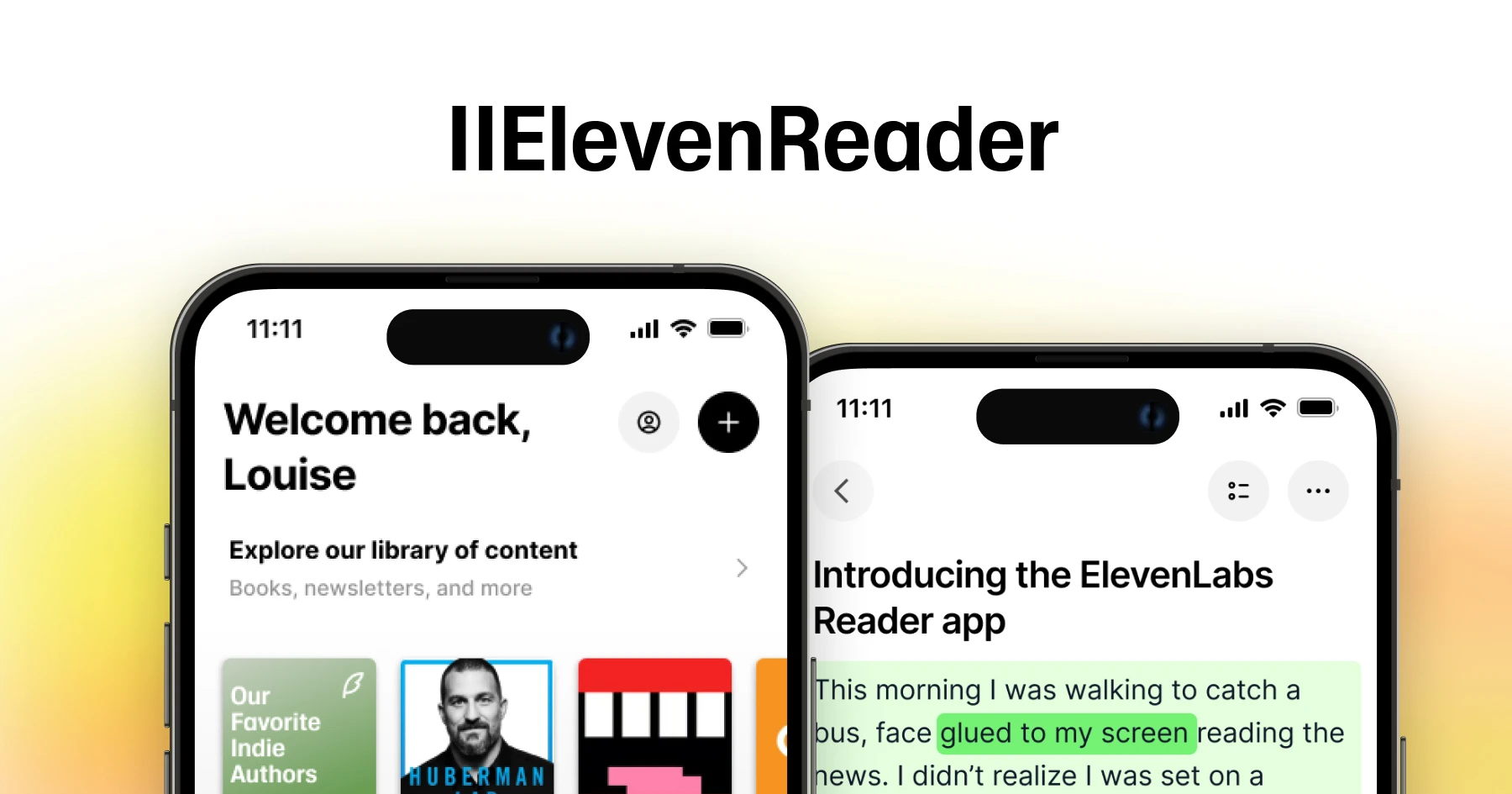
This is an app for iOS and Android by ElevenLabs, where you can import a web article or ebook, and listen to it with some of its text-to-speech voices.

I’ve tried it out for a few hours so far and so far it’s pretty OK. However, I did notice a couple of problems that could be ironed out:

  • When using a PDF, ElevenReader will read out all of the text in the document, including page numbers and repeated headings. I couldn’t find a way to disable this, so I just resorted to using an ePub version of my book instead.
  • The Lily voice will sometimes drop the first one or two syllables of a sentence, especially after it has paused for a few seconds. I tested a few other voices, and they didn’t seem to have this problem.

Anyway it’s nice that an app like this is being offered for free and without ads. Apparently a paid tier will be introduced later, but I hope this isn’t at the expense of any of the free features. (It would be even better for an open source alternative of comparable quality to be developed in case, but I don’t know any.)

(Feel free to crosspost this to other relevant communities! :)

0

The Short Case for Nvidia Stock

The Short Case for Nvidia Stock youtubetranscriptoptimizer.com
preview

An extremely informative article that goes into great lengths to explain why Nvidia of overvalued currently. Long but worth a read.

An extremely informative article that goes into great lengths to explain why Nvidia of overvalued currently. Long but worth a read.

0

We've come full circle

preview

Ten years ago, Dzmitry Bahdanau from Yoshua Bengio’s group recognized a flaw in RNNs and the information bottleneck of a fixed length hidden state. They put out a paper introducing attention to rectify this issue. Not long after that, a group of researchers at Google found that you can just get rid of the RNN altogether and you still get great results with improved training performance, giving us the transformer architecture in their Attention Is All You Need paper. But transformers are expensive at inference time and scale poorly with increasing context length, unlike RNNs. Clearly, the solution is to just use RNNs. Two days ago, we got Were RNNs All We Needed?

Ten years ago, Dzmitry Bahdanau from Yoshua Bengio’s group recognized a flaw in RNNs and the information bottleneck of a fixed length hidden state. They put out a paper introducing attention to rectify this issue. Not long after that, a group of researchers at Google found that you can just get rid of the RNN altogether and you still get great results with improved training performance, giving us the transformer architecture in their Attention Is All You Need paper. But transformers are expensive at inference time and scale poorly with increasing context length, unlike RNNs. Clearly, the solution is to just use RNNs. Two days ago, we got Were RNNs All We Needed?

0

ChatGPT combined with Wolfram|Alpha, for more reliable results

ChatGPT Gets Its &#8220;Wolfram Superpowers&#8221;! writings.stephenwolfram.com
preview

ChatGPT—for all its remarkable prowess in textually generating material “like” what it’s read from the web, etc.—can’t itself be expected to do actual nontrivial computations, or to systematically produce correct (rather than just “looks roughly right”) data, etc. But when it’s connected to the Wolfram plugin it can do these things.

ChatGPT—for all its remarkable prowess in textually generating material “like” what it’s read from the web, etc.—can’t itself be expected to do actual nontrivial computations, or to systematically produce correct (rather than just “looks roughly right”) data, etc. But when it’s connected to the Wolfram plugin it can do these things.

0

YouTube: Using ChatGPT to create a Burger King price scraper

play · youtube.com
YouTube Creating Burger King Price Index - Web Scraping and Dev with ChatGPT youtu.be
preview

I recently built a web scraper / website to track changes in Burger King prices. I also made a video where I try to describe how I used ChatGPT in this process and how useful it was to me.

I recently built a web scraper / website to track changes in Burger King prices. I also made a video where I try to describe how I used ChatGPT in this process and how useful it was to me.

0

LLM AI Assistant Help/Suggestions for ADHD Creativity monitoring?

preview

I’ve been toying with this idea for a while and made a few attempts following tutorials with some very basic coding skills, but honestly I find a lot of the resources and information quite overwhelming to take in sometimes so thought I would ask you guys with more experience here instead!

I have ADHD and often find myself juggling many creative tasks from writing music, writing fiction, graphic design, etc all the time. I find the “load” of all of these different spinning plates in my brain to be a lot to hold onto at times and have found the benefits in using ChatGPT for simplifying things or even just working through my own thought processes, and wanted to take this further.

To my knowledge, Chatgpt has a limited memory/recall ability, and after particularly lengthy conversations, it is unable to recall information from the beginning and starts guessing. Certainly with GPT 3.5 anyway. I also have never been too comfortable sharing much in terms of my creative projects with GPT for privacy reasons.

I have been trying to figure out if a localised model such as GPT4all or OLlama would be able to function better for my needs.

As an example, one of my largest projects is a fantasy fiction novel where I have spent so much time worldbuilding that my notes are quite extensive, and the connections between aspects can be difficult for me to keep track of and can sometimes result in me writing contradictions and having to spend time fixing my own errors. I do have StableDiffusion on my PC that I use to generate artwork to help me visualise people/the world (not intended for publication, obviously, I’d hire a real artist for that) and a fair bit of experience with it.

With GPT4all, or an equivalent, would it be possible for me to train a model on all of my notes and information, saved in a separate document, that I can discuss/collaborate with the model, keeping everything private, offline, and without having the model “forget” things?

Apologies if this is a really basic question that I have turned into a wall of text. But any insight you guys might have, or structured resources you can point me towards would be brilliant.

0

I just had one of the wildest experiences with an AI support bot: It quickly and efficiently solved my problem.

preview

Bot: Hi, I’m Cricut Chatbot. 👋 How can I help you?

Bot: Please select a topic, or feel free to ask me a question

Me: Hi hello, I just tried to load a project and my Cricut software showed a message “Project Open Unsuccessful: TypeError: Cannot read properties of undefined (reading ‘layerData’)”. Can you help?

Bot: Please clarify, here’s what I found 👇

(Two options, I select “Javascript error messages”)

Bot: Are you talking to me on the same device you wish to troubleshoot with?

Me: Yes

Bot: Which Cricut machine are you using?

Me: (I select “Cricut Maker”)

Bot: JavaScript error messages are very diverse, but they are often fixed the same way. 🙂

Bot: Installing Design Space over your current version is the most normal fix.

Bot: (Link: Download Design Space)

Bot: Replace the existing file rather than making a copy of Design Space. 🗃

Me: (Selects “It works!” from the did-it-work options)

Bot: Great — happy to help!


Absolutely amazing.

0

Building a TTS model for the first time? Good guides?

preview

Hey all, brand new to this community, excited to be here!

I’ve stumbled my way through SD and I currently also have text-generation-webui up and running, and now SillyTavern. Having lots of fun with all of this stuff, learning how it works together, and how it all works!

I’ve made a few models elsewhere, but TTS models for some reason I’m having issues wrapping my head around. I have a voice I want to make a model for, and I have some videos currently. I’m very familiar with editing audio and video, but stripping out their voice second by second sounds exhausting tbh.

I was wondering if anyone had any good guides on their process of making a TTS model? Are there steps that can be automated while still producing decent results? How much time do I need of a person speaking? Should I run any specific tools to clean up audio? I’m completely new so any and all advice would be great.

I want to run it locally and “plug it in” to my cluster already, so also I’ll need the model to work with a tool that will work with the above programs (and I’ll take advice there too if you have it!)

Thanks!

0

Is there a preferred guide, or maybe a community guide on running stable diffusion locally on Linux?

preview

Hi all,

As per the title, I’d love to give this a crack. Also, I’m doing so on my laptop, which has an Intel card in it, if that makes any difference?

Any advice would be greatly appreciated.

Hi all,

As per the title, I’d love to give this a crack. Also, I’m doing so on my laptop, which has an Intel card in it, if that makes any difference?

Any advice would be greatly appreciated.

0

Perplexity: free AI search engine and chat with citations

preview

Wanted to share this one because I find myself using it every day—often in place of Google. You can even somewhat replace Siri with it using the app’s Apple Shortcuts:

Note: I haven’t read the privacy policy or terms and do suspect that there is some form of data collection.

Wanted to share this one because I find myself using it every day—often in place of Google. You can even somewhat replace Siri with it using the app’s Apple Shortcuts:

Note: I haven’t read the privacy policy or terms and do suspect that there is some form of data collection.

0

Ollama: Easily run LLMs locally on macOS and Linux

Ollama · Run AI models locally and in the cloud ollama.ai
preview

If you’re just wanting to run LLMs quickly on your computer in the command line, this is about as simple as it gets. Ollama provides an easy CLI to generate text, and there’s also a Raycast extension for more powerful usage.

If you’re just wanting to run LLMs quickly on your computer in the command line, this is about as simple as it gets. Ollama provides an easy CLI to generate text, and there’s also a Raycast extension for more powerful usage.

0

Prodia: Unlimited Free AI Image Generation

AI Image &amp; Video Model APIs | Prodia app.prodia.com
preview

Found this online tool to try out a bunch of different text2image models for free. No signup needed. Resolution is fixed to 512x512, but otherwise it’s pretty versatile for being free

Found this online tool to try out a bunch of different text2image models for free. No signup needed. Resolution is fixed to 512x512, but otherwise it’s pretty versatile for being free

0

Discussion: where's all the content?

preview

I’m not sure if it’s intentional or not, but the Actually Useful AI community rarely gets any post on AI that’s actually useful. Is this just a reflection of the popularity of this community or a reflection of the AI field in general?

I’m not sure if it’s intentional or not, but the Actually Useful AI community rarely gets any post on AI that’s actually useful. Is this just a reflection of the popularity of this community or a reflection of the AI field in general?