0

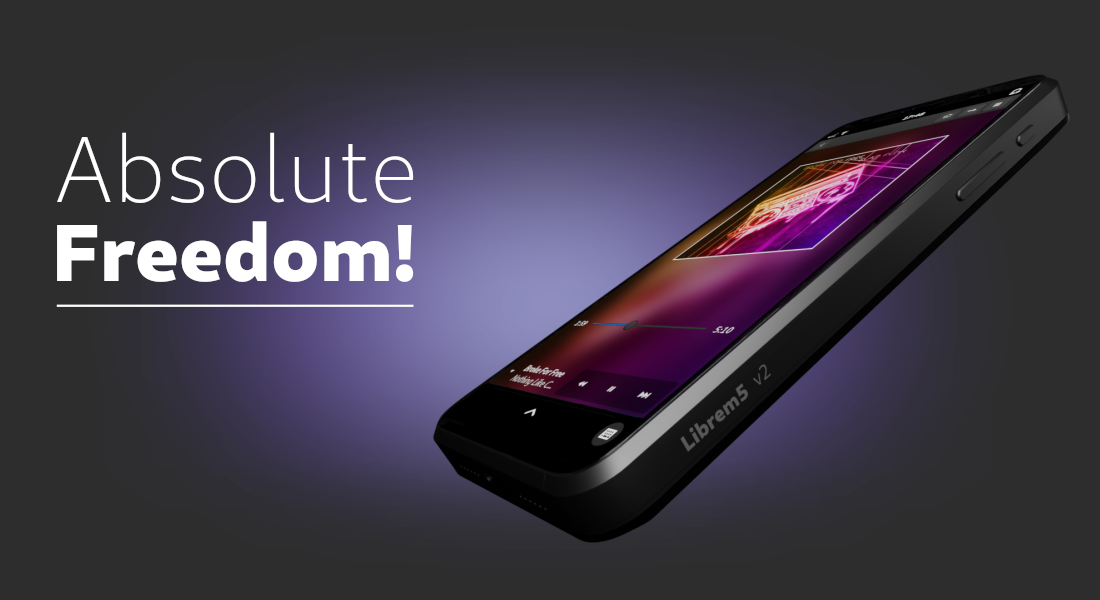
Purism Announces Librem 5 v2

Purism Purism Launches Librem 5 v2 , A RISC-V Phone to Empower People – Purism puri.sm
preview

Powered by an eight-core RISC-V processor and running PureOS, the Librem 5 v2 offers an alternative to Android and iOS—grounded in free software, open standards, and user ownership.

\ The campaign is now live at puri.sm/librem-5-v2-crowdfunding-campaign inviting privacy advocates, open-source enthusiasts, and consumers seeking digital independence to help bring the Librem 5 v2 to market.


“The Librem 5 v2 is the answer we all have been waiting for,” said Todd Weaver, Purism Founder & CEO. “A smartphone that works for you, not for the companies collecting your data. No Android, no iOS, no mandatory Big Tech account. A smart phone designed to put you in control of your digital life.”

The move to RISC-V is central to Purism’s long-term effort to build a more open and auditable mobile platform. The company says the architecture offers a path toward greater independence from proprietary processor designs. Bringing the platform to a fully functioning phone will require substantial engineering, including work on graphics, peripherals, power management, and app compatibility.

“RISC-V is the future, and Librem 5 v2 is the perfect product to bring it to a mainstream audience,” said CTO Jonathon Hall. “Purism’s Librem 5 v2, built on the open RISC-V architecture and PureOS, represents a rare opportunity to give users the privacy, transparency, and control they deserve by rethinking the mobile platform from the processor up.”

The Librem 5 v2 crowdfunding campaign is underway. The phone-only reward is listed at $1,599; campaign options also include payment plans and a phone-and-cellular-service bundle. Purism anticipates delivery approximately 14 to 15 months after the campaign ends. Because development is ongoing, the company notes that campaign rewards and timelines are not guaranteed.

“Technology should serve people—not turn them into products,” said Weaver. “The Librem 5 v2 is our next step toward a mobile future built around ownership, transparency, and digital freedom.”

Powered by an eight-core RISC-V processor and running PureOS, the Librem 5 v2 offers an alternative to Android and iOS—grounded in free software, open standards, and user ownership.

\ The campaign is now live at puri.sm/librem-5-v2-crowdfunding-campaign inviting privacy advocates, open-source enthusiasts, and consumers seeking digital independence to help bring the Librem 5 v2 to market.


“The Librem 5 v2 is the answer we all have been waiting for,” said Todd Weaver, Purism Founder & CEO. “A smartphone that works for you, not for the companies collecting your data. No Android, no iOS, no mandatory Big Tech account. A smart phone designed to put you in control of your digital life.”

The move to RISC-V is central to Purism’s long-term effort to build a more open and auditable mobile platform. The company says the architecture offers a path toward greater independence from proprietary processor designs. Bringing the platform to a fully functioning phone will require substantial engineering, including work on graphics, peripherals, power management, and app compatibility.

“RISC-V is the future, and Librem 5 v2 is the perfect product to bring it to a mainstream audience,” said CTO Jonathon Hall. “Purism’s Librem 5 v2, built on the open RISC-V architecture and PureOS, represents a rare opportunity to give users the privacy, transparency, and control they deserve by rethinking the mobile platform from the processor up.”

The Librem 5 v2 crowdfunding campaign is underway. The phone-only reward is listed at $1,599; campaign options also include payment plans and a phone-and-cellular-service bundle. Purism anticipates delivery approximately 14 to 15 months after the campaign ends. Because development is ongoing, the company notes that campaign rewards and timelines are not guaranteed.

“Technology should serve people—not turn them into products,” said Weaver. “The Librem 5 v2 is our next step toward a mobile future built around ownership, transparency, and digital freedom.”

0

KDE is hiring a developer with a focus for Plasma Mobile!

KDE e.V. Call for proposals - Software Engineer ev.kde.org
preview

cross-posted from: lemmy.world/post/54392985

I figure this could also be a place for discussing what are some things you’d like to see in Plasma Mobile? Frankly, hoping to organize ideas to formulate possible work items or goals to suggest to KDE.

cross-posted from: lemmy.world/post/54392985

I figure this could also be a place for discussing what are some things you’d like to see in Plasma Mobile? Frankly, hoping to organize ideas to formulate possible work items or goals to suggest to KDE.

0

[PATCH v4 00/12] Enable more nodes for the Xperia 10 III

preview

This is v4 of my patch series, enabling a couple things for the Xperia 10 III.

Compared to v3, it mostly fixes a couple issues and a few rebase mishaps.

Once merged into the kernel, It enables a couple of things for the Xperia 10 III: flash, Wifi, Bluetooth, … :D

Still not a usable phone, but it’s a lot of work that I sits in front of me, so it’ll likely take a lot of time to make this a useful device… If anyone wants to help making a small Linux phone phone with mainline kernel support, waterproof case and a headphone jack a reality…I’ll take help. :p

All this mainlining stuff isn’t actually very hard, it’s mostly trying to figure out how stuff works and a lot of trial and error. At least with my approach of enabling all components that have drivers (most of them) and leaving the rest for the future and other contributors. The device trees of similar devices are very helpful examples as well.

Info on where I’d like some help and how far I’ve go so far: git.erebion.eu/forgejo/erebion/pdx213-temp

My post about v3: news.erebion.eu/post/8269

This work was assisted by… my brain. I don’t need lying chat bots for this, I can think. I prefer to do it the slow and sustainable way, the one that’ll pay off much more when this thing is well-supported and will be able to run Linux for years.


This is v4 of my patch series, enabling a couple things for the Xperia 10 III.

Compared to v3, it mostly fixes a couple issues and a few rebase mishaps.

Once merged into the kernel, It enables a couple of things for the Xperia 10 III: flash, Wifi, Bluetooth, … :D

Still not a usable phone, but it’s a lot of work that I sits in front of me, so it’ll likely take a lot of time to make this a useful device… If anyone wants to help making a small Linux phone phone with mainline kernel support, waterproof case and a headphone jack a reality…I’ll take help. :p

All this mainlining stuff isn’t actually very hard, it’s mostly trying to figure out how stuff works and a lot of trial and error. At least with my approach of enabling all components that have drivers (most of them) and leaving the rest for the future and other contributors. The device trees of similar devices are very helpful examples as well.

Info on where I’d like some help and how far I’ve go so far: git.erebion.eu/forgejo/erebion/pdx213-temp

My post about v3: news.erebion.eu/post/8269

This work was assisted by… my brain. I don’t need lying chat bots for this, I can think. I prefer to do it the slow and sustainable way, the one that’ll pay off much more when this thing is well-supported and will be able to run Linux for years.
0

[PATCH v3 00/12] Enable more nodes for the Xperia 10 III

preview

Just submitted version three of my patch series to the kernel mailing list.

It enables a couple of things for the Xperia 10 III: flash, Wifi, Bluetooth, … :D

Still not a usable phone, but it’s a lot of work that I sitting in front of me, so it’ll likely take a lot of time to make this a useful device… If anyone wants to help making a small Linux phone phone with mainline kernel support, waterproof case and a headphone jack a reality… :p

All this mainlining stuff isn’t actually very hard, it’s mostly trying to figure out how stuff works and a lot of trial and error. At least with my approach of enabling all components that have drivers (most of them) and leaving the rest for the future and other contributors. The device trees of similar devices are very helpful examples as well.

Also, I’m testing with Mobian, these patches has not been tested with Nura yet (which is why the wiki doesn’t show those things as supported), so that’s also where someone could help out. :D

I’ve summarised it all - in a way that’s easier to read - on my own repo: git.erebion.eu/forgejo/erebion/pdx213-temp

This work was assisted by… my brain. I don’t need lying chat bots for this, I can think. I prefer to do it the slow and sustainable way, the one that’ll pay off much more when this thing is well-supported and will be able to run Linux for years.
Just submitted version three of my patch series to the kernel mailing list.

It enables a couple of things for the Xperia 10 III: flash, Wifi, Bluetooth, … :D

Still not a usable phone, but it’s a lot of work that I sitting in front of me, so it’ll likely take a lot of time to make this a useful device… If anyone wants to help making a small Linux phone phone with mainline kernel support, waterproof case and a headphone jack a reality… :p

All this mainlining stuff isn’t actually very hard, it’s mostly trying to figure out how stuff works and a lot of trial and error. At least with my approach of enabling all components that have drivers (most of them) and leaving the rest for the future and other contributors. The device trees of similar devices are very helpful examples as well.

Also, I’m testing with Mobian, these patches has not been tested with Nura yet (which is why the wiki doesn’t show those things as supported), so that’s also where someone could help out. :D

I’ve summarised it all - in a way that’s easier to read - on my own repo: git.erebion.eu/forgejo/erebion/pdx213-temp

This work was assisted by… my brain. I don’t need lying chat bots for this, I can think. I prefer to do it the slow and sustainable way, the one that’ll pay off much more when this thing is well-supported and will be able to run Linux for years.

0

Nura KDE on Pixel 3a XL - two months in

A Pixel 3a XL showing Meshy app on Nura
preview

Not so long ago, I made a post here about joining Mobile Linux club with my Pixel 3a XL. Back then, some people (shoutout to @Shatur@discuss.tchncs.de) asked me to share my experience after a while of use.

A lot of it will apply to all mobile Linux, while some points are rather device-specific.

There we go!

Quick recap of the setup

  • Phone: Google Pixel 3a XL (google-bonito)
  • OS: Nura (formerly known as postmarketOS) v26.06 - stable
  • DE: Plasma Mobile

The Good

  • All phone features do work. Calls, SMS, Mobile data are all operational. Calls do wake up the phone, as intended.
  • Wireless connectivity works great. Both Wi-Fi and Bluetooth are fully functional, and my Bluetooth headphones connect just fine (and there’s even a Linux-native app for them made by a cool person!).
  • Battery life, particularly idle, is incredible. On idle, the Pixel battery lasts almost a week, and it does survive a day of moderate use.
  • The collection of mobile-friendly Linux apps is larger than I expected. Many other apps can also work with simple workarounds, like putting the phone in landscape mode. Support of common open-source media software (Navidrome, Jellyfin…) is very good.
  • The controls are mostly intuitive to any Android user. Plasma didn’t reinvent the wheel here: for the most part, the controls are instantly familiar. There are some annoying exceptions, though, like using swipe up to close apps, but somehow not the app drawer.
  • The design is consistent and customizable. You can have all the same icons and menus as in desktop Plasma, and yet somehow they sit just right in the mobile phone design. You can customize the look with third-party styles, colors and icons, many of which are available both for desktop and for mobile. This way, I can get uniform design between both my PC and my phone, which is mind-blowing at first.
  • Waydroid support is built in. You can run Android apps out of the box. There are limitations - not every app will work right, and running Waydroid in the background drains a lot of battery - but most Android apps run well and even send notifications to the main notifications menu.
  • It is Linux, just the way you know it. If something works in desktop Linux, it should work here too. For example, I recently switched the mirrors (more on that later) through CLI and it reflected in Discover app store. I can type “sudo reboot” - and it does indeed reboot. All those little things work here. It’s Linux, you already know it.
  • SSH support. You can easily SSH to your phone and do whatever you want. Awesome if you run a mobile server, very useful when you just want to manage your phone from your computer. Works very well.

The Neutral

  • Linux phone is boring - but intentional. It is there to do exactly what you tell it to. Answer emails? Done. Check messages? Alright. Make a call? No problem. Launch a game? Will do. Much in the spirit of Linux philosophy, the phone will do exactly what you tell it to - and not a tiny bit more. Combine that with the same philosophy on the side of apps, as well as limited entertainment options - and you get a very, very boring phone. For many, it will be a huge advantage - but if you’re used to randomly binge on your phone for a bit of entertainment - this ain’t it. You’ll only address this phone with a clear intent of doing something.
  • There are things about design philosophy that do differ from Android - and not everyone will like it. For example, when you invoke one app from the other on Android, you have to go back to the source app, while on Plasma it opens as a “new window” and you can select the source in the active app menu. There is also no system-wide way to go “back”, and the respective gestures don’t exist. Overall, I like Android way more, but there are neat features here, too.

The Bad

  • The phone feels sluggish. I don’t know whether it’s specific to Nura, Plasma, or if it’s just Pixel 3a being old, but the system often doesn’t feel snappy at all. It doesn’t freeze, but something doesn’t feel right.
  • Some software is very limited. Nura in particular is based on Alpine, which is already not the first pick for a mobile/desktop distro. Add ARM to the mix, and you have a very poor selection of certain applications. For example, I could not find VPN software that would work on this phone in my heavily controlled jurisdiction. And it’s just my personal pain point - there’s plenty of software that simply isn’t available.
  • Notifications are hit or miss. Often times, notifications didn’t come from inactive apps until I opened them. This made me miss important messages, and it is unacceptable for such a device.
  • Some features need fiddling. For example, mobile data didn’t work out of the box or with the GUI settings, so I had to dive into setting the modem via CLI. It worked at the end, though.
  • Browser options are generally quite bad. Browsing on mobile Linux is generally less than enjoyable. Angelfish is almost good enough, and the rest falls short very quickly.
  • Official mirrors can be geographically restricted. As postmarketOS changed name and domain to Nura (nura.eco), their new domain effectively blocked me out. Combine that with lack of VPNs - and it made me change to alternative mirrors to restore update functionality. Given that these are official mirrors, this is not great.

Overall, it was a blast the first week I played around with it, but after the novelty had subsided, all the unpolished and raw parts of the system have hit me quite hard. Now, I’d rather quickly pop my Android phone to do what I actually want to do, and keep Linux phone for experimenting and helping some development. The system feels like it’s still far from prime time, but I’m happy I tried nonetheless. The enthusiast part of me is satisfied.

We’ll see how it goes from then on.

What is your experience daily driving Linux on a phone? Is there anyone with mightier devices running the system, or Mobian/other Linux enthusiasts? How is Linux working for you?

Not so long ago, I made a post here about joining Mobile Linux club with my Pixel 3a XL. Back then, some people (shoutout to @Shatur@discuss.tchncs.de) asked me to share my experience after a while of use.

A lot of it will apply to all mobile Linux, while some points are rather device-specific.

There we go!

Quick recap of the setup

  • Phone: Google Pixel 3a XL (google-bonito)
  • OS: Nura (formerly known as postmarketOS) v26.06 - stable
  • DE: Plasma Mobile

The Good

  • All phone features do work. Calls, SMS, Mobile data are all operational. Calls do wake up the phone, as intended.
  • Wireless connectivity works great. Both Wi-Fi and Bluetooth are fully functional, and my Bluetooth headphones connect just fine (and there’s even a Linux-native app for them made by a cool person!).
  • Battery life, particularly idle, is incredible. On idle, the Pixel battery lasts almost a week, and it does survive a day of moderate use.
  • The collection of mobile-friendly Linux apps is larger than I expected. Many other apps can also work with simple workarounds, like putting the phone in landscape mode. Support of common open-source media software (Navidrome, Jellyfin…) is very good.
  • The controls are mostly intuitive to any Android user. Plasma didn’t reinvent the wheel here: for the most part, the controls are instantly familiar. There are some annoying exceptions, though, like using swipe up to close apps, but somehow not the app drawer.
  • The design is consistent and customizable. You can have all the same icons and menus as in desktop Plasma, and yet somehow they sit just right in the mobile phone design. You can customize the look with third-party styles, colors and icons, many of which are available both for desktop and for mobile. This way, I can get uniform design between both my PC and my phone, which is mind-blowing at first.
  • Waydroid support is built in. You can run Android apps out of the box. There are limitations - not every app will work right, and running Waydroid in the background drains a lot of battery - but most Android apps run well and even send notifications to the main notifications menu.
  • It is Linux, just the way you know it. If something works in desktop Linux, it should work here too. For example, I recently switched the mirrors (more on that later) through CLI and it reflected in Discover app store. I can type “sudo reboot” - and it does indeed reboot. All those little things work here. It’s Linux, you already know it.
  • SSH support. You can easily SSH to your phone and do whatever you want. Awesome if you run a mobile server, very useful when you just want to manage your phone from your computer. Works very well.

The Neutral

  • Linux phone is boring - but intentional. It is there to do exactly what you tell it to. Answer emails? Done. Check messages? Alright. Make a call? No problem. Launch a game? Will do. Much in the spirit of Linux philosophy, the phone will do exactly what you tell it to - and not a tiny bit more. Combine that with the same philosophy on the side of apps, as well as limited entertainment options - and you get a very, very boring phone. For many, it will be a huge advantage - but if you’re used to randomly binge on your phone for a bit of entertainment - this ain’t it. You’ll only address this phone with a clear intent of doing something.
  • There are things about design philosophy that do differ from Android - and not everyone will like it. For example, when you invoke one app from the other on Android, you have to go back to the source app, while on Plasma it opens as a “new window” and you can select the source in the active app menu. There is also no system-wide way to go “back”, and the respective gestures don’t exist. Overall, I like Android way more, but there are neat features here, too.

The Bad

  • The phone feels sluggish. I don’t know whether it’s specific to Nura, Plasma, or if it’s just Pixel 3a being old, but the system often doesn’t feel snappy at all. It doesn’t freeze, but something doesn’t feel right.
  • Some software is very limited. Nura in particular is based on Alpine, which is already not the first pick for a mobile/desktop distro. Add ARM to the mix, and you have a very poor selection of certain applications. For example, I could not find VPN software that would work on this phone in my heavily controlled jurisdiction. And it’s just my personal pain point - there’s plenty of software that simply isn’t available.
  • Notifications are hit or miss. Often times, notifications didn’t come from inactive apps until I opened them. This made me miss important messages, and it is unacceptable for such a device.
  • Some features need fiddling. For example, mobile data didn’t work out of the box or with the GUI settings, so I had to dive into setting the modem via CLI. It worked at the end, though.
  • Browser options are generally quite bad. Browsing on mobile Linux is generally less than enjoyable. Angelfish is almost good enough, and the rest falls short very quickly.
  • Official mirrors can be geographically restricted. As postmarketOS changed name and domain to Nura (nura.eco), their new domain effectively blocked me out. Combine that with lack of VPNs - and it made me change to alternative mirrors to restore update functionality. Given that these are official mirrors, this is not great.

Overall, it was a blast the first week I played around with it, but after the novelty had subsided, all the unpolished and raw parts of the system have hit me quite hard. Now, I’d rather quickly pop my Android phone to do what I actually want to do, and keep Linux phone for experimenting and helping some development. The system feels like it’s still far from prime time, but I’m happy I tried nonetheless. The enthusiast part of me is satisfied.

We’ll see how it goes from then on.

What is your experience daily driving Linux on a phone? Is there anyone with mightier devices running the system, or Mobian/other Linux enthusiasts? How is Linux working for you?

0

Pixel 3a

preview

I’ve owned a Pinephone Pro since launch, and have tried to daily drive it on and off for years with limited success. It’s sitting in a drawer at the moment because echo cancellation doesn’t work on phone calls regularly.

Anyways, I have a Pixel 3a sitting around that needs a battery replacement, but I wanted to ask here if anyone else is running Linux on it? And if so, how is the experience? I’ve been using Linux for decades, so I have no problem working around quirks, but I just want a Linux phone I can text and make phone calls on. I really don’t have too many advanced app needs other than podcasts and web browsing.

Thanks in advance to anyone that replies.

I’ve owned a Pinephone Pro since launch, and have tried to daily drive it on and off for years with limited success. It’s sitting in a drawer at the moment because echo cancellation doesn’t work on phone calls regularly.

Anyways, I have a Pixel 3a sitting around that needs a battery replacement, but I wanted to ask here if anyone else is running Linux on it? And if so, how is the experience? I’ve been using Linux for decades, so I have no problem working around quirks, but I just want a Linux phone I can text and make phone calls on. I really don’t have too many advanced app needs other than podcasts and web browsing.

Thanks in advance to anyone that replies.

0

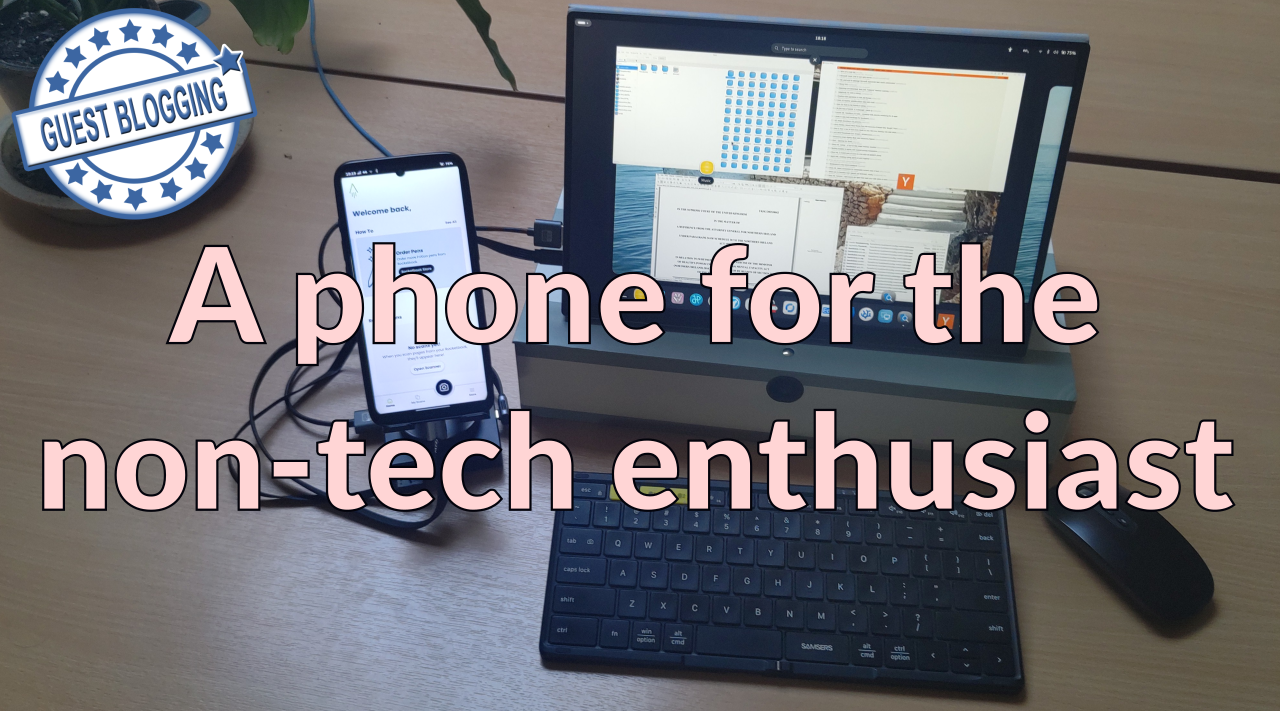
Furilabs Guest Blog Post: A phone for the non-tech enthusiast

Guest Blog Post: A phone for the non-tech enthusiast furilabs.com
preview

Written by community member paint-attract-repeat, he details his experience with the FLX1s

The TL;DR version of this is that FLX1s is a Linux phone which has moved from being of interest to techie enthusiasts to working as an everyday phone - and computer - for a non-tech person.

[…]I describe myself as a “Linux enthusiast”. I’m not a Linux novice, I’ve used it for about a decade. But I am only an end-user of Linux. I’m one of those people the more techie types are writing the software for, and I appreciate you all very much, and contribute (financially) where I can. I can’t write software myself, I happily install software that is packaged ready to install, but drop out of the game if I have to “compile” it myself - I don’t really understand what that means - let alone write it or code it myself.[…]

You might wonder why I got into Linux? I run my own small business. And I too frequently in the early days (it’s 20 years old this year) got my fingers burned when big tech companies were able to hold me to ransom. One particular story that sticks in my mind - not that I’m bitter 😂 - is that we invested in Skype Phones and a Skype number for our telephony. And after Microsoft bought Skype, it decided it wasn’t interested in going down that path, and a software update literally remotely bricked all the hardware we had purchased… I became determined I needed as far as possible, to understand, and to have control over, my own tech. And of course, to have nothing to do with Microsoft.

Written by community member paint-attract-repeat, he details his experience with the FLX1s

The TL;DR version of this is that FLX1s is a Linux phone which has moved from being of interest to techie enthusiasts to working as an everyday phone - and computer - for a non-tech person.

[…]I describe myself as a “Linux enthusiast”. I’m not a Linux novice, I’ve used it for about a decade. But I am only an end-user of Linux. I’m one of those people the more techie types are writing the software for, and I appreciate you all very much, and contribute (financially) where I can. I can’t write software myself, I happily install software that is packaged ready to install, but drop out of the game if I have to “compile” it myself - I don’t really understand what that means - let alone write it or code it myself.[…]

You might wonder why I got into Linux? I run my own small business. And I too frequently in the early days (it’s 20 years old this year) got my fingers burned when big tech companies were able to hold me to ransom. One particular story that sticks in my mind - not that I’m bitter 😂 - is that we invested in Skype Phones and a Skype number for our telephony. And after Microsoft bought Skype, it decided it wasn’t interested in going down that path, and a software update literally remotely bricked all the hardware we had purchased… I became determined I needed as far as possible, to understand, and to have control over, my own tech. And of course, to have nothing to do with Microsoft.

0

Ubuntu Touch on Pixel 5 with VoLTE

preview

This might be particularly useful in the US/Canada where the Pixel line is almost the only phone line that can be bootloader unlocked and where VoLTE is required essentially everywhere if you actually want to use your phone as a phone.

There’s an Ubuntu Touch test image for the Pixel 5 with VoLTE if anyone has an old phone sitting around that they want to test with.

See [forums.ubports.com/topic/…/google-pixel-5-redfin]

This might be particularly useful in the US/Canada where the Pixel line is almost the only phone line that can be bootloader unlocked and where VoLTE is required essentially everywhere if you actually want to use your phone as a phone.

There’s an Ubuntu Touch test image for the Pixel 5 with VoLTE if anyone has an old phone sitting around that they want to test with.

See [forums.ubports.com/topic/…/google-pixel-5-redfin]

0

I Made A Wearable Computer To Bypass The Law - Flamethrower

play · youtube.com
YouTube I Made A Wearable Computer To Bypass The Law www.youtube.com
preview

947,807 views Premiered May 3, 2025 #linux #raspberrypi #diy
This is how (and why) I made my own, fully functional wearable cellphone with a Raspberry Pi Zero and how I bypassed both the law and every single restriction in a school network with it!
Please like and subscribe if you enjoyed :)

Intro & Outro Song: Lensko - Cetus [NCS Release]
Music provided by NoCopyrightSounds
Free Download/Stream: ncs.io/cetus
Watch: • Lensko - Cetus | House | NCS - Copyright F…

947,807 views Premiered May 3, 2025 #linux #raspberrypi #diy
This is how (and why) I made my own, fully functional wearable cellphone with a Raspberry Pi Zero and how I bypassed both the law and every single restriction in a school network with it!
Please like and subscribe if you enjoyed :)

Intro & Outro Song: Lensko - Cetus [NCS Release]
Music provided by NoCopyrightSounds
Free Download/Stream: ncs.io/cetus
Watch: • Lensko - Cetus | House | NCS - Copyright F…

0

I made myself a Linux phone!

preview

So, after following the discussions for quite a while, I decided to pull it off.

Having gone though the support list of various distributions, I chose Pixel 3a for my setup. Among the dirt cheap smartphones, it seems to enjoy the support of almost everything.

I decided to install PostmarketOS with Plasma Mobile. In the meanwhile, I also tested Mobian (didn’t work for me for some reason) and Gnome (I ended up being too much of a KDE fanboy).

The overall experience is, honestly, mixed. It sure is exciting, and I’ve spent a whole day tinkering here and there (and feeling a bit nostalgic for the day I felt this way about Linux as a whole), the hardware support was a pleasant surprise, up to multipoint Bluetooth TWS headphones, but still, system stability isn’t anywhere near a daily driver, and software support lags behind in many ways.

In any case, now I too have a platform to look into the future. Year of Linux mobile, anyone? :)

P.S. Any advice on censorship-resistant (VLESS/Reality/AmneziaWG-based) VPNs for PostmarketOS on ARM devices?

So, after following the discussions for quite a while, I decided to pull it off.

Having gone though the support list of various distributions, I chose Pixel 3a for my setup. Among the dirt cheap smartphones, it seems to enjoy the support of almost everything.

I decided to install PostmarketOS with Plasma Mobile. In the meanwhile, I also tested Mobian (didn’t work for me for some reason) and Gnome (I ended up being too much of a KDE fanboy).

The overall experience is, honestly, mixed. It sure is exciting, and I’ve spent a whole day tinkering here and there (and feeling a bit nostalgic for the day I felt this way about Linux as a whole), the hardware support was a pleasant surprise, up to multipoint Bluetooth TWS headphones, but still, system stability isn’t anywhere near a daily driver, and software support lags behind in many ways.

In any case, now I too have a platform to look into the future. Year of Linux mobile, anyone? :)

P.S. Any advice on censorship-resistant (VLESS/Reality/AmneziaWG-based) VPNs for PostmarketOS on ARM devices?

0

[ANN] chelydra v0.0.6: a snapcast client launcher

preview

chelydra is a GUI interface for starting and stopping snapclient.

It’s an MVP – it’s the bare minimum to do what I need it to do, which is provide a toggle to start and stop snapclient. It’s Go & gioui - gioui is a fabulous library, but it doesn’t provide drop-downs so until I hack up my own you have to manually enter the correct values in text fields.

This is meant for phones. It’s laid out assuming limited screen space in portrait mode. It’s a single binary, although the package contains a .desktop and icon so it shows up in a launcher. It uses almost no CPU, as you’d expect.

Importantly, I do build packages, and there are arm64 .debs that can be downloaded and installed – I think all of the mobile Linuxii are debian-based. You can find a link to the assets on the project page. I have only an FLX1s to test on, but I’m cross-compiling on an amd64 and there shouldn’t be anything particularly coupled with FuriOS.

I don’t use AI, and none was involved in chelydra. It’s, like, 81 LOC… why would there be?

An Aside

Mobile Linux doesn’t benefit much from the vast library of software available to most Linuxes; some of this is because a majority of GUI programs are designed for landscape windows with a lot of real estate for multiple panels, menus, and so on. A second reason is because a lot of stuff still doesn’t compile cleanly for arm64, which is what most mobile phones have in them. And oddly, when I do find projects, many of them don’t provide binaries for some reason, and it can be difficult to gather the requirements to compile binaries for arm. Consequently, I’m constantly running into situations where I need some little program for which there are dozens of options for the desktop and yet none for my phone. I’ve started putting them here – there are only two at the moment, but there will be more.

chelydra is a GUI interface for starting and stopping snapclient.

It’s an MVP – it’s the bare minimum to do what I need it to do, which is provide a toggle to start and stop snapclient. It’s Go & gioui - gioui is a fabulous library, but it doesn’t provide drop-downs so until I hack up my own you have to manually enter the correct values in text fields.

This is meant for phones. It’s laid out assuming limited screen space in portrait mode. It’s a single binary, although the package contains a .desktop and icon so it shows up in a launcher. It uses almost no CPU, as you’d expect.

Importantly, I do build packages, and there are arm64 .debs that can be downloaded and installed – I think all of the mobile Linuxii are debian-based. You can find a link to the assets on the project page. I have only an FLX1s to test on, but I’m cross-compiling on an amd64 and there shouldn’t be anything particularly coupled with FuriOS.

I don’t use AI, and none was involved in chelydra. It’s, like, 81 LOC… why would there be?

An Aside

Mobile Linux doesn’t benefit much from the vast library of software available to most Linuxes; some of this is because a majority of GUI programs are designed for landscape windows with a lot of real estate for multiple panels, menus, and so on. A second reason is because a lot of stuff still doesn’t compile cleanly for arm64, which is what most mobile phones have in them. And oddly, when I do find projects, many of them don’t provide binaries for some reason, and it can be difficult to gather the requirements to compile binaries for arm. Consequently, I’m constantly running into situations where I need some little program for which there are dozens of options for the desktop and yet none for my phone. I’ve started putting them here – there are only two at the moment, but there will be more.

0

Can VLC be configured to be more mobile friendly?

preview

VLC works well on mobile, but the UI is not great for that.

Can it be configured to work well on mobile, such as with mobile-config-firefox and mobile-config-thunderbird?

I like having the Chromecast compatibility for example. I’ve watched a video streamed from my Mobian phone to a Chromecast (from a Samba share) including conversion to another format and it just worked.

Now I’d like to have improved UI, as I’m not aware of other apps that implement the API for casting to a Chromecast.

VLC works well on mobile, but the UI is not great for that.

Can it be configured to work well on mobile, such as with mobile-config-firefox and mobile-config-thunderbird?

I like having the Chromecast compatibility for example. I’ve watched a video streamed from my Mobian phone to a Chromecast (from a Samba share) including conversion to another format and it just worked.

Now I’d like to have improved UI, as I’m not aware of other apps that implement the API for casting to a Chromecast.

0

Anyone using Ubuntu Touch on a Fairphone 4?

preview

How’s the experience? I tried it on fp4 1-2 years ago, and it was pretty unstable for daily driving at the time. I returned to android for a while, and now I’m running PostmarketOS on this. It works reasonably well, but phone call audio doesn’t work yet (speakers altogether started working just earlier this year) and that’s kind of a dealbreaker. The development is also slow, as all the work is done by a single person (huge kudos to Luca Weiss).

So I’m thinking to maybe give Ubuntu Touch a shot. Tell me your experiences with it on a fp4.

Bonus question: wireguard is pretty important to my day-to-day life. Is it yet working? I remember that it was broken, couldn’t install it due to something about drivers… There were workarounds, none of them worked on a fp4.

How’s the experience? I tried it on fp4 1-2 years ago, and it was pretty unstable for daily driving at the time. I returned to android for a while, and now I’m running PostmarketOS on this. It works reasonably well, but phone call audio doesn’t work yet (speakers altogether started working just earlier this year) and that’s kind of a dealbreaker. The development is also slow, as all the work is done by a single person (huge kudos to Luca Weiss).

So I’m thinking to maybe give Ubuntu Touch a shot. Tell me your experiences with it on a fp4.

Bonus question: wireguard is pretty important to my day-to-day life. Is it yet working? I remember that it was broken, couldn’t install it due to something about drivers… There were workarounds, none of them worked on a fp4.

0

Linux daily driver on a FairPhone 5?

FairPhone 5
preview

I just ordered a FairPhone 5 for the purpose of test-driving any reasonable Linux solutions on it. My eventual preference will probably be Mobian or Postmarket OS with plasma-mobile, but those appear to require additional dev time before they’re practical daily drivers, especially on the FP5. Ubuntu Touch appears to be a reasonably mature option, and they specifically single out the FairPhone 5 on their website as the best supported hardware right now. I believe this maturity may be largely due to utilizing closed source Android blobs to drive phone hardware which isn’t ideal for us FOSS purists but at least has the advantage of accelerating their dev efforts.

I assume this won’t become my main phone right away, but I’m curious whether this community believes Ubuntu Touch (or something else) on a FP5 could potentially be a reasonable daily driver by now. A similar post from about year ago answered No, though their question didn’t specify which hardware.

Thoughts? Maybe an alternate distro I should at look at for the FP5 specifically?

I just ordered a FairPhone 5 for the purpose of test-driving any reasonable Linux solutions on it. My eventual preference will probably be Mobian or Postmarket OS with plasma-mobile, but those appear to require additional dev time before they’re practical daily drivers, especially on the FP5. Ubuntu Touch appears to be a reasonably mature option, and they specifically single out the FairPhone 5 on their website as the best supported hardware right now. I believe this maturity may be largely due to utilizing closed source Android blobs to drive phone hardware which isn’t ideal for us FOSS purists but at least has the advantage of accelerating their dev efforts.

I assume this won’t become my main phone right away, but I’m curious whether this community believes Ubuntu Touch (or something else) on a FP5 could potentially be a reasonable daily driver by now. A similar post from about year ago answered No, though their question didn’t specify which hardware.

Thoughts? Maybe an alternate distro I should at look at for the FP5 specifically?

0

DHL Packstation: Found a Python project

GitHub GitHub - frereit/pydhl github.com
preview

This might be useful to some people that want to use a DHL Packstation, but use a Linux phone and don’t want to run the proprietary app in Waydroid.

This might be useful to some people that want to use a DHL Packstation, but use a Linux phone and don’t want to run the proprietary app in Waydroid.

0

Mobile Linux Matrix Uber Space

preview

cross-posted from: lemmy.world/post/46776421

Title. I made a space to try and encapsulate all the known Linux Mobile Projects. Ideally this could’ve been a list or directory of sorts, but since I didn’t find one, I kinda just decided to make one. - it’s inspired by postmarketOS’ space.

You can find it at #mobile-linux-rooms:nope.chat – Could’ve had a better name but frankly couldn’t think of a better name at the time.

Includes

  • PostmarketOS
  • NixOS (whole)
  • Mobian (Unofficial Space made for this)
  • Droidian
  • UBPorts
  • Fedora PocketBlue
  • OpenSUSE Mobile
  • SailfishOS (Unofficial Space made for this)
  • Pine64 (whole)
  • KDE (whole)
  • Phosh
  • Gnome Mobile (room only)

cross-posted from: lemmy.world/post/46776421

Title. I made a space to try and encapsulate all the known Linux Mobile Projects. Ideally this could’ve been a list or directory of sorts, but since I didn’t find one, I kinda just decided to make one. - it’s inspired by postmarketOS’ space.

You can find it at #mobile-linux-rooms:nope.chat – Could’ve had a better name but frankly couldn’t think of a better name at the time.

Includes

  • PostmarketOS
  • NixOS (whole)
  • Mobian (Unofficial Space made for this)
  • Droidian
  • UBPorts
  • Fedora PocketBlue
  • OpenSUSE Mobile
  • SailfishOS (Unofficial Space made for this)
  • Pine64 (whole)
  • KDE (whole)
  • Phosh
  • Gnome Mobile (room only)
0

What does the SIM card do?

preview

I’m not too knowledgeable about cellular equipment, but I was wondering how much of the phone based data actually gets to the SIM card.

Would it be possible, by sniffing the connection to the card, to listen to the content of calls and mobile data? Or would it be possible to get tower information in a similar format to rayhunter?

I understand there is some encryption, would getting the keys for that enable some of the previous ideas?

I’m not too knowledgeable about cellular equipment, but I was wondering how much of the phone based data actually gets to the SIM card.

Would it be possible, by sniffing the connection to the card, to listen to the content of calls and mobile data? Or would it be possible to get tower information in a similar format to rayhunter?

I understand there is some encryption, would getting the keys for that enable some of the previous ideas?

0

Question about Linux mobile

preview

I have several noob questions about Linux on mobile

  1. Why can you brick android phone by installing custom ROM. But such thing can’t happen on x86? Or how likely is that. From what I read it is because it doesn’t have bios and you can overwrite phone hardware drivers how true is that with recent devices? And I assume it is impossible to recower from software bricking?
  2. Is that true that on Halium kernel distribution you can’t use universal packages (flatpak, nix, snap, appimage), only precompiled for its specyfic system only? Is there any bypass of that to use something like apk like on android? Or are there any disadvantages to use it apart from EOL security.
  3. Is there any good list how to start with Linux on phone? List of devices (probably oneplus 6, pixel 3a, fairphone 4), distros (probably Ubuntu touch, mobian, postmarketOS). The smoothest experience, preferably with dual boot.
  4. Is there some recomended tablets to test with Linux mobile? It seems preferred way for me considering calling, camera and other issues which are on Linux mobile. Is recomended devices from postmarketos tablet tab?
  5. Why battery life is worse on Linux than on android, I watched some reviews and they complained about short battery life.
  6. I watched someone run Linux distros by clicking on android quick settings tray and it opened Linux desktop, but it was not mobile. How it is called and is there a way to run it with plasma mobile?
  7. Is porting for newer devices getting easier with time or is getting harder?
  8. How is process of jailbreaking with locked bootloader done? Can it be automated?
  9. Is there megatread or some wiki with some basic question like these?

Thanks for answers. Sorry for long text.

I have several noob questions about Linux on mobile

  1. Why can you brick android phone by installing custom ROM. But such thing can’t happen on x86? Or how likely is that. From what I read it is because it doesn’t have bios and you can overwrite phone hardware drivers how true is that with recent devices? And I assume it is impossible to recower from software bricking?
  2. Is that true that on Halium kernel distribution you can’t use universal packages (flatpak, nix, snap, appimage), only precompiled for its specyfic system only? Is there any bypass of that to use something like apk like on android? Or are there any disadvantages to use it apart from EOL security.
  3. Is there any good list how to start with Linux on phone? List of devices (probably oneplus 6, pixel 3a, fairphone 4), distros (probably Ubuntu touch, mobian, postmarketOS). The smoothest experience, preferably with dual boot.
  4. Is there some recomended tablets to test with Linux mobile? It seems preferred way for me considering calling, camera and other issues which are on Linux mobile. Is recomended devices from postmarketos tablet tab?
  5. Why battery life is worse on Linux than on android, I watched some reviews and they complained about short battery life.
  6. I watched someone run Linux distros by clicking on android quick settings tray and it opened Linux desktop, but it was not mobile. How it is called and is there a way to run it with plasma mobile?
  7. Is porting for newer devices getting easier with time or is getting harder?
  8. How is process of jailbreaking with locked bootloader done? Can it be automated?
  9. Is there megatread or some wiki with some basic question like these?

Thanks for answers. Sorry for long text.

0

Mainlining: Modem on Xperia 10 III working

preview

Just got the modem on the Xperia 10 III working.

Want a small Linux phone with 5G?

It’s even water-proof and cheap!

Help getting the few remaining components working and this could exist soon. ;-)

Main thing I need help with is audio. I have no idea about this, but it’d allow me to try it as a daily driver, which would help to get more stuff working.

My own Mobian build works well already. The plan is to get the remaining kernel support, upstream patches and then add the remaining bits for Mobian.

Just got the modem on the Xperia 10 III working.

Want a small Linux phone with 5G?

It’s even water-proof and cheap!

Help getting the few remaining components working and this could exist soon. ;-)

Main thing I need help with is audio. I have no idea about this, but it’d allow me to try it as a daily driver, which would help to get more stuff working.

My own Mobian build works well already. The plan is to get the remaining kernel support, upstream patches and then add the remaining bits for Mobian.

0

SXMO 2026 - Oneplus 6 PostmarketOS v25.12

preview

youtu.be/U4e3znNi98Q?si=fLFsyE…

Hi all, the friendly neighborhood #sxmo stan here.

Apps listed per appearance:
#wpaperd - dissolve transition, super slow
#foot - people hate my theme for it… but I’m happy lol
#yazi
#pfetch-rs
#wf-recorder
#librewolf with firefox minima css & #tridactly addon for a qutebrowser experience
irccloud (prefer halloy but… yeah)
wvkbd-mobintl with #suggapicker and #swipeGuess
#gomuks web (currently my favorite #matrix client) with beeper.com for lazy bridges
wofi - i have single, double, and triple down gestures for each different screen
a couple scripts i made but most i stole modified from the great codeberg.org/magdesign/sxmop6
mingle

and yes that was #morrowind via #openmw

#postmarketos @linuxphones @linuxphones @linmob

youtu.be/U4e3znNi98Q?si=fLFsyE…

Hi all, the friendly neighborhood #sxmo stan here.

Apps listed per appearance:
#wpaperd - dissolve transition, super slow
#foot - people hate my theme for it… but I’m happy lol
#yazi
#pfetch-rs
#wf-recorder
#librewolf with firefox minima css & #tridactly addon for a qutebrowser experience
irccloud (prefer halloy but… yeah)
wvkbd-mobintl with #suggapicker and #swipeGuess
#gomuks web (currently my favorite #matrix client) with beeper.com for lazy bridges
wofi - i have single, double, and triple down gestures for each different screen
a couple scripts i made but most i stole modified from the great codeberg.org/magdesign/sxmop6
mingle

and yes that was #morrowind via #openmw

#postmarketos @linuxphones @linuxphones @linmob

0

Because FOSS phones need an open and decentralised comms stack: XMPP Newsletter for March

The XMPP Newsletter March 2026 | XMPP - The universal messaging standard xmpp.org
preview

In this issue: Two XMPP Events, learn about Spaces in XMPP, a new XMPP MUC BanBot, Self-hosting UnifiedPush with Conversations as Distributor, a new member of the Slidge family, and a complete translation of JoinJabber to Portuguese (BR). …

Posting this here as we need open and decentralised communications systems and not just a phone running FOSS. :)

In this issue: Two XMPP Events, learn about Spaces in XMPP, a new XMPP MUC BanBot, Self-hosting UnifiedPush with Conversations as Distributor, a new member of the Slidge family, and a complete translation of JoinJabber to Portuguese (BR). …

Posting this here as we need open and decentralised communications systems and not just a phone running FOSS. :)

0

eSIM: lpac now in Debian repos

preview

This is the first time something I’ve packaged has become part of the Debian repos.

Now lpac can be installed from Unstable and allows you to set up your eSIM on Debian phones.

It will be available in Debian Testing in two days: tracker.debian.org/pkg/lpac

This is the first time something I’ve packaged has become part of the Debian repos.

Now lpac can be installed from Unstable and allows you to set up your eSIM on Debian phones.

It will be available in Debian Testing in two days: tracker.debian.org/pkg/lpac

0

"AI" slop on the pmOS wiki

preview

I’d rather continue working on mainlining the Xperia 10 III, but now I apparently have to figure out how to revert the latest changes on wiki.postmarketos.org/…/Sony_Xperia_10_III_(sony-…

The edit added generated slop. The linked repo contains generated code. Instead of editing the device tree, it — in an amazingly dumb way — uses a Python script to search and replace two words in the device tree.

Pretty sure editing the file is easier.

Also, it is based on an old 6.12 kernel. A lot of the things done in that repo are questionable at best.

I’d rather continue working on mainlining the Xperia 10 III, but now I apparently have to figure out how to revert the latest changes on wiki.postmarketos.org/…/Sony_Xperia_10_III_(sony-…

The edit added generated slop. The linked repo contains generated code. Instead of editing the device tree, it — in an amazingly dumb way — uses a Python script to search and replace two words in the device tree.

Pretty sure editing the file is easier.

Also, it is based on an old 6.12 kernel. A lot of the things done in that repo are questionable at best.

0

which Linux Phone Distro should I use?

preview

I am looking forward to changing out my Samsung Galaxy S22 Ultra. But I am very confused of what to choose, of the many options. Here is some criteria you guys could maybe help me choose the perfect fit from:

1: has to be able to use some android apps still, because of government- & banking applications. 2: the car runs it’s own android system, but android auto would be nice to still have. 3: It would be awesome to be able to use the linux phone as a pc as well. I loved the videos I have seen from ubuntu touch, where you just connect to a screen through usb c and you have a desktop environment. That is just awesome! 4: I am kind of pro EU. So if the OS is developed in europe and the phone that supports it from the factory is also EU based, it’s a huge plus in my book. Not a deal breaker though. My trusy on USA has just dissapeared sadly.

Hope someone will be able to help me out here! Thank you.

I am looking forward to changing out my Samsung Galaxy S22 Ultra. But I am very confused of what to choose, of the many options. Here is some criteria you guys could maybe help me choose the perfect fit from:

1: has to be able to use some android apps still, because of government- & banking applications. 2: the car runs it’s own android system, but android auto would be nice to still have. 3: It would be awesome to be able to use the linux phone as a pc as well. I loved the videos I have seen from ubuntu touch, where you just connect to a screen through usb c and you have a desktop environment. That is just awesome! 4: I am kind of pro EU. So if the OS is developed in europe and the phone that supports it from the factory is also EU based, it’s a huge plus in my book. Not a deal breaker though. My trusy on USA has just dissapeared sadly.

Hope someone will be able to help me out here! Thank you.

0

Bootloader Unlock Wall of Shame

Codeberg.org bootloader-unlock-wall-of-shame codeberg.org
preview

Samsung disabling bootloader unlock and what Google is doing with Android reminded me that Bootloader Unlock Wall of Shame exists.
And also that FSF’s LibrePhone project exists, but not much progress has been seen from that.

Samsung disabling bootloader unlock and what Google is doing with Android reminded me that Bootloader Unlock Wall of Shame exists.
And also that FSF’s LibrePhone project exists, but not much progress has been seen from that.

0

The ‘European’ Jolla Phone Is an Anti-Big-Tech Smartphone

WIRED The ‘European’ Jolla Phone Is an Anti-Big-Tech Smartphone www.wired.com
preview

Jolla may not be a household name, but for more than a decade the Finnish company has positioned its Linux-based Sailfish OS as an alternative to the mobile software duopoly that is Google’s Android and Apple’s iOS.

Now, 13 years since it tried to cut through the market with the Jolla Phone—a device which remarkably received software updates through 2020—it’s back with a successor of the same name.

This time, the company is positioning its handset as the “European phone.” This bit of marketing caters to the growing distrust in US digital services and platforms that has arisen since Big Tech sidled up to the second Trump administration.

The new Jolla Phone (pronounced “Yolla”) costs €649, mimics the Scandinavian design of the original, and has secured more than 10,000 preorders since its preview in December 2025. Those orders are expected to begin shipping at the end of June. At Mobile World Congress 2026 in Barcelona this week, the company divulged more details about the phone’s hardware.

Alt Android

Jolla has had a turbulent history. After the company floundered the launch of its Jolla Tablet in 2015, it nearly went bankrupt and pivoted to licensing Sailfish OS to automotive companies and governments, including Russia. After the invasion of Ukraine, Jolla had to cut ties with Russia, and a corporate restructuring meant that Jolla’s assets were acquired by the company’s former management under a new company called Jollyboys.

It got back into the smartphone game in 2024 with the Jolla C2 Community Phone, made in collaboration with a local Turkish company, and it was this experience that gave Jolla the courage to jump back into the hardware business with the new Jolla Phone. Unlike the C2, this device is completely assembled in Salo, Finland, where Nokia phones were manufactured more than a decade ago.

“Europeans want more European technology,” Sami Pienimäki, CEO of Jolla Mobile, tells WIRED. “People want to go away from Big Tech, and the other trend is that European people want sovereign tech—it makes it possible for our kind of company to have a position in the market.”

Building a smartphone from scratch was also much harder over a decade ago, but today, Pienimäki says the operation can be fairly lean without having to “pay too much up-front.”

The components are sourced from various vendors and countries. The MediaTek Dimensity 7100 5G chip hails from Taiwan; the 50-megapixel main and 13-megapixel ultrawide camera sensors are from Sony; the 8 or 12 GB of RAM is from SK Hynix in South Korea.

“There are Chinese components as well—we are totally open about it—but the key is that, as we compile the software ourselves and install it in Finland, we protect the integrity of the product,” Pienimäki says.

What makes Sailfish OS unique over competitors like GrapheneOS and e/OS is that it’s not based on the Android Open Source Project, but Linux. That means it has no ties to Google—no need for the company to “deGoogle” the software; meaning there’s a greater sense of sovereignty over the software (and now the hardware). Still, it’s able to run Android apps, though the implementation isn’t perfect. Another common criticism is that it’s not as secure as options like GrapheneOS, where every app is sandboxed.

There’s a good chance some Android apps on Sailfish OS will run into issues, which is why in the startup wizard the phone will ask if you want to install services like MicroG—open source software that can run Google services on devices that don’t have the Google Play Store, making it an easier on-ramp for folks coming from traditional smartphones without a technical background. You don’t even need to create a Sailfish OS account to use the Jolla Phone.

Jolla’s effort is hardly the first to push the anti–Big Tech narrative. A wave of other hardware and software companies offer a deGoogled experience, whether that’s Murena from France and its e/OS privacy-friendly operating system or the Canadian GrapheneOS, which just announced a partnership with Motorola. At CES earlier this year, the Swiss company Punkt also teamed up with ApostrophyOS to deploy its software on the new MC03 smartphone. Jolla is following a broader European trend of reducing reliance on US companies, like how French officials ditched Zoom for French-made video conference software earlier this year.

Murena CEO and founder Gaël Duval wrote in a statement emailed to WIRED that the company believes it has a different mission from the Jolla Phone as it’s trying to bring the existing mobile app ecosystem—minus the permanent data collection by Google and third-party trackers—without a learning curve for the average person. “We want to make privacy possible for the everyday person without the need for technical expertise or a development background,” he says.

The Phone

A common problem with these niche smartphones is that they inevitably end up costing a lot of money for the specs. Take the Light Phone III, for example, a fairly low-tech anti-smartphone that doesn’t enjoy the benefits of economies of scale, resulting in an outlandish $699 price. The Jolla Phone is in a similar boat, though the specs-to-value ratio is a little more respectable.

It’s powered by a midrange MediaTek Dimensity 7100 5G chip with 8 GB of RAM, 256 GB of storage, plus a microSD card slot and dual-SIM tray. There’s a 6.36-inch 1080p AMOLED screen, the two main cameras, and a 32-megapixel selfie shooter. The 5,500-mAh battery cell is fairly large considering the phone’s size, though the phone’s connectivity is a little dated, stuck with Wi-Fi 6 and Bluetooth 5.4.

Uniquely, the Jolla Phone brings back “The Other Half” functional rear covers from the original. These swappable back covers have pogo pins that interface with the phone, allowing people to create unique accessories like a second display on the back of the phone or even a keyboard attachment. There’s an Innovation Program where the community can cocreate functional covers together and 3D-print them. And yes, a removable rear cover means the Jolla Phone’s battery is user-replaceable.

Pienimäki says that while the device doesn’t have FCC approval, you can theoretically import it into the US, and it should work with the major US carriers, though compatibility is rarely a given. Jolla is considering a separate US launch, though right now it’s focusing on the European Union, the UK, Norway, and Switzerland.

Antti Saarnio, Jolla Group’s chairperson, reiterates that the Jolla Phone will be a niche product. “Most of the people using Android or iOS will not switch, but we should treat this as a stepping stone for something new,” Saarnio says. The “path to real volume” will come from the mobile market breaking down into new form factors, powered by artificial intelligence.

He’s likely referring to Jolla’s Mind2, a privacy-focused AI computer, which is still in active development. It plugs into a PC and connects Jolla’s AI assistant to apps like email and calendar locally—no cloud access required. The chatbot-like interface lets you ask it questions about your data, whether you’re fishing for something from an email or a private message. While the new Jolla Phone won’t have any AI capabilities at launch, Saarnio says an integration will be an option users can enable later this year.

Jolla has street cred for supporting its devices for a long time, but we’ll have to wait and see how the fresh hardware holds up and just how much the company has polished the Sailfish OS experience, especially since it’s much easier today to get started with a deGoogled Android alternative.

Jolla may not be a household name, but for more than a decade the Finnish company has positioned its Linux-based Sailfish OS as an alternative to the mobile software duopoly that is Google’s Android and Apple’s iOS.

Now, 13 years since it tried to cut through the market with the Jolla Phone—a device which remarkably received software updates through 2020—it’s back with a successor of the same name.

This time, the company is positioning its handset as the “European phone.” This bit of marketing caters to the growing distrust in US digital services and platforms that has arisen since Big Tech sidled up to the second Trump administration.

The new Jolla Phone (pronounced “Yolla”) costs €649, mimics the Scandinavian design of the original, and has secured more than 10,000 preorders since its preview in December 2025. Those orders are expected to begin shipping at the end of June. At Mobile World Congress 2026 in Barcelona this week, the company divulged more details about the phone’s hardware.

Alt Android

Jolla has had a turbulent history. After the company floundered the launch of its Jolla Tablet in 2015, it nearly went bankrupt and pivoted to licensing Sailfish OS to automotive companies and governments, including Russia. After the invasion of Ukraine, Jolla had to cut ties with Russia, and a corporate restructuring meant that Jolla’s assets were acquired by the company’s former management under a new company called Jollyboys.

It got back into the smartphone game in 2024 with the Jolla C2 Community Phone, made in collaboration with a local Turkish company, and it was this experience that gave Jolla the courage to jump back into the hardware business with the new Jolla Phone. Unlike the C2, this device is completely assembled in Salo, Finland, where Nokia phones were manufactured more than a decade ago.

“Europeans want more European technology,” Sami Pienimäki, CEO of Jolla Mobile, tells WIRED. “People want to go away from Big Tech, and the other trend is that European people want sovereign tech—it makes it possible for our kind of company to have a position in the market.”

Building a smartphone from scratch was also much harder over a decade ago, but today, Pienimäki says the operation can be fairly lean without having to “pay too much up-front.”

The components are sourced from various vendors and countries. The MediaTek Dimensity 7100 5G chip hails from Taiwan; the 50-megapixel main and 13-megapixel ultrawide camera sensors are from Sony; the 8 or 12 GB of RAM is from SK Hynix in South Korea.

“There are Chinese components as well—we are totally open about it—but the key is that, as we compile the software ourselves and install it in Finland, we protect the integrity of the product,” Pienimäki says.

What makes Sailfish OS unique over competitors like GrapheneOS and e/OS is that it’s not based on the Android Open Source Project, but Linux. That means it has no ties to Google—no need for the company to “deGoogle” the software; meaning there’s a greater sense of sovereignty over the software (and now the hardware). Still, it’s able to run Android apps, though the implementation isn’t perfect. Another common criticism is that it’s not as secure as options like GrapheneOS, where every app is sandboxed.

There’s a good chance some Android apps on Sailfish OS will run into issues, which is why in the startup wizard the phone will ask if you want to install services like MicroG—open source software that can run Google services on devices that don’t have the Google Play Store, making it an easier on-ramp for folks coming from traditional smartphones without a technical background. You don’t even need to create a Sailfish OS account to use the Jolla Phone.

Jolla’s effort is hardly the first to push the anti–Big Tech narrative. A wave of other hardware and software companies offer a deGoogled experience, whether that’s Murena from France and its e/OS privacy-friendly operating system or the Canadian GrapheneOS, which just announced a partnership with Motorola. At CES earlier this year, the Swiss company Punkt also teamed up with ApostrophyOS to deploy its software on the new MC03 smartphone. Jolla is following a broader European trend of reducing reliance on US companies, like how French officials ditched Zoom for French-made video conference software earlier this year.

Murena CEO and founder Gaël Duval wrote in a statement emailed to WIRED that the company believes it has a different mission from the Jolla Phone as it’s trying to bring the existing mobile app ecosystem—minus the permanent data collection by Google and third-party trackers—without a learning curve for the average person. “We want to make privacy possible for the everyday person without the need for technical expertise or a development background,” he says.

The Phone

A common problem with these niche smartphones is that they inevitably end up costing a lot of money for the specs. Take the Light Phone III, for example, a fairly low-tech anti-smartphone that doesn’t enjoy the benefits of economies of scale, resulting in an outlandish $699 price. The Jolla Phone is in a similar boat, though the specs-to-value ratio is a little more respectable.

It’s powered by a midrange MediaTek Dimensity 7100 5G chip with 8 GB of RAM, 256 GB of storage, plus a microSD card slot and dual-SIM tray. There’s a 6.36-inch 1080p AMOLED screen, the two main cameras, and a 32-megapixel selfie shooter. The 5,500-mAh battery cell is fairly large considering the phone’s size, though the phone’s connectivity is a little dated, stuck with Wi-Fi 6 and Bluetooth 5.4.

Uniquely, the Jolla Phone brings back “The Other Half” functional rear covers from the original. These swappable back covers have pogo pins that interface with the phone, allowing people to create unique accessories like a second display on the back of the phone or even a keyboard attachment. There’s an Innovation Program where the community can cocreate functional covers together and 3D-print them. And yes, a removable rear cover means the Jolla Phone’s battery is user-replaceable.

Pienimäki says that while the device doesn’t have FCC approval, you can theoretically import it into the US, and it should work with the major US carriers, though compatibility is rarely a given. Jolla is considering a separate US launch, though right now it’s focusing on the European Union, the UK, Norway, and Switzerland.

Antti Saarnio, Jolla Group’s chairperson, reiterates that the Jolla Phone will be a niche product. “Most of the people using Android or iOS will not switch, but we should treat this as a stepping stone for something new,” Saarnio says. The “path to real volume” will come from the mobile market breaking down into new form factors, powered by artificial intelligence.

He’s likely referring to Jolla’s Mind2, a privacy-focused AI computer, which is still in active development. It plugs into a PC and connects Jolla’s AI assistant to apps like email and calendar locally—no cloud access required. The chatbot-like interface lets you ask it questions about your data, whether you’re fishing for something from an email or a private message. While the new Jolla Phone won’t have any AI capabilities at launch, Saarnio says an integration will be an option users can enable later this year.

Jolla has street cred for supporting its devices for a long time, but we’ll have to wait and see how the fresh hardware holds up and just how much the company has polished the Sailfish OS experience, especially since it’s much easier today to get started with a deGoogled Android alternative.

0

Wait - when did Ubuntu Touch get VoLTE support???

preview

Finally got around to getting a cheap SIM to play around with secondary devices. I threw it into my Ubuntu Touch OnePlus Nord N10 for fun and was absolutely shocked to see that VoLTE worked and calls worked perfect! Last I looked VoLTE was still in heavy development and far off. This is awesome, and the biggest hurdle to daily driving UT in the USA as we can only call on VoLTE.

Now RCS support would be awesome but I’m not sure if that’s doable.

Finally got around to getting a cheap SIM to play around with secondary devices. I threw it into my Ubuntu Touch OnePlus Nord N10 for fun and was absolutely shocked to see that VoLTE worked and calls worked perfect! Last I looked VoLTE was still in heavy development and far off. This is awesome, and the biggest hurdle to daily driving UT in the USA as we can only call on VoLTE.

Now RCS support would be awesome but I’m not sure if that’s doable.

0

Too Good To Go: API client (Python)

GitHub GitHub - ahivert/tgtg-python: Unofficial client for TooGoodToGo API github.com
preview

Unofficial client for the TooGoodToGo API

Thought this might be interesting in case anyone is looking for a way to build an app that helps reduce food waste while at the same time providing cheap food. :)

I don’t know anything about building GUI applications and will go back to mainlining… o/

Unofficial client for the TooGoodToGo API

Thought this might be interesting in case anyone is looking for a way to build an app that helps reduce food waste while at the same time providing cheap food. :)

I don’t know anything about building GUI applications and will go back to mainlining… o/

0

ProcessOne (ejabberd) just released a new XMPP client - it works on mobile!

GitHub GitHub - processone/fluux-messenger: Fluux Messenger: A fast, modern, cross-platform XMPP client for communities and organizations. github.com
preview

Fluux Messenger: A fast, modern, cross-platform XMPP client for communities and organizations. - processone/fluux-messenger

Screenshos from the repo:

image

image

image

No aarch64 builds yet, but I have opened an issue. Might have a look at building this, as I cannot wait to try this on my phone (Pixel 3a/Mobian).

Fluux Messenger: A fast, modern, cross-platform XMPP client for communities and organizations. - processone/fluux-messenger

Screenshos from the repo:

image

image

image

No aarch64 builds yet, but I have opened an issue. Might have a look at building this, as I cannot wait to try this on my phone (Pixel 3a/Mobian).

0

What are peoples thoughts on the Mecha Comet?

Mecha Mecha Comet - Modular Linux Handheld Computer mecha.so
preview

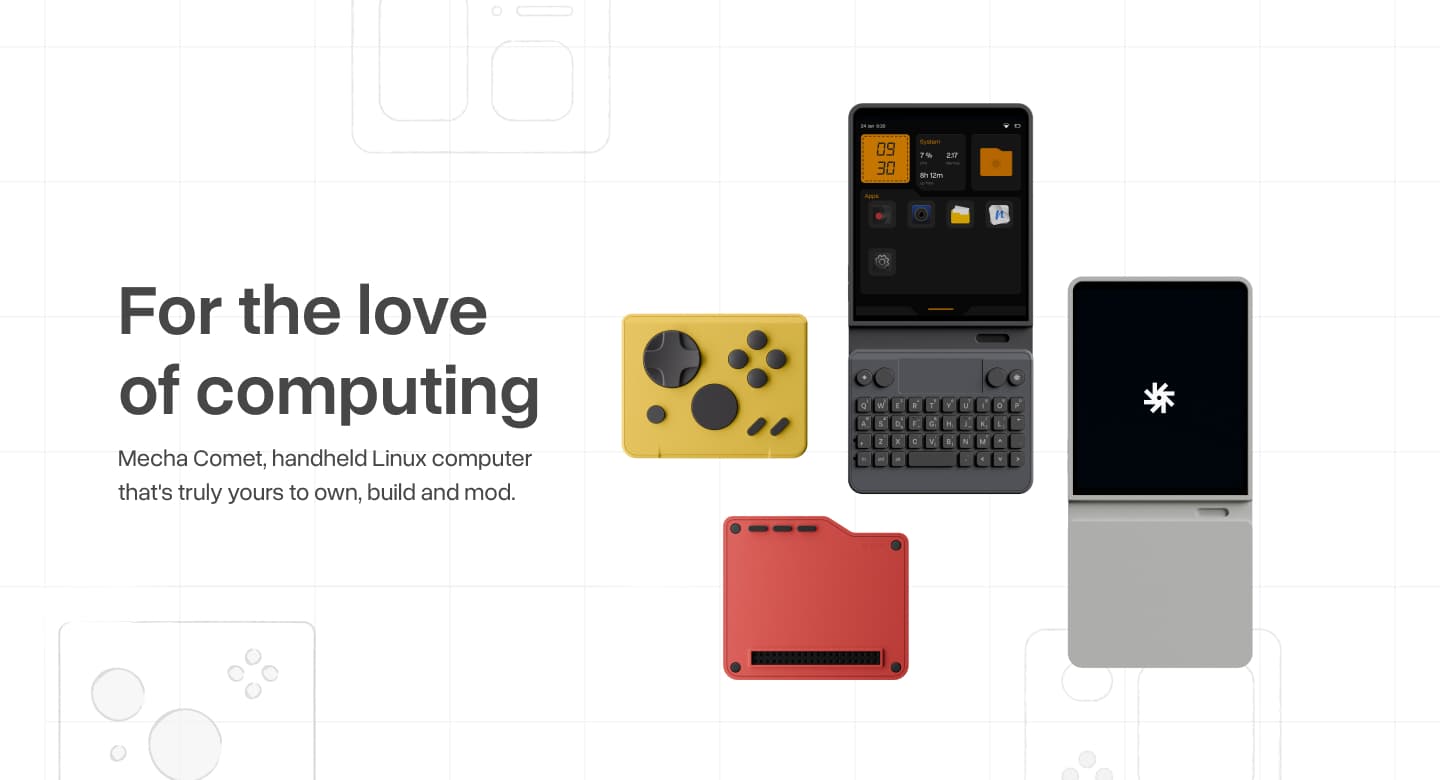
The kickstarter for the Mecha Comet just launched the other day and I am seriously considering backing it as I love the idea of the device as a whole.

Originally when I heard about the project a couple of years back I thought it would be good to have to try and replace my phone for the most part but still have a phone handset setup solely to run as a hotspot for the Comet to run through. Now with the launch of the kickstarter I see that there is actually a physical sim card slot and an LTE modem available so maybe it could be used outright as a phone without needing a second device to use as a modem!

Is anyone familiar with this device beyond the info detailed in the kickstarter? I’d be interested to hear further details if anyone has any, maybe someone here has had hands on experience with some of the units that were shown at CES (I think it was there)

Do you guys think it would be viable to use as your only handset?

I guess I’m mostly looking for more knowledgeable peoples opinions on it but also make people aware of it if they hadn’t heard of it to hopefully get some more people interested as on the face of it it seems like a really interesting project!

The kickstarter for the Mecha Comet just launched the other day and I am seriously considering backing it as I love the idea of the device as a whole.

Originally when I heard about the project a couple of years back I thought it would be good to have to try and replace my phone for the most part but still have a phone handset setup solely to run as a hotspot for the Comet to run through. Now with the launch of the kickstarter I see that there is actually a physical sim card slot and an LTE modem available so maybe it could be used outright as a phone without needing a second device to use as a modem!

Is anyone familiar with this device beyond the info detailed in the kickstarter? I’d be interested to hear further details if anyone has any, maybe someone here has had hands on experience with some of the units that were shown at CES (I think it was there)

Do you guys think it would be viable to use as your only handset?

I guess I’m mostly looking for more knowledgeable peoples opinions on it but also make people aware of it if they hadn’t heard of it to hopefully get some more people interested as on the face of it it seems like a really interesting project!

0

What event schedule software do we have?

preview

With 39C3 coming up… What even schedule software do we have?

I know there’s a KDE one, but as I’m on Phosh, there’s probably something that’d fit a bit better.

With 39C3 coming up… What even schedule software do we have?

I know there’s a KDE one, but as I’m on Phosh, there’s probably something that’d fit a bit better.

0

Does any mobile Linux use systemd-sysupdate?

preview

I’ve read a bit about systemd-sysupdate and it seemed like something we might want to have for our mobile devices.

Then I was wondering whether any distribution already uses it on mobile devices.

I’ve read a bit about systemd-sysupdate and it seemed like something we might want to have for our mobile devices.

Then I was wondering whether any distribution already uses it on mobile devices.

0

Gajim almost works on mobile now

preview

Noticed most of Gajim is now usable on a phone. Just a couple menus are difficult to use and chats don’t open a separate view, so that the chat list and the chat itself compete for space.

Seems to be mostly small changes now that’d make it a really good mobile client.

For now I can already use it to have a way to run Ad-hoc Commands, which is still lacking in Dino.

Noticed most of Gajim is now usable on a phone. Just a couple menus are difficult to use and chats don’t open a separate view, so that the chat list and the chat itself compete for space.

Seems to be mostly small changes now that’d make it a really good mobile client.

For now I can already use it to have a way to run Ad-hoc Commands, which is still lacking in Dino.