

0

preview
Share your Shave of the Day for Tuesday!
Share your Shave of the Day for Tuesday!

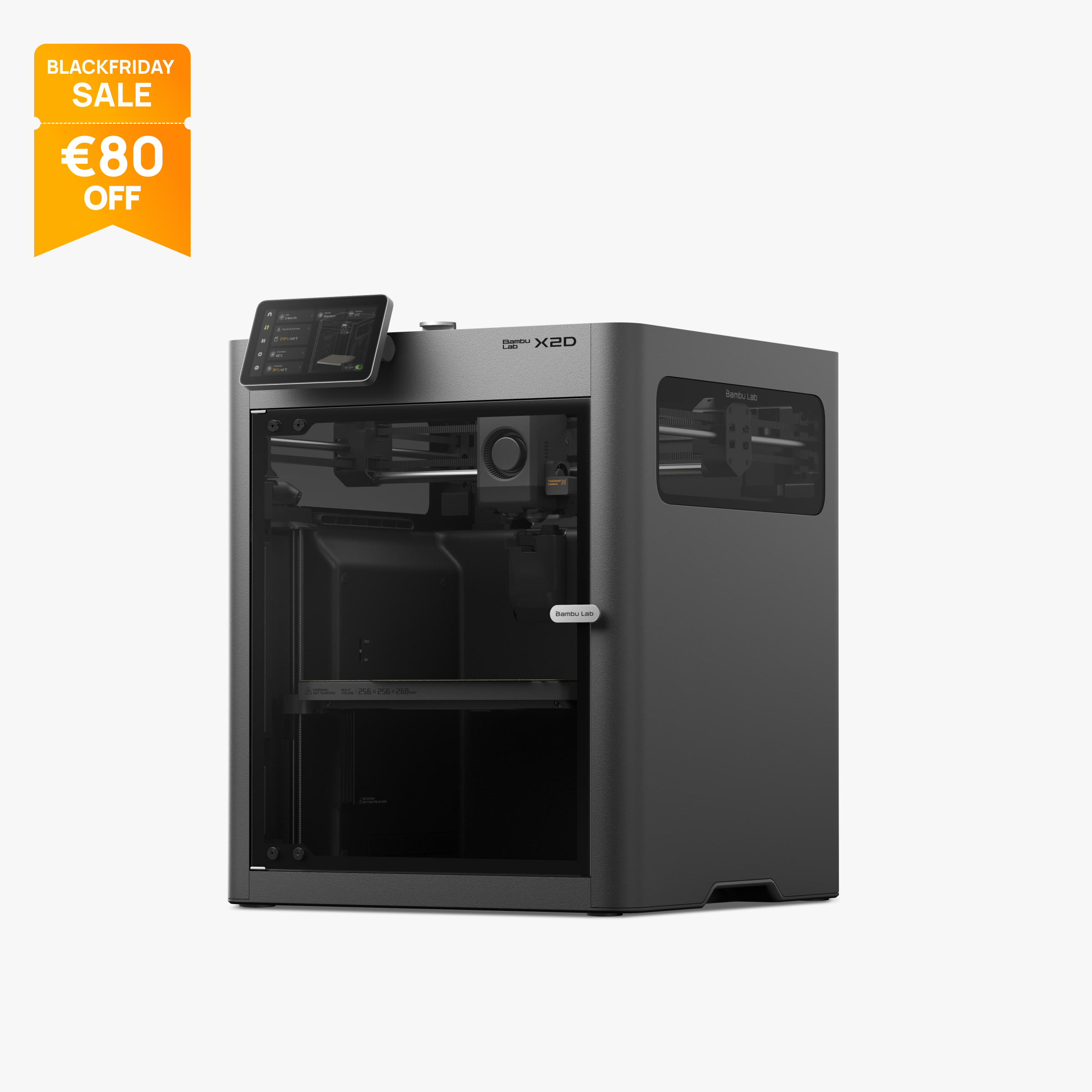
Hey everyone My sister wants to get into 3D printing. She has her birthday soon and we are thinking of gifting here a printer. What models wold you recommend?
What do you think of Bambu Lab X2D. What would you get for a beginer?
Edit: thank you all for the responses. I certainly did not expect so much engagement and such high quality answers. Will have a look at all the options you recommended. Hopefully our budget has enough room for a comparable morally righ choice.
Hey everyone My sister wants to get into 3D printing. She has her birthday soon and we are thinking of gifting here a printer. What models wold you recommend?
What do you think of Bambu Lab X2D. What would you get for a beginer?
Edit: thank you all for the responses. I certainly did not expect so much engagement and such high quality answers. Will have a look at all the options you recommended. Hopefully our budget has enough room for a comparable morally righ choice.

This was not on any of my 2026 bingo cards.
This was not on any of my 2026 bingo cards.
Share your Shave of the Day for Tuesday!
Share your Shave of the Day for Tuesday!

Welcome back for our next financial update. See the previous one here.
This quarter we moved to a dedicated server at $45USD per month, still with Zappie Host in their Auckland data centre. This dedicated server is significantly more powerful, having:
- CPU: E3-1270v5
- Ram: 64GB
- Disk: 2 x 1TB SSD (in RAID 1 configuration for redundancy, so just 1TB usable)
- Traffic: 10TB
Compared to the previous shared server:
- 4 vCPU
- RAM: 9GB
- Disk: 160GB
- Traffic: 1TB
We also stood up piefed.nz running the PieFed software, as an alternative to Lemmy (but they federate, so they generally see the same content, with some differences). In addition there was also threadiverse.nz created as a shared help resource for LemmyNZ and PiefedNZ. Piefed.nz was registered way back in February as I’ve had the idea floating around for a while, so I haven’t included that cost. But I have included the Threadiverse.nz domain registration as that was done in September. Lemmy.nz was paid up for a couple of years last year so no cost for that this year.
The expenses are made up of:
- VPS: $155.26 (two months of hosting, the other month was covered by the previous 6 months prepaid)
- Image and backup storage: $17.29
- Domains: $44.27
Expenses are allocated to the period they were paid, not to the period they cover. This is based on the actual amount charged to my card.
This is huge! Thanks everyone 🙂
In addition to this, I’ve done a square up on donations reported in the platform vs cash out, and there’s an additional $22.83. The platform removed fees, but also not everyone used NZD so there was actually more paid out than previously reported. This month’s report is based on the cashed out value, which I will try to use going forward.
The main reason for this change is that we got a bunch of donations in other currencies which made it tricky to report on, so I have cashed out and got it all into actual cash in hand I can use for paying for the server.
We received donations totalling $559.82 this quarter, with much of that coming in a flurry after the last financial update showed a shortfall. Thanks to everyone who contributed!
Numbers are in NZD.
If you want to contribute to the cost of running LemmyNZ and PieFedNZ, see the page here.
The usual caveat: Please don’t contribute if it will impact you financially. I don’t want to see anyone saying “I only had $5 in my bank account but Lemmy is important so I donated my last $5” like I’ve seen on other instances. If you can’t afford it then don’t feel bad, this round is on me. I don’t mind, truly. But if you can easily chip in a few bucks a month, then it is appreciated 🙂
As usual, feel free to ask any questions!
Welcome back for our next financial update. See the previous one here.
This quarter we moved to a dedicated server at $45USD per month, still with Zappie Host in their Auckland data centre. This dedicated server is significantly more powerful, having:
- CPU: E3-1270v5
- Ram: 64GB
- Disk: 2 x 1TB SSD (in RAID 1 configuration for redundancy, so just 1TB usable)
- Traffic: 10TB
Compared to the previous shared server:
- 4 vCPU
- RAM: 9GB
- Disk: 160GB
- Traffic: 1TB
We also stood up piefed.nz running the PieFed software, as an alternative to Lemmy (but they federate, so they generally see the same content, with some differences). In addition there was also threadiverse.nz created as a shared help resource for LemmyNZ and PiefedNZ. Piefed.nz was registered way back in February as I’ve had the idea floating around for a while, so I haven’t included that cost. But I have included the Threadiverse.nz domain registration as that was done in September. Lemmy.nz was paid up for a couple of years last year so no cost for that this year.
The expenses are made up of:
- VPS: $155.26 (two months of hosting, the other month was covered by the previous 6 months prepaid)
- Image and backup storage: $17.29
- Domains: $44.27
Expenses are allocated to the period they were paid, not to the period they cover. This is based on the actual amount charged to my card.
This is huge! Thanks everyone 🙂
In addition to this, I’ve done a square up on donations reported in the platform vs cash out, and there’s an additional $22.83. The platform removed fees, but also not everyone used NZD so there was actually more paid out than previously reported. This month’s report is based on the cashed out value, which I will try to use going forward.
The main reason for this change is that we got a bunch of donations in other currencies which made it tricky to report on, so I have cashed out and got it all into actual cash in hand I can use for paying for the server.
We received donations totalling $559.82 this quarter, with much of that coming in a flurry after the last financial update showed a shortfall. Thanks to everyone who contributed!
Numbers are in NZD.
If you want to contribute to the cost of running LemmyNZ and PieFedNZ, see the page here.
The usual caveat: Please don’t contribute if it will impact you financially. I don’t want to see anyone saying “I only had $5 in my bank account but Lemmy is important so I donated my last $5” like I’ve seen on other instances. If you can’t afford it then don’t feel bad, this round is on me. I don’t mind, truly. But if you can easily chip in a few bucks a month, then it is appreciated 🙂
As usual, feel free to ask any questions!


A riveting documentary about the journalist who took the US president to the cleaners. Plus: John Simpson celebrates 60 years at the Beeb. Here’s what to watch this evening
10pm, BBC Four Why did journalist and advice columnist E Jean Carroll decide to sue Donald Trump? “Because he called me a liar and I couldn’t let it stand.” This documentary follows her groundbreaking media career before retracing her journey to suing Trump twice in the civil courts over sexual abuse and defamation allegations (in 2019, and 2022), which she won both times. Hollie Richardson
A riveting documentary about the journalist who took the US president to the cleaners. Plus: John Simpson celebrates 60 years at the Beeb. Here’s what to watch this evening
10pm, BBC Four Why did journalist and advice columnist E Jean Carroll decide to sue Donald Trump? “Because he called me a liar and I couldn’t let it stand.” This documentary follows her groundbreaking media career before retracing her journey to suing Trump twice in the civil courts over sexual abuse and defamation allegations (in 2019, and 2022), which she won both times. Hollie Richardson

cross-posted from: leminal.space/post/40796648
Police in Leicester arrested at least five journalists under the Terrorism Act while they were reporting on a protest outside a drone factory owned by an Israeli arms company.
The journalists were detained for two hours last Thursday at a UAV Tactical Systems factory owned by Elbit Systems, which makes weapons that are used in Israel’s genocide in Gaza.
cross-posted from: leminal.space/post/40796648
Police in Leicester arrested at least five journalists under the Terrorism Act while they were reporting on a protest outside a drone factory owned by an Israeli arms company.
The journalists were detained for two hours last Thursday at a UAV Tactical Systems factory owned by Elbit Systems, which makes weapons that are used in Israel’s genocide in Gaza.

Bisher waren die Netzkosten bei Haushalten fast zur Gänze anhand des jährlichen Stromverbrauchs berechnet worden. Künftig sollen Stromverbrauch und Spitzenlast je 50 Prozent der Netzgebühren ausmachen, in der ersten Umsetzungsphase beträgt der Leistungspreis-Anteil 40 Prozent.
Vereinfacht gesagt, kommt es künftig nicht mehr nur darauf an, wie viel Strom man verbraucht, sondern auch, wie viel Strom auf einmal man verbraucht.
Ab nächstem Jahr ist es in Österreich finanziell attraktiver, Lastspitzen zu vermeiden. Abgerechnet wird in 15-Minuten Blöcken, und der Stromverbrauch im höchsten 15-Minuten-Block bestimmt die Netzgebühr für den Tag.
Wer ein E-Auto lädt, zahlt daher weniger, wenn die Leistung des Ladevorgangs soweit wie möglich gedrosselt wird. Ähnliches gilt für Wärmepumpen.
Bisher waren die Netzkosten bei Haushalten fast zur Gänze anhand des jährlichen Stromverbrauchs berechnet worden. Künftig sollen Stromverbrauch und Spitzenlast je 50 Prozent der Netzgebühren ausmachen, in der ersten Umsetzungsphase beträgt der Leistungspreis-Anteil 40 Prozent.
Vereinfacht gesagt, kommt es künftig nicht mehr nur darauf an, wie viel Strom man verbraucht, sondern auch, wie viel Strom auf einmal man verbraucht.
Ab nächstem Jahr ist es in Österreich finanziell attraktiver, Lastspitzen zu vermeiden. Abgerechnet wird in 15-Minuten Blöcken, und der Stromverbrauch im höchsten 15-Minuten-Block bestimmt die Netzgebühr für den Tag.
Wer ein E-Auto lädt, zahlt daher weniger, wenn die Leistung des Ladevorgangs soweit wie möglich gedrosselt wird. Ähnliches gilt für Wärmepumpen.

Good morning, fellow sobernauts, IWNDWYT, 😁!
We may be anonymous strangers on the internet, but we have one thing in common. We may be a world apart, but we’re here together!
Welcome to the 24 hour pledge! I’m pledging myself to not drinking today, and invite you to do the same. Maybe you’re new to c/stop drinking and have a hard time deciding what to do next. Maybe you’re like me and feel you need a daily commitment or maybe you’ve been sober for a long time and want to inspire others.
It doesn’t matter if you’re still hung over from a three day bender or been sober for years, if you just woke up or have already completed a sober day. For the next 24 hours, let’s not drink alcohol!
Good morning, fellow sobernauts, IWNDWYT, 😁!
We may be anonymous strangers on the internet, but we have one thing in common. We may be a world apart, but we’re here together!
Welcome to the 24 hour pledge! I’m pledging myself to not drinking today, and invite you to do the same. Maybe you’re new to c/stop drinking and have a hard time deciding what to do next. Maybe you’re like me and feel you need a daily commitment or maybe you’ve been sober for a long time and want to inspire others.
It doesn’t matter if you’re still hung over from a three day bender or been sober for years, if you just woke up or have already completed a sober day. For the next 24 hours, let’s not drink alcohol!




Report and track ICE activity in your community. A community-driven platform to document immigration enforcement.
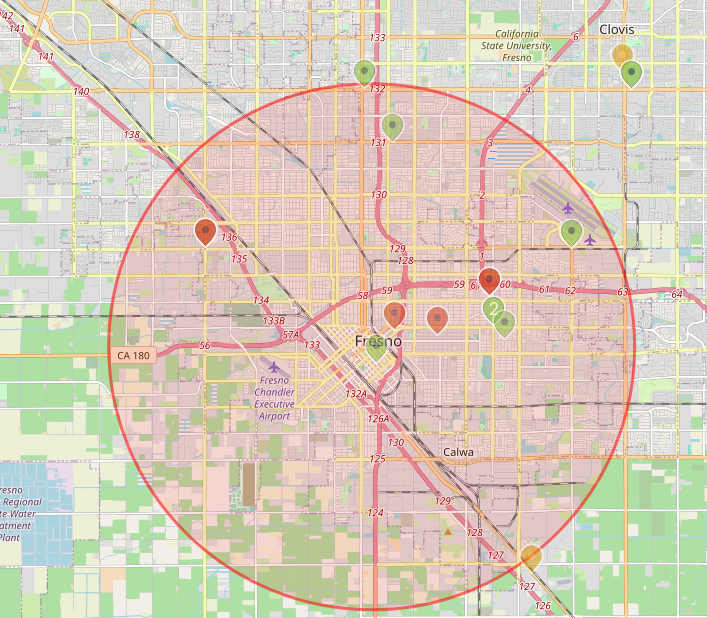
Report and track ICE activity in your community. A community-driven platform to document immigration enforcement.
New single.
New single.

Am 3.11. findet unser erstes Offenes Treffen statt. Als Frauen brauchen wir eigene Räume, um uns zu vernetzen und uns gegen Kapitalismus und Patriarchat zu wehren.
Kommt vorbei und schließt euch uns an!
Heraus zum ersten OFT!
🗓️ Wann: 03.11.2026, 19:00 Uhr
📍Wo: Murx, Oberbadgasse 6, 69117 Heidelberg
🚆 ÖPNV: Rathaus/Bergbahn, Heidelberg oder Alte Brücke, Heidelberg
♿ Barrierefreiheit: Für Menschen mit Rollstuhl weitgehend barrierearm
#Murx #OFT #OffenesFeministischesTreffen #Heidelberg #Altstadt #Feminismus @heidelberg
Am 3.11. findet unser erstes Offenes Treffen statt. Als Frauen brauchen wir eigene Räume, um uns zu vernetzen und uns gegen Kapitalismus und Patriarchat zu wehren.
Kommt vorbei und schließt euch uns an!
Heraus zum ersten OFT!
🗓️ Wann: 03.11.2026, 19:00 Uhr
📍Wo: Murx, Oberbadgasse 6, 69117 Heidelberg
🚆 ÖPNV: Rathaus/Bergbahn, Heidelberg oder Alte Brücke, Heidelberg
♿ Barrierefreiheit: Für Menschen mit Rollstuhl weitgehend barrierearm
#Murx #OFT #OffenesFeministischesTreffen #Heidelberg #Altstadt #Feminismus @heidelberg

Let’s take a moment to look at what’s going right. What’s made you laugh or smile recently? No matter how big or small it is, we want to hear about it!
Let’s take a moment to look at what’s going right. What’s made you laugh or smile recently? No matter how big or small it is, we want to hear about it!
mander.xyz went down and doesn’t seem to be coming back, so we’re recreating this community. I’ll crosspost the original posts to here over time to fill it up and then I have some new posts to make with my ongoing jarrariums.
Everyone grab a jar and scoop stuff out of your local pond to join in! Here’s a guide with a lot of info, but you really can just scoop stuff and not overthink it.
mander.xyz went down and doesn’t seem to be coming back, so we’re recreating this community. I’ll crosspost the original posts to here over time to fill it up and then I have some new posts to make with my ongoing jarrariums.
Everyone grab a jar and scoop stuff out of your local pond to join in! Here’s a guide with a lot of info, but you really can just scoop stuff and not overthink it.
My new-this-year MS-02 crashed tonight, so I’m going through journalctl -b -1 -p warning -r and I see a bunch of this repeated over and over going back for days:
Oct 12 23:59:50 proxmox-06 kernel: pcieport 0000:80:1b.4: AER:   TLP Header: 0x34000000 0x00000052 0x00000000 0x00000000
Oct 12 23:59:50 proxmox-06 kernel: pcieport 0000:80:1b.4:    [21] ACSViol                (First)
Oct 12 23:59:50 proxmox-06 kernel: pcieport 0000:80:1b.4:   device [8086:7f44] error status/mask=00200000/00000000
Oct 12 23:59:50 proxmox-06 kernel: pcieport 0000:80:1b.4: PCIe Bus Error: severity=Uncorrectable (Non-Fatal), type=Transaction Layer, (Receiver ID)
Oct 12 23:59:50 proxmox-06 kernel: pcieport 0000:80:1b.4: AER:   TLP Header: 0x34000000 0x00000052 0x00000000 0x00000000
Oct 12 23:59:50 proxmox-06 kernel: pcieport 0000:80:1b.4:    [21] ACSViol                (First)
Oct 12 23:59:50 proxmox-06 kernel: pcieport 0000:80:1b.4:   device [8086:7f44] error status/mask=00200000/00000000
Oct 12 23:59:50 proxmox-06 kernel: pcieport 0000:80:1b.4: PCIe Bus Error: severity=Uncorrectable (Non-Fatal), type=Transaction Layer, (Receiver ID)
Oct 12 23:59:50 proxmox-06 kernel: pcieport 0000:80:1b.4: AER:   TLP Header: 0x34000000 0x00000052 0x00000000 0x00000000
Oct 12 23:59:50 proxmox-06 kernel: pcieport 0000:80:1b.4:    [21] ACSViol                (First)
Oct 12 23:59:50 proxmox-06 kernel: pcieport 0000:80:1b.4:   device [8086:7f44] error status/mask=00200000/00000000
Oct 12 23:59:50 proxmox-06 kernel: pcieport 0000:80:1b.4: PCIe Bus Error: severity=Uncorrectable (Non-Fatal), type=Transaction Layer, (Receiver ID)
Oct 12 23:59:50 proxmox-06 kernel: pcieport 0000:80:1b.4: AER:   TLP Header: 0x34000000 0x00000052 0x00000000 0x00000000
Oct 12 23:59:50 proxmox-06 kernel: pcieport 0000:80:1b.4:    [21] ACSViol                (First)
Oct 12 23:59:50 proxmox-06 kernel: pcieport 0000:80:1b.4:   device [8086:7f44] error status/mask=00200000/00000000
Oct 12 23:59:50 proxmox-06 kernel: pcieport 0000:80:1b.4: PCIe Bus Error: severity=Uncorrectable (Non-Fatal), type=Transaction Layer, (Receiver ID)
Oct 12 23:59:50 proxmox-06 kernel: pcieport 0000:80:1b.4: AER:   TLP Header: 0x34000000 0x00000052 0x00000000 0x00000000
Oct 12 23:59:50 proxmox-06 kernel: pcieport 0000:80:1b.4:    [21] ACSViol                (First)
Oct 12 23:59:50 proxmox-06 kernel: pcieport 0000:80:1b.4:   device [8086:7f44] error status/mask=00200000/00000000
Oct 12 23:59:50 proxmox-06 kernel: pcieport 0000:80:1b.4: PCIe Bus Error: severity=Uncorrectable (Non-Fatal), type=Transaction Layer, (Receiver ID)
Oct 12 23:59:50 proxmox-06 kernel: pcieport 0000:80:1b.4: AER:   TLP Header: 0x34000000 0x00000052 0x00000000 0x00000000
Oct 12 23:59:50 proxmox-06 kernel: pcieport 0000:80:1b.4:    [21] ACSViol                (First)
Oct 12 23:59:50 proxmox-06 kernel: pcieport 0000:80:1b.4:   device [8086:7f44] error status/mask=00200000/00000000
Oct 12 23:59:50 proxmox-06 kernel: pcieport 0000:80:1b.4: PCIe Bus Error: severity=Uncorrectable (Non-Fatal), type=Transaction Layer, (Receiver ID)
Oct 12 23:59:50 proxmox-06 kernel: pcieport 0000:80:1b.4: AER:   TLP Header: 0x34000000 0x00000052 0x00000000 0x00000000
Oct 12 23:59:50 proxmox-06 kernel: pcieport 0000:80:1b.4:    [21] ACSViol                (First)
Oct 12 23:59:50 proxmox-06 kernel: pcieport 0000:80:1b.4:   device [8086:7f44] error status/mask=00200000/00000000
Oct 12 23:59:50 proxmox-06 kernel: pcieport 0000:80:1b.4: PCIe Bus Error: severity=Uncorrectable (Non-Fatal), type=Transaction Layer, (Receiver ID)
Oct 12 23:59:50 proxmox-06 kernel: pcieport 0000:80:1b.4: AER:   TLP Header: 0x34000000 0x00000052 0x00000000 0x00000000
Oct 12 23:59:50 proxmox-06 kernel: pcieport 0000:80:1b.4:    [21] ACSViol                (First)
Oct 12 23:59:50 proxmox-06 kernel: pcieport 0000:80:1b.4:   device [8086:7f44] error status/mask=00200000/00000000
Oct 12 23:59:50 proxmox-06 kernel: pcieport 0000:80:1b.4: PCIe Bus Error: severity=Uncorrectable (Non-Fatal), type=Transaction Layer, (Receiver ID)
Oct 12 23:59:50 proxmox-06 kernel: pcieport 0000:80:1b.4: AER:   TLP Header: 0x34000000 0x00000052 0x00000000 0x00000000
Oct 12 23:59:50 proxmox-06 kernel: pcieport 0000:80:1b.4:    [21] ACSViol                (First)
Oct 12 23:59:50 proxmox-06 kernel: pcieport 0000:80:1b.4:   device [8086:7f44] error status/mask=00200000/00000000
Oct 12 23:59:50 proxmox-06 kernel: pcieport 0000:80:1b.4: PCIe Bus Error: severity=Uncorrectable (Non-Fatal), type=Transaction Layer, (Receiver ID)
Oct 12 23:59:49 proxmox-06 kernel: pcieport 0000:80:1b.4: AER:   TLP Header: 0x34000000 0x00000052 0x00000000 0x00000000
Oct 12 23:59:49 proxmox-06 kernel: pcieport 0000:80:1b.4:    [21] ACSViol                (First)
Oct 12 23:59:49 proxmox-06 kernel: pcieport 0000:80:1b.4:    [20] UnsupReq
Oct 12 23:59:49 proxmox-06 kernel: pcieport 0000:80:1b.4:   device [8086:7f44] error status/mask=00300000/00000000
Oct 12 23:59:49 proxmox-06 kernel: pcieport 0000:80:1b.4: PCIe Bus Error: severity=Uncorrectable (Non-Fatal), type=Transaction Layer, (Requester ID)
Oct 12 23:59:49 proxmox-06 kernel: aer_ratelimit: 119 callbacks suppressed
Oct 12 23:59:49 proxmox-06 kernel: pcieport 0000:80:1b.4:    [15] HeaderOF
Oct 12 23:59:49 proxmox-06 kernel: pcieport 0000:80:1b.4:   device [8086:7f44] error status/mask=00008000/00002000
Oct 12 23:59:49 proxmox-06 kernel: pcieport 0000:80:1b.4: PCIe Bus Error: severity=Correctable, type=Transaction Layer, (Receiver ID)
Oct 12 23:59:49 proxmox-06 kernel: aer_ratelimit: 119 callbacks suppressed
Does this mean one of the SSDs is failing already? I have 1 Crucial P310 4TB SSD for the main drive and another for backups.
=== START OF INFORMATION SECTION ===
Model Number:                       CT4000P310SSD8
Serial Number:                      25465454F087
Firmware Version:                   V8CR010
PCI Vendor/Subsystem ID:            0xc0a9
IEEE OUI Identifier:                0x00a075
Controller ID:                      0
NVMe Version:                       1.4
Number of Namespaces:               1
Namespace 1 Size/Capacity:          4,000,787,030,016 [4.00 TB]
Namespace 1 Formatted LBA Size:     512
Namespace 1 IEEE EUI-64:            00a075 015454f087
Local Time is:                      Tue Oct 13 00:30:43 2026 EDT
Firmware Updates (0x14):            2 Slots, no Reset required
Optional Admin Commands (0x0017):   Security Format Frmw_DL Self_Test
Optional NVM Commands (0x00d7):     Comp Wr_Unc DS_Mngmt Sav/Sel_Feat Timestmp Verify
Log Page Attributes (0x1e):         Cmd_Eff_Lg Ext_Get_Lg Telmtry_Lg Pers_Ev_Lg
Maximum Data Transfer Size:         64 Pages
Warning  Comp. Temp. Threshold:     86 Celsius
Critical Comp. Temp. Threshold:     88 Celsius
Namespace 1 Features (0x18):        No_ID_Reuse NP_Fields

Supported Power States
St Op     Max   Active     Idle   RL RT WL WT  Ent_Lat  Ex_Lat
 0 +     6.30W       -        -    0  0  0  0        0       0
 1 +     2.40W       -        -    1  1  1  1        0       0
 2 +     1.50W       -        -    2  2  2  2        0       0
 3 -   0.0300W       -        -    3  3  3  3     1500    5000
 4 -   0.0025W       -        -    4  4  4  4     5000   30000

Supported LBA Sizes (NSID 0x1)
Id Fmt  Data  Metadt  Rel_Perf
 0 +     512       0         0
 1 -    4096       0         0

=== START OF SMART DATA SECTION ===
SMART overall-health self-assessment test result: PASSED

SMART/Health Information (NVMe Log 0x02, NSID 0xffffffff)
Critical Warning:                   0x00
Temperature:                        41 Celsius
Available Spare:                    100%
Available Spare Threshold:          5%
Percentage Used:                    1%
Data Units Read:                    428,281,946 [219 TB]
Data Units Written:                 44,641,186 [22.8 TB]
Host Read Commands:                 15,033,643,064
Host Write Commands:                1,728,938,256
Controller Busy Time:               25,445
Power Cycles:                       24
Power On Hours:                     3,255
Unsafe Shutdowns:                   18
Media and Data Integrity Errors:    0
Error Information Log Entries:      0
Warning  Comp. Temperature Time:    0
Critical Comp. Temperature Time:    0
Temperature Sensor 1:               41 Celsius

Error Information (NVMe Log 0x01, 16 of 255 entries)
No Errors Logged

Self-test Log (NVMe Log 0x06, NSID 0xffffffff)
Self-test status: No self-test in progress
No Self-tests Logged
=== START OF INFORMATION SECTION ===
Model Number:                       CT4000P310SSD8
Serial Number:                      2545543AD7B7
Firmware Version:                   V8CR010
PCI Vendor/Subsystem ID:            0xc0a9
IEEE OUI Identifier:                0x00a075
Controller ID:                      0
NVMe Version:                       1.4
Number of Namespaces:               1
Namespace 1 Size/Capacity:          4,000,787,030,016 [4.00 TB]
Namespace 1 Formatted LBA Size:     512
Namespace 1 IEEE EUI-64:            00a075 01543ad7b7
Local Time is:                      Tue Oct 13 00:28:48 2026 EDT
Firmware Updates (0x14):            2 Slots, no Reset required
Optional Admin Commands (0x0017):   Security Format Frmw_DL Self_Test
Optional NVM Commands (0x00d7):     Comp Wr_Unc DS_Mngmt Sav/Sel_Feat Timestmp Verify
Log Page Attributes (0x1e):         Cmd_Eff_Lg Ext_Get_Lg Telmtry_Lg Pers_Ev_Lg
Maximum Data Transfer Size:         64 Pages
Warning  Comp. Temp. Threshold:     86 Celsius
Critical Comp. Temp. Threshold:     88 Celsius
Namespace 1 Features (0x18):        No_ID_Reuse NP_Fields

Supported Power States
St Op     Max   Active     Idle   RL RT WL WT  Ent_Lat  Ex_Lat
 0 +     6.30W       -        -    0  0  0  0        0       0
 1 +     2.40W       -        -    1  1  1  1        0       0
 2 +     1.50W       -        -    2  2  2  2        0       0
 3 -   0.0300W       -        -    3  3  3  3     1500    5000
 4 -   0.0025W       -        -    4  4  4  4     5000   30000

Supported LBA Sizes (NSID 0x1)
Id Fmt  Data  Metadt  Rel_Perf
 0 +     512       0         0
 1 -    4096       0         0

=== START OF SMART DATA SECTION ===
SMART overall-health self-assessment test result: PASSED

SMART/Health Information (NVMe Log 0x02, NSID 0xffffffff)
Critical Warning:                   0x00
Temperature:                        38 Celsius
Available Spare:                    100%
Available Spare Threshold:          5%
Percentage Used:                    6%
Data Units Read:                    2,161,355 [1.10 TB]
Data Units Written:                 154,163,444 [78.9 TB]
Host Read Commands:                 8,882,927
Host Write Commands:                610,221,348
Controller Busy Time:               2,682
Power Cycles:                       24
Power On Hours:                     3,278
Unsafe Shutdowns:                   18
Media and Data Integrity Errors:    0
Error Information Log Entries:      0
Warning  Comp. Temperature Time:    0
Critical Comp. Temperature Time:    0
Temperature Sensor 1:               38 Celsius

Error Information (NVMe Log 0x01, 16 of 255 entries)
No Errors Logged

Self-test Log (NVMe Log 0x06, NSID 0xffffffff)
Self-test status: No self-test in progress
No Self-tests Logged
My new-this-year MS-02 crashed tonight, so I’m going through journalctl -b -1 -p warning -r and I see a bunch of this repeated over and over going back for days:
Oct 12 23:59:50 proxmox-06 kernel: pcieport 0000:80:1b.4: AER:   TLP Header: 0x34000000 0x00000052 0x00000000 0x00000000
Oct 12 23:59:50 proxmox-06 kernel: pcieport 0000:80:1b.4:    [21] ACSViol                (First)
Oct 12 23:59:50 proxmox-06 kernel: pcieport 0000:80:1b.4:   device [8086:7f44] error status/mask=00200000/00000000
Oct 12 23:59:50 proxmox-06 kernel: pcieport 0000:80:1b.4: PCIe Bus Error: severity=Uncorrectable (Non-Fatal), type=Transaction Layer, (Receiver ID)
Oct 12 23:59:50 proxmox-06 kernel: pcieport 0000:80:1b.4: AER:   TLP Header: 0x34000000 0x00000052 0x00000000 0x00000000
Oct 12 23:59:50 proxmox-06 kernel: pcieport 0000:80:1b.4:    [21] ACSViol                (First)
Oct 12 23:59:50 proxmox-06 kernel: pcieport 0000:80:1b.4:   device [8086:7f44] error status/mask=00200000/00000000
Oct 12 23:59:50 proxmox-06 kernel: pcieport 0000:80:1b.4: PCIe Bus Error: severity=Uncorrectable (Non-Fatal), type=Transaction Layer, (Receiver ID)
Oct 12 23:59:50 proxmox-06 kernel: pcieport 0000:80:1b.4: AER:   TLP Header: 0x34000000 0x00000052 0x00000000 0x00000000
Oct 12 23:59:50 proxmox-06 kernel: pcieport 0000:80:1b.4:    [21] ACSViol                (First)
Oct 12 23:59:50 proxmox-06 kernel: pcieport 0000:80:1b.4:   device [8086:7f44] error status/mask=00200000/00000000
Oct 12 23:59:50 proxmox-06 kernel: pcieport 0000:80:1b.4: PCIe Bus Error: severity=Uncorrectable (Non-Fatal), type=Transaction Layer, (Receiver ID)
Oct 12 23:59:50 proxmox-06 kernel: pcieport 0000:80:1b.4: AER:   TLP Header: 0x34000000 0x00000052 0x00000000 0x00000000
Oct 12 23:59:50 proxmox-06 kernel: pcieport 0000:80:1b.4:    [21] ACSViol                (First)
Oct 12 23:59:50 proxmox-06 kernel: pcieport 0000:80:1b.4:   device [8086:7f44] error status/mask=00200000/00000000
Oct 12 23:59:50 proxmox-06 kernel: pcieport 0000:80:1b.4: PCIe Bus Error: severity=Uncorrectable (Non-Fatal), type=Transaction Layer, (Receiver ID)
Oct 12 23:59:50 proxmox-06 kernel: pcieport 0000:80:1b.4: AER:   TLP Header: 0x34000000 0x00000052 0x00000000 0x00000000
Oct 12 23:59:50 proxmox-06 kernel: pcieport 0000:80:1b.4:    [21] ACSViol                (First)
Oct 12 23:59:50 proxmox-06 kernel: pcieport 0000:80:1b.4:   device [8086:7f44] error status/mask=00200000/00000000
Oct 12 23:59:50 proxmox-06 kernel: pcieport 0000:80:1b.4: PCIe Bus Error: severity=Uncorrectable (Non-Fatal), type=Transaction Layer, (Receiver ID)
Oct 12 23:59:50 proxmox-06 kernel: pcieport 0000:80:1b.4: AER:   TLP Header: 0x34000000 0x00000052 0x00000000 0x00000000
Oct 12 23:59:50 proxmox-06 kernel: pcieport 0000:80:1b.4:    [21] ACSViol                (First)
Oct 12 23:59:50 proxmox-06 kernel: pcieport 0000:80:1b.4:   device [8086:7f44] error status/mask=00200000/00000000
Oct 12 23:59:50 proxmox-06 kernel: pcieport 0000:80:1b.4: PCIe Bus Error: severity=Uncorrectable (Non-Fatal), type=Transaction Layer, (Receiver ID)
Oct 12 23:59:50 proxmox-06 kernel: pcieport 0000:80:1b.4: AER:   TLP Header: 0x34000000 0x00000052 0x00000000 0x00000000
Oct 12 23:59:50 proxmox-06 kernel: pcieport 0000:80:1b.4:    [21] ACSViol                (First)
Oct 12 23:59:50 proxmox-06 kernel: pcieport 0000:80:1b.4:   device [8086:7f44] error status/mask=00200000/00000000
Oct 12 23:59:50 proxmox-06 kernel: pcieport 0000:80:1b.4: PCIe Bus Error: severity=Uncorrectable (Non-Fatal), type=Transaction Layer, (Receiver ID)
Oct 12 23:59:50 proxmox-06 kernel: pcieport 0000:80:1b.4: AER:   TLP Header: 0x34000000 0x00000052 0x00000000 0x00000000
Oct 12 23:59:50 proxmox-06 kernel: pcieport 0000:80:1b.4:    [21] ACSViol                (First)
Oct 12 23:59:50 proxmox-06 kernel: pcieport 0000:80:1b.4:   device [8086:7f44] error status/mask=00200000/00000000
Oct 12 23:59:50 proxmox-06 kernel: pcieport 0000:80:1b.4: PCIe Bus Error: severity=Uncorrectable (Non-Fatal), type=Transaction Layer, (Receiver ID)
Oct 12 23:59:50 proxmox-06 kernel: pcieport 0000:80:1b.4: AER:   TLP Header: 0x34000000 0x00000052 0x00000000 0x00000000
Oct 12 23:59:50 proxmox-06 kernel: pcieport 0000:80:1b.4:    [21] ACSViol                (First)
Oct 12 23:59:50 proxmox-06 kernel: pcieport 0000:80:1b.4:   device [8086:7f44] error status/mask=00200000/00000000
Oct 12 23:59:50 proxmox-06 kernel: pcieport 0000:80:1b.4: PCIe Bus Error: severity=Uncorrectable (Non-Fatal), type=Transaction Layer, (Receiver ID)
Oct 12 23:59:49 proxmox-06 kernel: pcieport 0000:80:1b.4: AER:   TLP Header: 0x34000000 0x00000052 0x00000000 0x00000000
Oct 12 23:59:49 proxmox-06 kernel: pcieport 0000:80:1b.4:    [21] ACSViol                (First)
Oct 12 23:59:49 proxmox-06 kernel: pcieport 0000:80:1b.4:    [20] UnsupReq
Oct 12 23:59:49 proxmox-06 kernel: pcieport 0000:80:1b.4:   device [8086:7f44] error status/mask=00300000/00000000
Oct 12 23:59:49 proxmox-06 kernel: pcieport 0000:80:1b.4: PCIe Bus Error: severity=Uncorrectable (Non-Fatal), type=Transaction Layer, (Requester ID)
Oct 12 23:59:49 proxmox-06 kernel: aer_ratelimit: 119 callbacks suppressed
Oct 12 23:59:49 proxmox-06 kernel: pcieport 0000:80:1b.4:    [15] HeaderOF
Oct 12 23:59:49 proxmox-06 kernel: pcieport 0000:80:1b.4:   device [8086:7f44] error status/mask=00008000/00002000
Oct 12 23:59:49 proxmox-06 kernel: pcieport 0000:80:1b.4: PCIe Bus Error: severity=Correctable, type=Transaction Layer, (Receiver ID)
Oct 12 23:59:49 proxmox-06 kernel: aer_ratelimit: 119 callbacks suppressed
Does this mean one of the SSDs is failing already? I have 1 Crucial P310 4TB SSD for the main drive and another for backups.
=== START OF INFORMATION SECTION ===
Model Number:                       CT4000P310SSD8
Serial Number:                      25465454F087
Firmware Version:                   V8CR010
PCI Vendor/Subsystem ID:            0xc0a9
IEEE OUI Identifier:                0x00a075
Controller ID:                      0
NVMe Version:                       1.4
Number of Namespaces:               1
Namespace 1 Size/Capacity:          4,000,787,030,016 [4.00 TB]
Namespace 1 Formatted LBA Size:     512
Namespace 1 IEEE EUI-64:            00a075 015454f087
Local Time is:                      Tue Oct 13 00:30:43 2026 EDT
Firmware Updates (0x14):            2 Slots, no Reset required
Optional Admin Commands (0x0017):   Security Format Frmw_DL Self_Test
Optional NVM Commands (0x00d7):     Comp Wr_Unc DS_Mngmt Sav/Sel_Feat Timestmp Verify
Log Page Attributes (0x1e):         Cmd_Eff_Lg Ext_Get_Lg Telmtry_Lg Pers_Ev_Lg
Maximum Data Transfer Size:         64 Pages
Warning  Comp. Temp. Threshold:     86 Celsius
Critical Comp. Temp. Threshold:     88 Celsius
Namespace 1 Features (0x18):        No_ID_Reuse NP_Fields

Supported Power States
St Op     Max   Active     Idle   RL RT WL WT  Ent_Lat  Ex_Lat
 0 +     6.30W       -        -    0  0  0  0        0       0
 1 +     2.40W       -        -    1  1  1  1        0       0
 2 +     1.50W       -        -    2  2  2  2        0       0
 3 -   0.0300W       -        -    3  3  3  3     1500    5000
 4 -   0.0025W       -        -    4  4  4  4     5000   30000

Supported LBA Sizes (NSID 0x1)
Id Fmt  Data  Metadt  Rel_Perf
 0 +     512       0         0
 1 -    4096       0         0

=== START OF SMART DATA SECTION ===
SMART overall-health self-assessment test result: PASSED

SMART/Health Information (NVMe Log 0x02, NSID 0xffffffff)
Critical Warning:                   0x00
Temperature:                        41 Celsius
Available Spare:                    100%
Available Spare Threshold:          5%
Percentage Used:                    1%
Data Units Read:                    428,281,946 [219 TB]
Data Units Written:                 44,641,186 [22.8 TB]
Host Read Commands:                 15,033,643,064
Host Write Commands:                1,728,938,256
Controller Busy Time:               25,445
Power Cycles:                       24
Power On Hours:                     3,255
Unsafe Shutdowns:                   18
Media and Data Integrity Errors:    0
Error Information Log Entries:      0
Warning  Comp. Temperature Time:    0
Critical Comp. Temperature Time:    0
Temperature Sensor 1:               41 Celsius

Error Information (NVMe Log 0x01, 16 of 255 entries)
No Errors Logged

Self-test Log (NVMe Log 0x06, NSID 0xffffffff)
Self-test status: No self-test in progress
No Self-tests Logged
=== START OF INFORMATION SECTION ===
Model Number:                       CT4000P310SSD8
Serial Number:                      2545543AD7B7
Firmware Version:                   V8CR010
PCI Vendor/Subsystem ID:            0xc0a9
IEEE OUI Identifier:                0x00a075
Controller ID:                      0
NVMe Version:                       1.4
Number of Namespaces:               1
Namespace 1 Size/Capacity:          4,000,787,030,016 [4.00 TB]
Namespace 1 Formatted LBA Size:     512
Namespace 1 IEEE EUI-64:            00a075 01543ad7b7
Local Time is:                      Tue Oct 13 00:28:48 2026 EDT
Firmware Updates (0x14):            2 Slots, no Reset required
Optional Admin Commands (0x0017):   Security Format Frmw_DL Self_Test
Optional NVM Commands (0x00d7):     Comp Wr_Unc DS_Mngmt Sav/Sel_Feat Timestmp Verify
Log Page Attributes (0x1e):         Cmd_Eff_Lg Ext_Get_Lg Telmtry_Lg Pers_Ev_Lg
Maximum Data Transfer Size:         64 Pages
Warning  Comp. Temp. Threshold:     86 Celsius
Critical Comp. Temp. Threshold:     88 Celsius
Namespace 1 Features (0x18):        No_ID_Reuse NP_Fields

Supported Power States
St Op     Max   Active     Idle   RL RT WL WT  Ent_Lat  Ex_Lat
 0 +     6.30W       -        -    0  0  0  0        0       0
 1 +     2.40W       -        -    1  1  1  1        0       0
 2 +     1.50W       -        -    2  2  2  2        0       0
 3 -   0.0300W       -        -    3  3  3  3     1500    5000
 4 -   0.0025W       -        -    4  4  4  4     5000   30000

Supported LBA Sizes (NSID 0x1)
Id Fmt  Data  Metadt  Rel_Perf
 0 +     512       0         0
 1 -    4096       0         0

=== START OF SMART DATA SECTION ===
SMART overall-health self-assessment test result: PASSED

SMART/Health Information (NVMe Log 0x02, NSID 0xffffffff)
Critical Warning:                   0x00
Temperature:                        38 Celsius
Available Spare:                    100%
Available Spare Threshold:          5%
Percentage Used:                    6%
Data Units Read:                    2,161,355 [1.10 TB]
Data Units Written:                 154,163,444 [78.9 TB]
Host Read Commands:                 8,882,927
Host Write Commands:                610,221,348
Controller Busy Time:               2,682
Power Cycles:                       24
Power On Hours:                     3,278
Unsafe Shutdowns:                   18
Media and Data Integrity Errors:    0
Error Information Log Entries:      0
Warning  Comp. Temperature Time:    0
Critical Comp. Temperature Time:    0
Temperature Sensor 1:               38 Celsius

Error Information (NVMe Log 0x01, 16 of 255 entries)
No Errors Logged

Self-test Log (NVMe Log 0x06, NSID 0xffffffff)
Self-test status: No self-test in progress
No Self-tests Logged
Hey, i bought recently rimworld as it was on sale… But humble ran out of keys and I dont know when they will get more keys. Could someone tell me how long does it take for humble to restock keys? Such things just make me kinda impatient
Hey, i bought recently rimworld as it was on sale… But humble ran out of keys and I dont know when they will get more keys. Could someone tell me how long does it take for humble to restock keys? Such things just make me kinda impatient

I’m running HAOS on a mini x86 PC with localai.io running on a local server with an Intel A750. The model I’m currently using is qwen3:4b-instruct-2507-q4_K_M which should support tool use.
I’ve tried other models and had similar results.
The debug spew for the above interaction is below. Of note, the data field of intent_output is empty.
Is this something I need to configure on the localai.io side? Something with the yaml file? Or is HA not catching the intents coming from localai?
stage: done
run:
  pipeline: 01m4qn8aamt08pa8q3gprs8g9y
  language: en
  conversation_id: 01M4SQBP7364Q234NHBDAVQF4V
  runner_data:
    stt_binary_handler_id: null
    timeout: 300
events:
  - type: run-start
    data:
      pipeline: 01m4qn8aamt08pa8q3gprs8g9y
      language: en
      conversation_id: 01M4SQBP7364Q234NHBDAVQF4V
      runner_data:
        stt_binary_handler_id: null
        timeout: 300
    timestamp: '2026-10-13T04:12:03.684196+00:00'
  - type: intent-start
    data:
      engine: conversation.ollama_conversation
      language: en
      intent_input: turn off the kitchen lights
      conversation_id: 01M4SQBP7364Q234NHBDAVQF4V
      device_id: null
      satellite_id: null
      prefer_local_intents: false
    timestamp: '2026-10-13T04:12:03.684286+00:00'
  - type: intent-progress
    data:
      chat_log_delta:
        role: assistant
        content: ''
    timestamp: '2026-10-13T04:12:03.834864+00:00'
  - type: intent-progress
    data:
      chat_log_delta:
        content: intent
    timestamp: '2026-10-13T04:12:03.835315+00:00'
  - type: intent-progress
    data:
      chat_log_delta:
        content: __
    timestamp: '2026-10-13T04:12:03.888268+00:00'
  - type: intent-progress
    data:
      chat_log_delta:
        content: H
    timestamp: '2026-10-13T04:12:03.941413+00:00'
  - type: intent-progress
    data:
      chat_log_delta:
        content: ass
    timestamp: '2026-10-13T04:12:03.997781+00:00'
  - type: intent-progress
    data:
      chat_log_delta:
        content: Turn
    timestamp: '2026-10-13T04:12:04.052061+00:00'
  - type: intent-progress
    data:
      chat_log_delta:
        content: 'Off'
    timestamp: '2026-10-13T04:12:04.108197+00:00'
  - type: intent-progress
    data:
      chat_log_delta:
        content: ("
    timestamp: '2026-10-13T04:12:04.160317+00:00'
  - type: intent-progress
    data:
      chat_log_delta:
        content: light
    timestamp: '2026-10-13T04:12:04.214299+00:00'
  - type: intent-progress
    data:
      chat_log_delta:
        content: '",'
    timestamp: '2026-10-13T04:12:04.267968+00:00'
  - type: intent-progress
    data:
      chat_log_delta:
        content: ' "'
    timestamp: '2026-10-13T04:12:04.320906+00:00'
  - type: intent-progress
    data:
      chat_log_delta:
        content: Kitchen
    timestamp: '2026-10-13T04:12:04.376033+00:00'
  - type: intent-progress
    data:
      chat_log_delta:
        content: '")'
    timestamp: '2026-10-13T04:12:04.432053+00:00'
  - type: intent-progress
    data:
      chat_log_delta:
        content: ''
    timestamp: '2026-10-13T04:12:04.485825+00:00'
  - type: intent-progress
    data:
      chat_log_delta:
        content: ''
    timestamp: '2026-10-13T04:12:04.486312+00:00'
  - type: intent-progress
    data:
      chat_log_delta:
        content: ''
    timestamp: '2026-10-13T04:12:04.486666+00:00'
  - type: intent-end
    data:
      processed_locally: false
      intent_output:
        response:
          speech:
            plain:
              speech: intent__HassTurnOff("light", "Kitchen")
              extra_data: null
          card: {}
          language: en
          response_type: action_done
          data:
            success: []
            failed: []
        conversation_id: 01M4SQBP7364Q234NHBDAVQF4V
        continue_conversation: false
    timestamp: '2026-10-13T04:12:04.488028+00:00'
  - type: run-end
    data: null
    timestamp: '2026-10-13T04:12:04.488136+00:00'
started: 2026-10-13T04:12:03.684Z
intent:
  engine: conversation.ollama_conversation
  language: en
  intent_input: turn off the kitchen lights
  conversation_id: 01M4SQBP7364Q234NHBDAVQF4V
  device_id: null
  satellite_id: null
  prefer_local_intents: false
  done: true
  processed_locally: false
  intent_output:
    response:
      speech:
        plain:
          speech: intent__HassTurnOff("light", "Kitchen")
          extra_data: null
      card: {}
      language: en
      response_type: action_done
      data:
        success: []
        failed: []
    conversation_id: 01M4SQBP7364Q234NHBDAVQF4V
    continue_conversation: false
finished: 2026-10-13T04:12:04.488Z
I’m running HAOS on a mini x86 PC with localai.io running on a local server with an Intel A750. The model I’m currently using is qwen3:4b-instruct-2507-q4_K_M which should support tool use.
I’ve tried other models and had similar results.
The debug spew for the above interaction is below. Of note, the data field of intent_output is empty.
Is this something I need to configure on the localai.io side? Something with the yaml file? Or is HA not catching the intents coming from localai?
stage: done
run:
  pipeline: 01m4qn8aamt08pa8q3gprs8g9y
  language: en
  conversation_id: 01M4SQBP7364Q234NHBDAVQF4V
  runner_data:
    stt_binary_handler_id: null
    timeout: 300
events:
  - type: run-start
    data:
      pipeline: 01m4qn8aamt08pa8q3gprs8g9y
      language: en
      conversation_id: 01M4SQBP7364Q234NHBDAVQF4V
      runner_data:
        stt_binary_handler_id: null
        timeout: 300
    timestamp: '2026-10-13T04:12:03.684196+00:00'
  - type: intent-start
    data:
      engine: conversation.ollama_conversation
      language: en
      intent_input: turn off the kitchen lights
      conversation_id: 01M4SQBP7364Q234NHBDAVQF4V
      device_id: null
      satellite_id: null
      prefer_local_intents: false
    timestamp: '2026-10-13T04:12:03.684286+00:00'
  - type: intent-progress
    data:
      chat_log_delta:
        role: assistant
        content: ''
    timestamp: '2026-10-13T04:12:03.834864+00:00'
  - type: intent-progress
    data:
      chat_log_delta:
        content: intent
    timestamp: '2026-10-13T04:12:03.835315+00:00'
  - type: intent-progress
    data:
      chat_log_delta:
        content: __
    timestamp: '2026-10-13T04:12:03.888268+00:00'
  - type: intent-progress
    data:
      chat_log_delta:
        content: H
    timestamp: '2026-10-13T04:12:03.941413+00:00'
  - type: intent-progress
    data:
      chat_log_delta:
        content: ass
    timestamp: '2026-10-13T04:12:03.997781+00:00'
  - type: intent-progress
    data:
      chat_log_delta:
        content: Turn
    timestamp: '2026-10-13T04:12:04.052061+00:00'
  - type: intent-progress
    data:
      chat_log_delta:
        content: 'Off'
    timestamp: '2026-10-13T04:12:04.108197+00:00'
  - type: intent-progress
    data:
      chat_log_delta:
        content: ("
    timestamp: '2026-10-13T04:12:04.160317+00:00'
  - type: intent-progress
    data:
      chat_log_delta:
        content: light
    timestamp: '2026-10-13T04:12:04.214299+00:00'
  - type: intent-progress
    data:
      chat_log_delta:
        content: '",'
    timestamp: '2026-10-13T04:12:04.267968+00:00'
  - type: intent-progress
    data:
      chat_log_delta:
        content: ' "'
    timestamp: '2026-10-13T04:12:04.320906+00:00'
  - type: intent-progress
    data:
      chat_log_delta:
        content: Kitchen
    timestamp: '2026-10-13T04:12:04.376033+00:00'
  - type: intent-progress
    data:
      chat_log_delta:
        content: '")'
    timestamp: '2026-10-13T04:12:04.432053+00:00'
  - type: intent-progress
    data:
      chat_log_delta:
        content: ''
    timestamp: '2026-10-13T04:12:04.485825+00:00'
  - type: intent-progress
    data:
      chat_log_delta:
        content: ''
    timestamp: '2026-10-13T04:12:04.486312+00:00'
  - type: intent-progress
    data:
      chat_log_delta:
        content: ''
    timestamp: '2026-10-13T04:12:04.486666+00:00'
  - type: intent-end
    data:
      processed_locally: false
      intent_output:
        response:
          speech:
            plain:
              speech: intent__HassTurnOff("light", "Kitchen")
              extra_data: null
          card: {}
          language: en
          response_type: action_done
          data:
            success: []
            failed: []
        conversation_id: 01M4SQBP7364Q234NHBDAVQF4V
        continue_conversation: false
    timestamp: '2026-10-13T04:12:04.488028+00:00'
  - type: run-end
    data: null
    timestamp: '2026-10-13T04:12:04.488136+00:00'
started: 2026-10-13T04:12:03.684Z
intent:
  engine: conversation.ollama_conversation
  language: en
  intent_input: turn off the kitchen lights
  conversation_id: 01M4SQBP7364Q234NHBDAVQF4V
  device_id: null
  satellite_id: null
  prefer_local_intents: false
  done: true
  processed_locally: false
  intent_output:
    response:
      speech:
        plain:
          speech: intent__HassTurnOff("light", "Kitchen")
          extra_data: null
      card: {}
      language: en
      response_type: action_done
      data:
        success: []
        failed: []
    conversation_id: 01M4SQBP7364Q234NHBDAVQF4V
    continue_conversation: false
finished: 2026-10-13T04:12:04.488Z



cross-posted from: https://lemmy.world/post/53058909
cross-posted from: https://lemmy.world/post/53058909




| Scheduled for (UTC) | 2026-10-13 10:33:44 |
|---|---|
| Scheduled for (local) | 2026-10-13, 06:33:44 (EDT) |
| Launch Window | Instantaneous |
| Docking scheduled for (UTC) | 2026-10-15 ~15:00 |
| Launch site | SLC-40 Cape Canaveral SFS, Florida, USA |
| Payload | Dragon SpX-35 |
| Booster | B1096-8 |
| Landing | LZ-40 |
| Dragon | C211-4 |
| Customer | NASA |
| Mission success criteria | Successful transportation of cargo to and from ISS |
| Stream | Link |
|---|---|
| NASA | launch, docking |
| Space Affairs | www.youtube.com/watch?v=vU0vj5ZWQXs |
| Spaceflight Now | www.youtube.com/watch?v=qYXjwonSquQ |
| NASASpaceflight | www.youtube.com/watch?v=_gdbS1AAkq0 |
| International Rocket Launches | www.youtube.com/watch?v=dbgIs0BMofw |
| The Launch Pad | None |
| SpaceX | x.com/SpaceX/status/2109950760054403371 |
| The Space Devs | www.youtube.com/watch?v=D7VunLg2gg8 |
Sourced from NextSpaceflight and r/SpaceX:
☑️ 49th launch from SLC-40 this year
☑️ 11 days, 19:23:38 turnaround for this pad
☑️ 75 days, 3:23:25 turnaround for B1096
☑️ 8th landing on LZ-40
☑️ 223rd consecutive successful SpaceX launch (if successful)
☑️ 679th Falcon family booster landing, 688th Falcon recovery attempt
☑️ 113th Falcon 9 launch this year, 696th overall
☑️ 119th SpaceX mission this year, 729th overall (excluding Starship flight tests)
☑️ 119th SpaceX launch this year, 739th overall (including Starship flight tests)
SpaceX CRS-35 is a Commercial Resupply Service mission to the International Space Station. The mission is contracted by NASA and will be flown by SpaceX using a Cargo Dragon. This mission will deliver the fourth pair of iROSA solar arrays which will be used to provide additional power to the station.
| Scheduled for (UTC) | 2026-10-13 10:33:44 |
|---|---|
| Scheduled for (local) | 2026-10-13, 06:33:44 (EDT) |
| Launch Window | Instantaneous |
| Docking scheduled for (UTC) | 2026-10-15 ~15:00 |
| Launch site | SLC-40 Cape Canaveral SFS, Florida, USA |
| Payload | Dragon SpX-35 |
| Booster | B1096-8 |
| Landing | LZ-40 |
| Dragon | C211-4 |
| Customer | NASA |
| Mission success criteria | Successful transportation of cargo to and from ISS |
| Stream | Link |
|---|---|
| NASA | launch, docking |
| Space Affairs | www.youtube.com/watch?v=vU0vj5ZWQXs |
| Spaceflight Now | www.youtube.com/watch?v=qYXjwonSquQ |
| NASASpaceflight | www.youtube.com/watch?v=_gdbS1AAkq0 |
| International Rocket Launches | www.youtube.com/watch?v=dbgIs0BMofw |
| The Launch Pad | None |
| SpaceX | x.com/SpaceX/status/2109950760054403371 |
| The Space Devs | www.youtube.com/watch?v=D7VunLg2gg8 |
Sourced from NextSpaceflight and r/SpaceX:
☑️ 49th launch from SLC-40 this year
☑️ 11 days, 19:23:38 turnaround for this pad
☑️ 75 days, 3:23:25 turnaround for B1096
☑️ 8th landing on LZ-40
☑️ 223rd consecutive successful SpaceX launch (if successful)
☑️ 679th Falcon family booster landing, 688th Falcon recovery attempt
☑️ 113th Falcon 9 launch this year, 696th overall
☑️ 119th SpaceX mission this year, 729th overall (excluding Starship flight tests)
☑️ 119th SpaceX launch this year, 739th overall (including Starship flight tests)
SpaceX CRS-35 is a Commercial Resupply Service mission to the International Space Station. The mission is contracted by NASA and will be flown by SpaceX using a Cargo Dragon. This mission will deliver the fourth pair of iROSA solar arrays which will be used to provide additional power to the station.





She is 5 feet, 3 inches tall and weighs around 180 pounds, the release states. Her hair is currently dyed a light green, and she was last known to be wearing a blue and black polka-dotted shirt with gray sweatpants.
If someone believes they have seen Madilyn, the release asks them to call 911.
She is 5 feet, 3 inches tall and weighs around 180 pounds, the release states. Her hair is currently dyed a light green, and she was last known to be wearing a blue and black polka-dotted shirt with gray sweatpants.
If someone believes they have seen Madilyn, the release asks them to call 911.

What if the syllabics of the Cree language dominated everyday communication? This is the question asked by Joi T. Arcand’s new exhibition at the Carleton University Art Gallery.
A key feature of the exhibition, which will run until Dec. 13, is a mural portraying a convenience store with signs rendered in Cree syllabics.
Arcand says she was inspired by the Cree language’s lack of visibility in Canadian society.
What if the syllabics of the Cree language dominated everyday communication? This is the question asked by Joi T. Arcand’s new exhibition at the Carleton University Art Gallery.
A key feature of the exhibition, which will run until Dec. 13, is a mural portraying a convenience store with signs rendered in Cree syllabics.
Arcand says she was inspired by the Cree language’s lack of visibility in Canadian society.