0

Il cioccolato italiano un marchio di qualità tra storia e ricette.

Il cioccolato italiano un marchio di qualità tra storia e ricette blog.giallozafferano.it
preview

Il cioccolato italiano non è soltanto un prodotto dolciario: è il risultato dell’incontro tra materie prime, artigianato, storia e identità territoriale.

Dalle botteghe piemontesi alle tradizioni siciliane, diverse regioni italiane hanno sviluppato nel tempo modi propri di lavorare e interpretare il cacao.
#cioccolato
@cucina
blog.giallozafferano.it/lacuci…

0

IPCA em 12 meses fica em 4,22% em agosto e tem 2º mês seguido dentro da meta

Times Brasil | CNBC IPCA em 12 meses fica em 4,22% em agosto e tem 2º mês seguido dentro da meta - Times Brasil | CNBC timesbrasil.com.br
preview

A inflação medida pelo Índice Nacional de Preços ao Consumidor Amplo (IPCA) registrou deflação de 0,32% em agosto e manteve a inflação acumulada em 12 meses em 4,22%.

A inflação medida pelo Índice Nacional de Preços ao Consumidor Amplo (IPCA) registrou deflação de 0,32% em agosto e manteve a inflação acumulada em 12 meses em 4,22%.

0

Long time no text! jstats updates, MariAdmin and OpenBSD on OVHcloud

preview

Özgür Konstantin Kazanççı shares the latest improvements to jstats, his FreeBSD jail resource monitor, and introduces MariAdmin, a simple terminal menu for managing MariaDB/MySQL databases and users. He also presents openbsd-setup-ovh, a script that prepares a Debian or Ubuntu VPS to boot the OpenBSD installer through GRUB, with BIOS and UEFI support. The article includes console examples and his experience running OpenBSD on an OVHcloud VPS-4 from the 2027 range, with both IPv4 and IPv6 working successfully.


Özgür Konstantin Kazanççı shares the latest improvements to jstats, his FreeBSD jail resource monitor, and introduces MariAdmin, a simple terminal menu for managing MariaDB/MySQL databases and users. He also presents openbsd-setup-ovh, a script that prepares a Debian or Ubuntu VPS to boot the OpenBSD installer through GRUB, with BIOS and UEFI support. The article includes console examples and his experience running OpenBSD on an OVHcloud VPS-4 from the 2027 range, with both IPv4 and IPv6 working successfully.


0

$10,000 Gameathlon Athens LAN Day 1 | Live now (15:30 UTC)

play · youtube.com
YouTube $10,000 Gameathlon Athens LAN Day 1 www.youtube.com
preview

This is the biggest Age of Mythology tournament in a very long time. The $10k prize pool is on par with most of the biggest S-tier tournaments since Retold (in fact, only two tournaments since 2004 have had a bigger prize pool, though it shares that 10k figure with 5 others). But it’s also the first time Age of Mythology has a full LAN tournament with all players travelling from around the world to compete at the same venue since 2004.

This is the biggest Age of Mythology tournament in a very long time. The $10k prize pool is on par with most of the biggest S-tier tournaments since Retold (in fact, only two tournaments since 2004 have had a bigger prize pool, though it shares that 10k figure with 5 others). But it’s also the first time Age of Mythology has a full LAN tournament with all players travelling from around the world to compete at the same venue since 2004.

0

Installing & Setting up The Sims 2 [wiki]

preview

<- Back to Wiki Guide

Please Note: This is copied from Reddit’s r/TheSims2Help’s Setting Up The Game Wiki Any linked headings will be linked back to the Reddit Wiki. In line links should denote where they go (reddit, lemmy, tumbler) anything not mentioned is probably another off reddit guide or .exe file. Most if not all content contained below was created by the Reddit r/Sims2Help team and all credit for this guide goes to them.


1. Setting Up The Game


  1. Setting Up The Game
  2. Getting The Game Running
    1. Where are my Installation Files
    2. 4GB Patch & RPC Launder Info
    3. RPC Launder (first born syndrome fix)
  3. RPC Alternative for Legacy Collection **
  4. Fixes
    1. Windowed Mode & Custom Resolution
    2. Custom Windowed Resolution
    3. Small Fixes

This section contains information on how to install and set up the game. If you’re looking for troubleshooting information instead, please see the troubleshooting section.

To get Sims 2 working well on modern systems, it needs a few simple tweaks that we have provided in the links below. Please pay special attention to the version of the game you have and if these fixes are applicable.


Sims 2 on MacOS

None of the information in this section will be relevant to you if you are playing on MacOS. Please see the Mac section of the wiki Lemmy Link, Reddit Link for information on playing on that OS. However, it is relevant if you are playing on Windows on your Mac with Bootcamp or Parallels.


Sims 2 on Linux

Most of this information can be relevant but you should still check out the Linux Guide section of the wiki Lemmy Link, Reddit Link


Sims 2 on Steam Deck

If you want to play Sims 2 on a Steam Deck, please see this video tutorial.


2. Getting the Game Running


Before you start trying to apply fixes for the game, you will need to know where to find your installation files. Please see below.


2.1) Where Are My Installation Files

Depending on where you installed the game, and which version of the game you have, you might need to do some searching to find out exactly which folder your installation files are located in.

The simplest way to do this is right click on the shortcut on your desktop, and choose “open file location”, which will take you to the TSBin of your latest pack, like this. Usually it will be somewhere in Program Files - if you click in the space beside “TSBin” in the bar at the top, it will show you the full path.

Here are the default installation locations for different versions of the game. The game will be installed in one of these unless you decided to change the location.

MagiPack repack: C:\MagiPacks\The Sims 2

EA App Ultimate Collection: C:\Program Files\EA Games\The Sims 2 Ultimate Collection

Origin Ultimate Collection: C:\Program Files (x86)\Origin Games\The Sims 2 Ultimate Collection

Osab Starter Pack Ultimate Collection: C:\Program Files x86\The Sims 2 Starter Pack

Games4theworld Ultimate Collection: C:\Program Files\The Sims 2 Ultimate Collection

Discs: C:\Program Files (x86)\EA Games

MrDJ/Oldgamesdownload: C:\Program Files (x86)\Mr DJ\The Sims 2 Ultimate Collection

Legacy: C:\Program Files\EA Games\The Sims 2 Legacy

Steam: C:\Program Files\EA Games\The Sims 2 Legacy

This is not the location where your Downloads folder (for Mods/CC) or your personal Neighbourhoods will go. That’s always in Documents/EA Games.


2.2) 4GB Patch & RPC Launcher info

This section does not apply to Legacy. Legacy cannot use the 4GB patch or the RPCLauncher.

If you have osab’s installer or MagiPack then you have the 4GB patch included with the RPC Launcher and the setting can be toggled in RPCSettings.

We highly recommend using the RPC Launcher if you don’t already have it. In order to use it, you need to have a NoCD/cracked exe which you can download from the link below. (The exe is referred to as George!)

You do not need to have pirated the game to use a cracked exe - you can use these even if you installed via disc or have The Ultimate Collection on the EA App.

The Sims 2 is a 32-bit game which means it can only use a maximum of 2GB of memory (RAM). Installing the 4GB patch will allow your game to use a maximum of 4GB of memory, reducing the chance of crashes and allowing you to play for hours upon hours. However, if you only have 4GB RAM, installing the 4GB patch is unlikely to help and will probably cause issues. You should really only install the 4GB patch if you have more than 4GB RAM.

You can download a pre-patched, cracked .exe, fondly named George, here! A cracked exe means that you will not need to use the disc or Origin/EA App to run the game when using this exe. The cracked exe can only be used if you have Mansion and Garden Stuff.

The .exe needs to be extracted from the .rar file and then placed in Your Installation Location > Fun with Pets > SP9 > TSBin (for the UC) or Your Installation Location > The Sims 2 Mansion and Garden Stuff > TSBin (for the discs/oldgamesdownload/Mr DJ’s “UC”). Your installation location can be found by referring to the information in the above section, “Where Are My Installation Files” or the Reddit wiki of the same.

Before putting the exe in there, make sure to rename your original Sims2EP9.exe to something else. For instance, mine is named Sims2EP9.exe.Backup. Once you’ve placed the cracked .exe in the TSBin, you can either run the game using the RPC launcher or right click on the cracked exe, make a shortcut, and send it to the desktop. Use that to launch the game.

Don’t run the game in compatibility mode as this will prevent the patch from working (same goes for the pre-patched exe, and the DXVK fix). It’s okay and recommended to “run as administrator” by right clicking and selecting that option on the executable (or checking the box for it in the Compatibility tab under Properties - just don’t check “run this program in compatibility mode for:”).


Manually applying the 4GB patch for BodyShop

This section does not apply to Legacy. Legacy cannot use the 4GB patch or the RPCLauncher.

Follow the video guide on this Modthesims thread or use the instructions below for the 4GB patch.

To install the 4GB Patch Manually:

  1. Go to ntcore.com and click "Download the 4GB Patch"
  2. Right click on the file that downloads and choose "Extract here"
  3. Open the extracted folder and double click 4gb_patch.exe
  4. A file explorer window will open - navigate to the CSBin folder in the install location for your latest pack (Mansion and Garden, which is SP9 in Fun with Pets for the Ultimate Collection, if you have all packs) from here.
  5. Double click on the exe (e.g. TS2BodyShop.exe) and you should get a window confirming the patch was applied successfully.

2.3) RPC Launcher (First Born Syndrome Fix)

This section does not apply to Legacy. Legacy cannot use the 4GB patch or the RPCLauncher.

You can get the First Born Syndrome fix separately to or as part of the RPC launcher, and you can add it to any download of the game which has Mansion and Garden Stuff (A.K.A. Fun with Pets/SP9). If you are using the RPC launcher, then you already have the FBS fix included.

This is an incredibly helpful tool for Sims 2. The genetics randomizer for The Sims 2 is broken which causes something called First Born Syndrome. In short, if you make your Sims have a child, close the game, and make the same sims have another child the next time you play, those children will be clones of each other, which can be seen by looking at their personalities. The RPC Launcher fixes that issue by applying appropriate genetics code. This launcher may fix the DirectX 9 error as well.

The launcher also has the 4GB patch included. If you have Discord you can display what game you’re playing to your friends or other server members, and you can also set it up so it displays what you’re doing in the game. If you don’t want the Discord and other features, LazyDuchess has released a FBS Fix 2.0 which can be applied to your normal exe without the RPC Launcher.


3. RPC Alternative for Legacy Collection


TS2 Extender is the equivalent of RPC for Legacy, though some features differ. It still fixes first born syndrome among other features.


Graphics Rules Maker and Graphics Rules File


4. Fixes


4.1) Windowed Mode & Custom Resolution

Edge scrolling does not work in windowed mode and this is not a bug.

Not applicable to Sims 2 Ultimate Collection through the EA App. Click the 3 dots in the top right of the game’s image on the Library screen and then click View Properties. Put -w in the box under Advanced Launch Arguments and click save. The game will then run windowed - remove the -w to go back to fullscreen.

Not applicable for RPC Launcher. You can toggle between windowed, borderless, and fullscreen in the RPCSettings.exe.

Not applicable to Legacy. You can use alt + enter to toggle window modes.

This will allow you to have your game in Windowed mode. This can also be used as a fix for the DirectX 9 error as well.

You can navigate to where you have your Sims 2 shortcut, which is usually on the desktop. Once you have found your shortcut on the desktop, right click on it and choose Properties. A box will pop up. Click on the Target line and scroll to the end with the arrow keys, or press End on your keyboard. Then, press the spacebar once followed by -w. So your Target line should read something like this:

“C:\Program Files\The Sims 2 Ultimate Collection\Fun with Pets\SP9\TSBin\Sims2EP9.exe” -w

Please do not copy the above line unless your installation location and folder names are the same. Depending on where your game is installed, yours will be different. Please type it out as described above.

It will look like this.

Press OK and when you load your game next, it will be in Windowed mode.

This should get around the DirectX9 error (“Failed to find any DirectX 9.0c compatible graphics adapters in this system!”) as well.


4.2) Custom Windowed Resolution

You can also use the above method to force the game to run in a different resolution. You follow the exact same path as before. You go to the Target line and type a space, followed by -r1920x1080. So, your Target line would look something like this:

“C:\Program Files\The Sims 2 Ultimate Collection\Fun with Pets\SP9\TSBin\Sims2EP9.exe” -w -r1920x1080

Please do not copy the above line unless your installation location and folder names are the same and the resolution is the correct one that you want. Depending on where your game is installed, yours will be different. Please type it out as described above.

You can force it to run in whatever resolution you like. You don’t need to use windowed mode to do this, just get rid of the -w if you don’t want it in windowed mode.


4.3) Small Fixes

If you are using the version we have linked in this Wiki (the MagiPack repack or the previous osab’s installer) then you already have these fixes included.

If you are using another version (Games4TheWorld, OldGamesDownload, Archive.org you may need to apply the following fixes:

These are all the fixes you should need to get the game running on your PC. If you are still unable to get the game running, please check out the troubleshooting section Lemmy Link or Reddit Link before making a post as your issue will have been covered there already.


<- Back to Wiki Guide

<- Back to Wiki Guide

Please Note: This is copied from Reddit’s r/TheSims2Help’s Setting Up The Game Wiki Any linked headings will be linked back to the Reddit Wiki. In line links should denote where they go (reddit, lemmy, tumbler) anything not mentioned is probably another off reddit guide or .exe file. Most if not all content contained below was created by the Reddit r/Sims2Help team and all credit for this guide goes to them.


1. Setting Up The Game


  1. Setting Up The Game
  2. Getting The Game Running
    1. Where are my Installation Files
    2. 4GB Patch & RPC Launder Info
    3. RPC Launder (first born syndrome fix)
  3. RPC Alternative for Legacy Collection **
  4. Fixes
    1. Windowed Mode & Custom Resolution
    2. Custom Windowed Resolution
    3. Small Fixes

This section contains information on how to install and set up the game. If you’re looking for troubleshooting information instead, please see the troubleshooting section.

To get Sims 2 working well on modern systems, it needs a few simple tweaks that we have provided in the links below. Please pay special attention to the version of the game you have and if these fixes are applicable.


Sims 2 on MacOS

None of the information in this section will be relevant to you if you are playing on MacOS. Please see the Mac section of the wiki Lemmy Link, Reddit Link for information on playing on that OS. However, it is relevant if you are playing on Windows on your Mac with Bootcamp or Parallels.


Sims 2 on Linux

Most of this information can be relevant but you should still check out the Linux Guide section of the wiki Lemmy Link, Reddit Link


Sims 2 on Steam Deck

If you want to play Sims 2 on a Steam Deck, please see this video tutorial.


2. Getting the Game Running


Before you start trying to apply fixes for the game, you will need to know where to find your installation files. Please see below.


2.1) Where Are My Installation Files

Depending on where you installed the game, and which version of the game you have, you might need to do some searching to find out exactly which folder your installation files are located in.

The simplest way to do this is right click on the shortcut on your desktop, and choose “open file location”, which will take you to the TSBin of your latest pack, like this. Usually it will be somewhere in Program Files - if you click in the space beside “TSBin” in the bar at the top, it will show you the full path.

Here are the default installation locations for different versions of the game. The game will be installed in one of these unless you decided to change the location.

MagiPack repack: C:\MagiPacks\The Sims 2

EA App Ultimate Collection: C:\Program Files\EA Games\The Sims 2 Ultimate Collection

Origin Ultimate Collection: C:\Program Files (x86)\Origin Games\The Sims 2 Ultimate Collection

Osab Starter Pack Ultimate Collection: C:\Program Files x86\The Sims 2 Starter Pack

Games4theworld Ultimate Collection: C:\Program Files\The Sims 2 Ultimate Collection

Discs: C:\Program Files (x86)\EA Games

MrDJ/Oldgamesdownload: C:\Program Files (x86)\Mr DJ\The Sims 2 Ultimate Collection

Legacy: C:\Program Files\EA Games\The Sims 2 Legacy

Steam: C:\Program Files\EA Games\The Sims 2 Legacy

This is not the location where your Downloads folder (for Mods/CC) or your personal Neighbourhoods will go. That’s always in Documents/EA Games.


2.2) 4GB Patch & RPC Launcher info

This section does not apply to Legacy. Legacy cannot use the 4GB patch or the RPCLauncher.

If you have osab’s installer or MagiPack then you have the 4GB patch included with the RPC Launcher and the setting can be toggled in RPCSettings.

We highly recommend using the RPC Launcher if you don’t already have it. In order to use it, you need to have a NoCD/cracked exe which you can download from the link below. (The exe is referred to as George!)

You do not need to have pirated the game to use a cracked exe - you can use these even if you installed via disc or have The Ultimate Collection on the EA App.

The Sims 2 is a 32-bit game which means it can only use a maximum of 2GB of memory (RAM). Installing the 4GB patch will allow your game to use a maximum of 4GB of memory, reducing the chance of crashes and allowing you to play for hours upon hours. However, if you only have 4GB RAM, installing the 4GB patch is unlikely to help and will probably cause issues. You should really only install the 4GB patch if you have more than 4GB RAM.

You can download a pre-patched, cracked .exe, fondly named George, here! A cracked exe means that you will not need to use the disc or Origin/EA App to run the game when using this exe. The cracked exe can only be used if you have Mansion and Garden Stuff.

The .exe needs to be extracted from the .rar file and then placed in Your Installation Location > Fun with Pets > SP9 > TSBin (for the UC) or Your Installation Location > The Sims 2 Mansion and Garden Stuff > TSBin (for the discs/oldgamesdownload/Mr DJ’s “UC”). Your installation location can be found by referring to the information in the above section, “Where Are My Installation Files” or the Reddit wiki of the same.

Before putting the exe in there, make sure to rename your original Sims2EP9.exe to something else. For instance, mine is named Sims2EP9.exe.Backup. Once you’ve placed the cracked .exe in the TSBin, you can either run the game using the RPC launcher or right click on the cracked exe, make a shortcut, and send it to the desktop. Use that to launch the game.

Don’t run the game in compatibility mode as this will prevent the patch from working (same goes for the pre-patched exe, and the DXVK fix). It’s okay and recommended to “run as administrator” by right clicking and selecting that option on the executable (or checking the box for it in the Compatibility tab under Properties - just don’t check “run this program in compatibility mode for:”).


Manually applying the 4GB patch for BodyShop

This section does not apply to Legacy. Legacy cannot use the 4GB patch or the RPCLauncher.

Follow the video guide on this Modthesims thread or use the instructions below for the 4GB patch.

To install the 4GB Patch Manually:

  1. Go to ntcore.com and click "Download the 4GB Patch"
  2. Right click on the file that downloads and choose "Extract here"
  3. Open the extracted folder and double click 4gb_patch.exe
  4. A file explorer window will open - navigate to the CSBin folder in the install location for your latest pack (Mansion and Garden, which is SP9 in Fun with Pets for the Ultimate Collection, if you have all packs) from here.
  5. Double click on the exe (e.g. TS2BodyShop.exe) and you should get a window confirming the patch was applied successfully.

2.3) RPC Launcher (First Born Syndrome Fix)

This section does not apply to Legacy. Legacy cannot use the 4GB patch or the RPCLauncher.

You can get the First Born Syndrome fix separately to or as part of the RPC launcher, and you can add it to any download of the game which has Mansion and Garden Stuff (A.K.A. Fun with Pets/SP9). If you are using the RPC launcher, then you already have the FBS fix included.

This is an incredibly helpful tool for Sims 2. The genetics randomizer for The Sims 2 is broken which causes something called First Born Syndrome. In short, if you make your Sims have a child, close the game, and make the same sims have another child the next time you play, those children will be clones of each other, which can be seen by looking at their personalities. The RPC Launcher fixes that issue by applying appropriate genetics code. This launcher may fix the DirectX 9 error as well.

The launcher also has the 4GB patch included. If you have Discord you can display what game you’re playing to your friends or other server members, and you can also set it up so it displays what you’re doing in the game. If you don’t want the Discord and other features, LazyDuchess has released a FBS Fix 2.0 which can be applied to your normal exe without the RPC Launcher.


3. RPC Alternative for Legacy Collection


TS2 Extender is the equivalent of RPC for Legacy, though some features differ. It still fixes first born syndrome among other features.


Graphics Rules Maker and Graphics Rules File


4. Fixes


4.1) Windowed Mode & Custom Resolution

Edge scrolling does not work in windowed mode and this is not a bug.

Not applicable to Sims 2 Ultimate Collection through the EA App. Click the 3 dots in the top right of the game’s image on the Library screen and then click View Properties. Put -w in the box under Advanced Launch Arguments and click save. The game will then run windowed - remove the -w to go back to fullscreen.

Not applicable for RPC Launcher. You can toggle between windowed, borderless, and fullscreen in the RPCSettings.exe.

Not applicable to Legacy. You can use alt + enter to toggle window modes.

This will allow you to have your game in Windowed mode. This can also be used as a fix for the DirectX 9 error as well.

You can navigate to where you have your Sims 2 shortcut, which is usually on the desktop. Once you have found your shortcut on the desktop, right click on it and choose Properties. A box will pop up. Click on the Target line and scroll to the end with the arrow keys, or press End on your keyboard. Then, press the spacebar once followed by -w. So your Target line should read something like this:

“C:\Program Files\The Sims 2 Ultimate Collection\Fun with Pets\SP9\TSBin\Sims2EP9.exe” -w

Please do not copy the above line unless your installation location and folder names are the same. Depending on where your game is installed, yours will be different. Please type it out as described above.

It will look like this.

Press OK and when you load your game next, it will be in Windowed mode.

This should get around the DirectX9 error (“Failed to find any DirectX 9.0c compatible graphics adapters in this system!”) as well.


4.2) Custom Windowed Resolution

You can also use the above method to force the game to run in a different resolution. You follow the exact same path as before. You go to the Target line and type a space, followed by -r1920x1080. So, your Target line would look something like this:

“C:\Program Files\The Sims 2 Ultimate Collection\Fun with Pets\SP9\TSBin\Sims2EP9.exe” -w -r1920x1080

Please do not copy the above line unless your installation location and folder names are the same and the resolution is the correct one that you want. Depending on where your game is installed, yours will be different. Please type it out as described above.

You can force it to run in whatever resolution you like. You don’t need to use windowed mode to do this, just get rid of the -w if you don’t want it in windowed mode.


4.3) Small Fixes

If you are using the version we have linked in this Wiki (the MagiPack repack or the previous osab’s installer) then you already have these fixes included.

If you are using another version (Games4TheWorld, OldGamesDownload, Archive.org you may need to apply the following fixes:

These are all the fixes you should need to get the game running on your PC. If you are still unable to get the game running, please check out the troubleshooting section Lemmy Link or Reddit Link before making a post as your issue will have been covered there already.


<- Back to Wiki Guide

0

Post Today! Share the interesting things you love, and build up a streak

Post Today - Lemmy.zip lemmy.zip
preview

!Posttoday@lemmy.zip

I just wrote up a post explaining the idea behind the community here

lemmy.zip/post/71296154

But to give a shorter version, Post Today is meant to be a reliable, low effort place to share and discuss almost anything you want, and to see how many days in a row you can go without breaking your streak.

Early reddit had r/reddit as a catch all place to post and I think it did a lot to grow the site. While I know various c/random, c/justpost, and c/interestingshare communities exist and are great, I think I am offering something a bit different here.

My hope is that it’ll catch a bit of the 196 vibe, but be more varied, and that it will lead to an interesting community.

Or it’ll just be me posting and it’ll be like a little personal blog I can look back through. I’ve had communities go both ways ahah.

If you’ve read this far please go there and make a post right now!

0

The Philosophy Behind this Community

preview

When I use my phone in my free time I do a mix of things. I browse Lemmy for a bit, check my subscriptions, upvote and comment here and there, and then I close my Lemmy app.

Then I go to my favorite blogs, I read manga, I scroll tumblr, I listen to podcasts and watch youtube videos, and I discover new and interesting things.

Sometimes I find myself thinking “Hey I should share this cool thing with Lemmy!” But I run into some issues. It might be hard to find a good community for it, or they might have restrictive rules.

I once submitted a post to a music community that hadn’t had any activity in months. The mod messaged me within an hour of posting to let me know he’d taken it down because I’d broken a rule by not putting the year after the song title instead of before.

So this community is meant to do three things.

  1. Spark the thought, “What have I found outside Lemmy recently that might be fun to share?” Or “What have I created recently that might be fun to post?”

  2. Give people a place to post whatever they want without worrying too much about it.

  3. Get people into the habit of posting. Its fun to build up a streak!

I highly encourage people to crosspost! (And follow that comms rules when you do!!) Want to share a cool manga you found? Post it to c/manga and post it here too! Lots of sleepy communities only get a post every other month. If this comm can spread the activity out then that is great imo.

I’ve been active on Lemmy for years, even though I’ve switched accounts due to issues with other instances and privacy reasons. I’ve built a few different active communities and I enjoy doing it. I’m hopeful that this can be an interesting little corner of the Fediverse. Its a work in progress, and you might see the rules change as I figure out what works and what doesn’t. If you have any questions or feedback comment or send me a PM (also I know this breaks the one post a day rule but its a pinned post! Thats a fair exception! Dont ask me to ban myself!)

0

subterranean brick rail lines built beneath Gilded Age mansions just to keep the working class completely invisible

THE HISTORICAL INSIGHTS 7 Secret Gilded Age Hidden Tunnels Of America&#039;s Elite thehistoricalinsights.page
preview

do u study Gilded Age architecture for the surface aesthetics but the subterranean infrastructure is much more telling. The ultra wealthy in late 19th century New York installed a massive underground legacy system. They dug private brick tunnels and basement rail networks connecting carriage houses directly into the mansion cellars. It was basically institutional firmware designed to erase the working staff from sight. I tracked down the original blueprints and property logs.

do u study Gilded Age architecture for the surface aesthetics but the subterranean infrastructure is much more telling. The ultra wealthy in late 19th century New York installed a massive underground legacy system. They dug private brick tunnels and basement rail networks connecting carriage houses directly into the mansion cellars. It was basically institutional firmware designed to erase the working staff from sight. I tracked down the original blueprints and property logs.

0

Ikea created a mod for Skyrim. Kallax Storageborn!

play · youtube.com
YouTube KALLAX STORAGEBORN, a free creation for The Elder Scrolls V: Skyrim™ from IKEA. youtube.com
preview

Shout-out to the Ikea smart devices! They have Matter compatibility for use with Home Assistant and are very price worthy.

Shout-out to the Ikea smart devices! They have Matter compatibility for use with Home Assistant and are very price worthy.

0

WP:Neutralité de point de vue

preview

[le logo de Wikipedia nous parle]
Saviez-vous que Wikipedia est une encyclopédie totalement neutre qui s’assure toujours de n’avoir aucun biais idéologique

[violet lit la page Wikipedia “Massacres de masse sous les régimes communistes”]
Page très intéressante, je suis pressé d’en apprendre plus sur ce sujet et sur l’histoire du monde dans son intégralité

[violet pose une question, l’air curieux]
Du coup je suppose que tu as le même type d’article pour les massacres de masse des régimes capitalistes, fascistes coloniaux ?

[Wikipedia hausse les épaules en nous faisant un sourire mesquin]

thebad.website/comic/wpneutral_point_of_view

0

WP:Neutral Point of View

preview

[Wikipedia’s logo is speaking to us]
Did you know Wikipedia is a truly neutral encyclopedia which strives hard to have zero ideological bias

[purple is browsing the Wikipedia page “Mass killings under communist states”]
Very informative page, I can’t wait to learn more on this topic and the history of the world in general

[purple is asking a question]
So I’m assuming you’ve got similar articles for mass killings under capitalist, or fascist, or colonial states, right?

[Wikipedia’s logo shrugs and gives us a cheeky grin]

thebad.website/comic/wpneutral_point_of_view

0

Troubleshooting [wiki]

preview

<- Back to Wiki Guide

Please Note: This is copied from Reddit’s r/TheSims2Help’s Troubleshooting Wiki Any linked headings will be linked back to the Reddit Wiki. In line links should denote where they go (reddit, lemmy, tumbler) anything not mentioned is probably another off reddit guide or .exe file. Most if not all content contained below was created by the Reddit r/Sims2Help team and all credit for this guide goes to them.


Troubleshooting

  1. One Drive
  2. Launching Issues
  3. DirectX9 Error
  4. Crashing
  5. Graphical Issues (Flickering, black boxes, white screen)
  6. Pink Flashing
  7. CAS Issues
  8. DVXK & D3DERR invalid call
  9. MSVCP140.dll and VCRUNTIME140.dll not found


If you’re looking for information on setting up the game on a modern computer, see the section to set up the game.

Firstly, we have to talk about OneDrive. If you don’t want a technical breakdown of why it’s bad, please simply uninstall it by pressing the Windows key and typing add or remove and open the program. Scroll down until you find OneDrive and choose uninstall. If you would like a more detailed answer, please click the OneDrive link below.


1. OneDrive - Windows


OneDrive is a program that comes installed on all Windows PCs. It works by monitoring your local folders on your PC, copying those files, and uploading them to the cloud as a backup. It does this in the background so you may be unaware that it’s working away behind the scenes.

You may think that you do not have OneDrive installed, or that you aren’t signed into OneDrive, but you most likely are. When you first setup your new PC, Windows will ask you to log in with an email address. If you use a Microsoft account to do this (which is quickly becoming the only option), your Windows account will automatically sign you in to OneDrive to make the most of their cloud services. When you then install Sims 2, your save files are put into the Documents folder, which is one of the automatic locations that OneDrive syncs to the cloud.

OneDrive is a known problem for many older games, including Sims 2. This is due to the way that older games access and save files. Sims 2 does not like files to be overwritten or merged as the data has to be saved in a certain way with hundreds of files required to be in sync with each other while OneDrive tries to constantly sync data as its updated. When Sims 2 is running it accesses and re-writes its own files, and if OneDrive is also actively backing up the files, it can cause problems such as missing Sims, broken neighborhoods, or reverted saves. Even if Sims 2 isn’t running when OneDrive syncs, when it merges the local files with the cloud files it causes the same problems.

The best way to avoid this issue is by simply uninstalling OneDrive. This is the option we always recommend. If you don’t have it on your PC, then there is no way it can intefere with your game.

If you continue to have issues after you have uninstalled OneDrive, your save may be unsalvagable. To avoid this issue, you should regularly make back-ups of your game. You can reset your Sims 2 save by following this guide.


2. Launching Issues


Blank Error Box on Startup / Game won’t open / Game Closing Upon Launch

If you’re getting a blank error pop-up box titled “The Sims 2” with only an “OK” button or your game just won’t open (even if Origin/EA App opens if you have the game through the app) it’s related to your cache. You can clear your cache to fix the issue.


Game won’t open / Takes a long time to open (AMD GPU issue) / Resolution Changes and/or Screen Freezes after clicking the shortcut

On AMD GPUs, the resolution of your screen may change and/or your entire screen may freeze/turn blue after clicking the shortcut to run the game. It may seem like the game won’t open but it will, you just need to be patient - try leaving your computer for 15 minutes and then come back to it. This wait is normal, and the game itself will run fine once it is open.

There are two possible solutions for this issue if you don’t want to experience the long boot time every time you want to play the game. The first is running the Graphics Rules Maker and choosing the “Disable Texture Memory Estimate Adjustment” option (or you can manually add this line to your Graphics Rules file: boolProp disableTexMemEstimateAdjustment true) - the Legacy Graphics Rules file linked in the tech setup section should also work.

The DXVK fix also typically gets rid of this long wait time, however, you should not use DXVK unless your system can support it - ensure that you follow the DXVK guide (linked in the DXVK Section) properly.


Origin Opens When Launching Game (G4TW version)

Only applicable to Games4TheWorld version

With the games4theworld (G4TW) version of the Ultimate Collection, which is linked in the ‘Download TS2’ section of this wiki, if Origin opens when you try to launch the game after installation you have probably missed a step, most likely replacing the crack. Please try following the instructions included in the download again to install the crack, which will prevent Origin from opening.


“The Sims 2 is not installed on this system” error

If you get this error, which looks like this then you haven’t installed the game correctly. If you got the game from games4theworld, try following the installation instructions again, taking particular care with the steps relating to the Touchup exe and applying the crack. For osab’s installer, try running the standalone installer available on the download page. If you got the game elsewhere, try reapplying the crack that was provided with the game.

Aside from installation issues, if you are getting this error after the game has previously worked then the issue is likely your antivirus - it is very important that you add exceptions for the game’s files. See the bullet point on antivirus software in the crashing section below.

It may also be that something has deleted the registry entries for the game, for examples, programs like CCleaner may incorrectly do this. You may use the Standalone Installer to restore the entries for the Ultimate Collection only, and you must make sure not to run these programs again - registry cleaners are largely unnecessary, and definitely do not need to be run on a regular basis, especially if you don’t know what keys it’s deleting.


3. DirectX9 Error

Not applicable to Legacy.


This error can happen for a couple of reasons, none of which are related to installing DirectX 9, and looks like this. The most common reason for this error is not having a < 100Hz refresh rate, using DXVK, or a typo in the Graphics Rules or Video Cards sgr files. Any error in these files, even just a small typo like a punctuation mark, or the absence of these files, will result in this error.

Using the DXVK fix may also cause this error, so you should not use it (or check to box to install it as part of Osab’s Starter Pack/MagiPack) unless you know your computer requires it. If you need to remove DXVK, just go to your install location then Fun with Pets/SP9/TSBin and delete the d3d9.dll file.

Another reason for the DirectX 9 error is related to your computer’s refresh rate. If you don’t have a 60Hz (or just <100Hz) option on your computer, you will get the DX9 error. Two solutions for this are listed below.

Having a screen which does not natively support 60Hz, which is becoming more common nowadays with some screens only having 120Hz or 144Hz options, will result in the game refusing the load in full screen mode and giving the DX9 error from the moment you install it. You can use the Custom Resolution Utility to create a 60Hz option for your computer.

Windowed mode is another fix for the DirectX 9 error - see how to put the game in windowed mode here - and the RPC Launcher will do the same provided you don’t select the full screen option. The downside of Windowed mode and Bordered full screen (which the RPC provides) is that you can’t use edge scrolling.

The RPC Launcher may also fix the DirectX9 error on its own (whether you use windowed, borderless or fullscreen mode), and offers many other useful features such as a fix for Firstborn syndrome so it is highly recommended you use it.


Custom Resolution Utility

(Fix for Unable to Edit Resolution + DirectX 9 Error - Adding a <100Hz refresh rate)

Not applicable to Legacy.

If you have a screen which does not have a 60Hz refresh rate option by default, you may experience the DirectX 9 error when trying to launch the game in full screen or you may not be able to edit the game’s resolution.

To check if you have a 60Hz refresh rate:

  1. Press the Windows key
  2. Type “View advanced display info” and click the system settings option which shows up
  3. Scroll down to the Refresh Rate section which looks like this and click on the dropdown - if a 60Hz option is not available, this is causing the DirectX 9 error and preventing the game from launching.

You can add a 60Hz refresh rate using the Custom Resolution Utility as follows:

  1. Download the CRU which is near the top of the post in the link above.
  2. Right click on the zip that downloads and choose extract here
  3. Open the extracted folder and double click CRU.exe to run it
  4. You will see a window like this - click on the Add… button under the Detailed Resolutions box in the top right
  5. You will see a window like this - ensure that the refresh rate is 60Hz and you can leave the other information as it is by default.
  6. Press OK, then press OK again on the original window.
  7. Now that the program is closed, run restart64.exe from the extracted CRU folder - you may also need to restart your computer.
  8. Go back to the advanced display info using the steps listed previously and confirm that 60Hz now exists as an option in the dropdown menu for refresh rate. You don’t need to actually run your monitor at the 60Hz refresh rate, simply having it as an option in your Advanced Display Settings/Refresh rate on your computer should allow the game to work with it - though this seems to vary by computer, and you may need to change to the 60Hz setting before running the game each time.

Note that driver updates may result in the 60Hz option being removed and you will have to add it again. Simply repeat the process above if this happens

There is more info on this issue on Leefish in this and this thread.


4. Crashing


Some users experience crashing when loading any neighbourhood (without any CC/mods) or frequently while playing. The 4GB patch and Graphics Rules Maker are two things you can use to help with crashing. If you have already applied these fixes and the game is recognising your hardware, you can try other fixes on this page.


Build/Buy Crashing / Object Fix

If you experience crashing during switching categories in the Build/Buy menu, you will benefit from this mod by spockthewok. This patch fixes The Sims 2 Build/Buy crashes by adding proper checks for invalid data when sorting objects, rather than relying on a supposed object limit. It works even with very large custom content folders and helps prevent crashes overall. You can read more about it here.


Add exceptions for the game’s files to your antivirus

Make sure to add your installation location (see Where Are My Installation Files Reddit Link or scroll to the top here), your save location (Documents/EA Games) and the game application itself, if that’s an option on your antivirus.

If you’re not sure how to make an exception for the game, just Google “your antivirus name + add exception”.

Some antivirus software will have an additional setting “Data Protection” (e.g. Norton 360) - make sure to add the game as an exception here too as not doing so may stop the game from saving any progress you make.


Empty Standby List

See this Reddit thread - this fix can greatly help with crashing and pink flashing. The actual exe is available here as the original link seems to be down.


Other Fixes

RPC launcher

Delete your cache files

DXVK fix Reddit Link or scroll down to the DXVK section

Crashing on the Main Street Mobile Homes lot specifically? See reddit thread here - it’s a known bug!


5. Graphical Issues (Flickering, black boxes, white screen)


Flickering

Not applicable to Legacy. If you have Legacy, ensure that the Smooth Edges setting is turned to More.

You will need to run the Graphics Rules Maker or have the Legacy graphics rules file from the Graphics Rules section Lemmy Link, Reddit Link to be able to use the Smooth Edges option in the game’s settings.

You can also use the new “disable dirty rectangle optimisations” option in the GRM 2.3.0 which should fix flickering without enabling smooth edges.


Black Boxes

Fix already included in MagiPack.

You might run into the issue of black boxes beneath your Sims, like this, which is actually supposed to be their shadows. You can download a mod by Nopke here to fix it.

Some people recommend turning down or off shadows as a fix, but it doesn’t work for everyone and Nopke’s mod allows you to still have shadows that display correctly. Turning down or off shadows can help with performance, however, so you may wish to do that anyway if you find the game is laggy.


White Screen

If you experience a white screen when running with your dedicated GPU, right clicking on the game’s shortcut and clicking properties, then clicking the Compatibility tab and checking the box “disable full screen optimisations” may fix the problem. See this Reddit thread for an image of the problem.


6. Pink Flashing


Memory Cap Remover by spockthewok

Please see the download linked above and, if you’re interested in this sort of thing, the dissertation of the problem and how it was fixed here. It’s a fascinating read!


The Research

The long-held community belief that pink flashing is caused by running out of texture memory has been disproven in the dissertation above and we finally have an answer for why it happens.

In the game, there are several colours used when the game can’t access a texture for an object. Some may have seen both red and blue flashing (red is usually seen when playing on a virtual machine and the more common blue is seen when a texture for an object is missing) but the most prevalent is pink flashing.

The pink flashing error happens because the game has a built-in safety check from its old 32-bit design. Back then, computers could only use about 4GB of memory, and games were limited to using about 2GB of that. This is why the 4GB patch is often recommended for the game, so it allows the game to access more memory and thus reducing crashes. However, the game includes a rule that says if something is stored above that 2GB limit, don’t use it. This is done to avoid crashing.

On modern 64-bit systems, especially if you apply a 4GB patch, the game can now use more memory and may store things above that old 2GB limit. The only problem is that the original safety check is still there, so when the game tries to use those higher memory addresses, it refuses and that failure shows up as pink flashing. This shows that the issue isn’t really about running out of texture memory, as many people thought, but about the game not being able to access certain parts of memory due to an old built-in limit.

There are two versions of this fix provided: one that removes the limit entirely, and one that raises it.

Version 1 completely removes the safety check. The game will treat all memory the same, even above the old 2GB limit. This version may be prone to crashing, as pink soup is often an early indicator that your game will soon experience a crash. This is not ideal as this means players may lose data or saves may become corrupted if the crash happens at an inopportune time.

Version 2 keeps the safety check, but moves the limit higher (to about 3.5GB). The idea is that if pink flashing does happens, it acts as a warning that memory usage is getting too high, so you can restart the game before it crashes.

The author did several tests to make sure the fix works. First, they had to reproduce the pink flashing error. They did this by creating a neighbourhood with lots of high-poly custom content in the neighbourhood. Then, once pink flashing had ocurred, they began testing. Without the patch, they experienced pink flashing or crashing 5 out of 5 times. With the patch, they experienced no pink flashing or crashing 5 out of 5 times. They also tested the patch in comparison with just changing the texture memory which had no observed effect. They also tested with DXVK which only stopped the pink flashing or crashing in 2 out of 5 of the tests.

So far, this patch is looking extremely promising. The community will no doubt stress test it and we will be able to learn more about this in the forseeable future. For now, we will leave the Wiki as it is, but we will try to educate the community as much as possible regarding this new patch.


Info

Anything from sims to objects to lots to hood deco can flash pink and the game may or may not crash not long after you see pink flashing - so save immediately to be safe! Pink flashing is not harmful to your hoods and will not affect them long term, but it may affect how long you can play for at a time. Closing the game and reopening it is one quick fix for pink soup, but this is only helpful if you only see it after playing for a while (e.g. after 4/5 hours of playing). Some users (typically on higher end GPUs) will see pink flashing much quicker - possibly as soon as they open the game.

Pink flashing can occasionally happen as a result of the way CC is made (e.g. see this thread) or because you are trying to use shaders from packs you don’t have (e.g. if you try to use LazyDuchess’ bright CAS fix with just the base game installed, you will experience pink flashing - later packs such as Seasons modified the shaders so it is not compatible without the pack). It looks like this reddit image or this reddit image or this archive image.

LazyDuchess’ pink flashing fix can result in things that would flash pink turning invisible instead and there is a cheat listed to make them visible again. This works very well for some people in stopping pink flashing.

Turning down/off settings such as reflections, shadows, view distance, fade distance and snow, as well as not using/removing from your userstartup.cheat file cheats related to the lot skirt size may also stop pink flashing.

Increasing lot imposter quality with RPC is known to cause pink flashing - aside from turning the setting back down, you also need to regenerate the lot imposters by making a change in the lot and saving to trigger an update.

CC with large texture sizes (generally 2K textures) contribute greatly to pink flashing - try using optimised texture sizes (e.g. some creators have created optimised versions of sky boxes for this reason) or remove the CC altogether and see if it helps. This Tumbler post talks about this as well as recommending CC with lower poly counts to lower memory usage.

Another potential fix is the DXVK fix detailed Reddit link here or scroll down to the DXVK section.


Empty Standby List (helps with crashing + possibly pink/purple soup)

See this Reddit thread - this fix can greatly help with crashing and pink flashing. The actual exe is available here as the original link seems to be down.


7. CAS Issues


CAS UI Cut Off


Ultimate Collection

The RPC launcher (which is included with the MagiPack version of the game we link in this wiki) defaults to running the game in borderless windowed mode. If you also have a more columns in CAS mod (such as Chris Hatch’s CAS300.package), your CAS screen may be cut off like this because the more columns mod requires a certain screen width (e.g. 1920) and even though your screen may be this exact size, running in borderless mode means less of the window is available to the game. To fix this issue, simply run the game in full screen instead by modifying the setting in RPCSettings.exe.

This issue may also be caused by using the wrong ‘more columns’ mod for your resolution even without running in borderless mode. For example, if your screen width is 1366 and you try to use the file for screen width 1920, you would see the same issue. The solution is to use the correct mod for your screen size.


Legacy & Ultimate Collection

If you use the Clean UI, the more columns mod is automatically included with this and the issue can also appear if your screen resolution is 1920x1080 and you choose the 1920 options for the Clean UI. To fix this, you can choose a smaller resolution option in the Clean UI here. Please see this Reddit image example of a 1920x1080 resolution being cut off by the mod, but reducing the Clean UI CAS option from 1920 to 1524 fixes the issue.


Shiny Sims / Bright CAS / Dark CAS / Bright Items in CAS / Shadow Sims / Silhouettes in CAS

Fix already included in MagiPack.

LazyDuchess has released a fix for all of these issues, which you can find in this Tumbler post.

This fix works for the “silhouette” issue as well, where sims appear as silhouettes rather than overly bright. LazyDuchess has explained why these issues happen in this Tumbler post.


8. DVXK & D3DERR invalid call


DXVK is useful for fixing several issues such a persistent pink/purple flashing which isn’t fixed by other means, persistent crashing, or the AMD GPU issue, which results in long boot times, where your computer may freeze up and take minutes to even show the EA logo. You most likely will need the DXVK fix on newer AMD cards (such as the RX 5700 XT) and possibly on some Nvidia cards to be able to play at all.

Please do not use the DXVK fix unless you have exhausted all other options and are still having issues as many problems can be fixed by other means (e.g. using the updated Graphics Rules, applying the 4GB patch as detailed in previous sections). You shouldn’t be using it unless you actually need it and your computer can support it (i.e. passes the Vulkan test in the instructions) because DXVK can actually cause issues as well, such as the DX9 error.

To use DXVK with Sims 2 (abridged version of the full guide):

  1. Update your graphics drivers (from the Nvidia/AMD app, or if you have an Intel chip, check the Intel website).
  2. Click here to download the Vulkan test. Double click to run the exe. You should get a Success message window - if nothing happens/there is no window/you see anything other than success, then you cannot use DXVK as it is not supported.
  3. Go to the releases page and scroll down to the first Assets subheading. Click to download the file called something like “dxvk-#.##.tar.gz” - the ## should be version 1.5.3 and up.
  4. Use a program like 7-zip to extract the file (you probably need to right click on it and choose Extract twice to open the gz and tar archive respectively). You should see two folders, x32 and x64, inside.
  5. Open the x32 folder (the Sims 2 is a 32-bit game and so can only use the 32-bit dll for DXVK, even if you use 64-bit Windows*) and copy d3d9.dll.
  6. Go to the location of the exe you use to run the game - if you right click on the shortcut for the game which you double click to play, you can choose “Open file location” to go directly to this location. Paste d3d9.dll here.
  7. If you have set the game to use more than 2GB (2048 MB) texture memory, then download dxvk.conf and edit the number inside to match the number you set as the texture memory in the Graphics Rules Maker. Put this file in the same location as d3d9.dll.

Please note that if you use the DXVK fix, your config log will say that your graphics card is a Nvidia GeForce 7800 GTX regardless of what you actually have and this is intended. If your config log does not list this card, then you aren’t using DXVK

Note that you may see some tutorials incorrectly say to use the 64 bit version (e.g. Ani Bats’ YouTube tutorial) - this version will not work with the game as it is a 32-bit game. You can verify this by looking at the graphics device info in your config log in Documents/EA Games/The Sims 2 (UC)/Logs/<your-pc-name>-config-log.txt.

The full guide by CrazySim is available here - this has a bunch of other useful info relating to DXVK and can help with troubleshooting issues related to it too.

Some versions of the DXVK fix can cause graphical issues (such as the thumbnails issue shown in this Reddit thread and the pixelation in this Reddit thread or this Reddit thread). If you experience any graphical issues such as the ones mentioned, please try turning on smooth edges. If that doesn’t work, try using a different version of DXVK (you can access all the versions of it on the download page).

If you’ve followed this guide and you’re still having issues, please try this Tumbler Guide.


D3DERR invalid call

Driver updates in late 2024 have resulted in this error occurring in Intel GPUs - Intel ARC GPUs were initially affected but it now seems like all Intel GPUs with the latest drivers are encountering this error. The issue is with displaying shadows and the fix is simply to disable them in game.

You cannot disable shadows from the neighbourhood screen so you must load a lot (it must be one without sims, either unoccupied residential or a community lot, as lots with sims, including CAS, will crash due to their shadows) and then open the game’s graphics settings and turn off shadows. On the Legacy Edition you may have to do this each time you launch the game as there is a bug where it resets the settings.

Using the DXVK fix (reddit link or scroll up) is an alternate fix which may resolve this error but disabling shadows is quicker and DXVK sometimes introduces graphical artifacts or other issues so it is advised to disable shadows first to see if that fixes it for your game.


9. MSVCP140.dll and VCRUNTIME140.dll not found


When using the RPC launcher (which is included with the MagiPack repack), you may see errors about MSVCP140.dll and VCRUNTIME140.dll not being found. Many computers will already include these dependencies from other programs, but if, for example, you’ve freshly installed Windows or are playing on Parallels on Mac, you will see see these errors.

To fix it, you need to install the 32-bit (x86) Visual C++ Redistributable for Visual Studio 2015 - note that Microsoft currently requires you to login and sign up to the dev program to access this specific download. If you don’t want to sign up, you can get the correct installer here as I uploaded it to Google Drive. Download and run the installer by double clicking the file then follow the instructions. After it’s installed, you should be able to run from RPC without errors.

These errors cannot occur when running with the original game’s executable Sims2EP9 because it does not use these dependencies.


As a reminder I did not create this guide, it’s copied from Reddit’s r/Sims2Help wiki’s Setting up the Game Guide, Legacy Edition Section and their Trouble Shooting Guide. I tried to denote any links that go back to reddit and if there was an appropriate Fediverse link, to include it.


<- Back to Wiki Guide

<- Back to Wiki Guide

Please Note: This is copied from Reddit’s r/TheSims2Help’s Troubleshooting Wiki Any linked headings will be linked back to the Reddit Wiki. In line links should denote where they go (reddit, lemmy, tumbler) anything not mentioned is probably another off reddit guide or .exe file. Most if not all content contained below was created by the Reddit r/Sims2Help team and all credit for this guide goes to them.


Troubleshooting

  1. One Drive
  2. Launching Issues
  3. DirectX9 Error
  4. Crashing
  5. Graphical Issues (Flickering, black boxes, white screen)
  6. Pink Flashing
  7. CAS Issues
  8. DVXK & D3DERR invalid call
  9. MSVCP140.dll and VCRUNTIME140.dll not found


If you’re looking for information on setting up the game on a modern computer, see the section to set up the game.

Firstly, we have to talk about OneDrive. If you don’t want a technical breakdown of why it’s bad, please simply uninstall it by pressing the Windows key and typing add or remove and open the program. Scroll down until you find OneDrive and choose uninstall. If you would like a more detailed answer, please click the OneDrive link below.


1. OneDrive - Windows


OneDrive is a program that comes installed on all Windows PCs. It works by monitoring your local folders on your PC, copying those files, and uploading them to the cloud as a backup. It does this in the background so you may be unaware that it’s working away behind the scenes.

You may think that you do not have OneDrive installed, or that you aren’t signed into OneDrive, but you most likely are. When you first setup your new PC, Windows will ask you to log in with an email address. If you use a Microsoft account to do this (which is quickly becoming the only option), your Windows account will automatically sign you in to OneDrive to make the most of their cloud services. When you then install Sims 2, your save files are put into the Documents folder, which is one of the automatic locations that OneDrive syncs to the cloud.

OneDrive is a known problem for many older games, including Sims 2. This is due to the way that older games access and save files. Sims 2 does not like files to be overwritten or merged as the data has to be saved in a certain way with hundreds of files required to be in sync with each other while OneDrive tries to constantly sync data as its updated. When Sims 2 is running it accesses and re-writes its own files, and if OneDrive is also actively backing up the files, it can cause problems such as missing Sims, broken neighborhoods, or reverted saves. Even if Sims 2 isn’t running when OneDrive syncs, when it merges the local files with the cloud files it causes the same problems.

The best way to avoid this issue is by simply uninstalling OneDrive. This is the option we always recommend. If you don’t have it on your PC, then there is no way it can intefere with your game.

If you continue to have issues after you have uninstalled OneDrive, your save may be unsalvagable. To avoid this issue, you should regularly make back-ups of your game. You can reset your Sims 2 save by following this guide.


2. Launching Issues


Blank Error Box on Startup / Game won’t open / Game Closing Upon Launch

If you’re getting a blank error pop-up box titled “The Sims 2” with only an “OK” button or your game just won’t open (even if Origin/EA App opens if you have the game through the app) it’s related to your cache. You can clear your cache to fix the issue.


Game won’t open / Takes a long time to open (AMD GPU issue) / Resolution Changes and/or Screen Freezes after clicking the shortcut

On AMD GPUs, the resolution of your screen may change and/or your entire screen may freeze/turn blue after clicking the shortcut to run the game. It may seem like the game won’t open but it will, you just need to be patient - try leaving your computer for 15 minutes and then come back to it. This wait is normal, and the game itself will run fine once it is open.

There are two possible solutions for this issue if you don’t want to experience the long boot time every time you want to play the game. The first is running the Graphics Rules Maker and choosing the “Disable Texture Memory Estimate Adjustment” option (or you can manually add this line to your Graphics Rules file: boolProp disableTexMemEstimateAdjustment true) - the Legacy Graphics Rules file linked in the tech setup section should also work.

The DXVK fix also typically gets rid of this long wait time, however, you should not use DXVK unless your system can support it - ensure that you follow the DXVK guide (linked in the DXVK Section) properly.


Origin Opens When Launching Game (G4TW version)

Only applicable to Games4TheWorld version

With the games4theworld (G4TW) version of the Ultimate Collection, which is linked in the ‘Download TS2’ section of this wiki, if Origin opens when you try to launch the game after installation you have probably missed a step, most likely replacing the crack. Please try following the instructions included in the download again to install the crack, which will prevent Origin from opening.


“The Sims 2 is not installed on this system” error

If you get this error, which looks like this then you haven’t installed the game correctly. If you got the game from games4theworld, try following the installation instructions again, taking particular care with the steps relating to the Touchup exe and applying the crack. For osab’s installer, try running the standalone installer available on the download page. If you got the game elsewhere, try reapplying the crack that was provided with the game.

Aside from installation issues, if you are getting this error after the game has previously worked then the issue is likely your antivirus - it is very important that you add exceptions for the game’s files. See the bullet point on antivirus software in the crashing section below.

It may also be that something has deleted the registry entries for the game, for examples, programs like CCleaner may incorrectly do this. You may use the Standalone Installer to restore the entries for the Ultimate Collection only, and you must make sure not to run these programs again - registry cleaners are largely unnecessary, and definitely do not need to be run on a regular basis, especially if you don’t know what keys it’s deleting.


3. DirectX9 Error

Not applicable to Legacy.


This error can happen for a couple of reasons, none of which are related to installing DirectX 9, and looks like this. The most common reason for this error is not having a < 100Hz refresh rate, using DXVK, or a typo in the Graphics Rules or Video Cards sgr files. Any error in these files, even just a small typo like a punctuation mark, or the absence of these files, will result in this error.

Using the DXVK fix may also cause this error, so you should not use it (or check to box to install it as part of Osab’s Starter Pack/MagiPack) unless you know your computer requires it. If you need to remove DXVK, just go to your install location then Fun with Pets/SP9/TSBin and delete the d3d9.dll file.

Another reason for the DirectX 9 error is related to your computer’s refresh rate. If you don’t have a 60Hz (or just <100Hz) option on your computer, you will get the DX9 error. Two solutions for this are listed below.

Having a screen which does not natively support 60Hz, which is becoming more common nowadays with some screens only having 120Hz or 144Hz options, will result in the game refusing the load in full screen mode and giving the DX9 error from the moment you install it. You can use the Custom Resolution Utility to create a 60Hz option for your computer.

Windowed mode is another fix for the DirectX 9 error - see how to put the game in windowed mode here - and the RPC Launcher will do the same provided you don’t select the full screen option. The downside of Windowed mode and Bordered full screen (which the RPC provides) is that you can’t use edge scrolling.

The RPC Launcher may also fix the DirectX9 error on its own (whether you use windowed, borderless or fullscreen mode), and offers many other useful features such as a fix for Firstborn syndrome so it is highly recommended you use it.


Custom Resolution Utility

(Fix for Unable to Edit Resolution + DirectX 9 Error - Adding a <100Hz refresh rate)

Not applicable to Legacy.

If you have a screen which does not have a 60Hz refresh rate option by default, you may experience the DirectX 9 error when trying to launch the game in full screen or you may not be able to edit the game’s resolution.

To check if you have a 60Hz refresh rate:

  1. Press the Windows key
  2. Type “View advanced display info” and click the system settings option which shows up
  3. Scroll down to the Refresh Rate section which looks like this and click on the dropdown - if a 60Hz option is not available, this is causing the DirectX 9 error and preventing the game from launching.

You can add a 60Hz refresh rate using the Custom Resolution Utility as follows:

  1. Download the CRU which is near the top of the post in the link above.
  2. Right click on the zip that downloads and choose extract here
  3. Open the extracted folder and double click CRU.exe to run it
  4. You will see a window like this - click on the Add… button under the Detailed Resolutions box in the top right
  5. You will see a window like this - ensure that the refresh rate is 60Hz and you can leave the other information as it is by default.
  6. Press OK, then press OK again on the original window.
  7. Now that the program is closed, run restart64.exe from the extracted CRU folder - you may also need to restart your computer.
  8. Go back to the advanced display info using the steps listed previously and confirm that 60Hz now exists as an option in the dropdown menu for refresh rate. You don’t need to actually run your monitor at the 60Hz refresh rate, simply having it as an option in your Advanced Display Settings/Refresh rate on your computer should allow the game to work with it - though this seems to vary by computer, and you may need to change to the 60Hz setting before running the game each time.

Note that driver updates may result in the 60Hz option being removed and you will have to add it again. Simply repeat the process above if this happens

There is more info on this issue on Leefish in this and this thread.


4. Crashing


Some users experience crashing when loading any neighbourhood (without any CC/mods) or frequently while playing. The 4GB patch and Graphics Rules Maker are two things you can use to help with crashing. If you have already applied these fixes and the game is recognising your hardware, you can try other fixes on this page.


Build/Buy Crashing / Object Fix

If you experience crashing during switching categories in the Build/Buy menu, you will benefit from this mod by spockthewok. This patch fixes The Sims 2 Build/Buy crashes by adding proper checks for invalid data when sorting objects, rather than relying on a supposed object limit. It works even with very large custom content folders and helps prevent crashes overall. You can read more about it here.


Add exceptions for the game’s files to your antivirus

Make sure to add your installation location (see Where Are My Installation Files Reddit Link or scroll to the top here), your save location (Documents/EA Games) and the game application itself, if that’s an option on your antivirus.

If you’re not sure how to make an exception for the game, just Google “your antivirus name + add exception”.

Some antivirus software will have an additional setting “Data Protection” (e.g. Norton 360) - make sure to add the game as an exception here too as not doing so may stop the game from saving any progress you make.


Empty Standby List

See this Reddit thread - this fix can greatly help with crashing and pink flashing. The actual exe is available here as the original link seems to be down.


Other Fixes

RPC launcher

Delete your cache files

DXVK fix Reddit Link or scroll down to the DXVK section

Crashing on the Main Street Mobile Homes lot specifically? See reddit thread here - it’s a known bug!


5. Graphical Issues (Flickering, black boxes, white screen)


Flickering

Not applicable to Legacy. If you have Legacy, ensure that the Smooth Edges setting is turned to More.

You will need to run the Graphics Rules Maker or have the Legacy graphics rules file from the Graphics Rules section Lemmy Link, Reddit Link to be able to use the Smooth Edges option in the game’s settings.

You can also use the new “disable dirty rectangle optimisations” option in the GRM 2.3.0 which should fix flickering without enabling smooth edges.


Black Boxes

Fix already included in MagiPack.

You might run into the issue of black boxes beneath your Sims, like this, which is actually supposed to be their shadows. You can download a mod by Nopke here to fix it.

Some people recommend turning down or off shadows as a fix, but it doesn’t work for everyone and Nopke’s mod allows you to still have shadows that display correctly. Turning down or off shadows can help with performance, however, so you may wish to do that anyway if you find the game is laggy.


White Screen

If you experience a white screen when running with your dedicated GPU, right clicking on the game’s shortcut and clicking properties, then clicking the Compatibility tab and checking the box “disable full screen optimisations” may fix the problem. See this Reddit thread for an image of the problem.


6. Pink Flashing


Memory Cap Remover by spockthewok

Please see the download linked above and, if you’re interested in this sort of thing, the dissertation of the problem and how it was fixed here. It’s a fascinating read!


The Research

The long-held community belief that pink flashing is caused by running out of texture memory has been disproven in the dissertation above and we finally have an answer for why it happens.

In the game, there are several colours used when the game can’t access a texture for an object. Some may have seen both red and blue flashing (red is usually seen when playing on a virtual machine and the more common blue is seen when a texture for an object is missing) but the most prevalent is pink flashing.

The pink flashing error happens because the game has a built-in safety check from its old 32-bit design. Back then, computers could only use about 4GB of memory, and games were limited to using about 2GB of that. This is why the 4GB patch is often recommended for the game, so it allows the game to access more memory and thus reducing crashes. However, the game includes a rule that says if something is stored above that 2GB limit, don’t use it. This is done to avoid crashing.

On modern 64-bit systems, especially if you apply a 4GB patch, the game can now use more memory and may store things above that old 2GB limit. The only problem is that the original safety check is still there, so when the game tries to use those higher memory addresses, it refuses and that failure shows up as pink flashing. This shows that the issue isn’t really about running out of texture memory, as many people thought, but about the game not being able to access certain parts of memory due to an old built-in limit.

There are two versions of this fix provided: one that removes the limit entirely, and one that raises it.

Version 1 completely removes the safety check. The game will treat all memory the same, even above the old 2GB limit. This version may be prone to crashing, as pink soup is often an early indicator that your game will soon experience a crash. This is not ideal as this means players may lose data or saves may become corrupted if the crash happens at an inopportune time.

Version 2 keeps the safety check, but moves the limit higher (to about 3.5GB). The idea is that if pink flashing does happens, it acts as a warning that memory usage is getting too high, so you can restart the game before it crashes.

The author did several tests to make sure the fix works. First, they had to reproduce the pink flashing error. They did this by creating a neighbourhood with lots of high-poly custom content in the neighbourhood. Then, once pink flashing had ocurred, they began testing. Without the patch, they experienced pink flashing or crashing 5 out of 5 times. With the patch, they experienced no pink flashing or crashing 5 out of 5 times. They also tested the patch in comparison with just changing the texture memory which had no observed effect. They also tested with DXVK which only stopped the pink flashing or crashing in 2 out of 5 of the tests.

So far, this patch is looking extremely promising. The community will no doubt stress test it and we will be able to learn more about this in the forseeable future. For now, we will leave the Wiki as it is, but we will try to educate the community as much as possible regarding this new patch.


Info

Anything from sims to objects to lots to hood deco can flash pink and the game may or may not crash not long after you see pink flashing - so save immediately to be safe! Pink flashing is not harmful to your hoods and will not affect them long term, but it may affect how long you can play for at a time. Closing the game and reopening it is one quick fix for pink soup, but this is only helpful if you only see it after playing for a while (e.g. after 4/5 hours of playing). Some users (typically on higher end GPUs) will see pink flashing much quicker - possibly as soon as they open the game.

Pink flashing can occasionally happen as a result of the way CC is made (e.g. see this thread) or because you are trying to use shaders from packs you don’t have (e.g. if you try to use LazyDuchess’ bright CAS fix with just the base game installed, you will experience pink flashing - later packs such as Seasons modified the shaders so it is not compatible without the pack). It looks like this reddit image or this reddit image or this archive image.

LazyDuchess’ pink flashing fix can result in things that would flash pink turning invisible instead and there is a cheat listed to make them visible again. This works very well for some people in stopping pink flashing.

Turning down/off settings such as reflections, shadows, view distance, fade distance and snow, as well as not using/removing from your userstartup.cheat file cheats related to the lot skirt size may also stop pink flashing.

Increasing lot imposter quality with RPC is known to cause pink flashing - aside from turning the setting back down, you also need to regenerate the lot imposters by making a change in the lot and saving to trigger an update.

CC with large texture sizes (generally 2K textures) contribute greatly to pink flashing - try using optimised texture sizes (e.g. some creators have created optimised versions of sky boxes for this reason) or remove the CC altogether and see if it helps. This Tumbler post talks about this as well as recommending CC with lower poly counts to lower memory usage.

Another potential fix is the DXVK fix detailed Reddit link here or scroll down to the DXVK section.


Empty Standby List (helps with crashing + possibly pink/purple soup)

See this Reddit thread - this fix can greatly help with crashing and pink flashing. The actual exe is available here as the original link seems to be down.


7. CAS Issues


CAS UI Cut Off


Ultimate Collection

The RPC launcher (which is included with the MagiPack version of the game we link in this wiki) defaults to running the game in borderless windowed mode. If you also have a more columns in CAS mod (such as Chris Hatch’s CAS300.package), your CAS screen may be cut off like this because the more columns mod requires a certain screen width (e.g. 1920) and even though your screen may be this exact size, running in borderless mode means less of the window is available to the game. To fix this issue, simply run the game in full screen instead by modifying the setting in RPCSettings.exe.

This issue may also be caused by using the wrong ‘more columns’ mod for your resolution even without running in borderless mode. For example, if your screen width is 1366 and you try to use the file for screen width 1920, you would see the same issue. The solution is to use the correct mod for your screen size.


Legacy & Ultimate Collection

If you use the Clean UI, the more columns mod is automatically included with this and the issue can also appear if your screen resolution is 1920x1080 and you choose the 1920 options for the Clean UI. To fix this, you can choose a smaller resolution option in the Clean UI here. Please see this Reddit image example of a 1920x1080 resolution being cut off by the mod, but reducing the Clean UI CAS option from 1920 to 1524 fixes the issue.


Shiny Sims / Bright CAS / Dark CAS / Bright Items in CAS / Shadow Sims / Silhouettes in CAS

Fix already included in MagiPack.

LazyDuchess has released a fix for all of these issues, which you can find in this Tumbler post.

This fix works for the “silhouette” issue as well, where sims appear as silhouettes rather than overly bright. LazyDuchess has explained why these issues happen in this Tumbler post.


8. DVXK & D3DERR invalid call


DXVK is useful for fixing several issues such a persistent pink/purple flashing which isn’t fixed by other means, persistent crashing, or the AMD GPU issue, which results in long boot times, where your computer may freeze up and take minutes to even show the EA logo. You most likely will need the DXVK fix on newer AMD cards (such as the RX 5700 XT) and possibly on some Nvidia cards to be able to play at all.

Please do not use the DXVK fix unless you have exhausted all other options and are still having issues as many problems can be fixed by other means (e.g. using the updated Graphics Rules, applying the 4GB patch as detailed in previous sections). You shouldn’t be using it unless you actually need it and your computer can support it (i.e. passes the Vulkan test in the instructions) because DXVK can actually cause issues as well, such as the DX9 error.

To use DXVK with Sims 2 (abridged version of the full guide):

  1. Update your graphics drivers (from the Nvidia/AMD app, or if you have an Intel chip, check the Intel website).
  2. Click here to download the Vulkan test. Double click to run the exe. You should get a Success message window - if nothing happens/there is no window/you see anything other than success, then you cannot use DXVK as it is not supported.
  3. Go to the releases page and scroll down to the first Assets subheading. Click to download the file called something like “dxvk-#.##.tar.gz” - the ## should be version 1.5.3 and up.
  4. Use a program like 7-zip to extract the file (you probably need to right click on it and choose Extract twice to open the gz and tar archive respectively). You should see two folders, x32 and x64, inside.
  5. Open the x32 folder (the Sims 2 is a 32-bit game and so can only use the 32-bit dll for DXVK, even if you use 64-bit Windows*) and copy d3d9.dll.
  6. Go to the location of the exe you use to run the game - if you right click on the shortcut for the game which you double click to play, you can choose “Open file location” to go directly to this location. Paste d3d9.dll here.
  7. If you have set the game to use more than 2GB (2048 MB) texture memory, then download dxvk.conf and edit the number inside to match the number you set as the texture memory in the Graphics Rules Maker. Put this file in the same location as d3d9.dll.

Please note that if you use the DXVK fix, your config log will say that your graphics card is a Nvidia GeForce 7800 GTX regardless of what you actually have and this is intended. If your config log does not list this card, then you aren’t using DXVK

Note that you may see some tutorials incorrectly say to use the 64 bit version (e.g. Ani Bats’ YouTube tutorial) - this version will not work with the game as it is a 32-bit game. You can verify this by looking at the graphics device info in your config log in Documents/EA Games/The Sims 2 (UC)/Logs/<your-pc-name>-config-log.txt.

The full guide by CrazySim is available here - this has a bunch of other useful info relating to DXVK and can help with troubleshooting issues related to it too.

Some versions of the DXVK fix can cause graphical issues (such as the thumbnails issue shown in this Reddit thread and the pixelation in this Reddit thread or this Reddit thread). If you experience any graphical issues such as the ones mentioned, please try turning on smooth edges. If that doesn’t work, try using a different version of DXVK (you can access all the versions of it on the download page).

If you’ve followed this guide and you’re still having issues, please try this Tumbler Guide.


D3DERR invalid call

Driver updates in late 2024 have resulted in this error occurring in Intel GPUs - Intel ARC GPUs were initially affected but it now seems like all Intel GPUs with the latest drivers are encountering this error. The issue is with displaying shadows and the fix is simply to disable them in game.

You cannot disable shadows from the neighbourhood screen so you must load a lot (it must be one without sims, either unoccupied residential or a community lot, as lots with sims, including CAS, will crash due to their shadows) and then open the game’s graphics settings and turn off shadows. On the Legacy Edition you may have to do this each time you launch the game as there is a bug where it resets the settings.

Using the DXVK fix (reddit link or scroll up) is an alternate fix which may resolve this error but disabling shadows is quicker and DXVK sometimes introduces graphical artifacts or other issues so it is advised to disable shadows first to see if that fixes it for your game.


9. MSVCP140.dll and VCRUNTIME140.dll not found


When using the RPC launcher (which is included with the MagiPack repack), you may see errors about MSVCP140.dll and VCRUNTIME140.dll not being found. Many computers will already include these dependencies from other programs, but if, for example, you’ve freshly installed Windows or are playing on Parallels on Mac, you will see see these errors.

To fix it, you need to install the 32-bit (x86) Visual C++ Redistributable for Visual Studio 2015 - note that Microsoft currently requires you to login and sign up to the dev program to access this specific download. If you don’t want to sign up, you can get the correct installer here as I uploaded it to Google Drive. Download and run the installer by double clicking the file then follow the instructions. After it’s installed, you should be able to run from RPC without errors.

These errors cannot occur when running with the original game’s executable Sims2EP9 because it does not use these dependencies.


As a reminder I did not create this guide, it’s copied from Reddit’s r/Sims2Help wiki’s Setting up the Game Guide, Legacy Edition Section and their Trouble Shooting Guide. I tried to denote any links that go back to reddit and if there was an appropriate Fediverse link, to include it.


<- Back to Wiki Guide

0

Video - Inside the Cuban Café Where People With Autism and Down Syndrome Work

play · peertube.world
PeerTube.world Inside the Cuban Café Where People With Autism and Down Syndrome Work peertube.world
preview

Duration - 4:40
[a video on Peertube about Cuba from the news collective Belly Of The Beast]

When a mother couldn’t find a place willing to employ her son Liván, who has down syndrome, she decided to create one.

Liva Café in Havana employs people with intellectual disabilities and autism, with support from specialists in psychology and special education. For workers like Livan, Karel and Richard, it’s a place to earn experience, build relationships and show what they can do.

Cuba has long had policies aimed at integrating people with disabilities into the workspace. But as the people in Liva’s story explain, significant barriers remain — particularly when it comes to finding employers willing to give them an opportunity.

0

Old iPad on the hallway wall as a photo frame - SnapFrame, a Home Assistant add-on I wrote

GitHub GitHub - emo546/ha-snapframe: Turn any old tablet or iPad into a smart digital photo frame for Home Assistant github.com
preview

Had an old iPad in a drawer that can’t install anything from the App Store anymore, so it became a photo frame. It loads a fullscreen page from a Home Assistant add-on I wrote and cycles through family photos straight off the SMB share on my NAS. No cloud, no account.

In the morning the hallway motion sensor switches it into weather mode for a couple of hours, so every 8th photo becomes a weather screen with the next 12 hours. The latest version also has a small weather badge in the corner that can stay up all day, or only show up when rain, snow, frost or heat is coming. HA just pushes to it with two rest_commands - the frame itself has no token for HA.

The part I’m happiest with is the bin reminder. The frame tells you the day before which bin goes out, and you don’t type the dates in: you upload the PDF leaflet from your municipality and it reads the dates out of it, locally, no OCR. It works off the coloured cells in the calendar grid (row = ISO week, column = weekday) and checks each one against the printed day number.

It does ingress now too, so it opens from the HA sidebar, and with Mosquitto running it creates MQTT entities for the next collection, photo count and weather mode on its own.

Most of the work honestly went into old Safari. iOS 9 silently ignores half of modern CSS, so everything has px fallbacks and the weather screen is laid out with tables.

Install: Settings > Add-ons > Add-on Store > three dots > Repositories > add https://github.com/emo546/ha-snapframe

If you have an ancient iPad and something looks broken on it, tell me the iOS version.

0

web browser with ad blocking on F-Droid?

preview

I’m running LineageOS without google. The default browser doesn’t have ad blocking. On my laptop I’ve gotten pretty used to an ad free experience with librewolf and uBlock origin. Anyone have a recommendation for a browser on F-Droid with a solid ad blocking experience?

I’m running LineageOS without google. The default browser doesn’t have ad blocking. On my laptop I’ve gotten pretty used to an ad free experience with librewolf and uBlock origin. Anyone have a recommendation for a browser on F-Droid with a solid ad blocking experience?

0

Sims 2: Legacy Edition [wiki]

preview

<- Back to Wiki Guide

Please Note: This is copied from Reddit’s r/TheSims2Help’s Legacy Edition Wiki page. Any linked headings will be linked back to the Reddit Wiki. In line links should denote where they go (reddit, lemmy, tumbler) anything not mentioned is probably another off reddit guide or .exe file. Most if not all content contained below was created by the Reddit r/Sims2Help team and all credit for this guide goes to them.


This section is for Sims 2 Legacy users only. This version of the game is unable to be edited in the same ways as The Ultimate Collection due to the way that EA has changed the game for the re-release. If you are using the Legacy Edition, please read the below information before applying any fixes to your game.

Graphics Rules

You should not use The Graphics Rules Maker, or GRM, for The Sims 2 Legacy. This version of the game does not need these fixes to be applied. If you do use it for the Legacy version, it may or may not affect performance (in terms of pink flashing and graphics). If you have used it on your Legacy version of the game and want to undo the changes, you can simply grab the Legacy Graphics Rules.sgr file linked in the tech setup section.

4GB Patch

You do not need to use the 4GB patch with the Legacy version of the game as it has already been patched. It does not affect anything if you do patch the game again.

RPC Launcher

The RPC launcher does not work with Legacy. The TS2 Extender is the equivalent of RPC for Legacy, though some features differ.

BodyShop

The BodyShop does not come with the Legacy Edition. You can use this installer to install BodyShop for Legacy.

Clean UI

The Clean UI mod will not work with the Legacy version of the game.

OneDrive

OneDrive is a program that comes installed on all Windows PCs. It works by monitoring your local folders on your PC, copying those files, and uploading them to the cloud as a backup. It does this in the background so you may be unaware that it’s working away behind the scenes. You may think that you do not have OneDrive installed, or that you aren’t signed into OneDrive, but you most likely are. When you first setup your new PC, Windows will ask you to log in with an email address. If you use a Microsoft account to do this (which is quickly becoming the only option), your Windows account will automatically sign you in to OneDrive to make the most of their cloud services. When you then install Sims 2, your save files are put into the Documents folder, which is one of the automatic locations that OneDrive syncs to the cloud.

OneDrive is a known problem for many older games, including Sims 2. This is due to the way that older games access and save files. Sims 2 does not like files to be overwritten or merged as the data has to be saved in a certain way with hundreds of files required to be in sync with each other while OneDrive tries to constantly sync data as its updated. When Sims 2 is running it accesses and re-writes its own files, and if OneDrive is also actively backing up the files, it can cause problems such as missing Sims, broken neighborhoods, or reverted saves. Even if Sims 2 isn’t running when OneDrive syncs, when it merges the local files with the cloud files it causes the same problems.

The best way to avoid this issue is by simply uninstalling OneDrive. This is the option we always recommend. If you don’t have it on your PC, then there is no way it can intefere with your game.

If you continue to have issues after you have uninstalled OneDrive, your save may be unsalvagable. To avoid this issue, you should regularly make back-ups of your game. You can reset your Sims 2 save by following this guide.

Scriptorium

To install the Scriptorium with the Legacy Collection, follow this Reddit guide as the installer is not designed for Legacy and will not put the files in the right location.


<- Back to Wiki Guide

<- Back to Wiki Guide

Please Note: This is copied from Reddit’s r/TheSims2Help’s Legacy Edition Wiki page. Any linked headings will be linked back to the Reddit Wiki. In line links should denote where they go (reddit, lemmy, tumbler) anything not mentioned is probably another off reddit guide or .exe file. Most if not all content contained below was created by the Reddit r/Sims2Help team and all credit for this guide goes to them.


This section is for Sims 2 Legacy users only. This version of the game is unable to be edited in the same ways as The Ultimate Collection due to the way that EA has changed the game for the re-release. If you are using the Legacy Edition, please read the below information before applying any fixes to your game.

Graphics Rules

You should not use The Graphics Rules Maker, or GRM, for The Sims 2 Legacy. This version of the game does not need these fixes to be applied. If you do use it for the Legacy version, it may or may not affect performance (in terms of pink flashing and graphics). If you have used it on your Legacy version of the game and want to undo the changes, you can simply grab the Legacy Graphics Rules.sgr file linked in the tech setup section.

4GB Patch

You do not need to use the 4GB patch with the Legacy version of the game as it has already been patched. It does not affect anything if you do patch the game again.

RPC Launcher

The RPC launcher does not work with Legacy. The TS2 Extender is the equivalent of RPC for Legacy, though some features differ.

BodyShop

The BodyShop does not come with the Legacy Edition. You can use this installer to install BodyShop for Legacy.

Clean UI

The Clean UI mod will not work with the Legacy version of the game.

OneDrive

OneDrive is a program that comes installed on all Windows PCs. It works by monitoring your local folders on your PC, copying those files, and uploading them to the cloud as a backup. It does this in the background so you may be unaware that it’s working away behind the scenes. You may think that you do not have OneDrive installed, or that you aren’t signed into OneDrive, but you most likely are. When you first setup your new PC, Windows will ask you to log in with an email address. If you use a Microsoft account to do this (which is quickly becoming the only option), your Windows account will automatically sign you in to OneDrive to make the most of their cloud services. When you then install Sims 2, your save files are put into the Documents folder, which is one of the automatic locations that OneDrive syncs to the cloud.

OneDrive is a known problem for many older games, including Sims 2. This is due to the way that older games access and save files. Sims 2 does not like files to be overwritten or merged as the data has to be saved in a certain way with hundreds of files required to be in sync with each other while OneDrive tries to constantly sync data as its updated. When Sims 2 is running it accesses and re-writes its own files, and if OneDrive is also actively backing up the files, it can cause problems such as missing Sims, broken neighborhoods, or reverted saves. Even if Sims 2 isn’t running when OneDrive syncs, when it merges the local files with the cloud files it causes the same problems.

The best way to avoid this issue is by simply uninstalling OneDrive. This is the option we always recommend. If you don’t have it on your PC, then there is no way it can intefere with your game.

If you continue to have issues after you have uninstalled OneDrive, your save may be unsalvagable. To avoid this issue, you should regularly make back-ups of your game. You can reset your Sims 2 save by following this guide.

Scriptorium

To install the Scriptorium with the Legacy Collection, follow this Reddit guide as the installer is not designed for Legacy and will not put the files in the right location.


<- Back to Wiki Guide

0

How to Download and Play Sims 2: Mac Guide [wiki]

preview

<- Back to Wiki Guide

Please Note: This is copied from Reddit’s r/TheSims2Help’s Mac Setup Wiki page. Any linked headings will be linked back to the Reddit Wiki. In line links should denote where they go (reddit, lemmy, tumbler) anything not mentioned is probably another off reddit guide or .exe file. Most if not all content contained below was created by the Reddit r/Sims2Help team and all credit for this guide goes to them.


1. Where can I get the game?

1.1) Getting the Game

On MacOS, you can find Aspyr’s port of The Sims 2, The Sims 2 Super Collection, here. One advantage of Aspyr’s version is that the game was updated to 64-bit in January 2020 so there is no need to apply the 4GB patch (or any of the other Windows-only fixes listed in the tech support section of our wiki). This version has also been updated to work with Silicon Macs, though some Macs with newer displays need to modify their refresh rate setting to prevent crashing.

1.2) Information on the Super Collection (System requirements, etc.)

The MacOS collection of Sims 2 is called the Super Collection - make sure you use this name when searching for information as using other terminology, such as Ultimate Collection, will bring up Windows-related results because the UC is only available on Windows. Aspyr have an FAQ page for the Super Collection which you can access here.

2.3) Windowed Mode

To run the game in Windowed mode on v1.2.4, use the dropdown menu in the launcher. For v1.2.5, the launcher menu has disappeared for some reason - unless you launch while offline. A user in this thread disovered that going offline before launching the game allows you to access the options in the latest version.


2. Additional Packs & Mods

2.1) Save File Location

Your save files, or the equivalent of Documents/EA Games/The Sims 2 (UC) on Windows, are located in this location in Finder: * 64-bit version: ~/Library/Containers/com.aspyr.sims2.appstore/Data/Library/Application Support/Aspyr/The Sims 2/ * 32-bit version: ~/Library/Application Support/Aspyr/The Sims 2/ (A potential alternate location is ~/Library/Containers/The Sims™ 2 Super Collection/Data/Library/Application Support/Aspyr/The Sims 2/) The file locations above may actually vary based on the particular OS version, as I have seen the 64-bit version use the listed 32-bit location. If you can’t find your save folder where you think it should be, try one of the other listed locations! This is where your Downloads folder should be made to use mods/CC, and where your Neighbourhoods are located (which you should backup regularly!).

2.2) Install Files Location

Your installation location, or the equivalent of the Program Files install location on Windows, has different paths for the base game and the expansion packs, as well as for the 32-bit and 64-bit versions of the game. Most people playing with the Super Collection will be using the 64-bit version as the 32-bit version is only for MacOSes that are quite old, and doesn’t apply to Catalina and above. Open the Applications folder, right click “The Sims 2”, and select “Show package contents”. Then go to the correct location from these options: 64-bit locations: * Base Game: Contents/Assets/TSData/ * EPs/SPs: Contents/Assets/Expansion Packs/<Expansion Name>/TSData/ 32-bit locations: * Base Game: Contents/Home/TSData/ * EPs/SPs: Contents/Home/Expansion Packs/<Expansion Name>/TSData/

2.3) Installing CC/Mods

Please see the mods info section of the wiki which provides information for installing mods and CC on both Windows and MacOS. Note that as a Mac player, you need to be careful that you don’t use mods/CC that require packs which you don’t have - you’ll never be able to use a mod that requires Apartment Life, for example, as that pack was not ported to MacOS, and this also applies to stuff packs, you cannot use objects from packs you don’t have. Please read the below information on the MacOS file limit also as you are likely to hit while using CC/mods and this will corrupt your hood.

2.4) Can I add more packs? How do I play with the Ultimate Collection on MacOS?

Please note that half of the 18 available packs for the game were never ported to MacOS and it is not possible to play the rest of the packs on this OS. If you would like to play The Sims 2 with all of the packs (called the Ultimate Collection), you can use Bootcamp (non-Silicon Macs only) or Parallels to run Windows and then you can follow the instructions in the download TS2 section to install the Ultimate Collection. Here is a guide on how to set up Bootcamp.

3. Parallels:

For Silicon Macs as a Bootcamp Alternative (Youtube Tutorial Link)

3.1) Silicon Macs

Silicon Macs cannot currently use Bootcamp to run a Windows OS and play with the Ultimate Collection. However, they can use Parallels and there have been reports that this works quite well - no other VM (VMWare, etc.) currently work well enough for TS2 (many graphical glitches can’t be solved currently). See this thread for an idea of the issues and feel free to experiment with the files linked if you are trying to use VMWare. You can follow this YouTube tutorial, made by u/kak6e here on reddit, to see how to set up the Sims 2 on Parallels. They weren’t able to make the links in the YouTube description clickable, so be sure to download Parallels, The Sims 2 Starter Pack, and u/kak6e’s graphics rules and video cards files. You can get clean templates if you want them, but these are not necessary, and information on the RPC launcher is available here. This guide has also helped players on Silicon Macs to get up and running with the UC on Parallels. Also make sure to set your Parallels preset to Gaming rather than Productivity as this may prevent an issue with the lot bin not working as well as a low disc space error (see this Reddit thread).

3.2) Playing on Parallels - Lot Bin Disabled?

Set your Parallels preset to Gaming - having it set to Productivity or anything else will disable the lot bin and possibly show low disk space errors when launching the game as well.

3.3) Playing on Parallels - Game won't switch to full screen / stuck in coherence mode

You need to set the graphics to “Best for Retina Display” rather than “scaled” as mentioned in this Reddit thread.

4. Adding Stuff From Other Packs

(IKEA, Teen Style, Kitchen and Bath, Celebration, H&M Fashion, Mansion & Garden, FreeTime and Apartment Life Stuff)

4.1) Adding

The Super Collection for MacOS contains half of the packs of the Ultimate Collection (which has all Sims 2 packs) because the rest were never ported to MacOS. u/Strappys (dtergentcc on Tumblr) has extracted the CAS stuff from all of the packs which are not on MacOS (IKEA, Teen Style, Kitchen and Bath, Celebration, H&M Fashion, Mansion & Garden, FreeTime and Apartment Life Stuff) and made them available to download - details can be found here. They are working on extracting all of the build/buy objects as well! There was a previous attempt by a simmer named HugeLunatic to extract IKEA, Teen Style, Kitchen and Bath, and Celebration Stuff, however there were several issues with these extracted items. We will maintain the link here until the build/buy objects are available from dtergentcc above. The CAS stuff from this link doesn’t work so you should instead download them from the link above. You can try the build/buy objects from here but note that several users have experienced crashing with these versions, and in that case you need to remove the packages. You can follow the instructions here to install them in the Super Collection.

5. Installing Clean Templates

5.1) Installing

Check out this guide for in depth instructions for installing the clean templates on Mac - note, the author made a typo and where they say “34 bit” version they really mean 32 bit version of the game.

6. Additional Downloads

6.1) Sims 2 Extras Additional Download (BodyShop, PackageInstaller)

Aspyr also provide the Sims 2 Extras on the app store. You can also download them here if you’re having trouble with the Aspyr website. This allows you to use BodyShop (like an extended CAS for creating sims in more details, and creating CC) and PackageInstaller (allows you to install Sims2Pack files, such as lots or sims - not necessary for most mods/CC).

6.2) Sims 2 Extras (PackageInstaller, BodyShop) Developer Can't Be Verified Error

If you get an error that the developer cannot be verified when trying to open the Sims 2 extras programs, eg. “The Sims™ 2: Package Installer” cannot be opened because the developer cannot be verified." then this is due to a security feature on newer MacOS. You can still open the programs - press Ctrl + click on the program and choose Open. This will override the security settings and allow it to open - same goes for any other application on MacOS that you get this message with (though be careful, as it is a security feature for a reason but obviously the Sims 2 and its Extras are safe). Alternatively, you can allow the program under Privacy and Security in settings.

7. File Limit, Corruption, & Crashing

7.1) MacOS File Limit (Important info regarding corruption)

Note that some users have reported that trying to increase the file limit on recent versions of MacOS no longer works - unfortunately, in that case your only option is to take the steps listed in the link below to reduce your number of open files If you’re having issues playing on MacOS (such as disappearing sims or lots, or hoods disappearing but reappearing if you remove your Downloads folder, for example) but you know you’ve not done something to cause corruption, the file limit is likely the problem. MacOS has a file limit, which means that your system can only load a certain number of files - exceeding this limit for The Sims 2 results in corruption when the game is unable to load all of the files for a neighbourhood resulting in characters getting chomped. This page explains the issue really well and describes what you can do to prevent it from happening - primarily, don’t have other programs open while running the game as the file limit is for all open programs, not just for one program, and secondly, reduce your number of CC/mod files. Merging CC is one way of decreasing the number of files you have while not actually losing the different pieces of CC - there is a guide for it here. Unfortunately, to do this you need access to the Windows OS, either as a virtual machine (eg. using Parallels), via Bootcamp, or on a physical machine. There is also an incredibly detailed guide on all of these issues and symptoms here. April Black has explained how exceeding the file limit results in corruption in this Reddit comment.

7.2) Corruption

Please note that the corruption section of the wiki is also relevant to players on MacOS, and, in addition to this, there is a specific cause of corruption which only happens on MacOS due a limit on that OS - this is explained in the file limit subsection above - as well as another bug which only happens on MacOS and results in hoods being rendered unplayable.

7.3) MacOS Specific Bug - Hood Corruption

There is another bug which seems to be specific to MacOS and which is unfortunately highly recurrent. See this recent thread for more details - essentially, at a certain point (which may be after just a short time - I have encountered users who have had it happen to 4 hoods in 4 months) the hood fails to load on MacOS and continuously crashes. More threads on the issue here, here, here, and here. When this happens, the hood does also crash on Windows and isn’t readable by HoodChecker. However, as it is possible to use SimPE on Windows, the issue can be fixed (or at least patched, as I don’t know the root cause) - specifically, the issue lies with the neighbourhood memory. It throws an error and making any edit at all to any memory will rectify it. The hood can then be played as normal on Windows (longevity has not been tested, however, but certainly longer than MacOS) while on MacOS unfortunately the hood will load once then cause the same error again. It seems that the game at some point simply fails to be able to save the hood memory correctly, and even after seemingly fixing the problem (to the extent it works on Windows to run more than once) it doesn’t work, indicating that fixing it likely requires modifying something else, specific to the MacOS implementation. If you have experienced this bug and would like your hood fixed, feel free to DM me (u/Mysterious_Potential) or create a thread and I’ll help you out. I intend to further investigate the issue at some point and have kept many of the hoods this has previously occurred in to help in the testing process. Potentially of note: when I used the “fix” option in the Hoodchecker on the fixed versions of the hoods, they crashed on loading again even on Windows, and this time it was not the memory error in SimPE - this is possibly related to the root cause and could be helpful in determining it.

7.4) Silicon Macs (M-Chips) & and Potential Issues (crashing, etc)

The Super Collection is compatible with Silicon Macs and should work fine with them - reviews saying otherwise are largely outdated (the game was updated but people don’t typically go back and edit their reviews). As of January 2022, Macbooks with two new versions of M1 chip (Pro and Max) have some issues running the game - thanks to u/impossibleisnothings for mentioning this in this thread. Some workarounds include: * changing the refresh rate from ProMotion to 60Hz * connect a monitor to the MacBook, and open the game with the lid closed If you have any issues running the game after trying these fixes, please contact Aspyr and tell them you are unable to play the game - the more people who do, the more likely they are to fix the issue.

7.5)Sonoma: Crashing Fix

If you are playing on MacOS Sonoma and experience crashing that isn’t resolved by changing refresh rate to 60Hz, go to this location in Finder: ~/Library/Containers/The Sims™ 2: Super Collection/Data/Library/Application Support/Aspyr/The Sims 2/ (note this is the hidden Library folder, not the normal one you can see) and if the “The Sims 2” folder exists, rename it to “backup” then try running the game.


8. Mac Issues & Errors

8.1) Force Error Not working / Can't select Force Error / Reset Doesn't Work

There’s an issue with the debug Force Error (or Force Error > Reset) option on MacOS, in that it doesn’t typically work. The MacSpork package will fix this problem - note this is a direct download so clicking the link will automatically download the file (if you get a privacy error, click Advanced and then proceed - it’s safe). If it seems like the download isn’t working, please try a different browser (e.g. Firefox, Chrome, etc.).

8.2) boolProp dontmergenhflora false Cheat Not Working

Since the 64-bit update of the Super Collection was released in January 2020, the boolProp dontmergenhflora false cheat does not work. There is a thread about the issue here and we encourage you to report the issue to Aspyr if you are also experiencing it - the more people who report it, the more likely they are to prioritise and fix it!

8.3) Weird Visual Streaks / Lines On Objects

Thanks to u/Sethyb00 for mentioning this issue, described as “Often weird visual streaks/lines from moving objects. Often from cars in neighbourhood view, dragging an object in build/buy, moving the cursor quickly, etc. It’s not an awful bug but we’re not sure if it’s graphics card related or actually from the game build.” If you also experience this issue, please contact Aspyr to report the issue so that they are more likely to prioritise fixing it.

8.4) Bland / Boring Wants Being Rolled

Some users of the Super Collection have reported an unusual issue wherein their sims wants become incredibly bland. This could be the result of a bug in the Super Collection. You can read about this issue in detail in this thread and this one. Once again if you experience this issue, please contact Aspyr and report it so that they will know that it is affecting more users.


Reminder, I did not write this guide it’s from Reddit’s r/Sims2Help wiki.


<- Back to Wiki Guide

<- Back to Wiki Guide

Please Note: This is copied from Reddit’s r/TheSims2Help’s Mac Setup Wiki page. Any linked headings will be linked back to the Reddit Wiki. In line links should denote where they go (reddit, lemmy, tumbler) anything not mentioned is probably another off reddit guide or .exe file. Most if not all content contained below was created by the Reddit r/Sims2Help team and all credit for this guide goes to them.


1. Where can I get the game?

1.1) Getting the Game

On MacOS, you can find Aspyr’s port of The Sims 2, The Sims 2 Super Collection, here. One advantage of Aspyr’s version is that the game was updated to 64-bit in January 2020 so there is no need to apply the 4GB patch (or any of the other Windows-only fixes listed in the tech support section of our wiki). This version has also been updated to work with Silicon Macs, though some Macs with newer displays need to modify their refresh rate setting to prevent crashing.

1.2) Information on the Super Collection (System requirements, etc.)

The MacOS collection of Sims 2 is called the Super Collection - make sure you use this name when searching for information as using other terminology, such as Ultimate Collection, will bring up Windows-related results because the UC is only available on Windows. Aspyr have an FAQ page for the Super Collection which you can access here.

2.3) Windowed Mode

To run the game in Windowed mode on v1.2.4, use the dropdown menu in the launcher. For v1.2.5, the launcher menu has disappeared for some reason - unless you launch while offline. A user in this thread disovered that going offline before launching the game allows you to access the options in the latest version.


2. Additional Packs & Mods

2.1) Save File Location

Your save files, or the equivalent of Documents/EA Games/The Sims 2 (UC) on Windows, are located in this location in Finder: * 64-bit version: ~/Library/Containers/com.aspyr.sims2.appstore/Data/Library/Application Support/Aspyr/The Sims 2/ * 32-bit version: ~/Library/Application Support/Aspyr/The Sims 2/ (A potential alternate location is ~/Library/Containers/The Sims™ 2 Super Collection/Data/Library/Application Support/Aspyr/The Sims 2/) The file locations above may actually vary based on the particular OS version, as I have seen the 64-bit version use the listed 32-bit location. If you can’t find your save folder where you think it should be, try one of the other listed locations! This is where your Downloads folder should be made to use mods/CC, and where your Neighbourhoods are located (which you should backup regularly!).

2.2) Install Files Location

Your installation location, or the equivalent of the Program Files install location on Windows, has different paths for the base game and the expansion packs, as well as for the 32-bit and 64-bit versions of the game. Most people playing with the Super Collection will be using the 64-bit version as the 32-bit version is only for MacOSes that are quite old, and doesn’t apply to Catalina and above. Open the Applications folder, right click “The Sims 2”, and select “Show package contents”. Then go to the correct location from these options: 64-bit locations: * Base Game: Contents/Assets/TSData/ * EPs/SPs: Contents/Assets/Expansion Packs/<Expansion Name>/TSData/ 32-bit locations: * Base Game: Contents/Home/TSData/ * EPs/SPs: Contents/Home/Expansion Packs/<Expansion Name>/TSData/

2.3) Installing CC/Mods

Please see the mods info section of the wiki which provides information for installing mods and CC on both Windows and MacOS. Note that as a Mac player, you need to be careful that you don’t use mods/CC that require packs which you don’t have - you’ll never be able to use a mod that requires Apartment Life, for example, as that pack was not ported to MacOS, and this also applies to stuff packs, you cannot use objects from packs you don’t have. Please read the below information on the MacOS file limit also as you are likely to hit while using CC/mods and this will corrupt your hood.

2.4) Can I add more packs? How do I play with the Ultimate Collection on MacOS?

Please note that half of the 18 available packs for the game were never ported to MacOS and it is not possible to play the rest of the packs on this OS. If you would like to play The Sims 2 with all of the packs (called the Ultimate Collection), you can use Bootcamp (non-Silicon Macs only) or Parallels to run Windows and then you can follow the instructions in the download TS2 section to install the Ultimate Collection. Here is a guide on how to set up Bootcamp.

3. Parallels:

For Silicon Macs as a Bootcamp Alternative (Youtube Tutorial Link)

3.1) Silicon Macs

Silicon Macs cannot currently use Bootcamp to run a Windows OS and play with the Ultimate Collection. However, they can use Parallels and there have been reports that this works quite well - no other VM (VMWare, etc.) currently work well enough for TS2 (many graphical glitches can’t be solved currently). See this thread for an idea of the issues and feel free to experiment with the files linked if you are trying to use VMWare. You can follow this YouTube tutorial, made by u/kak6e here on reddit, to see how to set up the Sims 2 on Parallels. They weren’t able to make the links in the YouTube description clickable, so be sure to download Parallels, The Sims 2 Starter Pack, and u/kak6e’s graphics rules and video cards files. You can get clean templates if you want them, but these are not necessary, and information on the RPC launcher is available here. This guide has also helped players on Silicon Macs to get up and running with the UC on Parallels. Also make sure to set your Parallels preset to Gaming rather than Productivity as this may prevent an issue with the lot bin not working as well as a low disc space error (see this Reddit thread).

3.2) Playing on Parallels - Lot Bin Disabled?

Set your Parallels preset to Gaming - having it set to Productivity or anything else will disable the lot bin and possibly show low disk space errors when launching the game as well.

3.3) Playing on Parallels - Game won't switch to full screen / stuck in coherence mode

You need to set the graphics to “Best for Retina Display” rather than “scaled” as mentioned in this Reddit thread.

4. Adding Stuff From Other Packs

(IKEA, Teen Style, Kitchen and Bath, Celebration, H&M Fashion, Mansion & Garden, FreeTime and Apartment Life Stuff)

4.1) Adding

The Super Collection for MacOS contains half of the packs of the Ultimate Collection (which has all Sims 2 packs) because the rest were never ported to MacOS. u/Strappys (dtergentcc on Tumblr) has extracted the CAS stuff from all of the packs which are not on MacOS (IKEA, Teen Style, Kitchen and Bath, Celebration, H&M Fashion, Mansion & Garden, FreeTime and Apartment Life Stuff) and made them available to download - details can be found here. They are working on extracting all of the build/buy objects as well! There was a previous attempt by a simmer named HugeLunatic to extract IKEA, Teen Style, Kitchen and Bath, and Celebration Stuff, however there were several issues with these extracted items. We will maintain the link here until the build/buy objects are available from dtergentcc above. The CAS stuff from this link doesn’t work so you should instead download them from the link above. You can try the build/buy objects from here but note that several users have experienced crashing with these versions, and in that case you need to remove the packages. You can follow the instructions here to install them in the Super Collection.

5. Installing Clean Templates

5.1) Installing

Check out this guide for in depth instructions for installing the clean templates on Mac - note, the author made a typo and where they say “34 bit” version they really mean 32 bit version of the game.

6. Additional Downloads

6.1) Sims 2 Extras Additional Download (BodyShop, PackageInstaller)

Aspyr also provide the Sims 2 Extras on the app store. You can also download them here if you’re having trouble with the Aspyr website. This allows you to use BodyShop (like an extended CAS for creating sims in more details, and creating CC) and PackageInstaller (allows you to install Sims2Pack files, such as lots or sims - not necessary for most mods/CC).

6.2) Sims 2 Extras (PackageInstaller, BodyShop) Developer Can't Be Verified Error

If you get an error that the developer cannot be verified when trying to open the Sims 2 extras programs, eg. “The Sims™ 2: Package Installer” cannot be opened because the developer cannot be verified." then this is due to a security feature on newer MacOS. You can still open the programs - press Ctrl + click on the program and choose Open. This will override the security settings and allow it to open - same goes for any other application on MacOS that you get this message with (though be careful, as it is a security feature for a reason but obviously the Sims 2 and its Extras are safe). Alternatively, you can allow the program under Privacy and Security in settings.

7. File Limit, Corruption, & Crashing

7.1) MacOS File Limit (Important info regarding corruption)

Note that some users have reported that trying to increase the file limit on recent versions of MacOS no longer works - unfortunately, in that case your only option is to take the steps listed in the link below to reduce your number of open files If you’re having issues playing on MacOS (such as disappearing sims or lots, or hoods disappearing but reappearing if you remove your Downloads folder, for example) but you know you’ve not done something to cause corruption, the file limit is likely the problem. MacOS has a file limit, which means that your system can only load a certain number of files - exceeding this limit for The Sims 2 results in corruption when the game is unable to load all of the files for a neighbourhood resulting in characters getting chomped. This page explains the issue really well and describes what you can do to prevent it from happening - primarily, don’t have other programs open while running the game as the file limit is for all open programs, not just for one program, and secondly, reduce your number of CC/mod files. Merging CC is one way of decreasing the number of files you have while not actually losing the different pieces of CC - there is a guide for it here. Unfortunately, to do this you need access to the Windows OS, either as a virtual machine (eg. using Parallels), via Bootcamp, or on a physical machine. There is also an incredibly detailed guide on all of these issues and symptoms here. April Black has explained how exceeding the file limit results in corruption in this Reddit comment.

7.2) Corruption

Please note that the corruption section of the wiki is also relevant to players on MacOS, and, in addition to this, there is a specific cause of corruption which only happens on MacOS due a limit on that OS - this is explained in the file limit subsection above - as well as another bug which only happens on MacOS and results in hoods being rendered unplayable.

7.3) MacOS Specific Bug - Hood Corruption

There is another bug which seems to be specific to MacOS and which is unfortunately highly recurrent. See this recent thread for more details - essentially, at a certain point (which may be after just a short time - I have encountered users who have had it happen to 4 hoods in 4 months) the hood fails to load on MacOS and continuously crashes. More threads on the issue here, here, here, and here. When this happens, the hood does also crash on Windows and isn’t readable by HoodChecker. However, as it is possible to use SimPE on Windows, the issue can be fixed (or at least patched, as I don’t know the root cause) - specifically, the issue lies with the neighbourhood memory. It throws an error and making any edit at all to any memory will rectify it. The hood can then be played as normal on Windows (longevity has not been tested, however, but certainly longer than MacOS) while on MacOS unfortunately the hood will load once then cause the same error again. It seems that the game at some point simply fails to be able to save the hood memory correctly, and even after seemingly fixing the problem (to the extent it works on Windows to run more than once) it doesn’t work, indicating that fixing it likely requires modifying something else, specific to the MacOS implementation. If you have experienced this bug and would like your hood fixed, feel free to DM me (u/Mysterious_Potential) or create a thread and I’ll help you out. I intend to further investigate the issue at some point and have kept many of the hoods this has previously occurred in to help in the testing process. Potentially of note: when I used the “fix” option in the Hoodchecker on the fixed versions of the hoods, they crashed on loading again even on Windows, and this time it was not the memory error in SimPE - this is possibly related to the root cause and could be helpful in determining it.

7.4) Silicon Macs (M-Chips) & and Potential Issues (crashing, etc)

The Super Collection is compatible with Silicon Macs and should work fine with them - reviews saying otherwise are largely outdated (the game was updated but people don’t typically go back and edit their reviews). As of January 2022, Macbooks with two new versions of M1 chip (Pro and Max) have some issues running the game - thanks to u/impossibleisnothings for mentioning this in this thread. Some workarounds include: * changing the refresh rate from ProMotion to 60Hz * connect a monitor to the MacBook, and open the game with the lid closed If you have any issues running the game after trying these fixes, please contact Aspyr and tell them you are unable to play the game - the more people who do, the more likely they are to fix the issue.

7.5)Sonoma: Crashing Fix

If you are playing on MacOS Sonoma and experience crashing that isn’t resolved by changing refresh rate to 60Hz, go to this location in Finder: ~/Library/Containers/The Sims™ 2: Super Collection/Data/Library/Application Support/Aspyr/The Sims 2/ (note this is the hidden Library folder, not the normal one you can see) and if the “The Sims 2” folder exists, rename it to “backup” then try running the game.


8. Mac Issues & Errors

8.1) Force Error Not working / Can't select Force Error / Reset Doesn't Work

There’s an issue with the debug Force Error (or Force Error > Reset) option on MacOS, in that it doesn’t typically work. The MacSpork package will fix this problem - note this is a direct download so clicking the link will automatically download the file (if you get a privacy error, click Advanced and then proceed - it’s safe). If it seems like the download isn’t working, please try a different browser (e.g. Firefox, Chrome, etc.).

8.2) boolProp dontmergenhflora false Cheat Not Working

Since the 64-bit update of the Super Collection was released in January 2020, the boolProp dontmergenhflora false cheat does not work. There is a thread about the issue here and we encourage you to report the issue to Aspyr if you are also experiencing it - the more people who report it, the more likely they are to prioritise and fix it!

8.3) Weird Visual Streaks / Lines On Objects

Thanks to u/Sethyb00 for mentioning this issue, described as “Often weird visual streaks/lines from moving objects. Often from cars in neighbourhood view, dragging an object in build/buy, moving the cursor quickly, etc. It’s not an awful bug but we’re not sure if it’s graphics card related or actually from the game build.” If you also experience this issue, please contact Aspyr to report the issue so that they are more likely to prioritise fixing it.

8.4) Bland / Boring Wants Being Rolled

Some users of the Super Collection have reported an unusual issue wherein their sims wants become incredibly bland. This could be the result of a bug in the Super Collection. You can read about this issue in detail in this thread and this one. Once again if you experience this issue, please contact Aspyr and report it so that they will know that it is affecting more users.


Reminder, I did not write this guide it’s from Reddit’s r/Sims2Help wiki.


<- Back to Wiki Guide

0

SEIETRENTA - La rassegna stampa di Chora Media: Il coraggio di Emma Bonino. Dialogo con Serena Dandini | VIVAVOCE

preview

SEIETRENTA - La rassegna stampa di Chora Media: Il coraggio di Emma Bonino. Dialogo con Serena Dandini | VIVAVOCE

@podcast

Sara Poma, Head of Editorial Content di Chora&Will, intervista Serena Dandini, amica della storica esponente radicale e fondatrice di +Europa, per riflettere sull’eredità che le battaglie di Bonino hanno lasciato in tante generazioni di donne

File multimediale: https://traffic.megaphone.fm/BCS4606254185.mp3

#emmabonino

0

How to Get: The Sims Stories Games [wiki]

preview

<- Back to Wiki Guide
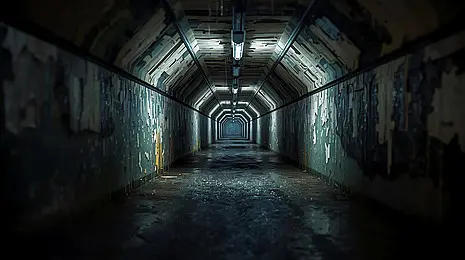
Please Note: This is copied from Reddit’s r/TheSims2Help’s Sims Stories Games page. Any linked headings will be linked back to the Reddit Wiki. In line links should denote where they go (reddit, lemmy, tumbler) anything not mentioned is probably another off reddit guide or .exe file. Most if not all content contained below was created by the Reddit r/Sims2Help team and all credit for this guide goes to them.


A few Notes:

  • All links provided here are for Windows only. They can work via Parallels or Bootcamp on Mac and on Linux via Proton, Bottles, etc.
  • The native MacOS versions of the Stories games are 32-bit which no longer work from MacOS Catalina onwards*

Direct Download vs Torrent

There are direct download and magnet torrent links available for each Stories game.

Direct downloads are typically slower but do not require any other programs to use nor any VPN. Direct downloads are also more likely to be taken down.

Torrents are quicker but you must have a torrent client to use it and in some countries (e.g. Germany) you may need a VPN if piracy is taken seriously there. Torrents are unlikely to stop working and rely on at least one person still having the file available.

If any link is unavailable or stops working, please create a thread or message the mods so we can test whether the link needs to be removed or replaced.

Torrent Clients & VPNs

For the torrent links, you need to have a torrent client to download the game - I recommend using Deluge (this is a direct download link, after downloading click on the file to install it) as it is free and ad-free with no annoying pop-ups. qBittorrent is another popular alternative and may be easier to use with a VPN (instructions here).

Do I need a VPN?

It depends on where you are in the world and whether your country cares at all about piracy for personal use, and as such some people may prefer not to torrent without it.

Install Instructions

The direct downloads are in 7z and zip archives while the torrent downloads are in rar archives so you will need to extract the files once the download has finished. Open File Explorer and go to the location you downloaded the files to (usually your computer’s Downloads folder by default). Windows 11 should be able to natively extract the files using the “Extract all” option when you right click the archive; for earlier Windows versions use a program like 7-Zip (direct download; this program has no ads and is free forever) or WinRAR.

The Sims Pet Stories Download

Direct Downloads

  • Mediafire Download - just click the blue download button on that page, or click here to start the download.
  • Mega Download - note there are speed caps and download size limits which may make you wait periods of time before continuing.
  • Archive Download (slower) - note that archive downloads are very slow.

Torrents

The Sims Life Stories Download

Direct Downloads

  • Mediafire Download - just click the blue download button on that page, or click here to start the download.
  • Mega Download - note there are speed caps and download size limits which may make you wait periods of time before continuing.
  • Archive Download (slower) - note that archive downloads are very slow.

Torrents

The Sims Castaway Stories Download

Direct Downloads

  • Mediafire Download - just click the blue download button on that page, or click here to start the download.
  • Mega Download - note there are speed caps and download size limits which may make you wait periods of time before continuing.
  • Archive Download (slower) - note that archive downloads are very slow.

Torrents

Graphics Rules Maker (GRM)

The Graphics Rules Maker (GRM) will automatically edit your Graphics Rules and Video Cards sgr files for you - make sure to get the latest download from that link, as if you downloaded the game from Games4theworld, you will have the old V1.1 version of the program which had several problems.

Note that you need to have Windows 10 in order to use the latest version of the GRM; if you have an earlier OS, use the link above to download an earlier version.

The following instructions were taken and adapted from Osab’s Starter Pack Guide (the Stories Starter Pack is no longer available and was taken down via DMCA)

  1. Run Graphics Rules Maker as Administrator by right-clicking it. If you don’t run it as Administrator, your changes will NOT apply properly when you save.
  2. Make sure “The Sims Life Stories” is selected in the “Game” dropdown & has been successfully located. Click “Locate Game” if it doesn’t say “Game found” beneath the path.
  3. Choose “Auto-detect” to select the optimized settings for your system configuration.
  4. Change the “Max Resolution” dropdown to your monitor’s native resolution. It should be the largest resolution on the list. Set the “Default Resolution” to the one you want to play at (the same in most cases).
  5. Save your changes by clicking “Save files…” at the bottom right.
  • If GRM asks you to add your graphics card(s) to the database, click YES.
  • If you get an error while saving files, make sure you run the program as administrator and that your “Graphics Rules.sgr” and “Video Cards.sgr” have full permissions enabled.
  1. Repeat steps 2-5, changing the “Game” dropdown for each Stories game you installed.

It’s fine to check all the boxes in the program, though you shouldn’t check “Disable Sim Shadows” unless you don’t want Sim shadows for some reason. Instead, if you are experiencing the black shadow box issue, get the Shadow fix mod which will allow you to keep shadows in your game but without the black boxes.

Troubleshooting - Graphical Issues, Technical Support, etc.

Please see the troubleshooting guide in the wiki Lemmy Link, Reddit link. Although that section was written with the main Sims 2 game in mind, the Stories games use the same engine as The Sims 2 and as such many mods/CC are compatible with the Stories games too, and most of the same fixes apply. If you cannot resolve your issue based on the information in that section, please create a thread.


<- Back to Wiki Guide

<- Back to Wiki Guide

Please Note: This is copied from Reddit’s r/TheSims2Help’s Sims Stories Games page. Any linked headings will be linked back to the Reddit Wiki. In line links should denote where they go (reddit, lemmy, tumbler) anything not mentioned is probably another off reddit guide or .exe file. Most if not all content contained below was created by the Reddit r/Sims2Help team and all credit for this guide goes to them.


A few Notes:

  • All links provided here are for Windows only. They can work via Parallels or Bootcamp on Mac and on Linux via Proton, Bottles, etc.
  • The native MacOS versions of the Stories games are 32-bit which no longer work from MacOS Catalina onwards*

Direct Download vs Torrent

There are direct download and magnet torrent links available for each Stories game.

Direct downloads are typically slower but do not require any other programs to use nor any VPN. Direct downloads are also more likely to be taken down.

Torrents are quicker but you must have a torrent client to use it and in some countries (e.g. Germany) you may need a VPN if piracy is taken seriously there. Torrents are unlikely to stop working and rely on at least one person still having the file available.

If any link is unavailable or stops working, please create a thread or message the mods so we can test whether the link needs to be removed or replaced.

Torrent Clients & VPNs

For the torrent links, you need to have a torrent client to download the game - I recommend using Deluge (this is a direct download link, after downloading click on the file to install it) as it is free and ad-free with no annoying pop-ups. qBittorrent is another popular alternative and may be easier to use with a VPN (instructions here).

Do I need a VPN?

It depends on where you are in the world and whether your country cares at all about piracy for personal use, and as such some people may prefer not to torrent without it.

Install Instructions

The direct downloads are in 7z and zip archives while the torrent downloads are in rar archives so you will need to extract the files once the download has finished. Open File Explorer and go to the location you downloaded the files to (usually your computer’s Downloads folder by default). Windows 11 should be able to natively extract the files using the “Extract all” option when you right click the archive; for earlier Windows versions use a program like 7-Zip (direct download; this program has no ads and is free forever) or WinRAR.

The Sims Pet Stories Download

Direct Downloads

  • Mediafire Download - just click the blue download button on that page, or click here to start the download.
  • Mega Download - note there are speed caps and download size limits which may make you wait periods of time before continuing.
  • Archive Download (slower) - note that archive downloads are very slow.

Torrents

The Sims Life Stories Download

Direct Downloads

  • Mediafire Download - just click the blue download button on that page, or click here to start the download.
  • Mega Download - note there are speed caps and download size limits which may make you wait periods of time before continuing.
  • Archive Download (slower) - note that archive downloads are very slow.

Torrents

The Sims Castaway Stories Download

Direct Downloads

  • Mediafire Download - just click the blue download button on that page, or click here to start the download.
  • Mega Download - note there are speed caps and download size limits which may make you wait periods of time before continuing.
  • Archive Download (slower) - note that archive downloads are very slow.

Torrents

Graphics Rules Maker (GRM)

The Graphics Rules Maker (GRM) will automatically edit your Graphics Rules and Video Cards sgr files for you - make sure to get the latest download from that link, as if you downloaded the game from Games4theworld, you will have the old V1.1 version of the program which had several problems.

Note that you need to have Windows 10 in order to use the latest version of the GRM; if you have an earlier OS, use the link above to download an earlier version.

The following instructions were taken and adapted from Osab’s Starter Pack Guide (the Stories Starter Pack is no longer available and was taken down via DMCA)

  1. Run Graphics Rules Maker as Administrator by right-clicking it. If you don’t run it as Administrator, your changes will NOT apply properly when you save.
  2. Make sure “The Sims Life Stories” is selected in the “Game” dropdown & has been successfully located. Click “Locate Game” if it doesn’t say “Game found” beneath the path.
  3. Choose “Auto-detect” to select the optimized settings for your system configuration.
  4. Change the “Max Resolution” dropdown to your monitor’s native resolution. It should be the largest resolution on the list. Set the “Default Resolution” to the one you want to play at (the same in most cases).
  5. Save your changes by clicking “Save files…” at the bottom right.
  • If GRM asks you to add your graphics card(s) to the database, click YES.
  • If you get an error while saving files, make sure you run the program as administrator and that your “Graphics Rules.sgr” and “Video Cards.sgr” have full permissions enabled.
  1. Repeat steps 2-5, changing the “Game” dropdown for each Stories game you installed.

It’s fine to check all the boxes in the program, though you shouldn’t check “Disable Sim Shadows” unless you don’t want Sim shadows for some reason. Instead, if you are experiencing the black shadow box issue, get the Shadow fix mod which will allow you to keep shadows in your game but without the black boxes.

Troubleshooting - Graphical Issues, Technical Support, etc.

Please see the troubleshooting guide in the wiki Lemmy Link, Reddit link. Although that section was written with the main Sims 2 game in mind, the Stories games use the same engine as The Sims 2 and as such many mods/CC are compatible with the Stories games too, and most of the same fixes apply. If you cannot resolve your issue based on the information in that section, please create a thread.


<- Back to Wiki Guide

0

Israeli Strike in Northern Gaza Kills Father, Mother, and Their Two Daughters

Israeli Strike in Northern Gaza Kills Father, Mother, and Their Two Daughters news.antiwar.com
preview

cross-posted from: thelemmy.club/post/55758161

The girls were just eight and 12 years old and were bombed as they slept

An Israeli strike on a partially destroyed home in Beit Lahia, northern Gaza, on Thursday morning killed a man, his wife, and their two young daughters as the IDF continues to regularly kill children in its constant violations of the US-backed ceasefire deal.

The girls were just eight and 12 years old, and the family was killed as they were sleeping, according to a neighbor. “There isn’t any truce,” the neighbor, Zuhair al-Haisami, told Reuters. “Not a single day passes without martyrs, or (people being) injured.”

Mourners bid farewell to the bodies of Moamen Abdul Rahman Ahmed, his wife Haneen and their two daughters, Lana and Bana Ahmed, at al-Shifa Hospital in Gaza City, on September 10, 2026 (IMAGO/APAimages via Reuters Connect)

The Quds News Networkidentified the father as Moamen Ahmed, the mother as Haneen, and their two daughters as Luna, 12, and Bana, eight. According to Reuters, the IDF claimed without evidence that Moamen was a Hamas member, and its statement made no mention of the woman and children who were killed in the strike.

Palestinian sisters Lana and Bana Ahmed were killed alongside their parents at dawn today in an Israeli airstrike on their home in Jabalia refugee camp, northern Gaza Strip. pic.twitter.com/UTNJ0nAM2I

— Quds News Network (@QudsNen) September 10, 2026

Israeli attacks hit other parts of Gaza on Thursday, with the Palestinian news agency WAFA reporting that several people were injured by strikes in Gaza City and near the Nuseirat refugee camp in central Gaza. In recent days, the IDF has ramped upforced evacuations and the bombing of buildings it ordered evacuated.

Gaza’s Health Ministry said in its daily update that since the so-called ceasefire deal was signed in October 2025, the IDF has killed at least 1,359 Palestinians in Gaza and wounded 4,571. The US has continued to back Israel’s attacks despite announcing that Hamas had agreed to a deal that would see the group give up its weapons, a proposal that Israel has rejected.

Dave DeCamp is the news editor of Antiwar.com, follow him on Twitter @decampdave.

cross-posted from: thelemmy.club/post/55758161

The girls were just eight and 12 years old and were bombed as they slept

An Israeli strike on a partially destroyed home in Beit Lahia, northern Gaza, on Thursday morning killed a man, his wife, and their two young daughters as the IDF continues to regularly kill children in its constant violations of the US-backed ceasefire deal.

The girls were just eight and 12 years old, and the family was killed as they were sleeping, according to a neighbor. “There isn’t any truce,” the neighbor, Zuhair al-Haisami, told Reuters. “Not a single day passes without martyrs, or (people being) injured.”

Mourners bid farewell to the bodies of Moamen Abdul Rahman Ahmed, his wife Haneen and their two daughters, Lana and Bana Ahmed, at al-Shifa Hospital in Gaza City, on September 10, 2026 (IMAGO/APAimages via Reuters Connect)

The Quds News Networkidentified the father as Moamen Ahmed, the mother as Haneen, and their two daughters as Luna, 12, and Bana, eight. According to Reuters, the IDF claimed without evidence that Moamen was a Hamas member, and its statement made no mention of the woman and children who were killed in the strike.

Palestinian sisters Lana and Bana Ahmed were killed alongside their parents at dawn today in an Israeli airstrike on their home in Jabalia refugee camp, northern Gaza Strip. pic.twitter.com/UTNJ0nAM2I

— Quds News Network (@QudsNen) September 10, 2026

Israeli attacks hit other parts of Gaza on Thursday, with the Palestinian news agency WAFA reporting that several people were injured by strikes in Gaza City and near the Nuseirat refugee camp in central Gaza. In recent days, the IDF has ramped upforced evacuations and the bombing of buildings it ordered evacuated.

Gaza’s Health Ministry said in its daily update that since the so-called ceasefire deal was signed in October 2025, the IDF has killed at least 1,359 Palestinians in Gaza and wounded 4,571. The US has continued to back Israel’s attacks despite announcing that Hamas had agreed to a deal that would see the group give up its weapons, a proposal that Israel has rejected.

Dave DeCamp is the news editor of Antiwar.com, follow him on Twitter @decampdave.

0

CIJA Is Lobbying To Expand Grounds For Revoking Citizenship

The Maple CIJA Is Lobbying To Expand Grounds For Revoking Citizenship www.readthemaple.com
preview

The Centre for Israel and Jewish Affairs (CIJA), one of Canada’s most influential pro-Israel groups, is lobbying the federal government to expand the grounds by which Canadian citizenship can be revoked.

According to filings with the federal lobbyist registry, CIJA communicated with Minister of Public Safety Gary Anandasangaree, CSIS director Dan Rogers and Conservative MP Shuvaloy Majumdar between March and July.

0

Mark Carney’s investment summit could pave the way to a corporate carve-up of Canada

The Breach Mark Carney’s investment summit could pave the way to a corporate carve-up of Canada &#8902; The Breach breachmedia.ca
preview

The biggest lure for international investors will be the opportunity to get their hands on infrastructure that has already been built. Much of which, inconveniently for the financiers, are currently owned by all of us.

The biggest lure for international investors will be the opportunity to get their hands on infrastructure that has already been built. Much of which, inconveniently for the financiers, are currently owned by all of us.